Living in a small apartment doesn’t mean you have to compromise on safety, but it does require a strategic approach to security. With an average of 2.5 million burglaries occurring annually in the US, renters face unique challenges—limited square footage, strict lease agreements, and tight budgets that make traditional whole-home systems impractical. The good news? Modern security bundles have evolved specifically for compact urban dwellings, offering comprehensive protection without the premium price tag or permanent installations that could cost you your security deposit.
These all-in-one solutions combine cameras, sensors, and smart features into cohesive packages that work seamlessly in confined spaces. But not all bundles are created equal, and the “budget” label can be misleading if you don’t understand what you’re actually paying for. This guide cuts through the marketing noise to help you identify the essential components, features, and considerations that truly matter when protecting your small apartment—whether you’re in a studio, one-bedroom, or shared living situation.
Top 10 Security & Surveillance Bundles for Small Apartments
Detailed Product Reviews
1. GNCC 2K Security Cameras 4pcs, Home Security Camera Indoor with 360° Motion Detection for Pets/Baby/Dog, Two-Way Audio, Night Vision, 24/7 SD Card Storage, Cloud Storage, Compatible with Alexa
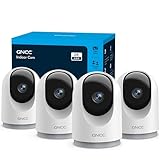
Overview: The GNCC 2K Security Camera 4-pack offers comprehensive indoor monitoring for homes with pets, babies, or general security needs. Each camera delivers 2K Full HD video with night vision capabilities and 355° horizontal plus 90° vertical rotation for near-complete room coverage. Controlled via the OSAIO app, this system provides real-time alerts, two-way communication, and seamless integration with Alexa and Google Assistant.
What Makes It Stand Out: This system distinguishes itself with exceptional value—four 2K cameras for under $50. The smart pan/tilt tracking automatically follows movement, making it ideal for active pets or children. Dual storage flexibility allows continuous 24/7 recording to SD cards (not included) or cloud storage with a 30-day trial. The multi-device viewing supports up to three simultaneous users, perfect for families wanting shared access.
Value for Money: At $49.61 for four cameras (roughly $12.40 per unit), this is one of the most cost-effective multi-camera kits available. Individual comparable cameras often retail for $25-35 each. The inclusion of 2K resolution, motion tracking, and smart home compatibility at this price point delivers outstanding budget-friendly surveillance without sacrificing core features.
Strengths and Weaknesses: Strengths include unbeatable pricing for a 4-pack, sharp 2K video quality, intelligent motion tracking, flexible storage options, and reliable two-way audio. The setup is straightforward with clear app instructions. Weaknesses are limited to 2.4GHz WiFi only (no 5GHz support), the requirement to purchase SD cards separately, and vertical rotation restricted to 90° which may leave some blind spots in tall rooms.
Bottom Line: This GNCC 4-pack is an excellent choice for budget-conscious shoppers needing multi-room coverage. It’s particularly well-suited for pet owners and parents who want motion-tracking capabilities without breaking the bank. While WiFi limitations and separate SD card purchases are minor drawbacks, the overall feature set and unbeatable price make it a compelling value proposition for comprehensive home monitoring.
2. Indoor Security Camera with 360 Monitor, Home Cameras with 2-Way Audio, Night Vision, Motion Detection, Phone App, Cloud & SD Card Storage, Work with Alexa/Google, 2.4GHz WiFi and Bluetooth, 4 Pack

Overview: This 4-pack indoor security camera system delivers 1080P HD monitoring with comprehensive 355° horizontal and 130° vertical rotation. Designed for whole-home coverage, each unit features AI-powered human detection, night vision up to 30 feet, and two-way audio through the Amorom app. The system integrates with Alexa and Google Assistant while offering both local and encrypted cloud storage options.
What Makes It Stand Out: The standout feature is the privacy mode, which physically rotates the lens downward and shuts off with one tap—no unplugging required. AI human detection reduces false alerts from pets or shadows, a significant upgrade from basic motion sensors. Bluetooth connectivity simplifies setup, while the enhanced 130° vertical tilt provides better coverage of tall spaces than standard 90° models.
Value for Money: At $74.99 for four units ($18.75 per camera), this kit sits in the mid-range price bracket. While pricier than budget 2K alternatives, the AI detection and privacy features justify the premium. Comparable AI-enabled cameras from premium brands often cost $40-50 each, making this 4-pack a solid value for tech-savvy users prioritizing intelligent alerts and privacy controls.
Strengths and Weaknesses: Strengths include intelligent AI human detection, innovative privacy mode, superior vertical rotation, robust AWS encryption, and flexible storage options. The Bluetooth setup is convenient, and two-way audio is clear. Weaknesses include 1080P resolution (not 2K), a shorter 7-day cloud trial versus competitors’ 30-day offers, and no included SD cards. The app download issues mentioned in the notes could concern some users.
Bottom Line: This system is ideal for privacy-conscious homeowners and renters wanting smart AI features without premium pricing. The privacy mode alone sets it apart from competitors. While resolution is limited to 1080P, the intelligent detection and enhanced rotation make it a worthy investment for those valuing security intelligence and data privacy over absolute pixel count.
3. Noonkey No Drill Window Camera for Home Security - 5GHz/2.4GHz WiFi Anti-Glare Indoor Security Camera, Starlight Color Night Vision, 24/7 Recording,Human Detection Real-Time Alarm, 2-Way Audio,Alexa

Overview: The Noonkey Window Camera solves a unique problem for renters and apartment dwellers with its innovative no-drill, adhesive-mount design. This single-camera unit is specifically engineered for window placement, featuring anti-glare technology to combat reflections. It captures 2K/3MP video with starlight color night vision and supports both 2.4GHz and 5GHz WiFi networks for flexible connectivity.
What Makes It Stand Out: True set-it-and-forget-it installation takes under five minutes without tools or wall damage—a game-changer for rental properties. The anti-glare coating ensures clear footage through glass, while starlight color night vision provides full-color video in low light instead of traditional grayscale. Dual-band WiFi support is rare in this price range, and the 256GB SD card capacity exceeds most competitors’ 128GB limits.
Value for Money: At $38.99 for a single camera, the per-unit cost exceeds multi-pack alternatives. However, no competing product offers this specialized window-mounting solution with anti-glare and color night vision at this price. For renters prohibited from drilling, this camera eliminates installation barriers that would otherwise require costly professional solutions or forfeited security deposits.
Strengths and Weaknesses: Strengths include effortless renter-friendly installation, dual-band WiFi flexibility, effective anti-glare technology, impressive color night vision, large storage capacity, and accurate human detection. The discreet black design blends well with window frames. Weaknesses are the single-camera limitation (no multi-pack option), higher per-camera cost, and lack of advertised cloud storage trial. It’s also specialized for window use, not general room monitoring.
Bottom Line: This is the go-to solution for renters needing window-facing security without permanent installation. While pricier than basic indoor cameras, its specialized features—particularly anti-glare and color night vision—justify the cost for apartment dwellers. If you can’t drill holes but want reliable exterior monitoring, this camera delivers unique value that standard indoor models cannot match.
4. LaView Security Cameras 4pcs, Home Security Camera Indoor 1080P, Wi-Fi Cameras Wired for Pet, Motion Detection, Two-Way Audio, Night Vision, Phone App, Works with Alexa, iOS & Android & Web Access

Overview: LaView’s 4-pack indoor camera system focuses on accessibility and multi-user functionality, delivering 1080P HD video with 33-foot night vision range. The wired WiFi design ensures stable connectivity, while the LaView app provides instant motion alerts and two-way audio with noise cancellation. Unique among competitors, this system offers web browser access and supports extensive sharing capabilities for large households.
What Makes It Stand Out: The exceptional multi-user support allows sharing with up to 20 people and viewing up to 9 simultaneous live feeds—far exceeding typical 3-4 user limits. Web browser access provides flexibility to monitor from any computer without app installation. The noise-canceling two-way audio delivers clearer communication, and the 30-day cloud trial is more generous than many alternatives. This makes it ideal for extended families or small business applications.
Value for Money: Priced at $69.99 for four cameras ($17.50 per unit), this kit offers mid-range value. While you can find cheaper 1080P options, none match LaView’s collaboration features. Competitors with similar multi-user capabilities often cost twice as much. For users prioritizing shared access over maximum resolution, this represents excellent ROI, especially considering the included cloud trial and web access.
Strengths and Weaknesses: Strengths include outstanding multi-user support, convenient web browser access, reliable wired connectivity, effective noise cancellation, strong 33-foot night vision, and flexible storage options. The setup is straightforward across iOS, Android, and web platforms. Weaknesses are the fixed 1080P resolution (no 2K option), lack of pan/tilt functionality, no AI smart detection, and 2.4GHz WiFi only. There’s no privacy mode mentioned.
Bottom Line: This system is perfect for large families, shared housing, or small offices requiring multiple users to access camera feeds simultaneously. The web browser access and 20-user sharing capability are standout features that justify the moderate price premium. If your priority is collaborative monitoring rather than the highest resolution or AI features, LaView delivers exceptional multi-device flexibility that budget competitors simply can’t match.
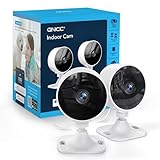
5. GNCC Only 2.4GHz Indoor Security Camera, 1080P Cameras for Home Security, Motion Detection, Two-Way Audio, Night Vision, Dog Camera with App, Easy Install, Cloud Storage Subscription Required(2-Pack)
6. 4CH 1080P Wired Security Camera System, AIWIXEN CCTV DVR with 512GB Hard Drive, 4 x Home Surveillance IP68 Waterproof Security Cameras with Human Vehicle Detection, Remote Access, 24-7 Recording

Overview: The AIWIXEN 4CH 1080P Wired Security System delivers professional-grade surveillance with four IP68-rated cameras and a 512GB pre-installed DVR. Designed for continuous 24/7 recording, this system offers robust local storage, human/vehicle detection, and remote access capabilities. Complete with 60FT BNC cables, it provides a comprehensive wired solution for property monitoring.
What Makes It Stand Out: The massive 512GB hard drive sets this apart from competitors, eliminating subscription fees while enabling weeks of continuous footage. IP68 waterproofing ensures durability in extreme weather, while the 100-foot night vision range captures clear images in complete darkness. Human/vehicle smart detection significantly reduces false alarms from environmental triggers.
Value for Money: At $115.99, this system undercuts most wireless alternatives while offering superior reliability. Four cameras with professional-grade features for under $30 per unit represents exceptional value. The absence of monthly cloud fees means the system pays for itself within months compared to subscription-based competitors, making it ideal for budget-conscious security seekers.
Strengths and Weaknesses: Strengths include reliable wired connectivity unaffected by WiFi interference, extensive local storage, exceptional weatherproofing, and true 24/7 recording. Weaknesses involve complex cable installation requiring drilling, 1080P resolution (not 4K), and mandatory internet connection for remote access. The wired design limits camera repositioning flexibility.
Bottom Line: Perfect for homeowners seeking reliable, subscription-free security without breaking the bank. The AIWIXEN system excels in continuous monitoring and durability, though installation requires commitment. Choose this over wireless options if you prioritize stability, long-term savings, and don’t mind running cables. A solid investment for permanent property protection.
7. GNCC Only 2.4GHz Indoor Security Camera, 1080P Cameras for Home Security, Motion Detection, Two-Way Audio, Night Vision, Dog Camera with App, Easy Install, Cloud Storage Subscription Required(4-Pack)

Overview: The GNCC 4-pack offers budget-friendly indoor surveillance with 1080P resolution and straightforward WiFi connectivity. These compact cameras feature motion and sound detection, two-way audio, and night vision up to 10 meters. Designed for quick adhesive installation, they target renters and homeowners seeking simple, affordable room monitoring without complex setup.
What Makes It Stand Out: Unbeatable pricing at under $12 per camera makes this the most economical multi-camera solution available. The adhesive mounting system requires zero drilling, preserving rental deposits. Sound detection adds an extra security layer beyond standard motion alerts, while Alexa integration enables convenient voice-controlled viewing on compatible devices.
Value for Money: At $46.99 for four cameras, the value proposition is extraordinary—costing less than a single premium camera. However, the mandatory cloud storage subscription offsets initial savings. While the hardware price is unbeatable, factor in ongoing monthly fees when calculating total cost of ownership over a two-year period.
Strengths and Weaknesses: Strengths include exceptional affordability, renter-friendly installation, dual motion/sound alerts, and family sharing for three users. Weaknesses comprise 2.4GHz-only WiFi limitation, indoor-only design, required cloud subscription, limited 10-meter night vision, and lack of weatherproofing. The adhesive may also lose effectiveness over time on certain surfaces.
Bottom Line: Ideal for budget-conscious users prioritizing easy indoor monitoring of pets, babies, or general rooms. Accept the cloud subscription trade-off for the rock-bottom hardware cost. Skip if you need outdoor coverage, local storage, or hate recurring fees. A practical entry-level solution for basic interior surveillance needs.
8. AMTIFO Security Cameras Wireless Outdoor Magnetic - 4-Pack Install-Free Indoor Smart 2K WiFi - Long Battery Life Powered Wireless Security Camera with AI Motion Detection

Overview: AMTIFO’s 4-pack delivers truly wireless security with magnetic installation and solar charging. These 2K cameras offer 1080P video, AI motion detection, and night vision. The system includes three days of cloud storage and operates on long-lasting batteries with solar backup for continuous outdoor surveillance without wiring hassles.
What Makes It Stand Out: The magnetic mount enables effortless, tool-free installation on metal surfaces in minutes. Integrated solar panels provide eco-friendly, maintenance-free power, eliminating battery anxiety. This combination of wire-free design and sustainable charging creates unparalleled placement flexibility for remote locations, rental properties, or areas lacking power outlets.
Value for Money: At $149.99, this premium-priced kit justifies cost through convenience and included solar panels. While more expensive than wired systems, you save on installation fees and eliminate subscription costs with complimentary 3-day cloud storage. For renters or DIYers, the time saved and lack of drilling damage offsets the higher upfront investment.
Strengths and Weaknesses: Strengths include revolutionary magnetic setup, solar charging, wire-free flexibility, and included cloud storage. Weaknesses involve battery maintenance requirements, limited mounting surface compatibility (must be metal), unspecified IP rating despite outdoor marketing, and potential 1080P/2K resolution confusion. Battery performance may decline in cold weather.
Bottom Line: Best suited for renters, tech novices, or those wanting hassle-free outdoor security without structural modifications. The solar charging and magnetic design solve common wireless camera pain points. Accept the premium price for installation simplicity and maintenance-free operation. Verify mounting surfaces are metal before purchasing to avoid disappointment.
9. Thybro Magnetic Security Camera Wireless - 4Pack AI Motion Detection, 2K HD Video, Battery Powered, Ease of Setup, 2-Way Audio,IR Color Night Vision, Waterproof, Outdoor & Indoor Surveillance

Overview: Thybro’s 4-pack offers mid-range wireless security with 2K HD resolution and magnetic mounting. These battery-powered cameras feature AI motion detection, 30-foot IR night vision, two-way audio, and weatherproof construction. Designed for indoor/outdoor use, they provide flexible surveillance with instant notifications and remote app control for comprehensive property monitoring.
What Makes It Stand Out: The 2K resolution delivers superior detail compared to standard 1080P competitors at this price point. Color night vision capability enhances identification in low-light conditions, while the strong magnetic mount supports both indoor and outdoor placement without tools. AI-powered motion detection reduces false alarms more effectively than basic pixel-change sensors.
Value for Money: Priced at $132.99, this kit strikes an excellent balance between premium features and affordability. You get 2K resolution, advanced AI detection, and weatherproofing for less than many 1080P alternatives. The absence of mandatory subscription fees further enhances long-term value, making it a cost-effective upgrade from budget options.
Strengths and Weaknesses: Strengths include crisp 2K video, versatile magnetic installation, color night vision, two-way communication, and true indoor/outdoor versatility. Weaknesses comprise battery charging responsibilities, magnetic mount limitations on non-metal surfaces, unspecified cloud storage terms, and potential connectivity issues in large properties without strong WiFi extenders.
Bottom Line: An outstanding choice for users wanting high-resolution wireless security without premium pricing. The 2K clarity and AI detection justify the moderate cost, while magnetic mounting simplifies setup. Ideal for monitoring entry points, garages, or interiors where running cables proves impractical. Charge batteries quarterly for optimal performance.
10. Septekon Security Cameras Indoor, 2K Wired Cameras for Home Security with Night Vision, 2-Way Audio, Motion Detection, Compatible with Alexa (4 Pack), Black

Overview: Septekon’s indoor 4-pack features 2K resolution cameras with pan/tilt/zoom capabilities for complete room coverage. These wired-powered WiFi cameras offer 360° monitoring, two-way audio, night vision, and motion detection. Compatible with Alexa and supporting SD card storage, they provide flexible indoor surveillance with remote app access and multi-user sharing.
What Makes It Stand Out: The motorized pan/tilt function with 360° coverage eliminates blind spots that fixed cameras miss. Four times digital zoom lets you inspect details without image degradation. Combined with Alexa voice control and multi-user family sharing, this creates an interactive monitoring experience perfect for watching children, pets, or elderly family members.
Value for Money: At $79.99, these cameras deliver premium pan/tilt functionality at a fixed-camera price point. The 2K resolution exceeds many competitors in this range. While requiring wired power, you avoid battery maintenance costs and gain continuous operation. Local SD card storage option provides subscription-free recording, enhancing long-term affordability.
Strengths and Weaknesses: Strengths include comprehensive 360° coverage, 2K clarity, flexible storage options, two-way audio, and smart home integration. Weaknesses involve indoor-only design, required power outlet proximity limiting placement, potential app reliability concerns, and WiFi dependency. The pan/tilt mechanism may produce slight motor noise during operation.
Bottom Line: Perfect for families needing comprehensive indoor monitoring of large rooms, nurseries, or common areas. The pan/tilt feature justifies choosing this over static cameras, while the competitive price makes upgrading affordable. Ensure stable WiFi coverage and available outlets before purchasing. An excellent value for interactive indoor security needs.
Understanding Security Bundles for Compact Living Spaces
What Defines a Budget-Friendly Security Bundle?
A true budget bundle isn’t just about the lowest sticker price—it’s about maximizing value per square foot in your limited space. These packages typically range from $150 to $400 for a complete starter kit, striking a balance between essential features and affordability. The key differentiator is inclusion: a genuine bundle provides everything needed for basic operation out of the box, eliminating immediate additional purchases. Look for kits that include at least one camera, multiple entry sensors, a central hub or base station, and all necessary mounting hardware. The most cost-effective options use wireless connectivity to avoid professional installation fees, which can quickly add $100-200 to your total cost.
Why Bundles Make Sense for Small Apartments
In a 600-square-foot apartment, you don’t need eight cameras and a dozen sensors to achieve comprehensive coverage. Bundles eliminate the guesswork of piecing together a system component by component, which often leads to over-purchasing or compatibility headaches. They’re designed with scalability in mind—start with the basics, then add individual components only if your layout demands it. For renters, the unified design means simpler setup and teardown when moving day arrives. Most importantly, manufacturers optimize these packages for typical apartment layouts, ensuring the included equipment provides overlapping coverage without creating redundancies that waste precious space and money.
Essential Components Every Bundle Should Include
The Role of Entryway Cameras
Your front door is the primary vulnerability point in any apartment, making the entryway camera the cornerstone of your security bundle. For small spaces, a single wide-angle camera (110-130 degrees) positioned strategically can monitor not just your entrance but also capture activity in adjacent hallways or stairwells that fall within your lease boundaries. The best bundles include cameras with adjustable mounting brackets that work in apartments where you can’t drill into walls—think adhesive mounts for smooth surfaces or wedge bases that sit on narrow shelves. Prioritize models with person detection technology to avoid constant alerts from neighbors passing by in shared hallways.
Interior Monitoring Solutions
Interior cameras serve a dual purpose in compact apartments: security and remote space management. When you’re away, they verify whether you left the stove on or if a package was delivered inside. For studio apartments, a camera with privacy shutter or physical lens cover is non-negotiable since your living, sleeping, and working zones overlap. Many budget bundles now include compact pan-tilt cameras that cover 360 degrees from a single corner placement, eliminating the need for multiple fixed cameras. These should offer at least 1080p resolution—anything lower and you’ll struggle to identify important details in the inevitably cluttered backgrounds of small living spaces.
Smart Sensors and Detectors
A robust bundle includes more than just cameras. Door/window sensors form your perimeter defense, and for apartments, you typically need 3-4 to cover the main entry and any accessible windows. Motion sensors complement camera coverage by detecting movement when cameras are in privacy mode or in areas like bathrooms where cameras aren’t appropriate. Modern bundles increasingly include environmental sensors—smoke, CO, and even water leak detectors—that alert you to threats beyond intruders. This is particularly valuable in multi-unit buildings where a neighbor’s issue can quickly become your problem.
Wired vs. Wireless: Making the Right Choice
Pros and Cons of Wireless Systems
Wireless systems dominate the budget bundle market for good reason. They communicate via Wi-Fi or proprietary RF signals, eliminating the need to run cables through walls you don’t own. Setup takes under an hour, and you can reposition components freely as you rearrange furniture. However, wireless systems depend entirely on your internet connection and power availability. In apartments with spotty Wi-Fi or frequent outages, this creates vulnerability. Battery-powered wireless devices require regular maintenance—expect to replace sensor batteries every 12-18 months and camera batteries every 2-4 months depending on usage. The hidden cost here is time and the occasional midnight low-battery chirp.
When Wired Might Still Work in Small Spaces
While rare in modern bundles, some budget systems offer hybrid approaches that can work surprisingly well in apartments. Power-over-Ethernet (PoE) cameras, for instance, use a single cable for power and data, which can be routed along baseboards or behind furniture with minimal visibility. If your apartment has coaxial cable outlets in strategic locations (common in older buildings), some systems can repurpose these for video transmission. The advantage? Uninterrupted recording during internet outages and no battery anxiety. The downside? You’re still limited by outlet locations, and any visible wiring might violate lease terms. For most renters, the convenience of wireless far outweighs the reliability benefits of wired, but it’s worth considering if you have unusual layout constraints.
Key Features That Maximize Small Space Security
Night Vision Capabilities
Standard infrared night vision is table stakes, but the quality varies dramatically in budget bundles. Look for cameras with at least 30 feet of IR range—sufficient for any apartment room—and, more importantly, intelligent IR that prevents overexposure in tight spaces. Some advanced bundles offer color night vision using low-light sensors, which provides far more identifiable detail than traditional black-and-white IR footage. This matters when you need to describe an intruder’s clothing to law enforcement. Be wary of cameras with visible red glows; in a dark studio, this creates an eerie atmosphere and reveals the camera’s position. Quality bundles use 940nm infrared LEDs that are invisible to the human eye.
Motion Detection Technology
Basic motion detection triggers on any pixel change, flooding you with alerts when shadows shift or your cat moves. Advanced bundles feature AI-powered person detection that distinguishes humans from pets, objects, and light changes—crucial when you live in close proximity to neighbors whose movements might be visible through windows. Some systems offer activity zones, letting you mask off areas like a busy street visible through your window. The best budget options include pet immunity settings for sensors, ignoring animals under 40 pounds. This prevents false alarms when you’re not home to disarm the system immediately, which is especially important in apartments where repeated false alarms can lead to fines or lease violations.
Two-Way Audio Communication
Two-way audio transforms your security camera into an intercom, allowing you to communicate with visitors—or warn off potential intruders—without opening the door. In small apartments, this feature has added utility: you can talk to delivery drivers, verify maintenance workers, or even soothe a anxious pet while away. Look for bundles with echo cancellation technology, as the close quarters of apartments can create audio feedback loops between cameras and your phone. The microphone should be sensitive enough to pick up sounds through a closed door but include privacy controls to mute it when you’re home. Some systems offer pre-recorded messages you can trigger, useful for consistent responses when you’re unavailable.
Storage Solutions: Cloud vs. Local
Understanding Cloud Storage Subscriptions
Most budget bundles lure you in with affordable hardware but require monthly cloud subscriptions for full functionality. These typically range from $3-10 per month and provide 7-30 days of rolling video storage, advanced AI features, and professional monitoring options. For apartment dwellers, the advantage is off-site storage—if an intruder steals your camera, the footage is safe. However, these costs add up, turning a $200 bundle into a $320 system over two years. Read the fine print: some bundles offer free lifetime cloud storage for a limited number of cameras, while others provide basic free tiers with significant limitations like 12-hour storage or event-only recording.
Local Storage Options for Privacy-Conscious Renters
Local storage via microSD card slots or base station hard drives appeals to renters wary of cloud privacy or subscription fees. A 128GB card can store 2-3 weeks of continuous 1080p footage from a single camera, overwriting oldest footage automatically. The downside? If the camera is stolen, so is your evidence. Some bundles offer hybrid models: free local storage with optional cloud backup for critical events. Look for systems that encrypt local footage, protecting your privacy if someone physically accesses the card. For maximum security, consider bundles with base stations that support USB external drives—hide the base in a closet and thieves won’t know where your footage lives.
Smart Home Integration Possibilities
Voice Assistant Compatibility
Integration with Alexa, Google Assistant, or Siri adds convenience without cost, as most budget bundles now include this feature. You can arm your system with a voice command as you leave, or ask for a live view on your Echo Show while cooking. However, consider the privacy implications in studio apartments where your voice commands might be picked up by neighbors through thin walls. Some bundles offer “whisper mode” or require a PIN for disarming via voice, preventing someone from yelling through your door to disable the system. Test the latency—budget systems sometimes have 5-10 second delays between command and action, which can be frustrating.
Automation and Scheduling Features
Smart automation turns your security system into a lifestyle enhancer. Program your system to automatically arm at 10 PM when you’re home, switch to away mode when your phone leaves the geofenced area, and disarm when you return. In small apartments, scheduling is crucial to prevent false alarms during your morning routine when you’re moving between bedroom and bathroom. Look for bundles that integrate with IFTTT or offer native automation with other smart devices—imagine your lights flashing when a sensor triggers, or your smart plug turning on a radio to simulate occupancy. The best budget systems include these advanced features without requiring premium subscriptions.
Privacy Considerations in Close Quarters
Legal Aspects of Apartment Surveillance
Before installing any camera, understand your lease agreement and local laws. Most leases prohibit modifications that damage walls, but adhesive mounts usually pass muster. More importantly, surveillance laws vary by state: recording audio without consent is illegal in 11 states, even in your own home. Pointing a camera out a window that captures a shared hallway or neighbor’s window can create legal liability. Generally, you’re safe monitoring your interior and immediate entryway, but anything beyond that requires caution. Some municipalities require registration for alarm systems, even self-monitored ones, with fines for false dispatches. Your bundle should include stickers or yard signs—displaying these can deter crime but also signals your system to neighbors.
Respecting Neighbor Privacy
In apartment buildings, your security choices impact others. A camera’s LED status light that seems minor in a house becomes a nuisance in a dark hallway. Audio recording might capture private conversations from adjacent units. Be transparent with immediate neighbors about your system—show them what it captures and what it doesn’t. Many modern bundles include privacy masking features that black out portions of the video feed, letting you block out a neighbor’s door while monitoring your own. Consider using sensors instead of cameras in areas where privacy concerns overlap with security needs. Remember, good security doesn’t mean compromising community trust.
Installation Strategies for Renters
Damage-Free Mounting Techniques
Your security deposit hangs in the balance, so master the art of temporary installation. 3M Command strips rated for the device’s weight work for most sensors and lightweight cameras—use multiple strips for redundancy. For heavier cameras, removable adhesive putty or museum gel provides strong hold without residue. Over-the-door brackets let you mount cameras above entryways without touching walls. If you must drill, use tiny 1/16-inch pilot holes that are easily filled with spackle, and only in inconspicuous areas like closet interiors. Always photograph the original condition before installation and keep all original hardware to restore the space when you move.
Optimizing Camera Placement in Limited Space
In a 400-square-foot studio, camera placement becomes an art form. The corner opposite your main entry provides maximum coverage with a single camera, but test the angle to ensure it captures the door without being obvious from outside. Use vertical space—mount cameras high on walls or on top of tall furniture to maximize field of view and keep them out of reach. Avoid pointing cameras directly at windows, as backlighting creates silhouettes and triggers false alerts. In L-shaped studios, position cameras to monitor the “choke point” where someone must pass to access your valuables, rather than trying to cover the entire space. Remember, a camera’s presence can be as effective as its footage—visible but not intrusive placement deters opportunistic theft.
Budget Planning and Total Cost of Ownership
Hidden Costs to Watch For
That $199 bundle price rarely tells the full story. Factor in $20-40 for extended microSD cards if you opt out of cloud storage. Replacement batteries will cost $15-30 annually. Mounting hardware beyond basic adhesive might add $10-15. If your Wi-Fi is weak where you need cameras, a $30 range extender becomes necessary. Some bundles require a smartphone for setup but don’t include one—obvious until you’re trying to configure with a tablet. Professional monitoring, while optional, typically costs $10-20 monthly but might be required by your renter’s insurance for a discount. Calculate the three-year total cost: a $300 bundle with $5/month cloud storage actually costs $480 over 36 months.
Subscription vs. One-Time Purchase Models
The subscription model debate is particularly relevant for budget-conscious renters. Pure one-time purchase bundles offer complete ownership but often lack advanced features like AI detection or cloud backup. Subscription-based models spread costs over time, making high-end features accessible upfront, but create ongoing expenses that follow you move to move. Some manufacturers offer a middle ground: basic functionality without subscription, with premium features unlocked via optional monthly fees. For apartments, consider your lease length—if you’re planning to move within a year, a no-subscription bundle avoids the hassle of canceling and reactivating services. Conversely, if you’re settling in for several years, a modest subscription might provide peace of mind worth the cost.
Maintenance and Troubleshooting Basics
Keeping Your System Updated
Security devices are essentially small computers that require regular firmware updates to patch vulnerabilities. Enable automatic updates if available, but schedule them for times when you’re home—updates can temporarily disable devices, and you don’t want a failed update leaving you unprotected overnight. Every quarter, physically inspect cameras for dust on lenses (a damp microfiber cloth suffices) and test each sensor by triggering it manually. Check battery levels monthly; most apps show this, but sensors often die suddenly without warning. Keep a log of device serial numbers and purchase dates—warranty claims are easier when you have documentation, and this information is invaluable if a device is stolen.
Common Issues and DIY Solutions
Weak Wi-Fi signal is the number one problem in apartments, especially when cameras are placed far from your router. Before buying, use a Wi-Fi analyzer app to test signal strength at potential camera locations. If signal is marginal, upgrade your router’s position or add a range extender rather than returning the system. False alerts from pets or shadows? Adjust motion sensitivity in increments of 10% until you find the sweet spot, and use activity zones to mask problem areas. Camera offline at night? This often indicates insufficient power—some cameras switch to battery saver mode and disconnect. Disable this feature or ensure the camera is within reliable range of the base station. If your system uses a hub, place it centrally in your apartment, not hidden in a closet, to maximize signal reach to all devices.
When to Upgrade Your Security Setup
Signs You’ve Outgrown Your Bundle
Your initial bundle won’t serve you forever. If you find yourself adding more than two additional cameras beyond the original kit, you’ve likely outgrown the system’s capacity—most budget hubs support 4-6 devices before performance degrades. Frequent disconnections indicate insufficient coverage for your apartment’s layout or interference from neighboring networks. If you’re paying for premium cloud storage but only using one camera, you’re overspending; consider a bundle with better local storage options. Perhaps most telling: if you feel anxious despite having the system active, it may lack a critical feature like professional monitoring or reliable notifications. Trust your intuition—security is psychological as much as technical.
Scaling Without Overwhelming Your Space
Upgrading in a small apartment means replacing, not adding. Swap a fixed camera for a pan-tilt model rather than installing a second unit. Upgrade to higher resolution instead of adding more coverage angles. Consider specialized devices like doorbell cameras that replace existing peepholes without adding bulk. If you need more sensors, choose the wireless variety that blends into door frames rather than bulky surface-mount models. The goal is surgical precision: each device should serve multiple purposes. A camera with built-in siren, for instance, eliminates the need for a separate alarm unit. When scaling, audit your current system monthly for the first three months, removing any device that triggers more than three false alarms—it’s either poorly placed or unnecessary.
Frequently Asked Questions
1. Can my landlord prevent me from installing a security system in my apartment?
Generally, no—landlords cannot prohibit security devices that don’t cause permanent damage. However, they can restrict drilling holes, running wires through walls, or installing exterior cameras that capture common areas. Always review your lease and get written approval for any installation that might be questionable. Most modern wireless systems use adhesive mounts that comply with standard lease terms.
2. How many cameras do I actually need for a 500-square-foot studio?
One well-placed camera can effectively monitor a studio apartment. Position it in a corner opposite your main entry point, angled to cover the door and main living area. If you have a separate sleeping alcove not visible from the main camera, consider a second compact camera or a motion sensor instead. Remember, more cameras mean more maintenance and potential privacy concerns in tight spaces.
3. Will a security system lower my renter’s insurance premium?
Many insurance providers offer 5-20% discounts for monitored security systems, even self-monitored ones. Contact your provider before purchasing to understand their requirements—some demand professional monitoring, while others accept DIY systems with certain features like smoke detection. Keep your purchase receipt and system specifications to provide proof when requesting the discount.
4. What’s the realistic battery life for wireless cameras in high-traffic apartments?
In busy apartments where cameras record frequently, expect 2-3 months of battery life for standard models and 4-6 months for low-traffic areas. Extreme temperatures near windows can reduce battery life by 30%. Pro tip: buy rechargeable lithium batteries and a charger; they’ll pay for themselves within a year compared to disposables.
5. Can neighbors legally disable my camera if they think it’s invading their privacy?
No, but they can file complaints with your landlord or local authorities if your camera captures areas where they have a reasonable expectation of privacy, such as inside their unit or shared bathroom areas. Position cameras to face only your immediate doorway and interior spaces. If a neighbor expresses concern, show them your camera’s live view to demonstrate what it captures—transparency prevents escalation.
6. Are budget security bundles secure from hacking?
Budget doesn’t necessarily mean insecure, but you must take precautions. Change default passwords immediately, enable two-factor authentication, and regularly update firmware. Avoid bundles from unknown brands that don’t provide clear security policies. Look for devices with AES-256 encryption and that are certified by organizations like ioXt. Never port-forward your cameras directly to the internet—use the manufacturer’s secure cloud service or keep them on a separate VLAN if you’re tech-savvy.
7. What happens to my system when I move to a new apartment?
One of the biggest advantages of wireless bundles is portability. Simply remove devices, patch any tiny holes, and reinstall in your new space. Most systems allow you to update your address in the app for emergency services. Keep original packaging for safe transport. If you’re moving to a larger place, you may need to purchase additional sensors, but the core system moves with you. Check if your new building has different Wi-Fi challenges or security policies.
8. Do I need professional monitoring, or is self-monitoring sufficient for an apartment?
For most small apartments, self-monitoring via smartphone notifications is adequate. Professional monitoring ($10-30/month) adds value if you travel frequently, have medical concerns, or live in a high-crime area. The critical difference is response: self-monitoring relies on you seeing and acting on alerts, while professional monitoring dispatches authorities automatically. Some budget bundles offer optional professional monitoring you can activate only when on vacation.
9. How do I prevent my pet from triggering false alarms constantly?
Use pet-immune motion sensors, which ignore animals under a certain weight (typically 40-80 pounds). Position sensors higher on walls where pets can’t reach, and angle them to avoid pet-height movement. For cameras, set activity zones that exclude areas where pets roam, and adjust motion sensitivity to “human only” if the feature is available. Some advanced bundles learn your pet’s patterns over time and reduce false alerts automatically.
10. What’s the difference between 1080p and 2K resolution for small apartments?
In compact spaces, 1080p (Full HD) is generally sufficient for identifying faces and details within 15-20 feet. 2K resolution (2560x1440) provides crisper images and better digital zoom capabilities, which can be useful if you need to read a license plate through a window or identify details across a combined living area. However, 2K requires more bandwidth and storage space. For budget-conscious renters, 1080p with good night vision and frame rate (at least 15 fps) often provides better overall value than 2K with compromised low-light performance.