Imagine walking into your home on a scorching summer afternoon to find your ceiling fans already circulating a refreshing breeze—no app-tapping, no voice commands, no thought required. Or picture your bedroom fan automatically slowing to a gentle whisper as you drift into deep sleep, then switching off entirely before dawn to conserve energy. This isn’t futuristic fantasy; it’s the practical magic of modern ceiling fan controllers with scheduling and timer automation. These intelligent devices transform your passive fixtures into proactive climate managers, working silently in the background to optimize comfort, slash energy bills, and even enhance home security.
Yet, navigating the world of automated fan controls can feel overwhelming. The market teems with options boasting everything from circadian rhythm synchronization to weather-responsive adjustments. Understanding what truly matters—versus what’s just marketing fluff—requires peeling back layers of technical specifications, compatibility requirements, and installation realities. Whether you’re retrofitting a decades-old fan or planning a smart home from the ground up, this comprehensive guide walks you through every critical consideration, feature, and potential pitfall to ensure your investment delivers seamless automation for years to come.
Top 10 Ceiling-Fan Controllers with Scheduling
Detailed Product Reviews
1. 53T Smart Wi-Fi Ceiling Fan Remote Control Kit, 3 Fan Speed & Light Dimmer,Compatible with Alexa & Google Home Smart Life APP

Overview:
The 53T Smart Wi-Fi Ceiling Fan Remote Control Kit transforms traditional ceiling fans into intelligent home devices. This comprehensive solution offers three control methods: physical remote, Smart Life mobile app, and voice commands through Alexa or Google Assistant. Designed for broad compatibility, the kit works with approximately 98% of standard ceiling fan brands including Hampton Bay, Harbor Breeze, Westinghouse, and Honeywell. The system supports four fan speeds, four timing presets (1H, 2H, 4H, 8H), and dimmable LED light control, all managed through RF wireless technology.
What Makes It Stand Out:
The triple-control versatility sets this kit apart, allowing users to adjust settings from anywhere via smartphone or through simple voice commands. The scheduling feature enables automated operation, turning fans and lights on/off at predetermined times for enhanced convenience and energy savings. The compact receiver design simplifies installation in most ceiling fan canopies without space constraints.
Value for Money:
At $24.97, this kit sits in the sweet spot between basic infrared remotes and premium smart home solutions. It delivers genuine Wi-Fi connectivity and voice integration typically found in $40+ alternatives, making it an economical entry point into smart ceiling fan control without sacrificing core functionality.
Strengths and Weaknesses:
Strengths: True smart home integration with app and voice control; universal receiver compatibility; programmable scheduling; dimmable light support; affordable smart solution.
Weaknesses: Wi-Fi setup may challenge non-technical users; 98% compatibility claim requires verification for specific models; relies on 2.4GHz network; remote range may vary in interference-heavy environments.
Bottom Line:
This kit excels for homeowners seeking affordable smart automation for existing ceiling fans. The combination of Wi-Fi control, scheduling, and broad compatibility makes it a compelling upgrade that justifies its mid-tier price point.
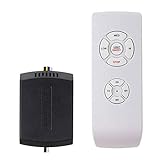
2. LPHUMEX Ceiling Fan Remote Control Kit, Small Size Speed, Light & Timing 3 in 1 Wireless Control, Compatible with AC Motor Fans from Harbor Breeze, Hunter, Hampton Bay, etc.
Overview:
The LPHUMEX Ceiling Fan Remote Control Kit offers a straightforward wireless solution for AC motor ceiling fans. This budget-friendly kit converts traditional pull-chain fans into remote-controlled units, compatible with major brands like Harbor Breeze, Hunter, and Hampton Bay. The compact receiver design addresses a common installation headache, fitting into tighter canopy spaces where standard receivers won’t work. Installation requires only five wire connections, making it accessible for DIY enthusiasts with basic electrical knowledge.
What Makes It Stand Out:
The receiver’s reduced dimensions provide a practical advantage for older fans with limited canopy space. The kit includes four timing functions (1H, 2H, 4H, 8H) and dedicated buttons for three fan speeds plus off, offering more control than basic on/off switches. The included wall cradle gives users a convenient storage option for the remote when not in use.
Value for Money:
Priced at $17.99, this represents exceptional value for those needing simple remote functionality without smart features. It costs significantly less than OEM replacement remotes while delivering comparable performance. For users who don’t need app control or dimming, it eliminates the premium paid for unnecessary features.
Strengths and Weaknesses:
Strengths: Compact receiver fits tight spaces; simple 5-wire installation; affordable pricing; includes timing functions; universal AC motor compatibility.
Weaknesses: No light dimming capability; incompatible with DC motor fans; lacks smart home integration; no reverse function; RF-only control limits range.
Bottom Line:
This kit serves as an ideal replacement for failed OEM remotes or upgrading older AC motor fans. While it lacks advanced features, its small footprint, ease of installation, and attractive price make it perfect for budget-conscious buyers seeking basic wireless convenience.
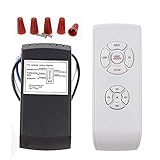
3. LPHUMEX Universal Ceiling Fan Remote Control Kit, 3-in-1 AC Motor Ceiling Fan Light Timing & Speed Remote, for Hunter/Harbor Breeze/Westinghouse/Honeywell/Other Ceiling Fan lamp
Overview:
The LPHUMEX Universal Ceiling Fan Remote Control Kit provides an economical entry point into wireless fan control for AC motor units. This 3-in-1 solution replaces both remote and receiver, establishing a one-to-one pairing essential for proper operation. Compatible with major brands including Hunter, Harbor Breeze, Westinghouse, and Honeywell, the kit features a standard-size receiver measuring 4.53x1.97x1.06 inches. Installation proves remarkably simple, requiring just five wire connections without removing light kits or fan blades.
What Makes It Stand Out:
At its aggressive price point, this kit delivers essential remote functions including three fan speeds, light on/off control, and a wall-mount cradle. The streamlined installation process makes it particularly appealing for DIY novices. The product emphasizes the critical requirement of replacing both remote and receiver as a matched set, preventing the common mistake of mixing incompatible components.
Value for Money:
At $14.88, this is the most affordable option in its category, costing less than many brand-specific replacement remotes alone. It provides core wireless functionality without premium features, representing maximum value for users with straightforward needs and compatible canopy space.
Strengths and Weaknesses:
Strengths: Lowest price point; simple five-wire installation; brand compatibility; includes wall cradle; clear replacement pairing requirement.
Weaknesses: Standard receiver size may not fit compact canopies; AC motor only; no dimming function; no timing features; no smart capabilities; must replace both units simultaneously.
Bottom Line:
This kit works best for replacing failed remote systems in standard AC ceiling fans where canopy space isn’t an issue. Budget-focused buyers will appreciate its no-frills approach, but verify dimensions and motor type before purchasing to avoid installation complications.
4. Universal Smart WiFi Ceiling Fan Remote Control Kit, Compatible with Alexa, Google Assistant and Smart Life App, No Hub Required DIMMER

Overview:
The Universal Smart WiFi Ceiling Fan Remote Control Kit elevates traditional fans into connected smart home devices. Supporting Alexa, Google Assistant, and IFTTT, this kit enables voice commands and mobile app control through the Smart Life platform. Its standout feature is broad dimming compatibility with LED, CFL, and incandescent bulbs, a capability many smart kits lack. The compact receiver design targets popular brands like Hampton Bay, Harbor Breeze, and Hunter, fitting most conventional ceiling fan covers.
What Makes It Stand Out:
True dimming functionality across multiple bulb types distinguishes this from competitors that only offer on/off light control. IFTTT integration allows advanced automation scenarios beyond basic scheduling. The 2.4GHz Wi-Fi connection eliminates need for proprietary hubs, while real-time status sync keeps the app accurately reflecting device state. The small receiver size simplifies installation in space-constrained canopies.
Value for Money:
At $33.99, this kit commands a premium over basic RF remotes but undercuts dedicated smart switches. The dimming capability and IFTTT support justify the cost for users wanting nuanced light control alongside fan automation. It bridges the gap between simple remotes and high-end integrated systems.
Strengths and Weaknesses:
Strengths: Multi-bulb type dimming; IFTTT compatibility; hub-free Wi-Fi; compact receiver; real-time status feedback; voice control.
Weaknesses: 2.4GHz network limitation; higher price point; only three fan speeds; setup complexity for non-tech users; compatibility requires verification.
Bottom Line:
This kit suits smart home enthusiasts needing both fan and dimmable light control without replacing the entire switch. The dimming versatility and IFTTT support make it worth the premium, provided your network and fan model align with its requirements.
5. Kasa Smart Ceiling Fan Control & Dimmer Switch | Adjustable 4-Speed Fan & Brightness Control | Works w/Apple HomeKit, Alexa & Google Home | 2.4G Wi-Fi Only, Single Pole, Neutral Wire Required | KS240

Overview:
The Kasa Smart Ceiling Fan Control & Dimmer Switch (KS240) represents a premium hardwired solution for smart ceiling fan management. Unlike receiver-based kits, this wall switch replacement integrates directly into your electrical system, offering four fan speeds and adjustable brightness control. Its standout feature is Apple HomeKit compatibility alongside Alexa and Google Assistant, a rare combination in this category. The Kasa Smart app provides remote access, scheduling, and timer functions for both fan and light independently.
What Makes It Stand Out:
Native HomeKit support distinguishes this from nearly all competitors, enabling Siri voice commands and seamless integration with Apple-centric smart homes. The four-speed fan control provides finer adjustment than typical three-speed options. As a hardwired switch, it eliminates the reliability concerns associated with wireless receivers and ensures consistent performance. The scheduling feature enhances security and comfort through automation.
Value for Money:
Priced at $41.39, this is a premium investment requiring neutral wire and single-pole configuration. However, it delivers professional-grade reliability, broader smart home integration, and eliminates battery-powered remotes entirely. For permanent installations, it offers better long-term value than replaceable receiver kits.
Strengths and Weaknesses:
Strengths: Apple HomeKit support; four fan speeds; reliable hardwired connection; no batteries required; advanced scheduling; adjustable brightness.
Weaknesses: Requires neutral wire; single-pole only; professional installation recommended; highest price point; not compatible with all fan types.
Bottom Line:
This switch serves homeowners committed to a permanent, reliable smart solution, particularly Apple users. The hardwired design and HomeKit integration justify the cost for those prioritizing stability and ecosystem compatibility over easy installation.
6. 3-Speed Ceiling Fan Remote Control, Black, Low-Medium-High Settings, Wireless Controller with Power Button

Overview: This dedicated replacement remote targets Merwry ceiling fan owners seeking straightforward functionality. The sleek black controller delivers essential 3-speed operation with integrated light control through an intuitive button layout. Designed as a direct substitute rather than a universal retrofit kit, it prioritizes plug-and-play convenience for compatible models. The compact oval form factor emphasizes portability without sacrificing tactile feedback, making it ideal for everyday use in bedrooms or living spaces.
What Makes It Stand Out: The ergonomic design distinguishes this remote from bulkier universal alternatives. Rounded edges and a clear display panel create a premium feel that complements modern décor. One-touch operation eliminates complicated programming—simply install batteries and synchronize with your existing Merwry fan receiver. The dedicated LOW/MED/HI speed buttons provide instant visual feedback, while the separate power and light controls prevent accidental activation during nighttime adjustments.
Value for Money: At $29.99, this remote sits in the mid-range category. While pricier than basic universal kits, its Merwry-specific optimization ensures reliable performance without compatibility guesswork. You’re paying for design refinement and guaranteed functionality rather than broad compatibility. For Merwry owners, this eliminates the frustration of trial-and-error universal remote programming and potential return hassles.
Strengths and Weaknesses: Strengths include its intuitive interface, comfortable grip, and dedicated compatibility that ensures seamless integration. The compact size fits naturally in hand and stores easily in side tables. Weaknesses are its narrow compatibility scope—only works with Merwry fans—and lack of advanced features like timing or reverse functions. Battery life depends on usage frequency but typically lasts 6-12 months with standard alkaline cells.
Bottom Line: Perfect for Merwry ceiling fan owners needing a reliable, stylish replacement remote. Its ergonomic design and straightforward operation justify the price premium over universal alternatives. However, if you require timing functions or have multiple fan brands, consider a more versatile kit.
7. Replacement of Ceiling Fan Remote Control kit, 6-Speed Timing, Remote Replacement of DC Ceiling Fan Light, Black and White

Overview: This specialized kit transforms standard DC ceiling fans into remotely controlled fixtures. Operating on 24V DC systems, it delivers six speed settings, three timing options, and forward/reverse functionality through a compact wireless remote. The package includes a communication controller with four wires and a convenient wall-mounted bracket, targeting users who want comprehensive control without complex installation. It’s engineered specifically for DC motor fans, not AC models, which is crucial for compatibility.
What Makes It Stand Out: The six-speed granularity provides exceptional airflow precision compared to standard three-speed remotes. Integrated timing functions (1H, 2H, 4H) enable automated shutoff for energy savings and nighttime comfort. The included wall bracket solves the common problem of misplaced remotes while keeping controls accessible from bed. Forward/reverse capability allows year-round use for both cooling and heat circulation, maximizing utility.
Value for Money: Priced at $23.22, this kit offers impressive functionality for DC fan owners. Comparable DC-specific remotes often exceed $30, making this a budget-friendly upgrade. The inclusion of mounting hardware and multi-functionality provides strong value, though the narrow 24V DC limitation reduces its universal appeal. For compatible fans, it eliminates the need for separate timing devices or wall switches, consolidating control in one unit.
Strengths and Weaknesses: Strengths include precise six-speed control, multiple timer settings, forward/reverse functionality, and thoughtful wall bracket. The installation is straightforward with only wire connections required. Weaknesses involve confusing product description mentioning wide/narrow voltage (irrelevant for 24V DC), limited compatibility with DC fans only, and lack of dimming capability. The signal range may vary in larger homes with interference.
Bottom Line: Excellent choice for DC ceiling fan owners seeking advanced features at an affordable price. The six-speed control and timing functions offer superior convenience. Verify your fan’s 24V DC specification before purchasing, as this won’t work with standard AC fans or other DC voltages.
8. Small Size Universal Ceiling Fan Remote Control Kit, 3 Speed Control with Light Dimming, Mini Receiver Replacement for Hampton Bay/Hunter/Harbor Breeze/Westinghouse/Honeywell and More

Overview: This ultra-compact retrofit kit solves installation space constraints with a remarkably small 2.8x2.1x1.1-inch receiver. Designed as a direct replacement for numerous Hampton Bay, Harbor Breeze, Hunter, and other major brand models, it restores remote functionality without canopy modifications. The five-function system provides three fan speeds, light on/off, and dimming control for incandescent bulbs through a simple DIP switch pairing process that takes approximately ten minutes for most users.
What Makes It Stand Out: The miniature receiver size is the star feature, fitting into tight ceiling fan canopies where standard receivers won’t. Specific model replacements (FAN-53T, FAN-35T, etc.) ensure compatibility confidence for owners of popular brands. The included transmitter and receiver arrive pre-configured, simplifying setup. Unlike many budget kits, this maintains independent fan and light control without sacrificing functionality or requiring complex programming.
Value for Money: At $19.90, this kit delivers exceptional value for brand-specific replacement needs. Comparable OEM remotes cost $25-35, making this an economical alternative. The small receiver size prevents costly canopy upgrades or fan replacements. While it lacks advanced timing features, the core functionality and brand compatibility justify the price point for targeted applications.
Strengths and Weaknesses: Strengths include the incredibly compact receiver, broad brand compatibility, incandescent dimming capability, and straightforward DIP switch pairing. Installation requires minimal electrical knowledge. Weaknesses are the lack of reverse function, dimming limited to incandescent bulbs only, and potential confusion if DIP switches aren’t matched correctly. The remote’s range may be shorter than premium alternatives in large rooms.
Bottom Line: Ideal for Hampton Bay, Hunter, and Harbor Breeze owners struggling with bulky receiver installations. Its miniature design and brand-specific compatibility make it a smart, affordable replacement. Ensure your fan uses incandescent lighting for dimming, and verify model numbers for guaranteed fit.
9. Ceiling Fan Remote Control and Receiver Kit, 3-in-1 Ceiling Fan Light 4 Timing and 3 Speed Wireless Remote Control for Ceiling Fan Lamp

Overview: This budget-friendly universal kit delivers essential remote control functionality at an entry-level price point. Compatible with 95% of ceiling fan lights, it converts traditional fixtures into wirelessly controlled systems with three speeds and four timing options. The package includes both transmitter and receiver, requiring only five wire connections for installation. The 4.56x2.08x1.06-inch receiver fits most standard canopies, though pre-measurement is recommended to avoid fitment issues.
What Makes It Stand Out: The four timing settings (1H, 2H, 4H, 8H) exceed typical budget remote offerings, providing exceptional flexibility for automated operation. The remarkable $9.99 price makes it the most affordable option in this category. Strong signal performance ensures reliable operation across average-sized rooms. The company emphasizes responsive technical support, addressing common concerns about inexpensive electronics and operational issues.
Value for Money: At $9.99, this kit redefines budget value. Comparable basic remotes cost $15-20, making this a steal for straightforward applications. While build quality may not match premium alternatives, the functionality-per-dollar ratio is outstanding. It’s perfect for rental properties, secondary rooms, or budget-conscious upgrades where advanced features aren’t necessary but timing convenience is desired.
Strengths and Weaknesses: Strengths include unbeatable pricing, four timer options, straightforward five-wire installation, and claimed 95% compatibility. The separate fan and light controls prevent accidental adjustments. Weaknesses involve potential durability concerns, larger receiver size requiring canopy verification, lack of dimming or reverse functions, and basic remote aesthetics. Battery life may be shorter than premium models with heavier use.
Bottom Line: Outstanding value for those prioritizing affordability over advanced features. The four timing options and sub-$10 price make it ideal for basic bedroom or office installations. Verify canopy space for the receiver and consider this a cost-effective solution for standard ceiling fan control needs where budget is primary concern.
10. Ceiling Fan Remote Control Kit, Universal Ceiling Fan Remote Control Kit, Ceiling Fan Wall Switch UC9050T, Compatible with Hunter Hampton Bay

Overview: This innovative wall-switch-style remote kit replaces traditional handheld remotes with a fixed-location control solution. The UC9050T model mimics a standard wall switch appearance while delivering wireless control to compatible Hunter and Hampton Bay fans. Requiring only three wires for installation when paired with its included receiver, it simplifies retrofitting compared to four-wire alternatives. The system controls both fan speed and incandescent light brightness through DIP switch pairing and familiar toggle-style buttons.
What Makes It Stand Out: The wall-mount design eliminates lost remote frustrations while providing permanent, intuitive access. Unlike handheld units, this switch-style controller offers tactile feedback similar to traditional wall controls. The three-wire installation reduces electrical complexity, making it accessible for DIYers comfortable with basic wiring. Broad compatibility with major brands and specific model replacements ensures wide applicability across many existing fan installations.
Value for Money: At $28.99, this kit commands a slight premium over basic handheld remotes but delivers unique wall-switch convenience. Comparable wall-mount fan controllers retail for $35-45, making this competitively priced. The simplified wiring saves potential electrician costs. However, the lack of WiFi connectivity at this price point may disappoint smart home enthusiasts seeking integration with broader automation systems.
Strengths and Weaknesses: Strengths include the convenient wall-switch form factor, simplified three-wire installation, brand-specific compatibility, and independent speed/brightness control. The DIP pairing process is straightforward for those with existing receivers. Weaknesses are the absence of WiFi/smart features, lack of reverse functionality, requirement to wire with included receiver, and dimming limited to incandescent lighting. The fixed location reduces flexibility compared to handheld remotes.
Bottom Line: Excellent solution for homeowners wanting wall-mounted fan control without running new wiring. Its switch-style design and simplified installation justify the price. Ideal for replacing broken wall controls or upgrading from pull chains. Verify your fan model compatibility and lighting type before purchasing.
Understanding Ceiling Fan Controller Technology
The Evolution from Pull Chains to Smart Automation
The humble pull chain, while reliable, offers zero intelligence. Early wall-mounted speed controls introduced convenience but remained manual operations. Today’s smart controllers represent a quantum leap—they embed microprocessors, wireless radios, and memory directly into your fan’s command center. These devices don’t just turn things on and off; they learn patterns, respond to environmental triggers, and communicate across your entire smart home ecosystem. Understanding this evolution helps you appreciate why modern controllers require more than just two wires and a switch—they’re miniature computers managing motor physics, radio frequencies, and cloud connectivity simultaneously.
How Modern Controllers Communicate with Your Fan
Unlike simple on/off switches, automated controllers modulate power delivery through advanced techniques like phase-cut dimming for AC motors or variable frequency drives for DC motors. Wi-Fi models broadcast as IoT devices on your network, while Z-Wave and Zigbee versions create mesh networks that strengthen with each added device. Matter-compatible controllers promise universal interoperability, speaking a common language across Apple, Google, and Amazon platforms. The communication protocol you choose directly impacts reliability, range, and responsiveness—factors that matter immensely when scheduling depends on precise timing.
Why Scheduling and Timer Automation Matter
Circadian Rhythm Alignment and Sleep Quality
Your body’s internal clock responds dramatically to airflow and temperature changes. Automated scheduling lets you program fans to accelerate during warm evening hours, then gradually decelerate as your core body temperature drops for sleep. Some advanced systems integrate with sleep tracking or wearables, adjusting airflow in real-time based on your sleep stage. This isn’t just comfort—it’s sleep science. A fan that automatically shifts to ultra-low speeds during REM cycles prevents nighttime awakenings while maintaining air circulation.
Energy Savings Through Strategic Timing
Running fans in empty rooms wastes electricity. Timer automation ensures fans operate only when needed—30 minutes after bedtime, then off; 15 minutes before you arrive home, then on. More sophisticated controllers integrate with occupancy sensors or geofencing, triggering fans when motion is detected or when your smartphone crosses a virtual boundary. The cumulative savings often recoup the controller’s cost within 12-18 months, especially in climates where fans reduce air conditioning dependency by 4-6 degrees Fahrenheit.
Security Benefits of Automated Lighting and Fan Cycles
A dark, silent home advertises vacancy. Controllers with integrated light dimming can simulate occupancy by running randomized fan and lighting schedules while you’re away. This “vacation mode” creates subtle auditory and visual cues—faint fan hums, shifting light patterns—that deter potential intruders far more effectively than static timers. The randomization is key; predictable on/off cycles are easily spotted, while intelligent controllers vary timing by 10-15 minutes daily.
Key Features to Evaluate Before Buying
Speed Control Precision and Range
Not all speed controls are created equal. Basic models offer 3-4 preset speeds, while premium controllers provide 0-100% granular adjustment. Look for “step-less” or “variable” speed control that lets you fine-tune RPMs for perfect airflow. This precision proves critical for automation—subtle 5% speed increases during peak heat hours maintain comfort without the jarring jumps of coarse presets. DC motor fans typically support finer control than AC models, so match your controller to your motor type.
Reverse Functionality Automation
Seasonal reversal transforms fans from cooling devices to heat circulators. Automated controllers should offer programmable direction changes—counterclockwise for summer cooling, clockwise for winter heat redistribution. The best systems tie reversal to calendar dates, local weather data, or thermostat modes. Manual reversal buttons are insufficient; true automation means never thinking about it again. Verify the controller supports your fan’s specific reversal mechanism—some use physical toggles, others electronic signals.
Dimming Capabilities for Integrated Lights
If your fan includes a light kit, separate dimming control is non-negotiable. Controllers must support both fan and light circuits independently, with scheduling for each. Look for smooth, flicker-free dimming from 1% to 100%, not just three brightness levels. Advanced models offer “ramp” features that gradually brighten lights to mimic sunrise or dim them for movie nights. Ensure the dimmer is compatible with your bulb type—LED, incandescent, or CFL—as mismatched dimming causes flicker and shortens bulb life.
Multi-Fan Control from Single Hub
For homes with multiple fans, a single controller hub that manages all devices simplifies scheduling dramatically. Instead of programming each fan individually, you create zones—“upstairs bedrooms,” “outdoor patios”—and apply schedules in batches. This approach reduces app clutter and ensures coordinated operation. Check hub capacity limits; some support 4-6 fans, others handle 20+. The hub should also offer individual override for times when you want one fan to break from the group schedule.
Compatibility Considerations
AC vs DC Motor Requirements
This is the most critical compatibility check. AC motors (common in older and budget fans) require controllers using TRIAC-based phase control. DC motors (found in most modern, energy-efficient fans) need controllers with specialized DC drivers. Using an AC controller on a DC fan will damage the motor; a DC controller on an AC fan simply won’t work. Verify your fan’s motor type by checking the manual, looking for a DC label on the motor housing, or measuring voltage at the motor—DC fans typically run on 24V-30V, AC on 110V-120V.
Downrod vs Flush-Mount Installation Challenges
Flush-mount fans hug the ceiling, leaving minimal space for controller receivers. Some smart controllers require bulky receiver modules that simply won’t fit in tight ceiling cavities. Downrod fans offer more installation flexibility, but the wiring path through the downrod can interfere with certain controller designs. Measure your ceiling clearance and examine your fan’s canopy before purchasing. Low-profile controllers designed specifically for flush-mount installations often sacrifice range or features due to space constraints.
Wattage and Load Capacity Limits
Every controller has maximum load ratings—typically 1.5 to 3 amps for the fan motor and 150-300 watts for lights. High-performance fans with large motors can exceed these limits, especially industrial-style or outdoor-rated units. Calculate your fan’s amperage draw (watts ÷ volts) and add 20% safety margin. Overloading controllers causes overheating, premature failure, and fire hazards. For fans with powerful light kits (multiple bulbs, integrated LEDs), verify combined fan + light load stays comfortably below the controller’s maximum.
Existing Wall Switch Configuration
Your current switch setup dictates installation complexity. Single-switch locations are simplest—one device controls both fan and light. Dual-switch setups (one for fan, one for light) offer more wiring options but may require abandoning one switch or using a specialized dual-controller. Three-way switches (controlling fan from two locations) demand controllers specifically designed for multi-location control. Some smart controllers replace only one switch, rendering the other location non-functional. Others support “auxiliary” add-on switches that maintain three-way functionality.
Installation Requirements and Complexity
DIY-Friendly vs Professional Installation
Most smart controllers target DIY installers, but skill requirements vary wildly. Wi-Fi models with standard single-pole wiring often take 30 minutes for anyone comfortable turning off breakers and connecting three wires. Multi-switch, three-way, or no-neutral installations can frustrate even experienced DIYers. Professional installation typically costs $75-$150 per fan but ensures code compliance and proper grounding. Be honest about your electrical comfort level—mistakes here destroy controllers, fans, or create shock hazards.
Neutral Wire Availability
Modern smart controllers require a neutral wire in the switch box to power their electronics. Homes built before the 1980s often lack neutrals at switch locations. While some “no-neutral” controllers exist, they’re less reliable, offer fewer features, and may cause LED lights to glow faintly when off. Verify neutral presence with a non-contact voltage tester. If absent, you’ll either need to run new cable ($200-$500 electrician cost) or select a no-neutral-compatible model with full awareness of its limitations.
Multi-Gang Box Considerations
Replacing a switch in a multi-gang box (two, three, or four switches side-by-side) introduces fit challenges. Smart controllers are deeper than standard switches and may not fit alongside existing dumb switches in shallow boxes. You might need to replace the entire box with a deeper model or upgrade all switches to slim-profile smart devices. Controller faceplates must also match your existing switch style—Decora vs toggle—to maintain aesthetic consistency. Some manufacturers sell multi-gang kits with properly sized faceplates.
Ceiling Height and Accessibility Factors
Cathedral ceilings and two-story foyers make receiver installation daunting. If the fan is 15+ feet high, you’ll need scaffolding or an extension ladder just to access the canopy. Some controllers allow receiver installation at the switch box instead of the fan, but this requires running additional wires through the ceiling. Consider your willingness to rent equipment or hire help. Outdoor fans under covered patios present similar challenges—weatherproofing adds complexity, and height often necessitates professional installation.
Smart Home Integration Ecosystems
Matter-Compatible Controllers
Matter represents the smart home industry’s answer to fragmentation. Controllers with Matter certification work seamlessly across Apple HomeKit, Google Home, Amazon Alexa, and Samsung SmartThings without ecosystem lock-in. This future-proofs your investment—if you switch from iPhone to Android, your fan schedules follow you. Matter devices communicate locally over Wi-Fi or Thread, reducing cloud dependency and improving response times. However, the standard is still maturing; some advanced features may remain ecosystem-specific even with Matter certification.
Z-Wave and Zigbee Mesh Networks
These low-power mesh protocols excel in large homes where Wi-Fi signals struggle. Each powered device (controller, smart plug, bulb) acts as a repeater, extending range throughout your home. Z-Wave operates at 908 MHz (less Wi-Fi interference) while Zigbee uses 2.4 GHz (better range but potential Wi-Fi congestion). Both require a hub—SmartThings, Hubitat, or proprietary bridges. The payoff is rock-solid reliability; mesh networks rarely drop commands, making them ideal for critical schedules like nighttime auto-shutoff. Battery-powered sensors can trigger fans without running wires.
Wi-Fi Direct vs Hub-Based Solutions
Wi-Fi controllers connect directly to your router—no hub needed. Setup is simpler, but each device consumes IP address space and contributes to network congestion. In homes with 20+ smart devices, Wi-Fi performance can degrade. Hub-based systems offload traffic to a separate mesh network, keeping your Wi-Fi clean. They also enable local control when internet is down—your schedules continue running even during outages. Wi-Fi controllers typically become bricks without cloud connectivity, a critical weakness for automation reliability.
Apple HomeKit Certification
HomeKit users should prioritize controllers with official certification, not just “works with HomeKit” claims. Certified devices support Siri voice control, appear in the Home app, and enable advanced automation through HomeKit Secure Video and occupancy triggers. They also benefit from Apple’s stringent security requirements—end-to-end encryption, no unverified firmware updates. The trade-off? HomeKit-compatible controllers often cost 20-30% more and may lag behind in feature updates compared to Alexa or Google-first devices.
Voice Control Capabilities
Alexa, Google Assistant, and Siri Integration
Voice control transforms scheduled automation into on-demand convenience. “Alexa, set bedroom fan to 40%” overrides schedules instantly. The depth of integration matters—basic skills turn fans on/off, while advanced integrations support speed percentages, directional commands, and light dimming. Test the natural language processing; clunky commands like “Alexa, tell [brand] to set fan speed to three” quickly become frustrating. Look for controllers that support native device discovery, appearing directly in your voice assistant’s device list without third-party skill enabling.
Custom Voice Commands and Routines
Beyond basic control, the best controllers let you create custom voice shortcuts. “Movie mode” could dim fan lights to 10% and set speed to low. “Dinner party” might boost all patio fans to high. These routines should trigger complex schedules, not just single actions. Some controllers expose their full API to voice platforms, enabling conditional logic: “If temperature exceeds 75°F, set fan to 70%.” This level of integration turns voice from a gimmick into a genuinely useful automation layer.
Offline Voice Processing Options
Internet outages shouldn’t cripple your home. Some hub-based systems (Hubitat, Home Assistant) process voice commands locally using Raspberry Pi or dedicated hardware. These setups keep your voice data private and ensure commands work during internet failures. The downside is complexity—configuring local voice processing requires technical comfort. For most users, a hybrid approach works best: cloud-based voice for convenience, with local scheduling fallback for reliability.
Mobile App Experience and Usability
Remote Access and VPN Considerations
Controlling fans while away requires cloud connectivity or VPN access to your home network. Cloud-based apps offer simplicity but raise privacy concerns—your schedule data lives on company servers. VPN solutions keep data local but demand router configuration and technical know-how. Evaluate the app’s remote performance: does it connect within 2 seconds, or require 10+ seconds of spinning loaders? Test during peak hours; some cloud services throttle free tiers, making remote control sluggish when you need it most.
Geofencing and Occupancy Detection
Sophisticated apps use your phone’s location to trigger fans automatically. Set a 1-mile radius around your home, and fans activate when you cross it. Occupancy detection via motion sensors or Bluetooth beacons offers room-level precision—fans run only in occupied spaces. The magic happens when these features combine: geofencing primes the home, then occupancy sensors fine-tune each room. Ensure the app lets you adjust detection sensitivity; overly aggressive geofencing drains phone battery, while lax settings leave you arriving to a still home.
Firmware Update Processes
Smart devices require updates for security and features. The app should push updates automatically but let you schedule installation windows—never during a dinner party. Check the manufacturer’s update history; frequent updates indicate active development, but too many suggest buggy firmware. The update process must be bulletproof; a failed firmware flash can brick your controller. Look for “safe mode” recovery options and clear rollback procedures. Some premium controllers offer beta firmware channels for early access to new automation features.
Physical Controller Design and Aesthetics
Wall Plate Styles and Finishes
That sleek glass wall plate won’t match your vintage brass fixtures. Controllers come in various finishes—white, almond, black, metal, glass—and you’ll stare at them daily. Consider button layout: capacitive touch looks modern but offers poor feedback in the dark. Physical rocker switches with backlighting provide tactile certainty. Some controllers offer interchangeable faceplates, letting you update aesthetics without rewiring. For rental properties, choose standard Decora-style plates that tenants can easily replace if damaged.
LED Indicator Customization
Status LEDs seem minor until a bright blue light keeps you awake. Quality controllers let you adjust LED brightness or disable them entirely during scheduled “sleep hours.” Some use RGB LEDs to convey information—red for high speed, blue for low, green for auto-mode—providing at-a-glance status. The best systems tie LED behavior to schedules: dim red at night, bright white during day. Avoid controllers with always-on LEDs you can’t disable; they’re incompatible with true darkness for light-sensitive sleepers.
Manual Override Button Functionality
Automation fails—power outages, network drops, houseguests who can’t use voice commands. Manual override buttons must work instantly, even when Wi-Fi is down. Test this: with your router unplugged, can you still adjust speed? The override should temporarily suspend schedules without deleting them, resuming automation after a set period (e.g., 2 hours). Some controllers offer “hold” modes that lock manual settings until explicitly released, useful during parties or when you’re under the weather and want constant airflow.
Energy Efficiency and Cost Savings Analysis
Calculating ROI on Smart Controllers
A $60 controller saving $5 monthly pays for itself in a year. But savings depend on usage patterns. Calculate your baseline: how many hours daily do fans run unnecessarily? Multiply by wattage (typically 30-75W) and your electricity rate ($0.12/kWh average). A fan running 8 hours daily costs $2-4 monthly. Halving that runtime with smart scheduling saves $12-24 annually. Factor in HVAC savings: fans letting you raise AC by 4°F can cut cooling costs 15-20%. Realistic ROI timelines range from 8 months (heavy users) to 2 years (light users).
Phantom Load and Standby Power Consumption
Smart controllers consume power 24/7—typically 0.5-2 watts in standby. Over a year, that’s 4-18 kWh ($0.50-$2.20). While minimal, it partially offsets savings. Compare standby specs; some energy-focused controllers drop to 0.3W by disabling certain radios. More importantly, ensure the controller completely cuts power to the fan motor in “off” state, not just lowering voltage. Some cheap controllers leak voltage, causing motors to hum and waste power even when “off.”
Seasonal Optimization Strategies
True automation adapts to seasons. Program summer schedules for maximum cooling: high speeds 3-7 PM, gradual reduction overnight. Winter schedules should run clockwise at low speeds to push warm ceiling air down without drafts. The most advanced controllers integrate with smart thermostats, automatically switching modes when heating/cooling activates. Set “shoulder season” schedules for spring/fall that prioritize fresh air and minimize HVAC overlap. A well-programmed year-round schedule can reduce total HVAC runtime by 200-300 hours annually.
Security and Privacy Considerations
Data Encryption Standards
Your fan schedule reveals occupancy patterns—when you’re home, sleeping, away. Ensure controllers use at least AES-128 encryption for data transmission. End-to-end encryption, where only you hold the decryption key, is ideal. Avoid controllers that send data unencrypted to cloud servers; this is surprisingly common with budget brands. Check privacy policies for data retention—some companies store 2+ years of usage logs, a treasure trove for hackers or subpoenas.
Cloud vs Local Control
Cloud dependency is a security trade-off. Local-only controllers (Hubitat, Home Assistant integrations) keep data in your home but sacrifice remote access convenience. Cloud controllers offer slick apps but create attack vectors. The sweet spot: controllers that run schedules locally but offer optional cloud access for remote control. If the company shuts down or gets hacked, your automation continues uninterrupted. Verify this by blocking the controller’s internet access at your router—do schedules still run? If not, you’re locked into cloud dependency.
Guest Access and Permission Management
Houseguests shouldn’t need your Wi-Fi password to adjust a fan. Quality controllers offer guest modes—temporary app access via QR code or limited voice control without full account sharing. For rental properties or Airbnbs, look for controllers with PIN-protected settings and usage logs. You can track energy use, set maximum speed limits to prevent noise complaints, and remotely reset schedules after checkout. Avoid controllers that require giving guests full admin access to your smart home ecosystem.
Troubleshooting Common Issues
Wi-Fi Connectivity Drops
Fans in far corners or metal-clad rooms often suffer weak Wi-Fi. If schedules fail intermittently, check signal strength in the controller’s app—look for RSSI values above -70 dBm. Solutions include Wi-Fi extenders, mesh routers, or switching to Z-Wave/Zigbee controllers that create their own mesh. Some controllers support wired Ethernet via Powerline adapters, eliminating wireless issues entirely. For persistent problems, schedule a daily reboot: many apps let you set a 3 AM restart that clears memory leaks and re-establishes connections before you wake.
Fan Hum or Buzz After Installation
Electrical noise after installing a smart controller usually indicates incompatible dimming technology. AC motors controlled by TRIAC dimmers can produce audible hum at lower speeds. DC motors with cheap PWM controllers buzz at certain frequencies. Fix this by enabling “quiet mode” in the app, which adjusts dimming frequency above audible range. If unavailable, install a choke or noise filter between controller and fan. Some premium controllers automatically detect motor type and calibrate output to eliminate hum during initial setup.
Scheduling Conflicts and Overrides
Multiple schedules can clash—your “sleep” schedule wants the fan off, but “temperature” schedule wants it on. Good controllers use priority hierarchies: manual override > sensor trigger > time schedule. Configure conflict resolution rules in the app. For example, set temperature schedules to only activate when someone is home, preventing empty-house cooling. Use “schedule suspension” features for holidays or sick days—one tap pauses all automation for 24-48 hours, then automatically resumes.
Firmware Brick Recovery
Failed updates can render controllers useless. Before buying, research recovery procedures. Quality manufacturers provide factory reset buttons that work even with corrupted firmware. Some include USB-C ports for manual firmware flashing. Check community forums for “unbrick” guides—absence of recovery methods suggests a disposable product. As insurance, buy from retailers with 30-day return policies and extended warranties that cover firmware failures.
Advanced Automation Scenarios
Integration with Thermostats and HVAC
The holy grail: fans and HVAC working as one system. When your smart thermostat calls for cooling, fans automatically increase speed. When heating engages, fans reverse direction and slow to circulate warmth. This requires controllers compatible with thermostat APIs (Ecobee, Nest, Honeywell) or hubs that support automation platforms like Home Assistant. Set deadbands to prevent fan/HVAC conflicts—fans should pause when AC first starts, allowing cold air to establish before circulation. This coordination can cut HVAC energy use by 20-30% while improving temperature consistency.
Weather-Based Adjustments
Why stick to fixed schedules when weather changes daily? Controllers connected to weather services (OpenWeatherMap, AccuWeather) can adjust based on actual conditions. Program rules like: “If outdoor temp drops below 65°F after 8 PM, increase fan speed to clear humidity.” Or: “If humidity exceeds 70%, run fan continuously at medium speed.” Combine with indoor sensors for dual-trigger automation: “Only boost fan if outdoor temp is high AND indoor temp exceeds 75°F.” This dynamic approach outperforms rigid scheduling by responding to real-world conditions.
Vacation Mode Programming
Vacation mode should be convincing, not robotic. Advanced controllers randomize fan and light schedules within 20-minute windows, varying speed patterns daily. They can sync with your security system’s away status, activating automatically when you arm the alarm. Some integrate with smart blinds, coordinating fan speed with sunlight exposure for believable occupancy patterns. The best systems learn your typical usage over 2-4 weeks, then replay realistic variations while you’re gone.
Multi-Room Airflow Orchestration
In open floor plans, multiple fans can work together to create pressure differentials that improve whole-home airflow. Program “front door open” routines where entry fans slow while interior fans speed up, pulling cool air deeper into the house. Or create “stairwell effect” schedules that coordinate upstairs and downstairs fans to drive hot air upward and out. This requires controllers that support group automation with millisecond timing precision, preventing fans from fighting each other’s airflow.
Warranty and Support Expectations
Manufacturer Warranty Coverage
Standard warranties range from 1-3 years, but coverage varies. Some exclude “installation damage” or “electrical surge” failures—common issues. Look for warranties that cover full replacement including shipping. Extended warranties from retailers like Costco or Best Buy often provide better protection than manufacturer policies. Register your device immediately; some brands require registration within 30 days to activate warranty. Keep installation photos and receipts—warranty claims frequently require proof of professional installation.
Community Support and Documentation
Before purchasing, search Reddit, SmartThings Community, and brand-specific forums. Active communities indicate a healthy product ecosystem. Check for detailed installation guides, troubleshooting FAQs, and user-created automation scripts. Brands with poor documentation often have poor products. Look for YouTube channels with official installation videos—visual guides prevent costly mistakes. Avoid controllers with no online community presence; you’ll be on your own when issues arise.
Return Window and Restocking Fees
Even perfect-on-paper controllers may not fit your fan or wiring. Choose retailers with 60-90 day return windows and no restocking fees. Amazon’s 30-day policy is decent, but specialty retailers like The Home Depot often extend to 90 days for smart home devices. Test thoroughly within the return period: run all schedules, test voice control, verify manual overrides. Some brands charge 15-25% restocking fees for opened electronics—read fine print carefully.
Future-Proofing Your Investment
Over-the-Air Update Track Record
Research the manufacturer’s firmware update history. Visit their support site and check release notes for the past two years. Frequent updates suggest active development, but look for meaningful features, not just bug fixes. Companies that abandon products after 12 months leave you vulnerable to security flaws. Community forums reveal real-world update experiences—search for “bricked” or “failed update” posts. Brands with beta programs show commitment to innovation.
Emerging Standards and Protocols
Thread and Matter are the future, but many controllers still use Wi-Fi or proprietary protocols. Buying Thread-ready hardware ensures compatibility with next-generation smart home hubs. Avoid controllers locked into dying ecosystems like Wink or Iris. Check for modular designs where the radio module can be swapped—some premium controllers let you replace a Wi-Fi board with a Thread board when standards shift. This adaptability extends useful life by 3-5 years.
Modular vs All-in-One Designs
All-in-one controllers integrate receiver and wall switch into one unit—simpler but limiting. If the switch fails, you replace everything. Modular systems separate the in-wall control from the canopy receiver, letting you upgrade components individually. This matters when you later add a hub or switch ecosystems—replace the $30 radio module, not the $80 entire unit. Modular designs also ease troubleshooting; swap components to isolate faults quickly.
Frequently Asked Questions
Can I install a smart ceiling fan controller on any existing fan?
Most fans manufactured after 1990 are compatible, but you must verify motor type (AC vs DC), load capacity, and physical space in the canopy. Very old fans with shaded-pole motors or those lacking a neutral wire at the switch box may require electrical upgrades.
Will scheduling work if my internet goes down?
It depends on the controller. Hub-based systems (Z-Wave, Zigbee, Matter over Thread) store schedules locally and continue functioning offline. Wi-Fi controllers that rely on cloud servers typically stop executing schedules until connectivity restores. Always verify offline capabilities before purchasing.
Do these controllers work with fans that have remotes?
Generally, yes, but you’ll likely need to remove or disable the original remote receiver to avoid signal conflicts. Some smart controllers can learn and replicate remote commands, but this adds complexity. The cleanest approach is to bypass the old receiver and wire the smart controller directly to the fan motor.
How precise are the timer schedules? Can I set them to the minute?
Most controllers support scheduling down to the minute, but execution precision varies. Wi-Fi controllers may drift by 1-3 minutes due to network latency. Hub-based systems typically execute within seconds of the scheduled time. For critical timing (like sleep onset), look for controllers with local clock backup that maintain accuracy during network outages.
Will a smart controller reduce my fan’s lifespan?
When properly matched to the motor type, smart controllers can actually extend fan life by reducing inrush current and preventing rapid on/off cycling. However, using an incompatible controller (wrong voltage, insufficient load rating) will damage the motor windings and bearings. Always match controller specifications exactly to your fan’s requirements.
Can I control multiple fans with different schedules from one app?
Yes, most apps support multi-fan management with individual schedules per device. Advanced systems let you create rooms or zones for group control while retaining individual override capability. The key is finding an app with an intuitive interface that doesn’t bury individual fan controls under layers of menus.
Do these controllers work with dimmable LED bulbs?
Only if the controller explicitly states LED compatibility and supports low-wattage dimming (1-5W minimum). Many older controllers require a minimum load of 25-40W, causing LEDs to flicker or not turn off completely. Look for controllers with adjustable dimming curves specifically designed for LED drivers.
What happens to my schedules during daylight saving time changes?
Quality controllers automatically sync with network time protocols (NTP) and adjust for DST. However, some budget models require manual time resets. Check user reviews for DST-related complaints. Controllers tied to hub systems (SmartThings, Hubitat) inherit time management from the hub, which typically handles DST flawlessly.
Can I integrate fan scheduling with my HVAC system?
Yes, through platforms like Home Assistant, SmartThings, or via direct thermostat integration (Ecobee, Nest). You’ll need controllers that expose APIs or support IFTTT/webhooks. The integration allows rules like “When AC turns on, increase fan speed to 60% after 5 minutes.” This requires intermediate technical skill but delivers the highest energy savings.
Are there any fire safety concerns with automating ceiling fans?
Smart controllers must be UL or ETL listed for fan motor loads. Using a lighting dimmer (often rated for 150W resistive load) on a fan motor (inductive load) creates overheating and fire risk. Always verify the controller is specifically rated for ceiling fan use, not just lighting. Proper installation with correct wire gauges and secure connections is essential—when in doubt, hire a licensed electrician.