Your face is your most personal biometric signature—unique, immutable, and impossible to change if compromised. As facial recognition technology migrates from airports and smartphones to our front doors, a critical question emerges: who controls that data? While many smart locks beam your facial templates to distant servers, a growing category of devices keeps this sensitive information exactly where it belongs—on the device itself, behind your own four walls.
This shift toward local storage isn’t just a technical preference; it’s a fundamental privacy stance. In an era of data breaches and questionable cloud security practices, locally-stored facial recognition represents the difference between trusting a corporation’s cybersecurity team and trusting the physical security of your own home. But not all “local storage” claims are created equal, and navigating this emerging market requires understanding nuanced technical details that manufacturers often gloss over.
Top 10 Facial Recognition Door Locks for Privacy
Detailed Product Reviews
1. Jacchozhi 3D Face Recognition Smart Lock with Camera,Keypad Door Lock with Handle, Keyless Entry Fingerprint Smart Mortise Lock for Front Door,Electronic Deadbolt,Video Doorbell,HD Screen,Waterproof

Overview:
The Jacchozhi 3D Face Recognition Smart Lock represents a premium approach to home security, combining advanced biometric technology with comprehensive surveillance capabilities. This all-in-one solution integrates a video doorbell, electronic deadbolt, and multiple entry methods into a single, robust unit designed for the modern smart home.
What Makes It Stand Out:
The standout feature is the motion-sensing 3D facial recognition that activates instantly as someone approaches, eliminating the need to touch or even pause. The integrated 4-inch HD screen provides immediate visual verification without requiring your phone. Combined with aircraft-grade aluminum construction and a triple-bolt mortise system, this lock prioritizes both convenience and security.
Value for Money:
At $259, this lock sits at the premium end but justifies its price through genuine integration. Competing systems often require separate doorbell cameras ($100-150) plus smart locks ($150-200), making this combined solution cost-effective. The absence of monthly fees for video storage further enhances long-term value.
Strengths and Weaknesses:
Strengths include rapid contactless entry, comprehensive 7-in-1 access methods, local biometric data storage for privacy, and robust anti-tamper alerts with siren. The integrated video system with two-way audio provides complete doorstep awareness. Potential weaknesses include higher battery consumption from constant motion sensing and the premium price point that may exceed budget-conscious buyers’ limits. Installation may require more effort due to the mortise design.
Bottom Line:
For homeowners seeking maximum security and convenience without subscription fees, this premium smart lock delivers exceptional value. The seamless facial recognition and integrated video capabilities make it ideal for families and tech enthusiasts who prioritize both safety and convenience.
2. Jacchozhi 3D Face Recognition Door Lock,Keyless Entry Smart Deadbolt Lock for Front Door, Electronic Digital Keypad, Tuya App Control,One-Time Code,Auto-Lock,IP54 Waterproof

Overview:
The Jacchozhi 3D Face Recognition Door Lock at $79 offers an accessible entry point into biometric security. This budget-friendly smart deadbolt provides essential keyless functionality without compromising core features, making it an attractive option for first-time smart lock adopters.
What Makes It Stand Out:
The infrared fill light enables reliable facial recognition even in complete darkness, a feature rarely found at this price point. The 5-in-1 entry system accommodates 50 faces and 250+ PIN codes, offering impressive capacity for a budget device. The auto-lock functionality with customizable 5-30 second timer adds practical security for forgetful users.
Value for Money:
This lock redefines budget smart security. At under $80, it delivers facial recognition typically found in $200+ units. While remote control requires a separate Tuya Gateway, the standalone functionality provides tremendous value. The easy installation without drilling saves additional costs, making it ideal for renters or DIY enthusiasts.
Strengths and Weaknesses:
Strengths include exceptional affordability, reliable night-vision facial recognition, generous user capacity, and straightforward installation. The auto-lock and one-touch locking features enhance daily convenience. However, the separate gateway requirement for remote access is a notable limitation. The plastic construction may not match premium build quality, and the absence of an integrated camera reduces visibility compared to pricier alternatives.
Bottom Line:
This is the smart lock for budget-conscious buyers wanting facial recognition without financial strain. While it lacks some premium features, its core functionality and unbeatable price make it perfect for apartments, rental properties, or as an introductory smart home upgrade.
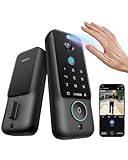
3. Lockin Veno Plus Smart Lock with 2K 180° Security Camera & Video Doorbell, AI Local Storage, Palm Vein/Fingerprint Keyless Entry Door Lock, Smart Locks for Front Door Bulit in Wi-Fi, App Control
Overview:
The Lockin Veno Plus Smart Lock positions itself as a privacy-focused, all-in-one security solution. With a 2K 180° camera and dual biometric options, this $189.99 device targets users concerned about both security and data protection in an increasingly connected world.
What Makes It Stand Out:
The 180° panoramic camera captures head-to-toe footage, covering 75% more area than standard doorbells. Palm vein recognition offers a unique, highly secure alternative to fingerprints that’s ideal for children and elderly users. The commitment to local AI processing with triple-layer encryption ensures biometric data never leaves your device.
Value for Money:
Competitively priced under $190, this lock eliminates subscription fees through 8GB local storage. Comparable systems with similar camera quality and biometric options often exceed $250 plus monthly charges. The inclusion of multiple access methods and voice assistant integration provides premium features without premium pricing.
Strengths and Weaknesses:
Strengths include exceptional privacy protection, comprehensive 180° camera coverage, versatile palm vein and fingerprint options, and quick 15-minute installation. The local storage model saves money long-term. Potential drawbacks include reliance on a single rechargeable battery without backup power options mentioned, and the brand may have less recognition than established competitors. The 180° view might distort edges slightly.
Bottom Line:
For privacy-conscious homeowners wanting comprehensive visibility without subscription fees, the Lockin Veno Plus excels. The palm vein technology and local storage make it particularly suitable for families prioritizing data security alongside physical safety.
4. Jacchozhi Smart Lock with Face Recognition, 3-in-1 Camera+ Doorbell+ Keyless Entry Door Handle, Palm Vein, Fingerprint, Keypad, WiFi Electronic Knob for Front Door and Bedroom,Motion Sensor,Tuya App

Overview:
The Jacchozhi Smart Lock with Face Recognition balances advanced features with practical design at $169. This 8-in-1 access system combines multiple biometric options with thoughtful touches like human detection lighting, making it a versatile mid-range contender.
What Makes It Stand Out:
The 24-hour human detection sensor illuminates the keypad upon approach, creating a welcoming experience while enabling instant verification. The infrared night vision camera with 160° coverage and true duplex audio provides clear communication regardless of lighting conditions. Eight access methods ensure every family member finds their preferred entry style.
Value for Money:
At $169, this lock offers premium features like palm vein recognition typically reserved for $200+ units. The rechargeable battery eliminates ongoing costs, while the triple power assurance (battery, Type-C emergency port, mechanical key) prevents lockouts. Compared to buying separate components, this integrated solution saves approximately $100.
Strengths and Weaknesses:
Strengths include extensive access options, intelligent motion detection lighting, robust night vision capabilities, and comprehensive power backup systems. Local biometric storage protects privacy. The potential weakness is battery life concerns with 24/7 detection enabled in high-traffic areas. Some users may find the feature set overwhelming initially, and the Tuya app experience can vary.
Bottom Line:
This versatile smart lock suits families wanting maximum flexibility without premium pricing. The motion-activated lighting and extensive entry options make it ideal for multi-generational households. Just be prepared to manage battery usage based on your traffic patterns.
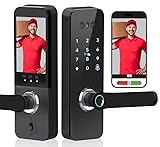
5. Smart Door Lock with Face Recognition – 6 Unlock Ways (Fingerprint, Face ID, Password, Card, Key, Tuya APP) | Keyless Entry & APP Control | Easy DIY Install | Auto-Lock | Doorbell
Overview:
This Smart Door Lock with Face Recognition at $199.99 delivers a streamlined six-method entry system focused on speed and simplicity. Designed for DIY installation, it targets homeowners wanting reliable biometric access without complexity or subscription fees.
What Makes It Stand Out:
The 0.5-second fingerprint recognition with 99.99% accuracy provides near-instant entry, while the 3D facial recognition offers true hands-free convenience. The built-in HD camera with doorbell integration creates a simple two-in-one solution for basic visibility. Real-time app control enables remote management without requiring additional hubs.
Value for Money:
Priced at $200, this lock competes directly with mid-tier offerings while delivering fast biometric performance. The absence of monthly fees and included camera functionality provides solid value. However, it faces stiff competition from feature-rich alternatives at similar price points, making its streamlined approach both a strength and limitation.
Strengths and Weaknesses:
Strengths include lightning-fast fingerprint recognition, straightforward six-method system, easy DIY installation, and integrated camera with doorbell. The auto-lock feature adds security. Weaknesses include limited user capacity (100 fingerprints vs. 250+ codes of competitors), narrower feature set compared to similarly priced options, and unspecified camera resolution that may not match 2K competitors. The brand appears generic, potentially affecting support expectations.
Bottom Line:
This lock excels for users prioritizing speed and simplicity over exhaustive features. If you want fast, reliable biometric entry with basic video capabilities without subscription costs, it’s a solid choice. Tech enthusiasts may prefer more comprehensive alternatives at this price point.
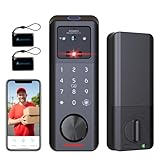
6. Aurosmart Smart Lock with Face Recognition, 3-in-1 Camera+ Doorbell+ Keyless Entry Door Lock, Palm Vein, Fingerprint, Keypad, WiFi Electronic Deadbolt for Front Door, Motion Sensor, Tuya App, Alexa
Overview:
This all-in-one smart lock transforms your front door into a comprehensive security command center. Combining facial recognition, biometric scanning, and surveillance capabilities, it offers eight keyless entry methods while functioning as a doorbell and security camera with two-way audio communication.
What Makes It Stand Out:
The motion-activated 3D facial recognition delivers truly contactless entry, waking instantly as you approach. Unlike cloud-dependent competitors, all biometric data stores locally, ensuring complete privacy. The integrated AI camera system with night vision, tamper detection, and instant siren alerts provides proactive security that traditional locks simply cannot match.
Value for Money:
At $249, this represents exceptional value compared to purchasing separate smart locks, video doorbells, and security cameras. Competitors with similar feature sets typically exceed $300-400. The 3-in-1 integration eliminates multiple subscriptions and installation headaches, making it a cost-effective whole-home security solution.
Strengths and Weaknesses:
- Pros: Eight versatile unlocking methods; local data storage protects privacy; built-in camera with night vision; motion-sensing facial recognition; emergency siren alerts; remote access via Tuya app.
- Cons: Requires strong WiFi signal at door; battery life may be shorter with camera active; facial recognition may struggle with extreme lighting; premium price point may exceed basic needs.
Bottom Line:
The Aurosmart Smart Lock is an outstanding choice for security-conscious homeowners seeking comprehensive, privacy-focused protection. Its seamless integration of multiple security functions into one device justifies every dollar for those wanting advanced, contactless convenience.
7. We Technology Smart Door Lock with 3D Face Recognition, Palm Vein & Fingerprint – Keyless Entry with Code, IC Card & Key | Auto-Lock | Aluminum Alloy

Overview:
This biometric smart lock prioritizes both security and privacy with advanced 3D facial and palm vein recognition. Designed for tech-savvy homeowners who value offline operation, it offers six keyless entry methods housed in a durable aluminum alloy body that resists tampering and drilling attempts.
What Makes It Stand Out:
The standout feature is local-only biometric processing—no internet required for recognition, eliminating hacking risks and ensuring your data never leaves the device. The 0.5-second recognition speed works reliably even in low-light conditions, while the auto-lock function provides peace of mind for forgetful users. Installation requires no special tools or professional help.
Value for Money:
Priced at $224.99, this lock sits in the sweet spot between budget fingerprint locks and premium facial recognition systems. While it lacks a built-in camera, the focus on robust offline security and durable construction offers better long-term value than cheaper alternatives that rely on cloud connectivity and plastic components.
Strengths and Weaknesses:
- Pros: Offline biometric processing ensures maximum privacy; fast 0.5s recognition; durable aluminum alloy build; easy DIY installation; auto-lock functionality; works in low light.
- Cons: No built-in camera or doorbell; limited smart home integration; requires manual firmware updates; no remote monitoring capabilities; fewer unlocking methods than competitors.
Bottom Line:
The We Technology Smart Lock excels for privacy purists wanting reliable biometric security without cloud vulnerabilities. It’s ideal for those who prioritize offline operation and durability over video features, delivering solid performance at a competitive price.
8. Aglehome Bathroom Indicator Privacy Door Lock, Vacant Occupied Lock, Large Vacant or In-Use Door Handle, ANSI Grade 2 Commercial Grade, Satin Chrome

Overview:
This commercial-grade privacy lock solves the universal problem of awkward bathroom encounters with a highly visible vacant/occupied indicator. Engineered for high-traffic environments, the ANSI Grade 2 certified mechanism displays clear green and red signals visible from 50 feet away, making it perfect for offices, restaurants, and public facilities.
What Makes It Stand Out:
The combination of commercial durability and thoughtful safety features sets this apart. Tested to 500,000 cycles with stainless steel construction, it withstands constant use while resisting moisture and corrosion. The external emergency unlock function allows coin or screwdriver access, preventing dangerous lock-ins, while the anti-lock safety mechanism reduces accidental engagement.
Value for Money:
At $59.99, this lock delivers professional-grade reliability that outlasts cheaper residential privacy locks by years. While budget options exist for under $30, they lack the 500,000-cycle rating, ANSI certification, and robust emergency features. For commercial settings, the durability justifies the moderate price premium over disposable-quality alternatives.
Strengths and Weaknesses:
- Pros: Highly visible 50-foot indicator; ANSI Grade 2 commercial rating; 500,000-cycle durability; emergency unlock capability; anti-lock safety feature; corrosion-resistant finish; easy installation.
- Cons: Satin chrome shows fingerprints; no audio/visual alerts; indicator mechanism may require occasional cleaning; limited to interior doors only; higher cost than basic residential locks.
Bottom Line:
The Aglehome lock is an excellent investment for any business wanting to eliminate bathroom confusion while meeting commercial safety standards. Its durability and clear signaling make it worth the modest premium over residential-grade options.
9. Tandefio Vacant Occupied Bathroom Lock, Commercial Door Handle with in-use or Vacancy Occupied Deadbolt, Privacy Indicator Restroom Handle Lock for Restrooms, Satin Chrome(90 mm,Black,1 Set)

Overview:
This commercial bathroom lock provides clear occupancy signaling with bright red and green indicators visible from 55 feet away. Designed for diverse public settings, the 304 stainless steel construction with electroplated finish ensures rust resistance while the 500,000-cycle rating guarantees longevity in high-traffic restrooms across offices, schools, and medical facilities.
What Makes It Stand Out:
The exceptional 55-foot visibility range exceeds most competitors, reducing guest uncertainty in larger venues. The special anti-moisture film protecting the indicator face ensures long-term clarity in humid bathroom environments. With adjustable latches accommodating 60mm or 70mm backsets and reversible handing, it adapts to virtually any standard door without special modifications.
Value for Money:
At $47.99, this lock offers commercial-grade durability at a price point only slightly above basic residential privacy locks. The 304 stainless steel construction and 500,000-cycle testing provide reliability that justifies the cost over $20-30 alternatives that typically fail within a year in commercial settings. It’s a budget-friendly professional solution.
Strengths and Weaknesses:
- Pros: 55-foot visibility range; 304 stainless steel construction; 500,000-cycle durability; anti-moisture indicator protection; adjustable backset; easy emergency unlocking; reversible handing.
- Cons: Black finish may clash with some décor; installation instructions could be clearer; no ANSI grade certification mentioned; spring tension may feel stiff initially; limited finish options.
Bottom Line:
The Tandefio lock delivers impressive commercial durability and visibility at an accessible price. It’s perfect for budget-conscious facility managers who refuse to compromise on reliability and clear communication in public restrooms.
10. Malimali Commercial Door Handle with Occupied Sign, Bathroom Door Handle with Lock, Stainless Steel Privacy Door Handle Hardware Door Lever Lock for Restroom Public Washroom, Matte Black

Overview:
This commercial privacy handle combines bold visual signaling with heavy-duty construction for public restrooms. Featuring large red and green indicators visible from 50 feet, the matte black finish provides a modern aesthetic while the extra-thick 1.6mm carbon steel spring ensures reliable operation through 500,000 cycles in restaurants, gyms, and office buildings.
What Makes It Stand Out:
The reinforced spring mechanism delivers more precise indicator resetting than standard locks, preventing the ambiguous “stuck between” positions that plague cheaper models. The matte black stainless steel surface effectively resists fingerprints and corrosion, maintaining appearance in high-touch environments. Emergency unlocking via external groove works with any flat object, providing universal access during critical situations.
Value for Money:
At $59.99, this lock matches competitor pricing while offering superior spring engineering and fingerprint-resistant finish. The durable construction eliminates frequent replacements common with $30-40 alternatives, making it cost-effective for high-traffic facilities. The modern matte black aesthetic adds value for design-conscious venues.
Strengths and Weaknesses:
- Pros: Reinforced 1.6mm carbon steel spring; fingerprint-resistant matte black finish; 500,000-cycle rating; 50-foot visibility; universal emergency unlocking; reversible for left/right doors; modern aesthetic.
- Cons: Matte black may show water spots; slightly higher price than some competitors; no ANSI certification stated; installation requires careful spring alignment; limited to standard door thicknesses.
Bottom Line:
The Malimali handle excels in high-traffic environments where both durability and appearance matter. Its robust spring mechanism and stylish finish make it a top choice for modern commercial restrooms seeking reliable, long-term performance.
The Privacy Imperative: Why Local Storage Matters
When you scan your face to unlock a door, you’re creating a digital template—a mathematical representation of your unique features, not just a photo. This template is incredibly valuable to bad actors and surveillance capitalism alike. Local storage ensures this data never leaves your property, eliminating entire categories of privacy risks.
Understanding Cloud vs. Local Data Storage
Cloud-based systems transmit your facial data across the internet, storing it on remote servers you don’t control. This creates multiple vulnerability points: transmission interception, server breaches, and potential third-party access through subpoenas or corporate policies. Locally-stored systems process and retain all biometric data on the device itself, typically using encrypted embedded storage that communicates only within your home network.
The key distinction lies in data residency. True local storage means the device functions entirely without internet connectivity for its core recognition features. Some hybrid systems claim “local storage” but still require cloud authentication or periodically sync data. Always verify the device operates in an air-gapped mode when your router is disconnected.
The Real-World Privacy Risks of Cloud-Connected Locks
Consider the implications: cloud-stored facial templates could be subpoenaed without your knowledge, sold during corporate acquisitions, or exposed in breaches. In 2023 alone, over 2.6 billion records were compromised in data breaches across various industries. Your face cannot be reset like a password. Locally-stored systems render these scenarios impossible—your data remains subject only to physical access attempts, which your door lock is already designed to prevent.
How Facial Recognition Door Locks Actually Work
Understanding the underlying technology helps you separate genuine privacy features from marketing fluff. These devices aren’t magic; they’re sophisticated computers with specialized sensors.
The Biometric Capture Process Explained
When you enroll your face, the device’s infrared camera projects thousands of invisible dots onto your features, creating a depth map that can’t be fooled by photographs. This 3D data is converted into a mathematical template using algorithms like Eigenfaces or deep learning models. Critically, this template is a one-way hash—you can’t reverse-engineer it back into a recognizable image.
Look for devices using Time-of-Flight (ToF) sensors or structured light systems rather than simple 2D cameras. The former are significantly harder to spoof and process data entirely on-device. Ask manufacturers about their template generation method; proprietary closed-source systems should raise red flags despite their local storage claims.
On-Device Processing vs. Server-Side Analysis
True local storage requires on-device processing power. This means the lock contains a dedicated AI chip or powerful ARM processor running the recognition algorithm. Some cheaper “local storage” models actually perform the heavy computational lifting on a connected hub or smartphone, creating a de facto cloud dependency. Verify the lock’s technical specs for terms like “edge computing,” “on-device inference,” or “embedded neural processing unit.”
Key Security Features That Actually Matter
A locally-stored lock is only as secure as its implementation. Several technical features separate robust systems from privacy theater.
Encryption Standards and Data Protection
Your facial template should be encrypted using AES-256 or better, stored in a secure element chip—the same technology used in payment cards. This hardware-level encryption protects data even if someone physically removes the storage chip. Additionally, the enrollment process should use secure key exchange protocols, preventing man-in-the-middle attacks during initial setup.
Anti-Spoofing Technology and Liveness Detection
Sophisticated attacks use 3D-printed masks or high-resolution videos. Quality local-storage locks combat this through liveness detection: analyzing micro-movements, skin texture under infrared light, or requiring eye blinks during enrollment. The best systems use multispectral imaging that can differentiate human skin from silicone or paper. Always test this feature yourself during evaluation—try unlocking with a printed photo to verify it’s rejected.
Critical Features to Evaluate Before Buying
Beyond core security, practical functionality determines whether a lock will serve your household for years or become a frustrating liability.
Storage Capacity and User Management
Most families need capacity for 20-50 faces, but consider future needs: caregivers, guests, or rental scenarios. Local storage limits are physical; a 16GB embedded chip might hold 100-200 templates depending on algorithm efficiency. More importantly, examine the user management interface. Can you delete individual users without a factory reset? How quickly does deletion propagate—immediately, or after a reboot? The best systems offer granular control with time-based access for temporary users.
Recognition Speed and Accuracy Metrics
Privacy shouldn’t mean inconvenience. Quality locks recognize registered faces in 0.3-0.6 seconds with false acceptance rates below 0.001%. However, accuracy degrades with extreme lighting, glasses, or facial hair changes. Look for devices with adaptive learning that updates templates based on successful recognitions—without ever transmitting that data. Test recognition angles too; can it identify you from 30 degrees off-center, or must you stare directly at it like a passport scanner?
Power Backup and Fail-Safe Mechanisms
A lock that dies leaves you stranded. Local storage devices should include battery backups lasting 6-12 months, with low-power alerts sent via Bluetooth or local Wi-Fi—not cloud push notifications. Crucially, verify the fail-safe mode: does it default to locked or unlocked when power fails? The answer depends on your security philosophy, but you must have a mechanical override key or external power terminals for emergencies.
Installation Considerations for Every Home Type
The most secure lock is useless if it doesn’t fit your door or installs improperly.
DIY vs. Professional Installation
Most facial recognition locks require standard 2-1/8" bore holes, but the internal mechanism is bulkier than traditional deadbolts. DIY installation is feasible if you’re comfortable with chiseling door jambs and configuring network settings. However, professional installation ensures proper alignment—critical for the motorised bolt to function reliably. Factor $150-300 for certified installation, and verify the installer has experience with biometric devices specifically.
Door Compatibility and Mounting Requirements
Measure your door’s thickness (typically 1-3/8" to 2-1/4"), backset distance (2-3/8" or 2-3/4"), and check for existing smart lock cutouts. Metal doors may interfere with wireless signals even for local Bluetooth setup. For apartments, verify lease restrictions and consider removable solutions that don’t permanently alter the door. Weather resistance matters too—IP65 rating ensures functionality from -22°F to 150°F.
Privacy Controls and User Consent Features
Local storage alone doesn’t guarantee ethical data handling. The device’s software philosophy matters equally.
Data Deletion and Guest User Management
True privacy means you can permanently erase all biometric data with confidence. Look for devices with certified data sanitization that overwrites storage sectors rather than just marking them as deleted. For guest access, the best systems generate temporary PIN codes or Bluetooth keys that expire automatically, never requiring you to enroll a visitor’s face. If you must add temporary facial access, ensure the deletion is immediate and verifiable.
Audit Trails and Access Logs
Even local devices can log access attempts—valuable for security but potentially invasive. Examine where logs are stored (on-device vs. optional SD card) and whether they include photos of failed attempts. The most privacy-respecting locks store only timestamps and user IDs, not images. You should be able to disable logging entirely or encrypt logs with a separate password.
Integration with Smart Home Ecosystems
Local storage doesn’t mean isolated functionality. The key is integration without internet dependency.
Local Network Protocols Matter
Prioritize locks using Thread, Zigbee, or Z-Wave protocols that communicate through a local hub like Hubitat or Home Assistant. These create mesh networks that function during internet outages. Avoid locks requiring proprietary hubs that phone home to manufacturer servers. For Wi-Fi models, verify they work on isolated VLANs and don’t attempt external connections—use a firewall to test this during setup.
Avoiding Cloud Dependency in Your Setup
If you use platforms like Apple HomeKit, ensure the lock supports “HomeKit Secure Router” which can block internet access while allowing local control. For Alexa or Google Home enthusiasts, local storage locks can still work via voice, but only through a local bridge that processes commands on your network. Never enable cloud-based voice recognition for the lock itself—keep that layer separate and optional.
Maintenance and Long-Term Reliability
Biometric locks are complex electronics exposed to harsh conditions. Longevity depends on thoughtful design.
Firmware Updates Without Cloud Connections
Manufacturers must provide updates to patch security vulnerabilities, but how? The best local-storage locks offer manual updates via USB or Bluetooth file transfer, with cryptographically signed firmware you can verify. Some provide optional local update servers you can run on a Raspberry Pi. Be wary of locks requiring temporary cloud connection for updates—this undermines the core privacy promise.
Battery Life and Power Management
Facial recognition is power-intensive. Quality locks use low-power infrared sensors that wake the main processor only when motion is detected. Lithium batteries outperform alkaline in extreme temperatures. Solar charging panels are emerging but currently compromise the lock’s aesthetics and weather sealing. Plan to replace batteries annually, and keep spares inside your home—not in a garage where you might be locked out.
Cost Analysis: Beyond the Sticker Price
Locally-stored biometric locks range from $250 to $800, significantly more than cloud-based alternatives. The premium reflects specialized hardware and smaller production runs.
Total Cost of Ownership Considerations
Factor in battery costs ($20-40 annually), potential professional installation, and the absence of subscription fees—cloud locks often charge $3-10 monthly for “advanced features” that local locks include for free. Consider the cost of proprietary parts: can you replace a broken camera module, or must you replace the entire unit? Look for devices with 3-5 year warranties covering electronic components, not just mechanical parts.
Subscription-Free Advantages
The real savings accumulate over time. A $500 local storage lock with no subscription breaks even with a $200 cloud lock after 2.5 years of $10 monthly fees. More importantly, you’re not locked into a business model that could change—cloud services get discontinued, prices increase, or features get paywalled. Your locally-stored lock functions indefinitely, independent of a company’s financial health.
Future-Proofing Your Biometric Security Investment
Technology evolves rapidly, but your lock should serve you for a decade. Several strategies ensure longevity.
Prioritize devices with open APIs or MQTT support, allowing community-developed integrations long after official support ends. Check if the manufacturer has a track record of supporting legacy products—some abandon devices after 3 years. Consider modular designs where the biometric module can be upgraded without replacing the entire deadbolt mechanism. Finally, verify the lock doesn’t have remote kill switches or expiration dates hidden in terms of service.
Frequently Asked Questions
How do I know if a lock truly stores data locally and isn’t secretly uploading it?
Use network monitoring tools like Wireshark or your router’s traffic logs. Disconnect the lock from Wi-Fi after initial setup and verify all core functions still work. Reputable manufacturers provide whitepapers detailing their data handling. You can also physically block internet access at the firewall level and monitor for functionality changes.
Can locally-stored facial recognition locks be hacked remotely?
No remote hack is possible if the device has no internet connectivity. However, local network attacks remain a theoretical risk. Protect against this by isolating the lock on a separate VLAN, using strong Wi-Fi encryption (WPA3), and disabling any cloud features. The most secure configuration uses offline Bluetooth-only management.
What happens if the lock’s internal storage fails?
Quality locks use industrial-grade eMMC storage rated for 10+ years of continuous use. If failure occurs, you’ll lose enrolled faces but the mechanical lock remains functional. Some premium models have redundant storage chips or allow backup to an encrypted USB drive. Always maintain alternative entry methods like PIN codes or mechanical keys.
Will my lock still work if the manufacturer goes out of business?
Yes, that’s the primary advantage of local storage. The device is self-contained and doesn’t depend on external servers. However, you won’t receive security updates or warranty support. Choose locks with established open-source communities to ensure long-term viability.
How accurate are these locks for people with darker skin tones or facial differences?
Early facial recognition systems had documented bias issues. Modern locally-stored locks using infrared depth sensing are significantly more equitable than 2D systems, as they rely on geometry rather than visible light imagery. Look for devices trained on diverse datasets and tested across Fitzpatrick skin types. Always test thoroughly during the return window.
Can I use these locks in rental properties without violating tenant privacy laws?
Legal frameworks vary by jurisdiction. Generally, you must obtain explicit written consent, disclose data storage practices, and provide alternative entry methods. Local storage strengthens your legal position by keeping data on-premises. Some landlords use facial recognition only for common areas, retaining traditional locks for individual units to avoid legal complications.
What’s the difference between facial recognition and facial detection in locks?
Facial detection simply identifies that a face is present (used for waking the device). Facial recognition identifies whose face it is. Some privacy-respecting locks perform detection locally but recognition in the cloud—verify both functions happen on-device. The entire pipeline must be local for true privacy.
How do weather conditions affect locally-stored biometric locks?
Extreme cold can slow processor performance and drain batteries faster. Direct sunlight may interfere with infrared sensors. Quality locks compensate with heated components, dual-band IR emitters, and adaptive algorithms. IP65 or higher ratings protect against rain and dust. Install under a porch overhang when possible, and avoid mounting on metal doors that conduct temperature extremes.
Can children and elderly family members reliably use these locks?
Children’s faces change rapidly, requiring frequent re-enrollment. Look for locks with “child mode” that uses less strict matching thresholds (while maintaining security through liveness detection). Elderly users may need slower approach speeds and brighter indicator lights. Test with all household members before permanent installation, as some systems struggle with facial hair, glasses, or mobility aids.
Are there insurance implications for installing biometric locks?
Most insurers classify these as “high-security deadbolts,” potentially earning discounts of 5-10%. However, some policies require certified installation by a professional locksmith. Document your lock’s ANSI Grade 1 or 2 rating and keep records of professional installation. Be prepared to provide alternative entry methods for emergency services, as biometric locks can impede first responders if not properly configured with fire department override codes.