Picture this: you’re turning onto your street after a long day, and as if by magic, your porch lights illuminate, the thermostat adjusts to your perfect temperature, and your garage door begins opening—all before you’ve even reached your driveway. This isn’t science fiction; it’s the seamless power of geofencing car trackers triggering home automation on arrival. The technology has evolved far beyond simple vehicle location tracking, transforming your car into a mobile smart home command center that anticipates your needs based on your proximity.
As our vehicles and homes become increasingly connected, the intersection of automotive telematics and home automation represents one of the most practical applications of the Internet of Things. But not all geofencing car trackers are created equal when it comes to smart home integration. Understanding the nuances of GPS accuracy, platform compatibility, and automation logic is crucial for creating reliable arrival-based triggers that actually enhance your daily routine rather than frustrate it. Whether you’re a smart home enthusiast looking to expand your ecosystem or a newcomer seeking convenient automation, this guide will walk you through everything you need to know before integrating vehicle geofencing into your connected lifestyle.
Top 10 Geofencing Car Trackers for Home Automation
Detailed Product Reviews
1. REWIRE SECURITY DB2-4G GPS Tracker for Vehicles – Real-Time Vehicle Tracking Device for Car, Van, Motorhome | Easy Battery Install | Live App Tracking | 4G Fleet Tracking

Overview: The REWIRE SECURITY DB2-4G delivers entry-level real-time vehicle tracking at an exceptionally low hardware price. This versatile 4G tracker supports both hardwired and magnetic installation, accommodating cars, trucks, RVs, and boats. With a pre-installed SIM promising global coverage, it offers instant location updates via the GPSLive app plus an impressive 12 months of route history, making it suitable for both personal and light fleet use.
What Makes It Stand Out: The dual installation option is remarkable at this price—opt for a stealthy 2-wire hardwired connection with ignition sensing or a quick magnetic mount for flexibility. The 4G connectivity ensures faster updates than legacy 3G models, while 8V-32V compatibility covers everything from motorcycles to heavy trucks. Fleet management capabilities and multi-vehicle support provide surprising commercial utility.
Value for Money: At $12.99, the hardware cost is industry-leading low. However, ongoing subscription pricing remains conspicuously absent from the listing, creating potential long-term cost uncertainty. While the SIM and data plan are included initially, buyers must verify monthly fees before purchase to accurately compare total ownership costs against transparently priced competitors.
Strengths and Weaknesses: Strengths include ultra-low entry price, installation flexibility, 4G speed, 12-month history, and broad vehicle compatibility. Weaknesses are ambiguous subscription costs, lack of battery backup in hardwired configuration, and unproven brand reputation for customer support. Build quality may trail premium alternatives.
Bottom Line: An excellent budget gateway into real-time GPS tracking for multi-vehicle households or small fleets. Essential to clarify subscription pricing before purchasing to prevent unexpected expenses.
2. Spytec Atlas GPS Tracker for Vehicles & Kids | Up to 14-Day Battery Life | Waterproof Magnetic Case, Geofencing, Portable Real Time Mini GPS Car Tracker w/Lifetime Support | Subscription Required

Overview: The Spytec Atlas balances portability with reliable performance in a compact 3.07-inch mini tracker suitable for vehicles, children, seniors, or assets. Its 14-day battery life stands out in the portable category, housed in a robust waterproof magnetic case. The system provides real-time updates every 5 seconds and includes a unique Time Machine feature for detailed historical route analysis, backed by lifetime bilingual support.
What Makes It Stand Out: Extended battery life combined with a weatherproof case enables long-term outdoor deployment without maintenance. Lifetime support in both English and Spanish is a major differentiator rarely seen at this price point. The Time Machine feature offers forensic-level historical analysis, while powerful rare-earth magnets ensure secure hidden placement on any metal surface.
Value for Money: The $17.95 device cost is moderate, but the $22.95/month subscription (with long-term prepay discount) positions this in the mid-range tier. While not the cheapest option, the durability, support quality, and feature set create reasonable value for users prioritizing reliability over absolute lowest cost.
Strengths and Weaknesses: Strengths include excellent battery longevity, waterproof design, bilingual lifetime support, rapid 5-second updates, and portable versatility. Weaknesses are the higher subscription cost and moderate hardware pricing. Battery life diminishes significantly with more frequent update intervals, requiring careful power management.
Bottom Line: Ideal for users needing a portable, weather-resistant tracker with strong ongoing support. Best suited for asset tracking and family safety where device durability is paramount.
3. Spy Tec Pulse Wired GPS Tracker for Vehicles, Cars, Trailer, RV, Van, Boat & Trucks | Waterproof Real-Time GPS Tracker | Speeding & Geofencing Alerts | E-Z Car Battery Install | Subscription Needed
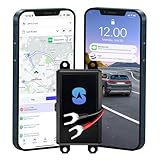
Overview: The Spy Tec Pulse Wired GPS tracker provides a permanent, maintenance-free tracking solution through direct vehicle battery connection. This hardwired device eliminates charging concerns entirely while delivering professional-grade anti-theft monitoring. Installation requires only a simple 2-wire connection, making it accessible for DIY users without professional assistance.
What Makes It Stand Out: The $12.95/month annual subscription is among the industry’s lowest, creating exceptional long-term value. The hardwired design provides constant power and tamper resistance—thieves cannot disable it by removing batteries. Anti-theft alerts for ignition, tampering, and movement combine with 5-second real-time updates for comprehensive security coverage.
Value for Money: At $19.95 for the device plus the market-leading $12.95/month subscription, this tracker delivers the best total cost of ownership for long-term users. Eliminating battery replacement costs and downtime further enhances financial appeal, particularly for fleet deployments.
Strengths and Weaknesses: Strengths include lowest subscription cost, reliable hardwired power, rapid 5-second updates, robust anti-theft alerts, and easy DIY installation. Weaknesses are the permanent installation requirement and complete lack of portability. Some users may require professional installation for complex vehicle electronics or to maintain warranties.
Bottom Line: The top choice for permanent vehicle security and fleet management where minimizing recurring costs is the priority. Ideal for users comfortable with basic automotive wiring.
4. GPS Tracker for Vehicles&Car 4G LTE Tracking Device Geo-Fencing Alerts Real-Time GPS Magnetic Hidden Tracker iOS & Android Subscription Needed

Overview: This unbranded 4G LTE GPS tracker delivers premium features at a budget price point. It combines multi-constellation GNSS support (GPS, BeiDou, GLONASS) with an impressive 6000mAh battery offering up to 90 days of life. The magnetic, waterproof design enables versatile hidden placement on any vehicle, while supporting 180 days of historical playback for comprehensive monitoring.
What Makes It Stand Out: Multi-GNSS positioning provides superior accuracy and faster satellite acquisition than standard GPS-only trackers. The 90-day battery life (on daily updates) is exceptional, while the $6.89 device cost is the lowest reviewed. Subscription plans start at just $8.33/month with annual prepayment—making this the cheapest total ownership option available today.
Value for Money: Unbeatable value proposition. The combination of lowest device cost, lowest subscription rate, and premium features like multi-GNSS and 90-day battery creates an outstanding price-to-performance ratio. Flexible monthly payment options add convenience without long-term lock-in.
Strengths and Weaknesses: Strengths include multi-GNSS accuracy, extreme battery longevity, rock-bottom pricing, waterproof magnetic design, and 180-day history. Weaknesses are the unknown brand reputation, potentially limited customer support, and uncertain long-term reliability. Build quality may not match established competitors.
Bottom Line: The value champion for cost-conscious buyers wanting advanced features. Best for users willing to accept some brand risk in exchange for maximum features per dollar.
5. G05A GPS Tracker for Vehicle No Monthly Fees, SIM Card Included, Real-Time Tracking, Global Coverage, Geo-Fencing, Strong Magnetic Attachment, Long Battery Life

Overview: The G05A GPS tracker positions itself as a premium solution with no monthly fees initially, including 3 months of prepaid data service. It features a massive 6000mAh battery delivering up to 90 days of tracking, powerful built-in magnets, and a proprietary “S-make” app. The device targets users wanting to avoid immediate subscription commitments while maintaining high-end specifications.
What Makes It Stand Out: The “no monthly fees” marketing (for the first 3 months) differentiates it from competitors requiring immediate activation. The proprietary app offers a trial version before purchase, demonstrating confidence in the user experience. Exceptionally strong magnets and 90-day battery life enable truly set-and-forget deployment across diverse assets.
Value for Money: At $68.99, the hardware costs significantly more than alternatives. However, including 3 months of service adds approximately $25-30 in value. The unclear renewal pricing after 3 months makes long-term value assessment difficult. If ongoing costs remain competitive, it could justify the premium hardware price.
Strengths and Weaknesses: Strengths include included service period, long battery life, powerful magnets, proprietary app with trial, and global coverage. Weaknesses are the highest device cost, ambiguous post-trial subscription pricing, and unknown brand track record. The proprietary app may lack third-party integration options.
Bottom Line: Suitable for buyers wanting to test GPS tracking without immediate subscription commitment. Clarify long-term data costs before purchasing to ensure total ownership costs align with your budget.
6. GPS Tracker Device for Car and Vehicles: Mini Hidden Magnetic no Subscription Trackers for Tracking Kids Elderly Vehicle pet - Real Time Location Track Devices no Monthly Fee for Android and iPhone

Overview: The GPS Tracker Device for Car and Vehicles positions itself as an ultra-affordable, subscription-free tracking solution for cars, pets, kids, and elderly family members. At just $19.97, this mini magnetic device promises real-time location tracking through the SeekTag app without the burden of monthly fees or SIM cards.
What Makes It Stand Out: This tracker’s biggest selling point is its zero-cost ongoing operation—no subscriptions, no hidden fees, and no SIM required. Its universal compatibility with both iOS and Android via Bluetooth makes it accessible to virtually any smartphone user. The IP65-rated design withstands dust and water splashes, while the impressive 360-day battery life means you won’t be constantly recharging. The versatile mounting options, including a strong magnet and keychain attachment, allow you to secure it to vehicles, pet collars, backpacks, or luggage.
Value for Money: At under $20 with no recurring costs, this tracker offers exceptional upfront value. Traditional GPS trackers with cellular connectivity often cost $15-25 monthly, making this device pay for itself in the first month alone. For budget-conscious consumers needing basic tracking capabilities, it’s hard to beat this price point.
Strengths and Weaknesses: Pros: Completely subscription-free; extremely long battery life; works with both Android and iOS; compact and discreet design; versatile applications; very affordable entry price.
Cons: Relies on Bluetooth range, limiting true “anywhere” tracking; accuracy depends on nearby devices; not true GPS but crowd-sourced location; limited range without community network; may struggle in rural areas.
Bottom Line: This tracker is ideal for short-range monitoring and budget-minded users, but understand its Bluetooth-based limitations. For true long-distance vehicle tracking, consider cellular alternatives. For keeping tabs on pets in the neighborhood or luggage at the airport, it’s a steal.
7. 2 Pack GPS Tracker for Car Work with Find My (iOS Only) No Subscription Real Time Smart Vehicle Tracker Tags Global Mini Hidden Locator Tracking Devices with Magnetic Case No Monthly Fee for Bike Pets
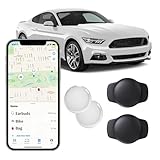
Overview: This 2-pack GPS tracker leverages Apple’s Find My network to provide subscription-free tracking for vehicles, bikes, pets, and valuables. At $29.99 for two devices, it offers a cost-effective solution exclusively for iOS users seeking discreet monitoring capabilities.
What Makes It Stand Out: The integration with Apple’s MFi-certified Find My network is the headline feature, providing global tracking capabilities without cellular fees by piggybacking on millions of Apple devices. The waterproof magnetic case enables covert placement on any metal surface, perfect for anti-theft applications. The remote alarm function is a practical addition, allowing you to audibly locate misplaced items. At just 1.37 inches square and 0.24 ounces, it’s remarkably compact.
Value for Money: Getting two trackers for $30 with zero monthly fees represents solid value, especially considering you’re accessing Apple’s robust global network at no extra cost. Individual competitors often cost $25-35 per device, making this 2-pack bundle particularly attractive for families or multi-vehicle households.
Strengths and Weaknesses: Pros: No subscription or SIM required; leverages Apple’s extensive device network; compact waterproof design; remote alarm feature; discreet magnetic mounting; real-time global tracking.
Cons: iOS-only compatibility excludes Android users; effectiveness depends on local Apple device density; not true GPS but network-based location; limited to Apple ecosystem; no web interface.
Bottom Line: For Apple users, this 2-pack offers unbeatable value and convenience. The Find My network provides reliable global coverage in urban areas, making it perfect for vehicle anti-theft or pet tracking. Android users should look elsewhere, but iPhone households will appreciate the seamless integration and zero ongoing costs.
8. Spytec Pulse OBD GPS Tracker for Vehicles, Cars, Trucks | Anti-Theft Plug-in Car GPS Tracker | Fast 2 Second Updates, Ignition On/Off Alerts, Vehicle Movements | Fleet monitoring | Subscription needed

Overview: The Spytec Pulse OBD GPS Tracker is a professional-grade vehicle monitoring solution that plugs directly into your car’s OBD port. At $14.95 for the device plus a subscription starting at $6.95/month, it targets users needing rapid updates and comprehensive vehicle diagnostics for security or fleet management.
What Makes It Stand Out: The standout feature is the blazing-fast 2-second update interval—significantly quicker than the industry standard 5-30 seconds—providing near real-time tracking precision. The OBD-II plug-and-play design eliminates battery concerns while enabling ignition detection and hard braking monitoring. Smart notifications for speed, geofencing, and tampering make it a robust anti-theft tool. The lack of contracts and cancel-anytime policy adds flexibility.
Value for Money: While requiring a subscription, the $6.95 monthly rate is among the lowest in the industry. The initial $14.95 hardware cost is subsidized by the service model. For users needing professional-grade tracking, the total first-year cost of ~$98 is competitive with premium alternatives, and the rapid update speed justifies the ongoing expense.
Strengths and Weaknesses: Pros: 2-second ultra-fast updates; easy OBD installation; no battery maintenance; ignition and braking alerts; geofencing and speed warnings; low monthly cost; no long-term contract.
Cons: Requires monthly subscription; OBD port location is easily accessible (and discoverable); not waterproof; limited to vehicles with OBD-II ports; costs add up over time.
Bottom Line: This tracker excels for serious vehicle monitoring where update speed is critical. Fleet managers and security-conscious owners will appreciate the rapid refresh rate and diagnostic capabilities. The subscription is justified by professional features, but casual users may prefer no-fee alternatives. For anti-theft with pinpoint accuracy, it’s a top contender.
9. Mini GPS Tracker for Vehicles, Car GPS Tracking Device for Vehicles, Hidden Car Tracking Device No Subscription No Monthly Fee Real-Time GPS Tracking for Kids, Car, Pets(With Magnetic Waterproof Case)

Overview: Marketed as a “2026 New Model,” this mini GPS tracker exclusively uses Apple’s Find My network to provide subscription-free tracking for vehicles, kids, and pets. At $17.94 with a magnetic waterproof case included, it targets privacy-conscious Apple users seeking discreet monitoring.
What Makes It Stand Out: The emphasis on privacy protection sets this apart—location data is encrypted and never stored publicly, appealing to security-minded users. The included silicone waterproof magnetic shell provides immediate out-of-box versatility for covert vehicle placement or outdoor pet tracking. Leveraging over 100 million Apple devices for global positioning, it offers true worldwide tracking without cellular fees. The mobile remote operation enables quick pairing and management.
Value for Money: At under $18 with no monthly fees and a waterproof magnetic case included, this represents solid value for iOS users. While Product 7 offers a 2-pack for $30, this single-unit price is competitive for those needing just one tracker. The bundled accessories add value compared to bare-bones alternatives.
Strengths and Weaknesses: Pros: No subscription or SIM required; strong privacy protections; waterproof magnetic case included; leverages Apple’s global network; real-time alerts; compact hidden design.
Cons: iOS-only compatibility; single unit less economical than 2-pack options; effectiveness varies by Apple device density; not true GPS; limited to Apple ecosystem.
Bottom Line: This tracker is an excellent choice for Apple users prioritizing privacy who need a single device. The included waterproof case and encryption features make it ideal for pet tracking or discreet vehicle monitoring. If you need multiple units, consider 2-pack alternatives, but for one-and-done tracking with privacy assurance, it’s a compelling option.
10. MOTOsafety OBD GPS Car Tracker, Hidden Vehicle Tracker and Monitoring System with Real Time Location GPS Reports, For Auto, Adults, Fleet, Parents, Teen, Elderly, 4G with Phone App
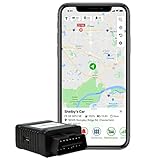
Overview: The MOTOsafety OBD GPS Car Tracker distinguishes itself as a family-focused monitoring system developed with input from driving instructors and law enforcement. Designed primarily for teen driver safety, it operates across the USA, Canada, and Mexico with a straightforward $19.50 monthly subscription.
What Makes It Stand Out: Unlike generic trackers, MOTOsafety’s curriculum-based approach promotes safe driving habits and family conversations. The OBD-II connection provides reliable power while enabling detailed vehicle diagnostics. Comprehensive coverage across three countries makes it ideal for families near borders or traveling internationally. The transparent pricing model—with no activation, cancellation, or upgrade fees—eliminates surprise charges.
Value for Money: At $19.50/month, the subscription is higher than basic trackers, but you’re paying for specialized safety features and professional development. The value proposition centers on accident prevention and teen driver coaching rather than simple location tracking. For parents prioritizing safety over cost, the investment is justified, though the undisclosed device price is a transparency gap.
Strengths and Weaknesses: Pros: Developed with safety experts; multi-country coverage; no hidden fees; OBD-powered reliability; family-focused features; encourages safe driving habits.
Cons: Higher monthly cost than competitors; device price not listed; iOS/Android app quality varies; may be excessive for basic tracking needs; limited to OBD-II vehicles.
Bottom Line: This tracker is purpose-built for families with teen drivers, offering peace of mind through expert-informed safety features. The higher subscription cost is warranted if you value the specialized coaching tools and multi-country coverage. For basic vehicle tracking, cheaper alternatives exist, but for comprehensive teen driver monitoring, MOTOsafety delivers a premium, focused solution.
What is Geofencing Technology in Vehicle Tracking?
Geofencing is a location-based service that creates virtual boundaries around real-world geographic areas. When applied to vehicle tracking, it uses GPS coordinates combined with cellular or Wi-Fi data to monitor when your car enters or exits predefined zones. Unlike traditional GPS tracking that simply shows where your vehicle is, geofencing adds a layer of proactive intelligence—triggering actions the moment your car crosses an invisible threshold.
The technology relies on a continuous stream of location data from a GPS receiver in your vehicle, which communicates with a cloud-based server. This server processes your coordinates in real-time and compares them against your programmed geofence boundaries. When a boundary event occurs—such as entering a one-mile radius around your home—the system instantly sends a signal to trigger your chosen automation. Modern implementations use sophisticated algorithms to reduce false positives, accounting for GPS drift, signal interference, and momentary position fluctuations that could otherwise trigger premature automations.
How Car Tracker Geofencing Integrates with Smart Home Systems
The magic happens in the cloud-to-cloud communication layer. Your vehicle tracker sends location data to its proprietary server, which must then communicate with your smart home platform through APIs, webhooks, or middleware services like IFTTT. This integration pathway is the critical link that determines reliability and speed. Some trackers offer native integrations with major smart home platforms, while others require creative workarounds using third-party automation bridges.
The most robust systems use OAuth authentication for secure, token-based communication between platforms. When your car enters the geofence, the tracking service sends an HTTP request to your smart home hub’s API endpoint, which then executes your pre-configured automation routine. The entire process typically takes 2-10 seconds, depending on network conditions and platform efficiency. Understanding this technical backbone helps you evaluate whether a tracker’s integration is truly enterprise-grade or merely a beta feature with inconsistent performance.
The Magic of Arrival-Based Home Automation Triggers
Arrival-based automation transforms the abstract concept of “coming home” into a tangible, customizable experience. The psychological impact is profound—your home shifts from a static structure to an responsive environment that adapts to your presence. Beyond the obvious convenience of lights and climate control, sophisticated triggers can disarm security systems, unlock smart locks, start your robot vacuum’s docking sequence, or even begin preheating your oven.
The key is contextual awareness. Advanced setups can differentiate between family members’ vehicles, triggering personalized scenes for each driver. Your teenager arriving home might trigger a notification to your phone and dimmed pathway lighting, while your arrival activates your full “welcome home” scene with music and preferred temperature settings. This level of personalization requires trackers that support multiple user profiles and can report unique vehicle identifiers to your automation platform.
Key Benefits of Combining Vehicle Tracking with Home Automation
Energy efficiency ranks among the most tangible benefits. Rather than running your HVAC on a rigid schedule or leaving lights on as a security measure, geofencing ensures resources activate only when needed. Studies suggest smart arrival-based climate control can reduce heating and cooling costs by 15-23% compared to timer-based systems.
Security enhancements extend beyond simple disarming. Your system can detect when you’re approaching after dark, activating exterior lighting in a natural, occupancy-mimicking pattern that deters potential intruders far more effectively than static timers. For families with teens or elderly drivers, arrival notifications provide peace of mind without requiring manual check-ins. The automation also creates a digital log of comings and goings, useful for everything from verifying safe arrivals to coordinating household routines.
Essential Features to Look for in Geofencing Car Trackers
Real-Time GPS Accuracy
Not all GPS modules are equal. Look for trackers with multi-constellation support (GPS, GLONASS, Galileo) that can maintain accuracy within 3-5 meters even in urban canyons or parking garages. Refresh rate matters immensely—trackers that update location every 30-60 seconds create noticeable lag in automation triggers. Premium devices offer 5-10 second update intervals, ensuring your home responds the moment you cross the threshold, not a minute later when you’re already parking.
Customizable Geofence Zones
The ability to create multiple geofences of varying sizes is non-negotiable. You might want a 2-mile radius for climate control, a 500-foot zone for lighting, and a 100-foot boundary for garage door activation. The interface for drawing these zones should be intuitive, allowing circular, polygonal, or route-based shapes. Advanced systems let you set different trigger actions for entering versus exiting each zone, enabling sophisticated departure automations as well.
Multi-Platform Compatibility
A tracker that only works with one smart home ecosystem severely limits your future flexibility. The best devices offer native integrations with at least three major platforms plus IFTTT support as a fallback. Check whether the integration is bidirectional—some trackers can receive commands from your smart home, allowing you to locate your car using your smart display or trigger vehicle features based on home events.
Battery Life and Power Options
Hardwired OBD-II trackers offer unlimited power but may drain your car’s battery if parked long-term. Rechargeable units with 2-4 week battery life provide installation flexibility but require maintenance discipline. Solar-assisted models bridge this gap for those who park outdoors. Consider your driving habits: frequent short trips favor hardwired units, while seasonal vehicles need robust battery solutions with deep-sleep modes that preserve charge for months.
Smart Home Platform Compatibility Considerations
Works with Alexa, Google Home, and Siri
Each platform handles geofencing triggers differently. Alexa’s Location-Based Routines require the Alexa app on your phone, which defeats the purpose of a dedicated car tracker. Google Home relies heavily on presence sensing through Android devices. The most reliable integrations bypass these limitations by treating your car tracker as a virtual device within the platform. Look for trackers that appear as “occupancy sensors” or “presence detectors” in your smart home app, enabling native automation builders without clunky workarounds.
IFTTT and Third-Party Integration
When native integration is absent, IFTTT (If This Then That) acts as a universal translator. However, this adds latency—sometimes 30+ seconds—and introduces another potential failure point. Evaluate whether the tracker brand maintains active IFTTT applets with recent updates. Abandoned integrations break when either platform changes its API. For mission-critical automations like security disarming, native integration is worth the premium.
Dedicated Smart Home Hubs
SmartThings, Hubitat, and Home Assistant users need trackers with local API access or MQTT support. Cloud-dependent trackers introduce internet outage vulnerability. Local processing ensures your garage still opens even when your ISP is down. Check community forums for your hub to see real-world integration experiences—official compatibility lists often lag behind community-developed solutions that may offer superior functionality.
Understanding Arrival Detection Accuracy
GPS Precision vs. Cellular Triangulation
Budget trackers often fall back to cell tower triangulation when GPS signal is weak, creating position errors of 500+ meters. This can trigger your “arriving home” scene when you’re still a mile away or, conversely, fail to trigger until you’re already inside. Premium devices maintain GPS lock by using assisted-GPS (A-GPS) that downloads satellite ephemeris data, achieving faster fixes and better accuracy in challenging environments.
Minimum Radius Settings
Most trackers enforce a minimum geofence radius—typically 100-200 meters—to prevent constant triggering from GPS jitter. This creates a practical limitation: if you live in a dense urban area, you may not be able to create precise driveway-only triggers. Understanding your tracker’s minimum radius helps set realistic expectations. For apartment dwellers, consider building delays into your automations so they activate only after you’ve been inside the geofence for 60 seconds, filtering out pass-by triggers.
Delay and Lag Time Factors
Total automation lag includes GPS acquisition time (2-5 seconds), data transmission (1-3 seconds), cloud processing (1-5 seconds), and smart home execution (1-10 seconds). That’s a potential 23-second delay before your lights turn on. Advanced users can mitigate this by creating overlapping geofences—your 2-mile “approach” zone begins gentle climate adjustment, so by the time your 200-foot “arrival” zone triggers lighting, your home is already at the perfect temperature.
Privacy and Security Considerations
Data Encryption Standards
Your location data reveals patterns of life—where you work, when you’re home, your regular routes. Ensure the tracker uses AES-256 encryption for data at rest and TLS 1.3 for transmission. Read the privacy policy carefully: some services anonymize and sell aggregated location data, while others maintain strict zero-knowledge architectures where only you hold the decryption keys.
Location Data Storage Policies
How long does the service retain your location history? GDPR-compliant services offer data deletion on demand, while others keep years of history by default. For home automation, you typically only need real-time location—consider services that auto-delete location logs after 24 hours. Also verify whether the company has undergone third-party security audits, particularly if they store your home address and geofence coordinates.
User Consent and Family Sharing
If you’re tracking a family member’s vehicle, legal consent requirements vary by jurisdiction. Ethically, all drivers should understand what data is collected and how it’s used. Robust systems offer granular permissions—you might see real-time location while a teen driver only shares geofence events. Avoid services that require blanket location sharing; look for trackers that let you disable historical tracking while maintaining automation functionality.
Installation and Setup Complexity
OBD-II vs. Hardwired vs. Portable Trackers
OBD-II port trackers offer plug-and-play simplicity but protrude from the dashboard and can be easily removed. Hardwired units install covertly and often include backup batteries, but require professional installation or comfort with automotive electrical systems. Portable magnetic trackers provide ultimate flexibility for multi-vehicle families but need regular charging. Your choice impacts not just installation but also geofencing reliability—hardwired units with constant power maintain GPS lock better than battery-powered devices that sleep between updates.
Mobile App Configuration
The setup experience varies wildly. Premium trackers guide you through drawing geofences on a map interface, testing triggers, and linking smart home accounts within a single app. Budget options may require exporting GPS coordinates, manually entering them into a web portal, and separately configuring webhooks. Test the app’s usability before purchasing—many offer demo modes. Pay attention to whether geofence changes sync immediately or require 10-15 minutes to propagate, as this affects your ability to fine-tune boundaries.
Geofence Mapping Tools
Advanced mapping interfaces let you draw irregular polygons around your actual property lines, exclude areas (like the grocery store next door), and set altitude-based triggers to differentiate between street level and elevated highways. Some even integrate with mapping APIs to auto-suggest geofence boundaries based on property records. The ability to clone geofences between multiple vehicles saves hours of setup for families.
Subscription Models and Hidden Costs
Monthly vs. Annual Plans
Most trackers require cellular data subscriptions ranging from $5-25/month. Annual plans typically offer 20-30% savings but lock you in. Watch for introductory pricing that jumps after three months. Some carriers offer family plans for multiple trackers at reduced per-device rates. Crucially, verify whether the subscription includes smart home integration—some brands charge extra for API access, turning a $10/month tracker into a $20/month solution.
Feature Tiers and Limitations
Subscription tiers often restrict geofence quantity (e.g., 3 zones on basic, unlimited on premium), update frequency, or historical data access. For automation, unlimited geofences are essential—you’ll want separate zones for home, work, school, and perhaps a vacation property. Be wary of “unlimited” claims that throttle data after a certain number of monthly events. Some services count each geofence entry/exit as an event, and a busy commute could hit caps quickly.
Cancellation Policies
Read the terms of service regarding data portability. If you cancel, can you export your geofence configurations? Some services brick the device entirely, while others revert to a limited free tier. Look for month-to-month options when first testing compatibility with your smart home setup. Pro-rated refunds for annual cancellations are rare, so consider starting monthly until you’re confident the integration meets your needs.
Advanced Automation Scenarios Beyond Basic Arrival
Departure Triggers
The exit event is equally powerful. Leaving your home geofence can arm security, adjust thermostats to away mode, and ensure all lights are off. Sophisticated setups implement a “last person leaves” condition—only triggering departure automations when all family trackers have exited. This requires a smart home hub that can evaluate multiple presence sensors simultaneously.
Multiple Geofence Zones
Create a cascade of zones: 5-mile “commute started,” 1-mile “approaching,” 500-foot “arriving,” and 50-foot “parked.” Each triggers different intensities of automation. The 5-mile zone might begin heating the hot tub on weekends, while the 50-foot zone unlocks the side door. Overlapping zones with conditional logic (e.g., “if arriving after sunset AND temperature below 40°F”) create hyper-personalized experiences impossible with single-zone systems.
Time-Based Conditional Logic
Your arrival automation should differ at 11 PM versus 6 PM. Late-night triggers might use dim red lighting to preserve night vision and avoid waking family. Weekday morning arrivals could activate a “work from home” scene, while weekend arrivals trigger leisure settings. This requires trackers that timestamp geofence events and smart home platforms with robust rule engines capable of evaluating time, day, and previous state.
Troubleshooting Common Geofencing Issues
False Alerts and GPS Drift
GPS position can “wander” 10-30 meters even when stationary, potentially triggering exit/entry events while your car sits in the driveway. Quality trackers use motion detection to suppress updates when stationary and implement hysteresis—requiring you to be 50 meters outside the geofence for 30 seconds before registering an exit. If you’re getting false triggers, increase your geofence radius or enable “dwell time” settings that require sustained presence before activating automations.
Connectivity Dead Zones
Underground parking, rural areas, and certain building materials block cellular and GPS signals. Some trackers store events locally and sync when reconnected, but this creates automation delays. For reliable home arrival detection, ensure your geofence boundary is in an area with consistent coverage. Consider a secondary trigger: if GPS fails, use your phone connecting to home Wi-Fi as a backup arrival signal.
Automation Failures
When triggers don’t fire, the fault could lie anywhere in the chain. Enable logging at each step: tracker app logs, smart home event history, and automation debug modes. Common culprits include expired OAuth tokens requiring reauthorization, geofence coordinates cached on the tracker needing a manual sync, or smart home hubs being offline but cloud platforms still attempting local execution. Create a test geofence around your current location to verify end-to-end functionality without driving.
Future Trends in Vehicle-to-Home Automation
Matter Standard Integration
The Matter smart home standard promises seamless interoperability, and next-generation trackers will likely adopt Matter-compatible Thread radios. This would enable direct device-to-hub communication without cloud dependency, reducing latency to under 2 seconds. Early implementations may treat the vehicle as a “presence sensor” device type, standardizing how automation platforms receive geofence events. However, Matter’s current specification doesn’t address mobile devices well, so vehicle integration may wait for Matter 2.0.
AI-Powered Predictive Arrival
Machine learning models are beginning to analyze your driving patterns—accounting for traffic, weather, and historical behavior—to predict arrival times more accurately than GPS alone. Instead of triggering at a fixed radius, your home could begin preparation exactly 8 minutes before you arrive, adjusted for whether you’re coming from work or the gym. This predictive approach reduces energy waste from premature activation while improving reliability.
Vehicle Manufacturer Ecosystems
Ford, Tesla, and BMW are building native smart home APIs into their vehicles, potentially bypassing third-party trackers entirely. These systems access vehicle telemetry directly—knowing not just location but also fuel level, door lock status, and even cargo area occupancy. The downside? Ecosystem lock-in. Your Ford tracker won’t work with your Toyota, fragmenting family automation. Third-party trackers will remain relevant for multi-brand households and those wanting platform independence.
Making Your Final Decision: A Buyer’s Checklist
Before committing, verify:
- Does the tracker support at least 5 customizable geofences with different radii?
- Is there native integration with your primary smart home platform, or will you rely on IFTTT?
- What’s the total lag time from geofence crossing to automation trigger? (Test with a trial if possible)
- Are there data privacy options to minimize location history retention?
- Does the subscription include all automation features, or are there premium tiers?
- Can you create separate arrival and departure triggers for the same geofence?
- What happens during cellular/GPS outages—does the tracker buffer events?
- Is the mobile app highly rated (4.5+ stars) with recent updates?
- Does the company have a history of maintaining smart home integrations?
- Are there community resources (forums, Reddit) for troubleshooting?
Score each tracker on these criteria weighted by your priorities. For most users, native smart home integration and update frequency outweigh minor subscription cost differences.
Setting Up Your First Arrival Automation Workflow
Start simple: create a single geofence with a 500-foot radius around your home and link it to one automation—perhaps a porch light. Drive the route twice, noting when the trigger fires relative to your actual position. Use your smart home platform’s logging to measure the delay. If it’s consistent, you can compensate by adjusting the geofence radius inward or outward.
Next, implement a “confirmation” step: when the geofence triggers, have your system send you a push notification before executing the full automation sequence. This lets you verify reliability over a week without disruptive false triggers. Once confident, replace the notification with your desired action. Finally, add complexity gradually—temperature control, then door locks, then multi-zone scenes. Document each step; geofencing automations are notoriously difficult to debug months later when you forget the logic flow.
Frequently Asked Questions
How accurate are geofencing car trackers for home automation triggers?
Most quality trackers achieve 10-30 meter GPS accuracy, but total automation lag ranges from 5-30 seconds depending on cellular coverage and platform integration. For reliable driveway-level triggers, you’ll need a minimum geofence radius of 200-300 feet to account for GPS drift and processing delays. The most accurate setups use assisted-GPS with 5-second update intervals and native smart home APIs, reducing lag to under 10 seconds consistently.
Can I use my phone’s location instead of a dedicated car tracker?
Phone-based geofencing drains battery and often fails when the device enters battery-saving modes or loses background app privileges. Dedicated trackers maintain constant GPS lock and cellular connectivity, providing far more reliable triggers. Additionally, phone-based systems can’t differentiate between you walking near home versus driving, potentially triggering automations when you step out for a walk. For consistent vehicle-specific automation, a dedicated tracker is strongly recommended.
What happens if my tracker loses cellular signal before reaching home?
Most trackers buffer geofence events locally and sync them when reconnected. However, this creates a delay—your automation may trigger minutes after you’ve already arrived. For critical automations like garage door opening, implement a backup trigger such as connecting to home Wi-Fi or using a Bluetooth beacon near your driveway. Premium trackers with multi-carrier SIMs switch between networks to maintain connectivity, significantly reducing dead zone issues.
Do geofencing trackers work with Apple HomeKit?
Native HomeKit support is rare due to Apple’s strict security requirements. Most “integrations” use HomeBridge or workarounds that treat the tracker as a motion sensor. However, iOS 17’s improvements to location-based automations and the upcoming Matter standard may enable better integration. For now, SmartThings or Hubitat users have more robust options, with community-developed drivers that expose full geofencing capabilities to HomeKit via HomeBridge.
How many geofences can I realistically manage?
While some services advertise unlimited geofences, managing more than 10-15 becomes impractical. Each additional zone increases battery usage and potential for conflicts. Most users find 3-5 zones optimal: home, work, school, and perhaps a vacation property. Focus on quality over quantity—overlapping zones with conditional logic provide more value than dozens of single-purpose boundaries. Remember that complex geofence configurations also increase troubleshooting difficulty when triggers misfire.
Will a geofencing tracker drain my car battery?
Hardwired OBD-II trackers draw 50-100mA in active mode, which can deplete a battery over 2-3 weeks of parked time. Quality units enter deep sleep (under 5mA) when the ignition is off, waking only periodically to check location. For vehicles parked longer than a week, consider hardwired units with automatic low-voltage cutoff or portable trackers that only activate when motion is detected. Solar-assisted trackers maintain charge indefinitely when parked outdoors.
Can I set different automations for different family members’ vehicles?
Yes, but it requires a tracker service that supports multiple user profiles and unique device identifiers. Each family member’s tracker appears as a separate presence sensor in your smart home platform, allowing personalized automation. Your arrival might trigger your preferred lighting scene, while your partner’s arrival activates theirs. Teen drivers can have simplified automations that just notify you of safe arrival. Ensure your smart home hub can evaluate multiple presence states simultaneously for “last person leaves” scenarios.
What’s the difference between geofencing and presence detection?
Geofencing uses GPS coordinates to define geographic boundaries, while presence detection typically relies on Wi-Fi, Bluetooth, or ultra-wideband signals to determine if you’re physically near a sensor. Geofencing works at any distance (miles away) and is vehicle-specific. Presence detection is more precise at short ranges (room-level) but requires you to carry a device. For arrival automation, geofencing is superior because it begins preparation while you’re still approaching, not when you’ve already parked.
How do I prevent false triggers when driving near my home but not arriving?
Use irregular polygon geofences that exclude nearby roads you frequently travel. Enable “dwell time” settings requiring 30-60 seconds inside the geofence before triggering. Create a two-step verification: the geofence trigger sets a “pending arrival” variable, which only activates automations when combined with a second condition like connecting to home Wi-Fi within 5 minutes. Some advanced trackers also report vehicle speed, letting you create rules that ignore geofence crossings above 35 mph—indicating you’re just passing by.
Are there privacy concerns with constantly sharing my vehicle location?
Absolutely. Your location data reveals daily routines, work schedule, and travel patterns. Choose services offering data minimization—auto-deleting logs after 24 hours and storing only geofence events rather than continuous tracking. Enable two-factor authentication on your account and regularly audit which smart home platforms have API access. For maximum privacy, consider self-hosted solutions using open-source trackers that report directly to your Home Assistant server without cloud intermediaries. Always read privacy policies to ensure your data isn’t being monetized or shared with third parties.