Motion sensors are the silent conductors of any truly intelligent smart home, transforming static devices into a dynamic, responsive ecosystem that anticipates your needs before you articulate them. While most homeowners focus on smart speakers and colorful bulbs, it’s the humble motion sensor that determines whether your automation feels like magic or a misfiring alarm system. The difference between a scene that triggers flawlessly as you glide through your home and one that sputters with false alarms or dead zones comes down to understanding which sensor technology matches your specific use case.
As smart homes evolve beyond simple on/off triggers into nuanced, contextual automation, the market has exploded with specialized motion detection technologies—each with distinct strengths, blind spots, and ideal applications. This guide dives deep into the ten essential motion sensor categories that form the foundation of sophisticated smart scenes, arming you with the knowledge to select the right detection method for every room, scenario, and automation goal.
Top 10 Motion-Based Automation Sensors for Smart Scenes
Detailed Product Reviews
1. meross Matter Human Presence Sensor, 3-in-1 PIR & Light & mmWave Radar Motion Sensor, AI Motion Detector for Matter Smart Home Automation, Supports HomeKit, Alexa, Google, Home Assistant, 2.4GHz Wi-Fi

Overview: The meross Matter Human Presence Sensor represents a significant leap forward in occupancy detection technology by combining PIR, millimeter-wave radar, and ambient light sensing into a single device. This 3-in-1 approach allows it to detect both motion and static presence, solving the common problem of lights turning off when you’re sitting still. Designed for seamless integration across major smart home platforms, it offers flexible mounting with its 360° rotating base and integrated cable management.
What Makes It Stand Out: The dual-detection system is the star here—mmWave radar can sense subtle movements like breathing, while PIR handles larger motions. This eliminates frustrating “stillness timeouts” where traditional sensors would declare a room empty. The Matter compatibility ensures future-proof interoperability across ecosystems, while the pet-proof shield demonstrates thoughtful design for real-world households. The adjustable base provides installation versatility that wall-mounted-only sensors lack.
Value for Money: At $33.99, this sensor sits in the mid-range but delivers premium features. The 3-in-1 functionality typically requires multiple devices, making this a cost-effective consolidation. Compared to single-technology sensors priced similarly, the added radar and light sensing provide substantially more automation possibilities. The requirement for continuous power may increase installation costs but eliminates battery replacement expenses.
Strengths and Weaknesses: Strengths include multi-ecosystem Matter support, superior presence detection via mmWave, integrated light sensor, and pet-proofing. Weaknesses are the mandatory continuous power supply limiting placement options, hub requirement for Matter functionality, and 2.4GHz-only Wi-Fi. The 6-meter presence detection range is adequate but not class-leading.
Bottom Line: This sensor excels for users wanting sophisticated presence detection without false triggers. Ideal for home offices and living spaces where occupancy doesn’t always mean motion. Matter support ensures long-term compatibility, making it a smart investment for growing smart home ecosystems.
2. Onvis Smart Motion Sensor, Wireless Hygrometer, Thermometer, Works with Apple HomeKit, Smart Home Automation, PIR Motion Detector-Thread ((iOS 17.4 and Above is Required)

Overview: The Onvis Smart Motion Sensor targets Apple HomeKit enthusiasts with Thread connectivity and multi-sensor capabilities. Beyond motion detection, it functions as a hygrometer and thermometer, automatically updating environmental data every 15 minutes. Its Thread technology ensures responsive performance when paired with a HomePod mini, while maintaining complete privacy through end-to-end encryption with no cloud dependency.
What Makes It Stand Out: Thread networking provides noticeably faster response times and improved reliability compared to Wi-Fi or Bluetooth sensors. The inclusion of temperature and humidity monitoring adds environmental awareness to your automations—imagine fans activating when humidity rises or heating responding to temperature drops. The scheduled detection feature allows you to disable alerts during specific hours, preventing unnecessary notifications during known activity periods.
Value for Money: Priced at $31.99, this sensor offers solid value for HomeKit-centric users. The three-in-one sensor functionality effectively replaces separate temperature and humidity monitors. However, its Apple-only ecosystem limitation reduces versatility compared to cross-platform alternatives. For committed HomeKit households, the Thread performance and privacy benefits justify the cost.
Strengths and Weaknesses: Strengths include Thread responsiveness, multi-sensor data, 100% privacy with no cloud, and scheduled detection. Weaknesses are HomeKit exclusivity requiring iOS 17.4+, dependency on HomePod mini for Thread benefits, and lack of light sensitivity in HomeKit mode. The 15-minute environmental data update interval feels sluggish for some applications.
Bottom Line: Perfect for Apple-centric smart homes prioritizing privacy and Thread performance. The environmental sensors add valuable data for comprehensive automation. Limited ecosystem support makes it unsuitable for multi-platform households, but HomeKit users will appreciate its reliability and data security.
3. GoveeLife Motion Sensor, Group Control Unlimited Devices, Wireless Mini Contact Sensor for Smart Home Automation, Battery Powered, Supports Most GoveeLife Smart Products

Overview: The GoveeLife Motion Sensor is a budget-friendly entry focused exclusively on the Govee ecosystem. This compact, battery-powered device triggers GoveeLife smart devices within its detection range, offering hands-free automation for bedrooms, hallways, and bathrooms. With a 16-19 foot detection range and adjustable trigger intervals, it provides basic but reliable motion detection for Govee brand loyalists.
What Makes It Stand Out: The group control capability allows one sensor to command unlimited GoveeLife devices simultaneously, creating synchronized lighting or climate responses. The anti-false alarm function with adjustable 60-180 second intervals prevents rapid retriggering from minor movements. Its distributed gateway approach using existing Govee WiFi products as bridges is innovative, eliminating the need for a dedicated hub.
Value for Money: At $14.99, this is the most affordable option reviewed. For existing Govee users, it delivers excellent value by leveraging current devices as gateways. However, the ecosystem lock-in severely limits its appeal to non-Govee households. The narrow compatibility means you’re investing in a closed system rather than a universal solution.
Strengths and Weaknesses: Strengths include low price, group device control, adjustable trigger intervals, and simple battery-powered installation. Weaknesses are Govee-only compatibility requiring at least one WiFi Govee product, limited 55-meter range between devices, and absence of advanced features like presence detection or light sensing. The 60-second minimum interval may feel unresponsive for some applications.
Bottom Line: An excellent add-on for committed Govee ecosystem users wanting affordable motion automation. The group control feature shines in Govee-heavy setups. Avoid if you use mixed-brand smart home devices, as its limited compatibility makes it a poor choice for diversified systems. Best treated as an ecosystem accessory rather than a standalone sensor.
4. Aqara Zigbee Motion Sensor P1 3 Pack, Smart Motion Detector for Alarm System and Home Automations, 5-Year Battery Life, Pet Friendly, Compatible with HomeKit, Alexa, HomeKit, IFTTT, Requires Aqara Hub

Overview: The Aqara Zigbee Motion Sensor P1 three-pack delivers long-term reliability with an exceptional five-year battery life and extensive configurability. These compact sensors integrate with Aqara’s Zigbee 3.0 hub to provide motion detection across multiple platforms including HomeKit, Alexa, and Home Assistant. The adjustable detection timeout from 1 to 200 seconds allows fine-tuning for energy savings or responsiveness.
What Makes It Stand Out: The five-year battery life is industry-leading, eliminating maintenance headaches. Configurable detection timeout via software (no hardware dipswitches) provides unmatched flexibility—set 1-second timeouts for security or 200 seconds for energy-efficient lighting. The three-pack bundle offers cost savings for whole-home coverage. Adjustable sensitivity levels and viewing angles let you customize detection patterns to avoid pet triggers or focus on specific zones.
Value for Money: At $62.99 for three ($21 each), these sensors offer strong value despite requiring a separate hub. The five-year battery life means no replacement costs during that period. Compared to Wi-Fi sensors needing constant power or frequent battery changes, the long-term ownership cost is lower. However, the hub requirement adds $30-60 to initial investment if you don’t already own one.
Strengths and Weaknesses: Strengths include extraordinary battery life, configurable timeout, multi-platform support, pet-friendly design, and three-pack value. Weaknesses are mandatory Aqara hub purchase, Zigbee range limitations requiring hub proximity, and no light sensitivity in HomeKit/Alexa modes. Officially unsupported third-party Zigbee integrations may frustrate advanced users.
Bottom Line: Ideal for users wanting set-and-forget reliability across multiple rooms. The five-year battery life and configurability make it a superior choice for whole-home automation. Factor in hub costs when budgeting. Best for Aqara ecosystem users or those wanting reliable, low-maintenance sensors across multiple platforms.
5. Kasa Smart WiFi Motion Sensor Switch, Single Pole, Needs Neutral Wire, 2.4GHz Wi-Fi Light Switch, Compatible with Alexa & Google Home, UL Certified, No Hub Required(KS200M),White,1-Pack

Overview: The Kasa Smart WiFi Motion Sensor Switch combines a standard wall switch with integrated motion detection, offering direct control of connected lights without separate sensors or hubs. Designed for single-pole installations requiring a neutral wire, it automatically turns lights on when motion is detected and off after a preset duration. Daylight detection prevents unnecessary daytime activation, while Smart and Away modes provide lifestyle-based automation.
What Makes It Stand Out: This is a true all-in-one solution—replacing your existing switch while adding motion intelligence. The daylight detection feature uses ambient light sensing to override motion triggers when sufficient natural light exists, saving energy. Smart Mode and Away Mode create occupancy simulations for security or convenience. Direct Wi-Fi connectivity eliminates hubs, and broad bulb compatibility (600W incandescent, 300W CFL/LED) ensures versatility.
Value for Money: At $19.97, it’s priced competitively with standard smart switches while adding motion sensing. The integrated design saves money compared to buying separate smart switches and sensors. Professional installation may be needed for homes lacking neutral wires, potentially adding cost. For new installations or switch replacements, it offers exceptional functionality per dollar.
Strengths and Weaknesses: Strengths include all-in-one switch/sensor design, daylight detection, hub-free Wi-Fi connectivity, voice control, and Away Mode security features. Weaknesses are neutral wire requirement limiting retrofit applications, single-pole only configuration, and lack of advanced presence detection. The switch form factor restricts placement to existing electrical boxes.
Bottom Line: Perfect for retrofitting motion control into specific rooms without adding wall clutter. Best suited for bathrooms, laundry rooms, or hallways where switch replacement is practical. The daylight detection and Away Mode add genuine utility. Avoid if you rent or lack neutral wires. For homeowners, it’s an efficient way to add smart motion control during switch upgrades.
6. Centralite by Ezlo Micro Motion Sensor - Home Automation and Security - Lighting Scenes, Security Alarm, Alerts upon Motion Detection - Zigbee

Overview: The Centralite by Ezlo Micro Motion Sensor is a Zigbee-based motion detector designed for comprehensive home automation and security integration. This compact device serves as a foundational element for smart home ecosystems, enabling automated lighting scenes, security alerts, and energy management through precise motion detection capabilities.
What Makes It Stand Out: This sensor’s standout feature is its broad Zigbee HA 1.2 compatibility, ensuring seamless integration with major platforms including SmartThings, Wink, Vera, and Ezlo hubs. The “Smart Home for Life Guarantee” provides exceptional long-term value with guaranteed compatibility, industry-leading warranty coverage, and continuous cloud infrastructure updates. Its versatility extends beyond security to practical automation like nighttime hallway illumination and garage-triggered lighting scenes.
Value for Money: At $19.95, this sensor sits in the competitive mid-range for Zigbee motion detectors. The price is justified by its multi-platform compatibility and comprehensive guarantee, which eliminates concerns about obsolescence. Compared to proprietary alternatives, its open Zigbee standard ensures broader long-term utility and flexibility.
Strengths and Weaknesses: Strengths include wide hub compatibility, robust energy-saving automation capabilities, sensitive detection across rooms and hallways, and the transferable lifetime guarantee. Weaknesses are its hub dependency (no standalone Wi-Fi), limited specified detection range, and potential setup complexity for Zigbee novices.
Bottom Line: Ideal for users invested in Zigbee ecosystems, the Centralite sensor delivers reliable performance with future-proof compatibility. Its guarantee and multi-platform support make it a smart long-term investment for serious home automation enthusiasts.
7. Shelly Blu Motion | Bluetooth Motion & Lux Sensor | Home Automation | Compatible with Alexa & Google | iOS Android App | Long-Lasting Battery | Scene Activation | Range up to 9 Meters

Overview: The Shelly Blu Motion is a Bluetooth-enabled motion and ambient light sensor designed for modern smart home automation. This next-generation device provides real-time motion detection with integrated lux sensing capabilities, offering precise environmental monitoring for enhanced comfort and security throughout your living space.
What Makes It Stand Out: The integrated LUX sensor distinguishes this from basic motion detectors, enabling sophisticated automation based on both movement and light levels. Its impressive 9-meter detection range and long-lasting battery provide extensive coverage with minimal maintenance. Shelly’s rapid growth as a smart home brand ensures continuous app development and professional customer support backed by a two-year warranty.
Value for Money: Priced at $22.99, this sensor offers solid value for Bluetooth-based motion detection with lux sensing. The cost is reasonable given the dual-sensor capability and build quality, though the required gateway purchase (Shelly BLU Gateway or compatible Shelly device) adds to the total investment for new users.
Strengths and Weaknesses: Strengths include the combined motion and lux detection, exceptional 9-meter range, energy-efficient operation, strong manufacturer support, and cross-platform app compatibility. Weaknesses are the mandatory gateway requirement, Bluetooth’s shorter range compared to Wi-Fi, and limited direct integration with non-Shelly ecosystems.
Bottom Line: Perfect for existing Shelly users, the Blu Motion excels in comprehensive environmental sensing. Its lux integration and reliability make it worth the ecosystem commitment, though standalone Wi-Fi users should consider alternative options.
8. Kasa Smart Motion Sensor Switch, Single Pole, Needs Neutral Wire, 2.4GHz Wi-Fi Light Switch, Works with Alexa & Google Assistant, UL Certified, No Hub Required(KS200MP2),White,2-Pack

Overview: The Kasa Smart Motion Sensor Switch combines a standard wall switch with integrated PIR motion detection in a convenient two-pack configuration. This UL-certified device operates on 2.4GHz Wi-Fi, eliminating hub requirements while providing hands-free lighting control for residential applications throughout the home.
What Makes It Stand Out: Unlike standalone sensors, this product replaces existing switches, integrating control and detection in one device. The intelligent daylight detection prevents unnecessary daytime activation, while Smart Mode and Away Mode offer routine-based automation and vacation security simulation. Its compatibility with all bulb types including incandescent, CFL, and LED adds versatility.
Value for Money: At $21 per switch ($41.99 for two), this represents excellent value compared to purchasing separate smart switches and motion sensors. The UL certification and hub-free design reduce installation costs and complexity, making it cost-effective for multi-room deployments.
Strengths and Weaknesses: Strengths include no hub requirement, integrated switch functionality, daylight sensing, voice control via Alexa/Google, vacation mode, and safety certification. Weaknesses are the mandatory neutral wire requirement (limiting retrofit applications), single-pole configuration only, 2.4GHz Wi-Fi limitation, and reduced placement flexibility compared to wireless sensors.
Bottom Line: Best suited for new construction or switch replacements where neutral wires exist, this device streamlines smart lighting with reliable motion automation. The two-pack offers immediate value for hallways, bathrooms, and entryways requiring hands-free operation.
9. TREATLIFE Zigbee Motion Sensor, Smart Motion Sensor Detector for Alarm System, Smart Home Automation, Triggering Lights and Scenes, Compatible with Alexa Google Home (Hub Required and Sold Separately)
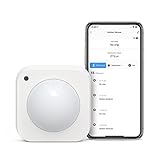
Overview: The TREATLIFE Zigbee Motion Sensor is a wireless detection device designed for comprehensive home security and automation. Requiring the proprietary Treatlife Hub, this sensor offers 120° wide-angle coverage with 20-foot detection range for responsive motion-based triggering of lights, scenes, and alerts throughout your property.
What Makes It Stand Out: This sensor excels in security applications with its impressive detection specs and direct smartphone alarm notifications. The inclusion of a USB power option alongside battery operation provides installation flexibility. Its ability to create personalized scenes for nighttime navigation in stairways, hallways, and bedrooms adds practical convenience beyond basic security functions.
Value for Money: At $21.99, pricing aligns with standard Zigbee sensors, though the required proprietary hub represents an additional investment. Value improves when purchasing multiple Treatlife devices, as the single hub enables unlimited sensor integrations. For exclusive Treatlife ecosystems, the cost is justified by seamless integration.
Strengths and Weaknesses: Strengths include excellent detection range and angle, flexible power options, easy adhesive installation, long battery life, and robust scene automation. Weaknesses are mandatory Treatlife Hub requirement (no SmartThings/HomeKit support), limited cross-platform compatibility, and dependency on a single ecosystem for full functionality.
Bottom Line: A solid choice for users committed to the Treatlife ecosystem, offering reliable detection and thoughtful automation features. Those with mixed-brand smart homes should consider more compatible alternatives due to the proprietary hub requirement.
10. Smart PIR Motion Sensor: WiFi Motion Detector with App Notification Alerts, Wireless Contact Sensor for Home Security and Smart Home Automation, No Hub Required, Compatible with Alexa(2-Pack)

Overview: This WiFi-enabled PIR Motion Sensor offers hub-free smart home automation in a budget-friendly two-pack configuration. Operating independently on 2.4GHz networks, these sensors provide real-time motion detection with immediate app notifications through the Tuya Smart/Smart Life platform.
What Makes It Stand Out: The no-hub-required design and attractive two-pack pricing make this exceptionally accessible for entry-level smart home adoption. Advanced infrared detection technology with intelligent signal analysis minimizes false alarms, while the 128° detection angle and 6-40 feet adjustable range offer versatile coverage options for various room sizes and layouts.
Value for Money: At $9.77 per sensor ($19.53 for two), this represents outstanding value in the WiFi motion sensor market. The two-pack enables multi-room deployment without additional hub costs, making it one of the most cost-effective options for comprehensive coverage throughout your home.
Strengths and Weaknesses: Strengths include hub-free WiFi connectivity, exceptional price point, dual-sensor pack, adjustable detection range, false alarm prevention technology, and an impressive 24-month warranty. Weaknesses are dependency on the Tuya ecosystem, potential privacy concerns with cloud services, AAA battery operation (shorter life than lithium), and unknown long-term brand reliability.
Bottom Line: An unbeatable budget option for WiFi-based motion detection, perfect for renters and smart home beginners. While not as polished as premium brands, the feature set and warranty deliver remarkable value for basic security and automation needs.
Understanding Motion Sensor Technology
The Science Behind Motion Detection
Motion sensors don’t actually detect movement—they detect changes in energy patterns within their field of view. Whether it’s infrared radiation, sound wave reflections, or radio frequency shifts, each technology captures a different signature of presence. Understanding this fundamental principle helps you predict how sensors will behave in your unique environment. A PIR sensor watching a sun-drenched living room will perform differently than one monitoring a climate-controlled hallway, not because of quality differences, but because the underlying physics respond to environmental variables differently.
Why Motion Sensors Are Your Smart Home’s Backbone
The average smart home runs over 50 automated scenes daily, and more than 80% rely on motion detection as their primary trigger. Unlike voice commands or app taps, motion-based automation operates without conscious input, creating that “it just knows” experience. The right sensor placement and technology choice can reduce manual interactions by 70% while cutting energy consumption through intelligent occupancy-based control. But choose poorly, and you’ll battle constant false alarms, missed triggers, and automation that feels less helpful than frustrating.
Passive Infrared (PIR) Sensors: The Classic Choice
How PIR Technology Works
PIR sensors detect infrared energy emitted by warm bodies. They use a pyroelectric sensor paired with a faceted lens that creates multiple detection zones. When a heat source moves across these zones, the sensor registers a differential and triggers. The “passive” designation means the sensor emits no energy—it only receives. This makes PIR incredibly energy-efficient, with some battery-powered units lasting 3-5 years. The lens pattern determines coverage area, ranging from narrow curtains (15 degrees) to wide-angle 360-degree domes.
Key Features to Evaluate
Look for pet-immune models that ignore animals under a certain weight threshold—typically achieved by adjusting the lens to create a higher detection plane. Sensitivity settings should offer at least three levels, not just on/off. The recovery time (how quickly the sensor resets after detection) critically impacts scene chaining; faster recovery (5-10 seconds) allows for rapid re-triggering in high-traffic areas. Temperature compensation prevents the sensor from becoming blind in hot climates where ambient temperature approaches body heat.
Ideal Smart Scene Applications
PIR excels in room occupancy detection for lighting scenes. Mount one in a bedroom corner pointing away from the bed to trigger gentle wake-up lighting when your feet hit the floor in the morning. In home theaters, use a PIR to pause playback and dim aisle lights when someone stands up. For security, place them in hallways that intruders must cross, creating a detection cascade that arms cameras and sends notifications. The key is using PIR where you want broad “someone is here” detection rather than precise location tracking.
Ultrasonic Sensors: Sound Wave Precision
Understanding Ultrasonic Detection
These sensors emit high-frequency sound waves (typically 25-40 kHz, above human hearing) and measure the Doppler shift in reflections. Any moving object changes the frequency of the returning echo, triggering detection. Unlike PIR, ultrasonic sensors are “active”—they continuously emit energy. This allows them to detect motion through obstacles like glass partitions or around corners, making them ideal for complex floor plans. The trade-off is higher power consumption and potential interference with other ultrasonic devices.
Critical Buying Considerations
Frequency agility prevents interference from other ultrasonic sensors in your home. Look for models that automatically shift frequencies when they detect congestion. Sensitivity adjustment should be granular, allowing you to tune out small movements like curtains fluttering. The detection pattern is omnidirectional, so consider models with acoustic baffles or housing designs that shape the coverage zone. Some advanced units combine ultrasonic with temperature sensors to compensate for air density changes that affect wave propagation.
Best Use Cases for Ultrasound
Ultrasonic sensors shine in bathrooms where steam and temperature fluctuations blind PIR sensors. Mount one above the door to trigger exhaust fans and lighting without needing line-of-sight. In garages, they detect movement around parked vehicles where PIR might be blocked. For office spaces with glass walls, ultrasound penetrates transparent barriers to maintain coverage. They’re also perfect for detecting subtle movements like someone sitting still at a desk—PIR might miss a stationary person, but ultrasonic catches micro-movements like typing or breathing shifts.
Microwave Sensors: Through-Wall Detection
The Power of Doppler Radar Principles
Microwave sensors operate like miniature radar systems, emitting electromagnetic waves in the 2.4-24 GHz range and detecting frequency shifts in reflections. This technology penetrates non-metallic materials, allowing detection through drywall, wood, and even some concrete. A single sensor can monitor multiple rooms or detect someone approaching before they enter a space. The sensitivity is extraordinary—capable of detecting heartbeat and breathing patterns. However, this same sensitivity makes them prone to false alarms from vibrating appliances or outdoor movement.
What to Look for in Microwave Sensors
Pulse modulation distinguishes premium sensors from basic models. Instead of continuous emission, pulsed microwaves reduce power consumption and interference. Adjustable range is crucial—you don’t want a sensor detecting street traffic through an exterior wall. Look for models with at least 3-5 meter range tuning. Polarization diversity helps reject false signals from stationary vibrating objects. Some units include “learning modes” that map the static environment and ignore recurring patterns like washing machine cycles or HVAC activation.
Strategic Placement Strategies
Mount microwave sensors on interior walls to create “pre-detection” zones. A sensor in a hallway can trigger bedroom lighting before you reach the door, creating anticipatory scenes. In smart kitchens, place them inside cabinets to detect hand movements and trigger under-cabinet lighting without touching switches. Avoid mounting near metal objects, which create reflection shadows, or directly adjacent to appliances with motors that generate RF noise. The ideal height is 4-6 feet, balancing coverage area with ground-level pet immunity.
Dual-Technology Sensors: The Best of Both Worlds
How Dual-Tech Combines Strengths
Dual-technology sensors require both PIR and microwave (or ultrasonic) to trigger simultaneously, dramatically reducing false alarms. The logic is simple: a PIR-only sensor might trigger from sunlight reflections, and a microwave-only sensor might trigger from a vibrating dishwasher, but both triggering together almost always indicates actual human presence. This redundancy creates a 99% reduction in false positives compared to single-tech sensors. The trade-off is a slightly higher cost and the need for both technologies to have clear detection paths.
Reducing False Alarms Intelligently
Look for “first-to-alarm” logic where the sensor logs which technology triggered first. This helps diagnose problematic environmental conditions. Advanced models use time-domain analysis, requiring both sensors to trigger within a specific window (typically 0.5-2 seconds). Some allow you to adjust the “and/or” logic—for high-security applications, you might require both, while for convenience lighting, either technology can trigger. Pet immunity works differently here; the system might use microwave to confirm size while PIR verifies heat signature.
When to Invest in Hybrid Sensors
Dual-tech is non-negotiable for security applications where false alarms desensitize homeowners to real threats. They’re essential in environments with challenging conditions: sunrooms with massive temperature swings, workshops with dust that scatters infrared, or homes near train tracks causing vibration. For scene automation, use them in “critical path” locations like main hallways where missed triggers break the automation flow. The 20-30% price premium pays for itself in reliability and reduced frustration.
Video Motion Detection: Camera-Based Intelligence
Pixel-Based vs. AI-Driven Detection
Basic video motion detection compares frame differences pixel-by-pixel, triggering on any change. This creates endless false alarms from shadows, leaves, or lighting shifts. AI-driven detection uses machine learning models to classify objects—distinguishing humans from pets, vehicles, or trees. Edge-based AI (processing on the device) preserves privacy while enabling sophisticated scene triggers. The model’s training data determines accuracy; look for sensors that can be fine-tuned for your specific environment rather than one-size-fits-all algorithms.
Privacy-First Features to Demand
On-device processing is the gold standard—video should never leave the sensor unless you explicitly request it. Look for physical privacy shutters that close when you’re home, or geofencing that automatically disables recording. Some sensors offer “motion metadata only” mode, where they send text descriptions (“person detected in kitchen”) without video streams. PIR pre-triggering ensures the camera only activates after thermal detection, preventing constant recording. Always verify that the sensor operates without cloud dependency for basic motion triggers.
Scene Complexity Handling
Camera sensors enable multi-zone detection within a single field of view. Define virtual tripwires across doorways or create activity zones around valuable objects. Advanced units support gesture recognition—wave at a camera to trigger specific scenes. For lighting automation, camera sensors can detect both presence and ambient light levels simultaneously, triggering scenes only when rooms are dark enough to need illumination. The downside is higher power consumption and the need for strategic placement to avoid blind spots.
LiDAR Sensors: Laser-Powered Precision
How LiDAR Maps Motion in 3D
LiDAR (Light Detection and Ranging) uses laser pulses to create millimeter-accurate 3D maps of spaces. By measuring time-of-flight for thousands of laser points per second, these sensors detect not just motion but exact position, posture, and trajectory. Unlike cameras, LiDAR works in complete darkness and can’t capture identifiable images, making it inherently privacy-preserving. The technology was prohibitively expensive until recent solid-state designs brought costs down for residential use.
Spatial Resolution Requirements
Point density determines detection granularity. Entry-level models use 4,000-8,000 points per second, sufficient for basic presence detection. Premium sensors shoot 100,000+ points, enabling gesture tracking and object recognition. Field of view varies from narrow 60-degree cones to 360-degree hemispherical coverage. Consider refresh rate—how quickly the point cloud updates. For scene triggering, 5-10 Hz is adequate, but for real-time tracking of multiple people, you need 20+ Hz. Some sensors allow you to adjust point density in specific zones, conserving processing power.
Premium Scene Automation Applications
LiDAR excels in spaces requiring precise position tracking. In smart bathrooms, detect someone approaching the vanity vs. the toilet to trigger different lighting and mirror defogger scenes. For elderly care, LiDAR can detect falls without cameras, triggering emergency scenes while preserving dignity. In home theaters, track seating positions to optimize audio sweet spots. The sensors can even detect when children enter restricted areas like workshops or liquor cabinets, triggering gentle warnings through smart speakers. The cost is justified where precision enables automation impossible with other technologies.
Vibration Sensors: Detecting the Subtlest Movements
Micro-Motion Detection Capabilities
Vibration sensors use piezoelectric accelerometers to detect mechanical disturbances as small as 0.001g. They sense footsteps on floors, doors brushing against frames, or windows rattling in wind. Unlike air-based sensors, they detect motion through physical structure, making them immune to line-of-sight issues. Sensitivity curves should be adjustable across multiple axes—vertical for footfalls, horizontal for wall impacts. Advanced models include frequency analysis to distinguish human steps (low frequency, 1-10 Hz) from appliances (higher frequency, 60+ Hz).
Sensitivity Calibration Essentials
Look for auto-calibration routines that learn the baseline vibration signature of your home over 24-48 hours. Manual sensitivity adjustments should offer at least 10 steps, not just low/medium/high. Some sensors include “event recording” that captures vibration waveforms, helping you diagnose false triggers. Consider the mounting method—adhesive pads vs. screws significantly affect sensitivity. For floor installations, sensors should be placed on rigid subflooring, not floating floors, to maximize footfall transmission. Temperature compensation prevents drift as materials expand and contract.
Niche but Powerful Use Cases
Vibration sensors are perfect for detecting garage door openings without installing bulky contact sensors—simply mount on the door panel. In multi-story homes, place them on stair treads to trigger floor-to-floor lighting transitions. They’re invaluable for detecting break-in attempts through windows before glass breaks. In smart nurseries, they can detect a baby stirring in a crib, triggering gentle nightlight scenes before crying begins. For wine collectors, mount them on racks to detect unauthorized bottle removal. The key is using them where physical contact or structural movement is the primary indicator of activity.
Contact Sensors with Motion Intelligence
Beyond Open/Close: Acceleration Awareness
Modern contact sensors have evolved from simple reed switches to multi-axis accelerometers that detect not just open/close states but also movement, vibration, and tilt. This transforms a binary sensor into a rich motion data source. The accelerometer can detect if a door is being forced, a window is sliding slowly (indicating seal failure), or a drawer is being shaken. Look for sensors with configurable acceleration thresholds—separate settings for gentle opening vs. violent shaking. Some units include gyroscopes for orientation detection, useful for monitoring garage doors or gates.
Tamper Detection Features
Advanced contact sensors include tamper switches that trigger if the cover is removed, plus acceleration patterns that indicate prying attempts. The best models send different alerts for “door opened normally” vs. “tamper detected,” allowing you to trigger distinct scenes—perhaps a silent alarm recording vs. a loud siren. Battery tamper detection is crucial; some sensors trigger when batteries are removed, sending a final signal before dying. For high-security applications, look for encrypted communication protocols that prevent jamming or spoofing.
Entryway Scene Orchestration
Use intelligent contact sensors to create sophisticated entry scenes. A front door sensor can trigger different lighting, HVAC, and music scenes based on time of day, who arrives (detected via phone presence), and how quickly the door opens (rushed entry might indicate an emergency). In smart garages, sensors on vehicle doors can trigger workbench lighting and tool activation. For pet doors, acceleration detection can distinguish your cat from a raccoon based on movement patterns, triggering alerts only for unauthorized visitors. The secret is treating contact sensors as motion detectors with contextual awareness.
Environmental Curtain Sensors: Invisible Boundaries
Creating Linear Detection Zones
Curtain sensors create narrow, planar detection zones rather than volumetric cones. Using either elongated PIR lenses or linear ultrasonic arrays, they establish invisible barriers across doorways, windows, or room perimeters. Coverage patterns are typically 2-3 meters wide by 6-10 meters deep, with a thickness of only 10-20 cm. This precision allows you to monitor specific passageways without detecting peripheral movement. Look for models with adjustable curtain thickness—wider for main hallways, narrower for door frames.
Alignment and Range Factors
Proper alignment is critical; even 5-degree misalignment creates gaps. Premium sensors include laser alignment guides or smartphone apps that visualize the detection plane. Range adjustment should be independent of sensitivity—set the physical reach separately from detection strength. Some sensors support “bidirectional” mode, determining which way someone crosses the curtain. This requires two offset detection elements and enables scenes that know if you’re entering or exiting a room. Consider the mounting surface; these sensors often install on door frames where wood grain or metal can affect alignment stability.
Directional Scene Triggering
The power of curtain sensors lies in directional awareness. A sensor across a bedroom doorway can trigger “wake up” scenes when exiting in the morning but “bedtime” scenes when entering at night. In home offices, detect when you cross from work area to break area, pausing productivity timers and changing music. For security, place them at property boundaries to detect approach direction—someone walking toward your house triggers different scenes than someone walking away. The key is pairing directional data with time-of-day context to create intuitive automation flows.
AI-Powered Computer Vision Sensors: The Future Is Here
On-Device Machine Learning
These sensors combine camera optics with dedicated neural processing units (NPUs) that run object detection models locally. They can identify specific people, recognize gestures, and even predict intent based on movement patterns. The NPU’s tera-operations-per-second (TOPS) rating indicates processing power—1 TOPS handles basic person detection, while 4+ TOPS enables real-time skeleton tracking. Look for sensors with model update capabilities; as the manufacturer improves algorithms, your sensor gets smarter. RAM size affects how many objects can be tracked simultaneously; 2GB is minimum for multi-person scenes.
Person, Pet, and Package Differentiation
Advanced models use pose estimation to distinguish adults from children, pets, and inanimate objects. This enables scene personalization—your lighting preferences vs. your child’s. Package detection uses size and aspect ratio analysis to identify boxes left in doorbell camera views, triggering notification scenes. Pet recognition goes beyond size; it identifies gait patterns to distinguish dogs from cats, triggering different smart feeder scenes. The training dataset diversity matters; sensors trained on global populations perform better across different body types and clothing styles.
Training Your Sensor for Custom Detection
The most powerful feature is custom model training. Some sensors allow you to record 50-100 examples of a specific action—like your unique “I’m going to bed” shuffle—and create a personalized trigger. This requires a sensor with open model architecture and local training capabilities. Look for transfer learning support, where the base model is pre-trained on general motion, and you fine-tune it for your specific patterns. Data augmentation features can simulate different lighting or clothing, making your custom model more robust. The process takes 1-2 hours of setup but creates automation that feels telepathic.
Integration and Installation Mastery
Protocol Compatibility: Zigbee, Z-Wave, Wi-Fi, and Matter
Your sensor’s communication protocol determines its role in scenes. Zigbee and Z-Wave create mesh networks where sensors act as repeaters, extending coverage but adding latency (50-100ms). Wi-Fi offers direct cloud integration and faster response (20-30ms) but consumes more power. Matter promises interoperability but currently supports fewer sensor types. For lighting scenes where speed matters, prioritize Wi-Fi or Thread (Matter’s foundation). For battery-powered sensors where longevity is key, Zigbee 3.0 offers the best balance. Always verify hub compatibility; a Zigbee sensor won’t work with a Z-Wave-only hub, even with Matter bridging promised.
Power and Connectivity Decisions
Battery life calculations must factor in detection frequency, not just standby draw. A sensor in a busy hallway might trigger 200 times daily, reducing a “5-year” battery life to 18 months. Lithium batteries handle temperature extremes better than alkaline—critical for outdoor sensors. For wired sensors, Power over Ethernet (PoE) provides both power and data with minimal latency. Hardwired 12V sensors integrate with alarm panels but require transformer conversion for smart home hubs. Energy harvesting sensors using solar or ambient RF are emerging for ultra-low-maintenance installations. Always budget for battery replacement every 2-3 years, even with optimistic manufacturer claims.
Placement Strategies for Maximum Coverage
The 7-foot mounting height rule applies to most sensors—high enough to avoid pet detection but low enough to catch human movement. Avoid mounting directly above heat sources or air vents, which create thermal noise for PIR and air currents for ultrasonic sensors. For overlapping coverage, stagger sensors 15-20 feet apart with 30% detection zone overlap; this creates redundant triggers for critical scenes while avoiding interference. In L-shaped rooms, place sensors in the corner where both legs are visible, not in the middle where walls create blind spots. Always test placement by walking the space at different speeds; a sensor that misses slow movement will fail during late-night bathroom trips.
Advanced Features That Transform Automation
Multi-Sensor Fusion Techniques
The most reliable scenes combine multiple sensor types using Boolean logic. A “someone is home” scene might require PIR detection AND vibration sensing on the entryway floor. This fusion eliminates false triggers from either sensor alone. Look for hubs that support complex rule engines, not just simple “if this then that” logic. Time-based weighting improves accuracy; a vibration sensor might have higher confidence during the day when foot traffic is expected, while PIR dominates at night. Some advanced sensors include fusion on-device, sending a single “confirmed presence” signal rather than requiring the hub to process multiple streams.
Environmental Compensation Technologies
Temperature drift compensation adjusts PIR sensitivity as room temperature changes, maintaining consistent detection across seasons. Humidity sensors prevent ultrasonic false alarms in steamy bathrooms by adjusting wave propagation calculations. Barometric pressure sensors help microwave sensors distinguish between approaching people and pressure-front-induced wall flexing. Light sensors integrated with PIR prevent daytime false triggers from sunlight heating objects in the detection path. The best sensors log environmental data over time, creating baselines that improve accuracy through machine learning. This transforms motion detection from a simple threshold check into a context-aware decision engine.
Frequently Asked Questions
How do I prevent my motion sensors from triggering when my pets move around?
Pet immunity relies on detection plane height and sensitivity curves. Mount sensors 7+ feet high and aim them slightly downward to create a detection zone above pet height. For cats that jump, use dual-tech sensors that require both heat and size confirmation. Some advanced PIR sensors offer “pet weight” settings that filter out heat signatures below a certain mass. For complete pet freedom, pair vibration sensors (which detect footfalls) with PIR in “AND” logic, so only human-weight footsteps trigger scenes.
What’s the realistic battery life for wireless motion sensors in high-traffic areas?
Manufacturer claims of “5-10 years” assume 5-10 triggers per day. In busy hallways with 100+ daily triggers, expect 18-24 months with a CR123A lithium battery. Wi-Fi sensors drain 3-5x faster than Zigbee/Z-Wave. Temperature extremes above 85°F or below 40°F reduce capacity by 30-50%. Enable “trigger cooldown” settings to prevent rapid re-triggering, and use lux sensors to disable daytime detection when possible. For critical sensors, plan annual battery changes during daylight saving time shifts to maintain reliability.
Can motion sensors work through glass windows or walls?
Standard PIR and ultrasonic sensors cannot detect through glass—it’s opaque to infrared and reflects sound waves. Microwave sensors can penetrate non-metallic walls but with reduced range and increased false alarms. LiDAR reflects off glass, creating detection zones on the opposite side of windows. For through-window detection, use vibration sensors mounted on the glass itself or camera-based sensors placed inside looking out. The best solution for outdoor detection is dedicated outdoor-rated sensors using passive infrared with specialized lenses that ignore small animals.
Why do my motion lights trigger randomly at night when no one is there?
Nocturnal triggers usually stem from environmental factors. Insects crawling across the sensor lens create heat signatures that mimic small animals. Spiders building webs in front of sensors cause constant micro-movement detection. Rapid temperature drops at sunset cause objects to cool at different rates, creating false PIR triggers. HVAC systems cycling on create air currents that ultrasonic sensors detect. Microwave sensors pick up vibrating appliances or even distant thunder. Clean sensor lenses monthly, seal around mounting to prevent insects, and use dual-tech sensors that require confirmation from two technologies before triggering scenes.
How many motion sensors do I need for a typical 2,000 sq ft home?
For comprehensive coverage, plan on 8-12 sensors: one per main hallway, one per bedroom, two for open-plan living areas, one for the garage, and one for each primary entryway. Overlap coverage in critical transition zones like hallway intersections. Bathrooms need dedicated sensors due to environmental challenges. Staircases benefit from sensors at both top and bottom for directional detection. Start with 6 sensors covering the most-trafficked paths, then add sensors based on missed triggers. It’s better to have slightly overlapping coverage than gaps that break automation flows.
What’s the difference between occupancy sensors and motion sensors?
Motion sensors detect movement; occupancy sensors detect presence, even when still. True occupancy sensors combine PIR with ultrasonic or use AI vision to detect breathing or micro-movements. They’re essential for scenes that shouldn’t turn off when you’re sitting still—like reading in a study or watching a movie. For lighting scenes, occupancy sensors prevent the frustration of lights turning off while you’re present but motionless. Look for sensors advertising “presence detection” or “micro-movement sensitivity” rather than just “motion detection.”
Can I use outdoor motion sensors to trigger indoor scenes?
Yes, but with considerations. Outdoor sensors need IP65+ weatherproofing and temperature ranges from -40°F to 120°F. They typically use different detection logic, ignoring small animals but triggering on human-sized heat signatures at distance. The latency is higher (200-500ms) due to power-saving modes. Use them for predictive scenes: a driveway sensor can trigger entryway lighting and HVAC adjustment before you reach the door. Ensure your hub supports geofencing integration so outdoor sensors don’t trigger scenes when you’re already home and moving around outside.
How do I integrate motion sensors with non-smart lights or appliances?
Use smart switches or smart plugs that the motion sensor can trigger through your hub. For hardwired lights, install a motion-sensing wall switch that fits in a standard gang box. For appliances, plug them into a smart outlet that responds to sensor triggers. Some sensors include built-in relays that can directly switch low-voltage loads like LED strips. For whole-home integration, use a hub with scene controllers that send IR or RF commands to existing devices. The key is ensuring your sensor’s protocol matches your control device’s protocol—Zigbee sensors need Zigbee-compatible switches.
What mounting height works best for different sensor technologies?
PIR sensors perform optimally at 7-8 feet, creating a detection cone that covers human height while ignoring floor-level pets. Ultrasonic sensors work best at 8-10 feet, allowing sound waves to spread evenly. Microwave sensors should be mounted at 4-6 feet to maximize Doppler effect from torso movement. Camera sensors need eye-level mounting (5-6 feet) for optimal facial recognition. Curtain sensors mount at any height but must be precisely aligned with the barrier they’re monitoring. Always angle sensors 5-10 degrees downward to prevent ceiling reflection interference and improve ground-level discrimination.
Are AI-powered motion sensors worth the privacy trade-off?
Modern AI sensors process data entirely on-device, sending only metadata (“person detected in kitchen”) to the cloud. Look for sensors with physical kill switches for the camera, end-to-end encryption, and local-only modes that work without internet. The privacy risk is minimal compared to cloud-camera systems, but the automation benefits are substantial—gesture control, person-specific scenes, and intent prediction create experiences impossible with traditional sensors. If privacy is paramount, choose LiDAR over camera-based AI; it provides similar intelligence without capturing identifiable images. For most users, on-device AI sensors offer the best balance of capability and privacy when configured correctly.