Finding the right balance between trust and oversight is one of the most delicate challenges modern parents face when welcoming a nanny into their home. While background checks and glowing references provide a solid foundation, technology offers an additional layer of reassurance that doesn’t require hovering or micromanaging. Pan-tilt-zoom (PTZ) cameras have revolutionized how families approach nanny monitoring, transforming static, limited views into dynamic, comprehensive coverage that respects both your child’s safety and your caregiver’s professionalism.
Unlike traditional fixed cameras that capture only a narrow slice of activity, PTZ technology puts you in the director’s chair, allowing you to follow your toddler’s wobbly steps across the living room, zoom in on craft time at the kitchen table, or pan to check that the back door is locked after playground time. This year, advances in artificial intelligence, connectivity, and privacy features have made these systems more sophisticated yet user-friendly than ever before. But with so many technical specifications and marketing claims flooding the market, how do you separate genuine must-have features from flashy gimmicks?
Top 10 Indoor Pan-Tilt-Zoom Cameras for Nanny Monitoring
Detailed Product Reviews
1. Kasa Indoor Pan/Tilt Smart Security Camera, 1080p HD Dog-Camera,2.4GHz with Night Vision,Motion Detection for Baby and Pet Monitor, Cloud & SD Card Storage, Works with Alexa& Google Home (EC70), White

Overview: The Kasa EC70 is a budget-friendly indoor security camera from TP-Link’s trusted smart home lineup, offering essential monitoring features at an entry-level price point. This pan/tilt camera delivers 1080p Full HD video with night vision up to 30 feet, making it suitable for basic home surveillance needs.
What Makes It Stand Out: Its seamless integration with the broader Kasa ecosystem through Smart Actions sets it apart from generic alternatives. You can automate interactions between the camera and other Kasa devices, like triggering lights when motion is detected. The flexible storage options—local MicroSD support up to 256GB or optional AWS cloud storage—provide choice without forcing subscription fees.
Value for Money: At $21.98, this is one of the most affordable pan/tilt cameras from a major brand. While resolution is limited to 1080p, the price undercuts most competitors by $10-15, making it ideal for budget-conscious shoppers who still want reliable performance and brand support.
Strengths and Weaknesses: Strengths include excellent smart home integration with Alexa/Google Home, trusted brand reputation, flexible storage options, and intuitive app control. Weaknesses are the 2.4GHz-only Wi-Fi limitation, lack of AI-powered detection (just basic motion/sound), and lower 1080p resolution compared to newer 2K/2.5K models.
Bottom Line: The Kasa EC70 is perfect for first-time smart camera users or those invested in the Kasa ecosystem. It sacrifices some advanced features for affordability but delivers where it counts—reliable monitoring and smart home connectivity.
2. Sensforge 2.5K Indoor Pan-Tilt Dome Security Camera, AI Human & Pet Detection, 360° Coverage, Two-Way Audio, Dual-Band Wi-Fi (2.4G/5G), 64GB SD Card Included, No Monthly Fees

Overview: The Sensforge 2.5K Dome Camera positions itself as a feature-rich mid-range option that punches above its weight class. With 2.5K resolution and AI-powered detection, it targets users wanting premium capabilities without premium pricing.
What Makes It Stand Out: The advanced AI detection distinguishes between humans, pets, and general motion, drastically reducing false alerts. Dual-band Wi-Fi support (2.4G/5G) ensures stable connectivity, while the included 64GB SD card means zero additional costs to start recording. The 360° pan-tilt coverage eliminates blind spots effectively for complete room monitoring.
Value for Money: At $35.99, it sits in the sweet spot between budget and premium models. The included SD card and absence of mandatory subscription fees add significant value. Competitors often charge extra for AI detection and require cloud subscriptions, making this a cost-effective long-term investment for budget-conscious tech enthusiasts.
Strengths and Weaknesses: Strengths include superior 2.5K clarity, intelligent AI alerts, flexible Wi-Fi connectivity, included storage, and no monthly fees. The main weakness is Sensforge’s lesser-known brand status compared to Kasa or Ring, which may concern some buyers. The single-camera price also feels slightly high when the 2-pack offers better value.
Bottom Line: This camera excels for tech-savvy users prioritizing image quality and smart detection over brand name recognition. It’s an excellent choice for pet owners or parents wanting reliable monitoring without ongoing costs, though bargain hunters might prefer cheaper alternatives with fewer advanced features.
3. Cloarks 2K Pan/Tilt Security Camera, WiFi Indoor Cameras for Home Security with AI Motion Detection, Pet/Dog/Baby Camera with Phone App, 2-Way Audio, 24/7, Siren, TF/Cloud Storage
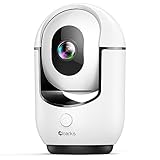
Overview: The Cloarks 2K Pan/Tilt Camera is a feature-packed budget contender that aims to maximize specifications per dollar. It combines 2K resolution with unique features like a built-in siren and color night vision at a sub-$30 price point.
What Makes It Stand Out: The one-click call function allows direct communication through the camera, a thoughtful feature for families. The integrated siren adds a security layer rarely seen in budget cameras. Color night vision provides more detail than traditional infrared, while 360° coverage ensures comprehensive monitoring of entire rooms without blind spots.
Value for Money: At $29.99, this camera delivers premium features—2K resolution, AI motion detection, siren, and color night vision—typically found in $50+ models. The value proposition is undeniable for users wanting maximum functionality on a tight budget without recurring monthly fees or subscription requirements.
Strengths and Weaknesses: Strengths include impressive 2K resolution, unique siren and one-click call features, color night vision, and aggressive pricing. Weaknesses are 2.4GHz-only Wi-Fi, potential reliability concerns from a less established brand, and the requirement for constant power connection. The duplicate feature bullet suggests possible quality control issues in documentation.
Bottom Line: The Cloarks camera is ideal for bargain hunters who refuse to compromise on features. While brand trust and Wi-Fi flexibility lag behind competitors, the sheer feature density and low price make it compelling for secondary monitoring locations or users comfortable with newer technology brands seeking maximum value.
4. Ring Pan-Tilt Indoor Cam (newest model), See all around your home or business with 360° pan coverage, HD video, plus Two-Way Talk, White

Overview: The Ring Pan-Tilt Indoor Cam brings the market leader’s ecosystem and reputation to the pan/tilt category. As Ring’s newest indoor model, it offers 360° coverage with the reliability and polish expected from this Amazon-owned brand and its mature platform.
What Makes It Stand Out: Ring’s robust app infrastructure and cloud service provide arguably the most reliable remote viewing experience available today. The variety of color options allows the camera to blend into home decor, a design consideration competitors often ignore. Seamless integration with Ring’s broader security ecosystem creates a unified home protection platform.
Value for Money: At $59.99, this is the most expensive option reviewed. The premium covers brand trust, superior app experience, and ecosystem benefits. However, to unlock full features like video history, a Ring Protect subscription ($3-10/month) is essentially required, significantly increasing long-term costs beyond the initial purchase price.
Strengths and Weaknesses: Strengths include exceptional brand reliability, polished user experience, color night vision, design options, and ecosystem integration. Weaknesses are the high upfront cost, essentially mandatory subscription fees, and lack of local storage option. Resolution specs are also vague (“HD” rather than 1080p/2K) compared to transparent competitors.
Bottom Line: Choose this camera if you’re already invested in Ring’s ecosystem or prioritize brand reliability above all else. For budget-conscious buyers or those wanting local storage, alternatives offer better value. It’s a premium experience at a premium price with ongoing costs that add up over time.
5. Sensforge 2.5K White Indoor Pan-Tilt Dome Security Camera (2-Pack), AI Human & Pet Detection, 360° Coverage, Two-Way Audio, Dual-Band Wi-Fi (2.4G/5G), 64GB SD Card Included, No Monthly Fees

Overview: This Sensforge 2-pack delivers the same impressive 2.5K AI-enabled cameras as the single unit but at a significantly reduced per-camera cost. It’s designed for users seeking comprehensive whole-home coverage without subscription fees or recurring costs.
What Makes It Stand Out: The exceptional value proposition—two premium cameras with AI detection, dual-band Wi-Fi, and included 64GB SD cards each—for under $67 makes this unmatched in the category. The per-camera price drops to roughly $33.50, rivaling basic 1080p models while delivering superior features and capabilities.
Value for Money: At $66.99, this represents outstanding value. Purchasing two comparable cameras separately would cost $100+. The inclusion of SD cards and absence of monthly fees makes this a one-time investment for multi-room security. It’s arguably the best cost-per-feature ratio available in the current market.
Strengths and Weaknesses: Strengths include unbeatable per-unit pricing, full feature set (2.5K, AI, dual-band Wi-Fi), included storage, and no subscriptions. The 2-pack format is perfect for monitoring multiple rooms simultaneously. Weaknesses remain the lesser-known brand and potential overkill for users needing only a single camera for one space.
Bottom Line: This 2-pack is the smartest choice for anyone needing multiple cameras. The value is exceptional, making it perfect for covering a home’s main living areas or separate floors. Unless you specifically need just one camera from a top-tier brand, this package delivers professional-grade features at a budget-friendly price point.
6. Kasa Smart Kasa 2K QHD Security Camera Pan/Tilt, Starlight Sensor for Color Night Vision,Motion Detection for Baby & Pet Monitor, SD/Cloud Storage,Works with Alexa & Google,Free Expert Support(KC410S)

Overview:
The Kasa Smart KC410S is a feature-rich indoor security camera offering 2K QHD resolution and advanced AI detection. This pan/tilt camera from TP-Link’s Kasa line monitors your home with person, motion, and sound alerts while integrating seamlessly into smart home ecosystems.
What Makes It Stand Out:
The Starlight sensor delivers exceptional color night vision up to 30 feet, outperforming standard IR cameras. Its Smart Actions feature creates automated interactions with other Kasa devices—like triggering lights when motion is detected—a unique ecosystem advantage. The camera supports both local storage (up to 256GB microSD) and encrypted AWS cloud storage, giving users flexible security options.
Value for Money:
At $29.97, this camera punches well above its weight class. Comparable 2K cameras with AI detection typically cost $40-60. The inclusion of free expert support and robust app features without mandatory subscription fees makes it an exceptional bargain for budget-conscious buyers seeking premium features.
Strengths and Weaknesses:
Pros: Excellent 2K clarity; Superior color night vision; Smart home integration; Flexible storage options; No subscription required for basic features
Cons: 2.4GHz WiFi only; No battery option; MicroSD card not included; Limited to Kasa ecosystem for advanced automation
Bottom Line:
The KC410S is a top-tier choice for users invested in smart home automation. Its stellar night vision and intelligent features make it ideal for baby monitoring or pet watching, though the lack of dual-band WiFi may trouble those with congested networks.
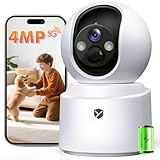
7. 2.5K 4MP Pan/Tilt Security Camera Indoor with 6000mAh Battery, 5G&2.4G WiFi Camera for Home Security/Baby Monitor/Pet Wireless Surveillance Cam, Color Night Vision, AI Motion Detection, 2-Way Audio
Overview:
This wireless security camera delivers complete cord-free convenience with its rechargeable 6000mAh battery and 2.5K 4MP resolution. Designed for flexible indoor placement, it combines sharp imaging with full 360° coverage through pan/tilt mechanics and dual-band WiFi connectivity.
What Makes It Stand Out:
True wireless freedom sets this apart—no cords, no drilling, just place anywhere with a WiFi signal. The 4MP sensor captures sharper detail than most competitors, while automatic spotlight-activated color night vision ensures vivid footage even in total darkness. Dual-band WiFi support (2.4G/5G) guarantees stable streaming where single-band cameras falter.
Value for Money:
Priced at $70.99, this camera sits in the mid-range for battery-powered models. While more expensive than wired alternatives, the convenience of wire-free placement and superior 2.5K resolution justifies the premium. Comparable battery cameras with similar specs retail for $80-100, making this a reasonable investment for flexibility seekers.
Strengths and Weaknesses:
Pros: Completely wireless; 2.5K 4MP resolution; Dual-band WiFi; Color night vision; 360° coverage
Cons: Requires periodic charging; Higher price point; SD card not included; Cloud storage requires paid subscription
Bottom Line:
Perfect for renters or those wanting hassle-free installation, this camera excels in versatility and image quality. The battery-powered design offers unmatched placement freedom, though users must remember to recharge. Ideal for monitoring pets, babies, or temporary spaces.
8. VIMTAG Indoor Pet Camera, 2.5K Dog Camera with Phone App, 360° Pan/Tilt Security Camera Indoor for Home/Nanny/Baby/Cat/Room, Dual-Band WiFi, Night Vision, Motion Tracking, 2-Way Audio, Cloud & SD Card

Overview:
The VIMTAG indoor camera offers impressive 2.5K QHD resolution with comprehensive 360° coverage at an entry-level price point. This versatile pan/tilt camera monitors pets, children, and home security with intelligent motion tracking and real-time alerts.
What Makes It Stand Out:
The combination of 8x digital zoom and auto-tracking features allows precise monitoring of moving subjects throughout your home. An integrated siren adds a security layer uncommon in budget cameras, while dual-band WiFi ensures reliable connectivity. The camera supports Alexa voice control and offers both local and cloud storage without mandatory fees.
Value for Money:
At just $21.99, this is one of the most affordable 2.5K cameras available. Most competitors at this price offer only 1080p resolution and lack advanced features like auto-tracking. The free one-month cloud trial and no-subscription-required operation deliver outstanding value for budget-minded consumers seeking high-resolution monitoring.
Strengths and Weaknesses:
Pros: Exceptional price for 2.5K; 8x zoom capability; Auto-tracking feature; Dual-band WiFi; Built-in siren
Cons: Lesser-known brand; App may have stability issues; SD card not included; Build quality questions
Bottom Line:
An unbeatable value proposition for those wanting premium features without the premium price. While brand recognition lags behind established competitors, the feature set and image quality make it a smart choice for first-time security camera buyers or supplemental coverage.
9. Tapo by TP-Link Pan/Tilt Security Camera for Baby Monitor, Pet Camera w/Motion Detection, 1080P, 2-Way Audio, Night Vision, Cloud & SD Card Storage, Works with Alexa & Google Home, Black (Tapo C201)

Overview:
The Tapo C201 from TP-Link provides reliable indoor monitoring with 1080p Full HD resolution and comprehensive pan/tilt coverage. This budget-friendly security camera covers entire rooms with its 360° horizontal rotation and 114° vertical tilt, making it suitable for baby monitoring, pet watching, and general home security.
What Makes It Stand Out:
As one of the most affordable cameras from a major networking brand, the Tapo C201 delivers surprising value with person, motion, and baby crying detection at no extra cost. The camera supports massive local storage up to 512GB microSD—double most competitors’ capacity—while offering optional Tapo Care cloud service with advanced features like motion tracking.
Value for Money:
At $17.98, this is among the cheapest reputable security cameras available. While limited to 1080p resolution, the inclusion of free AI detection, generous storage support, and TP-Link’s reliable software ecosystem makes it an exceptional entry-level option. Comparable budget cameras often lack brand credibility or charge subscription fees for basic detection.
Strengths and Weaknesses:
Pros: Extremely affordable; 512GB SD support; Free detection features; Reliable brand; No subscription required
Cons: 1080p resolution only; No 5GHz WiFi; Night vision limited to 30ft; Plastic build feels basic
Bottom Line:
The Tapo C201 is the perfect starter camera for cost-conscious buyers prioritizing reliability over resolution. It handles basic monitoring tasks admirably, though users wanting sharper image quality should consider 2K alternatives. Ideal for secondary rooms or first-time smart home users.
10. Cinnado 2K Home Security Cameras-2.4Ghz WiFi Indoor Camera with 360° Motion Detection for Pets/Nanny/Baby/Dog, 2 Way Audio, 24/7 SD Card Storage, Cloud Storage, Works with Alexa & Google Home, D1 4P

Overview:
The Cinnado D1 4P delivers 2K FHD resolution with comprehensive 360° monitoring for indoor security applications. This wired camera provides continuous recording capabilities and smart motion detection with an integrated siren, designed for users seeking always-on surveillance without battery management concerns.
What Makes It Stand Out:
The camera’s 24/7 continuous recording feature via microSD sets it apart from motion-only recording devices, ensuring no moment is missed. Four 940nm IR lights provide discreet night vision without the visible red glow of standard IR LEDs. The system supports multiple user accounts for family sharing while maintaining AES encryption for privacy-conscious households.
Value for Money:
At $69.99, this wired camera competes directly with premium battery models. While the price seems high for a non-battery device, the 2K resolution, continuous recording capability, and robust feature set justify the cost for users needing constant monitoring. However, comparable wired cameras with similar specs are available for $40-50, making this a mid-tier value proposition.
Strengths and Weaknesses:
Pros: 2K resolution; Continuous 24/7 recording; Multi-user support; AES encryption; Siren alarm
Cons: Wired only (no battery); No 5GHz WiFi support; Higher price; SD card not included
Bottom Line:
Best suited for permanent installations requiring uninterrupted recording, the Cinnado D1 4P excels as a dedicated baby or pet monitor. The lack of wireless flexibility limits placement options, but for stationary monitoring with superior image quality, it’s a solid if slightly overpriced choice.
Why Pan-Tilt-Zoom Technology Changes Everything for Nanny Monitoring
The fundamental advantage of PTZ cameras lies in their ability to eliminate blind spots without requiring multiple devices cluttering your walls. A single strategically placed unit can cover what would traditionally need three or four fixed cameras, reducing both installation complexity and visual intrusion in your home. The motorized lens assembly responds to your commands through a mobile app, creating a virtual presence that feels natural rather than surveillance-heavy.
For nanny monitoring specifically, this flexibility means you can observe meaningful interactions without feeling like you’re spying. Want to see how your baby is being soothed during naptime? A gentle zoom captures those tender moments. Curious about how snack time is handled in the dining nook? A quick pan reveals the full picture. This dynamic observation builds genuine peace of mind rather than fostering the anxiety that comes from piecing together fragmented glimpses from static angles.
Understanding the Legal Landscape of In-Home Video Monitoring
Before diving into technical specifications, every parent must navigate the legal and ethical framework surrounding nanny cameras. The law varies dramatically by jurisdiction, with some states requiring two-party consent for audio recording while others permit video-only monitoring in common areas without explicit notification. Federal law generally allows video recording in your own home, but audio recording triggers wiretapping statutes that could land you in serious legal trouble.
Transparency remains your best protection. Most child development experts and family law attorneys recommend having an open conversation with your nanny about camera placement and purpose. Frame it as a safety tool that protects everyone—your child, your caregiver, and your family—from misunderstandings. Document this agreement in your employment contract to ensure clarity. Remember, covert monitoring might feel tempting, but it erodes the very trust foundation that makes a nanny-family relationship successful.
Essential PTZ Features That Matter for Childcare Observation
Not all PTZ cameras are created equal, and the features that matter for general security differ significantly from those optimized for childcare monitoring. The motor speed, for instance, becomes crucial when tracking fast-moving toddlers. A sluggish pan mechanism that takes three seconds to traverse a room means missing critical moments. Look for cameras with adjustable speed settings, allowing slow, subtle movements when observing quiet play and faster response times when tracking active movement.
Preset positions represent another game-changing feature for parents. These allow you to program favorite viewpoints—crib, play area, kitchen, entryway—and jump between them with a single tap rather than manually adjusting each time. Some advanced systems even support scheduled position changes, automatically shifting focus as your child’s daily routine progresses from morning playtime to afternoon snacks.
Optical Zoom vs Digital Zoom: What Parents Need to Know
The zoom capability often serves as the make-or-break feature for meaningful nanny monitoring, but understanding the difference between optical and digital zoom prevents disappointment. Optical zoom uses physical lens movement to magnify the image, maintaining full resolution and clarity even at maximum magnification. A 3x optical zoom lets you read the label on a snack container from across the room or see the expression on your baby’s face while they’re in the playpen.
Digital zoom, by contrast, simply crops and enlarges the existing image, creating pixelated, less useful footage that resembles zooming into a photograph on your phone. While marketing materials often boast impressive “10x zoom” figures, check the specifications carefully—if it’s digital zoom, that number means little for practical monitoring. The sweet spot for nanny cameras typically falls between 2x and 4x optical zoom, providing meaningful close-ups without the bulk and expense of professional-grade telephoto lenses.
Field of View: Finding Your Perfect Coverage Angle
The field of view (FOV) specification determines how much of the room your camera captures in its default position, measured in degrees. A wider FOV (around 110-130 degrees) captures more area but creates a fish-eye distortion that makes distant objects appear smaller. Narrower FOVs (80-90 degrees) provide more natural perspective but require more panning to cover the same space.
For most living rooms and play areas, a 110-degree FOV hits the ideal balance, capturing the majority of the space while allowing strategic panning for details. Consider your home’s layout when evaluating this spec—open-concept spaces benefit from wider angles, while traditional segmented rooms might perform better with moderate FOVs that reduce edge distortion. Remember that PTZ functionality means you’re not locked into a single viewpoint, so a slightly narrower FOV often produces better image quality when you need to zoom.
Night Vision Capabilities for 24/7 Peace of Mind
Your monitoring needs don’t end when the sun goes down, especially during those early years of nighttime feedings and sleep training. Modern PTZ cameras offer various night vision technologies, with infrared (IR) illumination being the most common. The key differentiator isn’t just whether night vision exists, but its effective range and coverage pattern.
Budget cameras might promise 30 feet of night vision, but that often means a narrow spotlight effect that leaves room edges dark. Premium systems use multiple IR LEDs arranged to create even illumination across the entire field of view. Color night vision, increasingly available in mid-range models, uses ambient light amplification rather than IR, providing more natural footage that helps you distinguish between a red toy and a spilled snack. For nanny monitoring, prioritize cameras with automatic IR cut filters that seamlessly transition between day and night modes without clicking noises that might disturb light sleepers.
Resolution Standards: From HD to 4K and Beyond
Resolution determines the clarity of the footage you capture, but bigger isn’t always better when balanced against storage costs and bandwidth constraints. A 1080p (Full HD) camera provides sufficient detail for most nanny monitoring scenarios, allowing you to identify facial expressions and read labels clearly. The jump to 2K (1440p) offers a noticeable improvement in digital zoom quality, giving you more usable detail when magnifying distant activities.
4K resolution delivers stunning clarity but demands significantly more from your Wi-Fi network and storage system. A single 4K camera can consume 4-8GB of storage per day with continuous recording, quickly overwhelming basic cloud plans and requiring expensive local storage upgrades. For most families, 2K represents the current sweet spot—enhanced detail without the extreme resource demands. Consider cameras with variable bitrate settings that automatically reduce quality during low-activity periods to conserve storage while maintaining maximum resolution during motion events.
Two-Way Audio: Communication Without Intrusion
The ability to speak through your camera introduces powerful possibilities for parent-nanny communication, but it requires thoughtful implementation. Full-duplex audio allows natural conversation flow, similar to a phone call, while half-duplex systems create walkie-talkie style communication that feels stilted and can interrupt natural interaction. For nanny monitoring, full-duplex is worth the modest price premium.
Audio quality matters as much as video quality. Look for cameras with noise cancellation that filters out background hums from appliances or traffic, ensuring clear communication. Echo cancellation prevents that frustrating feedback loop when both parties speak simultaneously. The best systems include push-to-talk buttons in the app interface, giving you control over when you’re audible rather than broadcasting ambient household sounds unintentionally. Some advanced models even support scheduled audio availability, automatically disabling two-way communication during designated quiet hours.
Storage Solutions: Cloud vs Local Recording
Where your footage lives determines both your ongoing costs and your privacy level. Local storage via microSD cards offers complete control—no monthly fees, no third-party access, and recording continues even during internet outages. However, card corruption, theft of the camera itself, or limited capacity can mean losing critical footage when you need it most.
Cloud storage provides off-site backup and typically includes advanced features like AI-powered event tagging and easy sharing. The trade-off involves recurring subscription costs and trusting a company’s security practices. Many families opt for hybrid systems that record continuously to local storage while backing up motion events to the cloud, creating redundancy without breaking the budget.
Understanding SD Card Capacity and Loop Recording
When evaluating local storage, card capacity and durability become crucial factors. A 128GB card in a 1080p camera provides roughly 10-14 days of continuous recording before looping over old footage. For nanny monitoring, where you might not review footage daily, this buffer proves essential. However, not all microSD cards are created equal—standard cards wear out quickly under constant write cycles.
Invest in high-endurance cards specifically designed for surveillance applications. These handle continuous overwriting far better, often lasting 3-5 years instead of months. Loop recording settings matter too; the best systems allow you to protect specific time segments from overwriting, ensuring that concerning incidents remain accessible while routine footage automatically clears. Some cameras support dual-card slots, doubling capacity or creating automatic backup copies of important events.
Cloud Subscription Models: What to Watch For
Cloud pricing structures range from straightforward to deliberately confusing. Base plans often include 7-30 days of event history for a single camera, but reading the fine print reveals limitations—maybe only 30-second clips, or perhaps a cap on the number of daily events. Premium tiers unlock longer history, continuous recording, and advanced features like person detection.
Watch for hidden costs: some providers charge extra for downloading clips, sharing access with your partner, or integrating with smart home platforms. Annual payment discounts can save 20-30%, but lock you into a service you haven’t fully tested. Look for providers offering trial periods and pro-rated refunds. Consider cameras that work with third-party cloud services like Google Drive or Dropbox, allowing you to leverage existing storage rather than committing to another subscription.
Smart Motion Detection and AI-Powered Alerts
Basic motion detection triggers alerts for any pixel change—fluttering curtains, shifting shadows, or your cat walking by—creating notification fatigue that causes you to ignore real concerns. AI-powered person detection distinguishes between human movement and other motion, dramatically reducing false alarms. For nanny monitoring, baby cry detection provides targeted alerts specifically for infant vocalizations, while human shape recognition can differentiate between your nanny, your teenager, and an unfamiliar person.
Advanced systems learn patterns over time, recognizing that your nanny arrives at 8:15 AM and sending an alert if no motion is detected by 8:30. Some cameras now offer activity zones within the frame, allowing you to monitor the crib area for movement during naptime while ignoring activity in the connected hallway. The most sophisticated AI can even detect falls or unusual stillness, providing safety monitoring beyond simple motion tracking.
Privacy Features That Protect Your Family
Ironically, the camera designed to protect your child can become a privacy liability if compromised. Robust encryption—both for data in transit and at rest—prevents unauthorized access to your footage. Look for cameras with AES-256 encryption and regular firmware update schedules that patch newly discovered vulnerabilities.
Geofencing capabilities automatically disable recording or send privacy mode alerts when your phone (and by extension, you) arrives home, preventing accidental self-recording. Some systems support multiple user permission levels, giving your nanny limited live-view access during working hours while restricting playback history, fostering transparency without oversharing.
Physical Lens Shutter and Privacy Modes
The most trustworthy privacy feature remains a physical lens shutter—a mechanical cover that physically blocks the camera lens. Unlike software-based privacy modes that could potentially be hacked, a physical shutter provides absolute certainty that you’re not being recorded. The best implementations include clear visual indicators, like a bright red stripe visible when the shutter is closed, offering peace of mind at a glance.
Scheduled privacy modes automatically activate during specific hours—perhaps when you’re home in the evenings—ensuring the camera only monitors during relevant times. Some systems link privacy modes to smart home routines, closing shutters when you say “goodnight” to your voice assistant or when the smart door lock detects you’ve arrived home.
User Access Controls and Multi-Factor Authentication
Your camera’s security is only as strong as its weakest access point. Multi-factor authentication (MFA) should be non-negotiable, requiring both your password and a code from your phone to access footage. The best systems support authenticator apps rather than just SMS codes, which are vulnerable to SIM-swapping attacks.
User access controls allow you to grant different permission levels to family members. Your partner might have full admin access, while grandparents can view live feeds but not change settings or access recordings. For nanny sharing arrangements, temporary access codes let other parents view footage during their child’s care hours without seeing your family’s private moments. Always review access logs periodically to ensure no unauthorized devices have connected to your system.
Installation and Placement Strategies
Proper placement determines whether your PTZ camera becomes an effective monitoring tool or a frustrating exercise in constant adjustment. Corner mounting typically provides the widest natural vantage point, allowing the camera to see two walls and the central room area. However, this placement can create awkward angles when zooming and may require more extreme panning to follow movement across the diagonal space.
Wall mounting at roughly 7-8 feet high offers an ideal compromise—high enough to see over furniture and avoid tampering, but low enough to capture facial expressions clearly. Ceiling mounting provides the most comprehensive coverage but often results in top-down angles that make it difficult to read expressions or see details on tables and countertops. Consider your primary monitoring goals when choosing placement; if mealtime supervision is a priority, a slightly lower mount near the dining area proves more useful than a high corner position.
Power Options: Wired, Battery, and PoE Explained
Power source decisions impact both installation flexibility and reliability. Wired cameras connect to standard outlets, providing uninterrupted operation but requiring cable management that can limit placement options and create tripping hazards. Battery-powered units offer placement freedom but demand regular recharging—every 3-6 months typically—which can mean missing coverage during critical charging periods.
Power over Ethernet (PoE) combines data and power in a single cable, delivering the reliability of wired power with more flexible placement than outlet-dependent models. PoE requires a compatible network switch or injector, adding initial cost but providing professional-grade stability. For nanny monitoring, where gaps in coverage matter, PoE or wired power generally outperforms battery options, though hybrid battery-wired cameras that switch to battery during power outages offer compelling redundancy.
Optimal Mounting Heights and Angles
The relationship between mounting height and effective monitoring isn’t linear—higher isn’t always better. Mounting too high (above 9 feet) creates steep downward angles that obscure facial expressions and make zooming less effective. Too low (below 6 feet) limits coverage area and increases tampering risk from curious toddlers.
The 7-8 foot range typically captures the sweet spot, providing eye-level perspectives when seated and enough elevation to see over standard furniture. Angle the camera slightly downward—about 15-20 degrees—to reduce glare from windows and capture activity on floor mats and low tables where young children play. For multi-level homes, consider how staircases and hallways factor into coverage; a camera placed to monitor the living room might also capture the top of stairs, providing safety monitoring beyond the primary care area.
Connectivity Considerations: Wi-Fi, Ethernet, and Bandwidth
Your camera’s connection method directly impacts reliability and video quality. Wi-Fi offers easy installation but competes with every other connected device in your home for bandwidth. A single 2K camera streaming continuously can consume 2-4 Mbps of upload speed—significant if you have multiple cameras or a basic internet plan.
Ethernet connections eliminate interference and provide consistent throughput, crucial for smooth PTZ responsiveness. A camera that lags two seconds behind your swipe commands because of Wi-Fi congestion quickly becomes frustrating. Dual-band Wi-Fi (supporting both 2.4GHz and 5GHz) provides flexibility; 2.4GHz penetrates walls better for distant placements, while 5GHz offers faster speeds for cameras near your router.
Consider your home’s internet upload speed when planning. Most households have much slower upload than download speeds, and cameras constantly upload video. Test your actual upload speed during peak evening hours, then budget 3-5 Mbps per camera for reliable 2K streaming. If you’re pushing your bandwidth limits, prioritize cameras with adaptive streaming that reduces quality during network congestion rather than dropping connection entirely.
Mobile App Experience: What Makes or Breaks User Satisfaction
The most advanced camera hardware becomes useless if the companion app frustrates you daily. App responsiveness matters tremendously—laggy PTZ controls that make you overshoot your target create a poor user experience. Test app reviews specifically mentioning PTZ responsiveness, not just overall ratings, as some beautiful apps have terrible motor control logic.
Playback functionality separates good apps from great ones. Timeline scrubbing should be smooth, with clear visual indicators of motion events so you can jump directly to relevant moments. Multi-camera views let you monitor several angles simultaneously, while picture-in-picture mode keeps a small live feed visible while you review recordings. The best apps offer offline viewing capabilities, downloading clips to your phone for review during your commute without chewing through mobile data.
Integration with Smart Home Ecosystems
Standalone cameras operate fine, but integration amplifies their utility. Alexa or Google Assistant integration lets you view the nursery camera on your smart display while cooking dinner, hands-free. IFTTT support creates powerful automations—like automatically panning to the entryway when the smart doorbell rings, or turning on privacy mode when your smart lock detects you’ve arrived home.
Apple HomeKit Secure Video appeals to privacy-conscious families, processing video locally on a HomePod or Apple TV before encrypted cloud backup. This approach keeps footage off third-party servers entirely, though it requires a compatible camera and Apple hardware. SmartThings and Hubitat integration allows complex rules-based automation, like increasing motion sensitivity during scheduled nap times or flashing smart lights when the camera detects unusual activity.
Budget Planning: Total Cost of Ownership
The sticker price on a PTZ camera rarely reflects the true investment. Entry-level models at $50-80 often require $5-10 monthly cloud subscriptions to unlock basic features, making a $60 camera cost $180 over the first year. Mid-range cameras at $150-250 typically include more generous free tiers or longer trial periods, while premium $300+ models often bundle 1-3 years of advanced cloud service.
Factor in accessory costs: extended USB cables for flexible placement ($15-30), high-endurance microSD cards ($25-50), PoE injectors if your router lacks support ($20-40), and potential mounting hardware. Professional installation might add $100-200 per camera if you lack the tools or confidence for DIY mounting.
Hidden Costs to Factor Into Your Decision
Beyond obvious expenses, several hidden costs can surprise budget-conscious parents. Cloud storage overage fees kick in when you exceed event limits, sometimes charging per extra clip. API access for advanced smart home integration occasionally requires developer-tier subscriptions. Firmware updates that add new AI features sometimes require upgrading to premium service tiers.
Bandwidth overages from your internet provider represent the most overlooked cost. If your plan includes data caps, continuous uploading can push you into overage charges. Calculate your typical monthly upload: a 2K camera streaming 8 hours daily uses roughly 150-200GB monthly. Multiply by multiple cameras and you might need an unlimited data plan upgrade, adding $20-50 to your monthly internet bill.
Red Flags: Features to Avoid in Nanny Cameras
Certain features sound appealing but create more problems than they solve for nanny monitoring. Cameras with bright status LEDs that can’t be disabled disrupt sleep schedules and draw attention to the device, making caregivers feel constantly watched. Audio recording without visual indicators violates trust and may breach consent laws in your state.
Avoid cameras requiring proprietary viewers or software that locks you into a single ecosystem with no export options. Some budget brands record in proprietary formats that can’t be played by standard video players, forcing you to use their ad-supported apps. Be wary of “free lifetime cloud storage” claims—these often come with severe quality limitations or companies that fold within a year, leaving you with unsupported hardware.
Maintaining Your PTZ Camera System
A PTZ camera requires ongoing maintenance to remain reliable. Monthly lens cleaning with a microfiber cloth removes dust and fingerprints that degrade image quality, especially important in kitchens where cooking residue settles on surfaces. Check and tighten mounting screws quarterly; the constant micro-movements of PTZ motors gradually loosen hardware over time.
Firmware updates deserve immediate attention when security patches are released, but consider waiting a week or two after feature updates to ensure stability. Create a calendar reminder to test motion alerts monthly—walk through monitored areas and verify notifications arrive promptly. Review storage health periodically; most apps show SD card status, and replacing cards every 2-3 years prevents catastrophic failure when you most need footage.
Frequently Asked Questions
Can my nanny legally disable or cover the camera during work hours?
This depends on your employment agreement and state laws. In most states, employers cannot legally prevent employees from working, but your nanny cannot damage your property. The best approach is including camera policies in your written contract, specifying that cameras remain operational but can be pointed away during private breaks. Open communication prevents confrontations and maintains trust.
How much internet bandwidth do I really need for smooth PTZ control?
For responsive PTZ operation with 2K streaming, budget 3-5 Mbps of upload speed per camera. However, latency matters as much as bandwidth—a stable 10 Mbps connection often provides better PTZ response than a fluctuating 20 Mbps connection. Test your connection during peak usage hours and prioritize wired Ethernet for cameras requiring frequent manual control.
Will my camera still record if my internet goes down?
Cameras with local SD card storage continue recording during internet outages, though you won’t receive alerts or be able to view live feeds remotely. Cloud-only cameras become completely non-functional without internet. Hybrid systems typically buffer recordings locally and upload them once connectivity restores, ensuring no gaps in coverage. For nanny monitoring, local storage capability is essential for reliability.
What’s the difference between a nanny cam and a regular security camera?
While hardware may be identical, nanny cams are typically positioned for child-level viewing and include features like cry detection, temperature monitoring, and two-way communication optimized for parent-child interaction. Security cameras often focus on perimeter protection with features like siren alarms. The real difference lies in placement, settings configuration, and the sensitivity of motion detection algorithms tuned for indoor activity.
How do I prevent my camera from being hacked?
Enable multi-factor authentication, use a unique strong password, and change default usernames. Regularly update firmware, disable UPnP (Universal Plug and Play) on your router, and consider creating a separate guest network for IoT devices. Cameras with end-to-end encryption provide the strongest protection. Never port-forward your camera directly to the internet—use the manufacturer’s secure cloud service instead.
Should I place cameras in my child’s bedroom?
This decision balances safety monitoring with privacy development. Many experts recommend cameras in nurseries for infants and young toddlers, but gradually removing them as children reach school age to foster independence and trust. Always position bedroom cameras to avoid capturing dressing areas or bathroom doors. Discuss bedroom monitoring with older children and respect their preferences as they develop autonomy.
Do PTZ cameras make noise when moving?
Quality PTZ cameras operate nearly silently, with stepper motors producing less than 25 decibels—quieter than a whisper. Budget models may emit audible buzzing or clicking that could disturb light sleepers. Read reviews specifically mentioning motor noise, and consider the camera’s proximity to sleeping areas. Some cameras offer “quiet mode” that slows movement speed to reduce noise during designated hours.
Can I share camera access with my partner without sharing my login?
Professional-grade systems support multiple user accounts with granular permissions. Each family member gets their own login credentials, and you can control who views live feeds, reviews history, receives alerts, or can change settings. Avoid systems that only support a single master login, as sharing credentials prevents you from revoking access individually and creates security vulnerabilities.
How long should I keep recorded footage?
For nanny monitoring, a 30-day retention window typically suffices unless an incident occurs. Most systems automatically overwrite oldest footage first. If you observe concerning behavior, immediately download and back up relevant clips externally. Some families keep summaries of particularly good moments (first steps caught on camera, etc.) but routinely delete routine footage to respect everyone’s privacy.
Are there alternatives to continuous recording?
Yes, many families prefer motion-triggered recording to reduce storage needs and privacy concerns. Schedule-based recording activates only during work hours, while AI-powered event recording captures only when specific actions occur—like a child entering a restricted area or unusual sound patterns. Geofencing can automatically enable recording when you leave home and disable it upon return, creating a hands-off privacy solution.