As summer temperatures climb and rental markets remain fiercely competitive, renters face a unique cooling conundrum: how to beat the heat without violating lease agreements or sinking money into permanent modifications. Enter the smart window air conditioner—a game-changing appliance that delivers powerful, efficient cooling while satisfying the transient nature of rental living. These intelligent units have evolved far beyond their clunky, noisy predecessors, offering WiFi connectivity, voice control, and energy monitoring that transform how we think about temporary climate control.
Unlike traditional window units that simply blast cold air, today’s smart models function as sophisticated home management tools. They learn your schedule, track your energy consumption down to the penny, and can be controlled from anywhere—perfect for renters who juggle unpredictable schedules or travel frequently. But with an overwhelming array of features, specifications, and compatibility concerns, making the right choice requires more than just comparing price tags. This guide cuts through the marketing noise to arm you with the technical knowledge and strategic insights needed to select a smart window AC that respects your lease, your budget, and your comfort.
Top 10 Smart Window Air Conditioners for Renters
Detailed Product Reviews
1. Midea 10,000 BTU U Shaped Smart Inverter Window Air Conditioner - Cools 450 Sq Ft, Ultra Quiet with Open Window Flexibility - Alexa/Google Assistant Compatible - 35% Energy Savings, Remote (Updated)

Overview: The Midea 10,000 BTU U-Shaped Smart Inverter AC represents a revolutionary approach to window air conditioning, designed for spaces up to 450 square feet. This unit distinguishes itself through its innovative U-shaped design that straddles the windowsill, separating the noisy compressor outside from the indoor air handler.
What Makes It Stand Out: The groundbreaking U-shape blocks external noise while the inverter system operates at an astonishingly low 32 dBA—ten times quieter than conventional units. The flexible window opening feature is genuinely unique, allowing you to maintain natural ventilation and preserve your view. Smart integration via Wi-Fi, Alexa, and Google Assistant provides seamless control, while the anti-theft mechanism offers peace of mind.
Value for Money: At $302.04, this unit commands a premium but delivers substantial returns through over 35% energy savings and ENERGY STAR certification. The reduced electricity costs will offset the higher initial investment within a few cooling seasons compared to traditional units.
Strengths and Weaknesses: Strengths include whisper-quiet operation, exceptional energy efficiency, smart home compatibility, and the ability to open your window. Weaknesses involve a more complex installation process and limited compatibility with window sizes (22"-36" width, minimum 13.75" height).
Bottom Line: For those prioritizing tranquility and efficiency, this Midea unit is unmatched. The premium price is justified by revolutionary engineering that solves traditional window AC pain points.
2. Midea 12,000 BTU Smart Inverter Air Conditioner Window Unit with Heat and Dehumidifier – Cools up to 550 Sq. Ft., Energy Star Rated, Quiet Operation, Electronic Controls, Remote Control, White

Overview: The Midea 12,000 BTU Smart Inverter AC with Heat Pump functionality transforms the traditional window unit into a year-round climate solution for spaces up to 550 square feet. This versatile appliance eliminates the need for separate heating and cooling devices in moderate climates, offering five modes including heat, cool, dry, fan, and auto.
What Makes It Stand Out: Multi-season capability sets this unit apart, providing powerful cooling, dehumidification, and supplemental heating in one package. The variable-speed inverter technology delivers up to 35% energy savings while maintaining quiet operation at 45 dBA. Comprehensive smart controls through the SmartHome app, Alexa, and Google Assistant offer unprecedented convenience with a 24-hour timer and ECO mode.
Value for Money: While pricing isn’t specified, the dual-function nature inherently provides strong value by consolidating two appliances. Energy Star certification and inverter technology ensure ongoing operational savings that justify the likely premium price point, particularly for large rooms requiring consistent climate control.
Strengths and Weaknesses: Strengths include year-round usability, large coverage area, smart integration, and energy efficiency. Notable weaknesses are the heating limitation (non-functional below 41°F) and noise level that’s higher than the U-shaped models. The 45 dBA operation, while quiet, isn’t the whisper-silent experience of its U-shaped siblings.
Bottom Line: Ideal for consumers seeking an all-in-one solution for moderate climates. The heating capability adds significant versatility, making it a compelling alternative to purchasing separate units.
3. Midea 8,000 BTU U Shaped Smart Inverter Window Air Conditioner - Cools 350 Sq Ft, Ultra Quiet with Open Window Flexibility - Alexa/Google Assistant Compatible - 37% Energy Savings, Remote (Updated)
Overview: The Midea 8,000 BTU U-Shaped Smart Inverter AC brings the revolutionary U-shaped design to smaller spaces up to 350 square feet. It inherits the same innovative engineering as its larger sibling, separating the compressor from the indoor unit to minimize noise and allow window operation while maintaining your view.
What Makes It Stand Out: This model maintains the signature U-shaped benefits: ultra-quiet 32 dBA operation, flexible window opening, and smart home integration via Alexa and Google Assistant. The advanced DC inverter technology achieves 37% energy savings, exceeding even its larger counterpart. Wi-Fi connectivity through the SmartHome app provides remote control convenience.
Value for Money: At $357.40, this unit presents a puzzling value proposition—it’s significantly more expensive than the 10,000 BTU model despite lower cooling capacity. While the energy savings and quiet operation are valuable, the price-to-performance ratio is disadvantageous compared to other options in the lineup, making it hard to recommend on value alone.
Strengths and Weaknesses: Strengths include whisper-quiet performance, superior energy efficiency, smart features, and window flexibility. The primary weakness is the pricing anomaly that makes it cost more than the more powerful 10,000 BTU version. Additionally, the 350 sq ft coverage limits its application to small bedrooms or offices.
Bottom Line: The product itself is excellent, but the pricing structure defies logic. Consumers should strongly consider the 10,000 BTU model instead unless their window dimensions absolutely require the smaller unit.
4. TCL H8W35W 8,000 8000 BTU Smart Window Air Conditioner, Fan & Dehumidifier, 350 Sq. Ft, Remote Control, Compatible with Alexa/Google Assistant, White

Overview: The TCL H8W35W 8,000 BTU Smart Window Air Conditioner offers an affordable entry into smart climate control for rooms up to 350 square feet. This versatile unit combines air conditioning, fan, and dehumidifier functions in a single, budget-friendly package designed for practical homeowners.
What Makes It Stand Out: The 3-in-1 functionality provides exceptional versatility at this price point, adapting to different comfort needs throughout the season. Smart controls via the TCL Home App, Alexa, Google Assistant, and Siri offer modern convenience rarely seen in sub-$250 units. Sleep and Eco modes enhance energy savings without sacrificing comfort, while the LED display ensures simple manual operation.
Value for Money: At $204.67, this TCL unit delivers remarkable value. It undercuts premium competitors by nearly $100 while providing comparable smart features and coverage. The inclusion of three operating modes maximizes utility, making it an economical choice for budget-conscious consumers seeking connected home integration without premium pricing.
Strengths and Weaknesses: Strengths include affordable pricing, 3-in-1 versatility, multi-platform smart support, and dedicated energy-saving modes. Weaknesses include unspecified noise levels that likely exceed the ultra-quiet Midea U-shaped models, and TCL’s less established reputation in the appliance market compared to legacy brands. The basic design also lacks the flexible window opening feature.
Bottom Line: For shoppers seeking smart features on a tight budget, this TCL unit is a compelling choice. It sacrifices some refinement for affordability but delivers core functionality admirably.
5. LG 6000 BTU Window Air Conditioner[2024 New] Remote Control, WiFi Enabled works with LG ThinQ, Alexa, Hey Google, Washable Filer Ultra-Quiet Cools Small Room up to 250 Sq.Ft AC Unit White LW6024RSMX
![LG 6000 BTU Window Air Conditioner[2024 New] Remote Control, WiFi Enabled works with LG ThinQ, Alexa, Hey Google, Washable Filer Ultra-Quiet Cools Small Room up to 250 Sq.Ft AC Unit White LW6024RSMX](https://m.media-amazon.com/images/I/41tIA88IwiL._SL160_.jpg)
Overview: The LG LW6024RSMX 6,000 BTU Window Air Conditioner brings smart connectivity to the entry-level segment, cooling small rooms up to 250 square feet. This 2024 model balances LG’s reliability with modern Wi-Fi capabilities at an accessible price point for budget-conscious consumers.
What Makes It Stand Out: Remarkably affordable smart integration sets this unit apart—Wi-Fi connectivity and compatibility with LG ThinQ, Alexa, and Hey Google at a fraction of typical smart AC costs. The EZ Mount installation kit simplifies setup for double-hung windows, while the slide-out washable filter with check filter alert maintains performance effortlessly. LG’s reputation for durability provides confidence in this budget offering.
Value for Money: At $115.21, this represents exceptional value for consumers needing basic smart control. It’s nearly $200 less than competitors while delivering essential Wi-Fi functionality. The energy-efficient R32 refrigerant and simple operation make it ideal for small bedrooms, dorm rooms, or home offices where premium features aren’t justified by the use case.
Strengths and Weaknesses: Strengths include unbeatable price, trusted brand name, straightforward smart integration, and easy maintenance. Weaknesses are limited cooling capacity (250 sq ft), lack of advanced inverter technology for energy savings, and absence of premium features like flexible window opening or ultra-quiet operation. The basic feature set reflects its entry-level positioning.
Bottom Line: Perfect for small space cooling on a minimal budget. This LG unit proves that smart home compatibility doesn’t require premium pricing, making it an excellent starter AC for first-time buyers or supplementing single rooms.
6. DELLA 5000 BTU Smart Window Air Conditioner Compatible with Alexa, Cools Up to 150 Sq. Ft, Small Room AC Unit with GEO Location, WIFI & Remote Controls, Dehumidifier, Fan Cools, Eco, Easy Install

Overview: The DELLA 5000 BTU Smart Window Air Conditioner is a compact, Wi-Fi-enabled cooling solution designed for small spaces up to 150 square feet. This 2025 Red Dot Design Award winner combines modern smart home integration with efficient cooling performance, making it ideal for home offices, bedrooms, or studio apartments where space and energy consumption are primary concerns.
What Makes It Stand Out: The standout feature is its comprehensive smart ecosystem—Alexa voice control, a redesigned Della+ app with GEO location, and remote operation provide unprecedented convenience for a unit in this price class. The 11.0 CEER rating delivers 29% better energy efficiency than conventional models, while four-mode operation (Auto, Cool, Fan, Dry) plus sleep and eco modes offer versatile climate management. The 51 dB operation is remarkably quiet for a budget-friendly unit, and the 24-hour timer adds scheduling flexibility.
Value for Money: At $219.96, this DELLA unit punches above its weight class. It offers premium smart features typically found in $300+ models, plus a 1-year warranty and 24/7 live chat support. The energy savings alone can offset the purchase price within two cooling seasons compared to older, inefficient units. Pre-assembled side panels and tool-free installation save additional setup costs.
Strengths and Weaknesses: Strengths: Excellent smart integration for the price; award-winning design; very quiet operation; easy installation with pre-assembled panels; strong customer support; impressive energy efficiency; GEO location feature. Weaknesses: Limited to small rooms only (150 sq ft); no heating function; side panels may not seal as tightly as premium brands; app reliability could be improved based on user feedback; filter access requires unit removal.
Bottom Line: For small space dwellers seeking smart climate control without breaking the bank, the DELLA 5000 BTU is a compelling choice. It delivers premium features at a budget price, though its cooling capacity limits its versatility.
7. CABIHOME 8,000 BTU Smart Air Conditioner Window Unit with Heat and Dehumidifier - Cools 350 Sq.Ft, 11.4 CEER Energy Efficient, Quiet Operation, 3 Fan Levels, Remote& Smart App, Easy Install, White

Overview: The CABIHOME 8,000 BTU Smart Air Conditioner is a versatile window unit that delivers both cooling and supplemental heating for medium-sized rooms up to 350 square feet. Designed for year-round comfort, this unit combines smart technology with energy-efficient operation, making it an excellent choice for bedrooms, living rooms, or home offices where temperature control needs vary across seasons.
What Makes It Stand Out: The dual-functionality (cooling and heating) sets it apart at this price point, eliminating the need for separate appliances. Its 11.4 CEER rating exceeds standard efficiency, while the sub-50 dB library-quiet operation ensures minimal disruption. The tool-free installation under 10 minutes is a game-changer for renters, and the 2-year U.S. warranty provides double the industry-standard protection. Smartphone energy monitoring helps track consumption patterns.
Value for Money: At $270.99, this unit offers exceptional value by combining two appliances in one. The 20-30% energy reduction from smart modes translates to measurable utility savings. Compared to buying separate AC and heater units ($400+ combined), the CABIHOME represents significant cost savings while delivering comparable performance. The extended warranty adds $50-75 of value versus competitors.
Strengths and Weaknesses: Strengths: Heating and cooling in one unit; whisper-quiet operation; superior 2-year warranty; extremely easy installation; excellent energy efficiency; robust app controls with energy monitoring; compact 36-pound weight. Weaknesses: Heat function limited to mild climates (outside temp >41°F); side panel seals may require additional weatherstripping; app interface less polished than major brands; no voice assistant integration mentioned; limited to 3 fan speeds.
Bottom Line: The CABIHOME 8,000 BTU is a smart investment for those needing year-round climate control in medium spaces. Its dual functionality, quiet operation, and renter-friendly installation make it a standout value, despite minor app limitations.
8. Midea 8,000 BTU Smart Inverter Air Conditioner Window Unit with Heat and Dehumidifier – Cools up to 350 Sq. Ft., Energy Star Rated, Quiet Operation, Electronic Controls, Remote Control, White

Overview: The Midea 8,000 BTU Smart Inverter Air Conditioner is a premium window unit offering year-round climate control for spaces up to 350 square feet. Featuring advanced inverter technology and Energy Star certification, this unit delivers powerful cooling, dehumidification, and supplemental heating while maintaining remarkably low noise levels, making it ideal for bedrooms and apartments where comfort and quiet operation are paramount.
What Makes It Stand Out: The variable-speed inverter technology provides up to 35% energy savings compared to conventional units, automatically adjusting output for optimal efficiency. At just 45 dBA, it’s among the quietest units in its class. The comprehensive smart integration works with Alexa, Google Assistant, and the SmartHome app, plus five modes including a dedicated heat function that operates down to 41°F outside temperature. The front-access washable filter simplifies maintenance.
Value for Money: While pricing isn’t specified, Midea’s inverter technology typically commands a $50-100 premium over non-inverter models. However, the 35% energy savings can recover this cost within 1-2 years of regular use. The dual-functionality eliminates separate heater purchases, and Energy Star certification may qualify for utility rebates, enhancing long-term value. It’s essentially a mini-split alternative at window-unit pricing.
Strengths and Weaknesses: Strengths: Exceptional energy efficiency with inverter tech; ultra-quiet 45 dBA operation; true year-round heating and cooling; Energy Star certified; superior smart home integration; washable front-access filter; swing louver direction control. Weaknesses: Higher upfront cost than basic units; heat function limited below 41°F; requires precise window measurements (24-38.5" width); installation more complex than basic units; app occasionally experiences connectivity issues; heavier at 60+ pounds.
Bottom Line: The Midea 8,000 BTU inverter unit is a top-tier choice for those prioritizing energy efficiency and quiet operation. The premium features justify the higher price, making it ideal for daily use in living spaces where noise matters.
9. Midea 12,000 BTU U Shaped Smart Inverter Window Air Conditioner - Cools 550 Sq Ft, Ultra Quiet with Open Window Flexibility - Alexa/Google Assistant Compatible - 35% Energy Savings, Remote (Updated)
Overview: The Midea 12,000 BTU U-Shaped Smart Inverter Window Air Conditioner revolutionizes window AC design with its innovative form factor that blocks outdoor noise while allowing window functionality. Cooling up to 550 square feet, this Energy Star certified unit delivers exceptional efficiency and whisper-quiet operation as low as 32 dBA, making it perfect for large bedrooms, living rooms, or open-plan spaces where traditional units would be too disruptive.
What Makes It Stand Out: The patented U-shape design is a genuine breakthrough, using the window itself as a sound barrier while enabling fresh air circulation and maintaining your view. The advanced DC inverter technology achieves over 35% energy savings, making it the first window AC to earn Energy Star certification. At 32 dBA, it’s 10x quieter than conventional units, rivaling mini-split systems in acoustic performance. The anti-theft mechanism adds security when windows are closed.
Value for Money: At $456.79, this premium unit costs significantly more than standard 12,000 BTU models. However, the U-shaped design eliminates the seasonal installation/removal hassle, and the energy savings can exceed $100 annually in high-use scenarios. When compared to mini-split systems ($2,000+), it offers similar noise levels and efficiency at a fraction of the cost. The ability to open your window preserves natural ventilation.
Strengths and Weaknesses: Strengths: Revolutionary U-shape design allows window opening; exceptionally quiet 32 dBA operation; best-in-class energy efficiency; full smart home integration; anti-theft mechanism; maintains natural light and view; quick-snap bracket installation. Weaknesses: Premium pricing; limited to specific window types (22-36" width, 13.75" min height); installation more complex; requires support bracket; may not fit all window frames; higher repair costs due to specialized design; no heating function.
Bottom Line: For those seeking premium performance without mini-split installation costs, the Midea U-shaped AC is unmatched. The innovative design and library-quiet operation justify the investment for large spaces where noise and aesthetics matter.
10. LG 14,000 BTU DUAL Inverter Smart Window Air Conditioner, 115V, Cools 800 Sq. Ft. for Bedroom, Living Room, Apartment, Quiet Operation, ENERGY STAR®, works with LG ThinQ, Amazon Alexa and Hey Google
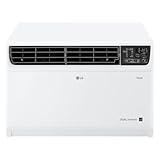
Overview: The LG 14,000 BTU DUAL Inverter Smart Window Air Conditioner is a powerhouse cooling solution designed for large spaces up to 800 square feet. Leveraging LG’s proprietary dual inverter technology, this unit delivers exceptional energy efficiency while maintaining whisper-quiet operation as low as 44 dB. It’s an ideal choice for cooling entire apartments, large living areas, or open-concept spaces where powerful, efficient, and quiet performance is essential.
What Makes It Stand Out: The DUAL Inverter Compressor with BLDC Motor represents LG’s engineering excellence, providing precise cooling control with up to 35% energy savings beyond ENERGY STAR requirements. The 44 dB sleep mode is exceptionally quiet for a unit of this capacity. LG ThinQ app integration offers sophisticated scheduling and monitoring, while compatibility with both Alexa and Google Assistant ensures seamless smart home integration. The 72-inch cord length provides flexible placement options.
Value for Money: At $469.00, this LG unit competes directly with the Midea U-shaped model but offers 2,000 more BTUs for larger spaces. The dual inverter technology justifies the premium over standard 14,000 BTU units ($350-400) through substantial energy savings. For cooling 800 sq ft, it’s significantly more cost-effective than installing two smaller units or a mini-split system. ENERGY STAR certification may also qualify for rebates.
Strengths and Weaknesses: Strengths: Powerful 14,000 BTU capacity; superior dual inverter efficiency; very quiet for its size (44 dB); comprehensive smart features; reputable brand reliability; easy-clean washable filter; strong warranty support; long power cord. Weaknesses: Fixed chassis limits window opening; higher price than non-inverter models; requires robust window support; energy savings diminish in mild climates; app can be slow to connect initially; no heating function; installation requires EZ Mount kit.
Bottom Line: The LG 14,000 BTU DUAL Inverter is the ultimate solution for large space cooling. Its powerful yet efficient performance, combined with advanced smart features and quiet operation, makes it worth every penny for those needing serious cooling capacity.
Why Smart Window ACs Are a Game-Changer for Renters
The Rise of Smart Home Technology in Rental Spaces
The rental landscape has fundamentally shifted. Property managers increasingly advertise “smart home ready” units, and tenants expect the same intelligent conveniences they enjoy elsewhere. Smart window air conditioners represent one of the few high-tech upgrades renters can implement without landlord approval in most cases. Unlike hardwired thermostats or mini-split systems that require drilling and electrical work, these plug-and-play solutions slide into existing window frames, leaving zero permanent marks when removed.
This technological democratization matters because renters have historically been excluded from energy-saving innovations. Landlords bear the cost of central HVAC upgrades, but tenants pay the utility bills—creating a classic split incentive problem. Smart window units solve this by putting efficiency controls directly in the hands of the person paying for electricity, often reducing cooling costs by 30-40% compared to conventional models through precise scheduling and real-time adjustments.
Key Benefits That Matter Most to Tenants
Beyond the obvious cooling power, smart window ACs deliver three critical advantages for rental living. First, remote monitoring prevents disaster. Imagine receiving an alert that your unit has malfunctioned while you’re on vacation, allowing you to contact maintenance before returning to a mold-infested apartment. Second, geofencing capabilities automatically adjust temperatures based on your phone’s location, ensuring you never waste money cooling an empty apartment. Third, detailed energy reporting provides ammunition when negotiating utility bill disputes with roommates or documenting usage for subletting arrangements.
These units also offer unprecedented portability. When your lease ends, the AC moves with you—no sunk costs left behind. The installation hardware typically leaves minimal evidence, and most modern designs include decorative panels that landlords actually appreciate for maintaining building aesthetics.
Understanding Smart Window AC Technology
How Smart Features Actually Work
At their core, smart window air conditioners integrate a WiFi module directly into the unit’s control board, creating a constant connection to cloud servers. This isn’t just a simple remote control replacement—these systems run embedded firmware that processes commands, stores usage data, and executes automated routines even when your phone is off. The most sophisticated models include additional sensors: ambient light detectors to adjust for solar heat gain, humidity sensors for enhanced comfort algorithms, and even accelerometers to detect if the unit has been improperly installed or is at risk of falling.
The intelligence extends to compressor management. Unlike old units that cycled on and off abruptly, smart ACs use variable-speed inverter technology (in premium models) or smarter relay controls to modulate cooling output precisely. This reduces temperature swings, cuts energy waste, and dramatically extends component lifespan—crucial when you’re investing in a unit you’ll rely on for multiple lease cycles.
WiFi Connectivity and App Integration Explained
Not all WiFi connections are created equal. Most smart ACs operate exclusively on 2.4 GHz networks, which provide better range through walls but slower data speeds. This becomes problematic in apartment complexes where 2.4 GHz bands are congested with dozens of neighboring devices. Before purchasing, verify your router’s band steering capabilities and whether the AC’s app supports 5 GHz connectivity or mesh network roaming.
App quality varies wildly and directly impacts daily satisfaction. Premium applications offer offline mode operation, multi-user management (essential for roommates), and IFTTT integration for custom automation. Lower-tier apps may bombard you with ads or require constant re-login. Check recent app store reviews—not just the overall rating—to identify patterns of connectivity drops or server outages that could leave you sweating during a heatwave.
Voice Assistant Compatibility: What You Need to Know
Alexa and Google Assistant integration seems standard, but implementation depth matters tremendously. Basic compatibility allows simple on/off commands and temperature adjustments. Advanced integration enables routines like “Alexa, I’m leaving” to trigger energy-saving mode, or “Hey Google, it’s hot in here” to boost cooling for 30 minutes before returning to normal schedule.
Apple HomeKit support remains rare but valuable for iPhone-centric households, offering superior privacy protections and local network control when internet service fails. However, HomeKit-enabled units often cost $100+ more and may require a dedicated hub. For renters in multi-unit buildings where network security is paramount, this premium can be justified by avoiding cloud dependency.
Critical Sizing and Capacity Considerations
BTU Ratings: Getting It Right for Your Space
British Thermal Units (BTU) measure cooling capacity, but renters frequently miscalculate by focusing solely on square footage. The standard formula—20 BTU per square foot—fails to account for apartment-specific factors that dramatically impact performance. Ceiling height above eight feet requires adding 10% more capacity. Large west-facing windows in urban heat islands can demand an additional 2,000 BTUs during peak afternoon sun. Kitchen installations need a full 4,000 BTU bump to counteract appliance heat.
Oversizing creates a different problem: short-cycling. An excessively powerful unit cools the air so quickly that the compressor shuts off before dehumidifying properly, leaving you cold but clammy. This also increases wear and energy consumption as the compressor restarts repeatedly. Undersizing forces the unit to run continuously, never reaching target temperature while burning through electricity. For renters, this mistake is costly—you can’t modify the space to compensate.
The Square Footage Formula That Prevents Mistakes
Start with the basic calculation: room length × width × 20 BTU. Then systematically add modifiers. +10% for each occupant beyond two people. +10% for kitchens. +10% for rooms with significant electronics (gaming setups, home offices). +600 BTU for each square foot of south or west-facing window exposure. Subtract 10% for heavily shaded, north-facing rooms. This refined approach prevents the common renter error of buying the biggest unit available, which often trips circuit breakers in older buildings with limited electrical service.
Why Oversizing Can Be Worse Than Undersizing
Short-cycling doesn’t just waste energy—it accelerates mechanical failure. Each compressor start draws 3-5 times the normal operating current, stressing electrical components and generating heat that degrades refrigerant lines. In rental scenarios where maintenance requests take days and replacement units require another installation hassle, premature failure is particularly painful. Moreover, oversized units create temperature stratification, cooling the lower portion of the room while hot air remains trapped near the ceiling, especially problematic in loft-style apartments with high ceilings.
Installation Essentials for Renters
Landlord-Friendly Installation Methods
The cardinal rule for renters: leave no trace. Modern smart ACs achieve this through tension-based mounting brackets that grip the window frame without screws, expandable side panels with foam compression seals instead of permanent tracks, and support brackets that rest on the sill rather than requiring drilling. Before installation, photograph the window from multiple angles to document its original condition—this protects your security deposit if disputes arise.
Some property managers prohibit units that extend beyond the building facade for aesthetic reasons. Look for “low-profile” or “recessed” designs that sit flush with the interior wall. These models often include decorative exterior grilles that landlords prefer over the industrial look of standard units. Always check your lease for specific language about window treatments and exterior modifications, as some agreements classify ACs as “fixtures” that become property of the landlord if installed.
Window Type Compatibility Checks
Not all windows accommodate smart ACs. Casement windows that crank outward require specialized sliding panels or conversion kits that may violate lease terms. Double-hung windows are ideal, but measure the raised sash height—many modern units need at least 15 inches of vertical clearance. For sliding windows that move horizontally, you’ll need a vertical installation kit, which significantly reduces cooling efficiency and may look awkward from outside.
Measure the window opening at three points: top, middle, and bottom. Use the smallest measurement. Then verify the minimum window width the AC requires. Remember that expandable side panels add 6-12 inches total, but these can be trimmed for unusually narrow windows. For renters in historic buildings with non-standard window sizes, consider units with flexible accordion panels rather than rigid slide-in frames.
Tools and Support You’ll Need
Despite “easy installation” claims, you’ll need more than just the included hardware. A bubble level ensures proper drainage tilt (typically 1/4 inch toward the exterior), preventing water from pooling inside your wall. A stud finder helps locate window frame supports for secure bracket placement. Foam insulation tape, though often omitted from manufacturer kits, is essential for sealing gaps that let in hot air and insects.
Don’t attempt installation alone. These units weigh 50-80 pounds and require precise balancing while securing brackets. A dropped unit can shatter below, creating liability issues and certain lease violations. Many retailers offer installation services for $75-150—a worthwhile investment that includes haul-away of packaging and often comes with damage insurance. Some smart AC manufacturers provide video call support where technicians guide you through installation, verifying each step to ensure warranty coverage remains intact.
Must-Have Smart Features to Prioritize
Remote Access and Scheduling Capabilities
Basic app control is table stakes; sophisticated scheduling separates premium units from pretenders. Look for geofencing that adjusts temperature based on your phone’s location radius, multi-day scheduling that accounts for varying work-from-home days, and “away mode” that maintains minimal cooling to prevent mold while maximizing savings. The best apps allow different schedules for cooling and fan-only modes, automatically switching to circulate air during mild evenings without engaging the energy-hungry compressor.
True remote access means controlling your AC from anywhere with internet—not just WiFi range. This requires robust cloud servers, which smaller manufacturers often lack. Test this before the return window closes: have a friend log into your account from a different location and adjust settings. If the command fails or lags more than 30 seconds, the infrastructure is insufficient for reliable remote management.
Energy Monitoring and Cost Tracking
Generic energy estimates are worthless for renters facing complex utility rate structures. Advanced smart ACs connect to your utility account via API, pulling real-time rate data including time-of-use pricing, demand charges, and tiered thresholds. They then calculate actual cost per hour of operation, displaying running totals in the app. This granular data reveals that running your AC at 4 PM during peak rates might cost 3x more than the same cooling at 7 PM—a difference of hundreds of dollars monthly in extreme climates.
Some units now include submetering capabilities, assigning cooling costs to specific individuals in roommate situations. Each user gets a unique app login, and the AC tracks who initiated which cooling sessions. This eliminates the classic roommate dispute over uneven AC usage and provides concrete data for splitting bills fairly.
Geofencing and Automation Potential
Geofencing uses your smartphone’s GPS to create a virtual boundary around your home. When you cross it, the AC automatically adjusts. But implementation quality varies dramatically. Basic systems use a simple radius that triggers when you’re 2-3 miles away, which works poorly in dense urban areas where you might leave the radius while walking to a nearby coffee shop. Advanced systems combine GPS with WiFi network detection, only triggering away mode when you disconnect from home WiFi for more than 15 minutes—a much smarter approach for apartment dwellers.
The real power emerges when integrating with other smart devices. Imagine your AC automatically switching to quiet mode when your smart doorbell detects visitors, or ramping up cooling when your August smart lock unlocks after a hot commute. This requires either IFTTT support or native integration within ecosystems like SmartThings or Home Assistant—features rarely advertised prominently but transformative for tech-savvy renters.
Energy Efficiency Deep Dive
EER vs CEER vs SEER: Decoding the Acronyms
Energy Efficiency Ratio (EER) measures cooling output divided by power consumption at a fixed 95°F outdoor temperature. Combined Energy Efficiency Ratio (CEER) adds standby power consumption, revealing the true cost of smart features that maintain WiFi connectivity 24/7. For renters, CEER is the critical metric—a unit with high EER but poor CEER might waste 50 watts continuously just staying connected, adding $60+ annually to your electric bill.
Seasonal Energy Efficiency Ratio (SEER) applies to central systems and mini-splits, not window units. Don’t let salespeople confuse you with SEER ratings; insist on CEER for accurate comparisons. The federal minimum CEER is 11.0 for units under 14,000 BTU, but smart models should achieve 12.5+ to justify their premium price. The difference between a 11.0 and 13.0 CEER unit can save $75-100 per cooling season in typical apartments.
How Smart Features Slash Your Electric Bill
Smart scheduling alone typically reduces cooling costs by 25-30% by eliminating waste during work hours. But the real savings come from load shifting—pre-cooling your apartment during off-peak hours when electricity rates are lowest, then coasting through expensive peak periods with minimal compressor use. This requires predictive algorithms that analyze outdoor temperature forecasts and your apartment’s thermal mass (how quickly it heats up). Premium units learn that your west-facing unit needs two hours of pre-cooling on sunny days but only 30 minutes on cloudy ones.
Energy reporting also drives behavioral change. Users who can see real-time cost data typically reduce consumption by an additional 10-15% through conscious adjustments. One study found that simply displaying the dollar cost per hour of operation led renters to tolerate 2-3°F higher temperatures, translating to substantial savings without discomfort.
Understanding Energy Star Certification
Energy Star certification for smart window ACs requires CEER ratings 10% higher than federal minimums, but also mandates specific smart features: automatic overcooling prevention, filter change reminders, and weekly energy reports. However, the certification doesn’t guarantee robust app performance or reliable connectivity—two factors that can undermine efficiency if users disable smart features out of frustration.
Look for the Energy Star “Most Efficient” designation, which identifies the top 5% of models. These units often include advanced features like variable-speed compressors and dual inverter technology, previously exclusive to mini-splits. While costing $150-200 more upfront, they can pay for themselves in 2-3 years through energy savings, making them smart long-term investments for renters planning to stay in hot climates.
Noise Levels and Acoustic Comfort
Decibel Ratings Explained
Manufacturers advertise dB(A) ratings measured in ideal conditions—often at the lowest fan speed, with the unit perfectly installed in a sound-dampening lab. Real-world noise levels can be 5-10 dB higher. For context, a 50 dB unit is whisper-quiet; 60 dB equals normal conversation; 70 dB sounds like a vacuum cleaner. In studio apartments or bedrooms, every decibel matters for sleep quality and Zoom call clarity.
The noise source also matters. High-quality units dampen compressor vibrations with rubber isolation mounts, while budget models transmit every mechanical hum through the window frame into your wall. Smart features can worsen noise: the WiFi module’s transformer often creates a high-pitched whine audible in quiet rooms. Read user reviews specifically mentioning bedroom use to identify models with excessive electronic noise.
Placement Strategies for Quieter Operation
Never install a smart window AC directly above your bed or desk, even if the window location seems convenient. Sound projects outward and downward, creating an acoustic hotspot directly below the unit. Instead, position it across the room, using the natural layout to absorb sound. If limited to one window, consider a unit with a “quiet mode” that reduces fan speed and compressor cycling during designated hours—some models even integrate with your phone’s Do Not Disturb settings.
For apartments with thin walls, add acoustic isolation. Mass-loaded vinyl (MLV) barriers installed between the unit and window frame can reduce transmitted vibration by 50%. Though this adds $30-50 to installation cost, it’s removable and protects both your sanity and your security deposit. Always use closed-cell foam tape rather than open-cell; the dense structure blocks sound transmission while sealing air leaks.
Renter-Specific Financial Considerations
Balancing Upfront Cost vs Long-Term Savings
Smart window ACs range from $300 for basic 8,000 BTU models to $700+ for feature-rich 12,000 BTU units. The premium isn’t just for WiFi—it’s for better compressors, improved insulation, and quieter operation. Calculate your break-even point: if a $500 smart unit saves $30 monthly compared to a $300 conventional model, it pays for itself in under two years. Most renters keep units for 3-5 years across multiple apartments, making the upgrade financially sound.
Consider resale value too. Smart ACs retain 40-50% of their value on secondary markets, while conventional units barely fetch 10-20%. When you eventually move to a place with central air, you can recoup substantial investment by selling a desirable smart model. Listings with energy monitoring and HomeKit support command premium prices among tech-savvy buyers.
Security Deposit Implications
Your security deposit is at risk if installation damages window frames, siding, or interior walls. Photograph everything before starting, and use painter’s tape to mark exactly where brackets contact surfaces. This prevents paint removal and provides evidence of careful installation. Some landlords require professional installation proof to avoid deposit deductions; retain receipts and even ask the installer to sign a condition report of the pre-installation window state.
Smart features themselves can protect your deposit. Leak detection sensors alert you to condensation overflow before it damages sills or seeps into drywall. Tilt sensors ensure the unit maintains proper drainage angle, preventing water from running down interior walls. Document these features when seeking landlord approval—it demonstrates you’re taking proactive steps to protect their property.
Insurance and Liability Factors
Renter’s insurance typically covers window ACs as personal property, but only if installed according to manufacturer specifications. Improper installation that causes the unit to fall and injure someone could trigger liability claims exceeding policy limits. Smart units with installation verification features—some require photographing the mounted unit within the app before full functionality unlocks—provide documented proof of proper setup.
Consider additional liability coverage if your unit weighs over 80 pounds or extends significantly beyond the building envelope. Some insurers offer “appliance endorsement” riders for $15-25 annually that specifically cover AC-related incidents. In multi-story buildings, this is cheap protection against catastrophic accidents that could jeopardize your financial future.
Connectivity and Integration Concerns
Mesh Network Compatibility
Apartment WiFi faces unique challenges: concrete walls, interference from 50+ neighboring networks, and ISP-provided routers with weak antennas. Smart ACs with poor WiFi chips drop connections frequently, reverting to dumb operation. Look for units certified for “mesh network compatibility,” which means they support 802.11k/v/r standards for seamless roaming between access points.
If you use a mesh system like Eero or Orbi, verify the AC connects to the nearest node rather than locking onto a distant, weak signal. Some apps display real-time signal strength; test this at the installation location before finalizing placement. Units with external WiFi antennas (rare but valuable) can be positioned for optimal reception, dramatically improving reliability in WiFi-challenged apartments.
2.4 GHz vs 5 GHz WiFi Bands
Nearly all smart ACs require 2.4 GHz networks because the longer wavelengths penetrate walls better and the lower power draw is kinder to the unit’s limited power supply. However, many modern routers use band steering that automatically moves devices to 5 GHz, causing connection failures. The solution isn’t disabling 5 GHz—it’s creating a dedicated 2.4 GHz guest network exclusively for smart home devices.
Some newer premium models support dual-band connectivity, automatically switching between bands based on signal quality. This future-proofs your investment as 2.4 GHz becomes increasingly congested. For renters in dense buildings, dual-band support isn’t a luxury; it’s a necessity for maintaining reliable control during peak usage hours when the 2.4 GHz spectrum becomes saturated.
Smart Home Ecosystem Integration
Standalone app control is limiting. True smart home integration means your AC operates as a coordinated component, not an isolated device. SmartThings and Hubitat support allows complex rules: “If outdoor temperature drops below 72°F AND all windows are closed AND no motion detected for 2 hours, then turn off AC and open smart blinds.” This level of automation maximizes comfort and efficiency but requires an ecosystem hub.
For renters without hubs, IFTTT (If This Then That) compatibility offers a middle ground, connecting your AC to hundreds of services. Trigger cooling when your Uber enters a geofence, ensuring a comfortable arrival. Pause operation when your phone connects to office WiFi, eliminating waste. However, IFTTT recently moved to a paid model, and some manufacturers haven’t updated their integrations, leaving legacy connections unreliable. Verify current IFTTT functionality in recent reviews before purchasing.
Maintenance and Upkeep for Longevity
Filter Cleaning Schedules
Smart ACs include filter sensors, but these are often simplistic timers rather than actual airflow monitors. True clog detection requires pressure differential sensors found only in premium models. Regardless, establish a bi-weekly cleaning routine during peak usage. Washable filters save $20-40 annually compared to disposable replacements, but must dry completely (24 hours) to prevent mold growth.
For renters in high-pollen areas or near construction, consider upgrading to MERV-8 or MERV-11 aftermarket filters. These capture finer particles, protecting both your lungs and the AC’s evaporator coil from dust buildup that reduces efficiency. Check warranty terms first—some manufacturers void coverage if non-OEM filters impede airflow and cause freeze-ups.
Seasonal Storage Best Practices
Never store a smart AC without proper preparation. Run the unit on fan-only mode for 30 minutes to dry the evaporator coil completely, preventing mold and mildew that create foul smells next season. Remove and clean the filter, then reinstall it to keep dust out during storage. Wrap the unit in a breathable cover—not plastic, which traps moisture—and store it upright in a climate-controlled space. Extreme cold can crack plastic components and damage WiFi antennas.
Before reinstallation each season, inspect the power cord for rodent damage if stored in shared basement areas common in rentals. Test WiFi connectivity before mounting—the last thing you want is to discover a failed antenna after wrestling the unit into place. Many smart ACs include a “storage mode” in the app that disables WiFi and prepares internal components for long-term inactivity.
Troubleshooting Common Issues
The most frequent renter complaint is WiFi disconnection after power outages. Most smart ACs don’t automatically reconnect if the router takes longer to reboot than the AC. The fix: enable “WiFi persistence mode” in advanced settings if available, or install the unit on a smart plug that delays power restoration by 5 minutes after outages, ensuring the router is fully online first.
If the unit blows warm air, don’t immediately assume refrigerant leaks. Smart ACs often display error codes in the app, but these are frequently generic. Check the condensate drain first—overflow sensors shut down cooling but leave the fan running, creating confusion. In apartments, drain lines can clog with insects or debris from nearby trees. A simple vinegar flush through the drain port often resolves the issue without a maintenance call.
Lease Compliance and Legal Considerations
What Your Lease Might Say About AC Units
Lease agreements address window ACs in three typical ways: explicit prohibition, silent omission, or conditional permission with requirements. Prohibitions often stem from liability concerns or historic preservation rules. Silent leases technically allow ACs but offer no protection if the landlord later objects. Conditional permissions may mandate professional installation, specific brackets, or liability insurance.
Carefully review sections on “alterations,” “window treatments,” and “appliances.” Some leases classify ACs as “fixtures” that become property if installed for more than 30 days. Others require written permission for any unit exceeding 50 pounds. If language is ambiguous, request written clarification before purchasing. An email from the property manager approving a “properly installed window air conditioner” provides legal protection if they later attempt to withhold your deposit for “unauthorized modifications.”
Negotiating with Landlords for Approval
Frame your request around mutual benefits. Emphasize that smart ACs with leak sensors and automatic shutoffs reduce water damage risk compared to older units. Offer to share energy reports demonstrating reduced electrical load during peak hours, which can lower the building’s overall demand charges. Propose a professional installation at your expense with a written agreement that you’ll restore the window to original condition upon move-out.
For rent-controlled units where landlords pay utilities, highlight how smart scheduling reduces their costs. Some jurisdictions allow rent increases for “major capital improvements,” but window ACs don’t qualify, making them attractive to landlords seeking efficiency without investment. If the building lacks central AC, your unit could be positioned as a test case for allowing other tenants to install similar efficient models, improving property value.
Documentation and Permission Strategies
Create an AC addendum to your lease, even if verbal approval was granted. This one-page document should specify: approved installation method, weight limit, exterior appearance requirements, maintenance responsibilities, and removal obligations. Both parties sign and date it. This prevents future disputes and demonstrates good faith to future landlords when seeking references.
Photograph the installation from inside and outside, including close-ups of brackets and seals. Store these with your lease documents. If the landlord claims damage upon move-out, you have timestamped proof of the pristine condition at installation. For multi-year leases, take annual photos to show that any deterioration is normal wear, not negligence. Smart ACs with timestamped event logs can even prove the unit was never operated during extreme weather that might cause frame stress.
Alternatives and When to Choose Them
When Portable Units Make More Sense
Despite focusing on window units, renters in certain situations should consider portable ACs. If your lease explicitly prohibits window installations or your building has historic restrictions, portable units offer plug-and-play cooling without exterior components. Modern smart portables include dual-hose designs that separate intake and exhaust, achieving efficiency within 10% of window units while requiring only a small vent panel in the window.
Portable units excel in apartments with casement or awning windows that can’t accommodate traditional units. They’re also ideal for roommates sharing a lease, as they can be moved between bedrooms based on who is home. The trade-off is noise—the compressor sits inside your living space—and higher cost per BTU. For renters planning less than one year in a space, the flexibility may outweigh the efficiency penalty.
The Mini-Split Question for Long-Term Renters
If your lease extends beyond two years and the landlord permits modifications, a mini-split system might be more economical long-term. These ductless systems mount high on walls with only a small conduit penetrating the exterior, offering SEER ratings above 20 (versus 12-14 for window units). However, they require professional installation costing $2,000-4,000 and landlord approval for refrigerant line penetrations.
Some innovative landlords now offer “mini-split allowances,” where they install the system and amortize the cost through slightly higher rent. For renters in extreme climates, this can be a win-win: you get efficient, quiet cooling, and the landlord increases property value. Smart mini-splits integrate seamlessly with home automation, but the multi-year commitment makes them suitable only for stable rental situations.
Making Your Final Decision
The Evaluation Checklist Every Renter Needs
Before clicking purchase, verify these ten points: (1) BTU capacity matches your calculated need within 5%, (2) CEER rating exceeds 12.5, (3) App store reviews average 4+ stars with recent positive comments, (4) WiFi operates reliably on 2.4 GHz band, (5) Installation method requires zero drilling or permanent hardware, (6) Weight is under 100 pounds for safe self-installation, (7) Noise rating is under 55 dB for bedroom use, (8) Filter is washable to avoid ongoing costs, (9) Warranty is 2+ years and covers full replacement, not just parts, (10) Return policy extends at least 30 days to allow thorough testing.
Test the unit immediately upon arrival, even if it’s winter. Run all smart features, verify connectivity from outside your home, and test voice commands. This identifies defects while the return window is open and familiarizes you with the app before summer urgency strikes. Keep all packaging until you’re certain the unit meets expectations—many retailers refuse returns without original boxes.
Red Flags to Watch For
Beware of “smart” units that require Bluetooth for initial setup but never mention WiFi specs—this often indicates outdated 2.4 GHz-only chips that struggle in modern network environments. Avoid models with proprietary smart home ecosystems that don’t integrate with major platforms; these often become unsupported within 1-2 years as manufacturers abandon unpopular platforms.
Extremely low prices on high-capacity smart ACs usually signal corner-cutting on compressor quality or WiFi modules. Check the weight—a 12,000 BTU unit under 55 pounds likely uses a cheap rotary compressor that will fail within two seasons. Finally, skip any model requiring account creation before basic operation works; this locks you out if the manufacturer goes bankrupt or sunsets their servers, a real risk in the volatile appliance market.
Frequently Asked Questions
Can my landlord legally prohibit me from installing a smart window air conditioner?
Yes, landlords can prohibit modifications that alter the building exterior or create safety hazards. However, many leases are silent on this issue. Always review your lease and obtain written permission. If your building lacks central AC and local temperatures exceed health code limits, you may have legal grounds to install a unit regardless of lease terms—check tenant rights organizations in your city.
Will a smart window AC work with my building’s outdated electrical system?
Most 8,000-12,000 BTU units require a dedicated 115V/15A circuit. In pre-1960s buildings with knob-and-tube wiring, consult an electrician before installation. Smart features add minimal power draw (5-10 watts), but the compressor’s startup surge can trip breakers if circuits are overloaded. Use a Kill-A-Watt meter to measure actual draw during the first week.
How do I prevent my neighbors from hacking my smart AC?
Change the default password immediately and enable two-factor authentication in the app. Use a separate guest network for the AC, isolated from your main devices. Disable remote access features you don’t need, and regularly check the app’s connected devices list for unauthorized users. Premium units offer end-to-end encryption—verify this in the security specifications.
Can I take my smart window AC with me when I move?
Absolutely. That’s the primary advantage for renters. Keep original packaging for safe transport. Document the removal process with photos showing the restored window condition. Professional movers typically charge $50-75 for careful AC transport and reinstallation at your new location.
What happens if the smart features stop working after the warranty expires?
The unit will still function as a conventional AC using onboard controls. However, you’ll lose remote access and energy monitoring. Some tech-savvy users flash open-source firmware like Tasmota to restore smart capabilities, but this voids any remaining warranty and requires technical expertise. Consider extended warranties that specifically cover electronic components for 3-5 years.
Are there any tax credits or rebates for renters buying smart ACs?
Generally no, as most energy efficiency incentives target property owners. However, some utility companies offer instant rebates for Energy Star certified smart ACs, typically $25-75. Check your provider’s website. In climate emergency zones, local governments occasionally offer renter-specific programs—contact your city’s sustainability office.
How much data do smart ACs use monthly?
Typically 50-100 MB, mostly for status updates and commands. Energy monitoring features that upload detailed usage logs may use 200-300 MB. This is negligible for most internet plans, but if you rely on cellular hotspot internet, verify the app has a “low data mode” that reduces update frequency. Video-enabled units with security camera features can use several gigabytes—avoid these unless you have unlimited data.
Can I control multiple smart ACs from one app?
Yes, most apps support multi-unit control, essential for multi-room apartments. Look for “zone management” features that coordinate cooling between units, preventing them from running simultaneously and tripping breakers. Some advanced apps let you set a master temperature for the whole apartment, automatically adjusting individual units based on room occupancy sensors.
Do smart window ACs work during internet outages?
Basic on/off and temperature adjustment function via onboard controls without internet. However, scheduling, voice control, and remote access cease until connectivity restores. Units with local network control (HomeKit, SmartThings Edge) maintain automation routines even without internet, a major advantage for renters in areas with unreliable service.
How do I dispose of an old window AC when upgrading to a smart model?
Federal law requires refrigerant recovery before disposal. Many retailers offer haul-away services when delivering new units, typically for $15-30. Municipal bulk pickup may accept ACs but often charges fees. Best Buy and Home Depot run free recycling events seasonally. Never dump units illegally—refrigerant leaks contribute to ozone depletion and can result in hefty fines that landlords may attempt to pass to tenants.