The promise of Matter has finally delivered the unified smart home we’ve been dreaming of—where devices from any brand work together seamlessly. But beneath this revolutionary standard lies an unsung hero that can make or break your experience: the Thread Border Router. While manufacturers tout plug-and-play simplicity, the reality is that your choice of border router directly impacts device discovery speed, connection stability, and overall network resilience. A subpar router can turn Matter’s seamless onboarding into a frustrating trial of resets and troubleshooting, while the right infrastructure makes adding devices as simple as scanning a QR code.
Understanding what separates an exceptional Thread Border Router from a mediocre one isn’t just about checking compatibility boxes—it’s about evaluating technical architecture, security postures, and long-term ecosystem support. Whether you’re building your first Matter network or optimizing an existing deployment, the decisions you make today will determine how your smart home performs for years to come. This comprehensive guide cuts through marketing jargon to examine the critical features, performance metrics, and strategic considerations that define truly seamless Matter device onboarding.
Top 10 Thread Border Routers for Matter Devices
Detailed Product Reviews
1. ESP Thread Border Router/Zigbee Gateway Board

Overview: The ESP Thread Border Router/Zigbee Gateway Board is Espressif’s open-source development platform for building Thread and Zigbee network gateways. Designed for developers and IoT enthusiasts, this main board serves as the foundation for creating custom smart home hubs. It leverages Espressif’s robust ESP chipset ecosystem and provides comprehensive documentation for implementation, making it a powerful tool for those comfortable with embedded systems development and firmware customization.
What Makes It Stand Out: This board stands out through its open-source nature and extensive documentation hosted on Espressif’s official site. Developers gain complete control over firmware customization and protocol implementation. The board supports both Thread and Zigbee protocols simultaneously, making it versatile for mixed-device environments. Espressif’s established reputation for reliable IoT chipsets ensures hardware stability and long-term support through their active developer community and regular SDK updates.
Value for Money: At $20, this board offers exceptional value for developers, hobbyists, and manufacturers building custom solutions. Commercial alternatives with similar flexibility often cost 3-5 times more. However, casual consumers should note this requires technical expertise, additional components, and significant time investment to function as a complete gateway. The total cost can exceed $50 when adding power supply, enclosure, and optional sub-board.
Strengths and Weaknesses: Strengths include comprehensive documentation, open-source flexibility, reliable Espressif hardware platform, and dual-protocol support. Weaknesses are the steep learning curve for non-developers, lack of enclosure or power supply, limited out-of-box functionality without programming, and the need for a separate sub-board for Ethernet connectivity.
Bottom Line: Ideal for experienced developers and DIY smart home enthusiasts who want full control over their Thread/Zigbee gateway implementation. Not recommended for average consumers seeking plug-and-play solutions.
2. Aqara Smart Hub M100 for Home Automation, Matter Controller, Thread Border Router, Features Aqara Zigbee (Not Third-Party), Wi-Fi, Supports Amazon Alexa, Apple HomeKit, IFTTT, Home Assistant

Overview: The Aqara Smart Hub M100 is an entry-level multi-protocol smart home hub designed to unify Aqara Zigbee and Thread devices within modern Matter ecosystems. Supporting up to 20 Aqara Zigbee and 20 Thread devices, it acts as a Matter Bridge to connect Aqara’s ecosystem with Apple Home, Amazon Alexa, Home Assistant, and other platforms. Its compact design and USB-A power make it versatile for various placements.
What Makes It Stand Out: The M100’s standout feature is its ability to bridge Aqara’s proprietary Zigbee devices into Matter ecosystems while preserving local automation capabilities. Wi-Fi 6 support with WPA3 security ensures robust connectivity in congested networks. The hub executes automations locally, delivering millisecond-level response times even during internet outages. Its 210-degree adjustable shaft and USB-A power flexibility allow placement anywhere from wall outlets to power banks.
Value for Money: At $29.99, the M100 offers compelling value for Aqara ecosystem users entering the Matter era. Comparable hubs with Thread and Matter bridging typically cost $40-60. However, the limitation to Aqara Zigbee devices (not third-party) and the 20-device cap per protocol may require upgrading sooner than expected for expanding smart homes.
Strengths and Weaknesses: Strengths include affordable Matter bridging, local automation, Wi-Fi 6 support, flexible power options, and broad ecosystem compatibility. Weaknesses are the Aqara-only Zigbee restriction, 20-device limitations, single-band 2.4GHz Wi-Fi, lack of included power adapter, and potential range issues requiring strategic placement 6-19 feet from the router.
Bottom Line: An excellent entry point for Aqara users wanting Matter integration. Best suited for apartments or smaller homes with modest device counts. Power users should consider the M200 instead.
3. ESP Thread Border Router/Zigbee Gateway Sub-Ethernet Board.

Overview: The ESP Thread Border Router/Zigbee Gateway Sub-Ethernet Board is a specialized expansion module designed exclusively for the ESP Thread Border Router main board. This sub-board adds wired Ethernet connectivity to the gateway, providing a more stable and reliable network connection compared to Wi-Fi alone. It’s an essential add-on for deployments where wireless connectivity is unreliable or for users prioritizing network stability.
What Makes It Stand Out: This sub-board stands out by transforming the ESP gateway from a Wi-Fi-only solution into a hybrid wired/wireless hub. Ethernet connectivity ensures consistent performance in environments with Wi-Fi interference, crucial for smart home reliability. The board maintains Espressif’s open-source philosophy, allowing developers to configure network preferences and failover mechanisms through custom firmware, providing enterprise-grade flexibility in a DIY package.
Value for Money: Priced at $20, the sub-board matches the main board’s cost, which may seem steep for a connectivity add-on. However, for professional installations or reliability-critical applications, wired Ethernet justifies the expense. The alternative—Wi-Fi instability causing smart home failures—can be far more costly. For casual hobbyists, the value proposition is weaker unless Ethernet is explicitly required.
Strengths and Weaknesses: Strengths include stable Ethernet connectivity, seamless integration with the main board, open-source configurability, and improved reliability for mission-critical automations. Weaknesses are the high relative cost, complete dependency on the main board, lack of standalone functionality, and added complexity for beginners who must manage two separate components.
Bottom Line: Recommended only for ESP gateway builders who specifically require wired Ethernet. If Wi-Fi suffices, skip this addition. For commercial or reliability-focused projects, it’s a worthwhile investment.
4. Aqara Smart Hub M200, Matter Controller, Thread Border Router, Featuring Aqara Zigbee, Bluetooth, Wi-Fi, PoE, IR, Supports Amazon Alexa, Apple HomeKit, Home Assistant, SmartThings, Google Home

Overview: The Aqara Smart Hub M200 is a premium multi-protocol smart home hub that significantly expands upon the M100’s capabilities. Supporting up to 40 Aqara Zigbee and 40 Thread devices, it integrates Bluetooth, dual-band Wi-Fi, PoE, and a 360° IR blaster. As a Matter Controller and Bridge, it seamlessly connects Aqara devices with all major ecosystems including Apple HomeKit, Amazon Alexa, Google Home, Home Assistant, and SmartThings.
What Makes It Stand Out: The M200’s standout features include Power over Ethernet for reliable placement anywhere with a single cable, a smart IR blaster that detects manual remote usage and provides status feedback, and USB-C connectivity for mini-UPS backup power. The built-in speaker enables security alarms, doorbells, and custom announcements. Its ability to expose IR-controlled air conditioners as Matter thermostats when paired with Aqara sensors demonstrates remarkable integration depth.
Value for Money: At $59.99, the M200 costs twice the M100 but delivers more than double the value. PoE support alone justifies the premium for serious users, eliminating power adapter clutter and enabling centralized UPS protection. Commercial-grade features like IR feedback and higher device limits make it competitive with hubs costing $80-100.
Strengths and Weaknesses: Strengths include PoE support, dual-band Wi-Fi, IR blaster with learning capability, USB-C UPS compatibility, 40-device limits, built-in speaker, and comprehensive ecosystem support. Weaknesses remain the Aqara-only Zigbee restriction and higher price point. The IR Matter integration also has ecosystem-specific limitations.
Bottom Line: The M200 is the best choice for serious Aqara users wanting maximum flexibility, reliability, and future-proofing. Its PoE and UPS support make it ideal for security-conscious smart homes.
5. Home Assistant Connect ZBT-2 | Connect Zigbee, Thread, or Matter Devices to Home Assistant | Official Hardware
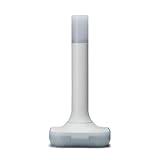
Overview: The Home Assistant Connect ZBT-2 is the official USB adapter for adding Zigbee, Thread, and Matter device support to Home Assistant systems. Built with the modern MG24 chip, it delivers four times the performance of its predecessor. This plug-and-play solution is optimized specifically for Home Assistant, ensuring seamless integration and maximum compatibility with the platform’s advanced automation capabilities.
What Makes It Stand Out: The ZBT-2 stands out through its official Home Assistant partnership guaranteeing long-term support and seamless updates. The optimized antenna design provides superior range and reliability compared to generic adapters. Its MG24 chip enables rock-solid stability while handling large device networks efficiently. The built-in migration wizard simplifies transitioning existing Zigbee networks without painful re-pairing processes, a feature unique to the Home Assistant ecosystem.
Value for Money: At $65, the ZBT-2 commands a premium over $15-30 generic adapters, but delivers justified value for Home Assistant enthusiasts. The performance improvements, official support channel, and migration tools save hours of troubleshooting. For users invested in Home Assistant, the reliability and seamless integration outweigh the cost difference. However, it requires a running Home Assistant system, adding to the total investment.
Strengths and Weaknesses: Strengths include official HA integration, MG24 chip performance, optimized antenna, easy migration wizard, and reliable long-term support. Weaknesses are the USB-only connection (no Wi-Fi/Ethernet), requirement for a separate Home Assistant system, higher price than alternatives, and limited utility for non-HA users.
Bottom Line: Essential purchase for Home Assistant users seeking the best Thread/Zigbee experience. Skip if you use other platforms. The performance and integration justify every penny for the HA ecosystem.
6. Aqara Door and Window Sensor P2, Matter Over Thread, Requires Thread Border Router, Contact Sensor with Remote Alarm and Local Automation, Supports Apple Home, Google Home, Alexa

Overview: The Aqara Door and Window Sensor P2 represents a significant leap forward in smart home security, offering native Matter support over Thread at an accessible $26.99 price point. This contact sensor monitors openings throughout your home with precision, sending instant alerts to your smartphone when doors, windows, or drawers are accessed. As one of the first sensors to adopt Matter over Thread technology, it promises enhanced connectivity, lower power consumption, and reduced latency compared to traditional Wi-Fi alternatives.
What Makes It Stand Out: The P2’s standout feature is its local automation capability—routines execute directly on your Thread network without cloud dependency, ensuring privacy and continued operation during internet outages. The built-in high-precision Hall sensor detects open/closed states accurately, while integration with major platforms (Apple Home, Google Home, Alexa, Samsung SmartThings) provides unprecedented flexibility. Voice alerts through Siri, Alexa, and Google Assistant let you check door status hands-free, making it exceptionally convenient for daily use.
Value for Money: At $26.99, the Aqara P2 sits in the sweet spot for Matter-enabled sensors. While requiring a separate Thread Border Router adds initial setup cost, the sensor’s multi-platform compatibility eliminates ecosystem lock-in, potentially saving money long-term. Compared to proprietary alternatives that cost $30-40, the P2 offers superior future-proofing and interoperability, making it a smart investment for growing smart homes.
Strengths and Weaknesses: Strengths include native Matter support, local automation execution, low-power Thread connectivity, multi-platform compatibility, and real-time smartphone alerts. The compact design integrates discreetly into most frames. Weaknesses center on the mandatory Thread Border Router requirement (not included) and the 22mm maximum gap specification between sensor and magnet, which may limit placement options on some installations. Battery replacement frequency remains untested in real-world conditions.
Bottom Line: The Aqara Door and Window Sensor P2 is an excellent choice for smart home enthusiasts ready to embrace Matter over Thread. Its local automation, cross-platform support, and competitive pricing make it ideal for users with existing Thread infrastructure or those planning a future-proof security setup. For the privacy-conscious and tech-savvy homeowner, this sensor delivers exceptional value.
7. HEIMAN Motion Sensor, Matter Over Thread,Smart Motion Detector with Light Sensor, Requires Thread Border Router,Compatible with Apple HomeKit, Google Home, Alexa and SmartThings
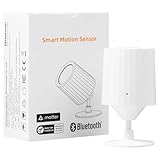
Overview: The HEIMAN Motion Sensor brings Matter over Thread compatibility to motion detection at an aggressive $23.99 price point. This smart detector monitors movement across a 110° field of view up to 23 feet, while its integrated light sensor enables sophisticated automations based on both motion and ambient brightness. Designed for indoor use, the sensor promises stable local connectivity without Wi-Fi vulnerabilities, making it a security-conscious choice for modern smart homes.
What Makes It Stand Out: HEIMAN distinguishes itself with an adjustable 360° stand that allows precise angle customization, ensuring optimal coverage in challenging spaces. The inclusion of a light sensor at this price tier is notable, enabling context-aware automations like turning lights on only when both motion is detected and the room is dark. The CR2 battery configuration delivers extended life thanks to Thread’s low-power protocol, reducing maintenance headaches. Real-time push notifications keep you informed of activity whether you’re home or away.
Value for Money: At under $24, this is one of the most affordable Matter over Thread sensors available. The value proposition strengthens when considering the integrated light sensor—a feature often reserved for premium models costing $35+. While the CR2 battery format is less common than AAAs, the extended lifespan offsets this minor inconvenience. For budget-conscious shoppers building a Matter ecosystem, HEIMAN offers professional-grade features without the premium price tag.
Strengths and Weaknesses: Strengths include exceptional affordability, wide detection range, adjustable mounting angle, combined motion/light sensing, easy 3M adhesive installation, and robust Thread connectivity. The sensor’s low power consumption and local processing enhance reliability. Weaknesses involve the requirement for a separate Thread Border Router, limited to indoor use only, and reliance on CR2 batteries which aren’t typically household staples. The brand lacks the long-term track record of established competitors.
Bottom Line: The HEIMAN Motion Sensor is a compelling entry-level option for Matter adopters seeking reliable motion detection with bonus light sensing capabilities. Its unbeatable price, flexible mounting, and cross-platform support make it perfect for outfitting multiple rooms without breaking the bank. Choose this sensor if you’re building a Thread network on a budget and value adjustable positioning over brand recognition.
8. Eve Motion (Matter) 3-Pack – Smart Motion and Light Sensor, IPX3, Automatic Activation of Devices, Future-Proof, Works with Apple Home, Alexa, Google Home, SmartThings, requires Thread Border Router

Overview: The Eve Motion 3-Pack delivers premium motion sensing with Matter over Thread support at $119.87 ($39.96 per unit). Each sensor provides a 120° field of view spanning 30 feet, complemented by an integrated light sensor for nuanced automations. The IPX3 water resistance rating enables both indoor and covered outdoor deployment, while Thread networking ensures responsive, reliable performance. Eve’s privacy-first approach—no cloud, no registration, no tracking—appeals to security-conscious users.
What Makes It Stand Out: Eve’s commitment to privacy sets it apart in a data-hungry market; all processing occurs locally on your Thread network. The IPX3 rating is rare for motion sensors, allowing placement on covered patios, garages, or bathrooms where moisture might concern other devices. The Eve app (iOS) offers sophisticated brightness-based automation refinement unavailable on many competitors. As a 3-pack, it provides immediate multi-room coverage with cohesive performance and unified design aesthetics that complement modern homes.
Value for Money: While $39.96 per sensor commands a premium over budget alternatives, the 3-pack structure delivers 15-20% savings versus individual purchases. The value justifies through superior build quality, IPX3 rating, exceptional privacy standards, and Thread network enhancement capabilities. For users requiring multiple sensors, this package eliminates compatibility concerns while providing professional-grade reliability. The investment pays dividends in reduced maintenance and extended lifespan.
Strengths and Weaknesses: Strengths include best-in-class privacy protection, IPX3 water resistance, impressive 30-foot range, robust Thread mesh networking, premium construction, and sophisticated light sensor integration. The 3-pack offers immediate whole-home coverage. Weaknesses are the premium pricing, requirement for Thread Border Router, and limited Android app functionality compared to iOS. The initial setup cost may deter casual users, and battery life claims lack long-term verification.
Bottom Line: The Eve Motion 3-Pack is the premier choice for privacy-focused smart home enthusiasts seeking reliable, weather-resistant motion detection across multiple zones. Its local-only philosophy, build quality, and IPX3 rating justify the premium for serious users. Invest in this package if you value data privacy, need outdoor-capable sensors, and want to strengthen your Thread mesh network while securing your entire home.
9. Onvis Matter Over Thread Smart Plug, Smart Mini Outlet, Works with Apple Home, Alexa & Google Home, 15A/1800W (4Pack)

Overview: The Onvis Matter Over Thread Smart Plug 4-Pack delivers connected convenience at just $55.99 ($14.00 per plug), making it one of the most affordable entries into the Matter ecosystem. These compact outlets handle 15A/1800W loads, suitable for most household appliances and lighting. Thread technology ensures responsive local control without cloud dependency, while the space-saving design allows stacking two plugs in a single outlet—maximizing utility in crowded power strips and wall plates.
What Makes It Stand Out: Onvis’s primary distinction is its exceptional compactness combined with Matter certification at a budget price point. The ability to stack two plugs vertically solves a common smart plug frustration: blocking adjacent outlets. Full Matter compatibility ensures seamless operation across Apple Home, Alexa, Google Home, and SmartThings without ecosystem lock-in. The schedule and timer functions enable sophisticated automation, while remote access through home hubs provides control from anywhere. Thread connectivity delivers faster response times than Wi-Fi alternatives.
Value for Money: At $14 per plug, Onvis undercuts most competitors by 30-50% while maintaining Matter certification and robust 15A capacity. The 4-pack structure provides immediate value for outfitting multiple devices, entertainment centers, or holiday lighting. While build quality may not match premium brands like Eve, the UL-rated construction meets safety standards. For budget-conscious shoppers expanding their Matter network, this represents unbeatable cost-per-outlet value.
Strengths and Weaknesses: Strengths include outstanding affordability, compact non-blocking design, 15A/1800W capacity, Matter over Thread compatibility, multi-platform support, and flexible scheduling. The 4-pack offers immediate whole-home deployment. Weaknesses involve the requirement for a Thread Border Router, lesser-known brand reputation compared to Eve or Aqara, and potentially shorter lifespan than premium alternatives. The minimalist design may lack advanced power monitoring features found in higher-priced plugs.
Bottom Line: The Onvis Smart Plug 4-Pack is the value champion for Matter over Thread adoption, delivering essential smart outlet functionality at an impulse-buy price. Its space-saving design and multi-platform support make it ideal for renters, first-time smart home users, or anyone needing to smarten multiple devices affordably. Choose this if you prioritize cost-effectiveness and outlet accessibility over brand prestige or advanced features.
10. Eve Energy (Matter) - Smart Plug, App and Voice Control, 100% Privacy, Matter Over Thread, Works with Apple Home, Alexa, Google Home, SmartThings

Overview: The Eve Energy Smart Plug positions itself as the premium, privacy-focused option in the Matter over Thread marketplace at $39.95. This single outlet solution emphasizes data security with its local-only communication model—no cloud, no registration, no tracking. The plug supports up to 15A/1800W loads and integrates seamlessly with all major smart home platforms. UL certification and Thread mesh networking capabilities ensure both safety and network reliability, making it a trusted choice for security-conscious users.
What Makes It Stand Out: Eve’s unwavering commitment to privacy is its defining characteristic in an era of data harvesting. Unlike competitors that rely on cloud servers, Eve Energy processes everything locally on your Thread network, ensuring your usage patterns remain private. The plug actively strengthens your Thread mesh, improving connectivity for all Thread devices in your home. Presence-based automation allows devices to respond to occupancy without manual intervention, while the Eve app provides intuitive setup and control with a focus on user experience.
Value for Money: At $39.95 for a single plug, Eve Energy commands a 2-3x premium over budget alternatives. However, the value proposition centers on privacy assurance, build quality, and network enhancement. UL certification and Thread routing capabilities justify the cost for users prioritizing safety and mesh stability. For those needing just one or two strategically placed smart plugs, the investment in privacy and reliability outweighs the per-unit cost disadvantage compared to multi-pack budget options.
Strengths and Weaknesses: Strengths include exceptional privacy protection, UL safety certification, Thread mesh enhancement, premium build quality, reliable local control, and cross-platform Matter support. The presence-based automation is sophisticated yet user-friendly. Weaknesses are the high single-unit price, requirement for Thread Border Router, and limited appeal for users wanting to outfit multiple outlets economically. The brand’s premium positioning may exceed casual users’ needs.
Bottom Line: The Eve Energy Smart Plug is the definitive choice for privacy purists and quality-focused smart home enthusiasts. Its local-only architecture and UL certification provide peace of mind that budget alternatives cannot match. Purchase this plug if you value data privacy above all else, need a Thread network backbone device, or want the most secure single-outlet solution available. For whole-home deployments, consider mixing one Eve Energy with budget plugs to balance cost and privacy.
Understanding Thread Border Routers in the Matter Ecosystem
Thread Border Routers serve as the critical translation layer between Thread’s low-power mesh network and your home’s existing IP-based infrastructure. Unlike traditional smart home hubs that often function as single points of failure, Thread Border Routers enable a decentralized, self-healing mesh topology where devices communicate directly with each other while maintaining secure internet connectivity. This architecture fundamentally changes how we should evaluate networking hardware.
The Matter protocol leverages Thread as its primary networking technology for battery-powered and mains-connected devices alike. Your border router becomes the gateway through which all Thread communication flows, making its performance characteristics non-negotiable for reliable operation. Without a robust border router, even the most sophisticated Matter device will struggle with latency, dropped connections, and failed onboarding attempts.
The Critical Role of Thread in Matter Device Communication
Thread isn’t simply another wireless protocol—it’s a purpose-built IPv6 mesh networking stack designed specifically for IoT environments. Operating in the 2.4GHz band alongside Wi-Fi and Bluetooth, Thread uses IEEE 802.15.4 radio technology to create resilient, low-power networks that can scale to hundreds of devices per mesh. The border router’s job is to translate between this mesh and your home network while maintaining security boundaries and managing network resources.
What makes Thread particularly powerful for Matter is its ability to support sleepy end devices—battery-powered sensors and controls that spend most of their time in low-power states, waking only to route critical messages. Your border router must intelligently manage these devices, caching data and coordinating wake schedules to optimize both responsiveness and battery life. This orchestration happens silently in the background but directly impacts whether your door sensor responds instantly or takes several seconds to report status.
How Border Routers Bridge Your Smart Home Networks
A Thread Border Router performs three essential functions simultaneously: it joins the Thread mesh as a router node, provides IPv6 routing between Thread and your home network, and implements the necessary service discovery protocols that allow Matter controllers to find and commission devices. This multi-role operation requires sophisticated software architecture and sufficient hardware resources to avoid becoming a bottleneck.
The bridging function extends beyond simple packet forwarding. Border routers must implement DNS-SD (DNS Service Discovery) to advertise Thread services on your main network, manage multicast forwarding for device discovery, and handle the security handshakes that establish trust between your Matter ecosystem and each individual Thread device. When onboarding fails, it’s often because the border router couldn’t properly execute one of these bridging functions under load or due to configuration conflicts.
Key Performance Metrics That Actually Matter
Marketing materials love to highlight theoretical maximums, but real-world performance depends on metrics that directly impact user experience. Focus on concurrent connection handling, sustained throughput under mesh load, and service discovery response times rather than raw speed claims that don’t translate to IoT environments.
Device onboarding speed depends heavily on how quickly your border router can process the DTLS handshake and commission new devices while maintaining existing connections. A router that excels at steady-state mesh operation might still choke during the onboarding burst, causing timeout failures that require multiple attempts. Look for specifications that mention commissioning performance rather than just mesh capacity.
Thread Network Capacity and Device Limits
Every Thread Border Router has practical limits on the number of devices it can manage effectively. While the Thread specification technically supports over 250 devices per network, individual border routers vary dramatically in their ability to handle mesh complexity. The critical metric isn’t just total device count but the number of router-eligible nodes and sleepy end devices the hardware can track simultaneously.
Router-eligible devices that can forward messages for others consume more resources on your border router than simple end devices. A network with 50 router-eligible devices creates exponentially more management overhead than 100 sleepy end devices. Understanding your device mix helps you select a border router with appropriate memory allocation and processing headroom for your specific deployment scenario.
Latency and Response Time Considerations
Thread’s mesh architecture means device response times depend on hop count, network congestion, and border router processing delay. For lighting controls and security sensors, sub-100ms response times are essential for acceptable user experience. The border router’s packet processing efficiency and queue management directly impact whether commands execute instantly or with noticeable lag.
During onboarding, latency affects the commissioning handshake timeout windows. Matter’s security protocols have strict timing requirements, and a border router that’s slow to forward authentication packets can cause commissioning to fail even when all devices are technically compatible. This is particularly problematic in dense Wi-Fi environments where the 2.4GHz band experiences contention that the border router must navigate intelligently.
Essential Hardware Specifications to Evaluate
The silicon inside your Thread Border Router determines its capabilities more than any software feature. Processor architecture, memory configuration, and radio design create the foundation that either enables or limits performance. Don’t accept vague “designed for Matter” claims without understanding the hardware specifications that back them up.
Modern Thread Border Routers should utilize recent-generation System-on-Chip (SoC) designs that integrate Thread, Wi-Fi, and often Bluetooth radios with a capable application processor. Older chips might support Thread technically but lack the computational headroom for smooth Matter commissioning or future protocol updates.
Processor and Memory Requirements
A capable Thread Border Router needs at least a dual-core processor running at 500MHz or higher with dedicated hardware acceleration for cryptographic operations. Matter’s security requirements mean every packet undergoes encryption/decryption, and software-only crypto implementations create bottlenecks that manifest as slow onboarding and laggy device response.
Memory allocation is equally critical. Look for devices with 256MB of RAM minimum, though 512MB provides comfortable headroom for large meshes and future firmware expansion. Flash storage matters too—16MB should be considered the baseline, with 32MB or more enabling richer diagnostic logging and rollback capabilities for firmware updates. Insufficient memory leads to dropped connections when the router can’t maintain state for all mesh devices.
Radio Performance and Antenna Design
The physical radio implementation determines your Thread mesh’s range and reliability. Dual-antenna designs with diversity switching significantly outperform single-antenna implementations, especially in challenging RF environments. Transmit power matters less than receive sensitivity—look for specifications showing -100dBm or better sensitivity for robust mesh operation.
Antenna placement and enclosure design impact performance dramatically. Internal antennas can work well when properly engineered, but external antennas often provide better coverage flexibility. The radio front-end module (FEM) should include filtering to reject Wi-Fi interference, which operates in the same frequency band. A quality FEM prevents your Thread network from degrading when Wi-Fi traffic increases.
Compatibility and Ecosystem Integration
Matter’s universal promise only materializes when your Thread Border Router properly integrates with your chosen ecosystem. Compatibility extends beyond simple certification to include how well the router implements optional Matter features and ecosystem-specific extensions that enhance functionality.
Cross-ecosystem operation introduces complexity. A border router that works perfectly with Apple Home might exhibit quirks with Google Home or SmartThings due to different implementation choices in how each platform handles service discovery and device persistence. Understanding these nuances prevents ecosystem lock-in surprises.
Cross-Platform Matter Certification Standards
True Matter certification requires rigorous testing across multiple dimensions: basic device type support, cluster implementation completeness, and secure communication compliance. However, the certification program allows for optional features and vendor extensions that create real-world compatibility differences. A border router that only implements the mandatory features may work for simple devices but struggle with complex ones like thermostats or door locks that rely on optional clusters.
Look for border routers that explicitly mention support for Matter’s Multi-Admin feature, which enables simultaneous control from multiple ecosystems. This requires sophisticated certificate management and state synchronization that simpler implementations might lack. The certification test case identifier (TCID) coverage in the device’s certification declaration reveals which advanced features it truly supports.
Backward Compatibility with Existing Smart Home Hubs
Many homes already have smart home hubs that may or may not include Thread Border Router functionality. Understanding how new Thread Border Routers coexist with existing infrastructure prevents network conflicts and maximizes investment protection. Some hubs can operate in “Thread-only” mode while delegating border routing to dedicated hardware.
The ideal scenario involves your Thread Border Router integrating with existing hubs through proper service discovery and avoiding duplicate border router announcements that confuse Matter controllers. Look for configuration options that let you designate primary and secondary border routers or disable routing functionality on hubs that support Thread but lack the performance characteristics you need.
Network Topology and Placement Strategy
Thread’s mesh architecture means your border router’s physical location significantly impacts whole-home coverage. Unlike Wi-Fi access points that serve clients directly, Thread Border Routers must position themselves to maximize mesh formation while maintaining strong backhaul connectivity to your home network.
Strategic placement considers both RF propagation and network topology. The border router should centralize itself relative to your Thread device deployment while maintaining a reliable Ethernet or Wi-Fi connection to your main network. Wi-Fi backhaul introduces variability that can destabilize the Thread mesh if not properly engineered.
Optimal Placement for Whole-Home Coverage
Place your Thread Border Router at roughly one-third of your home’s linear dimension from your internet gateway. This creates a balanced network where the border router can reach devices in all directions while minimizing the number of hops to distant nodes. Avoid placing border routers in basements, utility closets, or behind metal appliances that create RF shadows.
Elevation matters more than you might think. Thread signals propagate better at chest height or higher, where they encounter fewer obstacles. Mounting a border router on a wall or placing it on a high shelf often yields better coverage than leaving it on a desk or entertainment center. Consider the vertical dimension in multi-story homes—one well-placed border router on the main floor often outperforms multiple poorly positioned units.
Mesh Network Density and Redundancy Planning
Thread’s self-healing capabilities only activate when sufficient router-eligible devices exist to create multiple paths. A sparse mesh with few routing nodes becomes brittle—if one device fails or moves, distant devices lose connectivity. Your border router should support and encourage dense mesh formation by efficiently managing many routing candidates.
Plan for at least one router-eligible device every 30-40 feet in open areas, closer in obstructed spaces. The border router’s role includes promoting appropriate devices to router status and demoting others to end devices based on network conditions. A capable border router dynamically optimizes this topology, while simpler implementations use static configurations that don’t adapt to changing RF environments.
Security Features and Privacy Safeguards
Matter’s security model relies heavily on the Thread Border Router to enforce network boundaries and manage cryptographic identities. The router isn’t just a data conduit—it’s a security appliance that must protect both your Thread mesh and your home network from threats. Evaluating security features requires looking beyond basic encryption claims to understand implementation depth.
The border router sits at a critical trust boundary, making it an attractive target for attackers. A compromised router could intercept device communications, inject malicious commands, or use your smart home as a foothold for broader network attacks. Security must be a primary selection criterion, not an afterthought.
End-to-End Encryption and Certificate Management
Matter implements device-to-device encryption using operational certificates issued during commissioning. Your Thread Border Router must securely store its own certificates, validate device certificates during mesh formation, and forward encrypted traffic without decryption. Look for hardware secure elements (HSE) or trusted platform modules (TPM) that protect cryptographic keys even if the main processor is compromised.
Certificate lifecycle management becomes crucial as you add and remove devices. The border router should support certificate revocation lists (CRLs) and provide mechanisms to cleanly remove devices from the mesh, ensuring decommissioned devices can’t rejoin. Some routers maintain shadow registries of removed devices, which improves security but requires more storage and processing.
Secure Boot and Firmware Update Mechanisms
A secure boot chain ensures your border router runs only authentic firmware, preventing persistent malware infections. This requires cryptographic verification at each boot stage, from bootloader through kernel to application. Ask vendors about their secure boot implementation—specifically whether they use signed firmware images and how they protect the root of trust.
Over-the-air (OTA) updates must themselves be secure, using signed and encrypted update packages delivered over TLS connections. The update mechanism should support atomic updates with automatic rollback on failure, ensuring a bad update doesn’t brick your border router. Check the vendor’s track record for update frequency and whether they provide security updates for older hardware or abandon it after a few years.
Power Consumption and Environmental Factors
While Thread Border Routers are typically mains-powered, their power efficiency reflects design quality and impacts long-term reliability. Devices that run hot often suffer premature component failure, while efficient designs operate cooler and more stable. Power consumption also matters for UPS runtime during outages.
Environmental tolerance determines where you can place border routers. A device rated only for indoor office conditions limits placement options, while wider temperature and humidity ratings enable installation in garages, basements, or utility rooms where RF propagation might be optimal.
Consider standby power consumption, which often exceeds active processing power in IoT gateways. A border router that idles at 5 watts versus one that idles at 15 watts represents a significant difference in annual operating cost and heat generation. Efficient designs use modern silicon process nodes and intelligent power management to minimize waste.
Setup Complexity and User Experience
The best Thread Border Router provides sophisticated capabilities through an interface that doesn’t require network engineering expertise. Setup complexity varies dramatically between vendors, from mobile app-guided processes that complete in minutes to manual configuration requiring command-line interaction and JSON editing.
User experience during onboarding sets the tone for your entire smart home journey. A border router that makes commissioning intuitive reduces frustration and encourages you to expand your device collection. Conversely, a complicated setup creates a mental barrier to future expansion.
Automated Onboarding vs. Manual Configuration
Automated onboarding leverages Bluetooth and NFC to discover and configure border routers with minimal user input. The router broadcasts its capabilities, the Matter controller detects it, and configuration happens through secure channels. This approach works well for standard deployments but may hide advanced options power users need.
Manual configuration provides granular control over Thread channel selection, network parameters, and routing policies. While intimidating for beginners, manual setup enables optimization for challenging RF environments or complex network topologies. The ideal border router offers both modes: automated setup for quick deployment with advanced configuration accessible through a separate interface.
Diagnostic Tools and Network Management Interfaces
Once deployed, you need visibility into mesh health, device connectivity, and border router performance. Quality implementations provide detailed metrics: neighbor tables showing mesh topology, packet error rates per device, and commissioning logs that help diagnose onboarding failures. These tools should be accessible through both mobile apps and web interfaces for convenience.
Look for border routers that export metrics to standard monitoring systems like Prometheus or support SNMP for integration into existing network management platforms. This enables proactive monitoring—identifying weak signal areas or failing devices before they cause problems. Some routers even provide predictive analytics that suggest optimal device placement based on actual RF measurements.
Scalability and Future-Proofing Your Investment
Smart home technology evolves rapidly, and today’s cutting-edge border router can become tomorrow’s bottleneck. Scalability considerations extend beyond device count to protocol evolution, new device categories, and emerging Matter features that require more sophisticated border router capabilities.
Future-proofing means selecting hardware and vendors committed to long-term support rather than just checking current feature boxes. The Thread and Matter specifications continue evolving, with new features like enhanced security modes, improved power management, and support for additional device types appearing regularly.
Firmware Update Policies and Long-Term Support
Investigate the vendor’s firmware update policy before purchase. Does the vendor commit to security updates for a defined period? Do they regularly add features, or is the device considered feature-complete at launch? Open-source firmware bases like OpenThread often receive community updates longer than proprietary implementations.
Check whether the border router supports over-the-air updates without requiring factory resets or reconfiguration. Seamless updates that preserve settings and mesh topology reduce maintenance burden and encourage keeping firmware current. Some vendors provide beta channels for early access to new features—a sign of active development and community engagement.
Emerging Thread Features and Protocol Evolution
The Thread specification continues evolving with features like Thread 1.3’s enhanced security and improved commissioning flows. Your border router should support these emerging standards through firmware updates rather than requiring hardware replacement. Look for devices that explicitly mention Thread 1.3 support or roadmap commitments to future versions.
Matter’s evolution introduces new device types and capabilities that require border router enhancements. Support for energy management devices, advanced security cameras, and multi-admin improvements all depend on border router capabilities. Vendors actively participating in the Connectivity Standards Alliance (CSA) typically implement new features more quickly and correctly.
Cost Analysis and Value Proposition
Thread Border Router pricing spans from under $50 to over $300, with performance and features varying accordingly. The cheapest option rarely provides the best value, while the most expensive may include capabilities you’ll never use. Understanding the cost-benefit curve helps identify the sweet spot for your specific needs.
Total cost of ownership includes not just purchase price but also power consumption, required accessories, and potential replacement costs if you outgrow an underpowered unit. A $75 border router that needs replacement in two years costs more than a $150 router that lasts five.
Consider bundled value—some border routers include additional functionality like Wi-Fi access points, Zigbee bridges, or local automation engines. These integrated devices can reduce overall system cost and complexity if you need those features anyway. However, avoid paying for bundled capabilities that duplicate existing infrastructure.
Troubleshooting and Support Considerations
Even well-designed Thread Border Routers encounter issues in challenging environments. The quality of diagnostic information and vendor support determines whether you spend minutes or hours resolving problems. Before purchase, research the vendor’s support reputation and available troubleshooting resources.
Community support can be as valuable as official channels. Active user forums, detailed documentation, and open-source components enable peer-to-peer problem solving that often resolves issues faster than corporate support. Vendors that embrace community engagement typically produce more reliable products.
Diagnostic Logging and Remote Assistance
Effective troubleshooting requires detailed logs that capture Thread network events, commissioning attempts, and error conditions. Your border router should maintain persistent logs across reboots and provide export mechanisms for analysis. Some devices include remote assistance features that let support staff securely access logs without exposing your entire network.
Privacy-conscious users should verify that remote assistance features can be disabled and that logs don’t contain sensitive information like device passwords or network credentials. Local log access through secure web interfaces or SSH provides the best balance of diagnostic capability and privacy.
Frequently Asked Questions
What is a Thread Border Router and do I really need one for Matter devices?
A Thread Border Router connects your Thread-based Matter devices to your home network and the internet. While some Matter devices support Wi-Fi, most battery-powered sensors, locks, and controls use Thread for its mesh networking and power efficiency. Without a Thread Border Router, these devices cannot join your smart home ecosystem.
How many Thread Border Routers do I need for my home?
Most homes under 3,000 square feet work well with a single, centrally placed Thread Border Router. Larger homes or those with dense walls benefit from two or three routers positioned to create overlapping coverage. Thread’s mesh architecture means additional routers primarily provide redundancy and reduce hop count rather than extending range linearly.
Can I use multiple Thread Border Routers from different manufacturers together?
Yes, Thread supports multiple border routers in a single mesh network, and Matter’s Multi-Admin feature allows cross-manufacturer operation. However, performance may vary based on how well each vendor implements the Thread and Matter specifications. For best results, ensure all routers are certified to the same Matter version and test interoperability before committing to a mixed-vendor deployment.
What’s the difference between Thread and Wi-Fi for Matter devices?
Thread creates a low-power mesh network where devices relay messages for each other, extending coverage and enabling battery-powered operation for years. Wi-Fi provides higher bandwidth but consumes more power and doesn’t support mesh relaying. Matter uses Thread for most IoT devices and reserves Wi-Fi for bandwidth-intensive products like cameras and streaming devices.
How do I know if my existing smart home hub is already a Thread Border Router?
Check the hub’s specifications for “Thread Border Router” or “Matter support.” Many newer hubs from major ecosystems include Thread functionality, though performance varies. In the hub’s settings, look for Thread network status, device count, or mesh topology information. If these options don’t exist, your hub likely lacks Thread capabilities or has them disabled.
Will a Thread Border Router slow down my Wi-Fi network?
No, Thread operates in the 2.4GHz band but uses a different protocol (IEEE 802.15.4) that doesn’t directly compete with Wi-Fi. Quality Thread Border Routers include RF filtering that minimizes interference. However, both networks share the same frequency spectrum, so extremely dense deployments might benefit from manually setting Wi-Fi and Thread to use non-overlapping channels.
What happens if my Thread Border Router loses power?
Thread devices communicate with each other within the mesh even without the border router, but they lose internet connectivity and can’t be controlled remotely. When power returns, the border router should automatically rejoin the mesh and restore connectivity within 30-60 seconds. Devices remain commissioned and don’t require re-onboarding unless the Thread network credentials were changed.
Are Thread Border Routers secure against hacking?
Thread Border Routers implement multiple security layers: device authentication via certificates, end-to-end encryption for all traffic, and secure boot to prevent firmware tampering. However, security depends on proper implementation. Choose routers with hardware secure elements, regular security updates, and strong vendor security track records. Keep firmware updated and disable unnecessary remote access features.
Can I upgrade an existing device to become a Thread Border Router?
Some devices like smart speakers or Wi-Fi access points can gain Thread Border Router capabilities through firmware updates if they have the necessary 802.15.4 radio hardware. However, most general-purpose computing devices lack the required radio. Check your device’s specifications for an 802.15.4 radio and monitor vendor announcements for Matter/Thread support updates.
What should I do if my Matter device won’t connect to the Thread network?
First, verify your Thread Border Router is online and running the latest firmware. Ensure the device is within range of the mesh—try commissioning it near the border router initially. Check that you haven’t reached device limits on your router. Use the router’s diagnostic tools to view the mesh topology and identify interference or signal strength issues. If problems persist, factory reset the device and ensure you’re using the correct Matter onboarding code.