Building a truly seamless smart home ecosystem feels like conducting an orchestra where every musician speaks a different language. You’ve got motion sensors from one manufacturer, smart bulbs from another, and climate controls from yet a third—and somehow, they all need to harmonize perfectly. That’s where Zigbee 3.0 coordinators become the unsung heroes of multi-brand automation, translating disparate protocols into a symphony of reliable, responsive control. But not all coordinators are created equal, and choosing the wrong one can turn your automation dreams into a nightmare of dropped devices, laggy responses, and compatibility headaches.
This comprehensive guide dives deep into the technical and practical considerations that separate mediocre coordinators from those capable of handling complex, multi-vendor environments. Whether you’re planning a modest 20-device setup or architecting a whole-home system with 200+ nodes, understanding these critical factors will ensure your investment delivers the stability, scalability, and future-proofing your smart home deserves.
Top 10 Zigbee 3.0 Coordinators for Multi-Brand Automation
Detailed Product Reviews
1. Zigbee 3.0 USB Dongle Plus-E (ZBDongle-E) | Universal Zigbee Coordinator, EFR32MG21 Chip | for Home Assistant (ZHA), Zigbee2MQTT & openHAB | Local Smart Home Automation Hub, Replaces Cloud Hubs

Overview: The ZBDongle-E is a compact USB Zigbee coordinator designed for DIY smart home enthusiasts running Home Assistant, Zigbee2MQTT, or openHAB. It comes pre-flashed with EZNet 6.10.3 firmware, eliminating the tedious flashing process that often trips up beginners. This dongle transforms any Linux-based host—like a Raspberry Pi or Intel NUC—into a powerful local automation hub, completely bypassing proprietary cloud services.
What Makes It Stand Out: This dongle’s plug-and-play readiness sets it apart from competitors requiring manual firmware installation. The robust EFR32MG21 chip with +20dBm transmission power delivers exceptional range through walls and floors, while the aluminum housing actively shields against Wi-Fi interference. Its dual-mode capability is particularly compelling: use it as a coordinator out of the box, or flash it to router firmware to extend mesh coverage in large homes.
Value for Money: At $26.99, this represents exceptional value. Compared to cloud-dependent hubs costing $50-100, you’re getting professional-grade hardware for less. The EFR32MG21 chip is the same found in premium coordinators costing twice as much. For Home Assistant users, it’s essentially a no-brainer investment that pays dividends in reliability and privacy.
Strengths and Weaknesses: Strengths include true plug-and-play setup on Linux, outstanding signal strength, versatile coordinator/router modes, open-source compatibility, and complete local control without internet dependency. Weaknesses involve the need for a separate host device, potential driver installation on Windows/macOS, and a steeper learning curve for non-technical users. It’s not a standalone solution.
Bottom Line: Perfect for Home Assistant adopters seeking reliable, local Zigbee control. The ZBDongle-E eliminates setup friction while delivering professional performance. If you’re comfortable with DIY systems, this is arguably the best coordinator value available today.
2. Aqara Smart Home Hub M3 for Advanced Automation, Matter Controller, Thread Border Router, Features Zigbee, Bluetooth, Wi-Fi, PoE, IR, Supports Alexa, Apple HomeKit, SmartThings, Home Assistant, IFTTT

Overview: The Aqara Hub M3 is a premium multi-protocol powerhouse designed as the central nervous system for advanced smart homes. Supporting Zigbee, Thread, Bluetooth, Wi-Fi, and IR, it acts as a Matter controller and Thread border router while integrating seamlessly with major ecosystems. With 8GB encrypted local storage and PoE connectivity, it’s engineered for users demanding maximum capability and privacy.
What Makes It Stand Out: The M3’s Edge computing capabilities prioritize local automation, ensuring your routines execute instantly without cloud latency. The 360° IR blaster with status feedback is genuinely innovative, detecting manual remote usage and bridging legacy AC units into Matter ecosystems. PoE support with USB-C backup power offers enterprise-grade reliability rarely seen in consumer hubs.
Value for Money: At $149.99, this is a significant investment. However, it consolidates multiple devices—a Zigbee hub, Thread border router, IR controller, and Matter bridge—into one unit. For Aqara ecosystem users, it replaces older hubs while adding future-proof protocols. The cost is justified if you’ll leverage its full feature set, though casual users may find it excessive.
Strengths and Weaknesses: Strengths include comprehensive multi-protocol support, local automation processing, robust connectivity options (PoE/Wi-Fi), privacy-focused encrypted storage, and advanced IR capabilities. Weaknesses are the high price point, limitation to Aqara Zigbee devices (not universal third-party), complex feature set that may overwhelm beginners, and specific placement requirements (6-19 feet from router).
Bottom Line: Ideal for committed Aqara users building sophisticated, privacy-centric smart homes. The M3’s Matter and Thread support future-proofs your investment, but its premium price and ecosystem lock-in make it overkill for simple setups or non-Aqara households.
3. Wired Tuya Zigbee 3.0 Hub - All-in-One Home Remote Controller for Tuya Smart Devices, Homebridge, Zigbee Gateway, Compatible with Apple HomeKit and Alexa/Google Assistant

Overview: This wired Tuya Zigbee hub serves as a straightforward bridge for Tuya-compatible devices, offering broad smart assistant integration including Apple HomeKit—a rarity in the Tuya ecosystem. It enables control of sensors, plugs, and lights through a single compact unit, targeting users seeking HomeKit compatibility without abandoning affordable Tuya devices.
What Makes It Stand Out: HomeKit support is the headline feature here, allowing Siri control and Apple Home app integration for otherwise non-HomeKit Tuya sensors and switches. The compact design blends discreetly into any room, while instant push notifications keep you informed of device changes. Homebridge compatibility extends its usefulness for advanced Apple users.
Value for Money: At $44.00, it occupies a middle ground. It’s pricier than basic Tuya hubs but cheaper than ecosystem-agnostic alternatives offering HomeKit. For Apple-centric households already invested in Tuya devices, it solves a specific integration problem affordably. However, single-protocol limitation reduces long-term value compared to multi-protocol hubs at similar prices.
Strengths and Weaknesses: Strengths include HomeKit/Homebridge compatibility, compact form factor, multi-assistant support, and simple wired connectivity. Weaknesses encompass Zigbee-only protocol support, vague technical specifications, likely dependency on Tuya cloud services, and potential ecosystem lock-in. The device capacity isn’t clearly stated, which raises concerns for larger deployments.
Bottom Line: A solid choice for Apple users wanting to integrate Tuya Zigbee devices into HomeKit. While limited by single-protocol support and cloud dependency, it fills a niche gap. Consider alternatives if you plan to expand beyond Zigbee or prioritize fully local control.
4. Tuya Smart Multi-Mode Gateway, Zigbee 3.0, Bluetooth Mesh, Smart Wireless Hub for Home Automation, 2.4GHz WiFi Only, APP Control, Compatible with Alexa, Google Assistant
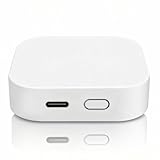
Overview: This budget-friendly Tuya gateway delivers multi-protocol support at an entry-level price, handling Zigbee 3.0 and Bluetooth Mesh devices through the Smart Life app. It’s designed for cost-conscious users wanting to unify affordable sensors and lights under one hub without investing in premium hardware.
What Makes It Stand Out: The one-click networking feature streamlines device pairing, allowing multiple sub-devices to join simultaneously—a significant time-saver. Supporting 128 Zigbee and 200 Bluetooth devices simultaneously offers impressive capacity for the price. Real-time error reporting provides unusual transparency for troubleshooting in this category.
Value for Money: At $26.99, this is exceptional value for multi-protocol entry. It undercuts most competitors while delivering dual-protocol support and substantial device capacity. For Smart Life app users, it’s nearly disposable priced yet fully functional. The value proposition weakens only if you need advanced features like PoE or HomeKit.
Strengths and Weaknesses: Strengths include unbeatable price, dual-protocol support, high device limits, convenient batch pairing, and remote app control. Weaknesses are 2.4GHz Wi-Fi only (no 5GHz or PoE), complete Tuya ecosystem lock-in, no HomeKit support, and reliance on cloud processing. Local linkage exists but remains limited compared to true edge computing hubs.
Bottom Line: An outstanding budget gateway for Tuya Smart Life users. If you’re starting with Zigbee and Bluetooth devices and don’t mind cloud dependency, this is the best value available. Power users or those wanting ecosystem flexibility should look elsewhere.
5. MOES ZigBee 3.0 & Bluetooth & Mesh Hub Only Support Tuya Device Work with Smart Life App, Intelligent Bridge Wired Smart Home Gateway Voice Control via Alexa, Google Home, 2.4GHz WiFi
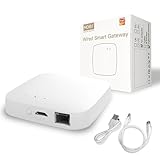
Overview: The MOES hub targets Tuya users seeking built-in security features, combining Zigbee 3.0 and Bluetooth Mesh support with sound/light alarm capabilities. It’s a step-up from basic Tuya gateways, offering local automation and security SaaS integration while maintaining compatibility with the Smart Life app ecosystem.
What Makes It Stand Out: Integrated sound and light alarm functionality transforms this from a simple hub into a security centerpiece, capable of alerting locally without cloud delays. The two-year warranty and 30-day refund guarantee provide confidence uncommon in this price range. Local scenario support ensures basic automations continue working during internet outages.
Value for Money: At $59.99, it commands a premium over basic Tuya hubs. You’re paying extra for security features and warranty peace of mind. For users building a security-focused system, the alarm integration justifies the cost. However, protocol support remains limited compared to similarly priced universal hubs, reducing value for non-security applications.
Strengths and Weaknesses: Strengths include multi-protocol support with security focus, generous warranty, local automation capabilities, and seamless Smart Life integration. Weaknesses involve Tuya device exclusivity, no HomeKit or Thread support, higher price than comparable gateways, and lack of advanced connectivity options like PoE. The security features require compatible sensors to be useful.
Bottom Line: Best suited for Tuya users prioritizing home security integration. The alarm features and warranty differentiate it from cheaper alternatives, but ecosystem lock-in and limited protocol support make it a specialized tool rather than a universal hub. Choose this for security; choose others for flexibility.
6. Easebloom Zigbee3.0 USB Dongle Gateway,Universal Zigbee Gateway Adapter with Antenna,Support Home Assistant ZHA Zigbee2MQTT,OpenHAB,Base on EFR32MG21 and EZNet 8.0.2(Upgradeable Firmware)

Overview: The Easebloom Zigbee3.0 USB Dongle Gateway is a feature-rich smart home adapter that converts any compatible computer into a universal Zigbee coordinator. Built around the robust EFR32MG21 chipset, it supports the complete Zigbee 3.0 protocol, enabling seamless integration with hundreds of sensors, switches, and smart devices across major home automation platforms.
What Makes It Stand Out: Its exceptional versatility defines this dongle. Native compatibility with Home Assistant ZHA, Zigbee2MQTT, and OpenHAB provides platform freedom, while the global 2.4GHz band ensures worldwide device support. The 5dBi high-gain antenna delivers powerful 20dBm transmission, significantly reducing dead zones. Most impressively, the Boot button enables firmware transformation into a Zigbee range extender, future-proofing your investment.
Value for Money: At $19.99, this adapter undercuts most competitors while offering superior flexibility. Comparable dongles retail for $25-35, often with locked firmware. The upgradeable EZNet 8.0.2 firmware and included antenna provide professional features at a budget price, making it ideal for cost-conscious DIY smart home builders who refuse to compromise on capability.
Strengths and Weaknesses: Strengths include multi-platform support, excellent range, firmware upgradeability, and universal Zigbee 3.0 compatibility. The detachable antenna allows customization. Weaknesses involve the technical knowledge required for firmware flashing and potential initial setup complexity. Some users may need to update drivers for optimal performance.
Bottom Line: An outstanding choice for tech-savvy users seeking maximum flexibility and value. The Easebloom dongle delivers premium features without the premium price, making it perfect for comprehensive smart home deployments.
7. Smilewolf Zigbee 3.0 USB Dongle Plus Gateway,Wireless Zigbee 3.0 USB Adapter,Universal Zigbee Gateway Adapter with Antenna,for Home Assistant,Open HAB,etc (ZBDongle-E)

Overview: The Smilewolf Zigbee 3.0 USB Dongle Plus Gateway targets discerning smart home enthusiasts who prioritize build quality and interference-free operation. This premium adapter features a robust aluminum housing and comes pre-configured as a Zigbee coordinator, ready for immediate integration with leading home automation platforms like Home Assistant and openHAB.
What Makes It Stand Out: The aluminum chassis actively shields against electromagnetic interference from adjacent USB devices—a common issue with plastic dongles. Pre-flashed with EZNet 6.10.3 coordinator firmware, it eliminates setup friction. The EFR32MG21 chipset provides stable +20dBm output power, while the included antenna ensures reliable whole-home coverage without configuration headaches.
Value for Money: At $26.99, it carries a modest premium over budget alternatives. This price is justified by the durable metal construction and out-of-box readiness. Users save time and avoid potential stability issues, making it cost-effective for those who value reliability. It competes directly with $30-40 coordinators while offering superior interference mitigation.
Strengths and Weaknesses: Strengths include premium build quality, excellent interference reduction, immediate usability, and stable cross-platform performance. The metal housing dissipates heat effectively for longevity. Weaknesses include the higher cost and older pre-installed firmware version, which may require updating for newest features. Upgrade flexibility is less emphasized than competitors.
Bottom Line: Ideal for users seeking a set-it-and-forget-it coordinator that prioritizes stability and durability. The Smilewolf dongle excels in permanent installations where reliability outweighs absolute cost savings.
Understanding Zigbee 3.0 Coordination in Multi-Brand Setups
What Is a Zigbee Coordinator and Why Does It Matter?
A Zigbee coordinator is the central node and trust center of your mesh network—the equivalent of a router in a Wi-Fi ecosystem, but far more sophisticated. It initiates the network, manages security keys, routes traffic between devices, and maintains the network topology table. In single-brand ecosystems, manufacturers can optimize their coordinators for their own devices, creating a closed-loop experience. Multi-brand environments, however, expose every weakness in a coordinator’s implementation of the Zigbee 3.0 specification.
The coordinator’s firmware determines how gracefully it handles manufacturer-specific clusters, non-standard reporting intervals, and devices that push the boundaries of the protocol. A robust coordinator doesn’t just connect devices; it intelligently manages routing tables, buffers messages during network congestion, and implements fallback strategies when child devices misbehave. For automation enthusiasts, this translates to motion lights that trigger instantly, climate controls that maintain precise schedules, and sensors that don’t mysteriously vanish from your dashboard every few weeks.
The Evolution from Zigbee 1.2 to 3.0
Zigbee 3.0 represents a unification of previously fragmented application profiles. Before 3.0, Home Automation, Light Link, and other profiles operated as separate islands, creating compatibility barriers even between compliant devices. The 3.0 specification merged these into a single application layer while introducing enhanced security, improved interoperability testing, and stricter certification requirements.
For multi-brand setups, this evolution is crucial. A Zigbee 3.0 coordinator enforces standardized device interviews, cluster discovery, and binding procedures that prevent the “it works with brand X but not brand Y” syndrome. However, implementation quality varies dramatically. Some coordinators merely tick certification boxes, while others deeply integrate the specification’s nuances—like proper handling of endpoints, complex descriptors, and optional command responses—that determine real-world compatibility.
Why Multi-Brand Automation Demands Premium Coordination
When you mix brands, you’re essentially asking the coordinator to become a polyglot interpreter. Manufacturer A might implement power reporting using standard clusters but with non-standard scaling factors. Manufacturer B could use proprietary extensions for advanced color control. Manufacturer C’s battery-powered sensors might wake up at unpredictable intervals, demanding flexible polling strategies.
Premium coordinators excel by offering configurable device handlers, robust converter frameworks, and active community-driven database updates. They maintain separate routing tables for end devices and routers, implement source routing for large networks, and provide diagnostic tools that reveal why a specific device is misbehaving rather than simply showing it as “offline.” This diagnostic depth transforms troubleshooting from guesswork into a systematic process.
Core Hardware Specifications That Define Stability
Processor Power and RAM: The Brains Behind Reliability
The coordinator’s microcontroller is the engine room of your network. Entry-level models often sport 32-bit ARM Cortex-M0 processors clocked at 16-32MHz with 32KB of RAM—adequate for 20-30 devices in a simple topology. For multi-brand complexity, you need Cortex-M4 or M33 architectures running at 48MHz+ with at least 256KB of RAM.
Why does this matter? Each device relationship consumes memory. Routing entries, neighbor tables, and pending message queues rapidly fill limited RAM. When memory exhausts, coordinators start dropping messages or refusing new device connections. High-performance models dynamically allocate memory pools and implement garbage collection, maintaining responsiveness even with 100+ active devices generating frequent reports.
Radio Module Quality and Transmit Power
The radio module determines signal clarity and range. Look for coordinators using the latest generation IEEE 802.15.4 transceivers with receive sensitivity better than -100 dBm and transmit power of +19 to +20 dBm (the regulatory maximum). Cheaper modules might advertise similar specs but suffer from poor filtering, creating susceptibility to Wi-Fi and Bluetooth interference.
Advanced modules incorporate Low Noise Amplifiers (LNAs) and Surface Acoustic Wave (SAW) filters that maintain signal integrity in congested 2.4GHz environments. They also support adjustable transmit power, allowing you to fine-tune coverage—crucial in apartment buildings where overlapping networks create a cacophony of competing signals.
Antenna Design: Internal vs. External Considerations
Internal antennas offer clean aesthetics but sacrifice 3-6 dBi of gain compared to external dipole or articulated antennas. For multi-room coverage, external antennas provide flexibility—you can position them vertically for horizontal coverage or horizontally to penetrate floors. Some premium coordinators feature RP-SMA connectors, enabling upgrades to high-gain directional antennas for challenging layouts.
Antenna diversity is another overlooked feature. Dual-antenna designs use spatial diversity to combat multipath fading, dramatically improving reliability in metal-rich environments like modern kitchens or home offices with extensive wiring. If your setup spans multiple floors or dense walls, prioritize coordinators with external antenna options or built-in diversity.
USB vs. Ethernet vs. Wi-Fi Connectivity Options
USB coordinators offer plug-and-play simplicity but introduce variables: host USB power stability, driver conflicts, and dependency on the host system’s uptime. Ethernet coordinators provide isolated, reliable connectivity with Power-over-Ethernet support for clean installations. Wi-Fi-enabled models offer placement flexibility but add another potential point of failure.
For multi-brand stability, Ethernet is the gold standard. It eliminates USB bus contention, provides consistent power, and allows placement in optimal central locations without tethering to a specific server. If you must use USB, ensure the host system provides clean, stable power—consider a powered USB hub with isolated outputs to prevent voltage sag during high-traffic periods.
Software Ecosystem and Compatibility
Open-Source vs. Proprietary Firmware: Pros and Cons
Open-source firmware like Zigbee2MQTT or ZHA (Zigbee Home Automation) thrives on community-driven device support. When a new device hits the market, contributors rapidly reverse-engineer its clusters and publish converters. This agility is invaluable for multi-brand setups where obscure devices appear regularly. However, open-source requires more hands-on configuration and troubleshooting.
Proprietary firmware offers polished user interfaces and vendor support but locks you into their ecosystem. Updates depend on the manufacturer’s priorities, and unsupported devices may never work correctly. Some hybrid models provide open-source bases with proprietary extensions, balancing flexibility with professional support. For tinkerers and large deployments, open-source ecosystems provide unmatched adaptability. For set-it-and-forget-it users, proprietary systems offer peace of mind—at the cost of vendor lock-in.
Home Assistant Integration: What to Look For
If you’re running Home Assistant, native integration quality varies widely. Ideal coordinators expose all Zigbee features through the ZHA integration without requiring additional bridges or MQTT brokers. Look for coordinators that support the Zigbee Cluster Library (ZCL) commands directly, enabling advanced features like attribute reporting configuration and group management from within Home Assistant’s interface.
The best implementations provide diagnostic entities for each device—LQI (Link Quality Indicator), RSSI (Received Signal Strength Indicator), and last seen timestamps—allowing you to monitor network health without third-party tools. They also support Home Assistant’s backup and restore functionality, letting you migrate coordinators without re-pairing every device.
Native Cloud vs. Local-First Control Philosophies
Cloud-dependent coordinators introduce latency and potential privacy concerns. A motion sensor triggering a light through cloud round-trips can add 500ms+ of delay—unacceptable for occupancy-based lighting. Local-first coordinators process everything on your network, achieving sub-100ms response times.
For multi-brand setups, local control also ensures devices from different manufacturers can interact instantly without cloud API rate limits or service outages. Some coordinators offer optional cloud access for remote management while keeping automation local—an ideal compromise. Verify that critical functions remain available during internet outages, especially for security sensors and climate controls.
Over-the-Air Update Capabilities
Device firmware updates fix bugs and add features, but poorly implemented OTA updates can brick devices or destabilize your network. Premium coordinators maintain a curated OTA firmware database, validate images before deployment, and support staged rollouts—updating a few devices first to verify stability.
Check whether the coordinator can fetch OTA files automatically from manufacturer servers or if you must manually source and host them. Automatic fetching simplifies maintenance but requires trust in the coordinator’s curation process. Manual hosting gives you control but demands diligence. For multi-brand environments, coordinators that support both methods offer the best flexibility.
Network Capacity and Scalability Factors
Device Limits: The 32, 64, and 200+ Device Thresholds
Coordinator specifications often advertise device limits, but these numbers require scrutiny. A “32-device” limit typically refers to directly connected children (end devices that don’t route). Since most devices in a mesh network act as routers, the practical limit is higher. However, the coordinator’s neighbor table size—often 16 to 64 entries—determines how many routers it can efficiently manage directly.
For large multi-brand networks, prioritize coordinators with neighbor tables supporting 50+ routers and total network capacities exceeding 200 devices. More importantly, examine how the coordinator handles table overflow. Does it gracefully age out inactive routers, or does performance degrade linearly as you approach the limit? The best models implement adaptive table management, prioritizing active routes and offloading less-critical paths to secondary routers.
Mesh Network Optimization Features
In multi-brand environments, not all routers are equal. Some smart bulbs make excellent routers; others are electrically noisy and drop messages. Advanced coordinators implement router ranking algorithms that monitor delivery success rates and preferentially route through reliable nodes. They also support many-to-one routing, where the coordinator proactively builds efficient paths from all devices to itself, reducing discovery traffic.
Look for coordinators that expose routing topology maps, letting you visualize the mesh and identify weak links. Some can even suggest optimal placement for additional routers to fill coverage gaps. This visibility transforms network design from guesswork into data-driven optimization.
Inter-PAN Communication and Multi-Network Support
Inter-PAN (Inter-Personal Area Network) communication allows a coordinator to temporarily communicate with devices on other Zigbee networks without joining them. This is invaluable for migrating devices between networks or controlling guest devices. While rarely advertised, this feature indicates a mature stack implementation.
Multi-network support goes further, enabling a single coordinator hardware to manage multiple separate Zigbee networks on different channels. For advanced users running isolated networks (e.g., one for lighting, another for security), this eliminates the need for separate hardware. Verify that the firmware supports channel agility and separate security contexts for each network.
Routing Table Management and Memory Allocation
Each device relationship consumes a routing table entry. Coordinators with static allocation fail when tables fill; dynamic allocation models can repurpose memory from less-critical caches. Ask whether the coordinator supports source routing—where the coordinator pre-computes full paths for common routes, reducing overhead on intermediate routers.
For battery-powered sensor networks, confirm support for “concentrator” mode, where the coordinator buffers messages for sleeping end devices and delivers them upon wake-up. This prevents message loss during sleep intervals and reduces unnecessary retransmissions that drain battery life.
Security Features That Can’t Be Compromised
AES-128 Encryption Implementation
All Zigbee 3.0 devices must support AES-128 encryption, but key management separates secure coordinators from vulnerable ones. The trust center—always the coordinator—must generate unique link keys for each device and rotate network keys periodically. Weak implementations use hardcoded keys or predictable generation algorithms.
Premium coordinators implement true random number generation for keys and support installation codes, where devices with printed QR codes establish a pre-shared key during pairing. This prevents man-in-the-middle attacks during the vulnerable joining phase. Verify that the coordinator supports both standard and high-security joining modes.
Secure Key Exchange Protocols
During device pairing, the coordinator and device exchange keys. The Zigbee 3.0 specification mandates encrypted key transport, but some coordinators skip validation steps for compatibility. This creates vulnerabilities where rogue devices could extract network keys.
Look for coordinators that implement the full Zigbee 3.0 authentication handshake and support “link key verification,” where devices must prove possession of the correct key before receiving the network key. This adds milliseconds to pairing but prevents entire classes of attacks. For security-critical applications (door locks, alarms), this is non-negotiable.
Firmware Tamper Protection
The coordinator itself is a trusted component; if compromised, the entire network is at risk. Secure bootloaders with cryptographic signature verification ensure only authorized firmware runs. Some coordinators include physical tamper detection, erasing keys if the enclosure is opened.
While more relevant for commercial installations, tamper protection indicates a security-first design philosophy. For home users, at minimum verify that firmware updates require explicit user confirmation and are delivered over encrypted channels.
Network-Wide Security Updates
When a device vulnerability is discovered, updating every node manually is impractical. Coordinators with network-wide OTA capabilities can push security patches to all devices simultaneously. They should also support “secure rejoin” procedures that update keys without forcing you to re-pair devices.
Check whether the coordinator maintains a security advisory feed that alerts you to vulnerabilities in your installed devices. This proactive approach to security management is rare but invaluable for large, diverse networks.
Installation and Configuration Best Practices
Placement Strategies for Maximum Coverage
The coordinator should occupy a central location, but “central” means radio central, not necessarily geometric center. Place it high, away from metal objects, and equidistant from dense device clusters. In multi-story homes, position it on the main floor, ideally near a stairwell where signals can propagate vertically.
Avoid placing coordinators inside server racks, behind TVs, or near Wi-Fi routers. The 2.4GHz spectrum is crowded; even 30cm of separation from Wi-Fi antennas reduces interference dramatically. Use Wi-Fi analyzer tools to identify the least-congested channels (Zigbee channels 11, 15, 20, and 25 are typically furthest from Wi-Fi 1, 6, and 11).
Channel Selection and Wi-Fi Interference Mitigation
Zigbee and Wi-Fi share the 2.4GHz band, but they overlap differently. Wi-Fi channels are 20MHz wide; Zigbee channels are 2MHz wide. The optimal Zigbee channel sits in the gaps between strong Wi-Fi signals. Use a spectrum analyzer to identify quiet channels, not just Wi-Fi scanners that miss non-Wi-Fi interference.
Advanced coordinators support channel agility—changing channels without re-pairing devices. While disruptive, this is invaluable if a new neighbor’s Wi-Fi network appears on your channel. Verify that the coordinator can broadcast a “channel change” command that migrates all devices automatically. Manual channel changes require resetting and re-pairing the entire network.
Backup and Migration Strategies
Your coordinator holds the network encryption keys and device pairing information. Losing it means rebuilding the network from scratch. Premium coordinators support encrypted backups that include all keys, device configurations, and network topology. Store these backups in multiple locations, including off-site cloud storage.
Migration support is equally critical. When upgrading hardware, you should be able to restore a backup to a new coordinator and have all devices reconnect seamlessly. This requires the backup to include the original coordinator’s IEEE address, which some models can spoof on new hardware. Without this, you’ll spend days re-pairing devices and rebuilding automations.
Initial Pairing Modes: Touchlink vs. Traditional
Traditional pairing joins devices to the coordinator’s network through a discovery process. Touchlink, originally for lighting, allows direct device-to-coordinator pairing at close range, bypassing network scanning. This is useful for stubborn devices that refuse traditional joining.
Some coordinators implement Touchlink with proximity detection, preventing accidental pairing of neighbors’ devices. Others support “code scanning” for devices with printed QR codes, streamlining the process. For large deployments, batch pairing modes that handle multiple devices simultaneously save hours of repetitive button-pressing.
Performance Optimization Techniques
Firmware Tuning for Low-Latency Response
Default firmware settings prioritize compatibility over speed. Advanced coordinators expose tuning parameters like “indirect transmission timeout” and “route discovery retries.” Reducing timeouts from seconds to milliseconds for local devices cuts response latency dramatically.
Look for coordinators that support “fast polling” for critical devices like motion sensors. Instead of waiting for the sensor’s long sleep interval, the coordinator briefly wakes it for status checks, ensuring occupancy events trigger instantly. This must be balanced against battery life—premium coordinators let you configure per-device polling strategies.
Device Handler and Converter Management
Manufacturers implement Zigbee clusters with subtle variations. Device handlers (or converters) translate these quirks into standard commands. Coordinators with modular handler systems let you update individual device support without flashing new firmware.
For multi-brand setups, verify that the coordinator’s handler library receives regular updates. Some ecosystems maintain GitHub repositories with hundreds of community-contributed handlers for obscure devices. The ability to add custom handlers for unsupported devices is invaluable when integrating professional-grade sensors or legacy hardware.
Zigbee Group Messaging and Binding
Group messaging sends a single command to multiple devices simultaneously—essential for lighting scenes. Binding creates direct device-to-device links, like a switch controlling a bulb without coordinator involvement. Both features reduce network traffic and latency.
Not all coordinators implement these correctly. Some convert group commands into sequential unicasts, creating visible popcorning effects. Premium coordinators support true multicast addressing and maintain group tables efficiently. They also expose binding configuration in their UI, letting you create direct links that remain functional even if the coordinator is offline temporarily.
Power Management for Battery-Powered Devices
Battery devices sleep most of the time, waking periodically to check for messages. The coordinator must buffer messages during sleep and deliver them efficiently. Look for “child table” management that tracks each device’s sleep schedule and adjusts buffer allocation accordingly.
Some coordinators implement “poll control” clusters that let devices request longer sleep intervals during quiet periods, extending battery life by 20-30%. They also support “battery backup” reporting, where devices send low-battery warnings through multiple routes, ensuring the message isn’t lost if a single router fails.
Troubleshooting Common Multi-Brand Issues
Device Drop-Off and Routing Failures
Devices drop off when they lose routing paths or fail to communicate with the coordinator. Advanced coordinators provide per-device statistics: message success rates, LQI trends, and parent change counts. A device that changes parents frequently indicates poor router placement or interference.
Look for coordinators that implement “active route maintenance,” where they periodically verify routes and repair broken paths proactively. Some also support “source routing recovery,” attempting alternative paths before declaring a device offline. These features reduce false “device unavailable” states that plague basic coordinators.
Manufacturer-Specific Cluster Conflicts
When two devices use the same cluster ID for different purposes, conflicts arise. Premium coordinators maintain separate endpoint contexts for each device, preventing cross-contamination. They also log unknown cluster commands, letting you identify and add support for proprietary features.
The best implementations include a “cluster sniffer” mode that captures raw Zigbee traffic for analysis. This lets you reverse-engineer unsupported devices and contribute handlers back to the community. For commercial installations, this diagnostic capability is worth its weight in gold.
Firmware Version Mismatches
Running mismatched firmware versions on routers and end devices can cause subtle bugs. Coordinators with version inventory features scan the network and report firmware levels for all devices. They can then push targeted OTA updates to bring the network into sync.
Some coordinators maintain compatibility matrices, warning you when a device’s firmware has known issues with other installed devices. This proactive compatibility management prevents hours of troubleshooting mysterious intermittent failures.
Signal Strength vs. Link Quality Interpretation
RSSI measures signal strength; LQI measures link quality including interference and error rates. A device with strong RSSI but poor LQI indicates interference or a noisy router. Premium coordinators expose both metrics and correlate them with packet error rates.
Look for coordinators that generate “link quality heat maps,” visualizing network health. They should also support LQI-based routing decisions, preferring stable medium-strength links over strong but erratic connections. This intelligent routing prevents devices from selecting noisy but nearby routers that corrupt messages.
Future-Proofing Your Zigbee Investment
Matter and Thread Interoperability Roadmaps
Matter, the new smart home standard, runs over Thread (a Zigbee-derived protocol) and Wi-Fi. While distinct from Zigbee, some next-generation coordinators are exploring multiprotocol support, potentially managing Zigbee and Thread networks simultaneously using the same hardware.
Even if you don’t need Thread today, coordinators with upgradeable radio firmware and Matter bridge capabilities position you for the future. They can act as Matter bridges, exposing Zigbee devices to Matter controllers. Verify that the manufacturer has publicly committed to Matter support and has demonstrated working prototypes—not just vague promises.
Hardware Upgrade Paths
Radio technology evolves. Coordinators with modular designs allow you to swap the Zigbee module for a newer version without replacing the entire unit. Some use m.2 or USB-based radio cards that can be upgraded as silicon improves.
Even if modular upgrades aren’t available, check whether the coordinator’s enclosure and power supply can support future, more power-hungry radios. A well-designed platform with headroom in processing power and memory can remain viable through multiple firmware generations.
Community Support and Longevity Indicators
A coordinator is only as good as its firmware support. Examine the manufacturer’s update history: frequent updates indicate active development. For open-source ecosystems, check GitHub activity—regular commits and responsive issue management predict long-term viability.
Community size matters. Large communities mean more device handlers, faster bug fixes, and better documentation. Look for active forums, Discord channels, or Reddit communities where developers engage directly with users. A vibrant community can keep a coordinator relevant years after the manufacturer loses interest.
Backup Coordinator Strategies
For mission-critical networks, a cold-spare coordinator is essential. Some ecosystems support “coordinator redundancy,” where a secondary unit syncs configuration and can take over automatically if the primary fails. While rare in consumer-grade hardware, this feature appears in professional-grade coordinators.
At minimum, ensure your coordinator supports rapid restoration from backup to identical hardware. Test this process before you need it—restore a backup to your spare and verify devices reconnect. This fire drill reveals any quirks in the backup process and ensures you’re prepared for hardware failures.
Cost vs. Value Analysis
Budget Options: What You’re Sacrificing
Sub-$30 coordinators typically use older silicon, limited RAM, and minimal antennas. They work for small, single-brand networks but struggle with complexity. You’ll sacrifice advanced diagnostics, frequent updates, and large network support. Device limits often cap at 32-50 nodes, and routing table management is rudimentary.
The hidden cost is time. Troubleshooting mysterious drop-offs, manually re-pairing devices, and working around compatibility issues consumes hours. For a network of 10-15 devices from major brands, budget options suffice. Beyond that, the frustration tax outweighs the initial savings.
Mid-Range Sweet Spots for Most Users
The $50-80 range offers the best value for most multi-brand setups. These coordinators feature modern ARM processors, 256KB+ RAM, external antennas, and active community support. They handle 100+ devices gracefully and receive regular firmware updates.
Key features to expect: robust Home Assistant integration, OTA update capabilities, comprehensive device handler libraries, and diagnostic tools. They may lack premium features like dual-antenna diversity or modular radios, but provide everything needed for stable, responsive automation in typical homes.
Premium Features Worth the Investment
Spending $100+ unlocks professional-grade features: dual antennas, modular designs, enterprise security, and redundancy options. These coordinators excel in large homes with 150+ devices, complex routing requirements, or commercial installations.
The premium is justified if you run critical automations (security systems, climate control) or enjoy pushing boundaries with obscure devices. Features like channel agility, advanced spectrum analysis, and detailed performance metrics provide control that enthusiasts crave. For most residential users, it’s luxury; for power users, it’s insurance.
Hidden Costs: Licenses and Subscriptions
Some coordinators require cloud subscriptions for advanced features or OTA updates. Others lock certain device categories behind paid licenses. Factor these ongoing costs into your decision. Open-source ecosystems are typically license-free but may require more manual maintenance.
Check whether the coordinator’s mobile app or cloud service is free indefinitely or offers only a limited trial. A $50 coordinator that requires a $5/month subscription becomes more expensive than an $80 license-free alternative within a year.
Frequently Asked Questions
1. What’s the maximum number of devices a Zigbee 3.0 coordinator can handle?
While the Zigbee specification theoretically supports thousands of devices, practical limits depend on the coordinator’s RAM and routing table management. Most quality coordinators handle 100-200 devices reliably, with premium models managing 250+. The key bottleneck is neighbor table size, which typically ranges from 16 to 64 directly-connected routers. Beyond this, the mesh must rely on secondary routing, which increases latency.
2. Can I mix Zigbee 1.2 and 3.0 devices on the same network?
Yes, Zigbee 3.0 coordinators are backward compatible with 1.2 devices. However, you’ll be limited to the security and feature set of the older protocol for those devices. Mixing profiles can sometimes cause routing inefficiencies, as 1.2 routers may not understand 3.0 optimization commands. It’s generally safe, but prioritize upgrading legacy devices when possible.
3. Why do my devices keep dropping off the network?
Device drop-off typically stems from three issues: insufficient router coverage (devices can’t find a path back), interference (Wi-Fi or Bluetooth crowding the channel), or coordinator memory exhaustion. Check your coordinator’s device statistics for low LQI values or frequent parent changes. Adding mains-powered routers between distant devices and optimizing channel selection usually resolves stability issues.
4. How do I choose between Zigbee channels 11, 15, 20, and 25?
These channels are farthest from common Wi-Fi channels 1, 6, and 11. Use a Wi-Fi analyzer to identify which channels are least congested in your environment. Channel 25 is often quietest but has slightly lower maximum power limits in some regions. Channel 11 sits below Wi-Fi 1, while 15 and 20 sit between Wi-Fi 6 and 11. Test each candidate channel for 24 hours, monitoring device LQI values before committing.
5. What’s the difference between a coordinator, router, and end device?
The coordinator is the network trust center and root node—there’s only one per network. Routers are mains-powered devices that relay messages and extend mesh coverage (smart bulbs, plugs, powered sensors). End devices are typically battery-powered and sleep frequently; they communicate only with their parent router, not directly with the coordinator. A healthy network needs a mix of all three types.
6. Can I use multiple coordinators in the same house?
Yes, but they create separate networks that don’t share routing. You might run multiple coordinators to isolate stable devices (lighting) from experimental ones (new sensors) or to overcome device limits. Ensure they operate on different channels to avoid interference. Some advanced software can bridge the networks at the automation platform level, but devices on different coordinators can’t directly bind to each other.
7. How important is coordinator placement, really?
Critically important. Radio signals attenuate rapidly through walls, floors, and metal objects. A coordinator moved from a basement corner to a central first-floor location can improve network reliability by 40-60%. Height matters—mounting at 2+ meters reduces ground reflections and furniture obstruction. Even moving 1 meter away from a Wi-Fi router can cut interference dramatically.
8. What’s the typical lifespan of a Zigbee coordinator?
Hardware typically lasts 5-10 years, but firmware support determines practical lifespan. A coordinator with active community support can remain viable indefinitely, adapting to new devices through software updates. Commercial products often see firmware support drop after 3-5 years. Look for coordinators with a proven update history spanning multiple years before purchasing.
9. Do I need internet connectivity for my Zigbee network to work?
No. Zigbee networks operate entirely locally. Internet is required only for initial setup on some proprietary systems, OTA firmware updates, or remote access through cloud services. Local-first coordinators paired with home automation platforms like Home Assistant provide full functionality without any internet connection, ensuring privacy and reliability during outages.
10. How do I migrate to a new coordinator without re-pairing everything?
This requires a coordinator that supports encrypted backups including network keys and IEEE address spoofing. Create a backup of your old coordinator, restore it to the new one, and power down the old unit. Devices will reconnect to the new coordinator, thinking it’s the original. Test this process with a single device first, as some security-sensitive devices (like door locks) may detect the hardware change and require re-pairing for security reasons.