Imagine this: you’re juggling groceries, your phone is ringing, and you’re fumbling for keys that seem to have vanished into the abyss of your bag. Now picture simply tapping your phone or entering a code and walking straight into your apartment. That’s the promise of smart locks—but if you’re a renter, you’ve probably discovered that most solutions require drilling, wiring, or permanent modifications that could cost you your security deposit. The good news? A new generation of rental-friendly smart lock conversion kits has emerged, designed to upgrade your existing deadbolt without leaving a single screw hole behind.
These ingenious devices clamp, adhere, or slide onto your current lock hardware, transforming it into a keyless entry system you can control from anywhere. Whether you’re tired of hiding spare keys for dog walkers, want to grant temporary access to Airbnb guests, or simply crave the convenience of never carrying a physical key again, no-drill conversion kits offer a reversible, damage-free solution. But not all kits are created equal, and choosing the right one requires understanding compatibility, security features, and installation nuances that manufacturers don’t always advertise.
Top 10 Rental-Friendly Smart Lock Conversion Kits
Detailed Product Reviews
1. Kwikset Convert Zigbee 3.0 Electronic Smart Lock Conversion Kit in Satin Nickel

Overview: The Kwikset Convert Zigbee 3.0 transforms your existing deadbolt into a smart lock without replacing the exterior hardware. This conversion kit maintains your current keys while adding remote access and monitoring capabilities through Zigbee wireless technology. Designed for seamless integration with major smart home ecosystems, it offers a cost-effective upgrade path for traditional deadbolts.
What Makes It Stand Out: This kit’s Zigbee 3.0 compatibility sets it apart, working directly with Xfinity, SmartThings Hub v3, Amazon Echo Plus, 4th Gen Echo, and Echo Show 10. Unlike WiFi-based alternatives, Zigbee provides reliable mesh networking with lower power consumption. The ability to retain your existing exterior hardware and keys while gaining smart functionality makes it particularly appealing for homeowners who want convenience without compromising their door’s aesthetic.
Value for Money: At $78.32, this conversion kit sits in the sweet spot between basic Bluetooth locks and premium WiFi models. You’re paying primarily for the Zigbee module and smart integration rather than a complete lock replacement. For those already invested in a Zigbee ecosystem, this eliminates the need for additional hubs or monthly fees, offering substantial savings over full smart lock systems that can cost $200+.
Strengths and Weaknesses: Strengths include easy installation requiring only a screwdriver, compatibility with major smart home platforms, remote access and notifications, and the preservation of your existing keys. Weaknesses are the requirement for a compatible Zigbee hub (not included), limited compatibility with some door dimensions requiring careful measurement, and lack of built-in WiFi for standalone operation.
Bottom Line: Ideal for smart home enthusiasts already using Zigbee networks, this conversion kit delivers reliable performance and convenience at a reasonable price. Just ensure your door measurements match before purchasing.
2. Kwikset Convert Smart Lock Conversion Kit (Amazon Key Edition – Amazon Cloud Cam required), Compatible with Alexa in Satin Nickel

Overview: The Amazon Key Edition of Kwikset’s Convert kit specifically tailors the smart lock experience for Alexa ecosystem users. This conversion solution replaces only the interior portion of your existing deadbolt, enabling keyless entry and remote management while preserving your exterior hardware and traditional key access. It’s designed for quick installation and immediate integration with Amazon’s smart home platform.
What Makes It Stand Out: This kit’s deep Amazon Key integration is its defining feature, allowing seamless in-garage and in-home delivery coordination when paired with an Amazon Cloud Cam. The 2017 TechHome Product of the Year award validates its design excellence. Its renter-friendly approach lets you keep your existing deadbolt and keys, making it perfect for temporary living situations where permanent modifications aren’t possible.
Value for Money: Priced at $124.99, this kit commands a premium over the standard Zigbee version due to its specialized Amazon integration. While more expensive, it eliminates compatibility guesswork for Alexa households. The cost is justified if you’ll utilize Amazon Key delivery features, though the additional Cloud Cam requirement adds to the total investment. Compared to full replacement smart locks, it still offers savings while delivering ecosystem-specific benefits.
Strengths and Weaknesses: Strengths include effortless Alexa pairing, renter-friendly installation, award-winning design, and broad compatibility with major deadbolt brands. Weaknesses are the mandatory Amazon Cloud Cam requirement for full functionality, incompatibility with interconnected locksets, and ecosystem lock-in that limits flexibility if you switch platforms later.
Bottom Line: Perfect for dedicated Amazon Alexa users and renters wanting smart access without permanent changes. Ensure you have or plan to purchase the Cloud Cam to unlock its full potential.
3. Kwikset 12077 CP DB RFL CNV KIT Mobile Home Exterior Deadbolt Conversion Kit
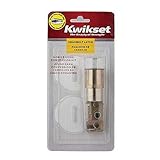
Overview: This specialized conversion kit addresses the unique challenge of installing standard deadbolts on mobile home doors, which are typically thinner than conventional entry doors. The Kwikset 12077 kit adapts your existing deadbolt hardware to fit these narrower profiles, providing proper security without requiring complete lock replacement. It’s a mechanical solution focused on physical compatibility rather than smart features.
What Makes It Stand Out: The kit’s singular focus on mobile home applications makes it uniquely valuable for this underserved market. Its drive-in deadbolt latch specifically fits 2-3/8-inch backsets common in manufactured housing. The lifetime finish and mechanical warranty demonstrates Kwikset’s confidence in this niche product. At its price point, it solves a specific problem that standard conversion kits cannot address.
Value for Money: At just $7.99, this kit represents exceptional value for mobile homeowners. It costs less than a fast food meal while solving a genuine security and compatibility issue. There’s virtually no competition at this price point for this specific application. The lifetime warranty further enhances its value proposition, ensuring long-term reliability without additional investment.
Strengths and Weaknesses: Strengths include its ultra-affordable pricing, precise mobile home door compatibility, straightforward installation with included instructions, and comprehensive lifetime warranty. Weaknesses are its extremely limited use case (mobile homes only), lack of smart features, and the fact that it merely adapts existing hardware rather than upgrading functionality. It’s a utility product, not an enhancement.
Bottom Line: Essential purchase for mobile home owners struggling with deadbolt fitment. For under $8, it delivers a perfect solution to a specific problem, backed by a lifetime warranty. Don’t expect smart features—this is pure mechanical adaptation.
4. Smart Keyless Entry Door Lock - Fingerprint Electronic Deadbolt Touchscreen Keypad SMONET Biometric Digital Bluetooth Door Lock Smart Deadbolt Compatible with Alexa for Homes and Hotel

Overview: The SMONET smart lock offers a comprehensive 8-in-1 access solution combining biometric fingerprint scanning, touchscreen keypad, mobile app control, and traditional mechanical key entry. This full deadbolt replacement system targets both residential and commercial applications with extensive user management capabilities. Bluetooth connectivity provides local control, while optional gateway expansion enables remote access and voice commands.
What Makes It Stand Out: The impressive capacity for 50 fingerprints and 250+ user codes exceeds most competitors in this price range. Its versatile access management includes one-time, scheduled, and recurring codes ideal for rental properties or offices. The anti-peeping password protection and privacy mode demonstrate thoughtful security engineering. The complimentary lifelong app and web portal access avoid subscription fees common with other brands.
Value for Money: At $109.99, this full-featured smart lock significantly undercuts premium brands while delivering comparable functionality. The inclusion of multiple entry methods—especially biometric scanning—at this price point represents strong value. However, the separate gateway purchase required for remote access and voice control adds hidden cost. Still, for those prioritizing local Bluetooth control and code management, it offers excellent capabilities per dollar.
Strengths and Weaknesses: Strengths include extensive user capacity, multiple entry methods, flexible access scheduling, auto-lock functionality, and anti-peeping security features. Weaknesses are the required gateway for full smart integration, Bluetooth’s limited range compared to WiFi, lesser-known brand reputation affecting long-term support confidence, and potentially complex setup for non-technical users.
Bottom Line: An excellent budget-friendly choice for property managers and homeowners wanting advanced access control without premium pricing. Factor in the gateway cost if remote access is essential.
5. Philips Retrofit Smart Lock 230X, Smart Lock for Existing Deadbolt Built-in WiFi App Remote Control, Upgrade Your Door Lock Keyless Entry for Front Door, Auto Lock, Support Alexa & Google, Black
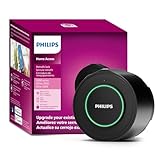
Overview: The Philips 230X retrofit smart lock elevates your existing deadbolt with built-in WiFi connectivity, eliminating the need for additional hubs or bridges. This conversion kit preserves your exterior hardware and keys while adding comprehensive smart features including remote app control, voice assistant integration, and automatic locking. The Philips Home Access app provides real-time notifications and detailed access logs for complete door monitoring.
What Makes It Stand Out: Native WiFi integration is the killer feature, offering direct smartphone control from anywhere without intermediary devices. The automatic locking function engages when the door closes, providing peace of mind for forgetful users. Philips’ reputation for quality electronics translates into robust construction and reliable performance. Compatibility with both Alexa and Google Assistant ensures flexible voice control options regardless of your smart home platform.
Value for Money: At $169.99, this premium-priced kit justifies its cost through WiFi convenience and brand reliability. While more expensive than hub-dependent alternatives, it eliminates hidden costs and complexity. The time saved on setup and troubleshooting alone warrants the price difference for many users. Compared to full replacement WiFi locks costing $250+, it offers similar functionality while preserving your existing hardware investment.
Strengths and Weaknesses: Strengths include built-in WiFi for standalone operation, dual voice assistant support, automatic locking, detailed activity logging, and the ability to keep existing keys. Weaknesses are the higher price point, requirement to use Philips’ proprietary app, limited color option (black only), and potential WiFi connectivity issues in areas with poor signal strength.
Bottom Line: The top choice for users seeking hassle-free WiFi smart lock functionality without replacing their entire deadbolt. Its premium price delivers genuine convenience and reliability.
6. DESLOC C100 Plus Built-in WiFi Smart Lock, Keyless Entry Door Lock with Display, Keypad Deadbolt for Front Door, App Remote Control, Anti-Peeping Password, BHMA Grade 3, Silver
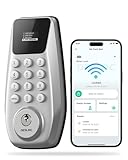
Overview: The DESLOC C100 Plus delivers essential smart lock functionality at a remarkably accessible price point. This silver deadbolt features built-in WiFi connectivity, a built-in display screen, and BHMA Grade 3 certification, making it an attractive entry-level option for homeowners seeking keyless convenience without breaking the bank. The lock supports remote monitoring, anti-peeping password technology, and emergency power backup via Type-C port.
What Makes It Stand Out: The integrated display screen sets this apart from budget competitors, providing at-a-glance status updates without requiring constant app checks. The anti-peeping password feature allows entering random digits before or after your actual code, preventing shoulder-surfing attacks. Built-in WiFi eliminates hub requirements, while Type-C emergency power ensures you’re never locked out during battery failures. BHMA Grade 3 certification provides credible security assurance rarely found at this price tier.
Value for Money: At $59.99, this lock dramatically undercuts premium brands while delivering core smart features. Comparable locks from established brands cost $150-$250. The inclusion of built-in WiFi, a display, and BHMA certification represents exceptional value, though long-term durability remains unproven compared to market leaders.
Strengths and Weaknesses: Strengths include unbeatable pricing, built-in WiFi connectivity, intuitive display feedback, anti-peeping security, straightforward DIY installation, and emergency power backup. Weaknesses involve an unknown brand reputation, limited advanced features, potentially fewer user code slots than competitors, and uncertain long-term reliability. The app ecosystem may lack polish compared to premium alternatives.
Bottom Line: The DESLOC C100 Plus is an excellent starter smart lock for budget-conscious buyers prioritizing essential features over brand prestige. While it won’t match premium models in sophistication, it delivers reliable keyless entry and remote access at a fraction of the cost.
7. Lockly Secure Pro (2025 Latest Version), Smart Lock with Built-in Wi-Fi, New-Gen Fingerprint Door Lock, Keyless Entry Deadbolt, PIN Genie Keypad, Auto Lock, App Remote Control, Easy Installation

Overview: The 2025 Lockly Secure Pro represents the cutting edge of smart lock technology, combining blistering-fast biometric authentication with sophisticated anti-hacking measures. This premium deadbolt features a next-generation fingerprint sensor that unlocks in 0.2 seconds, a patented PIN Genie keypad that reshuffles numbers after each use, and built-in WiFi delivering 98% faster remote access than previous models. Designed for security-conscious homeowners, it supports 99 fingerprints and 49 unique PIN codes.
What Makes It Stand Out: The revolutionary PIN Genie technology makes code theft virtually impossible by randomizing button positions, eliminating fingerprint patterns and visual hacking. The AI-powered fingerprint sensor offers enterprise-level speed and accuracy, while built-in WiFi removes hub dependency. Air Transfer capability simplifies multi-device management, and programmable auto-lock provides customizable security automation. Voice control integration with Alexa and Google Assistant adds hands-free convenience.
Value for Money: At $299.99, this premium lock commands a high price but justifies it through patented security innovations and proven reliability. Competing high-end locks with similar biometric performance cost $250-$350, but none offer PIN Genie’s unique anti-hacking protection. The investment pays dividends for those prioritizing maximum security and convenience.
Strengths and Weaknesses: Strengths include unmatched fingerprint speed, hack-proof PIN Genie keypad, robust built-in WiFi, extensive user capacity, voice control compatibility, and trusted brand reputation with over 100 million users. Weaknesses center on the steep price point, potential overkill for basic needs, and complexity that may overwhelm less tech-savvy users.
Bottom Line: The Lockly Secure Pro is the ultimate choice for security enthusiasts seeking state-of-the-art protection. Its innovative features and proven performance justify the premium price for homeowners who refuse to compromise on safety.
8. Lockly Secure Pro (2025 Latest Version), Smart Lock with Built-in Wi-Fi, New-Gen Fingerprint Door Lock, Keyless Entry Deadbolt, PIN Genie Keypad, Auto Lock, App Remote Control, Easy Installation

Overview: The Hornbill 9-in-1 Smart Deadbolt delivers remarkable versatility at a mid-range price point, offering nine different entry methods including fingerprint recognition, passcodes, IC fobs, mechanical keys, and voice control. This satin nickel lock includes a dedicated G3 gateway for reliable 2.4GHz WiFi connectivity, enabling remote management through the Smart Life app. With support for 100 fingerprints and 100 temporary passcodes, it balances flexibility with robust access control for homes, offices, or rental properties.
What Makes It Stand Out: The comprehensive 9-in-1 entry system provides unmatched flexibility for various scenarios, from fingerprint access for family to temporary codes for service workers. The included G3 gateway eliminates separate hub purchases, while 0.3-second biometric unlocking delivers near-instant access. Temporary access codes can be easily created and revoked, making it ideal for Airbnb hosts or households with frequent visitors.
Value for Money: At $79.99, this lock offers exceptional value by bundling a gateway and nine entry methods. Competitors typically charge $100-$150 for similar feature sets without including required hubs. The generous user capacity and temporary access features make it a cost-effective solution for multi-user environments.
Strengths and Weaknesses: Strengths include versatile entry options, included WiFi gateway, generous fingerprint and code capacity, flexible temporary access, voice control integration, and attractive pricing. Weaknesses involve the gateway’s 10-16ft range limitation, potential connectivity issues through walls, lesser-known brand support, and dependency on the Smart Life app ecosystem.
Bottom Line: The Hornbill 9-in-1 Smart Deadbolt is a feature-packed mid-range champion perfect for users wanting maximum flexibility without premium pricing. It’s particularly well-suited for rental properties and tech-friendly households.
6. DESLOC C100 Plus Built-in WiFi Smart Lock, Keyless Entry Door Lock with Display, Keypad Deadbolt for Front Door, App Remote Control, Anti-Peeping Password, BHMA Grade 3, Silver
Overview: The DESLOC C100 Plus brings keyless entry to the masses at an accessible price point. This smart deadbolt combines built-in WiFi connectivity with a visual display, offering remote management capabilities that typically cost twice as much. Designed for homeowners and rental hosts who prioritize convenience over premium branding, it delivers essential smart lock functionality without the premium price tag.
What Makes It Stand Out: The integrated display screen provides at-a-glance lock status feedback rarely seen in budget models. Its anti-peeping password technology allows entering random digits before/after your actual code, preventing code theft from prying eyes. The Type-C emergency power port is a thoughtful addition, ensuring you’re never locked out due to dead batteries. BHMA Grade 3 certification guarantees basic residential security standards, while built-in WiFi eliminates the need for additional hubs.
Value for Money: At $59.99, this lock dramatically undercuts most WiFi-enabled competitors by $40-100. While it lacks advanced biometric sensors, it covers all fundamental smart lock bases: remote access, user management, activity logs, and emergency entry. For rental properties or budget-conscious smart home newcomers, it offers 80% of premium lock functionality at 20% of the cost. The DIY installation further reduces total investment.
Strengths and Weaknesses: Strengths include unbeatable price, built-in WiFi, visual display, anti-peeping protection, emergency power backup, and straightforward app control. Weaknesses are its Grade 3 (basic residential) rating versus commercial-grade alternatives, absence of fingerprint scanning, unknown brand longevity, and plastic construction that may not match premium aesthetics. Battery life could be a concern with frequent WiFi usage.
Bottom Line: The DESLOC C100 Plus is an excellent entry-level smart lock for rental hosts and budget-minded homeowners. While it won’t match premium brands for durability or advanced features, it delivers reliable core functionality at a revolutionary price point.
7. Lockly Secure Pro (2025 Latest Version), Smart Lock with Built-in Wi-Fi, New-Gen Fingerprint Door Lock, Keyless Entry Deadbolt, PIN Genie Keypad, Auto Lock, App Remote Control, Easy Installation
Overview: The Lockly Secure Pro represents the cutting edge of residential smart lock technology. This 2025 flagship model combines AI-powered biometrics with a patented anti-hacking keypad in a premium package designed for discerning homeowners. With a claimed user base of over 100 million, Lockly brings enterprise-grade security features to the residential market at a premium price point.
What Makes It Stand Out: The revolutionary PIN Genie keypad randomly shuffles digit positions after each use, making shoulder-surfing and fingerprint analysis virtually impossible. The new-gen fingerprint sensor unlocks in a blistering 0.2 seconds—faster than most competitors by a factor of three. Built-in WiFi delivers 98% faster remote access than previous generations, while the ability to store 99 fingerprints and 49 unique PINs makes it ideal for large families and frequent entertainers. Air Transfer simplifies multi-device management.
Value for Money: At $299.99, the Secure Pro competes with August and Yale’s flagship models but offers superior anti-hacking technology. The PIN Genie alone justifies the premium for security-conscious buyers. While expensive, it eliminates the need for a separate hub and includes professional-grade features like rekeyable cylinders and two backup keys. For homes where security is non-negotiable, the investment delivers tangible protection advantages over $150-200 alternatives.
Strengths and Weaknesses: Strengths include unmatched anti-peeping technology, sub-second biometric unlocking, robust app ecosystem, voice assistant integration, reliable auto-lock, and physical key backup. Weaknesses are the steep price point, potential over-complexity for tech-averse users, and reliance on Lockly’s proprietary app ecosystem. Installation requires precise door preparation for optimal performance.
Bottom Line: The Lockly Secure Pro is the ultimate choice for security-focused homeowners willing to pay for patented anti-hacking technology and lightning-fast access. It’s overkill for basic needs but unbeatable for advanced protection.
8. Lockly Secure Pro (2025 Latest Version), Smart Lock with Built-in Wi-Fi, New-Gen Fingerprint Door Lock, Keyless Entry Deadbolt, PIN Genie Keypad, Auto Lock, App Remote Control, Easy Installation
Overview: Lockly’s 2025 Secure Pro refines the smart lock category with AI-driven biometric authentication and hack-resistant access technology. Building on a platform trusted by over 100 million users globally, this flagship deadbolt targets security-conscious homeowners who refuse to compromise between convenience and protection. It’s a comprehensive solution that eliminates traditional key vulnerabilities while adding intelligent monitoring capabilities.
What Makes It Stand Out: The AI-enhanced fingerprint sensor achieves 0.2-second recognition speeds with exceptional accuracy, while the patented PIN Genie keypad dynamically randomizes number positions to defeat observation attacks. Integrated WiFi provides 98% faster remote connectivity than predecessor models, enabling instantaneous lock control and real-time activity monitoring. The system supports 99 enrolled fingerprints and 49 distinct access codes, with flexible sharing via eKeys and offline codes. Voice control through Alexa and Google Assistant adds hands-free convenience.
Value for Money: Priced at $299.99, the Secure Pro sits at the premium tier but delivers unique patented security features unavailable in sub-$200 locks. The PIN Genie technology alone provides peace of mind worth the premium for many buyers. Hub-free WiFi, included backup keys, and a rekeyable cylinder add value while reducing hidden costs. Compared to upgrading traditional locks plus installing a separate security system, the integrated approach offers long-term savings despite the initial investment.
Strengths and Weaknesses: Strengths include industry-leading anti-hacking keypad, ultra-responsive biometric scanner, comprehensive app controls, programmable auto-lock, and smart home integration. The two backup keys and rekeyable design provide essential redundancy. Weaknesses center on the high cost, complexity that may intimidate less tech-savvy users, and dependence on Lockly’s ecosystem for full functionality. Professional installation may benefit some door types.
Bottom Line: For those prioritizing cutting-edge security technology and rapid access, the Lockly Secure Pro justifies its premium price. It’s ideal for tech-forward households where protecting against advanced threats matters more than budget constraints.
9. Wi-Fi Smart Deadbolt Keyless Entry: 9-in-1 Hornbill Smart Lock for Front Door, Smart Deadbolt Lock, Electronic Keypad Code Fingerprint Unlock, Works with Alexa for Home Office Hotel, Satin Nickel

Overview: The Hornbill 9-in-1 Smart Lock delivers exceptional versatility at a mid-tier price point. This feature-packed deadbolt integrates fingerprint scanning, keypad codes, IC fobs, and smartphone control through an included G3 gateway. Designed for homeowners seeking multiple entry options without premium pricing, it balances advanced functionality with practical affordability for homes, offices, and rental properties.
What Makes It Stand Out: Nine distinct access methods provide unmatched flexibility for diverse household needs. The 0.3-second fingerprint recognition stores up to 100 prints, while the app allows creation of 100 unique passcodes with granular temporary access permissions—ideal for dog walkers, guests, and service staff. The bundled G3 gateway enables WiFi connectivity without separate purchases, though placement within 16 feet is critical. Voice control through Alexa and Google Home adds modern convenience.
Value for Money: At $79.99, Hornbill undercuts most competitors while including a required gateway that others sell separately for $30-50. The 9-in-1 versatility rivals $200+ locks, offering fingerprints, codes, fobs, and remote access in one package. While build quality may not match premium brands, the feature set delivers outstanding value for budget-conscious buyers wanting comprehensive smart lock capabilities without ecosystem lock-in.
Strengths and Weaknesses: Strengths include remarkable entry method variety, included WiFi gateway, generous user capacity (100 fingerprints/codes), flexible temporary access, and seamless voice assistant integration. The auto-lock and one-touch locking enhance convenience. Weaknesses involve the gateway’s limited 16-foot range, potential signal issues through walls, unknown long-term durability, and a less polished app experience compared to established brands. Installation requires careful gateway positioning.
Bottom Line: The Hornbill 9-in-1 lock is a compelling choice for versatility seekers on a budget. If you can work within the gateway range limitations, it delivers premium features at a fraction of the cost.
The Rental Dilemma: Why Traditional Smart Locks Fall Short
The Security Deposit Conundrum
Most smart locks on the market require removing your existing deadbolt and installing an entirely new mechanism. This process involves drilling new holes, chiseling out door frames, and making permanent alterations that violate virtually every standard lease agreement. Even if you’re technically savvy enough to install it yourself, you’re left with two unappealing options: restore the original lock perfectly when you move (risking detection) or kiss your security deposit goodbye. For renters, this trade-off between convenience and financial risk has been the single biggest barrier to smart home adoption.
How No-Drill Conversion Kits Change the Game
No-drill conversion kits take a fundamentally different approach. Instead of replacing your deadbolt, they work with it. These devices attach to the interior side of your door, mechanically operating your existing thumb turn or key cylinder from the inside. When you lock or unlock via the app, the device physically rotates your deadbolt’s internal mechanism. The exterior of your door—and your landlord’s property—remains completely untouched. This means zero permanent modifications, zero damage, and 100% reversibility when your lease ends.
Understanding the Technology Behind Retrofit Solutions
The Mechanics of Non-Invasive Installation
Most conversion kits use one of two mounting strategies: clamp-based systems or high-strength adhesive plates. Clamp-based models feature adjustable arms that grip your existing deadbolt’s interior assembly, securing the smart device firmly against the door. Adhesive-based kits use industrial-grade 3M VHB tape or similar materials to create a bond strong enough to withstand the torque of turning a deadbolt thousands of times. Both methods rely on precise engineering to align with your lock’s thumb turn or keyway, ensuring reliable operation without slipping or misalignment.
Retrofit vs. Replacement: Core Differences
It’s crucial to understand that you’re not getting a new lock—you’re getting a robot for your existing lock. Replacement smart locks integrate the deadbolt, latch, and smart mechanism into one unit. Retrofit kits, by contrast, are essentially sophisticated motor assemblies that manipulate your current hardware. This distinction matters because it affects security certifications, fire code compliance, and your ability to use a physical key as backup. Your original lock’s ANSI grade remains unchanged, which can be either reassuring (if you have a high-quality deadbolt) or concerning (if your hardware is outdated).
Critical Compatibility Factors Most Buyers Miss
Measuring Your Deadbolt Assembly
Before clicking “add to cart,” you need to become intimately familiar with your existing lock. Pull out a measuring tape and document: the distance from the door edge to the center of your deadbolt (backset), the thickness of your door, the shape and size of your interior thumb turn (circular, oval, or rectangular?), and the clearance between your deadbolt and any decorative trim or molding. Many renters discover too late that their vintage apartment doors have non-standard dimensions that conflict with universal mounting brackets.
Door Material and Surface Considerations
That gorgeous solid wood door in your pre-war building? Perfect. The hollow-core door in your modern apartment? Potentially problematic. The mounting surface must be flat and stable enough to support the conversion kit’s weight and operational torque. Metal doors with raised panels, doors with ornate moldings, or surfaces with textured paint can prevent proper adhesion or alignment. Some kits include spacer plates to overcome these challenges, but compatibility isn’t guaranteed.
Installation Mechanisms: What Actually Works
Clamp-Based Systems: Pros and Cons
Clamp systems offer superior holding power and are generally more reliable for heavy doors or stiff deadbolts. They distribute force across multiple contact points and can be adjusted for a custom fit. The downside? They require more precise installation and may not work with deadbolts that have integrated alarm sensors or unusual interior escutcheons. They also add slightly more bulk to your door’s interior profile.
Adhesive Mounting: Strength and Longevity
Modern adhesive technology is remarkably robust—when applied correctly. The key is surface preparation: you must clean the mounting area with alcohol, ensure it’s completely dry, and apply firm pressure for the recommended curing time (usually 24-72 hours). Adhesive kits offer a lower profile and cleaner aesthetic but may struggle in extreme temperatures. If your door receives direct sunlight or faces harsh winters, adhesive bonds can degrade faster than mechanical clamps.
Connectivity Protocols: Choosing Your Smart Foundation
Wi-Fi vs. Bluetooth: Real-World Implications
Bluetooth-only kits are typically more affordable and offer longer battery life since they’re not constantly maintaining an internet connection. However, they require you to be within 30-40 feet to control the lock remotely—fine for unlocking as you approach, but useless for letting in a guest while you’re at work. Wi-Fi enabled models provide true remote access and instant notifications but consume more power and may require a separate bridge or hub, adding cost and complexity.
Emerging Standards: Matter and Thread Support
The smart home landscape is evolving rapidly. Matter, the new universal connectivity standard, promises seamless integration across ecosystems. Kits with Matter support future-proof your investment, ensuring compatibility with Apple HomeKit, Google Home, and Amazon Alexa regardless of which platform you currently use. Thread, Matter’s underlying network technology, creates a mesh network that’s more reliable than traditional Wi-Fi for smart home devices. If you’re building a comprehensive smart home, prioritize these emerging standards.
Power Management: Battery Life and Backup Options
Expected Battery Performance
Most conversion kits run on 2-4 AA batteries or a rechargeable lithium pack. Bluetooth models typically last 6-12 months; Wi-Fi models 2-4 months. But real-world usage varies dramatically based on door alignment (a sticky deadbolt drains batteries faster), ambient temperature (cold reduces battery capacity), and auto-lock frequency. Some kits include solar panels or wired power options, but these often require drilling—defeating the purpose for renters.
Graceful Degradation: What Happens When Power Fails
Premium kits maintain enough reserve power for several dozen operations even after reporting “low battery.” More importantly, they preserve your ability to use a physical key from the exterior. Avoid any solution that completely disables manual key operation when batteries die. Some advanced models include emergency power terminals where you can touch a 9V battery to temporarily power the lock—an invaluable feature for absent-minded renters.
Access Methods and User Management
Beyond the App: Multiple Entry Paths
The best conversion kits offer redundant access methods: smartphone app, keypad, physical key, and even NFC fobs. Keypad models are particularly renter-friendly because they work for guests without smartphones or when your phone is dead. Consider whether the keypad is permanent (attached to the door) or removable (a battery-powered unit you can stick nearby). Removable keypads offer more flexibility but require separate battery management.
Temporary Access: The Airbnb Advantage
If you host guests or have regular dog walkers, cleaners, or contractors, look for granular access controls. Can you create codes that work only on specific days and times? Can you generate one-time use codes that expire automatically? Does the system send you notifications when specific users unlock the door? The sophistication of guest management features varies widely and often separates budget from premium options.
Security Certifications and Standards
What ANSI Grades Actually Mean
Since you’re keeping your existing deadbolt, its ANSI grade (1, 2, or 3) determines your baseline security. Grade 1 is commercial strength; Grade 2 is residential heavy-duty; Grade 3 is light residential. No conversion kit can upgrade this rating. However, the kit itself should meet UL standards for fire safety and have its motor mechanism tested for durability. Look for certifications like FCC compliance and, if it’s a keypad model, IPX5 water resistance for exterior components.
Encryption and Data Privacy
Your lock is a security device, not just a convenience gadget. Ensure the kit uses AES 128-bit or higher encryption for data transmission. Investigate where user data is stored: on the device, in a secure cloud, or on a server in a country with weak privacy laws? Read the privacy policy—some manufacturers reserve the right to share usage data with third parties. For the privacy-conscious, look for kits that support local control without cloud dependency.
Navigating Landlord Relations and Lease Agreements
Getting Approval Without the Hassle
Even though these kits cause no damage, technically they’re still modifications. The smart approach is to present it as a security upgrade that benefits both parties. Offer to share access logs, emphasize the insurance benefits of keyless entry (no lost keys requiring rekeying), and provide written assurance of complete removal. Some landlords may even subsidize the cost if you frame it as a property value enhancement. Always get written permission, even via email, to protect yourself.
Lease Language to Watch For
Scan your lease for phrases like “no alterations,” “permanent modifications,” or “drilling prohibited.” No-drill kits technically comply with these terms, but ambiguity can lead to disputes. Some leases specifically prohibit “any device attached to the door,” which could be interpreted to include conversion kits. If your lease is particularly restrictive, consider offering to pay a modest “modification fee” upfront in exchange for explicit written permission—still cheaper than losing your deposit.
Reversibility: The Move-Out Checklist
Ensuring Zero Evidence
The gold standard for rental-friendly devices is leaving zero trace. Clamp-based systems should include protective pads to prevent door surface scratches. Adhesive systems require careful removal—heat guns or dental floss can help dissolve the bond without damaging paint. Keep the original thumb turn and any removed hardware in a labeled bag. Take date-stamped photos before installation and after removal to document the door’s original condition.
Restoring Original Functionality
Test your original lock thoroughly after removing the kit. Does the thumb turn operate smoothly? Is the deadbolt alignment correct? Some kits can subtly shift the internal mechanism over time. If you notice stiffness, a quick adjustment of the strike plate usually resolves it. Keep a tube of touch-up paint that matches your door for any minor scuffs that might occur during removal.
Smart Home Ecosystem Integration
Voice Assistant Compatibility
Alexa users should look for locks with the “Works with Alexa” badge and support for unlocking via voice PIN (Amazon requires verbal verification for security). Google Home integration offers similar functionality but check if it supports Assistant Routines. Apple HomeKit users face the most restrictions—fewer kits support Siri, and those that do often require a HomePod or Apple TV as a hub. Matter-certified devices solve this fragmentation but are still rolling out.
Hub Requirements and Bridge Devices
Wi-Fi kits often include a plug-in bridge that connects to your router. This adds another device to manage but extends battery life by offloading communication. Z-Wave models require a compatible hub like SmartThings or Hubitat, appealing to advanced users who want local control and complex automation. For renters, all-in-one Wi-Fi models simplify setup but may congest your network if you have many smart devices.
Advanced Automation and IFTTT
Creating Custom Workflows
The true power of smart locks emerges when they interact with other devices. IFTTT (If This Then That) support lets you create rules like: “When I unlock the door, turn on the lights and set the thermostat to 72°F.” Some kits offer native automation within their app, while others rely on third-party platforms. Check whether automations require the cloud (they’ll fail during internet outages) or can run locally for reliability.
Geofencing and Auto-Unlock
Auto-unlock based on your phone’s location is a beloved feature—until it fails. Geofencing accuracy depends on your phone’s GPS and can be unreliable in dense urban environments with tall buildings. Look for kits that let you adjust the geofence radius and disable the feature when needed. Some advanced models use Bluetooth proximity instead of GPS, offering more reliable detection as you approach the door.
Troubleshooting Common Issues
Mechanical Misfits and Alignment Problems
If your deadbolt requires significant force to operate manually, a conversion kit will struggle. Test your lock’s smoothness before buying—if it sticks, lubricate or adjust the strike plate first. Some kits include torque sensors that prevent motor burnout if the deadbolt binds, but this is a protective feature, not a solution. Doors that sag or have misaligned frames may need professional adjustment before any smart lock will work reliably.
Connectivity Dropouts and Interference
Wi-Fi locks on the 2.4GHz band can suffer interference from microwaves, baby monitors, and neighboring networks. If your door is far from your router, consider a Wi-Fi extender or a kit with an external bridge you can position closer. Bluetooth locks can lose connection if your phone’s battery saver mode aggressively shuts down background apps. Whitelist the lock app in your phone’s settings to maintain reliable communication.
Cost Considerations and Value Assessment
Price Tiers and Feature Trade-offs
Entry-level Bluetooth kits start around $80-120, offering basic app control and guest codes. Mid-range Wi-Fi models run $150-200, adding remote access and voice control. Premium kits with Matter support, advanced guest management, and sleek design can reach $250-300. The sweet spot for most renters is the mid-range, where you get reliable remote access without paying for commercial features you’ll never use.
Hidden Costs That Inflate Your Investment
Factor in the cost of replacement batteries (lithium packs are pricier than AAs), optional mounting plates for tricky doors, and subscription fees for advanced features. Some manufacturers lock cloud storage, detailed access logs, or integration with property management software behind a monthly paywall. Read the fine print—what looks like a one-time purchase may become a recurring expense.
Creating Your Personal Buying Checklist
Prioritizing Your Must-Have Features
Start by listing your non-negotiables: remote access for package deliveries? Keypad for a cleaning service? HomeKit compatibility? Then rank your nice-to-haves. Renters often prioritize different features than homeowners—guest management and reversibility typically outrank advanced automation. Use this list to filter options methodically rather than getting swayed by flashy features you’ll never use in a rental context.
Testing and Return Policies
Order from retailers with generous return policies and test immediately. Does it fit your door? Does the app meet your usability standards? Are notifications timely? Many issues only appear after real-world use. A 30-day return window gives you time to evaluate without commitment. Keep all packaging and documentation pristine during your trial period.
Frequently Asked Questions
Will a no-drill smart lock damage my door or existing lock?
When installed and removed correctly, these kits leave zero permanent damage. Clamp systems use protective padding, and adhesive systems can be removed with heat or floss techniques. The key is following manufacturer removal instructions precisely and documenting your door’s condition with photos before installation.
Do I really need my landlord’s permission to install one?
Technically yes, since you’re attaching a device to their property. However, because there’s no drilling or permanent alteration, most landlords readily approve. Always get written permission—even an email—to protect yourself. Present it as a security enhancement that benefits both parties and offer to remove it and restore the original condition when you move out.
What if my deadbolt is old, unusual, or non-standard?
Measure everything before purchasing. Most kits fit standard cylindrical deadbolts with a circular thumb turn. If you have a mortise lock, integrated handle/deadbolt combo, or an oversized decorative interior plate, you may need a specific adapter or a different kit entirely. Some manufacturers offer free compatibility checking via photo submission.
Can my landlord or property manager access the lock?
Only if you grant them digital access through the app. Your original physical key still works, so landlords retain their key-based access rights. Some property management platforms allow manager access, but consumer-grade kits give you full control. Read the privacy policy to ensure there are no hidden backdoors.
How long do batteries typically last in real-world use?
Bluetooth models: 6-12 months. Wi-Fi models: 2-4 months. However, a sticky deadbolt, extreme temperatures, or frequent auto-lock cycles can cut these estimates in half. Always use high-quality alkaline or lithium batteries, and enable low battery notifications. Keypad models drain faster if the keypad is used heavily.
What happens if the battery dies while I’m locked out?
You can always use your original physical key from the exterior. Most kits also include emergency power options: a 9V battery terminal on the exterior, a hidden micro-USB port, or a mechanical override. Keep a spare battery in your bag or car, and replace batteries at the first low-power warning—not when they’re completely dead.
Are these locks as secure as traditional deadbolts?
The conversion kit doesn’t weaken your existing deadbolt’s physical security. Your door’s strength remains determined by your original lock’s ANSI grade and strike plate installation. The smart features add potential digital vulnerabilities, but reputable kits use bank-level encryption. The bigger risk is losing your phone—enable remote wipe capabilities and use strong app passwords.
Will it work with my apartment building’s intercom or buzzer system?
No, these are separate systems. Your smart lock controls the deadbolt; your intercom controls the building’s entrance door. Some advanced users create workarounds using smart relays connected to their intercom, but this requires technical expertise and may violate building policies. For most renters, the smart lock handles your apartment door while the intercom remains unchanged.
Can I take the smart lock with me when I move?
Absolutely—that’s the entire point of a rental-friendly kit. Remove it, restore your original thumb turn, and reinstall it in your new place (assuming compatibility). Keep all original hardware and documentation. Some renters even negotiate with their landlord to leave it installed for the next tenant, recouping some of their investment.
Do no-drill locks work on all door types and thicknesses?
Most kits accommodate standard door thicknesses of 1-3/8″ to 1-3/4″ and standard deadbolt backsets of 2-3/8″ or 2-3/4″. They struggle with: metal doors with raised panels, doors thinner than 1-1/4″, doors thicker than 2″, integrated lock/handle combos, and mortise-style locks. Always measure your door and deadbolt assembly before purchasing, and check manufacturer compatibility guides carefully.