Your electricity bill arrives and it’s higher than expected—again. You scan the line items, but they tell you nothing about which devices are quietly draining your wallet. Was it the old refrigerator cycling too often? The space heater you forgot to turn off? Or has your HVAC system been working overtime? This is where smart energy monitors with appliance recognition and auto alerts transform from a nice-to-have gadget into an essential home intelligence tool. These advanced systems don’t just show your total usage; they act as energy detectives, identifying individual appliances and sending you timely notifications before small issues become expensive problems.
Unlike traditional monitors that simply display a whole-home number, today’s intelligent systems use sophisticated algorithms and machine learning to create a detailed fingerprint of your home’s energy DNA. They learn the unique signatures of your devices, track their behavior over time, and proactively alert you to anomalies—whether it’s a water heater running continuously, a sump pump failing to activate, or simply that you left the garage lights on. But not all systems are created equal, and navigating the technical specifications can feel overwhelming. Let’s explore what truly matters when evaluating these powerful tools for your home.
Top 10 Smart Energy Monitors with Appliance Recognition
Detailed Product Reviews
1. Smart Home Energy Monitor Supports Home Assistant, Real-Time Accurate Energy Consumption Tracking, Electricity Usage Monitor with 16x60A Circuit Sensor, 36-Month History, Solar Metering, ETL Certified

Overview: The Refoss Smart Home Energy Monitor delivers comprehensive circuit-level tracking with 16 branch sensors and 2 main sensors, designed for homeowners seeking granular energy insights. It supports major electrical systems including single-phase, split-phase, and three-phase Wye configurations, integrating seamlessly with Home Assistant for intelligent automation.
What Makes It Stand Out: This monitor excels with its recent feature updates including channel merging, hourly data export, and direct CT reading inversion through software—no physical flipping needed. The zero feed-in automation specifically benefits solar panel owners by intelligently routing excess power to high-consumption appliances like EV chargers and water heaters, maximizing solar investment returns.
Value for Money: At $169.99, it sits in the mid-range but offers exceptional value through 98% accuracy and 36-month data retention. The solar automation capabilities alone can deliver 10-20% utility savings, potentially recouping the investment within a year for solar-equipped homes. The 2-year warranty provides additional peace of mind.
Strengths and Weaknesses: Strengths:
- ETL certified with robust safety standards
- Advanced solar surplus automation
- Extensive 3-year historical data storage
- Recent software enhancements add flexibility
- 16 branch sensors at 60A capacity
Weaknesses:
- Delta system configurations not supported
- Requires careful CT handling during installation
- App dependency for full feature access
Bottom Line: Ideal for solar-powered households wanting automated energy optimization, the Refoss monitor combines precision monitoring with intelligent automation at a compelling price point.
2. Emporia Vue 3 Home Energy Monitor - Smart Home Automation Module and Real Time Electricity Usage Monitor, Power Consumption Meter, Solar and Net Metering for UL Certified Safe Energy Monitoring

Overview: The Emporia Vue 3 provides professional-grade energy monitoring with UL certification and real-time data collection. Designed for safety-conscious homeowners, it monitors both main and branch circuits while offering solar/net metering capabilities through a user-friendly mobile interface available on iPhone, Android, and web platforms.
What Makes It Stand Out: UL Listing sets this apart with rigorous safety testing standards, ensuring protection against electrical hazards. The system delivers one-second data refresh rates when actively viewing and provides automated energy management for time-of-use pricing, peak demand, and solar excess optimization, helping prevent costly repairs through proactive monitoring.
Value for Money: Priced at $199.99, it commands a premium but justifies this through superior safety certification and cloud-based analytics. The indefinite retention of hourly data provides long-term trend analysis valuable for energy optimization strategies. Configuration settings help automate savings for utility rate programs.
Strengths and Weaknesses: Strengths:
- UL and CE listed for maximum safety assurance
- Real-time one-second data updates
- Comprehensive automation features
- Cloud-based indefinite data retention
- Proven reliability with warranty protection
Weaknesses:
- Requires additional sensor for full 3-phase support
- 2.4 GHz WiFi limitation may cause connectivity issues
- One-second data only retained for 3 hours
- Higher price point than comparable units
Bottom Line: A premium choice prioritizing safety certification and real-time monitoring, perfect for homeowners who value UL compliance and detailed automation capabilities.
3. Emporia Energy Monitoring Smart Plug, WiFi Smart Outlet Plug Works with Alexa and Google Home - 15a WiFi Outlet with Timer, Mobile App, Home Energy Monitor, Scheduling - 2.4ghz WiFi Only (4 Pack)

Overview: The Emporia Smart Plug four-pack transforms standard outlets into intelligent, energy-tracking nodes for individual appliances. These WiFi-enabled plugs provide device-level monitoring and control, integrating with Alexa and Google Home for targeted energy management without any electrical panel modifications required.
What Makes It Stand Out: Unlike panel monitors, these plugs offer plug-and-play simplicity with no installation expertise needed. The scheduling functionality enables automated operation of coffee makers, lamps, and humidifiers, while standby power elimination helps reduce phantom loads throughout the home, extending appliance life.
Value for Money: At $8.75 per plug, this represents exceptional value for renters or those wanting device-specific control without permanent modifications. The four-pack configuration allows simultaneous monitoring of multiple high-impact appliances, delivering insights that can offset the purchase price through reduced standby consumption within months.
Strengths and Weaknesses: Strengths:
- Simple plug-and-play installation
- Works with Alexa and Google Home
- Effective standby power elimination
- Scheduling automation for convenience
- Affordable per-unit pricing
Weaknesses:
- 10A continuous load limits high-power appliances
- 2.4GHz WiFi only may cause connectivity challenges
- No panel-level whole-home view
- Peak load restricted to 1 hour daily
Bottom Line: An excellent entry-level solution for targeted energy management, particularly suited for renters and those prioritizing ease of installation over comprehensive monitoring.
4. Smart Home Energy Monitor with 16 50A Circuit Level Sensors, Measure Power Usage in Real-Time, History with App (16 50A Circuit Level Sensors) - Compatible with Home Assistant

Overview: The SEM-Meter energy monitor delivers circuit-level tracking at an aggressive price point, featuring 16 50A sensors for comprehensive appliance monitoring. It supports major electrical configurations including single-phase, split-phase, and three-phase Wye systems, providing real-time data through mobile applications for cost-conscious energy managers.
What Makes It Stand Out: This monitor achieves impressive 1% accuracy while maintaining the lowest price in its class. The flexible phase-matching system automatically adapts to different circuit configurations without quantity restrictions, simplifying installation in complex panels and making it accessible to DIY installers.
Value for Money: At $129.99, it undercuts competitors by $40-70 while delivering comparable feature sets. The permanent retention of day/month/year data combined with 90 days of hourly exports provides sufficient historical analysis for most residential applications. Solar/net metering support adds value for renewable energy users.
Strengths and Weaknesses: Strengths:
- Unbeatable price for 16-sensor configuration
- High 1% accuracy rating
- Automatic phase matching simplifies setup
- Permanent historical data retention
- Solar/net metering support included
Weaknesses:
- 50A branch sensors less robust than 60A alternatives
- Brand recognition lower than established competitors
- Limited warranty details in specifications
- No advanced automation features mentioned
Bottom Line: The SEM-Meter proves you don’t need premium pricing for precise monitoring, offering exceptional accuracy and features for budget-minded homeowners.
5. SIEMENS Inhab Smart Home Energy Monitor with 16-50Amp Circuit Level Sensors and 2-200Amp Main Sensors for Real Time Electricity Monitoring and Metering
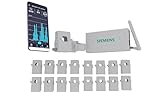
Overview: The SIEMENS Inhab represents the premium tier of energy monitoring with UL certification and advanced management capabilities. Designed for sophisticated homeowners, it combines whole-home and circuit-level tracking with intelligent load shedding for EV chargers and smart devices through a dedicated mobile app.
What Makes It Stand Out: SIEMENS engineering brings advanced functions including Time of Use Management, Peak Demand Management, and Excess Solar Management typically found in commercial systems. Personalized alerts for abnormal behavior like ovens left on provide safety beyond standard monitoring, while load shedding protects against demand charges.
Value for Money: At $267.75, this commands a significant premium but delivers professional-grade features and brand reliability. For homes with EV chargers, solar arrays, and time-of-use utility rates, the advanced management functions can generate substantial savings that justify the investment within 18-24 months.
Strengths and Weaknesses: Strengths:
- SIEMENS brand quality and reliability
- UL Listed and CE marked for safety
- Advanced load shedding capabilities
- Personalized abnormal usage alerts
- Comprehensive management suite
Weaknesses:
- Highest price point in category
- Mobile app limited to US/Canada only
- Overkill for basic monitoring needs
- Complex features may overwhelm casual users
Bottom Line: Best suited for tech-savvy homeowners with complex energy ecosystems, the Inhab justifies its premium through advanced automation and trusted engineering.
6. Govee Smart Plug with Energy Monitoring, WiFi Bluetooth Plug Work with Alexa and Google Assistant, 15A Smart Outlets with Timer & Group Controller, No Hub Required, ETL&FCC Certified for Home, 1 Pack

Overview: The Govee Smart Plug delivers affordable energy monitoring through WiFi and Bluetooth connectivity. This single 15A outlet tracks real-time power, current, and voltage via the Govee Home App, supporting remote monitoring of appliances. Compatible with Alexa and Google Assistant, it enables voice control and detailed scheduling. ETL and FCC certifications ensure safe operation with high-power devices like coffee makers.
What Makes It Stand Out: Dual WiFi/Bluetooth connectivity provides reliable control even with spotty internet—a rare feature at this price. Real-time monitoring includes daily, weekly, monthly, and yearly data reviews. Group control manages multiple Govee devices, while minute-level scheduling surpasses basic timers. Voice commands offer particular value for elderly users, enabling hands-free operation of appliances.
Value for Money: At $11.99, this plug is exceptionally priced. Competitors with energy monitoring typically cost $15-25. The combination of dual connectivity, robust safety certifications, and advanced scheduling at this price point is unmatched. For single-appliance monitoring, it outperforms pricier alternatives.
Strengths and Weaknesses: Strengths: affordable monitoring, dual connectivity, strong safety certifications, detailed scheduling, voice assistant support, and 15A capacity. Weaknesses: no 5GHz WiFi support (2.4GHz only), single outlet design, and limited ecosystem integration compared to major brands.
Bottom Line: The Govee Smart Plug is perfect for budget-conscious consumers entering smart home energy monitoring. It delivers impressive features at an unbeatable price, ideal for monitoring individual appliances or creating simple automation routines.
7. Smart Home Energy Monitor 2×120A, Dual-Channel Real-Time Electricity Usage Monitoring for Household Power, WiFi Energy Meter with App Control, Compatible with Tuya/Smart Life

Overview: This dual-channel monitor provides whole-home electricity tracking via two 120A clamp sensors. Integrating with Tuya/Smart Life apps, it delivers real-time data on power, voltage, current, and power factor. Bi-directional monitoring suits solar panel systems and backup power setups. Clamp sensors enable safe, non-invasive installation without electrical modifications.
What Makes It Stand Out: The 120A per-channel capacity handles extremely high-power appliances like central AC and EV chargers. Bi-directional tracking measures both consumption and grid export simultaneously—essential for solar households. Tuya/Smart Life compatibility ensures broad smart home integration. Historical data analysis by hour, day, month, or year provides exceptional usage insights.
Value for Money: At $29.99, this monitor offers outstanding value. Comparable 120A dual-channel monitors cost $40-60. Solar compatibility and high amperage make it cost-effective for complex energy systems. For solar users needing bi-directional tracking, it’s a fraction of proprietary solar monitoring costs.
Strengths and Weaknesses: Strengths: high 120A capacity, bi-directional solar tracking, easy clamp-on installation, comprehensive app integration, detailed historical data, and competitive price. Weaknesses: 2.4GHz WiFi only, potential setup complexity for novices, requires electrical panel access, and limited brand support.
Bottom Line: Ideal for solar homeowners and those with high-power appliances seeking affordable whole-home monitoring. Dual 120A channels and bi-directional tracking deliver professional-level insights at a consumer-friendly price, making it a smart energy investment.
8. Smart Home Energy Monitor 2×80A, Dual-Channel Real-Time Electricity Usage Monitoring for Household Power, WiFi Energy Meter with App Control, Compatible with Tuya/Smart Life
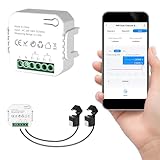
Overview: This dual-channel monitor features two 80A sensors for tracking electricity across major household circuits. WiFi connectivity to Tuya/Smart Life app provides real-time monitoring of power, voltage, current, and power factor. Bi-directional capability supports solar and backup power systems. Clamp-style sensors enable safe, non-invasive DIY installation.
What Makes It Stand Out: The monitor excels in affordability while maintaining bi-directional tracking and dual-channel monitoring. Its 80A capacity covers most residential circuits including HVAC, water heaters, and dryers. Seamless Tuya/Smart Life integration provides robust automation and data visualization. Tracking consumption patterns hourly, daily, monthly, or yearly effectively identifies energy waste.
Value for Money: At $27.99, this delivers exceptional value for standard homes. While offering lower capacity than 120A models, it costs less and handles typical loads comfortably. Most homes don’t need 120A per circuit, making this the economical choice. It delivers 90% of premium monitor functionality at a fraction of the cost.
Strengths and Weaknesses: Strengths: affordable dual-channel monitoring, bi-directional solar tracking, easy installation, comprehensive app features, flexible data reporting, and 80A capacity for typical needs. Weaknesses: lower amperage than some alternatives, 2.4GHz WiFi only, requires electrical panel access, and generic branding may raise longevity concerns.
Bottom Line: Perfect for typical homeowners wanting circuit-level monitoring without overspending. The 80A capacity handles standard high-power appliances, and bi-directional tracking future-proofs for solar adoption. A practical, cost-effective energy management solution.
9. Smart Home Energy Monitor with 2 x 120A CTs, Live Electricity Usage Tracking, Bi-Directional Power Tracking, Supports Single-Phase 3-Wire System, 2.4GHz Wi-Fi (WiFi Version)

Overview: This advanced monitor delivers Class 1 accuracy with dual 120A current transformers for precise whole-home tracking. Designed for solar and battery systems, it supports bi-directional monitoring and single-phase 3-wire configurations. The Smart Life app provides real-time analysis, while Dynamic Load Balancing (DLB) and zero grid export mode serve sophisticated HEMS applications. Split-core CTs ensure straightforward installation.
What Makes It Stand Out: Class 1 accuracy and HEMS optimization differentiate this from consumer monitors. Zero grid export mode helps solar households avoid feeding power back to the grid. Configurable reporting intervals balance network stability with precision. DLB automatically manages loads to maximize solar self-consumption. Support for single-phase 3-wire systems ensures North American compatibility.
Value for Money: At $42.98, this targets serious energy managers. While pricier than basic monitors, it offers professional features like DLB and zero export control typically found in $100+ systems. For solar households wanting advanced automation and grid control, it delivers exceptional value. Accuracy and specialized features justify the premium.
Strengths and Weaknesses: Strengths: Class 1 accuracy, advanced HEMS features, bi-directional solar tracking, high 120A capacity, professional load management, and user-friendly installation for its class. Weaknesses: higher price, complexity overwhelming for beginners, 2.4GHz WiFi only, and requires technical knowledge for advanced features. Limited brand recognition.
Bottom Line: Ideal for solar-powered homes seeking sophisticated energy management. Advanced features like DLB and zero export mode provide utility-level control. While overkill for basic monitoring, it’s a cost-effective professional solution for energy-independent households.
10. Eyedro Home Energy Monitor – Real-Time Electricity Usage Monitor with Solar Net Metering – Whole House Power Consumption Monitor – WiFi/Ethernet Smart Energy Meter with Reports & History, 2 Sensors

Overview: Eyedro’s whole-home monitor provides professional-grade tracking with dual 200A sensors for comprehensive power analysis. The system supports WiFi and Ethernet connectivity, ensuring reliable data transmission to the MyEyedro cloud platform. Designed for solar installations, it offers net metering and tracks consumption in dollars, watts, amps, and volts. Everything needed for installation is included with no subscription fees.
What Makes It Stand Out: With over a decade in the market, Eyedro brings proven reliability and refinement. Dual connectivity options (WiFi/Ethernet) provide installation flexibility uncommon in consumer monitors. The MyEyedro cloud platform offers exceptional visualization, including cost tracking and historical analysis. The 200A sensors handle any residential load, while solar net metering is seamlessly integrated. Brand longevity suggests ongoing support and stability.
Value for Money: At $149.00, this is a premium investment justified by professional features and reputation. While significantly more expensive than generic monitors, it eliminates subscription fees competitors charge. Robust hardware, dual connectivity, and mature software provide peace of mind. For solar homeowners wanting a reliable, long-term solution from an established brand, the price represents fair value.
Strengths and Weaknesses: Strengths: proven brand reliability, WiFi/Ethernet connectivity, powerful cloud platform, 200A sensor capacity, solar net metering, and no subscription fees. Comprehensive reporting and cost tracking are exceptional. Weaknesses: premium pricing, potentially overkill for basic needs, and more complex installation. Higher cost may deter budget buyers.
Bottom Line: The Eyedro monitor is the premium choice for serious energy managers and solar homeowners prioritizing reliability. Its robust feature set and established brand justify the investment for those wanting a professional-grade, long-term monitoring solution without ongoing fees.
Understanding Smart Energy Monitors
Before diving into specific features, it’s essential to understand what distinguishes a truly “smart” energy monitor from basic consumption trackers. The technology has evolved dramatically over the past decade, moving from simple clamp meters to sophisticated AI-powered systems that provide actionable insights rather than just raw data.
What Makes Them “Smart”?
The “smart” designation goes far beyond smartphone connectivity. True intelligence in energy monitoring means the device can interpret electrical signatures, learn patterns autonomously, and communicate meaningful information without requiring you to be an electrical engineer. These systems analyze waveform patterns, voltage fluctuations, and frequency characteristics to build a comprehensive picture of your home’s energy ecosystem.
Key intelligence markers include automatic device discovery, pattern recognition capabilities, predictive analytics, and contextual awareness. For example, a smart monitor should distinguish between your microwave and coffee maker even if they have similar wattage ratings by recognizing their unique startup signatures, duty cycles, and usage contexts. The system should also understand that your air conditioner working harder on a 95°F day is normal, but cycling on and off rapidly might indicate a refrigerant leak.
The Evolution from Basic to Intelligent Monitoring
Early energy monitors were essentially real-time wattmeters with wireless connectivity. You could see your total home consumption tick up when you turned on the oven, but identifying specific appliances required manual detective work—flipping breakers and watching the numbers change.
Modern systems with appliance recognition represent a quantum leap forward. They employ machine learning models trained on millions of electrical signatures to automatically catalog your devices within days of installation. This eliminates the tedious manual labeling process that plagued first-generation smart monitors. The latest evolution incorporates auto alerts that move beyond simple threshold notifications to contextual warnings based on learned behavior patterns, seasonal adjustments, and even predictive failure detection.
Why Appliance Recognition Matters
Appliance recognition is the cornerstone feature that separates sophisticated energy monitors from simple whole-home trackers. Without this capability, you’re left with a single, largely meaningless number that provides no actionable path to reduce consumption. With it, you gain a granular understanding that empowers precise, targeted changes.
The Technology Behind Device Detection
Most advanced monitors use a combination of high-frequency sampling and machine learning algorithms to identify appliances. The electrical current drawn by each device creates a unique signature—like a fingerprint—based on its startup surge, operational wattage, duty cycle, and harmonic distortion. Motors, heating elements, and electronic power supplies all behave differently on the electrical line.
The monitor samples your home’s electrical flow thousands of times per second, capturing these nuanced signatures. Onboard processors or cloud-based AI then compare these patterns against vast libraries of known device profiles. Within 1-2 weeks, a quality system can typically identify 15-20 major appliances automatically, with accuracy improving over time as it gathers more data and you provide occasional corrections.
Machine Learning in Energy Monitoring
The magic happens in the continuous learning loop. When you correct a misidentified device—perhaps labeling a detected “Motor 3” as your garage door opener—the system incorporates this feedback to improve future recognition. Advanced systems use federated learning techniques, meaning they benefit from pattern improvements across thousands of homes without compromising individual privacy.
This learning extends to usage patterns as well. The system learns that your electric vehicle charges every night at 11 PM, that your pool pump runs on a seasonal schedule, and that your dryer typically runs on weekends. This contextual understanding enables sophisticated anomaly detection that goes far beyond simple usage thresholds.
Auto Alerts: Your Digital Energy Assistant
Auto alerts transform raw data into timely action, serving as a proactive watchdog for both waste and potential equipment failures. The best systems deliver the right information at the right time without overwhelming you with notifications.
Types of Alerts You Should Expect
Modern monitors offer several alert categories that serve different purposes. Consumption alerts notify you when usage exceeds expected patterns—like a space heater left running in an empty room. Device-specific alerts warn you when an appliance behaves abnormally, such as a refrigerator compressor running continuously or a well pump cycling too frequently.
Goal-based alerts help you stay within monthly budgets by projecting usage trends. Safety alerts can detect dangerous conditions like arc faults or ground faults before they become fire hazards. The most sophisticated systems offer predictive maintenance alerts, identifying efficiency degradation in motors and compressors that signal impending failure weeks in advance.
Customization Options
Alert fatigue is real, and the ability to fine-tune notification parameters is crucial. Look for systems that allow you to customize alert sensitivity, delivery methods (push notification, email, SMS), time-of-day restrictions, and escalation rules. You should be able to set different alert thresholds for weekdays versus weekends, and specify quiet hours when non-critical notifications are suppressed.
Advanced customization includes setting seasonal baselines—your summer AC usage will naturally be higher—and defining “away mode” behaviors that trigger more aggressive alerts when you’re traveling. The interface should make these adjustments intuitive rather than requiring you to navigate complex nested menus.
Key Features to Evaluate
When comparing energy monitors, several technical specifications and capabilities significantly impact the user experience and long-term value. Understanding these nuances helps you avoid paying for features you don’t need while ensuring you don’t miss critical functionality.
Real-Time vs. Historical Data Tracking
While real-time data is exciting to watch, historical analysis drives meaningful savings. Evaluate how the system stores and presents historical data. Does it retain minute-by-minute data for a year, or does it aggregate older data into daily averages? Can you easily compare this month’s usage to the same month last year, or overlay temperature data to see weather impacts?
The sampling rate matters for appliance recognition accuracy—systems that sample every second catch quick events like toaster usage, while those sampling every 30 seconds might miss them entirely. However, higher sampling rates generate more data, so consider the system’s data retention policies and whether you’ll need a subscription for extended history.
Integration with Smart Home Ecosystems
Energy monitors don’t exist in isolation. Their value multiplies when they can interact with your broader smart home. Look for native integration with platforms like SmartThings, Hubitat, Home Assistant, or Apple HomeKit. This enables powerful automations—like turning off smart outlets when consumption spikes, adjusting your thermostat based on overall load, or flashing lights when the dryer cycle completes.
API availability is crucial for power users. A robust, well-documented API allows you to pull energy data into custom dashboards, integrate with home automation scripts, and correlate consumption with other sensor data. Some systems even support MQTT for real-time streaming to local home automation servers without cloud dependency.
Mobile App Functionality
Your primary interaction with the monitor will be through its mobile app, so usability is paramount. The app should provide intuitive device labeling, easy alert configuration, and clear visualizations that make trends obvious at a glance. Test the app’s responsiveness—does it load quickly, or do you wait seconds for data to populate?
Offline capability is often overlooked but important. Can you access recent data when your internet is down? Does the app support multiple users with different permission levels? Family members should be able to view data without being able to change critical settings. Look for features like energy cost tracking with your actual utility rate structure, including time-of-use pricing if applicable.
Installation Complexity
Installation difficulty varies dramatically between systems. Some require clamping sensors around main panel wires—a straightforward DIY project for comfortable homeowners—while others need individual circuit monitoring that may require an electrician. Consider your comfort level with electrical work and your panel’s accessibility.
Wireless connectivity during setup can be frustrating. Systems that use Bluetooth for initial configuration are often easier than those requiring you to connect to a temporary Wi-Fi network. Check whether the system supports 5 GHz Wi-Fi networks, which are becoming standard but aren’t universally supported in IoT devices. Some advanced systems offer powerline communication as a backup connectivity method, useful for homes with Wi-Fi dead zones near the electrical panel.
Accuracy and Calibration
Accuracy specifications are often misleading. A ±2% accuracy rating sounds precise, but this typically applies only to the main current sensors under ideal conditions. Appliance-level accuracy can vary significantly, especially for low-wattage devices or those with complex power electronics.
Look for systems that support user calibration. You should be able to input your utility meter readings periodically to correct any drift in the monitor’s measurements. Some systems use voltage reference signals to maintain calibration automatically. For homes with solar panels, ensure the monitor can accurately measure bidirectional flow—both consumption and production—with separate CT clamps for solar feeds.
Data Privacy and Security Considerations
Your energy data reveals intimate details about your lifestyle—when you’re home, when you sleep, when you cook, even what TV shows you watch based on usage patterns. Understanding how this data is protected and who has access to it should be a primary consideration.
How Your Energy Data Is Protected
Investigate the company’s security practices. Do they encrypt data in transit and at rest? Is two-factor authentication available for your account? What is their incident response history? Reputable companies undergo regular third-party security audits and publish their security whitepapers.
Consider the device’s firmware update policy. Regular security patches are essential, but automatic updates can be problematic if they introduce bugs. The best approach is scheduled updates with clear changelogs and the ability to defer non-critical updates. Some privacy-focused systems process all recognition locally on a hub device, sending only anonymized metadata to the cloud rather than raw waveform data.
Cloud vs. Local Storage
Cloud storage enables convenient remote access and sophisticated cloud-based AI processing, but it means trusting a third party with sensitive data. Local storage keeps data within your home, often on an SD card or local network-attached storage, providing maximum privacy but potentially limiting feature sophistication.
Hybrid models offer a compelling middle ground. These systems process data locally for real-time alerts and basic recognition, while optionally uploading anonymized data to improve AI models. For the technically inclined, some systems support local MQTT streaming to your own database, giving you complete control while still benefiting from cloud improvements. Evaluate whether the system works offline—can it still recognize appliances and log data if your internet connection fails?
Cost vs. Value Analysis
Price ranges for intelligent energy monitors span from under $100 to over $500, not including potential installation costs or subscription fees. Understanding the total cost of ownership and realistic ROI helps justify the investment.
Upfront Investment
Basic systems with appliance recognition start around $150-250, offering core functionality without advanced features. Mid-range monitors ($250-400) typically include better sensors, more sophisticated AI, and broader smart home integration. Premium systems ($400+) often support circuit-level monitoring, industrial-grade accuracy, and enterprise-level analytics.
Factor in installation costs. While many systems are DIY-friendly, hiring an electrician can add $100-300 depending on your panel complexity. Some utilities offer rebates for energy monitors, particularly if they support demand response programs. Check with your provider before purchasing—the rebate could cover 50-100% of the cost.
Long-Term ROI
The financial return comes from three sources: direct energy savings, equipment failure prevention, and utility program participation. Most households reduce consumption by 5-15% after installing a monitor, simply through increased awareness and behavioral changes. For a typical $150 monthly electric bill, that’s $90-270 saved annually.
The real value often lies in early problem detection. Catching a failing HVAC compressor or water heater element early can prevent catastrophic failures costing thousands. One prevented emergency repair often pays for the entire monitor. Additionally, some utilities offer time-of-use rate optimization programs that work with compatible monitors, automatically shifting flexible loads to cheaper periods.
Subscription Models
Many manufacturers have moved to subscription models for advanced features. Basic device recognition and real-time data might be free, but historical analysis beyond 30 days, custom alerts, or AI-powered insights could require a $5-10 monthly fee. Evaluate whether these subscriptions are optional or mandatory, and what happens to your data if you cancel.
Consider the long-term cost. A $200 monitor with a required $8/month subscription costs $296 over three years—potentially more than a $300 monitor with no subscription. Some companies offer lifetime subscriptions for a one-time fee, which can be economical if you plan to use the system for many years. Always check whether features work locally without a subscription, ensuring you retain core functionality even if the company changes its pricing model.
Installation Options
The physical installation method fundamentally affects what the system can detect and how accurately it can identify individual appliances. Your home’s electrical setup and your technical comfort level will guide this decision.
Circuit-Level vs. Whole-Home Monitoring
Whole-home monitors attach to your main electrical panel’s incoming wires, providing a single point of measurement. They’re easier to install but face a harder recognition challenge—every device signature passes through the same sensors, making it difficult to separate similar devices or detect low-wattage loads.
Circuit-level monitoring places sensors on individual breakers, giving you perfect isolation of major appliances. This approach eliminates recognition ambiguity for circuits like your HVAC, water heater, or EV charger. The downside is cost and complexity—you need more sensors and potentially more powerful hardware to process multiple data streams. Some hybrid systems offer whole-home monitoring with the option to add circuit-level sensors for critical or ambiguous loads.
DIY vs. Professional Installation
DIY installation is feasible for whole-home monitors if you’re comfortable working in your electrical panel with the main breaker off. The process typically involves attaching clamp-on current transformers (CTs) around the main service wires and connecting a voltage reference wire to a breaker. Most manufacturers provide detailed videos and support.
Professional installation is recommended for circuit-level monitoring or if your panel is old, crowded, or uses aluminum wiring. Electricians can also install the monitor more neatly, often routing wires through panel knockouts and ensuring CTs don’t interfere with other components. Some manufacturers maintain certified installer networks who understand the product specifics. Professional installation often includes calibration verification and initial device training, accelerating the learning period.
Making the Most of Your Energy Data
Collecting data is only valuable if you can translate it into meaningful action. The best monitors provide tools and insights that guide you toward measurable savings without requiring you to become an energy analyst.
Interpreting Usage Patterns
Look for systems that automatically categorize usage into meaningful groups: always-on vampire loads, HVAC, major appliances, and discretionary usage. The always-on number is particularly revealing—most homes waste 5-10% of their electricity on devices that never truly turn off. A good monitor will help you identify these phantom loads and calculate their annual cost, motivating you to unplug or use smart power strips.
Seasonal pattern recognition is equally valuable. The system should help you understand how weather affects your usage and whether your home’s insulation is performing as expected. Some monitors integrate with weather data to calculate heating and cooling degree days, helping you assess HVAC efficiency independent of outdoor temperature.
Setting Effective Energy Goals
Vague goals like “use less electricity” rarely work. Smart monitors help you set specific, measurable targets like “reduce always-on consumption by 20%” or “shift 50% of EV charging to off-peak hours.” The best systems gamify this process with monthly challenges, family leaderboards, or virtual rewards for meeting targets.
Look for goal-setting features that account for life circumstances. You should be able to set different baselines for vacation periods, work-from-home days, or seasons. Advanced systems can even suggest personalized goals based on your usage patterns and comparable homes in your area, providing realistic yet ambitious targets.
Behavioral Changes That Drive Savings
The monitor’s ultimate purpose is driving behavior change. Effective systems provide actionable recommendations: “Move your freezer away from the wall to improve airflow and save $15 annually,” or “Your water heater temperature is set higher than necessary—lowering it 10°F saves 3-5% on heating costs.” These specific, appliance-level suggestions are far more effective than generic tips.
Time-of-use optimization is increasingly important as utilities adopt dynamic pricing. Your monitor should identify flexible loads—dishwasher, laundry, EV charging—and suggest optimal run times based on your utility’s rate structure. Some systems can even automate this through smart home integrations, automatically starting your dishwasher when electricity prices drop.
Troubleshooting Common Issues
Even the best systems encounter challenges. Understanding common problems and their solutions prevents frustration and ensures you get accurate, actionable data.
False Positives in Appliance Recognition
No system is perfect, and you’ll occasionally see devices misidentified or split into multiple phantom devices. This typically happens with variable-speed appliances (furnace blowers, modern washing machines) that change their electrical signature during operation. Quality systems allow you to merge these fragments and provide feedback that improves recognition.
If recognition accuracy remains poor after a month, check for electrical noise. Certain LED bulbs, dimmer switches, and power supplies can create interference that masks device signatures. Some monitors have noise-filtering capabilities, but you may need to identify and replace problematic devices. Ensure your monitor’s firmware is updated, as recognition algorithms improve continuously.
Connectivity Challenges
Energy monitors installed in basements or garages often struggle with Wi-Fi connectivity. Before installation, test your phone’s Wi-Fi signal strength at the electrical panel location. If it’s weak, consider a monitor with external antenna options or powerline networking capability.
Frequent disconnections often stem from power-saving features on your router. Ensure your monitor’s MAC address is exempt from any “idle device” disconnect policies. Some systems use both 2.4 GHz and 5 GHz bands—2.4 GHz provides better range through walls but is more crowded. If your monitor supports it, assign it to a dedicated IoT network segment to reduce interference from other devices.
Calibration Drift Over Time
Current transformers can drift slightly over years of use, particularly in extreme temperature environments. Periodically compare your monitor’s total consumption to your utility meter reading—most systems have a calibration adjustment feature. Do this monthly for the first year, then quarterly.
Voltage fluctuations affect accuracy too. If your home experiences frequent voltage sags or surges, ensure your monitor measures voltage continuously and adjusts calculations accordingly. Some budget monitors assume a constant 120V, leading to significant errors during peak usage periods when voltage naturally drops. For homes with solar, verify the monitor correctly handles negative values when exporting to the grid.
The Future of Energy Monitoring
The technology continues evolving rapidly, with emerging capabilities that will transform how we interact with home energy. Understanding these trends helps you choose a system that won’t become obsolete in two years.
AI-Powered Insights
Next-generation monitors are moving beyond simple recognition toward predictive analytics. Rather than just telling you what devices are using energy, they’ll predict which appliances are likely to fail based on efficiency degradation patterns. Imagine receiving an alert that your refrigerator compressor is showing early signs of failure, with a cost-benefit analysis of repair versus replacement.
Large language model integration will enable conversational interactions with your energy data. Instead of navigating dashboards, you’ll ask, “Why was my bill so high last Tuesday?” and receive a natural language explanation: “Your HVAC ran 40% longer than usual due to the heat wave, and your EV charged during peak hours instead of overnight.”
Grid Integration and Time-of-Use Optimization
As utilities modernize, energy monitors will become active participants in grid management. Demand response programs will evolve from simple peak-time rebates to dynamic, real-time pricing that your monitor can automatically optimize against. Your home will become a microgrid manager, automatically adjusting EV charging rates, pre-cooling your home during cheap hours, and even selling stored battery power back during price spikes.
Look for monitors that support emerging protocols like OpenADR (Open Automated Demand Response) and have partnerships with major utilities. These systems will provide the most future-proof path to participating in tomorrow’s energy markets, potentially turning your energy management from a cost center into a minor revenue stream through grid services.
Frequently Asked Questions
How long does it take for a smart energy monitor to learn my appliances?
Most systems identify major appliances within 7-14 days, but accuracy continues improving for 4-6 weeks as the AI gathers more operational cycles. Simple on/off devices like toasters are recognized quickly, while variable-speed appliances like modern HVAC systems or washing machines may take longer. Providing feedback when the system asks “What is this device?” significantly accelerates learning. Some advanced monitors pre-load recognition models for common appliances, reducing initial training time to just a few days.
Can these monitors detect gas appliances or just electrical ones?
Standard energy monitors detect only electrical devices since they measure current flow through wires. However, some integrated systems work with smart gas meters or connect to gas appliance sensors that measure combustion cycles. If you have significant gas usage, look for monitors that can incorporate gas data manually or through utility API integration. The most sophisticated setups use correlational analysis—detecting that your gas furnace ignited when electrical usage for the blower motor increased—to provide a complete home energy picture.
Will a smart monitor work with my solar panels and battery storage?
Most modern monitors support solar installations, but verify the specifics. You typically need additional current sensors (CTs) for the solar feed, and the system must handle bidirectional power flow. For battery storage, ensure the monitor can distinguish between grid consumption, solar production, battery charging, and battery discharging. Some systems treat batteries as just another appliance, while others provide sophisticated energy flow visualizations showing how solar powers your home, charges batteries, and exports to the grid simultaneously.
What happens if my internet goes down? Do I lose data?
Quality monitors continue logging data locally during internet outages, storing it in onboard memory or an SD card. Once connectivity restores, they backfill the cloud database with the missed data. However, real-time alerts won’t work during outages, and some cloud-dependent features like AI recognition may be temporarily limited. For maximum reliability, choose a system with generous local storage (at least 7 days worth) and the ability to function fully without cloud connectivity, even if some advanced features are temporarily unavailable.
Can I install a monitor on a sub-panel or do I need access to the main panel?
You can install monitors on sub-panels, which is common in homes with detached garages, workshops, or pool houses. However, the monitor will only see devices on that sub-panel, not your whole home. For comprehensive monitoring, install on the main panel. If you have multiple main panels (common in large homes), some systems support multiple monitor hubs that aggregate data into a unified view. Always ensure the monitor’s voltage rating matches your panel—most residential systems support split-phase 240V, but commercial panels may require three-phase compatible equipment.
How accurate are these monitors compared to my utility meter?
High-quality monitors achieve ±1-2% accuracy on total consumption when properly calibrated, comparable to utility-grade meters. However, accuracy varies by load type. Resistive loads like water heaters are measured most accurately, while low-power electronic devices or those with poor power factor may show slightly higher error rates. The key is periodic calibration against your utility meter. If you notice consistent divergence of more than 3-5%, check for installation issues like loose CT clamps or voltage reference problems.
Do I need to pay a monthly subscription for appliance recognition?
This varies by manufacturer. Many systems include basic appliance recognition and a limited history (typically 30 days) without subscription. Advanced features like unlimited history, custom alert rules, or AI-powered insights often require subscriptions ranging from $5-15 monthly. Some premium monitors include lifetime service in the upfront cost. Evaluate whether the subscription features align with your needs—if you just want to identify major appliances and track monthly trends, you may not need a subscription at all.
Can these monitors help me size a backup generator or solar system?
Absolutely. By tracking your actual usage patterns over time, including peak demand and daily energy consumption, you can properly size renewable energy systems. The data reveals your true peak load (not just breaker ratings) and shows which appliances you can realistically manage during an outage. Many solar installers now request 30 days of monitor data before designing systems. For generator sizing, the monitor identifies your essential loads and their startup surges, preventing costly over-sizing or dangerous under-sizing.
Will appliance recognition work in an apartment or do I need whole-home access?
Whole-home recognition requires access to your electrical panel, which many apartments don’t allow. However, some systems work with plug-in sensors that install at individual outlets, building a device map from the bottom up rather than top down. These are less convenient but can still identify major appliances. Alternatively, if your apartment has a dedicated panel, you may be able to install a standard monitor. Always check your lease agreement and get landlord permission before modifying any electrical components.
How do I know if my electrical panel is compatible with a smart monitor?
Most residential panels in North America are compatible, but check a few key factors. Ensure you have enough clearance in the panel to fit the current sensors around the main wires—some crowded panels may require a thin-profile design. Verify your panel isn’t exceeding the monitor’s amperage rating (typically 200A for standard residential units). For older panels with limited knockout space, look for monitors with flexible installation options. If you have a smart meter, some monitors can connect via HAN (Home Area Network) signals without panel installation, though this provides less granular data.