Living in anapartment comes with a unique set of security challenges that homeowners rarely face. You’re often limited by lease agreements that forbid permanent modifications, share walls with strangers, and contend with ground-level windows that make easy targets for opportunistic intruders. The psychological toll of feeling exposed in your own home can be exhausting, especially when traditional security systems require drilling, wiring, and landlord approval that rarely comes. Vibration detection window sensors represent a paradigm shift for renters—a sophisticated yet renter-friendly solution that transforms your windows into intelligent security barriers without leaving a single mark on the property.
Unlike standard contact sensors that only alert you when a window opens, vibration-detecting models pick up the subtle tremors of someone testing your window’s strength, attempting to pry it open, or even the shockwaves from glass being shattered. This preemptive warning system gives you precious seconds to react, potentially stopping a break-in before it starts. The technology has evolved dramatically in recent years, now offering features like AI-powered false alarm filtering, seamless smart home integration, and battery lives that stretch for years. Whether you’re in a garden-level unit or a high-rise with balcony access, understanding how to select and deploy these sensors effectively can mean the difference between vulnerability and peace of mind.
Top 10 Window Sensors with Vibration Detection
Detailed Product Reviews
1. EVA LOGIK Modern Ultra-Thin Window Alarm with Loud 120dB Sound and Vibration Sensors Compatible with Virtually Any Window, Glass Break Alarm Perfect for Home, Office, Dorm Room- 4 Pack

Overview: The EVA LOGIK 4-pack offers a straightforward, no-frills approach to window security. These ultra-thin alarms mount directly to glass surfaces and trigger a piercing 120dB siren when vibrations from attempted break-ins are detected. Designed for renters and homeowners alike, the system provides comprehensive coverage for most properties without requiring professional installation or wiring.
What Makes It Stand Out: The combination of customizable dual-sensitivity settings and visual deterrents sets this apart from basic models. Users can toggle between high and low sensitivity to minimize false alarms from environmental factors like thunderstorms or heavy traffic. The red LED that flashes every four seconds serves as a constant visual warning to potential intruders, while included deterrent stickers provide an additional security layer. The ultra-thin profile ensures these devices blend discreetly with any window frame.
Value for Money: At $26.31 for four units ($6.58 each), this package delivers solid bang for your buck. The use of efficient 3A batteries (though not included) promises extended operational life, reducing long-term maintenance costs. While lacking smart home integration, the price point undercuts most competitors offering similar decibel levels and vibration detection capabilities.
Strengths and Weaknesses: Strengths include effortless peel-and-stick installation, impressive 120dB alarm volume, adjustable sensitivity, and proactive low-battery indicators. The wire-free design makes it ideal for temporary housing situations. Weaknesses are the lack of smart notifications, absence of included batteries, and basic functionality compared to IoT-enabled alternatives. The alarm duration isn’t specified, which may concern some users.
Bottom Line: This is an excellent choice for anyone seeking reliable, affordable window security without the complexity of smart home ecosystems. Perfect for apartments, dorm rooms, and offices where simple, effective deterrence is the priority.
2. Window Alarm System 4-Pack - Ultra-Loud 120dB Alarms with Advanced Vibration Sensors - Window Security Alarms for Glass Break Detection - Features Low Battery LED Indicator

Overview: This specialized window alarm system delivers targeted protection for glass windows across multiple environments. The four-pack configuration ensures adequate coverage for average-sized homes, while the advanced vibration sensor technology distinguishes between everyday bumps and genuine break-in attempts. Engineered specifically for glass surfaces, these units provide peace of mind for homeowners, RV enthusiasts, and dorm residents.
What Makes It Stand Out: The 60-second continuous alarm duration is a notable feature, providing extended deterrence compared to shorter blasts. The dual-function LED indicator brilliantly serves both as a deterrent (flashing every four seconds) and a low-battery warning system (rapid flashing when power depletes). The inclusion of warning stickers enhances the preventative value, creating a layered security approach that works before intrusion attempts even begin.
Value for Money: Priced at $27.99 for four units ($7 each), this system sits in the competitive mid-range segment. The specialized design for various window types—including sliding and traditional styles—adds versatility that justifies the slight premium over generic models. However, the unspecified battery type and lack of included power sources slightly diminish the out-of-box value proposition.
Strengths and Weaknesses: Key strengths include the prolonged 60-second alarm, high/low sensitivity adjustment, broad compatibility with different window styles, and effective visual deterrents. The dedicated low-battery indicator prevents unexpected failures. Weaknesses include no smart connectivity, potentially shorter battery life without specified efficiency ratings, and absence of batteries in the package. The reliance on traditional alarm technology may feel dated to tech-savvy consumers.
Bottom Line: A dependable, middle-ground solution for those wanting more than basic alarms but aren’t ready for smart home integration. The extended alarm duration makes it particularly effective for deterring persistent intrusion attempts.
3. ThirdReality Vibration Sensor

Overview: The ThirdReality Vibration Sensor represents the smart home evolution of traditional window alarms. This ZigBee-enabled device transforms basic vibration detection into an intelligent home automation trigger. Unlike conventional standalone alarms, it integrates seamlessly with major smart ecosystems, offering both audible alerts and smartphone notifications for comprehensive monitoring of doors, windows, drawers, and even appliances.
What Makes It Stand Out: Four adjustable sensitivity levels—controlled by physical switches—provide granular customization rarely seen in this price category. The 110dB siren with physical mute switch offers flexibility for different scenarios, from immediate audible warnings to silent app-only notifications. Its versatility extends beyond windows to jewelry drawers, delivery boxes, and garage doors, making it a multi-purpose security tool rather than a single-use device.
Value for Money: At $14.99 for a single unit, this sensor is remarkably affordable for a ZigBee smart device. However, the true cost consideration includes the required ZigBee hub (Echo 4th Gen, SmartThings, etc.). For existing smart home users, it’s an exceptional value that unlocks automation routines like triggering lights when windows vibrate or notifying you when laundry cycles complete.
Strengths and Weaknesses: Strengths include broad ZigBee hub compatibility, four sensitivity levels, mute functionality, versatile applications, and routine automation capabilities. The compact design works discreetly anywhere. Weaknesses are the lower 110dB volume compared to traditional alarms, hub dependency that complicates setup for beginners, and single-unit packaging requiring multiple purchases for whole-home coverage.
Bottom Line: Ideal for smart home enthusiasts seeking to integrate security into their automation ecosystem. The flexibility and intelligence justify the hub requirement, but it’s not suitable for those wanting simple, standalone operation.
4. EVA LOGIK Modern Ultra-Thin Window Alarm with Loud 120dB Sound and Vibration Sensors Compatible with Virtually Any Window, Glass Break Alarm Perfect for Home, Office, Dorm Room- 8 Pack

Overview: This eight-pack expansion of the EVA LOGIK window alarm system provides comprehensive coverage for larger properties or multiple locations. Offering identical functionality to the four-pack version, this bulk option ensures every vulnerable window receives protection. The ultra-thin design maintains aesthetic discretion while delivering robust vibration-based security across your entire home, office, or commercial space.
What Makes It Stand Out: The sheer value of whole-home coverage in a single purchase distinguishes this package. You get the same reliable 120dB alarm, customizable sensitivity settings, and visual deterrent features as the smaller pack, but with enough units to secure a typical house completely. The red LED warning system and included deterrent stickers multiply across all eight devices, creating a formidable visible security network that deters intrusion attempts before they start.
Value for Money: At $52.99 for eight units ($6.62 each), the per-device cost remains nearly identical to the four-pack, offering no bulk discount but also no price premium. This represents excellent value for larger properties requiring extensive coverage. The 3A battery efficiency becomes more impactful at scale, reducing maintenance frequency across all devices. The lack of smart features keeps costs down while delivering essential functionality.
Strengths and Weaknesses: Strengths include cost-effective whole-home coverage, consistent 120dB deterrence, adjustable sensitivity across all units, simple installation, and extended battery life potential. The visual deterrent network effect is powerful. Weaknesses mirror the four-pack: no batteries included, no smart notifications, and basic feature set. The higher upfront investment may deter budget-conscious buyers, and managing eight separate battery replacements requires organization.
Bottom Line: Perfect for securing larger homes or multiple properties with a trusted, straightforward solution. Buy this if you need comprehensive coverage without the complexity or cost of smart home integration.
5. WiFi Vibration Sensor: Smart Door Window Sensor with App Alerts, Wireless Glass Break Detector, Adjustable Sensitivity, Compatible with Alexa Google Home (4Pack)
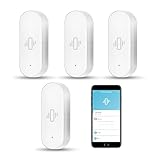
Overview: This WiFi-enabled vibration sensor bridges the gap between traditional alarms and smart home security. The four-pack system connects directly to your 2.4GHz network, delivering instant smartphone alerts through the Tuya/Smart Life app when doors or windows vibrate. Compatible with Alexa and Google Home, it offers remote monitoring capabilities without requiring a dedicated hub.
What Makes It Stand Out: The app-based control provides historical data logging, allowing you to review sensor activity patterns over time. Adjustable sensitivity ranges from light touches to forceful knocks, enabling precise calibration for each location. The automation potential stands out—you can trigger other Tuya-compatible devices like sirens or lights when vibration is detected, creating a responsive security ecosystem. Included AAA batteries and tool-free installation enhance the user-friendly experience.
Value for Money: At $37.99 for four units ($9.50 each), this system commands a premium over basic alarms but undercuts many smart home alternatives. The included batteries and WiFi connectivity justify the higher price point. For users wanting app control without investing in a ZigBee or Z-Wave hub, this represents a sweet spot of convenience and capability, though per-unit cost is significantly higher than non-smart options.
Strengths and Weaknesses: Strengths include WiFi connectivity without hub requirements, app alerts with history tracking, Alexa/Google integration, included batteries, and smart device automation. The adjustable sensitivity is effective. Weaknesses are 2.4GHz-only limitation, dependency on internet connectivity and third-party app reliability, potentially shorter battery life from WiFi usage, and lack of local alarm control during internet outages.
Bottom Line: An excellent middle-ground solution for tech-savvy users wanting smartphone alerts and voice integration without committing to a full smart home hub ecosystem. Reliable connectivity is essential for optimal performance.
6. CATSONIC Premium Window Alarm Device Set - Extra Loud 130dB Alarm & Vibration Sensors - Universal Compatibility & Easy Installation - Great for Home, Office & RV Security (6 Set Black)
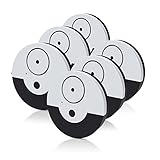
Overview: The CATSONIC Premium Window Alarm Device Set delivers straightforward perimeter security with six independent units designed for rapid deployment. Each sensor attaches directly to glass surfaces, detecting vibrations from break-in attempts and triggering an ear-piercing 130dB siren. Ideal for renters and homeowners seeking immediate, tool-free window protection without complex wiring or monitoring contracts.
What Makes It Stand Out: This system excels in sheer simplicity and coverage volume. The one-minute peel-and-stick installation requires zero technical skill, while the mute switch allows quick silencing without disarming the unit completely. The vibration sensor specifically targets forced glass entry—a critical distinction from magnetic sensors that miss break-ins where windows remain closed. The six-pack configuration lets you secure an entire floor simultaneously.
Value for Money: At $27.49 for six units ($4.58 per alarm), this represents exceptional bulk value compared to single-unit competitors. Traditional monitored systems cost hundreds annually, while comparable smart sensors run $15-25 each plus hub fees. The included batteries and absence of subscription costs make this a one-time investment for comprehensive coverage, particularly cost-effective for RVs, apartments, and temporary housing.
Strengths and Weaknesses: Strengths: Six-unit pack covers multiple entry points; genuinely deafening 130dB deterrent; true one-minute installation; no WiFi or hub required; mute function prevents nuisance noise; universally compatible with any glass surface.
Weaknesses: Vibration-only detection may miss quietly opened windows; no smartphone alerts or remote monitoring; cannot adjust sensitivity levels; batteries require manual replacement without low-battery warning; black color may be visible on light frames.
Bottom Line: The CATSONIC set is a no-frills, high-impact security solution perfect for budget-conscious users wanting immediate, reliable window protection. While it lacks smart features, its loud alarm and six-unit value make it highly recommended for supplemental perimeter defense.
7. YoLink LoRa Smart Vibration Sensor; Smart Shock, Glass Break, Tamper, Movement Detector, Generator Running, Email/SMS/Push Alerts, 1/4 Mile Open Air Range, Alexa, Hub is not Included

Overview: The YoLink Smart Vibration Sensor leverages proprietary LoRa technology to monitor remote locations far beyond WiFi reach. This single sensor detects shock, glass break, tampering, and equipment operation, sending smartphone alerts without monthly fees. Designed for tech-savvy homeowners needing coverage in basements, outbuildings, or across large properties where traditional wireless fails.
What Makes It Stand Out: The quarter-mile open-air range dramatically outperforms standard WiFi sensors, penetrating walls and obstructions that cripple competitors. Device-to-device pairing creates autonomous alert chains without internet, perfect for generators or pumps in network dead zones. The versatility to monitor machinery, windows, and storage units from one sensor sets it apart from single-purpose alarms.
Value for Money: Priced at $24.59, the sensor itself is competitive, but the required YoLink hub (sold separately) adds $30-50 to initial costs. However, eliminating monthly monitoring fees saves $100+ annually versus traditional security systems. For rural properties or those needing outbuilding coverage, the extended range eliminates costly infrastructure upgrades, delivering long-term value despite the hub investment.
Strengths and Weaknesses: Strengths: Unmatched 1/4 mile range; no subscription fees; multiple alert methods (email/SMS/push); device-to-device pairing works offline; monitors diverse equipment beyond security; superior obstruction penetration; Alexa integration.
Weaknesses: Hub not included—hidden startup cost; LoRa ecosystem locks you into YoLink accessories; requires stable 2.4GHz WiFi for initial setup; single sensor coverage limits large-scale deployment without multiple units; no local alarm siren on sensor itself.
Bottom Line: The YoLink sensor excels in challenging environments where range is paramount. Despite requiring a hub, its versatility and zero subscription model make it ideal for property owners needing remote monitoring. Recommended for tech users with outbuildings or basement security needs.
8. Window Alarms for Home Security 5 Pack, Glass Break Sensor, Window Sensor for Office Safety, Ultra-Loud 125db Advanced Vibration Sensors, Featuring Low Battery Indicator
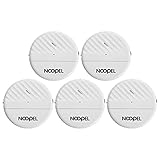
Overview: This five-pack of NOOPEL window alarms provides balanced security with adjustable sensitivity and low-battery monitoring. Each ultra-slim unit detects glass-shattering vibrations, emitting a 125dB alarm for 30 seconds per trigger. The system targets homeowners wanting customizable protection with maintenance visibility, suitable for houses, apartments, and offices requiring reliable local alerts.
What Makes It Stand Out: The roller-based sensitivity adjustment prevents false alarms from environmental vibrations—a critical feature lacking in basic models. The low battery indicator eliminates surprise failures, while the ultra-slim 0.4-inch profile maintains window aesthetics. Including fifteen total batteries (three per unit) provides immediate out-of-box deployment, a convenience detail often overlooked by competitors.
Value for Money: At $32.99 for five units ($6.60 each), pricing sits mid-range between budget bulk packs and premium smart sensors. The adjustable sensitivity and battery monitoring justify the slight premium over basic alarms, reducing long-term maintenance hassle. Compared to $20+ smart sensors requiring hubs, this offers sophisticated features without ecosystem lock-in, delivering solid value for semi-permanent installations.
Strengths and Weaknesses: Strengths: Five-unit pack with batteries included; adjustable sensitivity prevents false triggers; low battery indicator ensures reliability; ultra-slim design; 30-second continuous alarm; easy peel-and-stick installation; no subscription required.
Weaknesses: 125dB is slightly less loud than top competitors; no smartphone connectivity; sensitivity adjustment requires manual access to each unit; batteries are specialty LR44 type; cannot link units together; limited to glass break detection only.
Bottom Line: These NOOPEL alarms strike an excellent balance between features and simplicity. The adjustable sensitivity and battery indicator make them more reliable than basic models. Recommended for users wanting customizable, maintenance-friendly local window security without smart home complexity.
9. 3 Pack Door Alarms with Delay When Left Open 130db Window Break Sliding Siren Vibration Detect Sensor for Home, Apartment Security. Keypad Intruder Burglar Entry Alert. Pool Alarm for Kids Safety

Overview: This three-pack combines magnetic door sensors with vibration detection and keypad control, offering versatile entry monitoring. The system features a 30-second arming delay and PIN-code disarming, making it suitable for main doors, sliding windows, and child safety zones. At $19.99, it targets families needing both security and safety alerts with flexible operation modes.
What Makes It Stand Out: The dual-trigger design (magnetic separation OR vibration) catches both opened doors and broken glass, unlike single-mode sensors. The keypad eliminates remote-control hassle, ideal for children and elderly users. The selectable chime mode transforms it into a non-threatening pool door alarm, while adjustable volume and entry delay provide family-friendly customization rarely seen in budget alarms.
Value for Money: At $6.66 per unit, this pack undercuts most dual-sensor competitors by 30-50%. The inclusion of keypad control and multiple operational modes (alarm/chime, high/low volume) delivers premium features at entry-level pricing. While installation requires careful alignment verification, the versatility as both burglar deterrent and child safety monitor provides exceptional utility per dollar, especially for apartment dwellers.
Strengths and Weaknesses: Strengths: Dual magnetic/vibration detection; keypad operation—no remote needed; 30-second arming delay; 5-10 second disarm window; selectable chime mode for child safety; 130dB maximum volume; three-unit pack; budget-friendly.
Weaknesses: Strict installation requirements—must verify flat surface and gap tolerance; cannot adjust sensitivity; no smart notifications; batteries not included; limited to three units; chime volume may be too soft for large homes.
Bottom Line: This versatile alarm pack excels for families needing both security and child safety features. The keypad and dual sensors offer flexibility unmatched at this price. Highly recommended for apartment residents and parents, provided you verify compatibility during installation.
10. Smart Vibration Sensor: Wireless Glass Break Detector, WiFi Door Sensor with App Alerts, Adjustable Sensitivity, Glass Break Security Sensor for Alarm System and Smart Home Automation (1-Pack)

Overview: This WiFi-enabled vibration sensor delivers app-based monitoring for $13.99, targeting smart home enthusiasts wanting remote glass-break detection. The Tuya-compatible device sends instant smartphone alerts, links with sirens, and records event history. Its adjustable sensitivity and tool-free installation suit renters and homeowners integrating security into existing automation ecosystems without hub requirements.
What Makes It Stand Out: Smart linkage capability distinguishes this budget sensor, allowing it to trigger Tuya-compatible sirens and lights automatically. The app provides real-time alerts and historical data—features typically reserved for $25+ sensors. Adjustable sensitivity from light touch to heavy knock prevents false alarms better than fixed-threshold competitors, while the 3M adhesive enables repositioning without damage.
Value for Money: At $13.99, this is the most affordable app-enabled sensor reviewed, undercutting YoLink and similar brands by 40%+. While it requires 2.4GHz WiFi and a smartphone, eliminating hub and subscription costs makes it nearly as cheap as basic sound-only alarms. For smart home users already invested in Tuya ecosystem, the value is exceptional, though single-unit coverage limits larger properties without multiple purchases.
Strengths and Weaknesses: Strengths: Lowest-cost smart sensor; app notifications and history; adjustable sensitivity; Tuya ecosystem integration; tool-free installation; versatile mounting options; no hub or subscription required; works as doorstop or pool alarm.
Weaknesses: Single sensor only—no multi-pack discount; requires constant 2.4GHz WiFi; no local alarm without paired siren; Tuya ecosystem lock-in; no magnetic door sensor; battery life unlisted; limited to indoor use.
Bottom Line: This sensor democratizes smart security, offering app control at a price rivaling dumb alarms. While ecosystem-dependent, its adjustability and remote monitoring make it ideal for tech-savvy users wanting affordable, expandable protection. Recommended as a starter smart security device.
Understanding Vibration Detection Technology
How These Sensors Actually Work
Vibration detection window sensors use microelectromechanical systems (MEMS) accelerometers—the same technology that tells your smartphone which way is up—to measure minute movements in your window frame. When someone applies force to the glass or attempts to jimmy the lock, the resulting vibrations create a unique frequency signature that the sensor’s algorithm analyzes. Quality sensors don’t just detect movement; they measure the amplitude, duration, and pattern of vibrations to distinguish between a burglar’s deliberate actions and benign disturbances like a passing truck or thunderclap.
The sensor attaches directly to the window glass or frame using industrial-strength adhesive, making it ideal for rental properties. Inside, a tiny piezoelectric crystal converts mechanical stress into electrical signals, which are then processed by an onboard microcontroller. This chip runs complex algorithms that compare incoming vibration patterns against a database of known intrusion attempts. The best sensors can differentiate between someone tapping on the glass, a bird hitting the window, and a crowbar being inserted into the frame—a critical capability that prevents false alarms while ensuring genuine threats never slip through.
The Science Behind Glass Break vs. Vibration Detection
Many renters confuse vibration sensors with glass break detectors, but they’re fundamentally different technologies serving complementary purposes. Glass break sensors are acoustic devices that listen for the specific audio frequency of shattering glass, typically requiring a direct line of sight and covering a limited range. They’re reactive—triggering only after the glass has already broken. Vibration sensors, conversely, are proactive, detecting the physical precursor actions that happen before glass breaks.
The most sophisticated security strategies actually layer both technologies. However, for apartment dwellers, vibration sensors often provide superior value because they catch the subtle testing and prying attempts that precede a smash-and-grab. A determined intruder doesn’t immediately shatter a window—that creates noise and attracts attention. Instead, they first test if it’s unlocked, then attempt to quietly pry it open. Vibration sensors catch these initial, quieter attempts, giving you an early warning that acoustic sensors would miss entirely.
Why Apartment Dwellers Need Specialized Security
The Unique Vulnerabilities of Rental Properties
Apartment windows face threats that suburban homes typically don’t. Ground-floor units present obvious targets, but even upper floors aren’t immune—balconies provide access points, and fire escapes can serve as ladders for determined criminals. The close proximity of neighbors means you share security risks; if the unit next to you gets compromised, your window might be next on the target list. Additionally, the high turnover rate in apartment complexes means strangers frequently have legitimate access to the building, making it easier for someone to blend in while scouting vulnerabilities.
The construction quality of many rental properties also plays a role. Landlords often prioritize cost over security, installing basic single-pane windows with simple latches rather than reinforced frames and multi-point locking systems. These weaker structures transmit vibrations more readily, which actually works in your favor with quality sensors—they’ll detect intrusion attempts faster on a flimsy window than a fortified one. Understanding this dynamic helps you position sensors where they’ll be most effective.
Landlord Restrictions and Workarounds
Most standard lease agreements contain clauses prohibiting “alterations” to the property, which landlords interpret to include drilling holes, running wires through walls, or installing permanent fixtures. This is where vibration sensors’ renter-friendly design becomes crucial. Since they mount with adhesive and operate wirelessly, they don’t technically modify the property. However, you should still review your lease and, ideally, get written permission for security devices.
When approaching your landlord, frame the conversation around mutual benefits. Emphasize that the sensors are completely removable, leave no damage, and actually protect their property from break-in damage. Offer to provide the sensors’ specifications and installation method in writing. Some forward-thinking landlords might even reimburse you or offer a rent discount for enhancing the unit’s security. If you encounter resistance, focus on temporary mounting solutions like 3M Command strips designed for electronics, which can support lightweight sensors while being explicitly designed for damage-free removal.
Key Features That Define Quality Sensors
Sensitivity Adjustment Capabilities
The difference between a reliable security system and a nuisance alarm factory often comes down to sensitivity settings. Premium vibration sensors offer multiple adjustment levels, typically ranging from 1-10 or low-high-maximum configurations. This flexibility is non-negotiable for apartment use because your environment changes constantly—construction down the street, new neighbors with heavy footsteps above you, or seasonal factors like storms all affect vibration levels.
Look for sensors that allow you to adjust sensitivity through a mobile app rather than requiring physical button presses on the device itself. This lets you fine-tune settings from your couch after observing patterns for a few days. The best systems even offer scheduling—perhaps reducing sensitivity during rush hour when traffic vibrations peak, then ramping it up overnight. Some advanced models use machine learning to automatically adjust based on your feedback, essentially asking “Was this a false alarm?” after each trigger and adapting accordingly.
Wireless Range and Connectivity Standards
Your sensor is only as good as its ability to communicate with your hub or smartphone. Most modern sensors use Zigbee, Z-Wave, or proprietary RF protocols, each with distinct advantages for apartment living. Zigbee 3.0 and Z-Wave Plus create mesh networks where each device strengthens the signal for others—crucial in concrete apartment buildings where signals struggle to penetrate walls. These protocols typically offer 100-300 feet of range indoors, but that drops dramatically with each wall or floor between sensor and hub.
Wi-Fi sensors seem convenient but can overwhelm your network if you install multiple units, plus they consume battery much faster. For most renters, a Zigbee or Z-Wave sensor paired with a compatible hub provides the best balance of reliability and efficiency. Before purchasing, map the distance from your windows to where you’ll place the hub, counting walls and floors. If you have a particularly challenging layout, consider sensors with external antennas or the ability to act as repeaters themselves.
Battery Life Expectations
Nothing compromises security like a dead sensor you thought was working. Battery life varies wildly—from six months with basic coin cells to five years with lithium thionyl chloride batteries. The advertised lifespan depends heavily on usage patterns; a sensor triggering false alarms daily will drain much faster than one in quiet mode. Temperature extremes near windows also affect battery performance, with cold being particularly brutal on coin cells.
Look for sensors with battery level reporting in their app, ideally with low-battery alerts at 30% and 10% remaining. Some premium models use energy harvesting, supplementing battery power with tiny solar cells that capture ambient light through your window—extending life indefinitely in well-lit rooms. When evaluating cost, factor in battery replacement expenses; a $20 sensor needing $5 batteries yearly becomes more expensive over five years than a $40 sensor with a sealed 5-year battery.
Weather Resistance for All Window Types
If you’re mounting sensors on exterior windows, they’ll face humidity, temperature swings, and condensation. While most of the sensor sits inside, the adhesive bond and any seams must withstand these conditions. Check the IP rating—IP65 means dust-tight and protected against water jets, while IP67 indicates it can survive temporary immersion. For interior-mounted sensors, IP54 (splash-resistant) usually suffices.
Consider your window type: single-hung, double-hung, casement, sliding, or fixed picture windows each present different mounting challenges. Casement windows that crank open require sensors with flexible mounting orientations, while sliding windows need slim profiles that don’t interfere with operation. For double-pane or thermal windows, ensure the sensor’s adhesive is compatible with low-E coatings and won’t damage the glass or frame finish upon removal.
Installation Strategies for Renters
No-Drill Mounting Solutions
The golden rule of renter-friendly installation is: if it can’t be removed with a hair dryer and some patience, don’t use it. Industrial-strength foam adhesive pads, 3M VHB tape, and specialized security sensor adhesives provide holding power exceeding 10 pounds while remaining removable. The key is surface preparation—clean the mounting area with isopropyl alcohol, let it dry completely, then apply firm pressure for 30 seconds.
For extra security without extra permanence, consider using clear silicone gel pads that create a suction-like bond. These can hold sensors weighing up to half a pound and peel off cleanly. Some renters even use museum putty or earthquake gel, which secures the sensor while allowing easy removal. Whatever method you choose, test the bond for 24 hours before activating the sensor, and always have a backup plan for repositioning if needed.
Optimal Placement for Maximum Coverage
Placement dramatically affects performance. For sliding windows, mount the sensor on the non-moving frame near the lock mechanism—this catches prying attempts where they’re most likely to occur. On double-hung windows, the lower corner opposite the lock provides the best vibration transmission. Picture windows benefit from central placement, about one-third down from the top, where glass flex is most pronounced during forced entry attempts.
Avoid mounting directly on thermal pane spacers or frames with heavy insulation, as these dampen vibrations. The sensor should make direct contact with the primary structural element. For casement windows, place the sensor on the frame near the hinge; if someone tries to force the window open, the hinge area experiences the most stress. Always orient the sensor so its antenna faces toward your hub, and keep it at least two inches from any metal framing that could create RF interference.
Tools You’ll Need (and Won’t Need)
The beauty of modern vibration sensors is the minimal tool requirement. You’ll need isopropyl alcohol and lint-free cloths for cleaning, a tape measure for precise placement, and painter’s tape to temporarily hold the sensor while you test positions. A smartphone with a signal strength meter (often built into the sensor’s app) helps verify connectivity before final mounting.
What you won’t need is equally important: no drill, no screws, no wire strippers, no drywall anchors. This keeps your security upgrade completely within most lease agreements. Some sensors include small bubble levels to ensure proper orientation, but your phone’s level app works just as well. Keep a plastic putty knife handy for eventual removal—it helps gently pry the sensor off without damaging surfaces.
Smart Home Integration Possibilities
Compatible Protocols and Hubs
Your sensor’s intelligence multiplies when connected to a broader smart home ecosystem. Zigbee sensors pair with hubs like SmartThings, Hubitat, or Amazon Echo Plus, allowing you to create complex automation rules. For example, a vibration alert could trigger not just a siren but also turn on all lights, send camera footage to your phone, and lock smart door locks automatically. Z-Wave sensors offer similar capabilities with hubs like Vera or Home Assistant.
Proprietary RF systems often come with their own hubs and may limit integration, but sometimes offer tighter security through closed ecosystems. Before committing, check if the sensor supports IFTTT (If This Then That) or has an open API—this future-proofs your investment against hub obsolescence. The Matter standard, emerging in 2024, promises universal compatibility; sensors supporting Matter will work with Apple HomeKit, Google Home, and Amazon Alexa simultaneously.
App Features That Actually Matter
A flashy app means nothing if it lacks core functionality. The best security apps provide real-time push notifications with rich context—showing not just “vibration detected” but the intensity level, duration, and even a timestamped graph of the event. Look for geofencing capabilities that automatically arm sensors when you leave and disarm when you return, eliminating the forgetfulness factor.
Multi-user access is crucial for households; everyone should receive alerts and have control permissions. Activity logs should be exportable, which helps with police reports or insurance claims. Some apps offer “neighbor mode,” allowing you to grant temporary access to trusted friends who are checking on your place. Perhaps most importantly, the app should work locally without internet—if your Wi-Fi goes down, cellular backup ensures alerts still reach you.
Voice Assistant Compatibility
“Alexa, arm the windows” or “Hey Google, is my bedroom window secure?” These voice commands transform your security system from a passive alert tool into an interactive home guardian. When evaluating sensors, verify which voice assistants they support natively. Siri shortcuts integration allows iPhone users to create custom voice commands, while Alexa and Google Assistant support more natural language queries.
Beyond arming and disarming, advanced integrations let you ask about sensor status, battery levels, and recent activity. You can create routines where saying “Goodnight” arms all window sensors, dims lights, and locks doors. However, be cautious about voice disarming—ensure your system requires a PIN code to prevent someone from yelling through a window to disable your security.
Avoiding False Alarms: The Technology and Tactics
AI-Powered Learning Features
The latest generation of vibration sensors incorporates machine learning algorithms that build a profile of your home’s normal vibration patterns. During a one-week learning period, the sensor logs every vibration event—passing trains, your neighbor’s subwoofer, the garbage truck at 6 AM—and learns to filter these out. When an unusual pattern emerges, like the sharp, sustained vibrations of a pry bar, it flags it as a genuine threat.
Some systems use cloud-based AI that improves across all users’ data, recognizing new types of environmental noise globally. Others keep processing local for privacy, learning only from your specific environment. The trade-off is between a more intelligent system and one that doesn’t share your data. Look for sensors that let you toggle AI learning on or off and provide transparency about what data leaves your home.
Environmental Factor Filtering
Even without AI, good sensors include physical and software filters. High-pass filters ignore low-frequency vibrations from distant traffic, while low-pass filters eliminate high-frequency noise from HVAC systems. Temperature compensation circuits adjust sensitivity as the window frame expands and contracts with weather changes. Some sensors include built-in microphones that listen for corroborating sounds, only triggering an alarm if both vibration and suspicious audio are detected.
Placement tactics also reduce false alarms. Mounting sensors on the frame rather than the glass filters out wind-induced pane vibrations. Keeping them away from air vents prevents HVAC-triggered alerts. During severe weather, most apps allow you to temporarily reduce sensitivity or switch to “storm mode,” which requires stronger vibration signatures to trigger. The key is a system that adapts to your environment rather than forcing you to adapt to its limitations.
Privacy and Data Security Considerations
Local vs. Cloud Processing
Every time your sensor sends data to the cloud, it creates a potential privacy vulnerability. Local processing keeps all vibration data within your home network, with only alert notifications reaching external servers. This approach prevents hackers from accessing detailed information about your daily routines or, worse, using sensor data to determine when you’re not home.
However, local processing limits some advanced features. Cloud-based systems can offer more sophisticated AI analysis, remote access from anywhere without complex network configuration, and automatic firmware updates. The sweet spot is hybrid processing: raw vibration data stays local, but anonymized pattern summaries go to the cloud for AI improvement. When evaluating sensors, read the privacy policy carefully—some companies reserve the right to share “aggregated data” with third parties, which could include your usage patterns.
Data Encryption Standards
Your window sensor is a potential entry point for digital intruders. Ensure any sensor you consider uses AES-128 or AES-256 encryption for all communications. Zigbee 3.0 and Z-Wave S2 security frameworks include this encryption natively, while Wi-Fi sensors should support WPA3. The device itself should have secure boot capabilities, preventing malicious firmware from being installed.
Look for sensors that undergo regular third-party security audits and have a published vulnerability disclosure program. Companies that offer bug bounties demonstrate confidence in their security posture. Avoid sensors that still use default passwords or transmit data in plain text—these are red flags in 2024’s security landscape. Remember, a cheap sensor that compromises your network security costs far more than a premium one that protects it.
Cost Analysis: What Should You Budget?
Initial Investment vs. Subscription Models
Vibration sensors range from $15 budget models to $60 premium units, but the hardware cost is only part of the equation. Many manufacturers subsidize cheap hardware with mandatory subscription fees for app access, cloud storage, and alert services. A $20 sensor requiring a $5/month subscription costs $140 over two years, while a $50 sensor with no subscription fees saves money long-term.
Evaluate what features truly require a subscription. Basic push notifications and local control should always be free. Subscriptions are justifiable for professional monitoring, cellular backup, and cloud video storage. Some companies offer tiered plans—free for basic use, $3/month for advanced features, $10/month for professional monitoring. For apartment renters, the middle tier usually provides the best value, offering smartphone control and automation without the expense of full professional monitoring that might be overkill for a rental.
Hidden Costs to Watch For
Beyond subscriptions, factor in hub costs if you don’t already own one. A quality Zigbee or Z-Wave hub runs $50-$100 but supports dozens of devices. Battery replacement is another ongoing expense; proprietary batteries cost more than standard coin cells. Some sensors require proprietary mounting brackets or adhesive pads that cost extra.
Insurance discounts can offset costs—many providers offer 5-10% discounts for monitored security systems, even self-monitored ones. Keep receipts and take photos of your installation for insurance documentation. Also consider the cost of your time: sensors with complex setup processes or unreliable connectivity will cost you hours in troubleshooting. Reading user reviews about setup difficulty can reveal these hidden time sinks before you buy.
Maintenance and Troubleshooting
Battery Management Best Practices
Don’t wait for low-battery alerts. Create a maintenance schedule: check battery levels monthly through the app, and replace batteries annually as preventive maintenance. Keep a log of installation dates and battery types for each sensor. Store replacement batteries in a cool, dry place—heat degrades them even before use.
For sensors with rechargeable batteries, establish a charging routine. Some renters swap batteries on the first of each month, keeping a charged spare set always ready. If a sensor drains batteries unusually fast, it often indicates poor signal strength—the device is working overtime to maintain connection. Address the root cause rather than just replacing batteries repeatedly.
Signal Strength Optimization
Weak signals lead to missed alerts and rapid battery drain. Most apps display signal strength in RSSI (Received Signal Strength Indicator) values; aim for -70 dBm or better. If signals are weak, try repositioning your hub to a more central location or adding a powered repeater device like a smart plug halfway between hub and sensor.
Metal window frames and Low-E glass coatings can block RF signals. If you suspect interference, test the sensor with the window open versus closed. Sometimes mounting on the interior trim rather than the frame itself improves signal. For stubborn cases, external antennas or sensors with signal boosters can bridge the gap, though these may require more creative mounting solutions.
When to Reset or Recalibrate
If a sensor starts triggering false alarms after months of reliable operation, it may need recalibration. Temperature changes can affect the MEMS accelerometer’s baseline readings. Most apps include a “calibrate” function that resets the sensor’s understanding of “normal” vibrations. Do this after major weather changes or if you’ve rearranged furniture that might affect acoustic resonance.
A full factory reset is the nuclear option, usually reserved for when sensors won’t pair or behave erratically after firmware updates. Before resetting, document your settings—sensitivity levels, automation rules, naming conventions—as these will be lost. After reset, run through the learning period again rather than immediately maxing out sensitivity. Sometimes sensors need a fresh start to perform optimally.
Legal and Lease Considerations
Understanding Your Rights as a Renter
Tenant rights regarding security modifications vary by state and municipality, but most jurisdictions allow non-permanent security additions. The key legal principle is “non-destructive installation.” Since vibration sensors use adhesive, they typically fall under permitted modifications like hanging pictures. However, some leases have overly broad clauses prohibiting any alterations, which may not hold up in court but can still cause landlord friction.
Research your local tenant laws. Some cities, like New York and San Francisco, have explicit ordinances allowing renters to install security devices. Others follow the “quiet enjoyment” doctrine, which implies you can take reasonable measures to secure your dwelling. Keep documentation: photos of the pristine condition before installation, product specifications showing non-damaging methods, and any correspondence with your landlord. If you face pushback, a lawyer consultation might be worthwhile—often a letter on legal letterhead resolves disputes quickly.
Negotiating with Your Landlord
Approach negotiations as a partnership, not a confrontation. Prepare a brief proposal highlighting benefits: reduced break-in risk protects their property, potential insurance discounts for them, and increased property value. Offer to share sensor access or provide them with activity reports. Some landlords appreciate being able to verify window security between tenants.
If they’re concerned about damage, suggest a holdback from your security deposit specifically for potential window frame cleaning, or offer to pay for professional cleaning upon move-out. Get any agreement in writing, even if it’s just an email confirmation. For particularly difficult landlords, consider offering to install sensors on interior windows only—like those facing a shared hallway—demonstrating compromise while still securing vulnerable entry points.
Comparing Security Layer Options
Vibration Sensors vs. Traditional Contacts
Traditional magnetic contact sensors only alert when a window actually opens, missing the critical pre-entry phase where an intruder tests and pries. They’re also useless on fixed windows that don’t open. Vibration sensors provide earlier warning and work on any window type. However, contacts excel at confirming a window is truly closed and locked—something vibration sensors can’t verify.
The ideal apartment setup uses both: contacts on operable windows for status monitoring, and vibration sensors on all windows for intrusion detection. This layered approach costs more but eliminates blind spots. For budget-conscious renters, prioritize vibration sensors on ground-floor and accessible windows, using contacts only on bedroom windows you open regularly for ventilation.
When to Combine Multiple Sensor Types
Security works best in depth. Combine vibration sensors with door sensors, motion detectors, and cameras for comprehensive coverage. Create automation logic: a vibration alert followed by a door opening triggers maximum alarm, while vibration alone might just send a notification. This reduces false alarm fatigue while ensuring genuine threats get immediate response.
Consider environmental sensors too. A window left open during rain can cause expensive damage; some vibration sensors include tilt detection that alerts you to open windows. Integration with smart thermostats can pause HVAC when windows are open, saving energy. The goal is a cohesive system where each sensor type compensates for others’ weaknesses, creating a security fabric that’s greater than the sum of its parts.
Future-Proofing Your Security Setup
Emerging Technologies on the Horizon
The next wave of vibration sensors will incorporate millimeter-wave radar, detecting not just vibrations but actual human presence through glass. This technology can distinguish between a person approaching your window and a branch hitting it, virtually eliminating false alarms. Edge AI chips are becoming standard, allowing sensors to run complex neural networks locally without cloud dependency.
Energy harvesting is advancing rapidly; future sensors may use tiny solar panels combined with thermoelectric generators that harvest energy from temperature differences between indoor and outdoor environments. This could make battery changes a thing of the past. Wi-Fi HaLow (802.11ah) promises kilometer-range Wi-Fi with lower power consumption than current protocols, potentially eliminating the need for separate hubs.
Upgrade Path Planning
Choose sensors from manufacturers with a track record of firmware updates and backward compatibility. A sensor that receives new features via software updates protects your investment. Look for modular systems where you can add components later—perhaps starting with basic vibration detection now and adding glass break audio detection later through a firmware upgrade or snap-on module.
Consider the hub ecosystem more than individual sensors. A hub that supports multiple protocols and has an active developer community ensures you can integrate future devices regardless of brand. Home Assistant, Hubitat, and SmartThings have strong community support and frequent updates. Avoid proprietary systems that lock you into a single manufacturer’s ecosystem; they may become obsolete or discontinued, leaving you with expensive paperweights.
Frequently Asked Questions
1. Will vibration sensors damage my windows or frames when removed?
No, when installed correctly with renter-friendly adhesive, quality vibration sensors remove cleanly without etching glass or stripping paint. Use a hair dryer to warm the adhesive for 30 seconds, then gently pry with a plastic putty knife. Any residue cleans off with adhesive remover or rubbing alcohol. Always test adhesives on an inconspicuous area first.
2. Can my neighbor’s loud music trigger false alarms on my vibration sensors?
It’s unlikely with properly configured sensors. Quality models filter out sustained low-frequency vibrations typical of music and bass. If you experience false triggers, reduce sensitivity slightly or enable “ambient noise” filtering in the app. Mounting the sensor on the window frame instead of the glass also dampens acoustic interference.
3. Do these sensors work on double-pane or energy-efficient windows?
Yes, but placement matters. Double-pane windows actually transmit vibrations more clearly between panes, improving detection. However, Low-E coatings can interfere with wireless signals. Mount sensors on the interior frame rather than the glass itself if you experience connectivity issues. The adhesive is safe for all glass types, including tempered and coated varieties.
4. What’s the realistic range for wireless vibration sensors in an apartment building?
In typical drywall construction, expect 30-50 feet through walls to your hub. Concrete or brick reduces this to 15-25 feet. Zigbee and Z-Wave create mesh networks, so each powered device extends the range. For large apartments or those with dense walls, position a smart plug or light switch halfway between distant sensors and your hub to act as a repeater.
5. Are vibration sensors pet-friendly? Will my cat trigger them?
Cats jumping onto windowsills generally won’t trigger properly adjusted sensors. The vibrations from a 10-pound cat are brief and low-amplitude compared to the sustained, high-amplitude vibrations of prying tools. Set sensitivity to medium-high and enable “pet mode” if available. Test by having your pet jump on the sill while you’re home to verify settings.
6. Can I take my sensors with me when I move?
Absolutely—this is their biggest advantage for renters. Document the original condition with photos before installation. When moving, remove sensors carefully, clean any residue, and patch small marks with touch-up paint if needed. Keep original packaging for transport. Most manufacturers let you reset devices and pair them with a new hub at your next apartment.
7. How do vibration sensors compare to window security film?
They serve different purposes. Security film makes glass harder to break and holds it together if shattered. Vibration sensors alert you to intrusion attempts before the glass breaks. For comprehensive protection, use both: film delays entry, while sensors provide early warning. Film is permanent and requires landlord approval; sensors are temporary and renter-friendly.
8. Do I need a hub, or can I use sensors standalone?
Basic sensors work standalone, sending alerts via Wi-Fi directly to your phone. However, hubs unlock automation, battery life optimization, and local control. For a single window, standalone might suffice. For whole-apartment security, a hub is essential. Many renters start with one sensor and a hub, then expand gradually as budget allows.
9. What happens during a power outage?
Battery-powered sensors continue working normally. The hub is your weak link—if it loses power, you lose remote alerts. Solutions include: a UPS battery backup for your hub ($50-100), cellular backup modules for professional monitoring systems, or using a hub with built-in battery backup. Some sensors store events locally and sync when power returns.
10. Can vibration sensors integrate with my existing security system?
It depends on protocol compatibility. If you have a Z-Wave or Zigbee security system, most sensors will integrate seamlessly. Proprietary systems (like many alarm company panels) may require a translator hub or might not work at all. Check your existing system’s documentation for supported device types. Many modern panels include Z-Wave radios specifically to support third-party sensors like these.