Imagine walking into your home after a long day, and with a simple voice command, the lights adjust to a calming hue, your favorite playlist starts softly, and the thermostat ensures the perfect temperature greets you. This seamless experience isn’t magic—it’s the quiet power of a well-chosen smart home hub acting as the central nervous system of your connected space. Yet, for many, the dream of a truly integrated smart home feels out of reach, often dismissed as too expensive or overly complex. The reality in 2026, however, is that powerful, reliable hubs no longer demand a premium price tag. Affordable options now deliver robust performance, extensive compatibility, and essential security features, proving that a cohesive smart home ecosystem is genuinely within budget for everyday users.
Gone are the days when “affordable” meant sacrificing core functionality or future-proofing your investment. Today’s budget-conscious smart home hubs intelligently balance cost with critical capabilities, offering surprising sophistication without the sticker shock. They prioritize what truly matters: seamless communication between diverse devices, reliable local processing to keep things running even when the internet stutters, and straightforward setup that doesn’t require a tech degree. Understanding what makes these hubs tick—and knowing exactly which features are non-negotiable versus nice-to-haves—is the key to unlocking significant value. This guide cuts through the noise, focusing squarely on the essential criteria that define a truly affordable yet high-quality smart home hub in the current landscape, empowering you to make a confident, cost-effective choice.
Top 10 Smart Home Hubs
Detailed Product Reviews
1. Aeotec Smart Home Hub, Works as a SmartThings Hub, Z-Wave, Zigbee, Matter Gateway, Compatible with Alexa, Google Assistant, WiFi

Overview:
The Aeotec Smart Home Hub serves as a dedicated SmartThings hub, unifying Z-Wave, Zigbee, Matter, and Wi-Fi devices into a single ecosystem. Designed for North American users, it enables centralized control of lighting, security, climate, and energy systems via the SmartThings app or voice assistants like Alexa and Google Assistant. Its local automation processing ensures reliability even during internet outages.
What Makes It Stand Out:
Unlike display-based competitors, Aeotec excels as a pure connectivity hub with Matter certification and Z-Wave Plus (V3) support, bridging older and newer smart devices seamlessly. Local automation execution eliminates cloud dependency for critical routines, while dual Wi-Fi/Ethernet setup offers flexible installation. Its agnostic compatibility—supporting non-Samsung brands—makes it ideal for complex, multi-protocol smart homes.
Value for Money:
Priced competitively against standalone hubs, it eliminates the need for multiple gateways in diverse ecosystems. While lacking a built-in display, its focus on robust backend connectivity delivers superior value for tech-savvy users over all-in-one displays that may compromise on protocol depth. Cheaper hubs often omit Matter or Z-Wave, justifying Aeotec’s investment for future-proofing.
Strengths and Weaknesses:
Strengths: Extensive device compatibility; reliable local processing; dual connectivity options; Matter/Z-Wave support. Weaknesses: No visual interface; region-locked to North America; requires SmartThings app (no standalone Aeotec app); limited appeal for display-focused users.
Bottom Line:
Essential for advanced smart home builders prioritizing protocol diversity and local automation. Avoid if you prefer touchscreen control, but highly recommended for seamless, resilient ecosystem integration at its price point.
2. Amazon Echo Hub, 8” smart home control panel, Designed for Alexa+, Compatible with thousands of devices

Overview:
Amazon’s Echo Hub is an 8-inch wall-mounted touch display designed as a central command center for Alexa-powered smart homes. It consolidates device control, security monitoring, and routine management into a single glanceable interface, supporting Wi-Fi, Zigbee, Matter, Thread, and Sidewalk protocols without requiring additional hubs.
What Makes It Stand Out:
Its customizable dashboard allows personalized widgets for cameras, thermostats, and routines, while the wall-mount design (with optional cable-hiding accessories) ensures permanent placement in high-traffic areas. Seamless integration with Alexa+ security features—like arming systems or viewing camera feeds—sets it apart from generic displays, emphasizing home safety.
Value for Money:
Competitively priced against similar control panels, it justifies cost through native hub functionality (saving $50+ on separate hubs) and Alexa+ features. However, essential accessories like wall-mount kits or PoE adapters sold separately inflate the true cost, slightly reducing value for tidy installations.
Strengths and Weaknesses:
Strengths: Intuitive Alexa integration; extensive device compatibility; security-centric features; wall-mount versatility. Weaknesses: No built-in speakers; bare-bones audio for alarms; cable management requires extra purchases; limited third-party app support beyond Alexa.
Bottom Line:
A streamlined security-focused hub ideal for Alexa devotees seeking a clutter-free wall command center. Best for those already invested in Alexa ecosystems, though accessory costs warrant consideration before purchase.
3. Amazon Echo Show 15 (newest model), Full HD 15.6" kitchen hub for home organization, with built-in Fire TV, Designed for Alexa+

Overview:
The Echo Show 15 is a 15.6-inch Full HD smart display optimized as a kitchen and family organizational hub. It combines Fire TV streaming, customizable widgets for calendars/todo lists, smart home controls, and photo slideshows, targeting households needing a central information station.
What Makes It Stand Out:
Its massive screen excels for recipe viewing and family calendars, while built-in Fire TV (with included remote) eliminates external streaming sticks. Unique “Active Media” lets users dynamically add rooms to audio streams, and auto-curated photo slideshows transform it into a digital frame—features absent in smaller Echo models.
Value for Money:
Priced higher than basic displays, it justifies cost through Fire TV integration (saving $40 on a separate stick) and unparalleled kitchen utility. Competitors like Lenovo Smart Displays lack native streaming, but the Show 15’s size may overwhelm smaller spaces, limiting versatility.
Strengths and Weaknesses:
Strengths: Excellent screen size for recipes; seamless Fire TV; family organization tools; vibrant sound; photo curation. Weaknesses: Bulky for countertops; no temperature/motion sensors; Fire TV subscriptions required for premium content; limited smart home customization vs. Echo Hub.
Bottom Line:
The definitive kitchen companion for Fire TV users and busy families. Prioritize if space allows and Fire TV is valued; consider smaller models if portability or dedicated smart home control is primary.
4. Amazon Echo Spot (newest model), Great for nightstands, offices and kitchens, Smart alarm clock, Designed for Alexa+, Black

Overview:
The Echo Spot is a compact, spherical smart alarm clock with a 2.7-inch display, tailored for bedside or desk use. It delivers time, weather, smart home controls, and vibrant audio in a minimalist design, emphasizing gentle wake-up routines and glanceable information.
What Makes It Stand Out:
Its unique rotating spherical form and customizable clock faces blend retro aesthetics with modern tech. The “gradual light” wake-up feature syncs with alarms for natural rising, while surprisingly rich audio (for its size) supports music/podcasts. Motion-triggered routines—like dimming lights when entering a room—enhance its contextual utility.
Value for Money:
Affordably positioned as a premium alarm clock, it outperforms traditional models with Alexa integration and smart home control. Though pricier than basic clocks, its dual role as audio device and smart hub offers strong value for small-space automation, undercutting larger displays.
Strengths and Weaknesses:
Strengths: Compact, stylish design; excellent audio clarity; intuitive alarm routines; motion-aware features; versatile placement. Weaknesses: Tiny screen limits content; no video calling; limited widget customization; not ideal for recipe viewing or security monitoring.
Bottom Line:
Perfect for nightstands or desks where space is limited but smart functionality is desired. A top pick for alarm-centric use cases, though avoid if larger displays for media or security are needed.
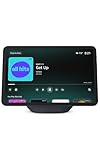
5. Amazon Echo Show 11 (newest model), Vibrant Full-HD 11" display with more viewing area and spatial audio, Designed for Alexa+, Graphite
Overview:
The Echo Show 11 bridges size and portability with an 11-inch Full HD display, 60% larger than the Show 8. It targets living rooms or offices with spatial audio, smart home control, and Alexa+ features like personalized recommendations, emphasizing entertainment and daily assistance.
What Makes It Stand Out:
Its “Omnisense” technology enables presence/temperature-triggered routines (e.g., adjusting thermostats when leaving), while spatial audio delivers immersive sound. The centered auto-framing camera with 3.3x zoom optimizes video calls, and the expanded screen excels for recipes or calendars—outperforming smaller models in multitasking.
Value for Money:
Priced mid-range, it offers the best balance of screen real estate and audio quality in Amazon’s lineup. The 60% larger display versus Show 8 justifies the $50 premium, though Fire TV integration lags behind Show 15. Ideal for users wanting more than Show 8 without Show 15’s bulk.
Strengths and Weaknesses:
Strengths: Optimal screen-to-size ratio; exceptional spatial audio; advanced presence detection; versatile placement; clear video calling. Weaknesses: No built-in Fire TV; weaker bass than Show 15; limited smart home customization vs. Echo Hub; premium color variants cost extra.
Bottom Line:
The most versatile all-rounder for living spaces needing reliable smart control, entertainment, and communication. Recommended for most households over Show 8, but choose Show 15 if Fire TV or kitchen use is paramount.
6. Smart Home Starter Kit | Includes Echo Hub, Amazon Smart Plug and 4 Amazon Basics Smart Bulbs, Designed for Alexa+

Overview:
This all-in-one kit simplifies smart home adoption for beginners, bundling Amazon’s Echo Hub, a Smart Plug, and four Basics Smart Bulbs. Designed exclusively for Alexa users, it enables centralized control of lights, plugs, and compatible devices through voice commands or the Alexa app, with a focus on effortless setup and basic automation.
What Makes It Stand Out:
The standout feature is its plug-and-play simplicity: unbox, tap the app, and configure everything in minutes. The Echo Hub acts as a unified control center for thousands of Alexa-compatible devices (like Ring cameras), while the included bulbs and plug allow immediate “away mode” lighting simulations for security. No technical expertise is required.
Value for Money:
Priced competitively as a bundle, it offers significant savings versus buying components separately. Ideal for budget-conscious newcomers, though advanced users may find limited customization. It’s a cost-effective gateway to expand into a full Alexa ecosystem later.
Strengths and Weaknesses:
Strengths: Intuitive setup; seamless Alexa integration; practical starter devices; strong security applications via lighting automation. Weaknesses: Limited to Alexa ecosystem (no Google/Apple support); bulbs lack color customization; Hub’s functionality scales poorly for large, multi-protocol setups.
Bottom Line:
Perfect for Alexa-first beginners seeking a hassle-free entry into smart homes. While not suited for advanced automations, its affordability and simplicity make it the top recommendation for first-time adopters.
7. Aqara Smart Home Hub M3 for Advanced Automation, Matter Controller, Thread Border Router, Features Zigbee, Bluetooth, Wi-Fi, PoE, IR, Supports Alexa, Apple HomeKit, SmartThings, Home Assistant, IFTTT

Overview:
The Aqara Hub M3 targets tech-savvy users with its multi-protocol support (Zigbee, Thread, Matter, Bluetooth, Wi-Fi) and edge-based automation. It acts as a central controller for complex smart homes, integrating Aqara devices and third-party ecosystems like Home Assistant, with a focus on local processing and privacy.
What Makes It Stand Out:
Its Matter bridge functionality enables advanced cross-platform automations (e.g., syncing Aqara scenes to Home Assistant), while the Smart IR Blaster learns commands and provides feedback—unusual for IR hubs. PoE support, 8GB encrypted local storage, and Thread border routing ensure enterprise-grade stability and privacy without microphones/cameras.
Value for Money:
Priced higher than entry hubs, it justifies cost for power users needing local automation, Matter compatibility, and support for 254+ devices. Cheaper hubs lack its protocol breadth or edge-processing, making it a long-term investment for scalable, secure ecosystems.
Strengths and Weaknesses:
Strengths: Robust local automation; exceptional Matter/Thread integration; IR blaster with status feedback; PoE/USB-C flexibility; strong privacy focus. Weaknesses: Steep learning curve; complex setup; limited third-party Zigbee support; requires repeaters for large Thread networks.
Bottom Line:
A premium, future-proof hub for advanced users prioritizing local control and Matter compatibility. Avoid if you prefer simplicity, but essential for building a secure, multi-ecosystem smart home.
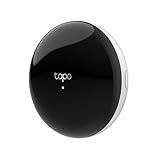
8. Tapo Smart IR & IoT Hub with Chime - Universal Remote for TVs, ACS, & 18+ Device Types, Matter-Certified, Supports 8,000+ Infrared Brands, Voice & App Control, Custom Schedules & Automations, H110
Overview:
TP-Link’s Tapo Hub H110 bridges legacy IR devices (like TVs and ACs) with modern smart homes via Matter certification. It controls 8,000+ IR brands across 18 appliance types, offering app-based scheduling, voice assistant support, and a built-in alarm chime for alerts.
What Makes It Stand Out:
Its universal IR compatibility outshines competitors, supporting obscure legacy brands. Matter certification ensures seamless integration with Alexa, Google, and Apple ecosystems, while CISA’s Secure-by-Design pledge guarantees rigorous cybersecurity—rare in budget IR hubs.
Value for Money:
An affordable mid-tier solution that replaces multiple remotes. Competes with pricier hubs by covering niche IR devices without sacrificing security. Ideal for households with older electronics, though lacks advanced local automations of premium hubs.
Strengths and Weaknesses:
Strengths: Unmatched IR brand support; Matter-certified for cross-platform use; strong cybersecurity; intuitive Tapo app; built-in chime for alerts. Weaknesses: No Thread/Zigbee; limited to IR/Wi-Fi devices; automations require cloud processing; chime volume isn’t adjustable.
Bottom Line:
The best value for consolidating legacy IR devices into a secure, voice-controlled smart home. Choose this over basic remotes, but opt for Aqara/Hue hubs if expanding beyond IR appliances.
9. Amazon Echo Show 5 (newest model), Smart display, Designed for Alexa+, 2x the bass and clearer sound, Glacier White

Overview:
Amazon’s compact Echo Show 5 delivers a 5.5” display for visual Alexa interactions, featuring upgraded audio (doubled bass) and HD video calling. It integrates with smart homes for device control, media streaming, photo displays, and security monitoring via its camera.
What Makes It Stand Out:
The refreshed audio hardware provides surprisingly rich sound for its size, enhancing music and call clarity. “Glance” mode shows glanceable info (weather, timers) without activation, while hands-free Drop In and unlimited Prime photo storage add unique utility for families.
Value for Money:
Competitively priced for a smart display, it outperforms budget rivals in audio quality and Alexa integration. However, the 720p camera and basic display lag behind premium models like Echo Show 15—best for secondary rooms where space is limited.
Strengths and Weaknesses:
Strengths: Excellent audio upgrade; intuitive Alexa-centric interface; useful photo display; compact design; strong smart home control. Weaknesses: Low-resolution camera; limited viewing angles; privacy concerns with always-on mic/camera; no physical shutter.
Bottom Line:
A refined, space-saving display ideal for bedside or kitchen use, especially for Prime members. Its audio leap makes it worthwhile for Alexa loyalists, but privacy-conscious users should consider alternatives.
Understanding the Role of a Smart Home Hub
Why a Dedicated Hub Outperforms Your Phone or Speaker
Relying solely on your smartphone or a voice assistant speaker for smart home control creates inherent limitations. These devices depend entirely on your home Wi-Fi and the cloud, meaning commands fail the moment your internet connection dips. A dedicated hub, however, often processes commands locally on your network. This translates to faster response times for critical actions (like unlocking a door or triggering security lights) and ensures core automations continue functioning during internet outages—a crucial reliability factor often overlooked in budget considerations.
The Translation Layer for Device Compatibility
Your smart home likely contains devices using different communication languages—Zigbee for sensors, Z-Wave for locks, Wi-Fi for cameras, and Thread for newer energy-efficient gadgets. A hub acts as the essential translator, speaking all these protocols fluently. Without this central interpreter, devices from different ecosystems often remain isolated islands, unable to communicate or trigger actions based on each other’s status. An affordable hub must support the protocols prevalent in your existing or planned device arsenal to deliver true integration.
Beyond Basic Control: Enabling Advanced Automations
The real power of a hub unlocks when devices work together intelligently. Think motion sensors that don’t just trigger a light but also adjust the thermostat and send a camera snapshot to your phone. This level of sophisticated, multi-device automation requires the processing power and rule-engine capabilities inherent in a dedicated hub. Budget hubs vary significantly here; some handle simple “if this, then that” scenarios well, while others struggle with complex chains, limiting the depth of your smart home experience.
Key Features to Prioritize in Budget Hubs
Essential Protocol Support: Zigbee and Z-Wave
When evaluating affordability, prioritize hubs offering built-in Zigbee and Z-Wave radios. These low-power, mesh-networking protocols are the backbone of reliable, battery-efficient smart home devices (sensors, locks, switches). Relying solely on Wi-Fi for everything drains device batteries faster, congests your main network, and is prone to dropouts. A budget hub without these radios severely restricts your device choices and overall system resilience, ultimately costing more in the long run through limited functionality or needed add-ons.
Local Processing vs. Cloud Reliance: A Critical Distinction
Assess how much a hub depends on the cloud. Hubs that require constant internet connectivity for basic functions become useless during outages. Look for models emphasizing local processing—where automations and device communication happen directly on your home network. While cloud features (like remote access via an app) are useful, core functionality should remain operational offline. Affordable hubs achieving this balance offer significantly better reliability and responsiveness than purely cloud-dependent alternatives.
Voice Assistant Integration Flexibility
Determine your preferred voice ecosystem (Assistant, Alexa, or potentially a new contender in 2026). The best budget hubs offer deep, optional integration with major platforms, allowing voice control without forcing you into a single vendor’s walled garden. Crucially, ensure the hub functions fully via its own app even if you don’t use voice control, providing true independence. Avoid hubs that lock core features behind a specific voice assistant subscription.
Scalability for Future Expansion
An affordable hub today shouldn’t become obsolete tomorrow. Check the maximum number of supported devices—it should comfortably exceed your current count to accommodate future additions like more sensors or smart plugs. Also, consider software update longevity; reputable manufacturers for budget hubs typically commit to several years of firmware updates, adding new features and security patches. A hub with a capped device limit or no clear update policy is a false economy.
Security Considerations for Cost-Effective Hubs
Non-Negotiable Encryption Standards
Security cannot be the casualty of affordability. Ensure any hub you consider employs strong, industry-standard encryption (like TLS 1.2/1.3 and AES-128 or higher) for all data transmissions, both locally and to the cloud. Verify that communication between the hub and your devices (especially using Zigbee or Z-Wave) utilizes robust encryption protocols (like Zigbee 3.0’s enhanced security or Z-Wave S2). Cheap hubs skimping on encryption expose your home network to potential breaches.
Regular Security Patch Commitment
Hardware is only as secure as its latest software. Investigate the manufacturer’s track record. Do they issue regular, timely security updates? How long is the promised support window? A budget hub from a company known for prompt patching is vastly superior to a slightly cheaper one with neglected firmware. Check community forums or tech publications for insights into a brand’s update responsiveness—this is a critical indicator of long-term value.
Local Data Handling and Privacy Policies
Understand where your data lives. Hubs emphasizing local processing keep sensitive information (like motion sensor triggers or door lock status) confined to your home network, minimizing cloud exposure. Scrutinize the manufacturer’s privacy policy: how is anonymized usage data handled? Is there an opt-out? Affordable hubs that prioritize local data processing and offer transparent, user-respecting privacy policies provide essential peace of mind without a premium cost.
Ease of Setup and User Experience
Intuitive Mobile App Interface
The app is your primary control center, so its usability is paramount. A well-designed app for a budget hub should feature clear device organization, straightforward automation creation (often via simple drag-and-drop interfaces), and responsive controls. Avoid hubs with clunky, outdated, or overly technical apps—frustration here negates any cost savings. Look for apps praised in user reviews for simplicity, especially from non-tech-savvy household members.
Streamlined Device Pairing Process
Adding new devices should be hassle-free. The best affordable hubs utilize standardized pairing methods (like Zigbee’s touchlink or Z-Wave’s inclusion) that work reliably across compatible brands. The app should guide you clearly through each step. Hubs requiring complex manual entry of IDs or frequent resets during pairing create unnecessary barriers to expanding your system, diminishing the user experience despite the low price.
Assessing True Value and Longevity
Beyond the Sticker Price: Total Cost of Ownership
The initial purchase price is just the starting point. Consider potential hidden costs: Does the hub require a separate subscription for essential features like remote access or advanced automations? Are popular device brands you own or plan to buy fully supported, or will you need additional (often proprietary) bridges? A slightly more expensive hub with no subscriptions and broad compatibility can be significantly cheaper over 2-3 years than the absolute cheapest option riddled with limitations.
Build Quality and Physical Reliability
Don’t assume affordability means flimsy construction. Examine build materials and user feedback on physical durability. A hub that overheats, has poorly shielded ports, or uses subpar internal components is prone to early failure, negating its low cost. Look for hubs with adequate ventilation, secure Ethernet ports (if applicable), and positive remarks on reliability in long-term user reviews. Solid physical construction underpins long-term value.
Community Support and Manufacturer Responsiveness
A vibrant user community and an actively engaged manufacturer are invaluable assets, especially for budget hardware. Check online forums and support channels: Are common issues addressed promptly? Does the company provide clear troubleshooting guides? Is there evidence of the manufacturer listening to user feedback for improvements? Strong community and manufacturer support extend the hub’s useful life and usability, making the initial investment far more sustainable.
Navigating the 2026 Affordable Hub Landscape
Identifying the Sweet Spot in Price Tiers
The sub-$50 tier often offers basic hubs with limited protocols (maybe only Wi-Fi) or heavy cloud reliance. The $50-$80 range is where true value shines in 2026, typically featuring hubs with dual-band Zigbee/Z-Wave, strong local processing, and robust app experiences. While sub-$40 options exist, they frequently compromise on critical security features or scalability. Investing within the $50-$80 bracket usually delivers the optimal balance of affordability and essential quality for a reliable core system.
Evaluating Real-World Performance Metrics
Don’t just trust spec sheets. Seek out hands-on reviews focusing on real-world performance: How quickly do automations trigger? How stable is the mesh network with 20+ devices? Does the hub handle peak usage (multiple automations firing simultaneously) without lag? Performance consistency under load is a key differentiator between a merely cheap hub and a truly affordable quality hub. User testimonials about daily reliability are particularly insightful.
Future-Proofing on a Budget
Consider emerging standards like Matter over Thread. While full Matter certification might still carry a slight premium, some affordable hubs in 2026 offer Thread border router functionality or clear upgrade paths to support Matter devices via future firmware. Prioritize hubs demonstrating a manufacturer commitment to adopting new standards, ensuring your budget investment remains relevant as the smart home ecosystem evolves over the next few years.
Frequently Asked Questions
What’s the absolute minimum I should spend on a reliable smart home hub in 2026?
Focus on the $50-$80 range for hubs offering built-in Zigbee/Z-Wave, local processing, and no mandatory subscriptions. Hubs significantly below $50 often lack critical protocol support or security features, leading to higher long-term costs or frustration.
Can I really get good security on a budget smart home hub?
Yes, but it requires diligence. Prioritize hubs explicitly stating strong encryption (TLS 1.3, AES-128+) for both local and cloud traffic, robust Zigbee 3.0/Z-Wave S2 security, and a proven track record of regular, timely security patches from the manufacturer.
Do affordable hubs work well with voice assistants like Alexa or Google Assistant?
Most reputable budget hubs offer deep, optional integration with major voice platforms. Crucially, ensure the hub functions fully via its own app without requiring a voice assistant, giving you control independence and avoiding potential ecosystem lock-in.
Will a budget hub handle all the smart devices I already own?
Check the hub’s supported protocols before buying. If your existing devices use Zigbee, Z-Wave, or Thread, the hub must have those radios built-in. Wi-Fi-only hubs severely limit compatibility with the most reliable battery-powered sensors and actuators common in smart homes.
Are hubs that require a subscription worth considering for affordability?
Generally, avoid hubs locking core functionality (like remote access or essential automations) behind a mandatory subscription. True affordability means no recurring fees for basic operation. Some hubs offer optional paid tiers for advanced features, which can be acceptable if the free tier is robust.
How important is local processing for a budget hub?
Extremely important. Hubs relying solely on the cloud fail during internet outages and are slower. Budget hubs with strong local processing ensure lights turn on instantly, security automations run reliably, and your core system stays functional even when your Wi-Fi is down—critical for both convenience and safety.
Can I start with a budget hub and upgrade later without losing everything?
Yes, but migration requires planning. Choose a hub supporting open standards (Zigbee, Z-Wave, Matter). When upgrading, you’ll typically need to re-pair devices to the new hub, but your physical devices themselves remain usable. Avoid hubs tied to proprietary, non-standard ecosystems for this reason.
Why do some cheap hubs fail after a few months?
Common culprits include poor build quality (overheating components, weak power supplies), neglected firmware updates (leaving security holes), and inadequate support for device protocols leading to instability. Researching build quality and manufacturer support commitment is essential for budget hub longevity.
Do affordable hubs support creating complex automations?
Capability varies. Budget hubs in the $50-$80 range often support robust “if this, then that” rules and multi-step automations within their own app. However, they may lack the processing power for extremely complex, multi-conditional automations that high-end hubs handle. Assess your specific automation needs against the hub’s documented capabilities.
How do I know if a budget hub will be supported with updates in 2026 and beyond?
Research the manufacturer’s history. Do they consistently provide firmware updates for older models for 2-3+ years? Check community forums for user reports on update frequency for similar-priced models. Companies known for long-term support, even on entry-level products, offer better future-proofing.