Imagine waking up on a crisp winter morning, sipping your coffee while your garage door silently glides open before you even step outside. No more fumbling for a cold remote in the dark, no more guessing if you left the door ajar after a late-night grocery run. This isn’t science fiction—it’s the seamless reality smart garage controllers bring to your daily routine. These unassuming devices transform a mundane, often overlooked part of your home into a hub of effortless automation, saving you time, boosting security, and integrating smoothly with the rhythm of your life. Whether you’re a busy parent juggling school runs or a tech enthusiast craving a fully connected home, the right controller turns your garage from a simple storage space into a proactive ally.
Yet, with so many options flooding the market, choosing the perfect smart garage controller feels overwhelming. You might worry about complex installations, potential security holes, or devices that promise the world but fail when you need them most—like during a sudden downpour or a neighborhood power flicker. It’s not just about opening and closing a door; it’s about finding a solution that’s reliable, secure, and genuinely simplifies your day without adding frustration. This guide cuts through the noise, focusing on the essential features and practical considerations you need to evaluate. We’ll explore what truly matters for daily automation—beyond flashy marketing—so you can invest in a system that delivers peace of mind, not just another gadget to troubleshoot.
Top 10 Smart Home Garage Controllers
Detailed Product Reviews
1. CHAMBERLAIN Smart Garage Control - Wireless Garage Hub and Sensor with Wifi & Bluetooth - Smartphone Controlled, myQ-G0401-ES, White

Overview:
The Chamberlain myQ-G0401 transforms traditional garage doors into smart systems via a dedicated hub and sensor. Using Bluetooth and Wi-Fi, it syncs with Chamberlain’s free app to enable remote monitoring and control, addressing common concerns like forgotten garage closures. Designed primarily for Chamberlain/LiftMaster openers, it integrates deeply with Amazon Key for secure in-garage deliveries—a feature exclusive to Prime members.
What Makes It Stand Out:
Its seamless Amazon Key compatibility is unparalleled, offering theft-proof package delivery. The app provides automated close scheduling (e.g., nightly at 10 PM) and real-time access sharing for family or guests. Unlike competitors, it uses both Bluetooth (for proximity-based actions) and Wi-Fi, ensuring reliability during internet outages.
Value for Money:
Priced mid-range, it justifies cost through Amazon Key integration and Chamberlain’s trusted ecosystem. While alternatives lack delivery security, budget options may skip scheduling—making this ideal for Prime households prioritizing convenience and safety.
Strengths and Weaknesses:
Strengths: Amazon Key support; intuitive scheduling; robust app; reliable Chamberlain build quality.
Weaknesses: Limited compatibility (best with Chamberlain openers); no native HomeKit/Alexa voice setup; subscription needed for advanced features like video integration.
Bottom Line:
A top pick for Chamberlain users and Amazon Prime members seeking secure package delivery and automated routines, though non-Chamberlain owners should explore more universal alternatives.
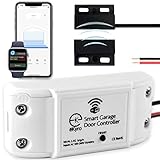
2. eKyro Smart Garage Door Opener - Universal WiFi Remote Controller Compatible with Alexa, Google Home, iPhone, Siri, Android, Door Left Open Alert, Door Security Systems, Updated Model
Overview:
eKyro’s adapter converts most existing garage openers into smart systems via Wi-Fi, supporting voice control through Alexa, Google, Siri, and Android. It eliminates monthly fees for core features like remote access, scheduling, and door-left-open alerts, targeting users seeking affordable, no-subscription smart control.
What Makes It Stand Out:
True universal compatibility (with optional adapter) and zero recurring fees stand out. It uniquely supports multi-door setups—each controller syncs independently—and works across all major voice assistants without hub dependency. Real-time SMS alerts (though SMS may incur carrier fees) enhance security.
Value for Money:
At a budget-friendly price, it outperforms pricier rivals by including all features sans subscriptions. While Chamberlain requires fees for extras, eKyro delivers scheduling, voice control, and multi-door management upfront—ideal for cost-conscious users with non-Chamberlain openers.
Strengths and Weaknesses:
Strengths: No monthly fees; multi-door support; broad voice assistant compatibility; easy installation.
Weaknesses: Ryobi opener incompatibility; SMS alerts cost extra; app interface less polished than Chamberlain’s.
Bottom Line:
An exceptional budget choice for universal compatibility and subscription-free operation, though Ryobi users and those wanting premium app experiences should consider alternatives.
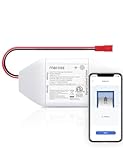
3. meross Smart WiFi Garage Door Opener Remote, App Control, Works with Alexa, Google Assistant and SmartThings, No Hub Needed(Non HomeKit Versions)
Overview:
meross’s non-HomeKit model (MSG100) retrofits existing garage doors with smart capabilities via Wi-Fi, supporting 200+ brands (Security+ 1.0/2.0 protocols). It enables remote control via the Meross app, voice commands through Alexa/Google/SmartThings, and detailed activity logs—all without subscriptions or a hub.
What Makes It Stand Out:
Its wired sensor ensures precise door-status monitoring, reducing false alerts. The Meross app offers granular notifications (e.g., “door open >15 mins”) and compatibility with SmartThings automations. Crucially, no fees apply for core features, and support ships free accessories for compatibility fixes.
Value for Money:
Competitively priced, it rivals Chamberlain’s functionality without Amazon Key but includes universal compatibility and robust notifications. Cheaper than HomeKit models yet outperforms budget brands in stability—best for Android/SmartThings users avoiding Apple ecosystems.
Strengths and Weaknesses:
Strengths: Highly accurate sensor; no subscription fees; free compatibility support; SmartThings integration.
Weaknesses: No HomeKit/Siri support; requires 2.4GHz Wi-Fi only; limited to Security+ 2.0 (excludes newer openers).
Bottom Line:
A reliable, fee-free solution for non-Apple users needing precise monitoring and broad compatibility, provided your opener uses Security+ 1.0/2.0 protocols.
4. meross Smart Garage Door Opener Remote, Compatible with Apple HomeKit, Siri, CarPlay, Alexa, Google, SmartThings, and Android, Universal WiFi Garage Door Controller, App + Voice Control, No Hub Needed

Overview:
This HomeKit-enabled meross model (MSG100HK) expands smart control to Apple ecosystems, supporting Siri, CarPlay, and HomeKit alongside Alexa/Google. It retrofits 1,600+ opener models (Security+ 1.0/2.0), featuring local control during outages and detailed app-based activity tracking.
What Makes It Stand Out:
Full Apple integration—including CarPlay and HomeKit automations—is its crown jewel. The wired sensor ensures accuracy, while local control maintains functionality during internet downtime. Unlike competitors, it merges Apple-centric features with universal compatibility and no subscription fees.
Value for Money:
Priced higher than non-HomeKit meross units, it’s justified for Apple users needing CarPlay/HomeKit control. Cheaper than dedicated Apple solutions, it delivers cross-platform flexibility (Alexa/Google too) where Chamberlain lacks HomeKit depth.
Strengths and Weaknesses:
Strengths: Seamless HomeKit/CarPlay support; local control; no fees; multi-platform voice control; precise sensor.
Weaknesses: Security+ 3.0 incompatibility; 2.4GHz Wi-Fi only; setup slightly complex for non-tech users.
Bottom Line:
The premier choice for Apple households wanting CarPlay/HomeKit integration without subscriptions, though non-Apple users may prefer the cheaper non-HomeKit meross model.
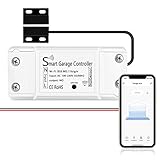
5. AGSHOME Smart Wi-Fi Garage Door Opener Remote, APP Control, Compatible with Alexa, Google Assistant, No Hub Needed with Smartphone Control
Overview:
AGSHOME offers basic smart garage control via the Smart Life app, supporting Alexa/Google voice commands and remote smartphone access. It targets universal compatibility with most openers and emphasizes quick DIY installation, though it lacks advanced ecosystem integrations.
What Makes It Stand Out:
Its standout feature is simplicity—setup takes minutes via Smart Life app, and it supports guest access sharing. Real-time open/close notifications and broad brand compatibility (per technical specs) suit users prioritizing ease over niche features.
Value for Money:
As the most affordable option, it’s ideal for budget-focused users needing core functionality. However, Smart Life app limitations (less reliable than Meross/Chamberlain) and no HomeKit/Siri support reduce long-term value versus slightly pricier rivals.
Strengths and Weaknesses:
Strengths: Lowest price; straightforward installation; guest access; real-time alerts.
Weaknesses: Smart Life app stability issues; no HomeKit/Siri; limited notification customization; 2.4GHz Wi-Fi only.
Bottom Line:
A functional entry-level option for casual users on a tight budget, but those needing reliability or Apple integration should invest in meross or Chamberlain.
6. myQ Smart Garage Door Video Keypad with Wide-Angle Camera,Customizable PIN Codes,and Smartphone Control–Take Charge of Your Garage Access Works with Chamberlain, LiftMaster and Craftsman openers,White

Overview:
The myQ Smart Garage Door Video Keypad integrates security and convenience for Chamberlain, LiftMaster, and Craftsman openers. It combines a physical keypad with advanced surveillance, targeting homeowners prioritizing garage security and remote access control.
What Makes It Stand Out:
Its standout feature is the built-in wide-angle camera with two-way audio, enabling real-time monitoring and communication. Advanced motion detection identifies people, cars, or packages (via subscription), while customizable PIN codes offer flexible guest access. The free trial of premium AI-powered alerts adds immediate value.
Value for Money:
Priced mid-to-high range, it justifies cost through unique camera integration—rare among competitors. However, essential features like video history require a $9.99/month subscription, making long-term ownership costlier than subscription-free alternatives. Ideal for those prioritizing visual verification.
Strengths and Weaknesses:
Strengths: Comprehensive camera coverage; intuitive app; customizable PINs; free trial for premium features. Weaknesses: Mandatory subscription for full functionality; limited to specific opener brands; no Matter/Home Assistant support; 2.4GHz Wi-Fi only.
Bottom Line:
Best for security-focused users with compatible openers willing to pay for video monitoring. Avoid if seeking a no-fee solution, as core features are subscription-locked.
7. Switchbot WiFi Smart Garage Door Opener, Matter Certified, Alexa/Google/Siri/IFTTT/Smartthings Supported, Most Garage Door Supported, App Control, Multiple Notification Modes, No Hub Needed

Overview:
The Switchbot WiFi Smart Garage Door Opener delivers broad compatibility and Matter certification, supporting 200+ opener brands (including 1990s models). It emphasizes no-fee remote control, voice integration, and family sharing without a hub.
What Makes It Stand Out:
Matter certification ensures seamless Apple Home and cross-platform compatibility (Alexa, Google, etc.), while Bluetooth fallback maintains control during Wi-Fi outages. Its universal compatibility—confirmed via simple wire-test—and zero subscription fees differentiate it from camera-equipped rivals.
Value for Money:
Offers exceptional value at a competitive price. No recurring costs, broad compatibility, and Matter support justify its cost versus pricier subscription models. Installation ease (two-wire setup) further enhances affordability for DIY users.
Strengths and Weaknesses:
Strengths: No monthly fees; Matter-certified; wide compatibility; Bluetooth backup; multi-user support. Weaknesses: Requires pre-purchase compatibility check; 2.4GHz Wi-Fi only; no camera; older openers may need verification.
Bottom Line:
A top pick for budget-conscious smart home users needing reliable, no-fee control across diverse openers. Mandatory compatibility verification is its only minor hurdle.
8. meross Smart Garage Door Opener Remote, Compatible with Apple HomeKit, Amazon Alexa, Google Assistant, CarPlay and SmartThings, Enhanced Compatibility, New Version

Overview:
The meross MSG150HK targets Chamberlain, LiftMaster, and Craftsman users (Security+ 1.0/2.0 only), offering Apple HomeKit integration and subscription-free remote control via the Meross app.
What Makes It Stand Out:
Deep Apple ecosystem support—including CarPlay and HomeKit Secure Remote—is unmatched here. Enhanced security features like overnight/open-time alerts and detailed operation history provide peace of mind without subscriptions.
Value for Money:
Priced moderately, it excels for Apple-centric households. Zero fees and easy installation (no extra sensors) make it cost-effective versus camera models. However, strict brand limitations reduce versatility for non-compatible openers.
Strengths and Weaknesses:
Strengths: HomeKit/CarPlay compatibility; no subscription; detailed usage history; multi-mode alerts; simple setup. Weaknesses: Exclusively for Chamberlain/LiftMaster/Craftsman; no Security+ 3.0 support; 2.4GHz Wi-Fi only; no camera.
Bottom Line:
Highly recommended for Apple users with compatible openers seeking seamless, no-fee integration. Avoid if your opener uses Security+ 3.0 or non-supported brands.
9. Smart WiFi Garage Door Opener Remote Controller, Smartphone App Control, Compatible with Alexa, Google Assistant and IFTTT, No Hub Required

Overview:
This universal Smart Life-compatible controller adds basic remote functionality to most openers via a two-wire setup. It focuses on affordability, voice control, and family sharing without subscriptions.
What Makes It Stand Out:
Its universal compatibility (verified via wire-test) and Smart Life app integration offer wide device support. Real-time multi-user notifications and scheduling provide practical functionality at an entry-level price.
Value for Money:
The most budget-friendly option reviewed. Free app, no hub/subscription, and DIY installation deliver solid value for users needing only core remote access—not advanced security.
Strengths and Weaknesses:
Strengths: Low cost; broad compatibility; Smart Life/Alexa/Google support; multi-user access; scheduling. Weaknesses: Requires manual compatibility test; no camera or Matter support; limited app functionality; 2.4GHz Wi-Fi only.
Bottom Line:
An excellent entry-level choice for cost-sensitive users wanting essential remote access. Skip if you need advanced features like video monitoring or Apple HomeKit.
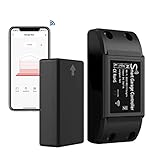
10. AGSHOME Smart Garage Door Opener Remote (2nd Gen), Universal Wi-Fi Garage Door Controller, wirling-Free, APP Control, Compatible with Alexa, Google Assistant, Siri, No Hub Needed
Overview:
AGSHOME’s 2nd-gen controller emphasizes universal compatibility and “wireless” operation via its high-sensitivity sensor. It supports voice control, auto-scheduling, and proximity-based auto-open (100m for iOS).
What Makes It Stand Out:
The auto-open/close feature within 100m (iOS-only) and “wireless” sensor design simplify installation. Free status notifications and broad voice assistant compatibility (including Siri) cater to Apple users seeking convenience.
Value for Money:
Mid-priced with no fees, it offers good utility for universal setups. Proximity automation adds niche value, though iOS limitations and adapter needs for some doors may increase long-term costs.
Strengths and Weaknesses:
Strengths: Auto-open proximity feature; no subscription; universal compatibility; iOS/Siri integration; stable sensor. Weaknesses: 100m auto-open iOS-exclusive; 2.4GHz Wi-Fi only; adapter may be needed; basic app functionality.
Bottom Line:
Ideal for iOS users wanting proximity automation on a budget. Less compelling for Android users or those needing advanced security features. Verify compatibility before purchase.
Understanding Core Functionality and Daily Use Cases
Remote Access and Real-Time Monitoring Essentials
The foundation of any smart garage controller is reliable remote operation. Look for systems that provide instant status updates—knowing whether your door is securely closed while you’re miles away is non-negotiable for peace of mind. Equally critical is the speed and consistency of remote commands; a laggy response when you’re rushing to leave work defeats the purpose of automation. Ensure the platform offers real-time notifications for unexpected openings or prolonged activity, turning your smartphone into a vigilant security sentinel.
Voice Control Integration for Hands-Free Convenience
Seamless voice command support elevates daily usability, especially when your hands are full of groceries or laundry. Prioritize controllers compatible with major voice assistants, allowing you to open the door while still in the car or check its status while cooking dinner. Test how reliably voice commands work in noisy environments (like a running engine) and whether they require specific phrasing—true integration should feel intuitive, not like solving a puzzle.
Security: The Non-Negotiable Foundation
Encryption Standards and Data Protection Protocols
Your garage is a prime entry point, so cutting corners on security is reckless. Demand end-to-end encryption (like AES-256) for all communications between the controller, app, and cloud servers. Avoid systems relying solely on basic Wi-Fi security; robust solutions add layers like TLS 1.3 for data in transit and regular security patch updates. Investigate the manufacturer’s history—do they have a transparent vulnerability disclosure process, or have they faced major breaches?
Physical Security and Tamper Detection Features
Beyond digital threats, consider physical safeguards. Controllers should include tamper alerts that trigger if someone disconnects the device or forces the door manually. Look for models with reinforced mounting hardware and hidden installation options to deter smash-and-grab attacks. Some advanced systems even monitor unusual vibration patterns, signaling potential break-in attempts before they succeed.
Power Reliability and Resilience
Battery Backup and Power Failure Protocols
Power outages expose a critical flaw in many “smart” systems: they become bricks. A reliable controller must have a built-in rechargeable battery backup that maintains monitoring and limited operation (like one or two openings) during outages. Verify how long the backup lasts and whether it automatically reconnects when power returns—no one wants to return home to a dark, inaccessible garage after a storm.
Surge Protection and Environmental Durability
Garages face extreme temperatures, humidity, and electrical surges from appliances like freezers or power tools. Choose controllers with integrated surge suppression and an IP rating (like IP65) indicating resistance to dust and moisture. Units designed for automotive environments typically withstand wider temperature ranges (-20°C to 60°C), preventing winter freezes or summer heat from causing malfunctions.
Installation and User Experience
DIY-Friendly Setup Versus Professional Installation Needs
Honesty about your technical comfort is key. Some controllers snap into existing opener wiring with clear color-coded diagrams and take 15 minutes, while others require complex electrical work or proprietary hubs. Assess if the system includes video tutorials, responsive customer support for setup, and whether it preserves your existing wall buttons and safety sensors—retrofitting shouldn’t mean losing core functionality.
Mobile App Usability and Feature Depth
The app is your daily control center, so it must be polished and stable. Test for intuitive navigation: can you open the door in two taps? Does it show a clear visual indicator (like a color-coded icon) for door status? Essential features include geofencing (auto-opening when near home), shared access management for family members, and customizable alerts—without burying these in nested menus. Avoid apps notorious for crashing or draining phone batteries.
Ecosystem Compatibility and Future-Proofing
Integration with Broader Smart Home Platforms
Your garage shouldn’t operate in isolation. Prioritize controllers that natively support major ecosystems (like Matter over Thread or specific hub protocols), enabling automations like “Turn on garage lights when door opens” or “Lock front door when garage closes.” Check compatibility with your existing smart lights, cameras, or security systems—true automation thrives on interconnected actions, not standalone tricks.
Matter Protocol Support and Longevity Assurance
Matter compatibility is increasingly vital for future-proofing. It ensures your controller works across ecosystems (Apple Home, Google Home, Alexa) without relying on a single company’s app. Verify if the device received a recent Matter certification and if the manufacturer commits to multi-year software updates. Avoid proprietary systems that could become obsolete if the company shuts down.
Privacy and Data Management
Local Processing Versus Cloud Dependency
Cloud-dependent systems create privacy vulnerabilities and fail during internet outages. Seek controllers offering local processing for basic commands (e.g., opening via voice assistant without internet). Understand what data is stored in the cloud—video feeds or usage logs—and ensure the provider has a strict no-ads/no-data-selling policy with clear data retention timelines.
User Data Transparency and Control
Reputable brands provide detailed privacy dashboards where you can view, export, or delete your data. Check if they allow complete opt-outs from data collection beyond essential functionality. Be wary of vague terms like “may share anonymized data”; explicit, granular permissions (e.g., “Share usage stats for R&D? Yes/No”) demonstrate genuine respect for user privacy.
Advanced Automation Scenarios
Geofencing Precision and Location-Based Triggers
Basic geofencing opens the door as you approach, but refined systems use multi-point location tracking to avoid false triggers (like opening when you’re just passing by a neighbor’s house). Look for adjustable radius settings and activity-based logic—e.g., “Only open if my calendar shows I’m home from work.” This prevents accidental openings during errands or vacations.
Multi-Device Automation Sequences
The real power lies in chained actions. A sophisticated controller can trigger sequences like: “When garage door opens after sunset, turn on interior lights for 2 minutes and disarm security system.” Ensure the platform supports complex if-then rules without requiring third-party automation tools, keeping setups simple and reliable for daily use.
Cost Considerations Beyond the Price Tag
Hidden Costs of Subscriptions and Ecosystem Lock-In
Some controllers lure you in with low hardware costs but require mandatory subscriptions for core features like video history or remote access. Scrutinize the fine print: are firmware updates free? Does sharing access with family incur fees? Avoid systems where disabling the subscription bricks the device—true ownership means full functionality without recurring payments.
Long-Term Maintenance and Upgrade Paths
Consider total cost of ownership. How often do batteries need replacing? Are replacement parts readily available? Some brands offer modular designs where you can upgrade the connectivity module (e.g., from Wi-Fi 5 to Wi-Fi 6) without replacing the entire unit. Prioritize manufacturers with a track record of backward compatibility across generations.
Frequently Asked Questions
How secure are smart garage controllers against hacking?
Reputable controllers use military-grade encryption and regular security patches. Always choose models with a proven security history, disable unused features like remote access when traveling, and use strong, unique passwords for the associated app.
Can I install a smart garage controller myself?
Most modern controllers are DIY-friendly for those comfortable with basic wiring, taking 20-30 minutes. They typically connect to existing opener terminals without modifying the opener itself. If unsure, consult a professional—safety sensors must remain functional.
What happens during an internet outage?
Controllers with battery backup maintain local operation (e.g., using wall buttons or physical remotes), but remote access and advanced automations require internet restoration. Some support local voice commands via Matter-compatible hubs during outages.
Do these work with older garage door openers?
Virtually all smart controllers are backward-compatible with openers manufactured after 1993 (which have safety sensors and standard wiring terminals). Check the controller’s compatibility list for specific opener brands/models.
Can I control multiple garage doors with one system?
Yes, most platforms support linking multiple controllers (one per door) to a single app, allowing unified monitoring and control. Ensure the app clearly distinguishes between doors to prevent accidental openings.
How do geofencing automations avoid false triggers?
Advanced systems use multi-point location verification and activity context (like calendar integration) to confirm you’re intentionally approaching home. Adjust the geofence radius in settings to match your driveway length.
Are there privacy risks with camera-enabled controllers?
Cameras add vulnerability. Opt for models with local video storage, end-to-end encryption, and physical privacy shutters. Disable cloud storage if unnecessary, and regularly audit app permissions.
What’s the typical lifespan of these devices?
Quality controllers last 5-7 years with proper maintenance. Factors include battery health (for backup), environmental exposure, and firmware support. Choose brands offering 3+ years of guaranteed updates.
Can I integrate with my home security system?
Yes, via smart home platforms like Apple HomeKit or Samsung SmartThings. This enables automations like “If garage opens while alarm is armed, trigger siren and notify police.” Verify compatibility with your specific security panel.
Do I need a separate hub for some controllers?
Some older or Matter-over-Thread models require a hub (like a smart speaker or dedicated bridge) for remote access. Newer Wi-Fi 6 controllers often connect directly to your router, simplifying setup—check the product specifications carefully.