Imagine waking up to soft lighting, your thermostat adjusting to the perfect temperature, and your coffee brewing—all without lifting a finger. This seamless symphony of connected devices isn’t magic; it’s the quiet work of a smart home hub, the often-overlooked conductor of your digital ecosystem. Yet, as the number of compatible devices explodes and new communication protocols emerge, choosing the right hub feels less like a simple purchase and more like navigating a labyrinth. The promise of effortless automation hinges entirely on this unassuming box sitting in your closet, making its selection critically important for anyone serious about a truly unified smart home experience beyond fragmented, single-brand setups.
Gone are the days when a hub merely controlled lights. Today’s advanced hubs must juggle diverse communication standards—Wi-Fi, Bluetooth, Zigbee, Z-Wave, and the rapidly growing Matter protocol—while ensuring rock-solid reliability and robust security. A poor choice leads to frustrating dropouts, limited automation potential, and security vulnerabilities that put your entire network at risk. With the smart home market evolving at breakneck speed heading into 2026, understanding the core principles of hub selection is no longer optional; it’s the foundation for building a future-proof, genuinely intuitive living space that adapts to your life, not the other way around.
Top 10 Smart Home Hubs
Detailed Product Reviews
1. Aeotec Smart Home Hub, Works as a SmartThings Hub, Z-Wave, Zigbee, Matter Gateway, Compatible with Alexa, Google Assistant, WiFi

Overview:
The Aeotec Smart Home Hub (rebranded as a SmartThings Hub) serves as a central command center for complex smart homes. It integrates Z-Wave, Zigbee, Matter, Wi-Fi, and popular voice assistants, enabling control of diverse devices like lights, sensors, and thermostats via the SmartThings app. Designed for North American users, it emphasizes local automation for reliability.
What Makes It Stand Out:
Its standout feature is broad protocol support (including Matter certification and Z-Wave Plus V3), allowing seamless integration of thousands of devices without vendor lock-in. Local automations run on-device, ensuring faster responses and continued operation during internet outages. Dual connectivity (Wi-Fi/Ethernet) and compatibility with Alexa/Google add flexibility.
Value for Money:
Priced competitively against standalone hubs, it eliminates the need for multiple bridges. While the SmartThings ecosystem is robust, the hub’s professional-grade protocol support offers better long-term value than budget alternatives with limited compatibility, especially for expanding multi-protocol setups.
Strengths and Weaknesses:
Strengths: Extensive device compatibility; reliable local automations; easy app setup; Matter-ready future-proofing. Weaknesses: Z-Wave Plus V3 only on newer models (verify before purchase); North America-exclusive frequency bands; requires SmartThings app (no standalone Aeotec interface).
Bottom Line:
Ideal for tech-savvy users building a diverse smart home. Its protocol versatility and local processing justify the cost, making it a top-tier hub for reliability and scalability despite regional limitations.
2. Amazon Echo Hub, 8” smart home control panel, Designed for Alexa+, Compatible with thousands of devices

Overview:
The Echo Hub is a wall-mounted 8-inch touchscreen designed as a centralized Alexa-powered control panel for smart homes. It replaces physical switches by letting users tap or voice-control lights, cameras, thermostats, and security systems directly from a customizable dashboard, simplifying daily interactions.
What Makes It Stand Out:
Unlike voice-only devices, its intuitive touchscreen dashboard allows quick, glanceable control of dozens of devices simultaneously. Deep Alexa integration enables routines, security system arming, and real-time camera feeds. Built-in support for Thread, Matter, and Sidewalk ensures compatibility with emerging standards.
Value for Money:
At its price point, it’s a cost-effective alternative to high-end touchscreens like Samsung SmartThings Panels. The elimination of separate hubs for Zigbee/Thread devices adds savings, though wall-mount accessories (cable pass-throughs, stands) are sold separately, slightly inflating total cost.
Strengths and Weaknesses:
Strengths: Superb customization; responsive touchscreen; comprehensive protocol support; enhances security oversight. Weaknesses: No battery (requires permanent outlet); basic display resolution; essential mounting accessories increase cost; limited entertainment features.
Bottom Line:
A practical, focused smart home command center. Best for users prioritizing hands-on control over entertainment, though budget for mounting extras. Excellent value for streamlining device management.
3. Amazon Echo Show 15 (newest model), Full HD 15.6" kitchen hub for home organization, with built-in Fire TV, Designed for Alexa+

Overview:
The Echo Show 15 is a large 15.6-inch Full HD smart display tailored as a kitchen and family command center. It combines smart home control, video calling, photo slideshows, and Fire TV streaming, emphasizing organization through widgets for calendars, to-do lists, and weather.
What Makes It Stand Out:
Its expansive screen excels for recipe viewing, family scheduling, and entertainment. Built-in Fire TV (with included remote) and “Active Media” for multi-room audio sync are unique. Auto-curated photo slideshows transform it into a dynamic digital frame, while widgets provide at-a-glance family overviews.
Value for Money:
Competitively priced against smaller displays, the Show 15’s size and Fire TV integration offer exceptional utility for kitchens. It replaces standalone streaming sticks and digital frames, though subscription services (Netflix, etc.) are needed for full entertainment access.
Strengths and Weaknesses:
Strengths: Large, vibrant display; excellent family organization tools; seamless Fire TV integration; versatile mounting (wall/desk); rich sound. Weaknesses: Bulky for small kitchens; Fire TV requires Amazon account; widgets can feel cluttered; no Z-Wave hub.
Bottom Line:
A powerhouse for family coordination and kitchen entertainment. Highly recommended for households needing a central hub for schedules and streaming, provided space allows.
4. Amazon Echo Spot (newest model), Great for nightstands, offices and kitchens, Smart alarm clock, Designed for Alexa+, Black

Overview:
The Echo Spot is a compact, spherical smart alarm clock with a circular display, optimized for bedside, office, or countertop use. It delivers time, weather, and smart home controls alongside rich audio for music, alarms, and routines, all powered by Alexa.
What Makes It Stand Out:
Its standout feature is the vibrant, room-filling sound from a palm-sized device—unusual for its class. Customizable clock faces, gradual wake alarms with light, and motion-triggered routines (e.g., adjusting thermostats when leaving) enhance convenience. The compact design fits tight spaces effortlessly.
Value for Money:
Offers premium sound and smart features at an entry-level price. It outperforms basic digital clocks and competes with larger displays for bedside use, though lacks video calling. The value shines for users prioritizing audio quality and simplicity over a large screen.
Strengths and Weaknesses:
Strengths: Exceptional audio for size; intuitive alarm routines; space-efficient design; customizable display; responsive touch controls. Weaknesses: Small screen limits visibility; no video calling; basic smart home dashboard; limited entertainment options.
Bottom Line:
The best smart alarm clock for audio lovers. Perfect for nightstands or small spaces where rich sound and quick glances matter most, but skip if you need video features.
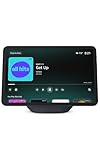
5. Amazon Echo Show 11 (newest model), Vibrant Full-HD 11" display with more viewing area and spatial audio, Designed for Alexa+, Graphite
Overview:
The Echo Show 11 bridges portability and screen real estate with an 11-inch Full HD display, 60% larger than the Show 8. It functions as a versatile smart display for recipes, calendars, video calls, and entertainment, featuring spatial audio and advanced smart home controls.
What Makes It Stand Out:
The significant screen upgrade enhances readability for recipes and schedules, while spatial audio delivers immersive sound. Alexa+ capabilities (song ID, personalized recommendations) and Omnisense technology (routines triggered by temperature/presence) add intelligence. Auto-framing video calls with 3.3x zoom stand out for clarity.
Value for Money:
Priced between the Show 8 and Show 15, it offers the sweet spot for most users. The larger screen and superior audio justify the cost over smaller models, and built-in hub functionality avoids extra purchases. Better value than the Show 15 for those not needing Fire TV.
Strengths and Weaknesses:
Strengths: Optimal screen size for counters; impressive spatial audio; robust smart home hub; excellent video calling; responsive performance. Weaknesses: No Fire TV integration; graphite finish shows smudges; requires frequent charging if moved; Omnisense features need compatible devices.
Bottom Line:
A near-perfect all-rounder for living rooms or kitchens. Highly recommended for balanced smart home control, media, and video calls—ideal if you skipped the Show 15’s Fire TV focus.
6. Smart Home Starter Kit | Includes Echo Hub, Amazon Smart Plug and 4 Amazon Basics Smart Bulbs, Designed for Alexa+

Overview:
Amazon’s Smart Home Starter Kit delivers an effortless entry point into home automation, bundling the Echo Hub, a Smart Plug, and four smart bulbs. Designed exclusively for Alexa users, it targets beginners seeking immediate, guided setup without technical complexity. The kit focuses on core lighting and plug control to simulate occupancy and automate routines.
What Makes It Stand Out:
Its standout feature is the frictionless “unbox-and-go” setup, leveraging Alexa’s intuitive interface. The Echo Hub acts as a central brain, compatible with thousands of Alexa-enabled devices (like Ring cameras), while the included bulbs enable away-mode lighting for security. Unlike fragmented purchases, this all-in-one bundle ensures seamless interoperability out of the box.
Value for Money:
Priced competitively against buying components separately, it offers exceptional value for Alexa-centric households. While advanced users might outgrow its ecosystem limitations, beginners save time and money versus piecing together compatible devices. The inclusion of four bulbs (often sold in pairs) enhances affordability.
Strengths and Weaknesses:
Strengths: Ultra-simple setup; reliable Alexa integration; effective security-focused routines; cost-effective bundle.
Weaknesses: Alexa-only ecosystem (no Google/Apple support); limited to basic automation; bulbs lack color tuning; hub requires separate hub purchase for non-Alexa devices.
Bottom Line:
Ideal for Alexa loyalists craving a no-fuss smart home foundation, this kit excels in simplicity and security basics but lacks cross-platform flexibility for evolving needs.
7. Aqara Smart Home Hub M3 for Advanced Automation, Matter Controller, Thread Border Router, Features Zigbee, Bluetooth, Wi-Fi, PoE, IR, Supports Alexa, Apple HomeKit, SmartThings, Home Assistant, IFTTT

Overview:
The Aqara Hub M3 is a powerhouse for tech-savvy users, supporting Matter, Thread, Zigbee, and IR control. It bridges ecosystems (HomeKit, SmartThings, Home Assistant) while prioritizing local automation and privacy. With PoE, dual-band Wi-Fi, and IR blaster feedback, it targets users demanding robust, secure, and versatile home automation.
What Makes It Stand Out:
Its multi-protocol mastery sets it apart: local edge processing ensures automations run without cloud dependence, the IR blaster learns and confirms commands (e.g., AC control), and 8GB encrypted storage secures configurations. Matter bridge functionality syncs Aqara scenes to third-party apps like Home Assistant, a rarity among hubs.
Value for Money:
Premium-priced but justified for enthusiasts. Replacing multiple hubs (Zigbee, Thread, IR blaster), its PoE option and local automation reduce long-term costs. While pricier than basic hubs, its ecosystem agnosticism and 127-device capacity offer scalability that cheaper alternatives can’t match.
Strengths and Weaknesses:
Strengths: Local automation reliability; exceptional Matter/Thread integration; IR feedback; PoE stability; privacy-focused design; seamless migration from older Aqara hubs.
Weaknesses: Complex setup for beginners; no third-party Zigbee support; requires repeaters for large Thread networks; USB-C power adapter sold separately.
Bottom Line:
A future-proof investment for advanced users prioritizing local control and multi-ecosystem integration, though overkill for casual smart home adopters.
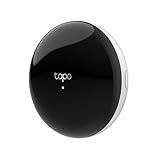
8. Tapo Smart IR & IoT Hub with Chime - Universal Remote for TVs, ACS, & 18+ Device Types, Matter-Certified, Supports 8,000+ Infrared Brands, Voice & App Control, Custom Schedules & Automations, H110
Overview:
TP-Link’s Tapo H110 Hub merges IR universal remote control with Matter-certified smart home functionality. It commands 8,000+ IR devices (TVs, ACs, fans) while integrating with voice assistants and automations. With built-in chime alerts and CISA-backed security, it bridges legacy appliances and modern IoT ecosystems.
What Makes It Stand Out:
Its unparalleled IR compatibility (8,000+ brands) and Matter certification let it unify “dumb” electronics with smart routines. The chime feature provides instant alerts for alarms or doorbells, while seamless voice control via Alexa/Google/Siri eliminates remote clutter. CISA’s Secure-by-Design pledge ensures rigorous cybersecurity.
Value for Money:
An affordable all-in-one solution for IR-dependent households. At its price point, it outperforms single-purpose IR blasters by adding Matter support and app-based automations. Replaces multiple remotes and basic hubs, offering strong ROI for users with diverse legacy devices.
Strengths and Weaknesses:
Strengths: Extensive IR device support; Matter flexibility; strong security; intuitive app; chime alerts; voice assistant compatibility.
Weaknesses: IR range limitations require line-of-sight; no Zigbee/Thread for non-IR devices; automations less advanced than dedicated hubs; limited local processing.
Bottom Line:
Perfect for taming IR-controlled appliances within a Matter ecosystem, delivering exceptional value for security-conscious users with mixed smart/legacy setups.
9. Amazon Echo Show 5 (newest model), Smart display, Designed for Alexa+, 2x the bass and clearer sound, Glacier White

Overview:
The latest Echo Show 5 is a compact smart display optimized for bedside or countertop use. Featuring a 5.5” screen, upgraded audio, and Alexa integration, it handles video calls, media streaming, smart home control, and photo sharing. Glacier White offers a minimalist aesthetic for modern spaces.
What Makes It Stand Out:
Amazon’s “2x bass” claim delivers noticeably richer audio for its size, ideal for music and podcasts. The display excels in glanceable info (weather, calendars), while “Photo Drop” lets family share images directly. Deep Alexa integration enables hands-free device control and Drop-In video checks, unmatched by rivals at this price.
Value for Money:
Competitively priced against similar displays, its bundled features (unlimited Prime photo storage, Alexa routines) add hidden value. While not a premium media powerhouse, the audio upgrade and seamless smart home utility justify the cost for Alexa households versus piecing together alternatives.
Strengths and Weaknesses:
Strengths: Enhanced audio quality; intuitive Alexa experience; excellent photo-sharing; compact design; Prime photo storage; reliable smart home hub.
Weaknesses: Screen resolution modest for video; limited third-party app support; camera lacks advanced security features; bass improvement subtle in practice.
Bottom Line:
A refined, audio-focused entry-point smart display that shines in daily convenience for Alexa users, though media enthusiasts may desire larger screens.
Understanding the Critical Role of a Smart Home Hub
Beyond Simple Remote Control
A smart home hub acts as the central nervous system, translating commands between your voice assistant, smartphone app, and the multitude of devices that speak different “languages” (protocols). Without it, many non-Wi-Fi devices like sensors, locks, and advanced lighting simply cannot connect to your main network or interact with devices from other brands. It’s the essential translator enabling true interoperability.
The Evolution from Single-Brand Silos
Early smart homes were often locked into one manufacturer’s ecosystem, limiting choices and creating frustrating barriers. Modern hubs break down these walls, allowing you to mix and match the best devices regardless of brand. This shift towards open standards, particularly Matter, is revolutionizing integration, but a capable hub remains vital for managing the transition and supporting legacy devices.
Why Reliability Trumps Raw Power
While processing speed matters for complex automations, the absolute priority for a hub is unwavering uptime and stable connections. A hub that frequently crashes or drops devices renders your entire setup useless. Focus on proven reliability metrics and architectures designed for continuous operation, not just flashy specs that might not translate to real-world stability.
Essential Communication Protocols Every Hub Must Support
Decoding the Protocol Alphabet Soup
Understanding Zigbee, Z-Wave, Wi-Fi, Bluetooth LE, and Thread is fundamental. Each has strengths: Zigbee and Z-Wave excel at low-power, mesh networking for sensors and actuators; Wi-Fi handles bandwidth-heavy devices like cameras; Thread (the foundation of Matter) offers robust, IP-based mesh networking. Your hub needs the right combination to cover your device portfolio.
The Non-Negotiable: Matter Over Thread
Matter is the game-changer, built on the Thread protocol, designed to finally deliver universal, secure, and local-interoperable smart home control. A future-proof hub must support Matter over Thread natively. This ensures compatibility with the vast wave of new devices hitting the market and provides a critical path for local processing, reducing cloud dependency and improving speed/resilience.
Legacy Protocol Support for Existing Investments
Don’t discard your current devices. Evaluate which legacy protocols (like older Zigbee 3.0 or Z-Wave LR) your valuable existing sensors, locks, or switches use. The best hubs offer backward compatibility, allowing you to integrate older gear while seamlessly incorporating new Matter devices, protecting your investment and easing the transition.
Key Features That Define a Superior Smart Home Hub
Local Processing: The Speed and Security Imperative
Cloud-dependent hubs create latency and become useless during internet outages. Hubs capable of processing automations and device communication locally on your home network are essential for instant responses (like turning on lights when a motion sensor triggers) and maintaining core functionality when the internet is down. Prioritize hubs emphasizing local execution.
Automation Engine Complexity and Flexibility
Your hub’s brain needs to be powerful enough for your vision. Can it handle complex “if this, then that, but only on weekdays” scenarios involving multiple triggers and actions across different device types? Look for intuitive, yet powerful, rule builders within the companion app that allow for nuanced automations without requiring coding expertise.
Voice Assistant Integration Depth
While most hubs work with major voice platforms, the quality of integration varies. Does it support all device types for voice control? Can you create voice shortcuts for complex automations? Seamless, deep integration with your preferred assistant (whether it’s built-in or external) is crucial for hands-free convenience beyond basic commands.
Security and Privacy: Non-Negotiable Foundations
Enterprise-Grade Encryption Standards
Your hub is a gateway to your home. It must utilize strong, modern encryption (like TLS 1.3 and AES-256) for all communications, both locally and to the cloud. Verify the manufacturer’s commitment to security protocols and regular firmware updates to patch vulnerabilities as they are discovered.
Transparent Data Handling Policies
Where does your hub data go? Reputable manufacturers provide clear, concise privacy policies detailing what data is collected (if any), how it’s used, and whether it’s shared. Avoid hubs with opaque policies or those that require excessive data collection unrelated to core functionality. Local processing inherently minimizes data sent to the cloud.
Regular, Hassle-Free Security Updates
Security isn’t a one-time setup. The hub must receive frequent, automatic, and easy-to-install firmware updates to address emerging threats. Check the manufacturer’s track record—do they have a history of prompt patching? A hub that no longer receives updates becomes a significant liability over time.
Setup, Usability, and Long-Term Management
Intuitive Initial Configuration Process
The first impression matters. A good hub setup should be straightforward via a clear mobile app, guiding you through network connection, account creation, and initial device pairing without excessive technical jargon. Look for hubs known for minimizing frustrating setup hurdles, especially for non-tech-savvy users.
The App Experience: Your Daily Control Center
You’ll interact with the hub primarily through its app. It needs to be well-designed, stable, and logically organized. Can you easily view all devices, create/edit automations, check system status, and manage users? A clunky or unreliable app will sour the entire experience, no matter how powerful the underlying hardware.
Scalability for Your Growing Smart Home
Consider your future plans. Will the hub support the number of devices you anticipate adding in the next 3-5 years? How many simultaneous protocols can it handle? Does it have expandable storage or memory for more complex automations? Choosing a hub with headroom prevents the need for an early, costly replacement as your ecosystem expands.
Future-Proofing Your Smart Home Investment
Embracing the Matter Ecosystem Trajectory
Matter adoption is accelerating rapidly. Investing in a hub that is a certified Matter controller (not just Matter-compatible) positions you to take full advantage of the expanding universe of Matter devices. This ensures long-term relevance and simplifies adding new gadgets from virtually any major brand.
Support for Emerging Technologies
Keep an eye on developments like enhanced Thread capabilities, potential integrations with new energy management standards, or advanced AI for predictive automations. While not essential today, hubs designed with modular firmware or hardware architectures that can adapt to future protocols offer greater longevity.
Manufacturer Commitment and Ecosystem Health
Research the company behind the hub. Are they actively involved in standards bodies (like the CSA for Matter)? Do they have a strong reputation for long-term software support and customer service? A hub from a company deeply invested in the smart home’s future is less likely to become obsolete quickly.
Frequently Asked Questions
Can I use a smart speaker like Alexa or Google Home as my main hub?
While popular smart speakers often include basic hub functionality (like Zigbee radios), they typically lack the comprehensive protocol support, robust local processing capabilities, and advanced automation features of dedicated hubs. They are best suited for simple setups with mostly Wi-Fi and their native ecosystem devices, not complex, multi-protocol smart homes requiring deep integration and reliability.
Do I really need a separate hub if all my devices connect via Wi-Fi?
For very basic setups with only a few Wi-Fi devices, a separate hub might seem unnecessary. However, Wi-Fi alone creates network congestion, drains device batteries faster, and often lacks the low-latency responsiveness needed for critical automations (like security sensors triggering lights). Hubs using protocols like Zigbee, Z-Wave, or Thread create efficient, dedicated mesh networks, improving overall performance, battery life, and enabling more sophisticated local automations.
How important is local processing versus cloud processing for automations?
Local processing is critically important for reliability, speed, and privacy. Automations running locally execute instantly (no internet lag) and continue working during internet outages. Cloud-dependent automations are slower, fail when the internet is down, and constantly send your data to external servers. Prioritize hubs that emphasize local execution for core functionality.
What’s the difference between a Matter controller and a Matter bridge?
A Matter controller (often built into a hub) is the central device that directly manages Matter devices on your Thread network, enabling full local control and interoperability. A Matter bridge is a simpler device that only connects non-Matter Thread devices (like older Zigbee sensors) to your Matter ecosystem; it doesn’t manage the network itself. For a primary hub, you need a Matter controller.
How many devices can a typical smart home hub support?
Capacity varies significantly. Entry-level hubs might support 20-50 devices, while robust, high-end hubs can handle 100+ or even 200+ devices. Crucially, check the limits per protocol (e.g., maximum Zigbee nodes, Z-Wave devices). Always choose a hub rated for significantly more devices than you currently have to accommodate future expansion.
Are smart home hubs vulnerable to hacking?
Like any connected device, hubs carry potential security risks. However, hubs from reputable manufacturers using strong encryption (TLS, AES-256), regular security updates, local processing options, and transparent privacy policies significantly mitigate these risks. Avoid obscure brands with poor security practices. Keeping firmware updated is the single most important security step.
Can I use multiple hubs in the same home?
Yes, but it requires careful planning. Multiple hubs can be useful for very large homes to extend mesh network coverage (e.g., multiple Thread border routers) or to manage distinct ecosystems. However, device interoperability between different hub systems can be problematic. Ensure any additional hubs are Matter controllers to maximize seamless integration across the entire home.
What happens to my smart home if the hub loses power or the internet goes down?
Hubs with strong local processing capabilities will maintain core automations and device control within your home network during internet outages. Devices relying solely on cloud services (like some cameras or voice assistant features) will be unavailable. A UPS (battery backup) for your hub and router is highly recommended to prevent disruptions from short power outages.
How often should I expect to replace my smart home hub?
With proper selection, a quality hub should last 5-7 years or more. Longevity depends heavily on the manufacturer’s commitment to firmware updates, support for evolving standards (like Matter), and the hub’s initial hardware capabilities. Choosing a hub from a company known for long-term support and built with future protocols in mind maximizes its usable lifespan.
Is setting up and managing a hub complicated for non-tech users?
Modern hubs have made significant strides in user-friendliness. Setup is generally app-driven with step-by-step guides, and creating basic automations is often drag-and-drop simple. While complex automations might have a learning curve, the barrier to entry for core functionality is much lower than in the past. Prioritize hubs consistently praised for intuitive apps and clear documentation.