Moving into a rental property often means trading control for convenience—especially when it comes to your home’s wiring. You might dream of voice-controlled lighting or automating your space for energy savings, but the reality hits hard: drilling into walls, running new cables, or modifying electrical boxes is usually off-limits. Landlords frown on permanent changes, security deposits are on the line, and the thought of explaining complex rewiring during move-out is exhausting. Yet, the desire for a smarter, more intuitive living space doesn’t disappear just because you’re renting. The good news? Technology has caught up with your constraints, offering clever solutions that work with your rental agreement, not against it.
Forget the outdated notion that smart home tech requires invasive installations. Today’s market is bursting with innovative switches designed specifically for temporary living situations, where your tools are limited to a screwdriver and your commitment ends at lease termination. These devices prioritize non-destructive installation, easy reversibility, and seamless integration with the gadgets you already own—like your smartphone or voice assistant. Whether you’re in a month-to-month apartment or a multi-year lease, you can enjoy the convenience of scheduling lights, creating ambiance with dimming, or even monitoring energy use, all without leaving a single trace for the next tenant. Let’s explore how to navigate this space wisely and reclaim control over your rental environment.
Top 10 Smart Wall Switches for Renters
Detailed Product Reviews
1. Kasa Smart Light Switch HS200, Single Pole, Needs Neutral Wire, 2.4GHz Wi-Fi Light Switch Works with Google Home, UL Certified, No Hub Required, White

Overview: The Kasa HS200 is a single-pole smart switch requiring a neutral wire, designed for reliable 2.4GHz Wi-Fi control without a hub. It targets homeowners seeking straightforward automation for lighting, emphasizing safety with UL certification and compatibility with major voice assistants.
What Makes It Stand Out: Kasa’s app-guided installation simplifies setup for DIYers, while “Away Mode” randomizes light schedules to deter intruders—a unique security perk. Its seamless integration with both Google Assistant and Alexa (unlike Alexa-only rivals) and 4-million-user trust bolster its appeal.
Value for Money: Priced mid-range, it justifies cost through robust features like remote scheduling and voice control absent in budget options. While neutral-wire dependency adds installation complexity (potentially requiring an electrician), the long-term convenience and reliability outshine cheaper, less versatile alternatives.
Strengths and Weaknesses: Strengths: Intuitive app, dual voice assistant support, UL safety certification, and responsive remote control. Weaknesses: Mandates neutral wire (excludes older homes), 2.4GHz Wi-Fi only, and lacks physical dimming. Installation hurdles may frustrate novices.
Bottom Line: Ideal for tech-savvy users with compatible wiring, offering exceptional reliability and features. Despite installation constraints, it’s a top-tier choice for secure, hands-free lighting control worth the investment.
2. Kasa Smart Switch 2-Gang HS200-2, Single Pole,Neutral Wire Required, 2.4GHz Wi-Fi Light Switch Compatible with Alexa and Google Home, UL Certified, No Hub Required, White

Overview: This 2-gang variant of Kasa’s HS200 controls two separate circuits from a single flush panel, maintaining core smart features like neutral-wire dependency and 2.4GHz Wi-Fi connectivity. It’s engineered for rooms with dual-light setups, such as kitchens or entryways.
What Makes It Stand Out: The elegant dual-switch design eliminates clunky add-ons, while app-guided installation simplifies complex wiring. Unified control via Kasa’s app or voice assistants (Alexa/Google) and “Away Mode” scheduling provide cohesive automation for multi-light zones in one sleek unit.
Value for Money: Slightly pricier than single-pole models, it saves cost versus buying two separate switches. The space-efficient design and shared app management justify the premium, especially for users modernizing multi-switch rooms without sacrificing aesthetics or functionality.
Strengths and Weaknesses: Strengths: Streamlined dual-circuit control, consistent app experience, UL safety rating, and robust scheduling. Weaknesses: Still requires neutral wires for both circuits, 2.4GHz Wi-Fi limitation, and no dimming. Installation complexity increases with dual wiring.
Bottom Line: A compelling upgrade for multi-light scenarios, merging form and function effectively. If your home supports neutral wiring, this switch delivers premium convenience and security, making it a smart buy for whole-room automation.
3. Amazon Basics Smart Light Switch, Single Pole, Works with Alexa Only, Voice Control, Schedule, 2.4 GHz Wi-Fi, No Hub Required, Easy to Install, White

Overview: Amazon Basics’ entry-level switch offers Alexa-exclusive smart control with guided installation, targeting budget-conscious users. It lacks neutral-wire flexibility and multi-assistant support but promises simplicity for Alexa-centric households.
What Makes It Stand Out: Its standout feature is seamless Alexa integration—voice control and scheduling via Alexa Routines work flawlessly. The guided video installation lowers barriers for beginners, and the no-hub design keeps setup uncomplicated for basic automation needs.
Value for Money: The lowest-priced option reviewed, it suits users deeply invested in Alexa’s ecosystem. However, its Alexa-only limitation reduces versatility versus competitors, making it a niche value play—ideal for renters or secondary spaces where multi-platform support isn’t critical.
Strengths and Weaknesses: Strengths: Affordable, straightforward Alexa routines, easy DIY install, and hub-free operation. Weaknesses: Alexa-exclusive (no Google support), no neutral-wire flexibility noted, and limited scheduling depth. Weak for whole-home integration.
Bottom Line: A functional budget pick only if you use Alexa exclusively and prioritize cost over flexibility. Avoid if you own Google devices or plan broader smart-home expansion—it’s a single-purpose tool with notable ecosystem constraints.
4. GHome Smart Switches for Lights, WiFi Smart Light Switch Works with Alexa and Google Home, Single-Pole, Neutral Wire Required, 2.4Ghz WiFi Light Switch with APP Control, No Hub Required, UL FCC Listed

Overview: GHome’s switch delivers dual-voice-assistant support (Alexa/Google) and app-based control with mandatory neutral wiring. It emphasizes safety through UL/FCC certification and targets users seeking reliable, no-hub automation at a competitive price point.
What Makes It Stand Out: Group control via the GHome app (SW5) lets users manage multiple switches simultaneously—a rarity in budget models. Precise sunrise/sunset scheduling and 1800W capacity cater to outdoor lighting, while UL/FCC compliance ensures trusted safety standards.
Value for Money: Positioned below Kasa, it offers strong bang-for-buck with multi-assistant support and group automation. Though build quality feels less premium, the feature parity with higher-end models makes it an astute choice for cost-aware buyers needing robust functionality.
Strengths and Weaknesses: Strengths: Group control feature, sunrise/sunset automation, UL/FCC safety certs, and dual voice support. Weaknesses: App interface less polished than Kasa’s, neutral-wire essential, and incompatible with smart bulbs. Minor typos in marketing copy.
Bottom Line: An excellent mid-tier contender with standout group management. If you prioritize multi-switch coordination over brand prestige, GHome delivers exceptional functionality without breaking the bank—just verify neutral wiring first.
5. GHome Smart Switches for Lights, WiFi Smart Light Switch Works with Alexa and Google Home, Single-Pole, Neutral Wire Required, 2.4Ghz WiFi Light Switch with APP Control, No Hub Required, UL FCC Listed

Overview: Identical to Product 4 in core specs, this GHome switch shares the same neutral-wire dependency, dual-voice compatibility, and UL/FCC certification. It reinforces GHome’s focus on accessible smart lighting with app-driven convenience and safety rigor.
What Makes It Stand Out: Like its twin, it excels with sunrise/sunset scheduling and group control via the GHome (SW5) app. The inclusion of 4x4 jumper wires aids installation, while consistent multi-assistant support ensures broad ecosystem integration out of the box.
Value for Money: Mirroring Product 4’s value proposition, it undercuts Kasa on price while matching key features. The near-identical performance makes it equally compelling for budget builds, though potential buyers should confirm product consistency given the duplicate listing.
Strengths and Weaknesses: Strengths: Dual voice control, robust scheduling, group management, and strong safety certifications. Weaknesses: Neutral wire mandatory, app stability occasionally lags Kasa, and incompatible with smart bulbs. Build quality slightly plasticky.
Bottom Line: A reliable, affordable alternative to premium brands—functionally identical to Product 4. Choose this if you need multiple units for whole-home coverage; it balances cost and capability effectively despite minor software quirks.
6. Leviton Decora Smart Switch, Wi-Fi 2nd Gen, Neutral Wire Required, Works with Matter, My Leviton, Alexa, Google Assistant, Apple Home/Siri & Wired or Wire-Free 3-Way, D215S-1RW, White

Overview:
The Leviton Decora Smart Switch is a premium Wi-Fi smart switch requiring a neutral wire, designed for seamless integration into modern smart homes. It supports Matter over Wi-Fi (via firmware update) alongside native compatibility with major platforms like Alexa, Google Assistant, Apple Home, and SmartThings, offering robust remote and voice control for lighting.
What Makes It Stand Out:
Its standout feature is exceptional ecosystem versatility, working natively with nearly every major platform and future-proofed via Matter support. The “lived-in look” randomization for security and precise sunset/sunrise scheduling provide practical, user-focused automation beyond basic on/off control. The wired/wire-free 3-way capability adds significant installation flexibility.
Value for Money:
Priced mid-to-high range, it justifies cost through unparalleled compatibility and professional-grade reliability. While cheaper single-platform switches exist, Leviton’s broad integration eliminates the need for multiple hubs or workarounds, offering long-term value for complex smart homes seeking a unified experience.
Strengths and Weaknesses:
Strengths: Extensive platform support (Matter-ready); reliable app (My Leviton); excellent scheduling/security features; solid build quality; flexible 3-way setup. Weaknesses: Requires neutral wire (excludes older homes); Matter setup needs app update; slightly higher price than niche-brand alternatives; no built-in energy monitoring.
Bottom Line:
Ideal for tech-savvy users invested in multiple ecosystems or planning a Matter transition. Its reliability, feature depth, and broad compatibility make it a top-tier choice worth the investment for future-proofing your lighting control.
7. Kasa Matter Smart Light Switch: Voice Control w/Siri, Alexa & Google Assistant | UL Certified | Timer & Schedule | Easy Guided Install | Neutral Wire Required | Single Pole | 2.4GHz Wi-Fi | KS205

Overview:
The Kasa KS205 is a Matter-compatible smart switch requiring a neutral wire and 2.4GHz Wi-Fi. It focuses on simplicity and Matter’s promise of unified control, supporting voice commands via major assistants and offering robust scheduling through the user-friendly Kasa app, all backed by UL certification.
What Makes It Stand Out:
Kasa excels with its app-guided installation and Matter implementation. The “Multi-Admin” feature allows simultaneous control via Apple Home, Alexa, and Google without cloud reliance (LAN control), while offline functionality ensures reliability. The guided setup significantly lowers installation barriers for DIYers.
Value for Money:
Competitively priced, it delivers excellent value by prioritizing Matter’s core benefits—cross-platform control and local processing—at an accessible cost. Cheaper non-Matter switches lack this ecosystem flexibility and future-proofing, making the KS205 a smart buy for those starting or expanding a Matter-based home.
Strengths and Weaknesses:
Strengths: True Matter support with Multi-Admin; intuitive app-guided install; reliable local control (LAN); strong scheduling/Away Mode; UL certified safety. Weaknesses: Neutral wire mandatory; no physical toggle option; Kasa app required for Matter setup; slightly bulkier design than some rivals.
Bottom Line:
A compelling entry for Matter beginners or those seeking reliable, multi-platform control without complexity. Its ease of use, local processing, and fair price make it a highly recommended single-pole switch for a seamless smart home foundation.
8. Kasa Smart 3 Way Switch HS210 KIT, Needs Neutral Wire, 2.4GHz Wi-Fi Light Switch works with Alexa and Google Home, UL Certified, No Hub Required, White,2 Count (Pack of 1)

Overview:
The Kasa HS210 Kit solves a common smart home gap: replacing traditional 3-way switches (e.g., top/bottom of stairs). This 2-pack includes one primary smart switch and one companion, requiring neutral wires and 2.4GHz Wi-Fi, controlled via the Kasa app or voice assistants without a hub.
What Makes It Stand Out:
It’s specifically engineered for true 3-way functionality—unlike many “smart” switches that only fake it with wireless companions. The app-guided setup demystifies complex wiring, and features like customizable timers, “Away Mode,” and UL certification cater to safety-conscious users needing multi-location control.
Value for Money:
The bundled kit (primary + companion) offers significant value over buying separate units. While neutral-wire requirements limit retrofitting, the price is fair for genuine 3-way smart control. Cheaper single-switch options can’t replicate this functionality, making it cost-effective for its specific use case.
Strengths and Weaknesses:
Strengths: Authentic wired 3-way operation; simple app-guided installation; reliable voice/app control; strong scheduling features; UL certified. Weaknesses: Requires neutral wire and specific 3-way wiring; companion switch lacks physical toggle; Kasa app dependency; not Matter-compatible (as of now).
Bottom Line:
The go-to solution for hassle-free smart 3-way lighting control. If your home has the necessary wiring, this kit delivers exceptional reliability and ease of use, making it essential for stairwells, hallways, or multi-entry rooms.
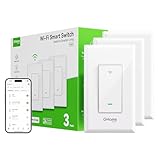
9. GHome Smart Switch, Single Pole Smart Switches for Lights Work with Alexa & Google Home, 2.4GHz WiFi Light Switch, Voice Control, APP & Remote Control, Schedule & Timer, Neutral Wire Required, 3 PCS
Overview:
GHome’s 3-pack offers budget-friendly single-pole smart switches requiring neutral wires and 2.4GHz Wi-Fi. Compatible with Alexa and Google Assistant, they emphasize flexible scheduling, remote control via the GHome app, and robust safety certifications (UL/FCC) for reliable everyday lighting automation.
What Makes It Stand Out:
Its standout feature is advanced “scenario-based” scheduling—triggering lights based on weather alerts (rain, high wind) or sunrise/sunset—not just fixed times. The 3-pack provides exceptional value for whole-home deployment, and UL/FCC certifications assure safety despite the lower price point.
Value for Money:
Outstanding value as a multi-pack. Buying three identical, certified switches at this price is rare; it’s ideal for outfitting multiple rooms affordably. While lacking Matter support, the deep scheduling and broad voice assistant compatibility justify the cost for users prioritizing customization over ecosystem unification.
Strengths and Weaknesses:
Strengths: Weather/event-triggered scenarios; affordable 3-pack value; UL/FCC certified; supports standard bulbs; intuitive app. Weaknesses: Alexa/Google only (no Apple Home); no Matter support; app less polished than Kasa/Leviton; limited physical build refinement.
Bottom Line:
A top pick for budget-conscious users needing multiple switches with creative scheduling. Its weather-based automations and safety certifications make it a practical, feature-rich choice for whole-home basic smart lighting.
10. Amazon Basics Smart Dimmer Switch, Single Pole, Works with Alexa Only, Voice Control, 2.4 GHz Wi-Fi, No Hub Required, Neutral Wire Required, White

Overview:
Amazon Basics’ Smart Dimmer is a no-frills, Alexa-exclusive switch requiring neutral wires and 2.4GHz Wi-Fi. Designed as a direct replacement for traditional dimmers, it focuses purely on seamless Alexa integration and basic scheduling via the Alexa app, with minimal setup complexity.
What Makes It Stand Out:
Its simplicity is the key differentiator: deep, native Alexa integration means routines and voice control work flawlessly without third-party apps. The guided installation (video/manual) is exceptionally straightforward for Alexa-centric users, and the budget price makes smart dimming highly accessible.
Value for Money:
Exceptional value if you’re fully invested in Alexa. At a significantly lower price than multi-platform switches, it delivers core dimming functionality reliably. However, value plummets for non-Alexa users, as it offers zero flexibility with other ecosystems like Google or Apple.
Strengths and Weaknesses:
Strengths: Flawless Alexa integration; very affordable; simple setup; reliable dimming; no hub needed. Weaknesses: Alexa only (no Google/Apple); limited scheduling via Alexa app; no Matter support; basic feature set (e.g., no weather triggers); build quality less premium.
Bottom Line:
Perfect for Alexa loyalists seeking an affordable, hassle-free dimmer upgrade. If you live entirely in Amazon’s ecosystem, it’s a smart buy—but avoid if you use other platforms or want advanced features.
Understanding Renter-Specific Smart Switch Constraints
Why Traditional Smart Switches Won’t Work for Renters
Most standard smart wall switches demand a neutral wire and a ground wire inside your electrical box—components often absent in older rental properties. More critically, they require hardwiring directly into your home’s circuitry, which involves removing the existing switch plate, disconnecting wires, and making permanent connections. Landlords typically prohibit this, as it alters the property’s original state and creates potential safety liabilities. Attempting such an installation could breach your lease agreement, jeopardize your security deposit, or even violate local housing codes designed to protect both tenants and property owners.
The Non-Permanent Installation Imperative
For renters, the golden rule is: nothing permanent. Your solution must leave zero evidence of modification when you move out. This means avoiding any solution requiring drilling, cutting drywall, running new cables, or splicing wires permanently. Ideal installations should take under five minutes per switch, use only the existing faceplate screws, and be fully reversible in seconds—returning the wall to its original, pre-occupied condition. Landlords appreciate tenants who respect the property’s integrity, and adhering to this principle ensures smoother move-out inspections and deposit returns.
Balancing Functionality with Lease Agreement Compliance
Your smart switch hunt must start with a careful review of your lease. Some agreements explicitly ban any electrical modifications, while others might allow low-voltage devices or surface-mounted accessories. Never assume permission—document any verbal landlord approvals in writing. Functionality can’t outweigh lease compliance; a brilliant smart switch is useless if installing it triggers an eviction notice. Prioritize devices explicitly marketed as “renter-friendly” or “no-neutral-wire” solutions, as these are engineered to sidestep the most common lease restrictions related to electrical work.
Installation Methods Suitable for Rental Living
Clip-On and Overlay Switch Solutions
These ingenious devices snap directly over your existing switch plate or toggle mechanism without any wiring. Think of them as smart sleeves: you leave the original switch untouched and operational while the clip-on module sits on top, translating physical presses into smart commands. Installation takes seconds—no tools needed—and removal is instantaneous, leaving the original switch completely unaltered. They’re perfect for strict leases but may lack advanced features like dimming or scheduling since they rely on the physical switch’s position.
Smart Switch Modules Behind the Plate
A step up in capability, these slim modules install behind your existing switch plate, connecting only to the two main load wires (line and load) already present in most rental switches. Crucially, they don’t require a neutral wire or ground connection, bypassing a major hurdle. Using the existing faceplate screws, you secure the module into the electrical box, then reattach your original switch plate. The physical toggle still controls the light manually, but the module enables app control, voice commands, and automation. Removal involves simply unscrewing the plate and disconnecting two wires—reverting to stock in minutes.
Wireless Remote Control Integration
When modifying the wall switch itself is impossible, pair your existing lights with smart plugs or in-line modules controlled via wireless remotes. Place a smart plug between your lamp and outlet, then mount a battery-powered remote switch (adhesive-backed or magnetic) near the door. Press the remote to control the lamp without touching the wall switch. While not a direct wall switch replacement, this approach offers similar convenience with zero wall penetration. Ideal for table lamps or floor lamps, though less seamless for overhead fixtures.
Essential Features to Prioritize as a Renter
Zero-Neutral-Wire Compatibility
This isn’t just a nice-to-have; it’s often the only path to a viable installation in rentals. Older buildings frequently lack the neutral wire (typically white) in switch boxes, reserved only for outlets. Smart switches requiring a neutral won’t function or could behave erratically without it. Renter-focused models use clever circuitry to power themselves using just the line and load wires, drawing minimal current through the connected light bulb. Confirm “no neutral wire required” in the specifications—this single feature opens the door to most rental-compatible options.
Tool-Free and Reversible Setup
Time is precious when you’re setting up a temporary home. Prioritize switches designed for installation with just your fingers or a single coin for plate screws—no screwdrivers, wire nuts, or voltage testers needed. Equally vital is the removal process: you should be able to detach the device, tuck wires safely back into the box, and reattach the original plate in under 60 seconds. Look for modular designs where the smart component slides out easily or connects via plug-and-play terminals, avoiding tedious wire re-striping during move-out.
Physical Toggle Retention for Manual Control
Never sacrifice manual light control. Landlords (and common sense) require that lights function normally if the smart system fails or loses power. The best renter switches integrate seamlessly with your existing toggle—it still works physically to turn lights on/off regardless of Wi-Fi status or app functionality. This ensures compliance with safety codes and avoids frustrating situations where a dead internet connection plunges you into darkness. Verify that the switch mechanism feels solid and responsive, not flimsy or obstructed by the smart module.
Compact Design for Shallow Electrical Boxes
Rental properties often have older, shallow electrical boxes that can’t accommodate bulky smart switches. Measure your box depth before buying—many rentals have boxes only 1.5 to 2 inches deep. Seek out “slim profile” or “renter-specific” models explicitly designed for tight spaces. A switch that won’t fit physically forces you to either abandon the project or risk damaging the wall by forcing components, neither of which serves your lease agreement. Compactness also makes removal neater, reducing the chance of wires protruding awkwardly during reversion.
Navigating Compatibility and Ecosystem Needs
Wi-Fi vs. Hub-Dependent Systems for Simplicity
Opt for Wi-Fi direct-connect switches whenever possible. They link straight to your home network and smartphone app without needing a separate hub (like Zigbee or Z-Wave devices). This reduces cost, eliminates another device to set up or lose during moves, and simplifies the entire process. Hub-dependent systems add complexity: you need landlord permission for another device plugged into an outlet, and moving means relocating or abandoning the hub. Wi-Fi models offer the cleanest, most portable solution for transient living.
Voice Assistant and App Integration Flexibility
Ensure compatibility with the ecosystem you actually use—whether it’s Google Assistant, Amazon Alexa, or Apple HomeKit (via Matter over Thread). Test the app’s user-friendliness before committing; a clunky interface defeats the purpose of convenience. Crucially, confirm that routines and automations work reliably without constant app refreshing. As a renter, you won’t want to troubleshoot complex integrations every time you move; seamless daily operation matters more than supporting every obscure platform.
Security and Privacy Considerations for Temporary Setups
Data Handling and Manufacturer Trustworthiness
Even temporary devices collect data—your usage patterns, schedules, and device names. Research the manufacturer’s privacy policy: do they sell anonymized data? How long do they retain logs? Prioritize companies with clear, user-friendly privacy controls and a reputation for security (look for regular firmware updates). Since you’ll uninstall the device eventually, confirm that all personal data is wiped from the device itself upon removal—not just from your app. Avoid obscure brands with no track record; your rental security deposit isn’t worth risking a data breach.
Physical Security During Tenancy
Consider how conspicuous the device is. A sleek, low-profile switch that blends with your decor is less likely to attract unwanted attention from visitors or future tenants than a bulky, obviously “smart” unit. Some models even offer tamper alerts via the app if someone tries to remove the faceplate. While not foolproof, this deters casual interference. Remember, as a renter, you’re accountable for the device while it’s installed—ensure it’s secure but not a target.
Future-Proofing Your Renter Smart Switch Investment
Software Update Longevity and Ecosystem Support
Rental tech should outlast your lease. Investigate the manufacturer’s history: do they provide firmware updates for older models? Is the device part of a growing ecosystem (like Matter support) ensuring compatibility with future smart home standards? Avoid switches tied to proprietary apps that have a history of shutting down services—your six-month sublet shouldn’t end with a $30 paperweight. Prioritize brands committed to long-term software support, even for entry-level devices.
Frequently Asked Questions
Can I install a smart switch without a neutral wire in my rental?
Yes, many modern “renter-friendly” switches are designed specifically for single-pole setups without a neutral wire, using alternative power-sourcing methods through the load wire and light bulb.
Will installing a smart switch void my security deposit?
Only if it causes damage or violates your lease. Choose non-invasive, reversible models that leave no marks, and always get written permission from your landlord before installation.
Do I need an electrician to set up a renter-approved smart switch?
Generally no—these devices are designed for DIY installation using only basic hand tools (or often just your fingers), taking minutes per switch without electrical expertise.
Can I take the smart switch with me when I move out?
Absolutely. True renter-focused switches are built for easy removal and reinstallation in your next home, making them a portable investment.
Are there smart switches that work with just adhesive strips?
Yes, clip-on overlays or remote switches often use strong adhesive or magnetic mounts, requiring zero tools or wall modifications beyond what a picture frame would need.
What happens if the Wi-Fi goes out?
Switches retaining the physical toggle will still operate lights manually. Some advanced models also support local control via Bluetooth as a backup during outages.
Can smart switches help reduce my electricity bill in a rental?
Indirectly, yes—through features like scheduling, dimming, and usage monitoring, you can optimize lighting habits to lower energy consumption without altering wiring.
Are voice-controlled switches allowed in apartments with thin walls?
Most use standard wake words (like “Hey Google”), but check if the device has physical mute buttons or adjustable volume to minimize disturbance to neighbors.
How do I know if my electrical box is too shallow for a smart switch?
Measure depth with a ruler; if it’s under 2 inches, seek “slim profile” models explicitly rated for shallow boxes to avoid protruding faceplates or loose wires.
Will a smart switch work with LED or CFL bulbs in my rental?
Virtually all modern smart switches support energy-efficient bulbs, but confirm compatibility with dimmable LEDs if you plan to use dimming features to prevent flickering.