Working from home has transformed from a temporary solution to a permanent fixture for millions, yet many still struggle with the frustrating limitations of traditional video calls. Picture this: you’re mid-presentation, desperately trying to share your screen while simultaneously managing awkward camera angles, tinny laptop audio, and the constant need to prop up your device on stacks of books. It’s exhausting, inefficient, and frankly, it undermines your professionalism. The right dedicated device can eliminate these daily tech headaches, turning chaotic virtual interactions into seamless, productive sessions where you’re seen and heard clearly—without the mental gymnastics.
What if your video conferencing tool didn’t feel like an afterthought cobbled together from your existing gadgets? Enter the smart display: a purpose-built solution designed to elevate your remote work experience beyond the constraints of laptops or tablets. These aren’t just fancy digital photo frames; they’re intelligent hubs that integrate high-quality cameras, robust speakers, intuitive touch controls, and smart assistant functionality into a single, clutter-reducing unit. By dedicating a device solely to video collaboration, you reclaim focus, reduce setup time, and project confidence in every meeting—whether you’re leading a team huddle, connecting with clients, or collaborating across time zones. Let’s explore how to choose the ideal smart display to make remote work feel effortless and effective.
Top 10 Video Calling Smart Displays
Detailed Product Reviews
1. Meta Portal TV - Big Screen Smart Video Calling for Group Calls on Your TV

Overview: The Meta Portal TV transforms your existing television into a dedicated smart video calling hub, designed to elevate group conversations by projecting participants life-size onto your living room screen. It leverages your TV’s display via a compact external camera unit. What Makes It Stand Out: Its room-scale Smart Camera and Smart Sound are exceptional, automatically framing all participants without manual adjustment and isolating voices from background noise. Seamless compatibility with Messenger and WhatsApp (even for non-Portal users) and robust physical privacy controls (camera cover, mic disable) differentiate it from basic webcam solutions. Value for Money: Positioned as a premium TV accessory, it justifies its cost for families prioritizing immersive group calls. It avoids the need for a dedicated large-screen device, utilizing your existing TV, making it more economical than standalone smart displays of comparable viewing size. Strengths and Weaknesses: Strengths: Effortless group framing, superior audio processing, broad app compatibility, strong privacy features. Weaknesses: Requires a compatible TV and HDMI port, lacks standalone display for non-call use, limited smart home integration compared to all-in-one hubs. Bottom Line: An excellent investment for households seeking natural, high-quality group video calls on their main TV; ideal if you prioritize call experience over multi-functional smart display capabilities.
2. Smart Frame by ViewClix, The Digital Picture Frame with Video Calling | Share Photos & Videos | Add Captions | Designed for Grandparents | Share from Phone | 1 Month Membership Included, 15.6”

Overview: ViewClix Smart Frame is a dedicated digital photo frame tailored for effortless senior connectivity, combining automatic photo/video sharing, simplified video calling, and remote management via a family subscription model. What Makes It Stand Out: Its senior-centric design is unmatched: true one-touch operation for elders, comprehensive remote management by family (scheduling content, auto-answering calls), and integrated features like weather updates and text reminders eliminate tech barriers. The mandatory Premier Membership ($9.95/month) includes lifetime warranty coverage. Value for Money: The upfront cost is reasonable for a large 15.6" frame, but the ongoing subscription is essential. Value hinges on consistent family usage; it excels as a low-friction communication tool for seniors, justifying the membership if heavily utilized for photos and calls, though alternatives exist without recurring fees. Strengths and Weaknesses: Strengths: Exceptionally senior-friendly interface, powerful remote management, auto-answer video calls, integrated reminders/weather. Weaknesses: Required $9.95/month subscription for core functionality, limited use case beyond photo/call sharing, no native app ecosystem. Bottom Line: Highly recommended only for families prioritizing effortless grandparent connectivity; the subscription model delivers unparalleled senior usability but adds long-term cost compared to basic frames.
3. Meta Portal - Smart Video Calling for the Home with 10” Touch Screen Display - White

Overview: This compact 10-inch smart display offers Meta’s core video calling experience in a sleek, picture-frame form factor designed to blend into home decor, focusing on seamless communication rather than multimedia consumption. What Makes It Stand Out: The integration of Smart Camera (auto-framing) and Smart Sound (voice enhancement) within a minimalist, privacy-conscious design is key. Its “Superframe” idle mode displays photos and social updates, and it supports hands-free calling via voice commands without requiring a separate smart speaker. Value for Money: Competitively priced against similar-sized smart displays, it delivers superior call quality and privacy features. While lacking Fire TV or extensive smart home control, its singular focus on optimized video calling offers strong value for communication-centric users over more generalized, pricier hubs. Strengths and Weaknesses: Strengths: Best-in-class auto-framing/sound for calls, elegant picture-frame design, intuitive touchscreen, robust physical privacy controls. Weaknesses: Limited entertainment ecosystem (no native streaming apps beyond basics), weaker smart home hub capabilities, smaller screen than newer competitors. Bottom Line: A top choice for users seeking a dedicated, high-quality video calling station with unobtrusive home integration; less suitable if you need a primary entertainment or smart home control center.
4. Portal Mini Black 8" from Facebook. Smart, Hands-Free Video Calling with Alexa Built-in
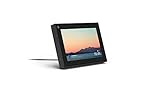
Overview: Meta’s compact 8-inch Portal Mini packs smart video calling, Alexa voice control, and unique interactive features like Story Time into a portable device, bridging social connectivity and smart assistant functionality. What Makes It Stand Out: The fusion of Meta’s Smart Camera/Sound with full Alexa integration is unique, enabling voice-controlled media, smart home commands, and news during or between calls. Story Time with animated AR effects for children and Superframe photo display significantly broaden its utility beyond basic calling. Value for Money: Its dual-role (Meta caller + Alexa speaker) offers good value. While cheaper than larger Portals, the inclusion of Alexa avoids needing a separate Echo Dot. The niche Story Time feature adds family-specific value, though pure Alexa users might prefer a dedicated Echo Show. Strengths and Weaknesses: Strengths: Excellent portability, strong dual-platform integration (Messenger/WhatsApp + Alexa), engaging Story Time/AR features, Superframe utility. Weaknesses: Small screen limits viewing comfort, Alexa experience less polished than dedicated Echo devices, limited smart home dashboard compared to Echo Show. Bottom Line: Ideal for compact spaces or as a secondary device; highly recommended for families wanting kid-friendly calling features combined with Alexa, but consider larger displays for primary living room use.
5. Like-New Amazon Echo Show 21 (newest model), Full HD 21" kitchen hub for home organization, with built-in Fire TV, Designed for Alexa+

Overview: This refurbished 21-inch Echo Show 21 is a large-format smart display hub, refurbished to “like-new” condition, emphasizing home organization, entertainment via Fire TV, and Alexa integration for kitchen or command-center use. What Makes It Stand Out: The massive 21" Full HD display is unparalleled for visibility, transforming into a customizable family command center with persistent widgets (calendars, lists). Deep Fire TV integration and powerful stereo speakers deliver a premium entertainment experience unmatched by smaller displays or Portals. Value for Money: Refurbished pricing offers significant savings on Amazon’s largest display. The combination of Fire TV, expansive screen real estate for organization, and robust Alexa smart home control provides exceptional value for kitchen or family room hubs compared to new units or multi-device setups. Strengths and Weaknesses: Strengths: Unbeatable screen size for organization/entertainment, seamless Fire TV access, powerful audio, excellent smart home dashboard, cost-effective refurbished option. Weaknesses: Video calling quality/experience lags behind Meta Portals, less intuitive for pure social calling, large footprint requires dedicated space. Bottom Line: The definitive choice for a primary home organization and entertainment hub; highly recommended for kitchens or family rooms where screen size and Fire TV matter most, but not the best for frequent video callers.
6. Indoor Security Camera with 4" Screen, 4MP Baby/Elderly Monitor with AI Conversation & Two-Way Video, Baby Crying, Human and Pet Detection, 355°Pan, 5G/2.4G WiFi, Motion Tracking, Smart Home Camera

Overview: This all-in-one indoor camera integrates a 4-inch smart display, transforming it from a passive monitor into an interactive family communication hub. Designed for nurseries or senior care, it enables real-time visual engagement while providing AI-powered security features like baby crying and pet detection.
What Makes It Stand Out: The built-in screen revolutionizes usability—allowing face-to-face video calls directly from the device without a phone, plus AI conversation capabilities for companionship. Its 355° pan with motion tracking ensures comprehensive room coverage, while dual-band WiFi guarantees stable streaming. Unlike hidden cameras, its visible design encourages interaction, doubling as a digital photo frame or info display.
Value for Money: Priced competitively against standalone monitors and security cams, it eliminates the need for multiple devices. The inclusion of both 5GHz and 2.4GHz support future-proofs connectivity, and AI features reduce false alerts—saving time versus cheaper models. However, the screen adds cost over basic cameras.
Strengths and Weaknesses:
Strengths: Intuitive screen interface; versatile two-way calling; accurate AI detection; smooth pan/tilt; dual-band reliability.
Weaknesses: Screen visibility requires optimal placement; AI companionship may feel limited; higher price than screenless alternatives; potential privacy concerns with always-on display.
Bottom Line: Ideal for families prioritizing active caregiving over passive monitoring, this camera excels as a communication tool. Despite its premium cost, the seamless integration of security and interaction justifies the investment for nurseries or senior care—making it a standout smart home companion.
7. Meta Portal Go - Portable Smart Video Calling 10” Touch Screen with Battery

Overview: Meta’s Portal Go reimagines video calling with portability, featuring a 10-inch touchscreen, integrated handle, and long-lasting battery. It targets users who want seamless Messenger/WhatsApp calls while moving freely through their home, blending smart display functionality with true mobility.
What Makes It Stand Out: The standout feature is genuine portability—unlike stationary video devices, its battery and handle enable room-to-room use without cords. Smart Camera auto-framing and Smart Sound ensure consistent video/audio quality during movement, while native WhatsApp support expands accessibility beyond Meta’s ecosystem.
Value for Money: Positioned as a premium portable device, it competes with tablets but offers superior call optimization. The battery life (8+ hours) and dedicated calling interface justify the cost for frequent callers, though casual users might find tablets sufficient at lower prices.
Strengths and Weaknesses:
Strengths: Unmatched mobility; excellent auto-framing/audio; WhatsApp compatibility; robust speaker; handle design.
Weaknesses: Limited to calling/media apps (no full tablet OS); battery degrades over time; no cellular connectivity; Meta account dependency.
Bottom Line: For households valuing uninterrupted, high-quality video calls across multiple rooms, the Portal Go is unmatched. Its specialized design delivers exceptional convenience, making it a worthwhile investment despite niche utility—perfect for active families or larger homes.
8. Domars Dual-System Smart Watch with 2.4" AMOLED Bezelless Display, Rotatable Camera, Android Support, GPS, 2100mAh Ultra-Long Battery, IP67 Waterproof for Men and Women (Black)

Overview: This feature-packed smartwatch merges expansive display technology with robust functionality, targeting users seeking phone-like independence. Its 2.4" AMOLED screen, rotatable camera, and massive battery cater to fitness enthusiasts and those needing extended connectivity without constant charging.
What Makes It Stand Out: The bezelless AMOLED display offers exceptional clarity for a watch, while the 190° rotatable camera enables discreet photo/video capture—unique in wearables. The 2100mAh battery promises weeks of use, and dual-band GPS with 6-satellite support ensures precision fitness tracking. Android compatibility expands app access beyond typical wearables.
Value for Money: It undercuts premium “4G SIM” smartwatches significantly while matching key specs (GPS, NFC, battery). The inclusion of swim-proofing and customizable straps adds versatility, though Android integration may lack refinement versus top-tier models.
Strengths and Weaknesses:
Strengths: Industry-leading battery life; vibrant large display; versatile rotating camera; comprehensive fitness/GPS; IP67 durability.
Weaknesses: Android app support may be limited; camera quality lags behind phones; bulky design; NFC functionality unspecified.
Bottom Line: An outstanding value for battery-conscious users prioritizing display size and fitness tracking over ecosystem polish. While not a true cellular replacement, its endurance and unique camera make it ideal for outdoor adventurers and budget-focused tech adopters.
9. SMRTIPLX Video Smart Lock S398, 4-in-1 Camera + Video Doorbell + Fingerprint Keyless Door Lock + Indoor Display Monitor, Smart WiFi Deadbolt, App Remote Control, Easy Installation, Chime Included

Overview: This all-in-one smart lock integrates security, communication, and access control into a single deadbolt system. It combines fingerprint recognition, a 1080p camera with night vision, video doorbell functionality, and an indoor display—streamlining home entry management without multiple devices.
What Makes It Stand Out: The true 4-in-1 design eliminates compatibility hassles: see and speak to visitors via the included indoor monitor (no phone needed), use six unlock methods (fingerprint, PIN, app, etc.), and leverage auto-night-vision. The 10,000mAh battery promises exceptional longevity versus typical smart locks.
Value for Money: Competitive against piecing together separate doorbell, lock, and monitor systems. The bundled indoor display adds significant value, though Wi-Fi extender needs in large homes could incur extra costs. Installation ease offsets DIY complexity concerns.
Strengths and Weaknesses:
Strengths: Consolidated system reduces clutter; indoor display enhances accessibility; versatile unlocking; strong battery life; IP54 weather resistance.
Weaknesses: 2.4GHz WiFi only limits speed; indoor monitor requires power outlet; fingerprint capacity capped at 100; night vision range unspecified.
Bottom Line: A compelling solution for simplifying home security, especially for households with children or elderly residents. Despite minor connectivity limitations, its integrated approach and included monitor deliver excellent convenience—highly recommended for retrofitting traditional locks.
10. Facebook Portal Mini - Smart Video Calling 8” Touch Screen Display with Alexa - White

Overview: Meta’s compact Portal Mini focuses on optimized video calling with an 8-inch screen and Alexa integration. Designed for stationary placement (e.g., kitchen counter), it targets users wanting hands-free Messenger/WhatsApp calls with smart home control in a space-friendly form factor.
What Makes It Stand Out: Smart Camera’s auto-pan/zoom keeps users centered during movement, while Smart Sound isolates voices from background noise—critical for clear communication. Alexa built-in transforms it into a multifunctional hub for music, timers, and smart home control, distinguishing it from pure video devices.
Value for Money: Priced below larger Portals, it offers core calling features affordably. Alexa integration adds utility without subscription fees, though screen size limits media consumption versus tablets. Privacy switches provide tangible peace of mind.
Strengths and Weaknesses:
Strengths: Excellent auto-framing/audio; seamless WhatsApp support; Alexa versatility; physical privacy controls; compact design.
Weaknesses: Non-portable (no battery); screen too small for extended media; limited to Meta/WhatsApp ecosystems; Alexa feels secondary to calling.
Bottom Line: The best budget-friendly video hub for Meta-centric households seeking reliable calls and basic smart home control. While not as versatile as tablets, its calling optimization and privacy features make it a top pick for dedicated stationary use.
Evaluating Display Quality for Professional Clarity
Resolution and Screen Size Essentials
Prioritize displays with a minimum of 1080p resolution to ensure sharp, detailed visuals where facial expressions and presentation content remain clear. Screen size directly impacts usability; displays between 10-15 inches offer the best balance for personal desks without overwhelming your workspace. Larger screens (15"+) suit shared office environments but require adequate room. Consider IPS panel technology for wider viewing angles, crucial if you frequently shift positions during calls or collaborate with others nearby at your desk.
Brightness and Anti-Glare Performance
A display’s peak brightness (measured in nits) must combat typical home office lighting. Aim for at least 300 nits to prevent washed-out images in sunlit rooms. Equally important is an effective anti-glare coating—matte finishes significantly reduce distracting reflections from windows or overhead lights, ensuring your camera feed remains professional even in challenging lighting. Test displays under your actual workspace conditions if possible, as glossy screens often create problematic hotspots during video calls.
Viewing Angle Flexibility Matters
Fixed-position cameras on laptops force rigid sitting postures, but smart displays excel here. Look for units with adjustable stands offering tilt, swivel, or even full rotation (landscape to portrait mode). A camera positioned at eye level is non-negotiable for natural eye contact and reducing unflattering angles. Motorized stands that auto-adjust based on voice commands or app settings add significant convenience during back-to-back meetings.
Mastering Audio Performance for Distraction-Free Calls
Microphone Array Sophistication
Built-in microphones need advanced noise suppression to isolate your voice from background distractions like keyboard clatter, pets, or household noise. Multi-microphone arrays (four or more) with beamforming technology actively focus on your voice direction while minimizing ambient sound. Check for real-world testing of features like “mute when typing” or adaptive echo cancellation—these prevent disruptive feedback loops during collaborative sessions where multiple devices might be active.
Speaker Clarity and Volume Range
Your display’s speakers must deliver crisp, distortion-free audio at moderate volumes to avoid straining during hour-long calls. Prioritize units with dual full-range drivers and a dedicated tweeter for clear vocal reproduction—bass-heavy speakers often muddy speech. Test the maximum volume to ensure it’s sufficient for your room size without becoming tinny or overwhelming. Bonus points for spatial audio features that create a more natural, room-filling soundstage.
Echo Cancellation Effectiveness
This is the silent hero of professional calls. Effective echo cancellation prevents your voice from piping back through the speakers after being picked up by the mics—a common flaw that frustrates participants. Look for dedicated hardware processing (not just software-based solutions) specifically tuned for conferencing. Units tested against industry standards like the Acoustic Echo Cancellation (AEC) benchmark provide more reliable performance than vague marketing claims.
Smart Features That Enhance Workflows
Seamless Calendar and Meeting Integration
The best displays sync effortlessly with your existing calendar ecosystem (Google, Outlook, or Microsoft 365). They should proactively show upcoming meetings, auto-join scheduled calls with one tap, and display attendee lists. Advanced models even integrate with workplace tools like Slack or Teams to show channel activity or direct message notifications, reducing the need to constantly check your laptop during focused work blocks.
Voice Assistant Customization for Productivity
While basic voice commands are standard, prioritize displays allowing deep customization of your assistant (Google Assistant, Alexa, etc.) for work contexts. This includes creating custom routines like “Start my workday” to dim lights, mute notifications, and join your first meeting. Ensure the assistant can interact with your specific productivity apps—setting calendar events, sending status updates, or pulling up documents hands-free during calls.
Multi-User Profile Management
In shared workspaces or households, distinct user profiles prevent constant reconfiguration. Each profile should remember individual camera presets, display brightness preferences, notification settings, and even preferred communication apps. Look for facial recognition login or proximity-based auto-switching via paired smartphones to streamline transitions between users without manual logins.
Privacy and Security Non-Negotiables
Physical Camera and Microphone Safeguards
Never compromise on physical privacy controls. A sliding camera shutter provides absolute visual security when the camera is off—software-only toggles can be hacked. Similarly, a dedicated hardware microphone mute switch (with LED indicator) offers tangible peace of mind. Verify these mechanisms are robust and easily accessible; flimsy shutters or hidden mute buttons defeat their purpose.
Data Encryption and Transparency
Demand end-to-end encryption for all video streams and voice data processed through the device. Reputable manufacturers publish clear privacy policies detailing what data is collected (e.g., voice snippets for assistant training) and how it’s anonymized. Avoid displays requiring mandatory cloud accounts for basic functions—local processing for routine tasks like alarm setting enhances security and reduces vulnerability.
Regular Firmware Update Commitment
Security is an ongoing process. Choose brands with a proven track record of delivering timely, automatic firmware updates addressing vulnerabilities. Check how long the manufacturer guarantees updates post-purchase (3+ years is ideal). Devices stuck on outdated software become security liabilities, especially when handling sensitive business communications.
Practical Setup and Long-Term Value Considerations
Connectivity and Port Flexibility
Ensure the display offers sufficient ports for your ecosystem: USB-C for potential laptop docking, HDMI input to connect secondary devices (like a document camera), and standard USB-A for peripherals. Robust Wi-Fi 6 support is essential for stable 4K video calls without lag, while Bluetooth 5.0+ enables pairing with wireless headsets for private conversations. Avoid units relying solely on proprietary docks.
Power Management and Workspace Integration
Consider cable clutter—displays with magnetic or wireless charging bases keep desks tidy. Evaluate power consumption in standby mode, as these devices often stay plugged in 24/7. Look for intelligent power-saving features like automatic sleep after meeting inactivity. The form factor should complement your desk layout; compact footprints or wall-mount options maximize usable space in cramped home offices.
Software Ecosystem and App Compatibility
Your display must integrate smoothly with your primary video conferencing platforms (Zoom, Teams, Meet, etc.) without requiring complex workarounds. Verify native app support—some displays force you into a single platform, limiting flexibility. Future-proofing matters too: check if the manufacturer allows sideloading work-approved apps or has an open developer SDK for custom integrations as your needs evolve.
Frequently Asked Questions
How important is a front-facing camera versus a top-mounted one for video calls?
Front-facing cameras typically sit closer to eye level when the display is on a desk, promoting better eye contact. Top-mounted options often require tilting the screen downward, potentially creating unflattering angles. However, top mounts can be advantageous for wall-mounted units. Always prioritize adjustable stands regardless of camera position.
Can smart displays replace my laptop for video meetings entirely?
Yes, for dedicated conferencing—but they aren’t full computer replacements. They excel at handling calendar integration, joining calls, and displaying shared content. However, you’ll still need your laptop or tablet for complex multitasking, document editing during calls, or platforms without native display app support.
Do I need a premium display if I only have 1-2 short calls daily?
Not necessarily. Assess your pain points: if basic laptop calls suffice, a smart display might be overkill. However, even infrequent users benefit from features like instant wake-on-voice for urgent calls or seamless calendar joining if they struggle with traditional setup friction.
How do I prevent the display from interrupting deep work with notifications?
Most allow granular notification controls per app. Schedule “focus hours” where only critical alerts (e.g., calendar reminders) appear, or enable automatic Do Not Disturb during screen sharing. Physical placement also helps—position it slightly off-axis so peripheral vision doesn’t catch distracting pop-ups.
Are larger screens always better for group video calls?
Not always. While bigger displays (15"+) help teams gather around, they demand significant desk space and may cause distortion for individuals sitting close. For solo or 1-2 person use, 10-13 inches offers optimal clarity without forcing participants to sit unnaturally far back.
What’s the minimum internet speed required for smooth 1080p video calls?
A stable upload speed of 3-4 Mbps is essential for reliable 1080p calling. Download speed matters less for your outgoing video but affects how clearly you receive others’ streams. Always use a wired Ethernet connection if possible, as Wi-Fi congestion can cause choppy audio even with high-speed plans.
Can these displays work with older video conferencing software?
Compatibility depends on the display’s operating system and app store access. Displays running full Android or proprietary systems with open app ecosystems generally support legacy platforms better than closed systems. Check manufacturer specs for minimum software version requirements before purchasing.
How do I clean the display without damaging the camera or sensors?
Always power off first. Use a microfiber cloth slightly dampened with distilled water—never spray directly onto the screen. Avoid alcohol-based cleaners near plastic bezels or camera lenses, as they can cause clouding. Gently wipe sensors/camera with a dry portion of the cloth.
Is voice command accuracy reliable in noisy home offices?
It varies significantly. Higher-end models with far-field microphones and edge-based processing (not requiring constant cloud pings) perform better in moderate noise. For critical commands in loud environments, physical touch controls or companion phone apps provide more reliable alternatives.
What lifespan should I expect from a quality smart display?
With regular software updates and proper care, 3-5 years is typical. Battery-backed models (for alarm functions) may see reduced standby time after 2+ years. Avoid units where critical components like the camera or speakers are sealed—modular designs allow easier part replacements to extend usability.