Imagine coming home to perfectly timed lighting, appliances ready to go, and a home that simply works without you lifting a finger. That seamless automation magic often hinges on a tiny, unassuming device: the smart plug. But if you’ve ever wrestled with a plug that drops off your network or refuses to talk to your hub, you know the frustration can shatter that smart home dream faster than a dropped glass. The secret weapon for true reliability? Zigbee. Unlike its Wi-Fi cousins that hog bandwidth and crash during storms, Zigbee smart plugs operate on a dedicated, low-power mesh network designed specifically for the Internet of Things. They’re the unsung heroes of stable, responsive home automation, creating a robust backbone that just keeps humming along.
Why does this matter so much? Because true smart home harmony isn’t about flashy gadgets; it’s about invisible reliability. Zigbee plugs integrate deeply with your central hub, enabling complex automations that trigger based on sensors, time, or even your location – all without relying on your main internet connection. They consume minimal power, extend your network’s reach through mesh routing, and typically offer faster, more consistent response times than Wi-Fi alternatives. If you’re tired of playing tech support for your smart home instead of enjoying it, understanding how to choose the right Zigbee plug isn’t just helpful—it’s the foundation for an ecosystem that finally works as promised. Let’s cut through the noise and focus on what actually matters for seamless, hub-integrated control.
Top 10 Zigbee Smart Plugs
Detailed Product Reviews
1. THIRDREALITY ZigBee Smart Plug 4 Pack with Real-time Energy Monitoring,15A Outlet, Zigbee Repeater,ETL Certified,ZigBee Hub Required,Work with Home Assistant,Compatible Echo Devices and SmartThings

Overview: This 4-pack of ZigBee 3.0 smart plugs offers real-time energy monitoring, voice control, and mesh networking. Designed for seamless integration with major smart home ecosystems like Home Assistant, SmartThings, and Alexa-enabled Echo devices, it targets users seeking granular energy insights and reliable automation. A Zigbee hub is mandatory for operation.
What Makes It Stand Out: Real-time energy monitoring is its crown jewel, enabling precise tracking of device consumption via supported platforms like Home Assistant and SmartThings. Its space-saving design avoids blocking adjacent outlets, while acting as a Zigbee repeater strengthens mesh network reliability. ETL certification and customizable power-restoration settings enhance safety and flexibility.
Value for Money: Priced competitively for a 4-pack with energy monitoring, it outperforms basic Wi-Fi plugs in stability (reducing network congestion) and offers deeper insights than non-monitoring Zigbee alternatives. While requiring an additional hub investment, the long-term energy savings and robust automation justify the cost for serious smart home users.
Strengths and Weaknesses:
Strengths: Accurate real-time energy data; compact design preserves outlet space; reliable Zigbee mesh integration; strong safety certifications.
Weaknesses: Mandatory hub adds expense; energy monitoring limited to specific platforms (e.g., not Alexa); setup complexity for non-technical users.
Bottom Line: An excellent choice for energy-conscious users invested in Zigbee ecosystems, offering valuable monitoring and stable performance. Avoid if you lack a compatible hub or prioritize ultra-simple setup.
2. THIRDREALITY Smart Plug 4 Pack, 15A Smart Outlet with Timer Function, Zigbee Repeater, ETL Certified, Requires ZigBee Hub, No Power Meter
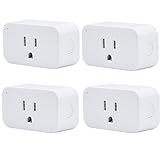
Overview: This THIRDREALITY 4-pack delivers core smart plug functionality—voice/app control, scheduling, and Zigbee mesh repeater capabilities—without energy monitoring. It prioritizes stability and ease of use for basic automation tasks like controlling lamps or fans, requiring a compatible Zigbee hub like select Echo devices.
What Makes It Stand Out: Its standout feature is the ultra-simple setup with Alexa: plug in and say “Alexa, discover devices” for near-instant recognition. The compact design ensures adjacent outlets remain accessible, and the Zigbee 3.0 connection avoids Wi-Fi congestion. Timer/scheduling functions enable routines (e.g., turning off devices remotely), enhancing convenience and security.
Value for Money: Offers exceptional value for users needing reliable, no-frills automation without energy tracking. Cheaper than monitoring-equipped models, it excels as a foundational plug for large-scale deployments where cost per unit matters. Ideal for budget-conscious users already owning a Zigbee hub.
Strengths and Weaknesses:
Strengths: Effortless Alexa pairing; space-efficient design; stable Zigbee mesh performance; affordable 4-pack pricing.
Weaknesses: Lacks energy monitoring; hub requirement adds cost; limited advanced features compared to premium models.
Bottom Line: A top pick for straightforward, reliable smart control at scale. Choose this if energy data isn’t essential and you prioritize simplicity and value in a multi-pack.
3. THIRDREALITY Zigbee Smart Plug with Real-time Power Monitoring,15A Smart Outlet, Zigbee Repeater, ETL Certified, ZigBee Hub Required,Work with Home Assistant,Compatible Echo Devices and SmartThing

Overview: This single-unit THIRDREALITY plug mirrors Product 1’s core features—real-time power monitoring, Zigbee 3.0 connectivity, and voice/app control—but targets users needing a standalone solution. It integrates with Home Assistant, SmartThings, and Alexa hubs, emphasizing energy efficiency and safety for individual high-value appliances.
What Makes It Stand Out: Real-time power monitoring enables actionable energy-saving insights via Home Assistant or SmartThings. Its safety-focused “restore status” feature lets users define post-power-outage behavior (on/off), a rarity in budget plugs. The compact form factor and ETL certification ensure safety and space efficiency without obstructing neighboring outlets.
Value for Money: Slightly pricier per unit than the 4-pack (Product 1), but justified for targeted use cases like monitoring a single energy-hungry device. It undercuts premium brands while offering comparable monitoring accuracy and Zigbee reliability, making it a smart buy for focused energy management.
Strengths and Weaknesses:
Strengths: Precise energy consumption tracking; customizable power-fail restoration; robust Zigbee repeater functionality; ETL safety certified.
Weaknesses: Single-unit cost less economical than multi-packs; monitoring not supported on all platforms (e.g., limited in SmartThings); hub dependency.
Bottom Line: Highly recommended for monitoring specific appliances. Opt for Product 1’s 4-pack if expanding your whole home; choose this for a single critical device requiring energy insights.
4. EIGHTREE Zigbee Smart Plug 15A, Energy Monitoring, 𝗭𝗶𝗴𝗯𝗲𝗲 𝗛𝘂𝗯 Required, ETL Certified, Smart Plugs That Compatible with Alexa & Home Assistant & SmartThings, 4 Packs

Overview: EIGHTREE’s 4-pack Zigbee plugs combine energy monitoring, ultra-low standby consumption (0.17W), and broad ecosystem compatibility. Designed for eco-conscious users, it works with Home Assistant, SmartThings, and Alexa hubs (but not HomeKit), emphasizing stability in dense smart home setups via Zigbee mesh networking.
What Makes It Stand Out: Industry-leading 0.17W standby power consumption significantly reduces “vampire drain” versus competitors (saving ~0.38W annually per plug). Detailed energy graphs in Home Assistant/SmartThings provide deep usage insights. The plug’s robust mesh networking avoids Wi-Fi interference, ensuring reliability even with dozens of devices.
Value for Money: Competitive pricing for a 4-pack with premium eco-features. The energy savings from ultra-low standby power compound over time, offsetting the initial cost. It’s a smarter long-term investment than higher-standby alternatives, especially for users with many always-on plugs.
Strengths and Weaknesses:
Strengths: Exceptionally low standby power; detailed energy graphs; strong mesh network stability; ETL certified.
Weaknesses: Hubitat requires manual driver setup; no HomeKit support; SmartThings limits graph viewing (no historical data export).
Bottom Line: The eco-champion for large installations. Ideal if minimizing standby waste is critical and you use Home Assistant/SmartThings. Skip if you rely on HomeKit or need advanced Hubitat out-of-the-box.
5. 𝗭𝗶𝗴𝗕𝗲𝗲 Smart Plug, Energy Monitoring, 𝗭𝗶𝗴𝗯𝗲𝗲 𝗛𝘂𝗯 Required, ETL Certified, Compatible with Alexa, Google Home, Home Assistant, SmartThings, Remote App Control, Smart Outlet, 1 Pack

Overview: This single Zigbee 3.0 plug delivers energy monitoring, app/voice control, and scheduling in a compact, ETL-certified design. Compatible with Alexa, Google Home, Home Assistant, and SmartThings, it targets users seeking versatile automation for individual appliances without Wi-Fi dependency. A Zigbee hub is essential.
What Makes It Stand Out: Broad voice assistant compatibility (Alexa and Google Home) sets it apart from brand-locked rivals. The NOUS Smart Home app enables remote control, scheduling, and real-time power tracking—features rarely bundled affordably. Its 15A capacity (1500W) and IP20 rating ensure safety for high-wattage devices like heaters.
Value for Money: A solid mid-tier option for single-device control. Priced fairly for the feature set (monitoring + dual-voice support), though multi-packs offer better per-unit value. Ideal for users needing Google Assistant integration or a standalone plug with robust app functionality.
Strengths and Weaknesses:
Strengths: Dual voice assistant support (Alexa/Google); intuitive NOUS app for scheduling; 15A capacity handles heavy loads; compact non-adjacent-block design.
Weaknesses: Single-unit cost; limited app ecosystem compared to major brands; no standout eco-features like ultra-low standby.
Bottom Line: A reliable, flexible choice for Google-centric homes or as a first smart plug. Prioritize multi-packs (Products 1 or 4) for whole-home setups, but this excels for targeted Google/Alexa integration.
6. THIRDREALITY Smart Dual Plug 2 Pack, Zigbee 2-in-1 Smart Outlet with Independent Control and Power Monitoring, Zigbee Repeater, Compatible with Home Assistant(ZHA/Z2M), SmartThings, Homey

Overview:
This 2-pack offers a space-saving solution for smart home enthusiasts using Zigbee hubs. Each unit integrates two independently controllable outlets into a single standard wall plug footprint, enabling precise energy monitoring per device and acting as a Zigbee repeater. It requires a compatible Zigbee hub (like Home Assistant or SmartThings) for operation.
What Makes It Stand Out:
The dual-outlet design is its key differentiator, allowing two separate devices to be smart-enabled without blocking adjacent sockets—ideal for crowded power strips. Individual energy monitoring per outlet via platforms like ZHA/Z2M provides granular usage insights, while the built-in Zigbee repeater function strengthens mesh network reliability. ETL certification and zero-cross detection enhance safety for continuous use.
Value for Money:
Priced competitively for a dual-outlet solution, it eliminates the need for two single-plug units. The 2-pack effectively creates four smart, metered outlets, maximizing panel space. While slightly pricier upfront than single plugs, the dual functionality and energy insights justify the cost for users needing multiple monitored circuits.
Strengths and Weaknesses:
Strengths: True independent control/monitoring per outlet; non-obstructive design; robust Zigbee repeater; ETL safety certified; zero-cross switching. Weaknesses: Total 1800W limit shared across both outlets (limits high-power devices); requires specific Zigbee hubs (not Wi-Fi); no native voice assistant compatibility without a hub.
Bottom Line:
An excellent investment for Zigbee-centric smart homes needing efficient outlet utilization and detailed energy tracking. Ideal for managing multiple low-to-mid-power devices per socket, though power-hungry appliances require careful load balancing.
7. EIGHTREE Zigbee Smart Plug 𝟭𝟱𝑨, Energy Monitoring, 𝗭𝗶𝗴𝗯𝗲𝗲 𝗛𝘂𝗯 Required, Zigbee Repeater, ETL Certified, Smart Plugs That Compatible with Alexa & Home Assistant & SmartThings, 2 Packs

Overview:
This 2-pack delivers reliable Zigbee 3.0 connectivity for smart home control, requiring a compatible hub (e.g., Home Assistant, SmartThings). It focuses on energy efficiency and mesh network expansion, featuring per-plug energy monitoring and ETL safety certification for dependable operation.
What Makes It Stand Out:
Its ultra-low standby power consumption (0.17W) significantly outperforms many competitors, reducing energy waste during idle periods. The plug actively extends Zigbee mesh coverage as a repeater, enhancing network stability in larger homes. Seamless integration with major platforms like Home Assistant and Alexa (via hub) without third-party apps simplifies setup.
Value for Money:
Offering strong energy monitoring and mesh extension at a mid-range price point, it provides excellent long-term value through reduced standby consumption. The 2-pack is cost-effective for covering multiple rooms. While not the cheapest option, its efficiency and reliability make it a smart buy for eco-conscious users.
Strengths and Weaknesses:
Strengths: Exceptionally low standby power; robust Zigbee mesh repeater; ETL certified; quick setup; broad hub compatibility (excludes Apple HomeKit). Weaknesses: No native voice control (requires hub); Apple HomeKit incompatible; energy monitoring limited to supported hubs.
Bottom Line:
Highly recommended for users prioritizing energy efficiency and mesh network robustness. Its low standby draw and reliable performance deliver tangible savings and stability, making it a top choice for sustainable smart home setups.
8. 𝗭𝗶𝗴𝗕𝗲𝗲 Smart Plug, Energy Monitoring, 𝗭𝗶𝗴𝗯𝗲𝗲 𝗛𝘂𝗯 Required, ETL Certified, Compatible with Alexa, Google Home, Home Assistant, SmartThings, Remote App Control, Smart Outlet, 2 Pack

Overview:
This versatile 2-pack Zigbee 3.0 smart plug emphasizes broad voice assistant compatibility and user-friendly app control. Requiring a Zigbee hub (e.g., SmartThings), it enables energy monitoring, scheduling, and remote operation for standard home appliances up to 15A.
What Makes It Stand Out:
Direct compatibility with Alexa, Google Home, and the NOUS Smart Home App provides exceptional flexibility in control methods. The inclusion of smart scheduling/automation routines accessible via app enhances convenience for lighting or appliance management. Its compact design avoids blocking neighboring outlets.
Value for Money:
Competitively priced for dual-plug functionality with wide ecosystem support, it offers strong value for users invested in multiple voice platforms. The energy monitoring and scheduling features typically found on pricier models are included, though hub dependency adds initial cost.
Strengths and Weaknesses:
Strengths: Broad voice/app compatibility (Alexa, Google, NOUS); intuitive scheduling; non-obstructive design; ETL certified; solid 15A capacity. Weaknesses: Energy monitoring requires specific hubs; NOUS app details are sparse; no explicit mention of Zigbee repeater functionality.
Bottom Line:
A solid pick for users wanting seamless voice control across Alexa and Google ecosystems with straightforward scheduling. Best suited for those already owning a compatible Zigbee hub seeking reliable, app-centric plug management.
9. THIRDREALITY Smart Dual Plug, Zigbee 2-in-1 Smart Outlet with Independent Control and Power Monitoring, Zigbee Repeater, Compatible with Home Assistant(ZHA/Z2M), SmartThings, Homey

Overview:
This single-unit version of ThirdReality’s dual smart outlet provides two independently controlled and monitored sockets within one compact unit. Designed for Zigbee hub ecosystems (Home Assistant, SmartThings), it doubles as a network repeater and prioritizes safety with ETL certification.
What Makes It Stand Out:
Like its 2-pack counterpart (Product 6), it uniquely offers true dual-outlet independence—separate control, monitoring, and scheduling per socket—without occupying extra wall space. The integrated Zigbee repeater strengthens mesh networks, and zero-cross detection ensures safer switching for sensitive electronics.
Value for Money:
Purchasing individually offers flexibility for targeted upgrades. While the per-unit cost is higher than single-plug competitors, the dual functionality effectively delivers two smart outlets in one, maximizing value where space is limited. Energy monitoring justifies the premium for efficiency-focused users.
Strengths and Weaknesses:
Strengths: Genuine independent dual-outlet control/monitoring; space-efficient design; reliable Zigbee repeater; ETL safety certified; zero-cross switching. Weaknesses: Shared 1800W total load cap (15A); hub mandatory; not ideal for high-wattage appliances on both outlets simultaneously.
Bottom Line:
An optimal solution for adding two smart, metered circuits where outlet space is constrained. Highly recommended for detailed energy tracking in multi-device setups, provided power loads are managed carefully.
10. Smart Plug, ZigBee Switch Mini Smart Outlet Works with Alexa, Google Home, Echo (4th gen), Echo Plus (Gen 1 & 2), Echo Show 8/10, Smartthings 2015/2018,Works as a Range Extender, Hub Required, 2 Pack
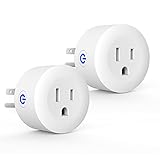
Overview:
This ultra-compact 2-pack Zigbee mini plug prioritizes seamless integration with Amazon’s ecosystem and physical design. It requires a compatible hub (e.g., Echo Plus, SmartThings 2015/2018) and functions as a range extender while offering basic smart control.
What Makes It Stand Out:
Its exceptionally small form factor minimizes outlet blockage, a key advantage over bulkier competitors. Direct compatibility with Amazon Echo devices (4th gen+, Echo Show, Echo Plus) simplifies Alexa voice control. The fireproof PC material and dual insulation emphasize safety for continuous use.
Value for Money:
Priced affordably, it’s a budget-friendly entry into Zigbee smart plugs, especially for Amazon-centric homes. The 2-pack value is solid, though energy monitoring is absent—making it ideal for basic on/off control rather than detailed power management.
Strengths and Weaknesses:
Strengths: Minimalist design (won’t block outlets); strong Amazon ecosystem integration; robust safety features (ETL, fireproof); acts as Zigbee range extender. Weaknesses: No energy monitoring; limited hub compatibility (excludes older SmartThings/Tuya); basic functionality only.
Bottom Line:
A practical, low-cost choice for Amazon Echo users needing compact, reliable on/off control and network extension. Skip if energy tracking is essential, but ideal for simple appliance automation in Alexa-focused homes.
Understanding Zigbee Technology for Smart Plugs
Zigbee isn’t just another wireless protocol; it’s a carefully engineered solution for the unique demands of smart home devices. Operating on the 2.4 GHz frequency band (like Wi-Fi and Bluetooth), Zigbee uses significantly less power and avoids the congestion that plagues home Wi-Fi networks. This low-power design is crucial for devices like smart plugs that need to run 24/7 without spiking your electricity bill.
How Zigbee Mesh Networking Creates Stability
The true power of Zigbee lies in its mesh networking capability. Unlike Wi-Fi devices that connect directly to your router, Zigbee devices form a self-healing web where each compatible device acts as a potential signal repeater. When you plug in a Zigbee smart plug, it doesn’t just control the appliance – it actively strengthens the entire network. If one path is blocked, signals automatically reroute through other devices, eliminating dead zones and ensuring commands reach their destination reliably, even in larger homes.
Zigbee 3.0: The Universal Standard You Need
Early Zigbee devices suffered from compatibility headaches due to fragmented standards (like Zigbee Home Automation 1.2 or Light Link). Zigbee 3.0, finalized in 2019, is the critical unification. It ensures that any certified Zigbee 3.0 plug will communicate seamlessly with any certified Zigbee 3.0 hub or device, regardless of brand. Always verify this certification – it’s non-negotiable for future-proofing your setup and avoiding integration nightmares.
Power Consumption and Network Impact
Zigbee’s ultra-low power draw is a game-changer. While a Wi-Fi plug might use 1-2 watts constantly just staying connected, a Zigbee plug typically uses less than 0.5 watts. This minimal overhead translates to real savings over time and, more importantly, prevents your smart plugs from becoming network bottlenecks. Your hub manages the Zigbee traffic efficiently, keeping your main Wi-Fi free for streaming and browsing.
Critical Compatibility Considerations
Before purchasing a single plug, your hub compatibility check is the absolute first step. Not all hubs support all Zigbee functions, and some older hubs might lack firmware updates for newer Zigbee 3.0 features. Consult your hub manufacturer’s detailed device compatibility list – don’t assume “Zigbee” means universal support. Pay attention to specific model numbers and required firmware versions.
Hub Ecosystem Limitations
Major hub platforms (like popular proprietary ecosystems or open-source solutions) have nuanced requirements. Some might require specific plug configurations for energy monitoring to function, while others might not support scheduling directly on the plug itself. Investigate if your chosen hub platform has known quirks with plug reporting intervals or power measurement accuracy to avoid surprises later.
Voltage and Regional Electrical Standards
Smart plugs are not globally universal. Ensure the plug model matches your country’s voltage (e.g., 120V for North America, 230V for Europe) and physical plug type (NEMA 5-15 in the US, Type G in the UK). Using a plug rated for the wrong voltage is a serious fire hazard. Verify both the input voltage specification and the physical outlet compatibility before purchase.
Physical Size and Outlet Blocking
This often-overlooked factor can ruin your setup. Some smart plugs, especially those with larger transformers or dual outlets, can block adjacent sockets on a power strip or wall outlet. Measure your available space! Look for compact designs or models specifically marketed as “non-blocking” if outlet real estate is tight. A plug that physically fits is useless if it covers the socket you need next to it.
Essential Features to Evaluate
Energy monitoring is a standout feature that transforms a simple on/off switch into a valuable diagnostic tool. Look for plugs that provide real-time wattage, cumulative kilowatt-hour (kWh) usage, and often voltage/current readings. This data is crucial for identifying energy hogs, verifying appliance operation, and calculating running costs – far beyond basic scheduling.
Scheduling and Automation Capabilities
While basic scheduling (on/off at specific times) is common, deeper integration enables powerful automations. Does the plug support creating complex routines within your hub ecosystem? Can it trigger based on other device states (e.g., “Turn on lamp when motion sensor detects movement and it’s after sunset”)? Robust automation potential is where Zigbee plugs truly shine compared to simpler Wi-Fi models.
Physical Controls and Safety Features
Consider whether you need a physical button on the plug itself for manual override during hub outages or setup. Equally important are safety certifications (look for UL, ETL, CE marks) and features like overload protection that automatically cut power if a connected device draws too much current. Child safety shutters on the outlets are also a prudent consideration for households with young children.
Firmware Update Mechanisms
Ongoing reliability depends on the manufacturer’s commitment to firmware updates. How are updates delivered? (Ideally, seamlessly over-the-air via your hub). Check community forums or reviews for the brand’s track record on timely security patches and feature improvements. A plug that can’t receive updates becomes a potential security risk and functional dead end.
Installation and Network Optimization
Adding a Zigbee smart plug is usually straightforward: plug it in, put your hub in pairing mode, and follow the app instructions. However, optimal placement is key. Avoid enclosing the plug in metal cabinets or placing it directly behind large appliances that block radio signals. For the strongest mesh, position new plugs within reasonable range of your hub and existing Zigbee devices.
Strategic Placement for Mesh Expansion
View each new plug as a potential network booster. Install them in rooms between your hub and areas with weak Zigbee coverage (like basements or distant bedrooms). This creates relay points, extending the reliable range of your entire ecosystem. Avoid placing too many plugs in a single cluster; spread them out to maximize mesh coverage.
Troubleshooting Connectivity Drops
If a plug becomes unresponsive, don’t panic. First, check basic power – is the outlet live? Then, try a simple power cycle (unplug for 10 seconds, replug). If issues persist, check your hub’s device list – it might need to be repaired (re-paired). Persistent drops could indicate physical interference (like large metal objects or microwaves operating nearby) or excessive distance from other Zigbee devices. Moving the plug slightly can often resolve this.
Long-Term Reliability and Support
Smart home tech evolves rapidly, making manufacturer longevity crucial. Research how long the company has been in the smart home space and their reputation for supporting older devices. A plug bought today should ideally receive firmware updates and remain compatible with hub platforms for 3-5 years minimum. Check forums for patterns of discontinued support.
Warranty and Customer Service Realities
A standard 1-2 year warranty is typical, but the real test is customer service responsiveness. Investigate how the company handles defective units – is there a clear RMA process? Are support channels (email, chat, phone) readily available? Reading recent support-focused reviews can reveal whether getting help is a smooth process or a frustrating ordeal.
Community Feedback vs. Marketing Hype
Manufacturer specs tell only part of the story. Dive into user communities (dedicated subreddits, hub-specific forums) for real-world insights. Look for consistent reports on reliability over months or years, not just initial setup success. Pay attention to comments about battery drain on hubs (rare but possible with poorly optimized devices) or quirks in specific automation scenarios.
Maximizing Your Zigbee Plug Investment
Don’t just use plugs for on/off control. Leverage energy monitoring data to identify “vampire” loads – devices that consume power even when “off” (like entertainment centers or chargers). Schedule high-energy appliances (like space heaters or washing machines) to run during off-peak utility hours if your provider offers tiered pricing. This turns a convenience feature into tangible savings.
Creating Resilient Automations
Build automations that account for potential failures. Instead of a single plug controlling critical lighting, use multiple devices in a routine (e.g., “If motion detected AND primary light plug is unresponsive, turn on secondary light”). Utilize the plug’s status reporting within your hub to create notifications if an appliance unexpectedly turns on or off, adding a layer of security and monitoring.
Future-Proofing Your Setup
As your smart home grows, prioritize plugs that support the latest Zigbee features your hub might adopt. While Zigbee 3.0 is essential now, keeping an eye on emerging features within the standard (like enhanced security protocols) ensures your foundation remains compatible. Avoid obscure brands with proprietary Zigbee extensions that could limit future flexibility.
Frequently Asked Questions
Frequently Asked Questions
Can I use Zigbee smart plugs without a hub? No, Zigbee smart plugs fundamentally require a compatible Zigbee hub or bridge to connect to your home network and control interface (like a smartphone app). They cannot connect directly to your Wi-Fi router.
Why is my Zigbee plug showing as offline in the app? Common causes include physical obstructions blocking the signal, the plug being too far from the hub or other mesh devices, a temporary power interruption, or a hub communication glitch. Try power cycling the plug and checking its proximity to other Zigbee devices.
Do Zigbee plugs work during a main internet outage? Yes, typically! As long as your hub has local processing capability (most do), core Zigbee network functions like on/off commands via physical remotes or locally stored automations will continue working even if your internet is down. Cloud-based features (like remote access via phone) will be unavailable.
How accurate is the energy monitoring on these plugs? Accuracy varies by model and manufacturer, but quality plugs generally report within 2-5% of actual consumption for resistive loads (like lamps or heaters). Accuracy can decrease for devices with complex power supplies (like computers or phone chargers). They are excellent for relative comparisons and identifying major energy users.
Will a Zigbee plug block my Wi-Fi signal? No, Zigbee operates on its own dedicated 2.4 GHz frequency channels distinct from Wi-Fi. While both use the same general band, a properly functioning Zigbee network should not interfere with or be interfered by your Wi-Fi. They coexist peacefully.
Can I control multiple Zigbee plugs with a single physical remote? Absolutely. Most Zigbee hubs allow you to group plugs and assign them to buttons on compatible Zigbee remotes. You can create scenes where one button press turns on all lamps in a room, for example.
How many Zigbee plugs can I add to my network? Most residential Zigbee hubs support 50+ devices, and the mesh network itself can theoretically handle hundreds. Practical limits are usually set by your specific hub’s capacity (check its specs) and ensuring adequate mesh routing paths for reliability, not the plugs themselves.
Do Zigbee plugs require a constant power source for the hub? Yes, your Zigbee hub needs continuous power to act as the central coordinator and maintain the network. If the hub loses power, the entire Zigbee network (including plugs) becomes inoperable until power is restored.
Are Zigbee smart plugs secure? Zigbee 3.0 incorporates strong AES-128 encryption for all network traffic. Security is generally robust, but depends on the manufacturer implementing it correctly and providing timely firmware updates to patch vulnerabilities. Choose reputable brands known for security focus.
Can I use a Zigbee plug to control a high-wattage appliance like a space heater? You must check the plug’s maximum load rating (in watts or amps) against the appliance’s requirements. Most standard plugs support 15A/1800W, sufficient for many heaters, but always verify. Exceeding the rating is a major fire hazard. Never use a plug rated below the appliance’s needs.