Picture this: You’re away on vacation when a storm knocks out your fiber connection. Suddenly, your security cameras go dark, your smart thermostat stops responding, and your automated lights remain stuck in the “on” position. This isn’t just inconvenient—it’s a complete breakdown of the modern home ecosystem you’ve carefully built. As our houses become increasingly intelligent, with dozens (if not hundreds) of connected devices managing everything from climate control to security, a single point of internet failure transforms from minor annoyance into critical system vulnerability.
Enter 5G failover routers: the unsung heroes of truly resilient smart homes. These sophisticated devices don’t just provide backup internet—they create an invisible safety net that ensures your Ring doorbell, Nest thermostat, Philips Hue lights, and every other connected device remain online when your primary broadband stumbles. Unlike traditional failover solutions that relied on sluggish 4G connections, modern 5G technology delivers fiber-like speeds and ultra-low latency, making the switchover virtually imperceptible. This guide dives deep into everything you need to know about selecting, configuring, and optimizing a 5G failover system that keeps your digital fortress running 24/7.
Top 10 5G Failover Routers for Smart Homes
Detailed Product Reviews
1. GL.iNet GL-XE3000 (Puli AX) 5G Router with Dual SIM Card Slot, Wi-Fi 6 Cellular Routers, Built-in Battery, Multi-WAN, VPN, OpenWrt, Secure 5G Router for Office, Retail, Events, Business
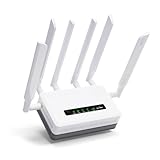
Overview: The GL.iNet GL-XE3000 Puli AX is a professional-grade 5G router engineered for business continuity. This rugged device combines Wi-Fi 6 technology with dual-SIM 5G connectivity, delivering impressive speeds of 574Mbps on 2.4GHz and 2402Mbps on 5GHz. Designed for demanding environments, it features a built-in 6400mAh battery providing 8 hours of backup power, making it ideal for construction sites, mobile events, and retail locations where downtime isn’t an option.
What Makes It Stand Out: The integrated battery sets this router apart from competitors, ensuring uninterrupted connectivity during power outages. Its Multi-WAN capability intelligently manages Ethernet, cellular, and tethered connections with automatic failover. The OpenWrt foundation provides enterprise-level customization, while pre-installed OpenVPN and WireGuard support (150Mbps and 300Mbps respectively) offers robust security. AT&T and T-Mobile certification guarantees carrier compatibility, and MU-MIMO technology efficiently handles multiple simultaneous connections.
Value for Money: At $409.99, this router sits in the premium business tier. The price is justified by its unique battery backup, dual-SIM 5G support, and enterprise features rarely found in consumer routers. For businesses requiring constant connectivity, the cost is minimal compared to potential revenue loss from outages. Alternatives with similar reliability typically cost $500+.
Strengths and Weaknesses: Strengths include exceptional failover protection, carrier certifications, OpenWrt flexibility, and long battery life. Weaknesses involve premium pricing that may deter home users, VPN speeds capped below maximum 5G potential, and potential complexity for non-technical users. Real-world speeds may vary from advertised rates.
Bottom Line: The GL-XE3000 is an outstanding choice for businesses prioritizing uptime and mobility. Its battery backup and dual-SIM capability make it invaluable for remote operations, though overkill for typical home use.
2. InHand 5G Router FWA02, Ultra-Fast Wi-Fi 6 Mesh Router, Dual 2.5G Ports, Support Cellular Failover & Load Balancing, High-Gain Antennas 5G Gateway for Business Office and Home, Unlocked

Overview: The InHand FWA02 is a high-performance 5G router built for bandwidth-intensive environments. Supporting download speeds up to 4.76Gbps and Wi-Fi 6 AX3600 technology, it can handle 128 devices simultaneously. Dual 2.5Gbps Ethernet ports provide exceptional wired throughput, while advanced failover ensures 24/7 business continuity. This unlocked device works with major carriers, making it versatile for both business and demanding home applications.
What Makes It Stand Out: The 4.76Gbps 5G capability is class-leading, perfect for 4K streaming and large-scale video conferencing. Dual switchable 2.5G ports offer future-proofed wired connectivity for servers or mesh expansion. The 5G-to-wired failover system provides unique redundancy options, automatically switching between cellular and fiber/cable connections. Enterprise-grade IPsec/L2TP VPN and built-in firewall deliver robust security without additional hardware.
Value for Money: Priced at $369, it undercuts many enterprise 5G routers while delivering superior specs. For businesses needing high-speed cellular backup or primary connectivity, it offers tremendous value. Home users with gigabit internet and heavy usage will also find it worthwhile. Comparable routers with 2.5G ports often exceed $450, making this competitively positioned.
Strengths and Weaknesses: Strengths include blazing 5G speeds, dual 2.5G ports, massive device capacity, and intelligent failover. Weaknesses are the lack of a built-in battery (unlike some competitors) and potential overcapacity for basic home use. Carrier certification details are less explicit than some rivals.
Bottom Line: An excellent high-speed solution for businesses and power users. The dual 2.5G ports and exceptional 5G performance justify the investment, though home users on standard plans may not fully utilize its capabilities.
3. GL.iNet GL-BE9300 (Flint 3) Tri-Band WiFi 7 Router, High-Speed 6GHz Gaming WiFi Router for Wireless Internet, Long Range, 5 x 2.5G VPN Routers for Fiber Optic Modem, Computer Routers, Home & Business

Overview: The GL.iNet Flint 3 (GL-BE9300) is a cutting-edge tri-band Wi-Fi 7 router designed for gaming and high-performance home networks. At $199.99, it delivers future-proof technology with 6GHz band support, VPN speeds up to 680Mbps, and Multi-Link Operation (MLO) technology. This router handles over 100 devices while providing extensive customization through its OpenWrt foundation, making it ideal for tech enthusiasts and demanding households.
What Makes It Stand Out: Wi-Fi 7 MLO technology simultaneously uses multiple bands for ultra-low latency and improved throughput in congested environments. Exceptional VPN performance (680Mbps for both WireGuard and OpenVPN) surpasses most competitors, ensuring secure gaming and streaming without speed penalties. AdGuard Home integration provides network-wide ad blocking with an intuitive web interface. Five 2.5G Ethernet ports offer unmatched wired connectivity for NAS, gaming PCs, and smart home hubs.
Value for Money: At $199.99, this is one of the most affordable Wi-Fi 7 routers available. Tri-band capability and five 2.5G ports typically cost $300+ from major brands. For users wanting bleeding-edge wireless technology and robust VPN performance, it delivers outstanding value. The OpenWrt foundation adds enterprise features without enterprise pricing.
Strengths and Weaknesses: Strengths include Wi-Fi 7 readiness, exceptional VPN speeds, five 2.5G ports, and ad-blocking integration. Weaknesses involve limited Wi-Fi 7 client devices currently available and potential complexity for beginners. It’s not a cellular router, requiring a separate modem for internet connectivity.
Bottom Line: A forward-thinking router perfect for gamers and tech enthusiasts. Its Wi-Fi 7 support and VPN prowess make it a smart investment, though mainstream users may not yet benefit from its most advanced features.
4. UOTEK 5G CPE Router with SIM Card Slot, NSA SA WiFi 6 5G Router Dual Band Cellular Modem for Home Office Indoor Wireless Internet Modem

Overview: The UOTEK 5G CPE Router is a sleek, minimalist networking solution for home and office environments. This dual-band Wi-Fi 6 router delivers 1800Mbps bandwidth through four spatial streams, supporting NSA and SA 5G standards. Its built-in antenna design eliminates clutter while providing solid wireless performance. The MESH networking capability with seamless roaming makes it suitable for growing smart homes needing consistent coverage without unsightly external antennas.
What Makes It Stand Out: The minimalist square design with integrated antennas distinguishes it from traditional bulky routers, blending into modern décor effortlessly. True 5G support with simple SIM card installation provides gigabit internet without requiring cable infrastructure. OFDMA and DL MU-MIMO technologies optimize multi-device performance, reducing latency for concurrent users. The mixed backhaul MESH system offers flexible deployment through wired or wireless connections.
Value for Money: At $289, it competes directly with entry-level 5G routers. The design-conscious form factor and MESH capability add value for apartment dwellers and home office users. While VPN features aren’t prominently advertised, the core 5G and Wi-Fi 6 performance justify the price for those prioritizing aesthetics and wireless flexibility over advanced enterprise features.
Strengths and Weaknesses: Strengths include attractive minimalist design, integrated MESH support, true 5G NSA/SA compatibility, and clutter-free aesthetics. Weaknesses involve lower bandwidth (1800Mbps) compared to premium alternatives, lack of detailed VPN/security specifications, and built-in antennas that may limit range versus external options.
Bottom Line: An excellent choice for style-conscious users needing reliable 5G connectivity. Its design and MESH capabilities shine in modern homes, though power users may crave more advanced features and higher throughput.
5. UOTEK 5G SIM Card Router CPE, WiFi 6 5G Modem Dual Band NSA SA with SIM Card Slot for Smarthome Office Indoor High Speeed Wireless Router

Overview: The upgraded UOTEK 5G SIM Card Router is a robust dual-SIM CPE designed for smart homes and offices requiring reliable cellular connectivity. This Wi-Fi 6 router features eight external antennas (four 4G, four 5G) and delivers 1800Mbps bandwidth across dual bands. The latest firmware enhances Wi-Fi rates, while automatic SIM switching ensures optimal signal strength. Its traditional router aesthetic appeals to users preferring external antennas for maximum range and signal flexibility.
What Makes It Stand Out: Eight external antennas provide superior signal reception and transmission compared to internal designs, with dedicated arrays for 4G and 5G bands. Dual SIM slots with automatic switching offer seamless failover when primary carrier signals degrade—crucial for business continuity. The upgraded firmware promises improved performance over earlier models. OFDMA and MU-MIMO technologies maintain stable connections across numerous smart home devices, from security cameras to IoT sensors.
Value for Money: At $349, this upgraded model commands a premium over its sibling product. The dual-SIM capability and eight-antenna design justify the $60 price increase for users in areas with variable carrier coverage. For smart homes dependent on cellular primary internet, the automatic failover prevents costly disconnections. However, those with stable single-carrier signals may find better value elsewhere.
Strengths and Weaknesses: Strengths include excellent antenna configuration, dual-SIM automatic switching, solid Wi-Fi 6 performance, and smart home optimization. Weaknesses involve higher price point for the feature set, lack of advanced VPN specifications, and potential overkill for users with reliable wired internet options.
Bottom Line: Ideal for users in areas with spotty coverage who need reliable 5G connectivity. The eight-antenna design and dual-SIM functionality provide peace of mind, though those with stable internet may not need the redundancy.
6. TP-Link AC1900 Smart WiFi Router (Archer A8) -High Speed MU-MIMO Wireless Router, Dual Band Router for Wireless Internet, Gigabit, Supports Guest WiFi

Overview: The TP-Link Archer A8 delivers solid AC1900 performance at an entry-level price point, making it an attractive option for budget-conscious households. This dual-band router provides 600 Mbps on the 2.4GHz band and 1300 Mbps on the 5GHz band, adequate for streaming, browsing, and light gaming. Its OneMesh compatibility allows seamless expansion with TP-Link extenders, while MU-MIMO technology ensures efficient data streaming to multiple devices simultaneously.
What Makes It Stand Out: At under $50, the Archer A8 packs surprising features typically found in pricier models. Beamforming technology focuses WiFi signals toward connected devices, extending coverage throughout most homes. The four Gigabit LAN ports provide reliable wired connections for gaming consoles and smart TVs. Guest WiFi support keeps your main network secure when visitors connect. The OneMesh ecosystem compatibility is a standout feature, letting you build a whole-home mesh network without replacing the entire router.
Value for Money: This router represents exceptional value, offering performance that rivals units costing three times as much. For apartments and small to medium homes, it eliminates the need for expensive mesh systems. The lack of a USB port is a minor compromise at this price. Compared to renting ISP equipment, the Archer A8 pays for itself in just a few months while delivering superior performance and control.
Strengths and Weaknesses: Strengths: Unbeatable price-to-performance ratio; OneMesh compatibility; Reliable MU-MIMO streaming; Solid Gigabit wired connectivity; Easy setup and management. Weaknesses: No USB port for network storage or printers; AC WiFi standard (not WiFi 6); Limited advanced configuration options; May struggle in very large homes without extenders.
Bottom Line: The Archer A8 is the perfect choice for users seeking reliable WiFi without breaking the bank. It’s ideal for small households, students, or as a budget-friendly upgrade from outdated equipment, though power users should consider WiFi 6 alternatives.
7. KuWFi 5G Cellular Router with Dual SIM Slot, WiFi 6 Dual-Band 3000Mbps,2.5G Ethernet,Fan Cooling,WireGuard VPN,M2M/IoT Global Frequency Bands for Apartment & RV Rural Area
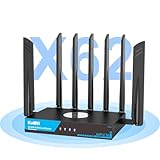
Overview: The KuWFi RM503Qpro is a professional-grade 5G cellular router engineered for users who demand uninterrupted connectivity in challenging environments. This powerhouse combines dual-SIM 5G capability with WiFi 6 AX3000 speeds, making it perfect for RV travelers, rural residents, and mobile businesses. The built-in fan cooling ensures stable 24/7 operation, while enterprise VPN features provide bank-grade security for remote work.
What Makes It Stand Out: Dual SIM redundancy with automatic failover sets this router apart, ensuring you stay connected even if one carrier fails. The global frequency band support means it works virtually anywhere, from North American highways to European apartments. The 2.5G Ethernet port provides future-proofed wired speeds, while active cooling prevents performance throttling during heavy use. Pre-installed WireGuard, OpenVPN, and IPsec make it a security powerhouse out of the box.
Value for Money: At $369, this router targets a specific niche where reliability justifies the premium price. For digital nomads and rural users lacking broadband options, it’s a lifeline that replaces multiple devices. The cost is competitive with enterprise cellular routers costing $500+. However, it’s overkill for typical suburban homes with cable internet.
Strengths and Weaknesses: Strengths: True dual-SIM redundancy; Global 5G band support; Active cooling for continuous operation; Enterprise VPN features; 2.5G Ethernet port; Supports 256 devices. Weaknesses: High price for average consumers; Requires cellular data plans; Overkill for stable broadband areas; Complex features may overwhelm novices.
Bottom Line: This router is a must-have for travelers, RV owners, and rural residents who need reliable internet anywhere. Its professional features justify the investment for mobile lifestyles, but stationary users with good broadband should consider cheaper WiFi 6 options.
8. Wiflyer 5G SA NSA AX3000 WiFi 6 CPE Router for Global Countries, Dual Band Dual SIM Card 5G Cellular Router, Whole Home WiFi 6 Mesh System,Z8105AX-C-RM520NGL

Overview: The Wiflyer Z8105AX delivers cutting-edge 5G connectivity combined with WiFi 6 performance for users seeking cable-free internet. Supporting both SA and NSA 5G modes with download speeds up to 3400Mbps, this router handles 4K streaming, gaming, and smart home devices effortlessly. The dual-SIM design provides ISP flexibility and automatic failover, while mesh capability ensures whole-home coverage without dead zones.
What Makes It Stand Out: Band locking is a standout feature, letting users manually select the most stable 5G frequency for optimal performance. The router’s ability to function as a mesh system eliminates the need for separate extenders. Dual-SIM flexibility means you can switch between carriers to find the best signal or plan. The compact design houses powerful antennas that deliver impressive range for a cellular router.
Value for Money: Priced at $280, this router sits in the sweet spot between budget 4G routers and premium enterprise 5G units. It offers comparable performance to $400+ devices while including WiFi 6 and mesh capabilities. The limitation to T-Mobile in the US (with manual APN configuration) reduces its versatility stateside, though global compatibility remains strong.
Strengths and Weaknesses: Strengths: True 5G SA/NSA support; Band locking for signal optimization; WiFi 6 AX3000 speeds; Dual-SIM with failover; Mesh system capability; Competitive pricing. Weaknesses: US users limited to T-Mobile with manual APN setup; Single standby SIM (not simultaneous); Brand less recognized than competitors; Setup can be technical for novices.
Bottom Line: The Wiflyer is an excellent choice for international travelers and users in areas with good 5G coverage. Its band locking and mesh features make it versatile, though US customers should verify carrier compatibility before purchasing.
9. UOTEK 5G SIM Card Router CPE, WiFi 6 5G Cellular Modem Dual Band NSA SA with SIM Card Slot for Smarthome Office Indoor High Speeed Wireless Router

Overview: The UOTEK 5G router combines an aggressive 8-antenna design with WiFi 6 technology to create a connectivity hub for modern smart homes and offices. Supporting both NSA and SA 5G modes, it delivers gigabit speeds without requiring traditional broadband infrastructure. The router’s focus on spatial streams and capacity makes it ideal for environments with dozens of connected devices, from security cameras to smart thermostats.
What Makes It Stand Out: The eight external antennas (four for 4G, four for 5G) provide exceptional signal reception and transmission, outperforming many internal antenna designs. Seamless roaming under mixed backhaul allows flexible mesh deployment using both wired and wireless connections. OFDMA and MU-MIMO technologies ensure efficient multi-device handling, crucial for smart home ecosystems. The understated black design blends into professional environments while packing serious performance.
Value for Money: At $299, this router competes directly with established brands in the 5G CPE market. The antenna array and mesh capabilities justify the price for tech-savvy users who need maximum coverage. However, the lesser-known brand name may concern some buyers compared to TP-Link or Netgear alternatives with similar specs.
Strengths and Weaknesses: Strengths: 8-antenna design for superior signal; Dual 5G modes (NSA/SA); WiFi 6 with OFDMA; Flexible mesh backhaul options; High device capacity for smart homes; Professional aesthetics. Weaknesses: Brand recognition and support uncertainty; Limited user reviews and community support; May be overkill for small apartments; Setup complexity for average users.
Bottom Line: The UOTEK router suits power users building comprehensive smart home networks where antenna performance and device capacity are priorities. Mainstream consumers may prefer more established brands, but the hardware specifications are compelling for the price.
10. TP-Link Dual-Band AX3000 Wi-Fi 6 Router Archer AX55 | Wireless Gigabit Internet Router for Home | EasyMesh Compatible | VPN Clients & Server | HomeShield, OFDMA, MU-MIMO | USB 3.0 | Secure by Design

Overview: The TP-Link Archer AX55 brings WiFi 6 performance to the mainstream market at an accessible price point. Delivering 2402 Mbps on the 5GHz band and 574 Mbps on 2.4GHz, it handles modern households with multiple 4K streams, video calls, and gaming sessions. The router includes premium features like VPN server/client support, USB 3.0 connectivity, and TP-Link’s HomeShield security suite, typically found in more expensive models.
What Makes It Stand Out: The combination of VPN server and client capabilities at under $80 is remarkable, allowing secure remote access and encrypted browsing without subscription fees. The improved cooling design with a larger heat sink prevents thermal throttling, maintaining consistent performance during heavy usage. EasyMesh compatibility provides an upgrade path to whole-home mesh networking. USB 3.0 enables NAS functionality and printer sharing, adding versatility.
Value for Money: At $79.99, the AX55 delivers exceptional value, offering features usually reserved for $150+ routers. The inclusion of HomeShield security, VPN capabilities, and USB connectivity makes it a complete package. Compared to renting ISP equipment, it pays for itself in under a year while providing superior speed, security, and control.
Strengths and Weaknesses: Strengths: Outstanding price for WiFi 6; VPN server and client included; USB 3.0 port; Effective cooling design; EasyMesh expansion; Robust HomeShield security; Reliable brand support. Weaknesses: Not a 5G cellular router; Four antennas (vs. six on some competitors); Advanced features may require networking knowledge; HomeShield advanced features need subscription.
Bottom Line: The Archer AX55 is arguably the best value WiFi 6 router available, perfect for most households seeking modern features without premium cost. It’s an easy recommendation for anyone wanting to upgrade from WiFi 5 or ISP-provided equipment, though it won’t replace cellular internet.
What Is a 5G Failover Router and Why Your Smart Home Needs One
A 5G failover router is a multi-WAN (Wide Area Network) device that automatically switches your home’s internet connection from a primary broadband source (fiber, cable, or DSL) to a cellular 5G network when it detects an outage. Think of it as a traffic controller for your data, constantly monitoring the health of your main connection and instantly rerouting packets through a 5G gateway the moment disruption occurs.
For smart homeowners, this isn’t luxury—it’s infrastructure insurance. Today’s connected homes average 22 devices, with power users running 50+ always-on gadgets. Each device represents a potential failure point during outages: security systems can’t upload footage, voice assistants lose functionality, and cloud-dependent thermostats revert to dumb operation. A 5G failover router maintains the digital heartbeat of your home, ensuring seamless continuity without manual intervention.
How 5G Failover Technology Works Behind the Scenes
The magic lies in constant heartbeat monitoring and sub-second switching. Your router pings designated servers every few milliseconds, measuring packet loss, latency spikes, and complete disconnections. When predefined thresholds are breached—say, 5% packet loss or 500ms latency for 30 consecutive seconds—the router initiates its failover protocol.
What makes 5G special is its Standalone (SA) architecture, which enables true network slicing and ultra-reliable low-latency communication (URLLC). This means your failover connection isn’t just a backup—it’s a performance-grade pipeline that can handle 4K security streams, real-time voice commands, and simultaneous device updates without breaking a sweat. The router establishes a permanent 5G data session in standby mode, so when switchover triggers, there’s no handshake delay; it’s instantaneous traffic redirection.
Key Benefits of Integrating 5G Failover into Your Smart Home
Uninterrupted Automation: Your routines continue flawlessly. Morning coffee still brews at 6:47 AM, shades rise on schedule, and occupancy sensors trigger lights precisely as programmed.
Security System Integrity: Cameras keep recording to cloud storage, motion alerts reach your phone instantly, and smart locks remain remotely accessible during power outages (when paired with battery backup).
Energy Management Continuity: Smart thermostats and solar panel monitors maintain their cloud connections, preserving your carefully optimized energy savings and preventing HVAC systems from falling into inefficient default modes.
Work-From-Home Reliability: Video calls don’t drop, VPN connections stay stable, and cloud documents remain accessible—critical for the 42% of homeowners who now work remotely at least part-time.
Property Value Enhancement: A documented, professional-grade failover system becomes a selling point, signaling to buyers that your smart home is enterprise-level reliable, not a collection of consumer gadgets.
Essential Features to Look for in a 5G Failover Router
Multi-WAN Capability and Automatic Switchover
Look for routers supporting at least three WAN inputs: primary broadband, 5G cellular, and a tertiary option like Starlink or another provider. The automatic switchover should be configurable—adjust detection intervals from aggressive (5-second failover) to conservative (2-minute verification) based on your tolerance for brief hiccups versus unnecessary switches.
5G Band Support and Carrier Aggregation
Your router must support both Sub-6 GHz (coverage) and mmWave (speed) bands. Carrier aggregation—the ability to combine multiple frequency bands simultaneously—is crucial. A router that can aggregate 5+ 5G channels will deliver 200+ Mbps even in congested areas, while single-channel devices might crawl at 25 Mbps during peak hours.
Antenna Configuration and Signal Strength
Internal antennas suffice for urban environments with strong 5G signals, but external MIMO (Multiple Input, Multiple Output) antennas are non-negotiable for suburban or rural smart homes. Look for routers with 4x4 MIMO support and TS-9 or SMA antenna connectors that allow you to mount high-gain directional antennas in your attic or on your roof, potentially boosting signal strength by 15-20 dB.
Understanding 5G Bands and Their Impact on Performance
Not all 5G is created equal. Sub-6 GHz bands (like n41, n77, and n78) offer excellent building penetration and range, making them ideal for indoor router placement. You’ll see speeds of 100-300 Mbps—ample for most smart home needs.
mmWave bands (n260, n261) deliver gigabit speeds but require line-of-sight to cell towers and struggle with walls. For failover purposes, mmWave is often overkill unless you’re streaming multiple 8K cameras or running a home data center.
The sweet spot for smart homes is a router that excels at mid-band 5G (C-band, 3.7-3.98 GHz), which balances speed, latency, and coverage. This band is becoming the backbone of carrier 5G networks and provides the most reliable failover performance.
Data Plans and Consumption: What Smart Home Owners Must Know
Smart homes are data-thirsty. A typical setup with 10 cameras, 20 sensors, and various cloud-connected appliances consumes 50-150 GB monthly just on idle status updates, firmware patches, and heartbeat signals. During active failover, consumption spikes dramatically—4K security footage can use 7 GB per hour per camera.
Choose unlimited data plans with no deprioritization thresholds. Some “unlimited” plans throttle speeds after 50 GB during congestion, which defeats the purpose of failover. Business-grade plans cost more ($80-150/month) but guarantee consistent speeds and often include static IPs for remote access.
Monitor data usage with your router’s built-in analytics. Set alerts at 75% and 90% of your plan’s high-speed allowance to avoid surprise slowdowns. Consider plans with rollover data—that idle month where you use 2 GB shouldn’t waste the 100 GB you paid for.
Installation and Placement Strategies for Maximum Reliability
Router placement dramatically affects 5G performance. Start with a site survey using your phone’s field test mode (dial *3001#12345#* on iPhone or use Network Cell Info on Android) to map signal strength throughout your home. The attic often outperforms ground floors by 10-15 dBm due to fewer obstructions.
Mount the router near your main network equipment but away from interference sources—microwave ovens, baby monitors, and even LED bulbs can degrade 5G signals. Use shielded Cat6a Ethernet cables to connect the failover router to your primary router in bridge mode, ensuring the switchover doesn’t create double NAT issues that break smart device discovery.
For external antennas, install them at least 3 feet away from metal objects and aim them toward your carrier’s nearest tower using cellmapper.net for precise azimuth. Lightning arrestors are essential for outdoor installations—your failover system shouldn’t create a new vulnerability.
Network Security Considerations for Failover Setups
Failover introduces unique security challenges. Your 5G connection has a public IP address separate from your broadband, potentially exposing your network during switchover. Implement a router with built-in firewall rules that sync across both connections, maintaining consistent port blocking and intrusion detection.
Enable VPN kill switches that prevent any data from leaking outside the encrypted tunnel during transition periods. Some advanced routers support multiple VPN profiles—one optimized for low-latency gaming on broadband, another for maximum security on 5G.
Consider VLAN segmentation: isolate your IoT devices on a separate network that only accesses the internet, not your personal devices. If a smart camera gets compromised during failover, the attacker can’t pivot to your laptop or NAS. Your failover router should support at least four VLANs with independent QoS rules.
Compatibility with Existing Smart Home Ecosystems
Cloud-based platforms like Amazon Alexa, Google Home, and Apple HomeKit handle failover seamlessly—they simply reconnect to their servers once internet is restored. However, local protocols require careful configuration.
Zigbee and Z-Wave hubs (SmartThings, Hubitat) connected via Ethernet will automatically use the failover connection if your router handles the switch correctly. Wi-Fi-based devices need special attention: dual-band routers should broadcast the same SSID on 2.4 GHz and 5 GHz, and your failover router must clone these settings exactly to prevent devices from dropping off.
For HomeKit users, the Home Hub (Apple TV or HomePod) must remain powered during outages. Connect it to a UPS that can run for at least 4 hours. Matter-over-Thread devices are particularly resilient—they form a mesh network that stays functional locally, only losing remote access during failover, not local control.
Cost Analysis: Investment vs. Downtime Savings
A quality 5G failover router costs $400-800, plus $150-300 for professional external antennas if needed. Add $80-150 monthly for a robust data plan. The three-year total investment runs $3,500-6,200.
Now calculate your downtime cost: If you work from home, one lost day of productivity might cost $200-500. A security breach due to offline cameras could mean a $1,000 deductible. Spoiled food from a disconnected smart fridge during a 3-day outage? Another $300. HVAC systems running in dumb mode can increase energy bills by 30% during peak seasons.
Most homeowners experience 2-4 significant outages annually, lasting 4-12 hours each. At just two 8-hour outages per year, a failover system pays for itself within 18-24 months purely through productivity preservation. Factor in security and convenience, and the ROI becomes compelling.
Troubleshooting Common 5G Failover Issues
Flapping—rapid switching between connections—usually stems from overly sensitive detection settings. Increase the failure threshold from 3 to 10 consecutive missed pings and set a 5-minute hold timer to stabilize the connection.
Smart device disconnections occur when the failover router assigns new IP addresses. Enable DHCP persistence or configure static leases for critical devices like hubs and cameras. Some routers support connection-state preservation, maintaining NAT sessions during switchover.
Slow speeds on 5G despite strong signal often indicate carrier deprioritization. Test with a prepaid SIM from a different provider during peak hours. If speeds improve dramatically, your primary plan is being throttled. Also check for firmware updates—carriers continuously optimize their network parameters, and outdated modem firmware can misinterpret new tower configurations.
Future-Proofing Your Setup: Emerging Technologies
5G Advanced (Release 17) introduces RedCap (Reduced Capability) devices specifically for IoT, offering 5G reliability with lower power consumption. Ensure your router’s modem is software-upgradeable to support these new device categories.
Wi-Fi 7 integration is coming to failover routers, enabling multi-link operation where devices can simultaneously connect to both your primary router and the failover unit, creating true redundancy at the device level. This eliminates the 2-5 second reconnection lag entirely.
Consider routers with eSIM support, allowing you to switch carriers remotely without physically swapping SIM cards. As new 5G spectrum becomes available (like the upcoming 6 GHz band for 5G), carrier-hopping will become essential for maintaining optimal failover performance.
Frequently Asked Questions
Will a 5G failover router work during power outages?
Only if you connect it to an uninterruptible power supply (UPS). A 1500VA UPS can power a failover router and your primary networking equipment for 3-6 hours. For extended outages, consider a UPS with solar charging capability or a whole-home battery system like Tesla Powerwall that prioritizes network equipment.
How much data does a typical smart home use during failover?
Idle consumption runs 50-150 GB monthly. During active failover with security cameras recording and family streaming, expect 10-30 GB per day. A 4K camera alone uses 7 GB hourly when motion is detected. Choose truly unlimited plans without deprioritization to avoid throttling during critical outages.
Can I use my existing phone’s 5G plan for failover?
Most carriers prohibit tethering for continuous router use and enforce strict data caps (often 40-50 GB before throttling). Dedicated IoT or business plans offer higher priority on the network, static IPs, and no tethering restrictions. The slight cost increase is justified for reliable failover.
Will my smart devices need reconfiguration after failover?
Properly configured routers make failover transparent. Clone your SSID, password, and security settings exactly. Set your DHCP lease time to 24 hours or longer so devices retain IPs. Most cloud devices (Alexa, Nest) reconnect automatically; local devices may need 30-60 seconds to detect the restored internet path.
Does 5G failover increase cybersecurity risks?
Potentially, yes. Your 5G connection has a different public IP and may bypass some ISP-level security. Mitigate this with a router that maintains consistent firewall rules across both connections, enable intrusion detection, and use a VPN for all remote access. Segment IoT devices onto a separate VLAN that can’t access your main network.
What’s the difference between failover and load balancing?
Failover is active-passive: one connection works while the other waits. Load balancing is active-active: both connections work simultaneously, distributing traffic. For smart homes, pure failover is preferable—it preserves your data plan and ensures predictable behavior. Some routers offer “weighted” modes where non-critical traffic uses 5G proactively, saving primary bandwidth.
How do I test my failover system without disrupting my network?
Most routers have a “test failover” button in their management interface that simulates a primary connection failure. Schedule tests during low-usage hours (e.g., 3 AM). Alternatively, physically disconnect your WAN cable for 2 minutes while monitoring device connectivity. Document which devices reconnect automatically and which require manual intervention.
Can I use 5G failover if I live in a rural area with weak signal?
Yes, but invest in a high-gain directional antenna (12-15 dBi) and mount it externally, aimed at the nearest tower. Consider a router with two SIM slots from different carriers—rural coverage varies dramatically. Some users pair 5G failover with Starlink as a tertiary option, creating a belt-and-suspenders approach for remote properties.
Will failover work with my mesh Wi-Fi system?
Absolutely, but integration matters. Connect your failover router to the primary node via Ethernet and configure bridge mode. Some mesh systems (Eero Pro, Ubiquiti Amplifi) have dedicated WAN failover ports. Others require you to disable their built-in modem functionality. The key is preventing double NAT, which can break device discovery and remote access.
How often should I update my failover router’s firmware?
Check monthly, but update quarterly after reviewing release notes. Carrier networks evolve constantly—tower upgrades, new spectrum activation, and protocol changes require modem firmware updates. Set up email alerts from your router manufacturer. However, avoid updating during storm season or times when you anticipate needing failover; a bad firmware flash could leave you without backup when you need it most.