Picture this: you’re two floors away when your washing machine enters its spin cycle. What starts as a gentle hum crescendos into a violent thumping that sends your appliances walking across the laundry room floor. By the time you arrive, water is already seeping into your subflooring, and your dryer has shifted dangerously close to the wall. This isn’t just an inconvenience—it’s a four-figure repair bill in the making.
Enter vibration sensors: the unsung heroes of smart home laundry monitoring. These intelligent devices act as your 24/7 mechanical watchdogs, detecting the subtle vibrational signatures that precede disasters. Whether you’re building a comprehensive smart home ecosystem or simply want to protect your investment from catastrophic failure, understanding vibration sensor technology is no longer optional—it’s essential.
Top 10 Vibration Sensors for Smart Washer Alerts
Detailed Product Reviews
1. ThirdReality Vibration Sensor

Overview: The ThirdReality Vibration Sensor is a ZigBee 3.0-enabled device designed for comprehensive home monitoring. At $14.99, it detects vibrations on doors, windows, drawers, and appliances, integrating seamlessly with major smart home ecosystems. This compact sensor offers both local alarms and smartphone notifications, making it a versatile security and automation tool for ZigBee users.
What Makes It Stand Out: This sensor’s manual sensitivity adjustment via two physical switches sets it apart, offering four distinct levels without app dependency. The integrated 110dB siren provides immediate local alerts, while the physical mute switch enables silent phone notifications—perfect for nighttime monitoring. Its broad compatibility spans Echo devices, SmartThings, Home Assistant, and more, ensuring flexible deployment throughout your home.
Value for Money: At $14.99, it’s competitively priced for a ZigBee sensor, though the required hub adds to the total investment. For existing ZigBee ecosystem users, this eliminates additional hub costs. The four sensitivity levels and dual alert modes effectively provide two devices in one, justifying the premium over basic sensors. Bulk options offer better per-unit pricing for larger installations.
Strengths and Weaknesses: Strengths include exceptional ecosystem compatibility, reliable ZigBee connectivity, manual sensitivity control, loud integrated alarm, and flexible notification options. The physical mute switch is a thoughtful touch. Weaknesses involve mandatory ZigBee hub requirement, unspecified battery life, and limited value for non-ZigBee users. The single-unit price also exceeds bulk alternatives.
Bottom Line: The ThirdReality Vibration Sensor excels for established ZigBee households needing reliable, versatile vibration detection. Its manual controls and loud siren make it ideal for security-conscious users. While hub-dependent, its performance and compatibility justify the investment for compatible ecosystems.
2. THIRDREALITY Zigbee Vibration Sensor 3 Pack with 110dB Alarm, Zigbee Hub Required,Adjustable Sensitivity, Work with SmartThings, Home Assistant via ZHA/Z2M and Echo Devices with Built-in Zigbee hub
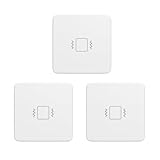
Overview: The THIRDREALITY Zigbee Vibration Sensor 3 Pack delivers three identical ZigBee 3.0 sensors for $43.99, providing comprehensive home coverage. Each unit monitors vibrations on doors, windows, and valuables, integrating with major platforms like Echo, SmartThings, and Home Assistant. This bundle targets users seeking to secure multiple entry points or appliances simultaneously.
What Makes It Stand Out: Beyond the cost savings, this pack maintains all premium features: four-level manual sensitivity adjustment, 110dB siren with mute switch, and extensive hub compatibility. The consistency across three units simplifies deployment and routine creation. It’s particularly valuable for monitoring garage doors, multiple windows, and appliances while maintaining uniform automation logic throughout your home.
Value for Money: At $14.66 per unit, the 3-pack saves approximately $1 per sensor compared to individual purchases. For whole-home security, this represents solid value, eliminating the need to purchase separately. The upfront investment is higher, but the per-unit savings add up for larger installations. However, the total cost still requires factoring in a ZigBee hub if not already owned.
Strengths and Weaknesses: Strengths include excellent bulk pricing, consistent feature set across all units, reduced per-sensor cost, and comprehensive coverage potential. The manual sensitivity controls and loud alarms remain standout features. Weaknesses mirror the single unit: mandatory hub requirement, potentially excessive for small apartments, and battery life details remain unspecified. The initial investment may deter casual users.
Bottom Line: This 3-pack is ideal for homeowners wanting to establish comprehensive vibration monitoring across multiple locations. The bulk discount makes financial sense for serious smart home security setups, delivering consistent performance and features throughout your property. Skip if you only need single-point monitoring.
3. Smart Vibration Sensor: Wireless Glass Break Detector, WiFi Door Sensor with App Alerts, Adjustable Sensitivity, Glass Break Security Sensor for Alarm System and Smart Home Automation (1-Pack)

Overview: This Smart Vibration Sensor offers WiFi connectivity for $13.99, eliminating hub requirements. Compatible with 2.4GHz networks and Tuya/Smart Life apps, it sends instant smartphone alerts when detecting vibrations on doors, windows, or glass. The sensor supports adjustable sensitivity and historical data tracking, targeting budget-conscious users seeking straightforward smart home integration.
What Makes It Stand Out: Its hub-free WiFi design simplifies installation significantly—just connect to your existing network. The Tuya ecosystem integration enables smart linkage with other devices, triggering sirens or lights upon detection. Adjustable sensitivity ranges from light touches to forceful knocks, while history records provide activity logs for security review, features often missing at this price point.
Value for Money: At $13.99, it’s among the most affordable smart vibration sensors available. The absence of a required hub saves $30-50 compared to ZigBee alternatives. However, value depends entirely on existing WiFi reliability and Tuya ecosystem investment. For Tuya users, it’s exceptional; for others, ecosystem lock-in limits flexibility. Battery life and cloud dependency should be considered in long-term cost.
Strengths and Weaknesses: Strengths include easy WiFi setup, no hub requirement, Tuya integration, adjustable sensitivity, history tracking, and tool-free installation. The price point is highly accessible. Weaknesses involve 2.4GHz-only limitation, no local siren (relies on external devices), cloud dependency for notifications, and Tuya ecosystem lock-in. Range is limited to WiFi coverage, and privacy concerns exist with cloud-based sensors.
Bottom Line: This sensor excels for budget-focused users already invested in the Tuya ecosystem. Its hub-free design and app-based controls make it perfect for renters or temporary installations. However, ZigBee users or those wanting local processing should look elsewhere. Choose it for simplicity and affordability, not advanced security.
4. WiFi Vibration Sensor: Smart Door Window Sensor with App Alerts, Wireless Glass Break Detector, Adjustable Sensitivity, Compatible with Alexa Google Home (4Pack)
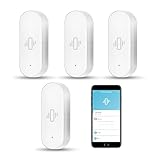
Overview: The WiFi Vibration Sensor 4-Pack provides comprehensive coverage for $37.99, working with Tuya/Smart Life apps over 2.4GHz WiFi. Each sensor detects vibrations on doors and windows, sending instant smartphone alerts without requiring a hub. The package includes four units with AAA batteries, targeting users wanting affordable whole-home monitoring with minimal installation complexity.
What Makes It Stand Out: This bundle’s per-unit price of $9.50 makes it the most economical WiFi sensor option available. The inclusion of batteries and tool-free 3M adhesive installation enables immediate deployment across multiple locations. Low-power consumption design extends battery life, while the app provides historical data and low-battery warnings—features typically reserved for premium sensors.
Value for Money: At under $10 per sensor, this 4-pack delivers exceptional value for comprehensive coverage. The absence of hub fees and included batteries enhance affordability. For homes needing multiple monitoring points, it’s significantly cheaper than ZigBee alternatives when factoring hub costs. However, value assumes stable WiFi and acceptance of Tuya ecosystem limitations. The bulk pricing makes professional-grade coverage accessible to budget-conscious consumers.
Strengths and Weaknesses: Strengths include outstanding bulk pricing, easy installation, included batteries, low-power design, history tracking, and no hub requirement. The four-unit package covers most homes comprehensively. Weaknesses involve 2.4GHz WiFi dependency, cloud-based operation (no local siren), Tuya ecosystem lock-in, and potential WiFi congestion with multiple devices. Privacy-conscious users may object to cloud data transmission.
Bottom Line: This 4-pack is the budget champion for whole-home vibration monitoring. If you have reliable WiFi and use Tuya-compatible devices, it’s unbeatable for price and coverage. Perfect for renters, small businesses, or anyone wanting affordable security without hub complexity. Avoid if you need local processing or have unstable internet.
5. YoLink LoRa Smart Vibration Sensor; Smart Shock, Glass Break, Tamper, Movement Detector, Generator Running, Email/SMS/Push Alerts, 1/4 Mile Open Air Range, Alexa, Hub is not Included

Overview: The YoLink LoRa Smart Vibration Sensor leverages long-range LoRa technology for $24.59, offering up to 1/4 mile open-air range. This sensor monitors vibrations on windows, equipment, and valuables, sending email, SMS, and push alerts via the YoLink hub (required, not included). Its device-to-device pairing enables local automation without internet, targeting users with large properties or challenging wireless environments.
What Makes It Stand Out: LoRa technology provides unmatched range and obstruction penetration, reaching basements and outbuildings impossible for WiFi or ZigBee. Device-to-device pairing allows direct sensor-to-siren communication without WiFi, internet, or AC power—a unique failover capability. The free monitoring eliminates subscription fees, while versatile alerts ensure you never miss critical events.
Value for Money: At $24.59, it’s pricier than WiFi or ZigBee sensors, but the LoRa range justifies the premium for specific use cases. The required YoLink hub adds $30-50 to initial investment, making it best for users needing long-distance coverage. For urban apartments, it’s overkill; for farms, large estates, or detached garages, it’s invaluable. The absence of monthly fees improves long-term value.
Strengths and Weaknesses: Strengths include exceptional 1/4 mile range, superior obstruction penetration, device-to-device pairing for offline operation, multiple alert methods, and no subscription fees. It’s ideal for monitoring generators, pumps, and remote structures. Weaknesses involve mandatory YoLink hub purchase, higher per-sensor cost, limited smart home ecosystem integration, and complex setup compared to plug-and-play alternatives. The specialized technology may be unnecessary for typical homes.
Bottom Line: The YoLink sensor is the premium choice for range-challenged environments. If you need to monitor distant buildings or have thick walls blocking other signals, it’s worth every penny. For standard homes, cheaper ZigBee or WiFi options suffice. Invest in YoLink only when range is your primary concern.
6. Smart Vibration Sensor: Wireless Glass Break Detector, WiFi Door Sensor with App Alerts, Adjustable Sensitivity, Glass Break Security Sensor for Alarm System and Smart Home Automation (2-Pack)

Overview: This dual-pack WiFi vibration sensor offers comprehensive home monitoring for doors, windows, and glass surfaces. Operating on 2.4GHz networks, it integrates with the Tuya ecosystem to deliver smartphone alerts when disturbances are detected. The two-unit package provides immediate coverage for multiple entry points, making it suitable for apartments or small homes seeking affordable security enhancement.
What Makes It Stand Out: The product’s key differentiator is its operational history logging, allowing users to review past trigger events through the mobile app—a feature rarely found in budget sensors. The smart linkage capability enables integration with Tuya-compatible sirens and lights, creating automated security responses. Adjustable sensitivity ranges from light touches to forceful knocks, preventing false alarms while ensuring genuine threats aren’t missed. The tool-free 3M adhesive installation works on sliding doors, hinged windows, and even as a portable doorstop alarm.
Value for Money: At $22.99 for two units ($11.50 each), this pack undercuts most competitors while delivering premium features like history tracking and ecosystem integration. Individual WiFi sensors typically retail for $15-20, making this bundle particularly cost-effective for multi-window homes. The included adhesive and battery operation eliminate installation costs, providing immediate value without professional setup fees.
Strengths and Weaknesses: Strengths include the dual-unit packaging, comprehensive app-based history records, adjustable sensitivity levels, seamless Tuya ecosystem integration, and versatile mounting options. The 3M adhesive ensures damage-free installation. Weaknesses involve 2.4GHz-only WiFi limitation (no 5GHz support), dependency on the Tuya platform for full functionality, unspecified battery life, and potential connectivity issues in larger homes without adequate WiFi coverage.
Bottom Line: An excellent entry-level security solution for Tuya ecosystem users. The two-pack configuration and history tracking make it ideal for monitoring multiple entry points without recurring fees, though WiFi limitations require careful placement planning.
7. WiFi Vibration Sensor: Smart Door Window Sensor with App Alerts, Wireless Glass Break Detector, Adjustable Sensitivity, Compatible with Alexa Google Home (1Pack)
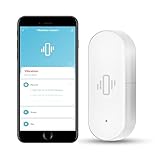
Overview: This single-unit WiFi vibration sensor provides targeted security monitoring for individual doors or windows. Compatible with Tuya/Smart Life apps, it sends instant smartphone notifications when vibrations are detected. The standalone design requires no hub, connecting directly to 2.4GHz networks for straightforward deployment in specific high-risk areas like ground-floor windows or apartment entry doors.
What Makes It Stand Out: The sensor excels in power management, featuring included AAA batteries with exceptional longevity and a proactive low-battery warning system via LED flashes and app notifications. This prevents unexpected downtime. The sensitivity adjustment spans from gentle touches to strong impacts, accommodating various installation scenarios. Home automation routines can trigger Tuya-compatible devices like sirens or cameras when vibrations occur, creating layered security without monthly subscriptions.
Value for Money: Priced at $13.99, this represents one of the most affordable WiFi-enabled entry sensors available. Single-unit pricing allows homeowners to test functionality before committing to multiple units. While not the absolute cheapest option, the included batteries and robust power management features eliminate hidden costs. Comparable sensors from established brands typically cost $25-35, making this an accessible introduction to smart home security.
Strengths and Weaknesses: Strengths include the low entry price, included batteries, adjustable sensitivity, straightforward app integration, low-battery warnings, and hub-free operation. The 3M adhesive mounting works on multiple surfaces. Weaknesses involve 2.4GHz-only connectivity, reliance on the Tuya ecosystem, single-unit limitation for larger properties, and potential lag in app notifications compared to Zigbee alternatives. The unspecified battery lifespan despite low-power claims remains a concern.
Bottom Line: Perfect for renters and first-time smart home users wanting to secure a specific vulnerability. The battery management features and low cost make it a low-risk investment, though whole-home coverage requires purchasing multiple units.
8. Chatthen WiFi Vibration Sensor, Smart Window Alarm Sensors, Tuya APP Remotely Receives Notifications with Adjustable Sensitivity, for Window Security Door Alarm Home Assistant

Overview: Chatthen’s budget-friendly WiFi vibration sensor delivers real-time security alerts through the Tuya Smart Life app. Designed for discreet window and door monitoring, it leverages high-sensitivity technology to detect subtle disturbances. The sensor’s low-power architecture ensures extended operation, while smart linkage capabilities allow it to trigger other Tuya devices, creating an integrated security network for cost-conscious consumers.
What Makes It Stand Out: This sensor distinguishes itself through aggressive pricing while maintaining core functionality like sensitivity adjustment and ecosystem integration. The energy-efficient design significantly extends battery life compared to competitors, reducing maintenance frequency. Its ability to link with lights, cameras, and sirens enables sophisticated automation routines—for example, flashing lights and recording video when glass vibration is detected. The high-sensitivity mode can capture minute vibrations, useful for detecting attempted forced entry before damage occurs.
Value for Money: At $12.89, it’s the most economical WiFi vibration sensor in this lineup, undercutting even budget brands. This pricing makes whole-home coverage financially feasible for users willing to manage multiple Tuya devices. While lacking premium features like history logging or tilt detection, it covers essential security monitoring. The low-power design translates to reduced battery replacement costs over time, enhancing long-term value for large-scale deployments.
Strengths and Weaknesses: Strengths include the ultra-low price, energy-efficient operation, adjustable sensitivity, real-time Tuya app alerts, and seamless ecosystem automation. The compact design suits various mounting locations. Weaknesses involve the lesser-known brand reputation, potentially inconsistent quality control, 2.4GHz-only connectivity, and limited documentation. Tuya ecosystem lock-in restricts compatibility with non-Tuya devices, and the absence of explicit battery specifications or low-battery warnings creates uncertainty.
Bottom Line: An unbeatable value for Tuya ecosystem enthusiasts needing basic vibration monitoring across multiple locations. The trade-off between price and brand recognition is justified for experienced DIY users comfortable with potential troubleshooting.
9. Aqara Zigbee Vibration Sensor, Wireless Mini Glass Break Detector for Alarm System, Home Automation, Requires Aqara Hub (not 3rd-Party), Compatible with Apple HomeKit, Alexa, IFTTT, Home Assistant

Overview: Aqara’s premium Zigbee sensor offers sophisticated movement detection beyond simple vibration, identifying tilt and drop events for comprehensive asset protection. Requiring an Aqara Hub, it integrates with Apple HomeKit, Alexa, and IFTTT, making it ideal for established smart home ecosystems. The compact, minimalist design attaches to valuables like safes, artwork, or delivery boxes, providing versatile security monitoring beyond traditional entry points.
What Makes It Stand Out: The sensor’s multi-axis detection distinguishes between vibration, tilt, and free-fall, enabling nuanced monitoring scenarios—detecting if a safe is moved, a painting is tilted, or a package is dropped. With up to two-year battery life, it drastically reduces maintenance. The Zigbee protocol ensures faster, more reliable communication than WiFi alternatives, with lower latency and no dependence on congested WiFi bands. Apple HomeKit certification guarantees seamless iOS integration and secure, privacy-focused operation.
Value for Money: At $18.99, the sensor itself is reasonably priced, but the required Aqara Hub ($50-60) increases initial investment to $70+. While expensive for single-sensor deployment, the cost amortizes favorably across Aqara’s ecosystem of sensors and switches. For users already invested in Aqara or Apple HomeKit, it offers exceptional value through reliability and integration. Compared to WiFi sensors, the superior connectivity and battery life justify the hub requirement for serious smart home deployments.
Strengths and Weaknesses: Strengths include multi-type movement detection, exceptional two-year battery life, reliable Zigbee connectivity, broad ecosystem compatibility (HomeKit/Alexa/IFTTT), and compact form factor. The hub-based architecture ensures stable performance. Weaknesses center on mandatory Aqara Hub purchase, incompatibility with third-party Zigbee hubs, limited 10-meter range from hub, and higher total cost of entry. Zigbee2MQTT support is unofficial, potentially limiting advanced Home Assistant integrations.
Bottom Line: The top choice for Apple HomeKit users and Aqara ecosystem adopters seeking reliable, long-term asset monitoring. The hub requirement is a barrier for casual users but a benefit for those prioritizing stability and battery life.
10. WiFi Vibration Sensor: Smart Door Window Sensor with App Alerts, Wireless Glass Break Detector, Adjustable Sensitivity, Compatible with Alexa Google Home (2Pack)

Overview: This dual-pack WiFi sensor provides comprehensive door and window monitoring without hub requirements. Connecting directly to 2.4GHz networks, it sends instant alerts via Tuya/Smart Life apps when vibrations are detected. The two-unit configuration allows simultaneous monitoring of multiple entry points, making it suitable for small homes, offices, or RVs seeking straightforward, subscription-free security enhancement with minimal technical complexity.
What Makes It Stand Out: The sensor pair combines value pricing with practical power management, including LED low-battery indicators and app notifications to prevent coverage gaps. Sensitivity adjustment accommodates diverse scenarios—from detecting gentle window taps to recognizing forceful door knocks—reducing false alarms while maintaining security. The automation capabilities trigger Tuya-connected sirens, lights, or cameras upon detection, creating layered defense without complex programming. Included AAA batteries and 3M adhesive enable immediate, tool-free deployment.
Value for Money: At $21.99 for two units ($11 each), this pack delivers exceptional cost efficiency for multi-point monitoring. The pricing matches the cheapest WiFi sensors while adding battery management features often reserved for premium models. For comparison, purchasing two individual sensors from competitors would cost $30-40. The included batteries and self-installation design eliminate additional expenses, making it one of the most accessible whole-home vibration monitoring solutions available.
Strengths and Weaknesses: Strengths include competitive dual-pack pricing, adjustable sensitivity, proactive battery warnings, straightforward app integration, and versatile mounting for doors, windows, or glass surfaces. The hub-free design simplifies setup. Weaknesses involve 2.4GHz-only WiFi support, Tuya ecosystem dependency limiting broader smart home integration, unspecified battery lifespan despite low-power claims, and potential notification delays compared to Zigbee systems. The brand anonymity may raise support concerns.
Bottom Line: A practical, cost-effective solution for securing multiple entry points in Tuya-compatible smart homes. The battery management features and dual-pack value make it superior to single-unit alternatives for comprehensive coverage.
What Are Vibration Sensors and How Do They Work?
Vibration sensors for laundry appliances are sophisticated micro-electromechanical systems designed to detect oscillatory motion and acceleration changes. Unlike simple tilt sensors that only register when an appliance has already shifted position, vibration sensors capture the nuanced frequency patterns that indicate everything from an unbalanced load to bearing failure.
The Science Behind Vibration Detection
At their core, these sensors measure acceleration forces using either piezoelectric crystals or capacitive micro-machined structures. When your washer’s drum wobbles during spin, it creates specific frequency signatures—typically between 10-200 Hz for residential appliances. Quality sensors sample these vibrations at rates exceeding 1,000 times per second, building a detailed waveform profile that algorithms analyze in real-time. This allows the system to distinguish between the normal 60 Hz hum of a motor and the erratic spikes caused by a load of heavy towels clumping on one side.
How Sensors Differentiate Normal vs. Abnormal Vibrations
Advanced sensors don’t just measure amplitude; they perform Fast Fourier Transform (FFT) analysis to break complex vibrations into constituent frequencies. Your dryer’s gentle tumbling creates a consistent, low-frequency pattern, while a failing bearing produces high-frequency harmonics that scream mechanical distress. Machine learning models embedded in premium devices learn your specific appliances’ “normal” signatures over 3-5 cycles, establishing a baseline that makes alerts remarkably accurate.
Why Your Smart Laundry Setup Needs Vibration Monitoring
The modern laundry room represents a convergence of high-value appliances, water lines, and electrical systems in a space that’s often overlooked until disaster strikes. Vibration monitoring transforms this forgotten corner into a proactively managed zone.
Preventing Costly Water Damage
A walking washing machine stresses supply hoses and drain connections, with each shift potentially loosening fittings microscopically. Over months, these micro-movements compound into slow leaks or sudden bursts. Vibration sensors catch the earliest signs of movement, triggering alerts before the first drop escapes. Considering that water damage claims average $10,000 and often aren’t fully covered by insurance, a $30-50 sensor investment delivers astronomical ROI.
Protecting Your Appliance Investment
Front-load washers, especially, rely on precise balance and alignment. Excessive vibration accelerates wear on shock absorbers, drum bearings, and motor mounts—components that cost $200-400 to replace. By alerting you to imbalances immediately, sensors let you pause cycles and redistribute loads, potentially doubling your appliance’s lifespan. The data also provides maintenance technicians with diagnostic goldmines, pinpointing issues before they cascade into multi-system failures.
Peace of Mind for Busy Households
For families running 10-15 loads weekly, constantly checking on laundry is impractical. Vibration sensors enable true “set it and forget it” operation, sending discreet notifications to your phone only when intervention is needed. This is particularly valuable for households with second-floor laundry rooms, where vibrations transfer through floor joists and can disturb home offices or nurseries below.
Types of Vibration Sensors for Appliances
Not all vibration detection technology is created equal. Understanding the underlying mechanisms helps you match sensor capabilities to your specific needs and budget.
Accelerometer-Based Sensors
These represent the most common and reliable option for residential use. MEMS (Micro-Electro-Mechanical Systems) accelerometers measure acceleration forces on three axes (X, Y, Z), providing spatial awareness of how your appliance moves. Triaxial models capture the complete motion picture—critical for detecting the complex wobbles that occur when washers bounce diagonally across uneven floors. Single-axis sensors suffice for basic detection but miss nuanced movement patterns.
Piezoelectric Sensors
Using ceramic crystals that generate voltage when mechanically stressed, piezoelectric sensors offer exceptional sensitivity and rapid response times—often under 10 milliseconds. They’re ideal for detecting high-frequency bearing failures but can be overly sensitive for general movement detection, requiring more sophisticated filtering algorithms. Their passive nature means they consume virtually no power, making them perfect for battery-operated devices.
MEMS Technology
Modern MEMS sensors integrate the accelerometer, signal processing, and wireless communication onto a single silicon chip. This integration reduces size to postage-stamp dimensions while improving reliability—fewer components mean fewer failure points. The latest generation includes temperature compensation, automatically adjusting readings as your laundry room’s ambient temperature fluctuates between 60-80°F, ensuring consistent performance year-round.
Contact vs. Non-Contact Solutions
Contact sensors physically attach to appliances using adhesive pads or magnetic mounts, providing direct vibration transmission and superior accuracy. Non-contact laser or ultrasonic sensors measure distance changes from a fixed point, eliminating installation but suffering from interference issues in cramped laundry rooms. For residential applications, contact sensors deliver the best price-performance ratio.
Key Features to Look for in Laundry Vibration Sensors
When evaluating options, prioritize features that address real-world laundry room challenges rather than marketing gimmicks.
Sensitivity Adjustments
Look for sensors offering at least 5-10 sensitivity levels, adjustable through a mobile app. Your needs vary dramatically—a sensor monitoring a lightweight stackable unit on a concrete basement floor requires different settings than one watching a heavy-duty washer on a flexible second-story subfloor. The best systems allow time-based sensitivity scheduling, automatically reducing sensitivity during overnight hours to prevent false alerts from normal settling sounds.
Multi-Axis Detection
Single-axis sensors save money but miss critical movement vectors. A washer typically vibrates vertically during spin but moves horizontally when walking. Triaxial sensors capture all motion, enabling smarter alerts that differentiate between “loud but stationary” operation and actual displacement. This reduces false positives by up to 70% compared to basic models.
Response Time and Latency
Premium sensors process data locally and transmit alerts within 2-3 seconds of detecting anomalous vibrations. Budget options may batch data and transmit every 30-60 seconds, allowing significant movement before notification. For water damage prevention, sub-5-second latency is non-negotiable. Check specifications for “alert latency” rather than just “sampling rate.”
Durability and Environmental Resistance
Laundry rooms are harsh environments—humidity levels often exceed 70%, temperatures swing dramatically, and detergent dust settles everywhere. Seek sensors with IP65 ratings or higher, guaranteeing protection against water jets and dust ingress. Operating temperature ranges should span at least 32-120°F to handle garage installations in cold climates or steamy summer conditions.
Installation Options and Placement Strategies
Proper installation determines sensor effectiveness more than any other factor. A perfectly calibrated sensor placed incorrectly is worse than a basic sensor optimally positioned.
Direct Appliance Mounting
The gold standard involves adhering sensors to the appliance’s rear or side panel, typically on the upper third where vibration transmission is clearest. Clean the surface with isopropyl alcohol, allow it to dry completely, then apply the included industrial-strength adhesive pad. Avoid mounting on doors or removable panels, as this creates inconsistent readings. For metal appliances, magnetic mounts offer repositioning flexibility during the calibration phase.
Floor-Based Monitoring
When appliance mounting isn’t feasible—perhaps due to warranty concerns or rental restrictions—floor sensors placed under appliance feet detect transmitted vibrations. This approach requires higher sensitivity settings and works best on solid concrete slabs. On wooden subfloors, position sensors directly under the front feet where walking motion first manifests. Use rubber isolation pads between sensor and floor to prevent damage from appliance weight.
Wall-Mounted Solutions
For detecting vibration transfer to adjacent structures, wall-mounted sensors monitor drywall movement. This is particularly effective for second-floor installations where structural vibration matters more than appliance movement. Mount sensors on the wall directly behind the appliance, approximately 12-18 inches above floor level, using drywall anchors that ensure solid contact.
Optimal Placement for Different Washer Types
Top-load washers exhibit the most vertical vibration; mount sensors high on the rear panel. Front-loaders create more horizontal force; side-panel mounting captures the walking motion better. For stacked units, a single sensor on the dryer (which sits atop the washer) can monitor both appliances, though dedicated sensors provide superior granularity.
Understanding Vibration Thresholds and Calibration
Out-of-the-box sensors are glorified noisemakers without proper threshold configuration. Calibration transforms them into intelligent diagnostic tools.
Baseline Calibration Process
Run 3-5 normal loads through complete cycles during calibration mode. The sensor records vibration signatures for each cycle phase—wash, rinse, spin—and calculates statistical averages. Advanced systems perform this automatically, building a machine learning model that understands your specific appliances’ personality. This process typically takes 24-48 hours but yields 90%+ accuracy in alert differentiation.
Customizing Alert Levels
Establish three alert tiers: Warning (vibration 1.5x normal), Alert (2x normal), and Critical (3x normal or sustained movement). Warning alerts might trigger silent notifications for optional check-ins, while Critical alerts activate smart plugs to cut power immediately. Configure these levels based on load types—delicate cycles have lower thresholds than heavy-duty spins.
Accounting for Load Types and Sizes
Create vibration profiles for different load categories: “everyday mixed,” “heavy towels,” “light delicates.” The sensor adjusts thresholds dynamically based on the cycle you select in your smart washer app. For non-smart appliances, manually select load type in the sensor app before starting. This prevents the sensor from flagging legitimate high-vibration cycles as problems.
Integration with Smart Home Ecosystems
Standalone sensors provide alerts; integrated sensors enable automated responses that truly protect your home.
Wi-Fi and Connectivity Protocols
Most sensors connect via 2.4GHz Wi-Fi, offering the best range through walls and floors. For mesh network enthusiasts, Thread and Zigbee 3.0 sensors provide local control without cloud dependency, crucial for reliable operation during internet outages. Bluetooth-only sensors should be avoided unless you have a dedicated hub within 30 feet, as their range limits laundry room placement options.
Compatibility with Major Smart Home Platforms
Look for native integration with platforms like SmartThings, Hubitat, or Home Assistant. These allow creating complex automations: “If vibration exceeds critical threshold AND water sensor detects moisture, then shut off main water valve and send emergency SMS.” Cloud-dependent sensors using proprietary apps offer limited automation, typically restricted to push notifications.
API Access for Power Users
Advanced users should prioritize sensors with documented REST APIs or MQTT support. This enables custom integrations like logging vibration data to InfluxDB for Grafana visualization, or creating machine learning models that predict bearing failure based on frequency spectrum changes. Open APIs future-proof your investment against platform obsolescence.
Alert Mechanisms and Notification Systems
Effective alerting balances urgency with practicality, ensuring you respond to real problems without alert fatigue.
Push Notifications and Mobile Apps
The best apps deliver rich notifications showing vibration amplitude, frequency spectrum, and recommended actions. They support multiple household members with customizable notification rules—perhaps parents get all alerts while teens only receive critical warnings. Look for apps that maintain a 30-day alert history, helping you identify patterns like “always vibrates excessively on towel loads.”
Audible Alarms and Visual Indicators
For laundry rooms in basements or detached garages, consider sensors with integrated 85+ dB sirens or strobe lights. These provide immediate local feedback when you’re nearby but away from your phone. Smart LED indicators showing green (normal), yellow (elevated), and red (critical) status let you perform quick visual checks without opening the app.
Smart Speaker Integration
Voice announcements through Alexa or Google Home provide hands-free alerting: “Warning: washing machine vibration is elevated.” Configure these to only trigger during waking hours to avoid 2 AM disturbances. Some setups allow responding via voice: “Alexa, pause the washer,” if you’ve integrated a smart plug.
Emergency Shutoff Capabilities
The ultimate protection pairs vibration sensors with automatic shutoff valves or smart plugs. When critical vibration persists for more than 30 seconds, the system cuts power or water supply, preventing catastrophic failure. This requires sensors with IFTTT support or direct integration with shutoff devices—verify compatibility before purchasing.
Power Source Considerations
Power strategy affects installation location, maintenance burden, and long-term reliability more than most users anticipate.
Battery-Powered Options
Lithium CR2032 or AA batteries typically last 12-24 months in standard sensors, 6-12 months in high-sampling-rate models. Battery life varies dramatically based on alert frequency—each transmission consumes significant power. Choose sensors with battery level reporting in the app, and set low-battery notifications at 20% to avoid unexpected failures. Rechargeable lithium-ion models eliminate waste but require accessible mounting for periodic charging.
Hardwired Solutions
Permanent installations benefit from 12V or 24V hardwired sensors connected to a central alarm panel or home automation controller. These never need battery changes and support higher sampling rates for superior detection. Installation requires running low-voltage wire, often feasible during new construction or major renovations. Some sensors support Power over Ethernet (PoE), combining data and power in a single cable.
Energy Harvesting Technology
Cutting-edge sensors harvest ambient vibrations to recharge internal batteries, theoretically offering infinite lifespan. In practice, they supplement rather than replace batteries, extending life to 3-5 years. These excel in high-vibration environments but struggle with front-load washers that vibrate less during normal operation. Consider them for commercial laundry settings rather than typical homes.
Data Logging and Historical Analysis
Vibration sensors generate valuable diagnostic data that, when properly analyzed, reveals appliance health trends invisible to human observation.
Tracking Vibration Patterns Over Time
Quality sensors store time-series data showing vibration amplitude across each cycle phase. Plotting this data reveals gradual increases indicating developing problems—a bearing beginning to wear might show 5% higher vibration monthly until failure. Export this data to spreadsheet applications for custom analysis or share it with appliance technicians for remote diagnostics.
Identifying Degradation Trends
Machine learning algorithms can identify subtle frequency shifts that precede mechanical failure. A healthy washer’s spin cycle might peak at 15 Hz; as bearings degrade, this shifts to 18 Hz with increased harmonics. Advanced sensors flag these changes months before catastrophic failure, allowing scheduled maintenance during convenient times rather than emergency repairs.
Exporting Data for Analysis
Look for sensors supporting CSV export, MQTT publication, or direct API access. This enables integration with home monitoring dashboards that correlate vibration with energy consumption, water usage, and cycle duration. Some users combine this data with utility rates to calculate true cost-per-load, identifying when excessive vibration correlates with inefficient operation.
Troubleshooting Common Vibration Sensor Issues
Even premium sensors encounter challenges that require systematic diagnosis and resolution.
False Positives and Sensitivity Issues
If you receive alerts during normal operation, first verify mounting security—a loose sensor detects its own movement. Next, review calibration data; your “normal” baseline may have been established during an unusually smooth period. Increase the alert threshold incrementally (10% at a time) until false alerts cease while still catching genuine problems. Consider time-based rules: disable alerts during the first 2 minutes of spin cycles when initial imbalance is normal.
Connectivity Problems
Wi-Fi sensors in basement laundry rooms often struggle with signal strength. Use a Wi-Fi analyzer app to check signal strength at the installation location; aim for -65 dBm or better. If signal is weak, install a mesh node nearby or switch to a Thread/Zigbee sensor with a stronger mesh network. For sensors that randomly drop offline, verify your router isn’t aggressively powering down 2.4GHz radios for energy savings—many modern routers do this by default.
Sensor Drift and Recalibration Needs
Accelerometers can drift over time, especially in high-temperature or high-humidity environments. If you notice gradually increasing baseline vibrations without actual appliance changes, perform a recalibration. Most sensors need this annually, though high-end models with temperature compensation drift less. Schedule recalibration reminders in your calendar app to maintain accuracy.
Maintenance and Longevity Best Practices
Proactive maintenance ensures your sensors remain reliable for their 5-10 year design lifespan.
Cleaning and Physical Inspection
Quarterly, wipe sensors with a dry microfiber cloth to remove detergent dust that can infiltrate seals. Inspect adhesive mounts for peeling edges—environmental stress can weaken bonds over time. If mounting shows stress, remove and replace with fresh adhesive rather than risking a falling sensor that gives false readings. For magnetic mounts, verify magnet strength hasn’t degraded (rare but possible in high-temperature environments).
Battery Management
Replace batteries annually during daylight saving time changes to establish a routine, regardless of reported levels. This prevents mid-cycle failures that leave you unprotected. For rechargeable models, perform a full discharge-recharge cycle every 6 months to maintain battery health. Store replacement batteries in a cool, dry location—not the laundry room, where humidity accelerates degradation.
Firmware Updates
Enable automatic updates if your sensor supports them; manufacturers regularly improve detection algorithms and security. Before manual updates, verify the sensor is mounted securely and has strong battery/power—interrupted updates can brick devices. Read release notes to understand what changes each update brings, particularly if they modify sensitivity or alert logic that might require recalibration.
Advanced Use Cases Beyond Basic Alerts
Once you’ve mastered basic monitoring, leverage sensors for sophisticated automation and diagnostics that transform your laundry routine.
Predictive Maintenance
Correlate vibration data with cycle age and load weights to predict component lifespan. A washer that vibrates 20% more on year-old loads likely needs shock absorber replacement soon. Create maintenance tickets automatically in home management apps when vibration trends exceed thresholds, scheduling service before busy periods like holidays when appliance failure would be most disruptive.
Energy Consumption Correlation
Pair vibration sensors with smart plugs measuring electrical draw. Plot vibration against power consumption to identify inefficient cycles—excessive vibration often correlates with energy waste as the motor struggles against imbalance. This data helps optimize load sizes and cycle selection, potentially reducing electricity costs by 10-15%.
Multi-Appliance Monitoring Networks
Deploy sensors across all major appliances (HVAC, water heater, garage door) to create a whole-home mechanical health dashboard. Use a central hub to cross-reference vibration events—if your washer and dryer both alert simultaneously, you’re likely experiencing a structural issue like a foundation settling rather than appliance problems. This holistic view reveals patterns invisible when monitoring devices in isolation.
Cost Considerations and Value Assessment
Price ranges from $15 for basic Bluetooth sensors to $150+ for industrial-grade multi-axis models with advanced analytics. Understanding value beyond sticker price prevents costly under-specification.
Initial Investment vs. Potential Savings
A mid-range $50 sensor preventing one water damage incident pays for itself 200 times over. Calculate your risk exposure: second-floor laundry rooms with finished spaces below warrant premium sensors with emergency shutoff integration. Basement installations on concrete slabs might only need basic detection. Factor in appliance replacement costs—protecting a $2,000 washer/dryer pair justifies a $100 sensor investment easily.
Subscription Models vs. One-Time Purchase
Many “smart” sensors require $3-10 monthly subscriptions for cloud storage and advanced analytics. Evaluate whether these features justify ongoing costs. Local-control sensors using Home Assistant or Hubitat avoid subscriptions entirely while offering superior customization. If you choose subscription models, verify data export capabilities—if you cancel, you shouldn’t lose historical data.
Professional Installation Costs
Hardwired sensors or those integrated with whole-home shutoff systems may require professional installation ($100-300). DIY installation is feasible for most battery-powered sensors, but factor in the value of your time and the risk of improper placement. Many installers offer package deals combining vibration sensors with water leak detectors and automatic shutoff valves, providing comprehensive protection at reduced bundled pricing.
Frequently Asked Questions
How sensitive should I set my vibration sensor?
Start with the manufacturer’s default setting and run 5-10 normal loads. If you receive no false alerts, decrease sensitivity incrementally until you catch genuine issues. For most households, a threshold of 1.5-2x normal vibration amplitude balances detection with practicality. Second-floor installations may need higher sensitivity due to structural vibration transmission.
Can one sensor monitor both washer and dryer?
A single triaxial sensor mounted on the dryer can detect washer vibrations if units are stacked, but dedicated sensors provide superior accuracy. Side-by-side configurations require separate sensors, as each appliance’s vibration signature is unique. The small additional cost ($30-40) is justified by precise diagnostics and reduced false alerts.
Will vibration sensors work on all floor types?
Concrete slabs offer ideal transmission for floor-based sensors, while wooden subfloors absorb vibrations, requiring higher sensitivity or direct appliance mounting. Floating laminate floors introduce complexity—mount sensors directly to appliance chassis rather than the floor. For tile floors, ensure sensors have flexible feet that conform to grout lines for stable contact.
Do I need professional installation?
Battery-powered sensors with adhesive mounts are DIY-friendly for most users. Hardwired sensors, PoE models, or those integrated with automatic shutoff valves warrant professional installation to ensure code compliance and optimal placement. If you’re uncomfortable working with low-voltage wiring or drilling into appliances, budget $150-200 for expert installation.
How do I prevent false alerts from normal operation?
Proper calibration is key—never skip the initial learning period. Use time-based rules to ignore the first 60-90 seconds of spin cycles when imbalance is normal. Create load-type profiles that adjust sensitivity automatically. If false alerts persist, check for loose mounting hardware or interfering vibrations from nearby HVAC systems.
Can vibration sensors detect leaks?
Vibration sensors alone cannot detect water, but they integrate beautifully with leak sensors. The combination provides layered protection: vibration alerts catch the conditions that cause leaks (appliance movement), while leak sensors catch the result. Many systems combine both technologies into a single device for comprehensive monitoring.
What’s the typical battery life?
Standard CR2032 batteries last 12-18 months in Wi-Fi sensors, 18-24 months in Zigbee/Thread models. High-sampling-rate sensors with continuous data streaming may need replacement every 6-9 months. Battery life decreases 30-40% in cold environments (unheated garages) and high-humidity laundry rooms. Enable battery level reporting and set calendar reminders for annual replacement.
Are these sensors compatible with renters?
Absolutely. Battery-powered sensors with non-destructive mounting (magnetic or industrial adhesive) are ideal for rentals. They leave no permanent marks and can move with you. Avoid hardwired solutions that require drilling or electrical work. Check your lease for any restrictions on smart home devices, though most landlords welcome damage-prevention technology.
How do vibration sensors compare to smart plugs?
Smart plugs monitor electrical consumption but can’t detect physical movement or imbalance until motors draw excessive current—often too late to prevent damage. Vibration sensors provide 30-60 seconds earlier warning and detect mechanical issues that don’t immediately affect power draw. Use both together: vibration sensors for mechanical health, smart plugs for energy monitoring and remote power control.
Can I integrate sensors with existing security systems?
Many modern security panels include Z-Wave or Zigbee radios that can pair with compatible vibration sensors, treating them as environmental sensors. This centralizes monitoring and can reduce monitoring service costs. Verify protocol compatibility—older security systems may require a translation hub. Professional monitoring services can receive vibration alerts and contact you, providing protection while traveling.