There’s something magical about the moment the lights descend as the opening credits roll. That perfect fade from ambient glow to cinematic darkness isn’t just theater tradition—it’s a carefully orchestrated sensory cue that tells your brain: “The story is about to begin.” Yet for most home viewers, this ritual involves awkwardly scrambling for multiple switches or living with harsh overhead lighting that washes out the screen. Wi-Fi dimmer controls have revolutionized this experience, transforming your smartphone into a lighting console and your living room into a genuine theater environment. These intelligent devices don’t just turn lights on and off; they choreograph illumination with the precision of a film director, eliminating screen glare, reducing eye strain, and creating immersive atmosphere without you ever leaving your seat.
Unlike traditional dimmers that simply adjust voltage, Wi-Fi-enabled smart dimmers integrate into your home network, offering granular control, automation, and synchronization with your viewing habits. Whether you’re hosting a horror movie marathon that demands near-total darkness or a family animation night requiring gentle, safe lighting for kids, these devices adapt instantly. Understanding their capabilities, compatibility requirements, and installation nuances ensures you’ll select a solution that enhances—not complicates—your entertainment sanctuary.
Top 10 Wi-Fi Dimmer Controls for Movie Nights
Detailed Product Reviews
1. Leviton Decora Smart Dimmer Switch, Wi-Fi 2nd Gen, Neutral Wire Required, Works with Matter, My Leviton, Alexa, Google Assistant, Apple Home/Siri & Wired or Wire-Free 3-Way, D26HD-1RW, White

Overview: The Leviton Decora Smart Dimmer represents a significant step forward in smart lighting with its Matter compatibility and comprehensive voice assistant support. This second-generation Wi-Fi dimmer eliminates the need for proprietary hubs while delivering sophisticated lighting control for modern homes. Designed for seamless integration across all major smart ecosystems, it handles both single-pole and 3-way configurations with elegant fade rates and anti-flicker technology.
What Makes It Stand Out: Matter certification ensures future-proof interoperability across platforms, while the My Leviton app offers granular control over minimum/maximum brightness levels and customizable fade rates. The Night Settings feature automatically provides softer lighting during late hours—ideal for bathroom or kitchen trips. Unlike many competitors, it supports wire-free 3-way setups using satellite dimmers, reducing installation complexity.
Value for Money: At $39.00, this dimmer sits in the mid-range category but justifies its premium over budget options through Matter support and superior LED compatibility. While cheaper alternatives exist, the broad ecosystem compatibility eliminates the risk of platform lock-in, potentially saving replacement costs as smart home standards evolve.
Strengths and Weaknesses: Pros: Matter certified for universal compatibility; Works with all major voice assistants; Advanced anti-flicker settings for problematic LEDs; Flexible 3-way installation options; Customizable fade rates and night mode. Cons: Requires neutral wire (limits older home compatibility); Higher price than no-name brands; App setup can be finicky for some routers.
Bottom Line: This dimmer excels for homeowners invested in multi-platform smart homes or planning future expansion. The Matter support makes it a wise long-term investment, though those with pre-1980s wiring should verify neutral wire availability first.
2. Feit Electric Wi-Fi Smart Dimmer Light Switch, 3 Pack, White

Overview: Feit Electric’s three-pack offering delivers straightforward smart dimming at an aggressive price point, making whole-home automation accessible without hub requirements. These Wi-Fi switches function as either smart or standard dimmers, providing flexibility during network outages or for gradual smart home adoption. The ability to use two dimmers on a single 3-way circuit is a rare and practical feature.
What Makes It Stand Out: The dual-mode operation distinguishes this from pure smart switches—if your Wi-Fi fails, basic dimming still works. The three-pack bundle drives per-unit cost below $20, while supporting both single-pole and 3-way configurations. Feit’s implementation allows multiple dimmers controlling the same circuit, solving common multi-location lighting challenges without add-on switches.
Value for Money: At $59.76 for three ($19.92 each), this represents exceptional value for outfitting multiple rooms. Comparable single units often cost $25-30, making this bundle ideal for large-scale installations. The backup standard-dimmer functionality provides insurance against obsolescence.
Strengths and Weaknesses: Pros: Excellent bulk pricing; Works as smart or traditional dimmer; Supports two dimmers on one circuit; No hub required; Simple 3-way compatibility. Cons: No Apple HomeKit support; Lacks advanced features like fade rate customization; No mention of Matter compatibility; Basic app experience compared to premium brands.
Bottom Line: Perfect for budget-conscious buyers needing multiple switches or those transitioning to smart lighting gradually. While it lacks cutting-edge protocols, the core functionality and unbeatable per-unit cost make it a practical choice for rental properties or large homes.
3. TREATLIFE Smart Dimmer Switch 4 Pack, Single Pole Smart Switch Works with Alexa and Google Home, Neutral Wire Required, 2.4GHz WiFi Dimmer Light Switch for LED, CFL, Incandescent Bulbs

Overview: TREATLIFE’s four-pack delivers bare-bones smart dimming at the lowest per-unit price in this comparison, targeting Alexa and Google Home users with basic automation needs. These single-pole-only switches provide app-based remote control, scheduling, and voice commands without hub requirements. The package includes wall plates, making it a complete retrofit solution for standard switch boxes.
What Makes It Stand Out: The $17.50 per-switch cost is unmatched for Wi-Fi dimmers with full app control. Family sharing features allow multiple users to control lighting without complex account management. The 1-100% smooth dimming with last-setting memory provides a satisfactory user experience despite the budget positioning.
Value for Money: At $69.99 for four, this is the most economical path to whole-home smart dimming. However, the savings come with clear trade-offs: single-pole limitation, no 3-way support, and 2.4GHz-only Wi-Fi. For modern homes without complex wiring, the value proposition is compelling.
Strengths and Weaknesses: Pros: Lowest per-unit cost; Includes wall plates; Family sharing support; Last-setting memory; Easy app scheduling. Cons: Single-pole only—no 3-way support; No Apple HomeKit; 2.4GHz Wi-Fi only; Requires neutral wire; Not compatible with smart bulbs; 150W LED limit may restrict high-load circuits.
Bottom Line: Ideal for apartments or newer homes needing simple single-pole dimming across multiple rooms. The extreme affordability makes it a low-risk entry point, but verify your wiring and skip this if you need 3-way circuits or HomeKit integration.
4. Leviton Decora Smart ELV/LED, Phase Selectable Dimmer Switch, Wi-Fi 2nd Gen, Neutral Wire Required, D2ELV-1BW, White
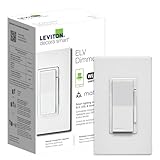
Overview: This specialized dimmer addresses the unique challenges of electronic low voltage (ELV) and LED lighting that cause headaches for standard dimmers. Designed for under-cabinet, track, and accent lighting with ELV transformers, it offers phase-selectable technology and granular performance tuning. The premium build quality and advanced firmware justify its position as a niche solution for demanding applications.
What Makes It Stand Out: Phase-selectable technology allows compatibility with both leading-edge and trailing-edge ELV fixtures—critical for eliminating flicker in specialized lighting. The My Leviton app provides professional-grade calibration including minimum dim, maximum bright, and timing controls. Night Settings automatically soften output during late hours, perfect for toe-kick lighting.
Value for Money: At $81.99, this is a premium investment, but essential for ELV applications where standard dimmers fail. For typical LED bulbs, it’s overkill, but for LED strip lighting, magnetic transformers, or commercial-grade fixtures, it prevents costly replacements. The alternative is often a separate ELV controller plus a smart switch, exceeding this price.
Strengths and Weaknesses: Pros: ELV and LED compatibility out-of-the-box; Phase-selectable for flicker elimination; Professional calibration settings; Elegant fade rate customization; Night mode automation. Cons: Significantly higher cost than standard smart dimmers; Over-specified for simple residential LED retrofits; Requires neutral wire; No mention of Matter support.
Bottom Line: Essential for homes with ELV lighting systems but unnecessary for standard LED bulb installations. If you’re struggling with flickering under-cabinet or track lighting, this solves problems that cheaper dimmers cannot. For basic ceiling fixtures, opt for the standard Decora Smart model instead.
5. Shelly Plus Wall Dimmer UL | WiFi Smart Wall Dimmer Switch | Home Automation | Bluetooth Gateway | Compatible with Alexa, Home Assistant & Google | No Hub | Timer Schedule | Dimmable Lights

Overview: Shelly’s UL-certified dimmer targets the tech-savvy market with open-platform compatibility and advanced networking features. Unlike mainstream brands, it integrates deeply with Home Assistant and functions as both a Wi-Fi repeater and Bluetooth gateway. The touch slider provides manual control, while auto-dimming timers cater to specific use cases like children’s bedtime routines.
What Makes It Stand Out: Home Assistant native support without cloud dependency appeals to privacy-conscious users. The Bluetooth gateway extends smart home reach to BLE devices, and Wi-Fi repeater functionality improves network coverage. Night Mode allows brightness limiting after set hours, while the three-year warranty exceeds industry standards. RPC protocol support enables advanced automation scenarios.
Value for Money: At $29.99, it undercuts premium brands while offering superior platform flexibility. The Wi-Fi repeater and Bluetooth gateway features add value beyond basic dimming, making it cost-effective for tech enthusiasts building comprehensive systems. However, casual users may not leverage these advanced capabilities.
Strengths and Weaknesses: Pros: Native Home Assistant integration; Bluetooth gateway and Wi-Fi repeater; UL certification; 3-year warranty; Night mode with staged dimming; Dislocation notifications. Cons: Steeper learning curve for non-technical users; Smaller brand recognition; App experience less polished than Leviton/Lutron; Requires neutral wire.
Bottom Line: The top choice for Home Assistant users and those wanting local control without cloud lock-in. Its networking features and open protocols justify the price for advanced installations, but mainstream Alexa/Google-only households may prefer simpler alternatives. The three-year warranty provides peace of mind for early adopters.
6. Lutron Caseta 3 Way Smart Dimmer Light Switch Kit, Includes Pico Remote, Bracket, and LED Dimmer Switch, No Neutral Required, P-PKG1WB-WH

Overview: The Lutron Caseta 3-Way Smart Dimmer Kit represents the gold standard in smart lighting control, bundling a premium dimmer switch, Pico remote, and mounting bracket into one comprehensive package. Designed for seamless integration into sophisticated smart homes, this system operates reliably even in older houses lacking neutral wires—a rare capability among smart switches.
What Makes It Stand Out: Unlike competitors, the Caseta dimmer functions without a neutral wire, making it compatible with any home regardless of age. The included Pico remote provides three-way control without additional wiring, while the system’s architecture ensures your lights remain controllable even during internet outages. Lutron’s proprietary Clear Connect RF technology delivers rock-solid reliability that Wi-Fi switches can’t match. The brand boasts the broadest smart home ecosystem support, integrating with Alexa, HomeKit, Google Home, Ring, and more.
Value for Money: At $87.70, this kit commands a premium price but delivers proportional value. The hub requirement adds another $80 if you don’t already own one, pushing total investment near $170. However, for homeowners in older properties or those prioritizing reliability over cost, this eliminates expensive electrical upgrades. Cheaper Wi-Fi alternatives can’t match the Caseta’s stability or feature set.
Strengths and Weaknesses: Strengths: No neutral wire required; functions during WiFi outages; unmatched smart home compatibility; reliable RF communication; includes Pico remote for flexible three-way control.
Weaknesses: Requires separate hub purchase; expensive upfront cost; wallplate not included; overkill for simple single-switch applications.
Bottom Line: Ideal for tech-savvy homeowners in older properties or those building a comprehensive smart home ecosystem. The premium investment pays dividends in reliability and flexibility that budget alternatives simply cannot provide.
7. DEWENWILS Smart Dimmer Switch with Remote, Single-Pole, Needs Neutral Wire, 2.4GHz Wi-Fi Electrical Light Dimming Switch Works with Alexa & Google Home, Remote/WiFi Smart Control Dimmer, ETL Listed

Overview: The DEWENWILS Smart Dimmer Switch delivers impressive functionality at an entry-level price point. This single-pole dimmer provides three distinct control methods—wall switch, included remote, and smartphone app—making it an accessible introduction to smart lighting for budget-conscious consumers. Requiring a neutral wire, it installs in modern homes with standard electrical configurations.
What Makes It Stand Out: Versatility defines this dimmer, offering physical wall control, a handheld remote with preset brightness levels, and full app integration. The remote features intuitive buttons for on/off, smooth dimming, and four quick-select brightness levels. ETL certification ensures safety standards are met, while 2.4GHz Wi-Fi eliminates the need for an additional hub. Voice control through Alexa and Google Assistant adds modern convenience without complexity.
Value for Money: Priced at just $19.99, this dimmer significantly undercuts competitors while maintaining essential features. The included remote alone justifies the cost compared to basic smart switches. While it lacks advanced features like three-way compatibility or brightness memory, it delivers core smart lighting functionality at a fraction of premium brand prices.
Strengths and Weaknesses: Strengths: Exceptional affordability; three control methods; included remote with presets; ETL certified; straightforward Wi-Fi setup; voice assistant compatibility.
Weaknesses: Requires neutral wire; single-pole only (no three-way); limited to 2.4GHz networks; no brightness memory function; wallplate not included.
Bottom Line: Perfect for first-time smart home adopters or those needing simple, reliable dimming in a single location. The DEWENWILS offers remarkable value, though its limitations make it best suited for straightforward applications rather than complex whole-home installations.
8. Nexete Smart Wi-Fi Dimmer Switch, Dim Lighting from Anywhere, in-Wall, 3-Way/Single Pole No Hub Required, Compatible with Alexa and Google Assistant, ETL Certified (3-Way Dimmer 1-Pack)

Overview: The Nexete Smart Wi-Fi Dimmer Switch tackles a common smart home challenge by offering both three-way and single-pole functionality without requiring a hub. This versatile switch supports advanced 0-100% dimming with brightness memory, allowing users to maintain preferred lighting levels across power cycles. However, its innovative wiring approach demands careful attention during installation and a solid understanding of your home’s electrical system.
What Makes It Stand Out: True three-way compatibility at this price point is uncommon, and Nexete’s solution repurposes traveler wires to deliver power to the smart switch—a clever workaround that avoids costly rewiring. The brightness memory function remembers your last setting, while full-range dimming provides precise control. ETL certification and direct Wi-Fi connectivity to Alexa and Google Assistant make it a capable mid-range contender.
Value for Money: At $24.97, this dimmer sits in the sweet spot between budget and premium options. The three-way capability adds significant value for staircases or large rooms requiring multi-location control. However, the non-standard wiring may necessitate professional installation, potentially offsetting initial savings for less experienced DIYers.
Strengths and Weaknesses: Strengths: Three-way and single-pole compatibility; no hub required; brightness memory; full-range dimming; ETL certified; affordable multi-location control.
Weaknesses: Complex non-standard wiring; requires neutral wire; confusing installation for novices; limited documentation; may need electrician assistance.
Bottom Line: Best suited for experienced DIY enthusiasts comfortable with creative electrical solutions. The Nexete offers impressive flexibility and features for the price, but its unconventional wiring makes it risky for beginners. Consider professional installation to avoid frustration.
9. (case of 6) Eaton WFD30-W-BX-L Wi-Fi Smart Universal Dimmer Compatible with Alexa, White, Control Your Lights from Anywhere
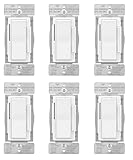
Overview: The Eaton WFD30-W-BX-L comes as a case of six smart dimmers, positioning itself as the economical choice for whole-home smart lighting projects. Marketed under Amazon’s “Certified for Humans” program, these switches prioritize simplicity and Alexa integration. Each unit provides standard dimming capabilities without requiring a separate hub.
What Makes It Stand Out: The per-unit price of $6.63 dramatically undercuts virtually all competitors, making comprehensive smart home lighting financially accessible. The frustration-free setup process uses the Alexa app with LED indicators guiding installation—ideal for smart home novices. Scheduling and routine capabilities enable automated lighting scenes for daily activities.
Value for Money: At $39.77 for six switches, this represents exceptional bulk value. Individual smart dimmers typically cost $20-30, making this pack ideal for large installations. While feature details are sparse compared to premium brands, the core functionality covers most residential needs. The absence of a hub requirement eliminates additional costs.
Strengths and Weaknesses: Strengths: Unbeatable per-unit pricing; Certified for Humans easy setup; no hub required; scheduling and routines; LED installation indicators; ideal for large projects.
Weaknesses: Limited feature documentation; Alexa-centric (may lack Google/HomeKit support); unknown compatibility with certain bulb types; no mention of three-way capability; potential quality trade-offs at this price.
Bottom Line: Perfect for homeowners undertaking whole-house smart lighting conversions on a tight budget. The Eaton six-pack delivers essential functionality at an unprecedented price, though you sacrifice advanced features and ecosystem flexibility. Verify bulb compatibility before committing.
10. Smart Dimmer Switch with Bluetooth Remote, Single Pole One-Way WiFi Wall Switch, Smart Life App & Voice Control, Compatible with Alexa & Google Assistant, Neutral Wire Required, No Hub Needed
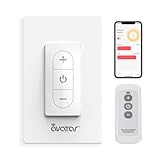
Overview: This smart dimmer distinguishes itself by combining Wi-Fi connectivity with a dedicated Bluetooth remote, ensuring control even when internet service is unreliable. Designed for single-pole installations, it integrates with the popular Smart Life ecosystem and supports comprehensive scene and group controls. The inclusion of a physical remote adds tangible value to this mid-priced option.
What Makes It Stand Out: The Bluetooth remote provides instant local control without network dependency—a practical fallback missing from pure Wi-Fi switches. Advanced scheduling includes sunrise/sunset timers and countdowns, while group control synchronizes multiple switches throughout your home. The Smart Life app enables complex automation scenes for bedtime, movies, or morning routines. Voice control via Alexa and Google Assistant completes the versatile control options.
Value for Money: Priced at $25.97 with an included Bluetooth remote, this dimmer offers strong value. The remote alone typically costs $10-15 separately, effectively reducing the switch price to around $15. While single-pole limitation restricts flexibility, the feature set matches or exceeds many $30+ competitors.
Strengths and Weaknesses: Strengths: Bluetooth remote included; Wi-Fi and Bluetooth dual connectivity; advanced scheduling and scenes; group control capability; no hub required; Smart Life ecosystem integration.
Weaknesses: Single-pole only; requires neutral wire; no three-way support; dependent on Smart Life app; wallplate not included.
Bottom Line: Excellent choice for bedrooms, home offices, or any single-location installation where reliable control is absolutely paramount. The Bluetooth remote makes it particularly valuable for elderly users or those with mobility issues. Just ensure your setup is single-pole before purchasing.
What Are Wi-Fi Dimmer Controls and How Do They Work?
Wi-Fi dimmer controls are advanced light switches that replace your standard wall dimmers, connecting directly to your home’s wireless network to enable remote operation via smartphone apps, voice commands, and automated schedules. At their core, they function as sophisticated power regulators that modulate electrical current to your light fixtures with precision impossible in analog dimmers. The Wi-Fi connectivity adds a communication layer, translating your digital commands into smooth, flicker-free dimming transitions.
These devices operate by creating their own local network node, typically connecting to a 2.4 GHz band (though newer models support dual-band connectivity). When you adjust brightness through an app, the command travels from your phone to your router, then to the dimmer switch, which executes the change in milliseconds. Many models also support cloud-based control, allowing you to adjust your movie lighting remotely—useful for turning lights on before arriving home with arms full of takeout for film night.
Why Wi-Fi Dimmers Transform Your Movie Night Experience
The difference between a good movie night and a cinematic experience often comes down to lighting control granularity. Wi-Fi dimmers enable you to create a graduated lighting environment that mimics commercial theaters: perimeter lighting at 15% during previews, fading to 5% for the feature, then gently rising to 40% during intermission. This eliminates the jarring transition of binary on/off switches that can pull viewers out of the narrative trance.
Eye strain reduction represents another critical advantage. The American Optometric Association confirms that watching bright screens in dark rooms forces your eyes to constantly adapt, causing fatigue. Wi-Fi dimmers allow you to maintain subtle bias lighting behind your screen at 8-10% brightness, preserving contrast while reducing the harsh differential between screen and surroundings. The ability to fine-tune this balance for different content types—action sequences versus dialogue-heavy dramas—protects your vision during binge-watching sessions.
Key Technical Specifications to Evaluate
When selecting a Wi-Fi dimmer for home theater applications, several specifications dramatically impact performance. Minimum dimming level proves crucial—the best models can dim LED bulbs to 1% brightness without flicker, while inferior switches bottom out at 10-15%, which remains too bright for true cinematic immersion. Look for specifications listing “low-end trim” adjustability, which lets you calibrate the minimum level to your specific bulbs.
Load capacity determines how many fixtures one switch can control. Most residential dimmers support 150-300 watts for LED loads, but this varies significantly. Calculate your total wattage by adding the rated power of all bulbs on the circuit, then add a 20% safety margin. For home theaters with multiple recessed lights, you may need to split circuits or choose a high-capacity model rated for 400+ watts.
Fade rate or dimming speed controls how quickly lights transition between levels. Premium dimmers offer adjustable fade times from 0.1 seconds (instant) to 10+ seconds (theatrical slow fade). For movie nights, a 3-5 second fade creates the most natural, professional effect. Some models even allow different fade rates for on/off versus dimming adjustments.
Decoding Dimming Protocols: TRIAC, ELV, and 0-10V Explained
Understanding dimming protocols prevents compatibility headaches and ensures flicker-free performance. TRIAC dimming (leading-edge) represents the most common and cost-effective method, compatible with most incandescent, halogen, and basic LED bulbs. However, TRIAC can cause buzzing or flickering with certain LED drivers, particularly at low brightness levels.
ELV (Electronic Low Voltage) dimming (trailing-edge) reverses the electrical waveform, providing smoother, quieter operation for LED fixtures and electronic transformers. ELV dimmers typically cost more but deliver superior performance with premium LED recessed lighting and eliminate the annoying hum that can ruin quiet film scenes. If your theater uses high-end LED fixtures, ELV is worth the investment.
0-10V dimming operates on a separate low-voltage control wire, common in commercial installations but increasingly found in sophisticated residential setups. This protocol offers the most stable, flicker-free dimming across large numbers of fixtures but requires additional wiring during installation. For new construction dedicated home theaters, 0-10V provides the gold standard in performance.
Smart Home Platform Compatibility: Making the Right Choice
Your Wi-Fi dimmer’s ecosystem compatibility determines its long-term usefulness and integration capabilities. Google Home and Amazon Alexa offer the broadest third-party support and simplest voice control setup, ideal for users prioritizing convenience over advanced automation. These platforms excel at basic commands: “Alexa, set movie lights to 10%.”
Apple HomeKit appeals to privacy-conscious users, as it processes many commands locally on your home hub rather than in the cloud. HomeKit’s “Adaptive Lighting” feature automatically adjusts color temperature throughout the day, which can enhance pre-movie lighting. However, HomeKit-compatible dimmers often carry a price premium and require an Apple TV or HomePod as a hub.
SmartThings and Hubitat cater to power users seeking complex automation. These platforms allow multi-device scenes where a single “Movie Time” command dims lights, closes smart blinds, and turns on your AV system simultaneously. Hubitat operates entirely locally, eliminating internet dependency—a significant advantage if your Wi-Fi is unreliable during streaming.
Installation Realities: DIY-Friendly vs. Professional-Only
Before purchasing, assess your electrical box configuration. Most Wi-Fi dimmers require a neutral wire (typically white) to power their wireless radio. Homes built before the 1980s often lack neutral wires in switch boxes, necessitating either a professional rewiring job or selecting a no-neutral-compatible model. The latter exist but often provide less reliable connectivity and limited dimming range.
DIY installation is feasible if you have: a neutral wire, single-pole configuration, basic electrical knowledge, and comfort working with live wires. Always turn off power at the breaker, use a non-contact voltage tester to confirm, and photograph existing wiring before disconnecting anything. Modern wire connectors like Wago lever nuts are safer than traditional wire nuts for novices.
Professional installation becomes mandatory for three-way circuits, multi-location controls, or when your electrical panel uses outdated wiring. Electricians can also install dedicated circuits for theater lighting, preventing interference from appliances that might cause flicker. Budget $150-300 per switch for professional installation, which includes proper load testing and warranty protection.
Understanding Switch Configurations: Single-Pole to Multi-Way
Single-pole configurations—the simplest setup with one switch controlling one light set—are plug-and-play with most Wi-Fi dimmers. The installation involves three wires: line (hot), load (to fixture), and neutral. These are ideal for dedicated home theaters where one entrance controls all lighting.
Three-way setups (two switches controlling the same lights) require careful product selection. You’ll need a Wi-Fi dimmer that specifically supports three-way operation, paired with either a matching auxiliary switch or a compatible add-on switch. The auxiliary switch communicates with the master dimmer through traveler wires, sending digital signals rather than carrying load current. Never mix brands in three-way configurations—the voltage signaling varies and will cause failure.
Multi-location control (three or more switches) demands even more sophisticated dimmers with dedicated remote switches. Some systems use wireless remote paddles that battery-power themselves and communicate via RF to the master dimmer, eliminating the need for traveler wires. These are perfect for retrofits where running new wires is impractical.
Voice Control Integration: Hands-Free Cinematic Command
Voice control transforms your movie night from fumbling with devices to seamless command. After linking your dimmer to your smart speaker, create custom routines that trigger multiple actions. A “Movie Time” routine might dim overhead lights to 5% over 4 seconds, turn off accent lights, and set path lighting to 15% for safe navigation.
Natural language commands work best when you assign logical names to your dimmers. Instead of “Kitchen Overhead Dimmer,” name it “Movie Room Lights” or “Theater Lighting.” Test commands before guests arrive—“Set movie lights to cinema mode” is more reliable than convoluted phrasing. Most platforms support brightness percentages, but some also understand relative terms: “make the lights dimmer.”
Privacy considerations matter. Voice commands travel to cloud servers for processing (except with some HomeKit setups). If this concerns you, disable the microphone on smart speakers during sensitive viewing or use physical remote controls as primary interfaces. Some dimmers include Bluetooth backup, allowing app control without internet connectivity.
App Capabilities That Elevate Your Viewing Experience
Premium Wi-Fi dimmer apps offer features beyond simple on/off controls. Scene creation allows you to save precise brightness levels for multiple switches simultaneously. Build a “Pre-Show” scene (lights at 80% for setup), “Feature Presentation” (5% with bias lighting), and “Post-Movie Discussion” (50% warm glow). These scenes should be accessible from the app’s home screen, not buried in menus.
Scheduling automates your lighting routine. Program lights to gradually dim from 100% to 20% over the 30 minutes before your typical movie start time, mimicking a theater’s pre-show sequence. Away mode randomly varies lighting when you’re on vacation, but this same feature can simulate realistic usage patterns during late-night viewing sessions.
Energy monitoring in advanced models displays real-time wattage draw, helping you calculate actual savings. Some apps track dimmer usage patterns, suggesting optimizations like slightly brighter minimum levels to eliminate flicker or recommending when bulbs need replacement based on performance degradation.
Crafting the Perfect Movie Night Lighting Scenes
Effective scene design requires understanding layered lighting principles. Your theater likely has multiple light sources: overhead recessed lights, wall sconces, step lighting, and bias lighting behind the screen. Each serves a distinct purpose and should be controlled independently.
The Pre-Show Scene (70-80% brightness on all lights) welcomes guests and allows safe seating. Set a warm color temperature if using tunable white bulbs—2700K creates a cozy, non-clinical atmosphere. The Trailers Scene (30% overhead, 15% sconces) begins the cinematic transition, reducing ambient light while maintaining enough illumination for late arrivals.
The Main Feature Scene represents your masterpiece: overhead lights at 2-5%, sconces off, bias lighting at 10-12%, and step lighting at 8% for safety. This configuration eliminates screen reflections while providing subtle orientation cues. The Intermission Scene gently raises all lights to 40% over 5 seconds, giving eyes a rest without shocking viewers.
Automation Strategies for Seamless Viewing
True smart home integration means your lighting anticipates needs rather than reacting to commands. Geofencing triggers movie lighting when your phone connects to home Wi-Fi after 6 PM, preparing the room before you even enter. Combine this with a smart door sensor that detects when you enter the theater room, automatically activating your “Pre-Show” scene.
Time-based triggers create sophisticated sequences. At 7:30 PM on Fridays, lights begin a 15-minute dimming cascade to your “Movie Time” settings. If you pause your streaming service (via integration platforms like IFTTT or native smart TV connections), lights automatically raise to 25% for 2 minutes, then fade back down when playback resumes.
Conditional logic elevates automation further: “If it’s after sunset AND the TV power draw exceeds 100 watts AND the living room motion sensor hasn’t detected movement for 10 minutes, activate Cinema Mode.” This prevents accidental triggers during casual TV watching versus dedicated movie viewing.
Zone Control: Layering Light for Depth and Atmosphere
Professional home theaters separate lighting into functional zones, each with dedicated dimmer control. Zone 1: Overhead Task Lighting provides general illumination for cleaning and setup, typically 4-6 recessed fixtures on one dimmer. Zone 2: Perimeter Accent Lighting includes wall sconces or cove lighting that creates depth and reduces the “cave effect” of a single light source.
Zone 3: Safety Path Lighting covers step lights, aisle markers, and egress lighting. These remain dimly lit during viewing (5-8%) to prevent trips without contributing to screen glare. Zone 4: Bias/Backlighting sits behind the screen or TV, reducing eye strain by maintaining a consistent light level in your peripheral vision.
Wi-Fi dimmers excel at grouping these zones into unified controls while preserving individual adjustment. Your app can show “All Theater Lights” as a master slider while allowing fine-tuning of each zone. This flexibility lets you adapt lighting for different content: sports viewing might use higher perimeter lighting, while horror films demand near-total darkness with only path lighting active.
Energy Efficiency and Cost Savings Analysis
Wi-Fi dimmers deliver measurable energy savings beyond basic LED efficiency. Dimming an LED to 50% brightness reduces power consumption by approximately 40-45%, not the expected 50%, due to driver inefficiencies. At 25% brightness, consumption drops by 65-70%. For a typical theater with six 10-watt LED recessed lights running 4 hours nightly, dimming to 20% for movies saves roughly 0.18 kWh per evening—about $8 annually at average electricity rates.
Phantom load—the power dimmers consume in standby—averages 0.5-1.5 watts. Over a year, this costs $1-3 per switch, negligible compared to the savings from dimming. However, models with always-on LED indicators or poor power management can draw up to 3 watts, so check specifications if minimizing standby consumption is a priority.
Bulb longevity extends dramatically with dimming. LEDs stressed by constant full-power operation degrade faster. Operating at 50% brightness can double an LED’s effective lifespan from 25,000 to 50,000 hours, postponing replacement costs and maintenance hassles in hard-to-reach theater ceilings.
Troubleshooting Common Wi-Fi Dimmer Challenges
Flickering at low brightness levels is the most reported issue. This typically indicates incompatible LED bulbs or insufficient load. Solutions include: installing a load resistor or “dummy load” to increase minimum draw, adjusting the dimmer’s low-end trim setting in the app, or replacing bulbs with models specifically rated for dimmer compatibility. Look for bulbs with “flicker-free” or “smooth dimming” certifications.
Buzzing from the switch or bulbs suggests TRIAC incompatibility with LED drivers. Switching to ELV-rated dimmers or upgrading to premium LED fixtures with better drivers eliminates this. Wi-Fi connectivity drops often stem from weak signals in metal switch boxes. Solutions include installing a Wi-Fi mesh node nearby, ensuring your 2.4 GHz network is enabled (most dimmers don’t use 5 GHz), or selecting models with external antennas.
Unresponsive switches may result from overloaded circuits. Calculate total load including phantom draw from all devices. If your circuit exceeds 80% of breaker rating, the voltage drop can cause smart devices to reboot. Ghost switching—lights changing without command—usually indicates electrical noise from appliances on the same circuit. Installing an isolation filter or moving the dimmer to a dedicated theater circuit resolves this.
Security and Privacy in Your Connected Lighting
Every Wi-Fi device expands your home network’s attack surface. Quality dimmers use AES-128 encryption for local communication and TLS 1.2+ for cloud connections. Verify these standards in technical documentation—reputable manufacturers publish security whitepapers. Avoid no-name brands that don’t disclose encryption methods.
Firmware updates are critical security maintenance. Choose manufacturers with a proven track record of ongoing support, ideally providing automatic security patches. Disable remote access if you only need local control, reducing exposure. Most apps allow you to restrict control to your home network only.
Network segmentation provides the strongest protection. Place all IoT devices, including lighting, on a separate VLAN or guest network isolated from computers and storage devices. This prevents a compromised dimmer from becoming a gateway to sensitive data. Some routers offer IoT-specific networks with restricted device-to-device communication.
Future-Proofing: Emerging Standards and Longevity
The smart home landscape evolves rapidly, but certain trends ensure longevity. Matter, the new universal smart home standard backed by Apple, Google, Amazon, and others, promises interoperability between ecosystems. While few Wi-Fi dimmers support Matter today, selecting brands that have announced Matter compatibility plans protects your investment. These devices will work with any future platform you choose.
Thread protocol, which creates a self-healing mesh network, offers more reliable connectivity than traditional Wi-Fi for smart devices. Thread-enabled dimmers don’t depend on your router and continue functioning even if your internet fails. They also reduce Wi-Fi congestion—a real benefit in homes with dozens of connected devices competing for bandwidth.
Over-the-air update capability ensures your dimmer gains new features years after purchase. Some manufacturers have added HomeKit support or improved LED compatibility via firmware updates. Check user forums to confirm manufacturers actually deliver updates rather than abandoning products after launch. Investing $10-15 more in a brand with strong software support pays dividends in extended functionality.
Frequently Asked Questions
Do Wi-Fi dimmer switches work with all LED bulbs? No, compatibility varies significantly. Look for bulbs labeled “dimmable” and specifically tested with smart dimmers. Premium LEDs with dedicated drivers work best, while budget bulbs often flicker at low levels. Check the dimmer manufacturer’s compatibility list before purchasing bulbs.
Can I install a Wi-Fi dimmer myself or do I need an electrician? If you have a neutral wire, single-pole configuration, and basic electrical knowledge, DIY installation is straightforward. However, three-way setups, absence of a neutral wire, or any uncertainty about electrical safety warrants hiring a licensed electrician. Professional installation ensures code compliance and typically includes a warranty.
What happens to my smart dimmer if my Wi-Fi goes down? Most Wi-Fi dimmers function as manual switches during outages, maintaining basic on/off control. However, app control, voice commands, and automation cease until connectivity restores. Models with Bluetooth backup or Thread networking provide limited smart functionality offline. Physical buttons always work for safety.
Will a Wi-Fi dimmer work in a three-way switch configuration? Yes, but you must purchase a dimmer specifically rated for three-way operation, paired with a compatible auxiliary switch or remote. The master dimmer handles the load while auxiliary switches communicate via traveler wires or wireless signals. Mixing brands will cause failure, so buy matching components.
How many lights can I control with one Wi-Fi dimmer switch? This depends on total wattage, not bulb count. Most residential dimmers support 150-300 watts of LED load. Calculate by adding each bulb’s rated wattage, then add a 20% safety margin. For example, ten 9-watt LED bulbs (90 watts total) work safely within a 150-watt dimmer’s capacity.
Can I use Wi-Fi dimmers with ceiling fans or other appliances? Absolutely not. Dimmers are designed exclusively for lighting loads. Using them with ceiling fans damages the motor and creates fire hazards. For fans, use dedicated smart fan speed controllers. For appliances, smart plugs or relays are appropriate. Never connect non-lighting loads to a dimmer.
Do Wi-Fi dimmers consume electricity when the lights are off? Yes, a small amount. Standby consumption (phantom load) ranges from 0.5 to 1.5 watts for most models—costing $1-3 annually. This powers the wireless radio for app/voice control. Premium energy-efficient models minimize this draw, while cheap alternatives may consume 3+ watts.
What’s the difference between a smart switch and a smart dimmer? A smart switch only provides on/off control, while a smart dimmer adjusts brightness levels. For movie nights, dimming capability is essential. Smart switches are cheaper but cannot create the graduated lighting environments that eliminate screen glare and eye strain. Choose dimmers for any space where lighting ambiance matters.
Can I create different lighting scenes for different types of movies? Yes, this is a key advantage. Most Wi-Fi dimmer apps allow unlimited custom scenes. Create “Horror Film” (minimal lighting), “Family Movie” (moderate safety lighting), “Sports Viewing” (brighter ambient light), and “Date Night” (romantic accent lighting). Each scene stores precise brightness levels for every zone.
Are Wi-Fi dimmers compatible with dimmable smart bulbs? Generally, no—this creates a conflict where two devices try to dim the same load, causing flickering, buzzing, and shortened bulb life. Use Wi-Fi dimmers with standard dimmable LEDs, or use smart bulbs with regular on/off switches. For color-changing smart bulbs, control brightness through their native app, not a dimmer switch.