Transforming your living space with dynamic, color-changing illumination has never been more accessible. RGBW LED strips offer an extraordinary palette of over 16 million colors plus pure white light, but their true potential unlocks only when paired with the right automation controller. Whether you’re designing a cozy home theater that dims with a voice command, crafting architectural accent lighting that syncs with your daily routines, or building an immersive gaming setup that reacts to on-screen action, the controller acts as the brain of your entire lighting ecosystem.
Choosing the perfect automation controller isn’t just about compatibility—it’s about creating seamless experiences that blend into your lifestyle. With protocols ranging from Wi-Fi to Zigbee, integration possibilities with every major smart home platform, and technical specifications that can make or break your installation, navigating this landscape requires more than a casual glance at feature lists. This comprehensive guide dives deep into the critical factors that separate mediocre controllers from exceptional ones, empowering you to make an informed decision that will illuminate your spaces brilliantly for years to come.
Top 10 RGBW LED Strip Lighting Controllers
Detailed Product Reviews
1. BTF-LIGHTING RGBW LED Strip Music Controller SP614E Bluetooth APP Built-in Mic Group Control for 5 pin + R G B W LED Module Strip Light Triple Control APP /3 Keys Button/IR Remote DC5V/12V/24V

Overview: The BTF-LIGHTING SP614E is a versatile triple-control solution for RGBW LED strips, combining Bluetooth app control with traditional IR and manual button operation. This controller supports 5-pin RGBW strips across multiple voltages (5V/12V/24V) and includes innovative music synchronization capabilities, making it suitable for diverse lighting projects from PC case illumination to room accent lighting.
What Makes It Stand Out: The built-in microphone enables three music lighting effects that pulse with your audio, while group control allows managing up to five devices simultaneously. The Bluetooth app unlocks 20 dynamic effects, 16 million colors, and DIY customization options. A timing function automates daily on/off cycles, though settings reset after power loss. The ability to create multiple groups provides scalability for larger installations.
Value for Money: At $11.99, this controller delivers exceptional versatility. Competing Bluetooth controllers often cost $15-20 without IR backup or music sync. The triple-control approach ensures you always have a control method available, making it a smart investment for reliability.
Strengths and Weaknesses: Strengths include flexible voltage support, music synchronization, multi-device grouping, and three control methods. The main weakness is the timing function’s vulnerability to power outages. Bluetooth range is limited to typical 30-50 feet, and the app requires 2.4GHz WiFi. Some users may need a signal amplifier for very long strips.
Bottom Line: Perfect for users wanting app-based control with music reactivity without sacrificing traditional remote access. The SP614E balances advanced features with reliable backup controls at an aggressive price point.
2. SUPERNIGHT RGBW LED Light Strip Remote Controller, Dimmer for RGB+White RGBWW Strip Light, 40 Key Wireless IR Remote Controller for SMD 5050 3528 RGB Rope Lights
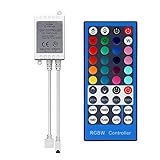
Overview: The SUPERNIGHT RGBW controller is a budget-friendly IR-based solution for 5-pin RGBW LED strips. This straightforward controller offers essential color and pattern control through a 40-key wireless remote, making it ideal for simple lighting installations where smart features aren’t necessary. It works with common SMD 5050 and 3528 RGBW strips, providing a plug-and-play experience for DIY enthusiasts.
What Makes It Stand Out: The 40-key remote provides direct access to 20 preset colors and multiple dynamic modes including flash, jump, and strobe. Safety certifications (CE, RoHS, FCC) and a 12-month warranty with 30-day money-back guarantee demonstrate manufacturer confidence. The controller handles up to 6A at 12V, suitable for standard 16.4ft RGBW strips. Low power consumption and minimal heat generation ensure safe continuous operation.
Value for Money: At $8.99, this is one of the most affordable RGBW controllers available. Basic IR controllers typically range from $7-15, making this competitively priced for the warranty and safety approvals included. You get reliable performance without paying for unnecessary smart features.
Strengths and Weaknesses: Strengths include simplicity, safety certifications, solid warranty, and immediate operation without app setup. Weaknesses are inherent to IR technology: 30-foot range, line-of-sight requirement, and no smart home integration. The 6A capacity may limit longer strip runs, and there’s no music sync or timing functionality.
Bottom Line: An excellent choice for basic RGBW installations where reliability and simplicity trump advanced features. The warranty and certifications provide peace of mind for budget-conscious buyers wanting a no-fuss solution.
3. BTF-LIGHTING 5050SMD FCOB COB RGBW RF Remote RC03RFB & C04RF Tuya Controller Kit 4 Zones RF 2.4GHz Wireless Remote Group Control PWM(+ R G B W) 5pin LED Strip DC5V DC12V DC24V

Overview: The BTF-LIGHTING RC03RFB & C04RF kit is a professional-grade RF controller system designed for multi-zone RGBW installations. Operating on robust 2.4GHz wireless technology, this solution eliminates line-of-sight limitations and supports four independent control zones without device quantity limits per zone. It’s engineered for PWM 5050SMD, FCOB, and COB RGBW strips, providing reliable performance for sophisticated lighting setups.
What Makes It Stand Out: The impressive 98-foot control range and auto signal relay between controllers enable whole-home coverage. The touch-wheel remote offers intuitive color selection and brightness adjustment. Each zone can be controlled independently or synchronized, making it perfect for complex installations spanning multiple rooms. The system supports PWM RGBW strips across 5V/12V/24V voltages, automatically adapting to your power supply.
Value for Money: At $28.99, this kit commands a premium over IR controllers but delivers professional features. Comparable RF systems often exceed $35, making this a cost-effective solution for serious multi-zone projects where reliability and range justify the investment. The ability to expand with additional controllers adds long-term value.
Strengths and Weaknesses: Strengths include exceptional range, multi-zone capability, no line-of-sight requirement, and voltage flexibility. The touch-wheel remote provides superior user experience. Weaknesses include incompatibility with addressable LED strips (WS2811, SK6812, etc.) and a learning curve for zone configuration. Current limits (5A/12A per controller) require attention for high-density strips.
Bottom Line: Ideal for users needing reliable multi-room control without WiFi dependency. The RF technology and zone management make it worth the premium for complex installations where IR falls short.
4. BTF-LIGHTING 5in1 WB5 2.4GHz Tuya WiFi PWM LED Controller Compatible with Alexa/Google Home/Smart Life/Tuya Smart APP Control for Dimming CCT RGB RGBW RGBCCT LED Strip Work with WR01RF WR02RF etc

Overview: The BTF-LIGHTING WB5 is a revolutionary 5-in-1 WiFi controller that consolidates multiple LED strip types into one device. Supporting monochrome, CCT, RGB, RGBW, and RGB+CCT strips, this versatile controller integrates seamlessly with smart home ecosystems via the Tuya platform. It eliminates the need for multiple controllers when upgrading or changing strip types.
What Makes It Stand Out: Voice control through Alexa and Google Home, plus Tuya/Smart Life app integration, provides modern convenience. The 2.4GHz RF remote compatibility offers backup control. Advanced features include 16 million colors, dual white tuning, group control, timers, biorhythm settings, and scene customization. It handles 6A per channel (15A total) at 12-24V, powering substantial installations up to 360W at 24V. The “Tap-to-Run” automation and device sharing capabilities enhance smart home integration.
Value for Money: At $27.99, the WB5 replaces multiple single-purpose controllers. Competing WiFi controllers with similar versatility typically cost $30-40, making this an excellent value for smart home enthusiasts wanting maximum flexibility without buying separate devices for each strip type.
Strengths and Weaknesses: Strengths include unmatched versatility, smart home integration, high power capacity, and multi-control methods. The ability to switch between LED types via one button is ingenious. Weaknesses include incompatibility with addressable strips and 2.4GHz WiFi requirement (no 5GHz). Initial app setup may challenge less tech-savvy users.
Bottom Line: The ultimate choice for smart home integration. If you want voice control and app management for multiple strip types, the WB5 delivers exceptional capability at a competitive price.
5. SUPERNIGHT RGB LED Light Strip Remote Controller, Dimmer for RGB LED Strip Lights, 44 Key Wireless IR Remote Controller for SMD 5050 3528 Rope Lights
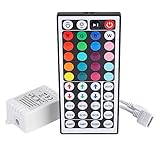
Overview: The SUPERNIGHT 44-key IR controller is an entry-level solution for basic RGB LED strips. Designed for 4-pin RGB strips (not RGBW), this controller provides essential color and pattern control at the lowest price point in the lineup. It’s compatible with common SMD 5050, 3528, and 2835 RGB strips, making it a universal choice for standard RGB installations.
What Makes It Stand Out: The 44-key remote offers 20 colors and five dynamic patterns including static, flash, strobe, fade-change, and RGB smooth-change. Safety certifications (CE, RoHS, FCC) ensure reliable operation. The 12A maximum output supports longer RGB strips than many budget controllers. Its straightforward operation requires no apps or networking, appealing to users wanting immediate functionality without technical setup.
Value for Money: At $7.99, this is the most economical option for simple RGB installations. Competing basic controllers range from $6-12, making this competitively priced with the added assurance of safety certifications and a higher current capacity than many alternatives.
Strengths and Weaknesses: Strengths include ultra-low cost, simplicity, high current capacity (12A), and safety approvals. It’s ready to use out of the box. Weaknesses are the lack of a white channel (RGB only), IR limitations (30ft range, line-of-sight), and absence of smart features. No music sync, timers, or group control capabilities.
Bottom Line: Perfect for beginners or simple projects using standard RGB strips. If you don’t need white LEDs or smart features, this delivers reliable basic control at an unbeatable price, backed by important safety certifications.
6. BTF-LIGHTING SP630E Bluetooth Controllers 4 Zones 2.4GHz RF RB3 Remote Kit Support FCOB COB SMD PWM or SPI RGB RGBW LED Strip WS2811 WS2812B WS2814 WS2815 SK6812 IC etc DC5V DC12V DC24V

Overview: The BTF-LIGHTING SP630E kit delivers versatile LED strip control through both Bluetooth and 2.4GHz RF remote. Supporting PWM and SPI protocols across DC5V-24V, it handles WS2811, WS2812B, SK6812, and other popular ICs, making it suitable for RGB, RGBW, and addressable installations up to 600 LEDs. This all-in-one solution eliminates the need for multiple controllers for different strip types.
What Makes It Stand Out: This controller excels with its dual connectivity and 4-zone RF remote capability, allowing independent control of four separate LED strips within a 30-meter range. The BanlanX app provides deep customization including music synchronization via mobile mic, streaming audio, or built-in microphone, plus animated on/off effects and power-on states. The timing function supports five programmable timers for automation.
Value for Money: At $22.99, this kit offers exceptional versatility. Competing controllers typically require separate purchases for RF and Bluetooth functionality, often costing $30-40 combined. The 4-zone remote alone provides value equivalent to premium alternatives, while the broad IC compatibility eliminates the need for multiple controllers.
Strengths and Weaknesses: Pros include universal compatibility with PWM and SPI strips, dual control options, robust app features, and reliable 30-meter RF range. Cons involve the BanlanX app’s lack of group control functionality and a steeper learning curve for DIY effects configuration. The 600-IC limit may restrict large installations.
Bottom Line: Ideal for enthusiasts seeking flexible, multi-zone LED control without breaking the bank. The SP630E kit’s hybrid connectivity and feature set make it a top choice for complex lighting projects, though users should verify BanlanX app compatibility with their devices.
7. GIDEALED 2.4G Wireless 5 Channel RGBCCT LED Controller with RF Remote Control,Dimming 5 in 1 RGBWW LED Strip Controller for RGBW RGBWW RGB CCT Light Strips Color Chaning DC12V-24V
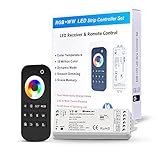
Overview: The GIDEALED 5-channel controller provides straightforward RF wireless control for RGBCCT LED strips operating at DC12V-24V. This 5-in-1 solution handles RGB, RGBW, RGBWW, and CCT configurations without requiring WiFi, Bluetooth, or smartphone apps, appealing to users preferring physical remote operation. The package includes one controller, RF remote, and mounting bracket.
What Makes It Stand Out: The sensitive touch wheel and button design enables precise color adjustment and independent dimming across five channels, achieving millions of colors with adjustable brightness and color temperature. Its group control capability allows one remote to manage multiple V5-M controllers simultaneously, automatically synchronizing signals throughout your home without complex setup.
Value for Money: Priced at $30.67, this controller sits in the mid-range category. While more expensive than basic Bluetooth-only options, it eliminates app dependency and potential connectivity issues. However, the lack of smartphone integration limits advanced features like music sync or timer customization found in similarly-priced competitors.
Strengths and Weaknesses: Strengths include dead-simple operation, reliable 2.4GHz RF connectivity, robust group control, and intuitive touch wheel interface. Weaknesses are the absence of app-based features, no music synchronization, limited to 12V-24V strips, and the requirement to purchase AAA batteries separately. The package also omits a power adapter.
Bottom Line: Perfect for users wanting reliable, app-free LED control with professional-grade dimming capabilities. The GIDEALED controller excels in simplicity and group synchronization, making it ideal for whole-home installations where smartphone dependency is undesirable.
8. BTF-LIGHTING SP630E Bluetooth LED Controller Support PWM Monochrome CCT RGB RGBW RGBCCT Or SPI TTL IC Chip LED Strip WS2811 WS2812B WS2813 WS2814 WS2815 SK6812 LB1934 etc DC5V DC12V DC24V

Overview: This BTF-LIGHTING SP630E variant offers Bluetooth-only control for diverse LED strip configurations. Supporting PWM monochrome, CCT, RGB, RGBW, RGBCCT, and SPI addressable strips, it handles WS2812B, SK6812, and similar ICs across DC5V-24V. The controller manages up to 600 ICs for RGB or 300 for RGBCCT strips, making it suitable for moderately sized installations.
What Makes It Stand Out: Unique simultaneous SPI+PWM control allows hybrid installations, controlling addressable and non-addressable strips together—perfect for complex lighting designs. The BanlanX app provides three operating interfaces (static, dynamic, music) with DIY effect customization. This flexibility enables tailored lighting for specific applications without multiple controllers.
Value for Money: At $15.99, this is an exceptional value. Most Bluetooth controllers with SPI support start around $25, and few offer simultaneous PWM+SPI operation. The price point makes it accessible for hobbyists and DIY enthusiasts experimenting with advanced lighting projects while maintaining professional capabilities.
Strengths and Weaknesses: Pros include unbeatable price, universal strip compatibility, simultaneous dual-protocol control, and solid DIY capabilities. Cons involve Bluetooth-only connectivity (no RF backup), app grouping limitations (requires identical parameter settings), and no included remote. The learning curve for DIY programming may intimidate beginners.
Bottom Line: An outstanding budget choice for technically-inclined users building sophisticated LED setups. The SP630E Bluetooth controller delivers professional-grade features at entry-level pricing, though novices should prepare for a learning curve and consider RF backup for critical applications.
9. LIVE4COOL RGB/RGBW LED Bluetooth Controller RGB LED Strip Light Controller Phone APP Control for 5050 3528 RGB LED Strip Lights (Suitable for iOS & Android System)

Overview: The LIVE4COOL Bluetooth controller provides smartphone-based control for RGB and RGBW LED strips via the “Happy Lighting” app. Operating at DC12V-24V, it supports common 5050 and 3528 strip configurations. The system connects automatically within 5 seconds and offers a 15-meter control range without requiring WiFi or hubs, targeting simple residential installations.
What Makes It Stand Out: Exceptionally simple setup makes this ideal for beginners—just power on and open the app. The Happy Lighting app includes 20 pre-programmed jumping modes, music synchronization, voice control, brightness adjustment, and timer functions. Automatic Bluetooth pairing eliminates frustrating manual connection processes common with budget controllers.
Value for Money: At $18.99, this controller sits in the budget-friendly segment. While lacking advanced features like zone control or SPI support, it undercuts many competitors by $5-10. The included app features match pricier options, though build quality may not satisfy professional installers requiring heavy-duty components.
Strengths and Weaknesses: Pros include effortless installation, broad iOS/Android compatibility (Android 4.3+/iOS 6.0+), music and voice modes, and reliable 15-meter range. Cons are limited to RGB/RGBW strips only, no RF remote backup, absence of zone control, and basic app functionality compared to premium alternatives. No mention of group control capability.
Bottom Line: Perfect for first-time LED strip users seeking simple, app-based control. The LIVE4COOL controller delivers core functionality with minimal fuss, making it ideal for single-room installations, though power users will quickly outgrow its limitations.
10. BTF-LIGHTING 2.4GHz Wireless RF Remote RC03RFB &4PCS C04RF Tuya Controller Kit 4 Zones Group Control 5050SMD FCOB COB PWM RGBW (+ R G B W) 5pin LED Strip DC5V DC12V DC24V

Overview: This BTF-LIGHTING kit includes four C04RF controllers and one RC03RFB remote, creating a comprehensive 4-zone system for PWM RGBW LED strips. Designed for 5050SMD, FCOB, and COB 5-wire configurations, it operates across DC5V-24V. The system supports unlimited controllers per zone, enabling whole-home lighting management through a single remote without device limits.
What Makes It Stand Out: The kit’s unlimited device expansion sets it apart—each remote can control multiple controllers per zone, with automatic signal transmission and synchronization across distances up to 98 feet. The touch wheel remote provides intuitive color selection and brightness adjustment for 16 million colors. Four controllers included in one package eliminates compatibility guesswork.
Value for Money: At $62.99, the per-controller cost of ~$15.75 represents solid value for RF-based multi-zone systems. However, the PWM-only limitation restricts flexibility compared to hybrid controllers at similar total prices. The kit excels for dedicated RGBW installations but offers poor scalability for addressable strips.
Strengths and Weaknesses: Pros include robust 4-zone control, unlimited device pairing, reliable 2.4GHz RF connectivity, and simultaneous multi-area management. Cons are PWM-only compatibility (no SPI support), current limitations (5A and 12A per controller), higher upfront cost, and lack of app connectivity for advanced features. The kit cannot work with popular addressable ICs like WS2812B.
Bottom Line: Excellent for users committed to PWM RGBW strips throughout their home. The four-controller kit simplifies whole-house lighting control, though the inability to upgrade to addressable LEDs limits future-proofing. Consider this only if SPI support isn’t needed.
Understanding RGBW LED Strip Controllers
What Makes RGBW Different from RGB?
The “W” in RGBW represents a dedicated white LED chip, and this single addition fundamentally changes how controllers must operate. Unlike RGB strips that create “white” by blending red, green, and blue (resulting in a often murky, color-tinted output), RGBW strips produce true, clean white light through a separate channel. This requires controllers with four output channels rather than three—one each for Red, Green, Blue, and White.
Quality controllers manage these channels independently, allowing you to adjust color saturation while maintaining pure white brightness. Cheaper units simply treat the white channel as an afterthought, leading to color bleeding and inaccurate tones. When evaluating controllers, look for firmware that supports true RGBW mixing algorithms, which preserve color integrity even when blending white with saturated colors. This matters particularly for task lighting, where color accuracy impacts functionality, and for design applications where subtle pastel shades are essential.
The Role of Automation in Modern Lighting
Automation transcends simple on/off scheduling. Modern controllers enable contextual lighting that responds to occupancy, time of day, weather conditions, and even your smartphone’s location. Imagine lights that gradually brighten to mimic sunrise before your alarm, shift to cooler temperatures during work hours for enhanced focus, then transition to warm, dimmed ambiance for evening relaxation—all without manual intervention.
The best automation controllers function as invisible conductors, orchestrating these experiences through robust rule engines and sensor integration. They don’t just receive commands; they anticipate needs. This requires local processing power, reliable connectivity, and sophisticated software that can execute complex conditional logic. When assessing automation capabilities, examine whether the controller supports multi-condition triggers, sunset/sunrise calculations based on your geographic location, and the ability to create layered scenes that activate across multiple zones simultaneously.
Key Features to Evaluate Before Buying
Channel Configuration and Power Handling
Beyond the basic four-channel requirement for RGBW, advanced controllers offer expanded configurations. Some provide five channels (RGBWW) for tunable white temperatures, while others support six or eight channels for hexachrome or octachrome systems. The critical specification is total amperage capacity per channel and overall load rating. A controller rated for 12 amps total but only 2 amps per channel will severely limit your strip length options.
Calculate your power requirements by multiplying strip wattage per meter by your total length, then dividing by voltage. Add a 20% safety margin for voltage drop and heat dissipation. Premium controllers include overcurrent protection, thermal shutdown circuits, and individual channel fusing—these aren’t just safety features but indicators of engineering quality that protect your investment. Look for units with aluminum heat sinks or active cooling when driving high-power installations.
Wireless Protocols: Wi-Fi, Zigbee, Z-Wave, and Bluetooth
Each protocol carries distinct advantages and trade-offs that impact reliability, responsiveness, and network congestion. Wi-Fi controllers offer direct smartphone control without hubs but can strain your router with too many devices and typically consume more power. They excel in small installations where simplicity matters.
Zigbee creates a mesh network where each powered device strengthens the overall signal, making it ideal for large homes with multiple zones. Its low power consumption suits battery-powered remotes and sensors, but requires a compatible hub. Z-Wave operates similarly but on a different frequency band, often providing slightly better range but with fewer compatible devices and higher costs.
Bluetooth controllers provide direct, hub-free connectivity with minimal latency, perfect for single-room installations. However, their range is limited, and they can’t be controlled remotely when you’re away from home. Emerging Thread-enabled controllers combine the best of all worlds—mesh networking, low power, IP-based communication, and seamless integration with Matter-compatible ecosystems.
Voice Assistant Compatibility
True voice control extends beyond basic “turn on/off” commands. Sophisticated controllers support natural language color requests (“warm candlelight white”), brightness adjustments by percentage, and scene activation through custom names. Verify compatibility specifics: does the Alexa skill support RGBW-specific commands? Can Google Assistant access all white temperature ranges?
The integration depth matters more than the badge on the box. Some controllers claim “Works with Alexa” but only expose on/off functionality through a clunky third-party skill. Premium options offer native discovery, smooth dimming transitions triggered by voice, and the ability to include lights in complex routines alongside other smart devices. Test the responsiveness—latency over 500 milliseconds creates a frustrating experience. Controllers with local API access typically respond faster than those routing commands through cloud servers.
Mobile App Experience and User Interface
A controller’s hardware is only as good as its software interface. Download the app before purchasing and explore its capabilities. Does it offer intuitive color picking with both wheel and temperature slider options? Can you save custom scenes with precise channel values? Look for gradient curve editors that let you fine-tune fade speeds and transition smoothness.
Professional-grade apps provide zone grouping with independent control, timer functions with astronomical clock settings, and the ability to share access with family members. They should work reliably on both iOS and Android, with offline functionality when you’re on the same network. Beware of apps cluttered with ads or requiring unnecessary account creation. The best controllers offer optional cloud accounts for remote access while functioning perfectly with local-only control.
Types of Lighting Automation Controllers
Inline Controllers vs. Receiver-Based Systems
Inline controllers integrate directly into the power path, typically as small boxes between the power supply and LED strip. They’re compact, cost-effective, and ideal for simple installations under 10 meters. However, they concentrate heat and can become a single point of failure. Their placement is also constrained by wiring logistics.
Receiver-based systems separate the control logic from the power handling. A small receiver module connects near the strip, while control signals come from a wireless remote, wall panel, or hub. This distributed architecture reduces heat issues, allows multiple receivers to sync with one controller, and provides cleaner installations by keeping high-voltage components separate from control electronics. For multi-room setups, receiver-based systems offer superior scalability and maintenance advantages.
Addressable vs. Non-Addressable LED Controllers
This distinction confuses many buyers but determines your creative possibilities. Non-addressable controllers (the standard for most RGBW strips) send the same signal to every LED on the strip—every pixel displays identical color and brightness. Addressable controllers (for WS2812B, SK6812, or similar chips) communicate with each individual LED, enabling chasing effects, wave patterns, and complex animations across the strip.
You cannot mix these technologies. An addressable controller won’t work with non-addressable strips, and vice versa. Addressable systems require data wires in addition to power and ground, and they demand more processing power, often limiting strip length per controller. For architectural lighting emphasizing uniform color, non-addressable RGBW is superior. For entertainment and decorative effects, addressable opens limitless creative potential. Some advanced controllers support both modes, automatically detecting strip type.
Standalone vs. Hub-Dependent Controllers
Standalone controllers operate independently, typically controlled by a dedicated remote or direct app connection. They’re reliable, have no subscription fees, and continue working even if your internet fails. However, they can’t integrate with broader smart home scenes and require separate apps for each device type.
Hub-dependent controllers sacrifice some independence for powerful ecosystem benefits. Connecting to SmartThings, Hubitat, or Home Assistant enables cross-device automation: motion sensors triggering lights, lights syncing with thermostats, or security systems flashing red during alarms. The hub centralizes control and enables advanced logic. When choosing, consider your future plans. Starting with a standalone controller is fine for a single project, but building a whole-home system demands hub compatibility from day one.
Smart Home Integration Deep Dive
Compatibility with Major Smart Home Platforms
Matter compatibility represents the new gold standard, promising seamless interoperability across Apple HomeKit, Google Home, Amazon Alexa, and Samsung SmartThings. However, implementation varies. Some controllers offer Matter support through firmware updates, while others require new hardware. Verify if the Matter certification covers RGBW-specific features or just basic on/off control.
For HomeKit users, native integration without Homebridge workarounds ensures reliability and supports Siri’s advanced color commands. SmartThings compatibility opens powerful webCoRE scripting for complex automations. Hubitat integration appeals to privacy-conscious users preferring local-only control. Check community forums for real-world experiences—official compatibility lists often lag behind actual performance, and user communities frequently develop custom drivers that unlock hidden capabilities.
API Access and Advanced Customization
RESTful APIs and MQTT support separate hobbyist controllers from professional-grade equipment. API access lets you build custom dashboards, integrate with proprietary systems, or create unique interactions. A well-documented API should expose all functions: individual channel control, scene recall, status polling, and real-time event streaming.
MQTT support is crucial for Home Assistant users and enables ultra-low-latency, broker-based communication. Look for controllers that publish state changes instantly and subscribe to command topics efficiently. Some units offer WebSocket connections for real-time web interfaces. Avoid controllers with undocumented or closed APIs—they become obsolete when companies discontinue support. Open API commitments indicate manufacturer confidence and community-minded development.
Scene Creation and Automation Routines
Basic scene storage saves color presets locally on the controller. Advanced implementations store scenes in the cloud with unlimited capacity and sync across devices. The real differentiator is automation engine sophistication. Can you create scenes that activate based on multiple triggers? For example: “Movie Night” scene that dims lights to 10% warm white, but only after sunset and when the TV is powered on.
Look for conditional logic support: IF/THEN/ELSE statements, time windows, device status checks, and geofencing. The best controllers offer visual automation builders, making complex routines accessible without coding. Evaluate transition options between scenes—can you specify per-scene fade durations? Does the controller support “circadian rhythm” automation that gradually shifts color temperature throughout the day? These features transform static lighting into living environments.
Technical Specifications That Matter
Voltage Requirements: 12V vs. 24V Systems
Most RGBW strips operate at 12V or 24V, and controllers are voltage-specific. While step-down converters exist, they introduce efficiency losses and potential failure points. The voltage choice affects maximum strip length before voltage drop becomes problematic. At 24V, you can run strips twice as long while maintaining consistent brightness, reducing the number of controllers needed for large installations.
Controllers designed for 24V systems typically handle higher power loads more efficiently, generating less heat per watt. Some universal controllers accept both voltages through auto-sensing circuits, but verify the amperage ratings adjust accordingly. When planning, consider that 24V power supplies cost slightly more initially but save money through reduced controller count and wiring complexity in extensive installations.
Amperage Ratings and Load Calculations
Manufacturers often advertise maximum amperage as a headline spec, but the real story lies in the details. A “30A controller” might only support 5A per channel, limiting you to 60W per color at 12V. Calculate your actual load: a 5-meter RGBW strip at 14.4W/meter draws 6A total (72W), or 1.5A per channel. Add a 20% safety margin, requiring 1.8A per channel capacity.
Continuous vs. peak current ratings matter for reliability. Budget controllers may handle peak loads briefly but overheat during sustained operation. Look for UL or CE certifications that verify continuous duty ratings. High-quality units include individual channel monitoring that automatically reduces brightness if temperatures rise, protecting both controller and strips. For installations exceeding 10 meters, consider power injection points and multiple controllers to distribute load.
PWM Frequency and Flicker-Free Performance
Pulse Width Modulation (PWM) frequency determines how controllers dim LEDs. Low frequencies (below 200Hz) create visible flicker, especially on camera or when moving your eyes quickly. This causes eye strain and ruins video recordings. Quality controllers operate at 1kHz or higher, with premium units reaching 20kHz—completely invisible to both eye and camera.
The white channel often uses different PWM frequencies than color channels in budget controllers, creating subtle beat-frequency flickering when mixing colors. Test controllers with smartphone cameras in slow-motion mode; any banding indicates inadequate PWM. For photography studios or video conferencing spaces, insist on controllers specifying “flicker-free” or “high-frequency PWM” above 5kHz. Some advanced units offer adjustable PWM frequencies to balance efficiency against flicker concerns.
Installation and Setup Considerations
Wiring Complexity and Connector Types
Controllers vary dramatically in wiring convenience. Bare wire terminals with screw clamps offer universal compatibility but require careful stripping and tightening. JST-SM connectors provide plug-and-play simplicity but limit you to specific strip types. Premium controllers include both options, plus detachable terminal blocks that make troubleshooting easier.
Consider wire gauge requirements for your run lengths. Most controllers accept 18-22 AWG for signal wires and 16-20 AWG for power. Long runs between controller and strip require thicker wires to prevent voltage drop. Some units include built-in wire gauge selectors that automatically adjust current limits. For clean installations, look for controllers with multiple output terminals, letting you run separate wires to different strip sections without splicing.
Power Supply Sizing and Placement
Your controller’s capabilities are meaningless without adequate power. Calculate total wattage (strip W/m × length), add 20% headroom, then select a supply exceeding this value. Placement matters: power supplies generate heat and electromagnetic interference. Keep them 12-18 inches from controllers to prevent interference with wireless signals.
For multi-controller installations, a single large power supply with distribution blocks saves money and space. Ensure it provides stable voltage under load—cheap supplies drift upward when lightly loaded, potentially damaging LEDs. Look for UL-listed supplies with overvoltage protection. Some advanced controllers include power supply monitoring that alerts you to voltage sag, which causes inconsistent colors across long strips.
Range and Signal Strength Factors
Wireless controllers placed inside metal enclosures or behind TVs suffer severe signal attenuation. Zigbee and Thread excel here, using mesh networking to bypass obstacles. Wi-Fi controllers need clear line-of-sight to routers or mesh nodes. Test signal strength at installation locations using smartphone Wi-Fi analyzers or Zigbee network maps.
External antennas dramatically improve range compared to internal PCB antennas. For challenging installations, controllers with RP-SMA connectors let you relocate antennas using extension cables. Consider wired Ethernet options for critical installations—some premium controllers include PoE (Power over Ethernet) support, eliminating wireless concerns entirely while simplifying installation.
Advanced Control Capabilities
Color Precision and White Channel Management
Accurate color reproduction requires 16-bit or higher PWM resolution per channel. Most controllers use 8-bit (256 levels), creating visible stepping during slow fades. High-end units offer 12-bit (4096 levels) or 16-bit (65536 levels) for buttery-smooth transitions and precise color matching across multiple zones.
White channel management sophistication separates good from great controllers. Look for tunable white support that blends cool and warm white LEDs independently. Advanced controllers offer “white balance calibration” to compensate for LED binning variations, ensuring consistent color temperature across different strip batches. Some include gamma correction curves that align human eye perception with LED output, making dimming feel natural rather than mechanical.
Dimming Curves and Fade Transitions
Linear dimming feels unnatural—the human eye perceives brightness logarithmically. Quality controllers include selectable dimming curves: linear, logarithmic, and exponential. This matters most for white channel dimming, where linear curves make lights appear to “jump” at low levels. Premium units let you customize curves per channel or scene.
Fade transition engines should support overlapping crossfades between scenes, preventing blackouts during changes. Look for adjustable transition times from 0.1 seconds (instant) to 60 minutes (gradual day/night simulation). The best controllers offer per-step timing, letting you create complex sequences: fast color changes followed by slow brightness fades. For theater lighting, DMX compatibility enables professional-grade cue-based programming.
Music Sync and Audio-Reactive Features
Most “music sync” features use crude microphone sampling that flashes randomly to bass beats. Sophisticated controllers analyze frequency bands independently, mapping bass to brightness, mids to color saturation, and treble to white channel intensity. This creates nuanced visualizations that feel intentional rather than chaotic.
Look for line-in audio inputs in addition to microphones—this eliminates ambient noise interference and provides cleaner signal analysis. The best controllers let you customize frequency response curves and sensitivity per channel. Some integrate with Spotify or Apple Music APIs, synchronizing to actual track BPM and beat positions rather than just audio levels. For home theaters, HDMI-CEC integration enables lights that react to on-screen content through real-time color sampling.
Budget and Value Analysis
Entry-Level vs. Premium Controller Differences
Sub-$20 controllers typically offer basic RGBW control, Wi-Fi connectivity, and a simple app. They lack API access, use low PWM frequencies, and provide limited automation. Mid-range ($30-60) controllers add Zigbee/Z-Wave, better build quality, and broader integration. Premium units ($80+) deliver high-frequency PWM, Matter support, local API, advanced automation, and professional installation features.
The cost difference reflects component quality. Budget controllers use generic microcontrollers and basic MOSFETs, generating more heat and electromagnetic interference. Premium units employ dedicated LED driver ICs, isolated power sections, and RF modules with proper shielding. For a single desk setup, entry-level suffices. For whole-home architectural lighting, premium controllers pay dividends in reliability and flexibility.
Hidden Costs: Hubs, Power Supplies, and Accessories
A $30 Zigbee controller requires a $60-100 hub for full functionality. Wi-Fi controllers might need mesh network extenders ($30 each) for reliable coverage. Power supplies often cost more than the controller itself—factor $15-40 depending on wattage. Waterproof enclosures for outdoor installations add $10-20 per controller.
Don’t overlook accessories: compatible remotes ($15-25), aluminum channels for heat dissipation ($2-5/meter), and quality connectors ($5-10). Some controllers require proprietary gateways for cloud features, adding subscription fees ($3-10/month). Calculate total system cost, not just the controller price. Open-source friendly controllers often eliminate ongoing costs by supporting free platforms like Home Assistant.
Longevity and Firmware Update Policies
Smart home devices become e-waste when manufacturers abandon software support. Research company history: how long do they provide updates? Do they offer beta programs for early Matter adoption? Community-driven projects like WLED or ESPHome offer indefinite support through open-source development, while branded controllers may stop updates after 2-3 years.
Check firmware changelog frequency—regular updates indicate active development. The best manufacturers publish security bulletins and respond to vulnerability reports. Controllers with OTA (over-the-air) update capability future-proof your investment, enabling new protocols and features without hardware replacement. Avoid devices requiring Windows-only software for updates, as this limits long-term maintenance options.
Future-Proofing Your Lighting Investment
Matter Standard Support and Emerging Protocols
Matter promises to unify smart home devices, but implementation timelines vary. Controllers with Matter-over-Thread support will integrate seamlessly with new ecosystems while maintaining backward compatibility. Verify if Matter support is hardware-based (future-proof) or software-emulated (limited). Some controllers include upgradeable radio modules, letting you swap in future protocol chips.
Beyond Matter, watch for emerging standards like DALI-2 (Digital Addressable Lighting Interface) for commercial-grade dimming, and KNX for building automation integration. Controllers with modular firmware architectures can adopt these protocols through updates. FPGA-based controllers offer ultimate flexibility, reprogrammable for any future standard, though at premium prices. For most residential applications, Matter-ready controllers with Wi-Fi/Ethernet fallback provide the best balance.
Expandability and Multi-Zone Management
Start small but plan big. A controller handling one 5-meter strip today might need to manage 50 meters across five zones tomorrow. Look for controllers supporting multiple output channels or easy grouping of multiple controllers into synchronized zones. Advanced systems let you create virtual zones—different sections of one strip controlled independently—through software-defined segments.
Consider controller addressing limits. Some protocols support only 16 devices per network; others handle 200+. For large installations, controllers with DMX512 output enable professional expansion to hundreds of fixtures. Ethernet-based controllers using Art-Net or sACN protocols scale to building-sized installations. Plan your address space before buying—reconfiguring dozens of devices due to addressing limits is frustrating and time-consuming.
Community Support and Third-Party Integrations
Vibrant user communities develop features manufacturers never imagined. Controllers based on ESP32 or similar popular platforms benefit from active GitHub projects, custom firmware, and extensive integration libraries. Search Reddit, SmartThings Community, and Home Assistant forums for real-world usage reports and custom drivers.
Third-party integration depth matters more than official compatibility claims. A controller with a robust MQTT implementation integrates better than one with limited “Works with SmartThings” certification. Look for IFTTT support for web service connections, Node-RED nodes for visual programming, and Hubitat drivers for local automation. The presence of detailed API documentation indicates manufacturer support for community development, ensuring your controller’s capabilities grow over time.
Common Pitfalls and How to Avoid Them
Overloading Controllers and Voltage Drop Issues
The most frequent mistake is exceeding amperage ratings. LED strips draw more current as they heat up, so a controller operating at 90% capacity initially may fail after 30 minutes. Use the 80% rule: never exceed 80% of rated capacity for continuous operation. Monitor temperatures during first use—controllers exceeding 60°C need better ventilation or load reduction.
Voltage drop causes dimming and color shift along strip length. At 12V, voltage drops approximately 0.5V per 5 meters of standard density strip, making far ends noticeably dimmer. Solutions include power injection every 5 meters, using 24V systems, or selecting controllers with multiple output terminals for parallel power feeds. Some smart controllers include voltage sensing that automatically compensates for drop by boosting PWM duty cycle, though this increases heat.
Incompatibility Between Components
Mixing 12V strips with 24V controllers destroys LEDs instantly. Always verify voltage matching. Less obvious are protocol mismatches: a Zigbee 3.0 controller may not fully support Zigbee Light Link devices. Check device fingerprints in smart home platform databases before purchasing.
Connector incompatibility causes installation headaches. While JST-SM is common, variants exist with different pin spacing. Measure your strip’s connector or buy controllers with bare wire terminals. Data signal voltage levels also matter: 5V data signals from some controllers won’t reliably drive 12V strips with built-in resistors. Level shifters solve this but add complexity. When in doubt, purchase from suppliers offering compatibility guarantees or bundle deals with matched components.
Security Vulnerabilities in IoT Devices
Budget IoT controllers often lack basic security: default passwords, unencrypted communication, and outdated firmware with known exploits. In 2021, researchers found thousands of LED controllers participating in botnets due to telnet ports left open. Prioritize controllers with TLS encryption for cloud communication, secure boot loaders preventing unauthorized firmware, and regular security patches.
Isolate lighting controllers on a separate IoT VLAN if your router supports it, preventing compromised devices from accessing personal computers or cameras. Disable UPnP and close unnecessary ports. Controllers requiring cloud accounts should support two-factor authentication. Local-only controllers eliminate most attack vectors but sacrifice remote access convenience. For privacy, choose controllers that process automation locally rather than uploading schedules to cloud servers.
Professional vs. DIY Installation
When to Call an Electrician
Any installation requiring new circuits, outlet additions, or connection to mains voltage beyond plug-in power supplies demands licensed electricians. In-wall controller mounting, outdoor installations near water, and commercial applications also require professional compliance with NEC (National Electrical Code) and local regulations.
Consider electricians when load calculations exceed standard power supply capacities (over 300W) or when installing controllers in inaccessible locations like behind drywall. Professional integrators bring tools like thermal cameras to identify hot spots and spectrum analyzers to verify PWM frequencies. They also provide warranties and liability insurance—valuable for expensive installations. The cost (typically $75-150/hour) often pays for itself by preventing controller damage from improper wiring.
Tools and Skills Needed for DIY Setup
Successful DIY installation requires basic electrical knowledge: understanding polarity, using wire gauges appropriately, and calculating loads. Essential tools include a digital multimeter (to verify voltage and polarity), quality wire strippers, heat shrink tubing or terminal blocks, and a soldering iron for reliable connections. A non-contact voltage tester adds safety.
Software skills matter too: configuring router DHCP reservations for stable IP addresses, updating firmware via TFTP, and possibly editing JSON configuration files for advanced automation. Comfort with smartphone apps is mandatory, but API-level customization demands familiarity with REST commands or MQTT topics. Numerous online tutorials exist, but recognize when complexity exceeds your comfort zone—improperly crimped connectors cause intermittent failures that are maddening to troubleshoot.
Building Code and Safety Compliance
Low-voltage LED installations (under 50V) face fewer code restrictions but still require proper practices. Keep Class 2 wiring separate from mains voltage. Use CL2-rated cables for in-wall runs. Outdoor installations need weatherproof enclosures rated NEMA 4X or IP65+. In plenum spaces (air handling areas), use plenum-rated cables to avoid toxic smoke during fires.
Controllers installed in closets or cabinets require ventilation clearances specified by manufacturers—typically 2-3 inches on all sides. Never cover controllers with insulation. For rental properties, prefer plug-in installations that don’t modify electrical systems, maintaining security deposit recovery. Document all wiring with photos before closing walls—future troubleshooting or upgrades will thank you.
Optimizing Performance and Longevity
Heat Dissipation and Ventilation
MOSFETs controlling LED channels generate significant heat, especially when dimming high-power strips. Inadequate cooling reduces lifespan from 50,000 hours to under 10,000. Mount controllers on metal surfaces that act as heat sinks, or add small heatsinks to critical components. Active cooling with tiny fans helps in enclosed spaces but introduces noise and maintenance.
Monitor operating temperatures with infrared thermometers during first weeks. Sustained temperatures above 70°C indicate problems. Consider derating controllers in hot climates—what works in Seattle may fail in Phoenix. Some premium controllers include built-in temperature sensors that throttle output automatically, sacrificing maximum brightness for longevity. This trade-off is worthwhile for inaccessible installations.
Firmware Best Practices
Never update firmware during important events or without backup plans. Failed updates can brick devices. Use UPS battery backup during updates to prevent power interruption corruption. Read release notes carefully—some updates reset configurations. Export settings before updating when possible.
Join beta programs cautiously. Beta firmware offers cutting-edge features but may contain bugs. Run betas on secondary controllers first, never on critical lighting. Disable automatic updates for production installations; schedule manual updates during maintenance windows. Keep a log of firmware versions and update dates to correlate with any issues. For open-source firmware like WLED, follow development branches to anticipate new features and breaking changes.
Troubleshooting Common Issues
Flickering often indicates insufficient power supply capacity or loose connections. Test by reducing brightness—if flickering stops at 80% power, upgrade your supply. Inconsistent colors across zones usually result from voltage drop or mismatched LED batches. Use a multimeter to verify voltage at strip ends.
Unresponsive controllers may have IP conflicts or mesh network congestion. Assign static IPs via router DHCP reservation. For Zigbee, check channel overlap with Wi-Fi—channels 11, 15, 20, and 25 typically avoid interference. App connectivity issues frequently stem from phone battery optimization killing background processes—whitelist lighting apps. When all else fails, the 30-second factory reset solves most software glitches, though requiring reconfiguration.
Frequently Asked Questions
What’s the maximum length of RGBW LED strip one controller can handle?
It depends on amperage rating and voltage. A typical 12V controller rated 6A per channel (24A total) can power approximately 16 meters of standard-density RGBW strip (14.4W/m). At 24V, the same amperage supports 32 meters due to lower current requirements. However, voltage drop limits practical lengths to 5-7 meters for 12V and 10-12 meters for 24V before power injection becomes necessary. Always calculate based on your specific strip’s wattage and add 20% headroom.
Can I mix different brands of LED strips with one controller?
Yes, if voltage and channel configuration match. However, brightness and color rendering will vary due to different LED bin qualities and resistor values. For consistent appearance, use identical strips from the same manufacturer and batch. If mixing brands, choose controllers with per-channel calibration to compensate for brightness differences. Addressable strips are brand-specific—protocols like WS2812B vs. SK6812 aren’t interchangeable.
Do I need a hub if my controller has Wi-Fi?
Not for basic control. Wi-Fi controllers connect directly to your phone and work standalone. However, hubs enable advanced automation linking lights with sensors and other devices. They also provide local control when internet fails. For single-room setups, hub-less Wi-Fi suffices. For whole-home systems, a hub centralizes management and reduces Wi-Fi congestion. Matter-enabled controllers blur this line, working with or without hubs depending on your ecosystem.
Why do my lights flicker on camera but look fine to my eyes?
Your controller’s PWM frequency is too low. Standard cameras capture at 30-60fps, revealing flicker from PWM below 500Hz. Upgrade to a controller specifying PWM above 5kHz for flicker-free video. Test with your phone’s slow-motion mode before purchasing. Some controllers advertise “camera-friendly” modes that dynamically increase PWM frequency, though this may reduce dimming resolution slightly.
Can RGBW controllers work with RGB or single-color strips?
Absolutely. RGBW controllers simply leave the white channel unused when connecting RGB strips. For single-color strips, connect to any channel and ignore others. However, you pay for unused capacity. Some controllers auto-detect strip type and reconfigure interfaces accordingly. Conversely, RGB controllers cannot properly drive RGBW strips—they lack the white channel output, forcing you to waste the dedicated white LED or create improper color mixing.
What’s the difference between 8-bit and 16-bit color depth?
8-bit provides 256 brightness levels per channel (16.7 million total colors). 16-bit offers 65,536 levels per channel (trillions of colors). While human eyes can’t distinguish that many colors, the extra resolution eliminates banding during slow fades and enables precise color matching. For architectural lighting where subtle gradients matter, 16-bit is worth the premium. For party lighting, 8-bit suffices. The white channel benefits most from higher bit-depth, as dimming artifacts are more visible in monochrome.
How do I prevent my smart lights from being hacked?
Choose controllers with local control options that work without cloud accounts. Change default passwords immediately and enable two-factor authentication if available. Isolate lighting on a separate IoT VLAN. Keep firmware updated and disable unused features like Telnet or UPnP. Consider controllers compatible with Home Assistant or Hubitat for fully local automation that never exposes devices to the internet. For ultimate security, use wired DMX controllers that aren’t network-connected.
Will Matter make my existing smart controllers obsolete?
Not immediately. Matter is backward-compatible through bridges, and many existing controllers will receive Matter updates. However, controllers with insufficient memory or outdated radio chips can’t be upgraded. Check manufacturer Matter roadmaps before buying. Matter-over-Thread requires specific hardware, so Wi-Fi controllers may only get partial Matter support. Your current setup will continue working, but new ecosystem features may require Matter-compatible hardware. The transition will take 2-3 years, so existing investments remain viable.
Can I control multiple rooms with one controller?
Only if the rooms are close enough for direct wiring or you use wireless receivers. Single controllers have limited output capacity—typically 5-10 meters per channel. For multi-room control, use one controller per zone and group them in software. Advanced systems like DMX or Ethernet controllers can manage dozens of zones from one unit, but require professional wiring. For DIY, install individual controllers and sync them through your smart home hub for whole-home scenes.
What’s the best way to power multiple controllers from one supply?
Use a centralized power supply sized for total system wattage plus 20% headroom. Install distribution blocks or busbars to split power to each controller. Add individual fuses per controller (typically 5-10A automotive blade fuses) to prevent one short from killing the entire system. Keep wire runs from supply to controllers under 6 feet to minimize voltage drop. For large installations, use multiple smaller supplies placed near controller clusters rather than one massive supply, improving reliability and reducing fire risk. Always use Class 2 compliant wiring methods.