Renting in 2026 doesn’t mean compromising on security, but it does require a strategic approach. While homeowners can hardwire elaborate systems into their walls, renters walk a tightrope between safety and security deposit recovery. This is where Z-Wave door and window sensors have evolved from niche gadgets into essential tools for the modern renter. Unlike Wi-Fi devices that compete with your streaming bandwidth and chew through batteries, Z-Wave’s low-power mesh network creates a reliable security backbone that respects both your lease agreement and your landlord’s property.
The technology has matured dramatically, with 2026 models offering three-year battery life, paintable surfaces, and installation methods so temporary they’d make a gallery curator jealous. But not all sensors are created equal, and the rental market demands specific considerations that go beyond standard buying guides. Whether you’re securing a studio apartment or a multi-story townhouse, understanding the nuances of Z-Wave topology, S2 security protocols, and non-destructive mounting will save you hundreds in potential damage fees while delivering enterprise-grade protection.
Top 10 Z-Wave Door & Window Sensors for Rental-Friendly Security
Detailed Product Reviews
1. Aeotec Door Window Sensor 7, Z-Wave Plus Enabled Zwave Hub Required, Gen7, White (Door/Window Sensor 7)

Overview: The Aeotec Door Window Sensor 7 represents a solid entry point into Z-Wave home security and automation. Built on the 700 series chip, this compact sensor delivers reliable open/close detection for doors, windows, and other access points. Its miniature footprint makes it discreet enough for virtually any installation scenario, while the promised four-year battery life minimizes maintenance headaches for homeowners.
What Makes It Stand Out: This sensor’s standout feature is its exceptional 4-year battery longevity, far exceeding many competitors. The 40% size reduction from previous generations creates an unobtrusive profile at just 2.8" x 0.75" x 0.7". SmartStart QR code pairing eliminates the frustrating exclusion/inclusion dance common with Z-Wave devices. The broad hub compatibility—from Aeotec AutoPilot to Vera UI7—ensures flexibility regardless of your existing ecosystem.
Value for Money: At $34.99, this sensor sits in the budget-friendly tier for Z-Wave devices. You’re getting 700 series technology and premium battery life at a price point that undercuts feature-heavy alternatives. While it lacks advanced sensors, the core functionality and reliability make it an economical choice for scaling whole-home coverage without sacrificing quality.
Strengths and Weaknesses: Strengths include outstanding battery life, genuinely compact design, easy SmartStart installation, and wide hub compatibility. Weaknesses are limited to basic open/close detection—no tilt or temperature sensors—and the requirement for a separate Z-Wave hub. The 700 series, while fast, isn’t the absolute latest 800 series chip.
Bottom Line: Perfect for budget-conscious smart home enthusiasts wanting reliable, low-maintenance door/window monitoring. If you need basic security and automation triggers without frills, this sensor delivers exceptional long-term value.
2. Aeotec ZWA012 Z-Wave Plus v2 Door / Window Sensor 7 Pro, Gen7
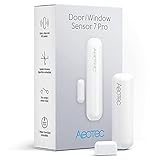
Overview: The Aeotec ZWA012 Door/Window Sensor 7 Pro elevates basic monitoring into versatile intelligence. This 3-in-1 MultiSensor combines magnetic contact, dry contact relay, and tilt detection in a package 40% smaller than its predecessor. Designed for sophisticated automation scenarios, it transforms ordinary doors into data-rich smart devices while maintaining the compact 2.8" x 0.75" x 0.7" form factor.
What Makes It Stand Out: The triple-sensor capability sets this apart—tilt detection knows if a door is ajar, while the dry contact relay integrates with legacy alarm systems. Z-Wave Plus v2 with S2 security enables 50% faster communication and 67% greater range than older Z-Wave devices. The 1/2 AA battery configuration optimizes power consumption, using 66% less energy during wireless transmission. SmartStart pairing remains seamless.
Value for Money: Priced at $46.99, the Pro commands a $12 premium over the standard version. This upcharge is justified if you’ll leverage the tilt sensor or dry contact capabilities. For users needing only open/close alerts, the extra cost may not warrant the additional features. It’s a specialist tool for advanced automation, not a mass-deployment sensor.
Strengths and Weaknesses: Strengths include versatile 3-in-1 sensing, enhanced security via S2 encryption, superior wireless range, and efficient power usage. The 3-year battery life, while good, trails the standard model’s 4-year rating. The tilt sensor’s dependency on the magnet may limit some creative installations.
Bottom Line: Ideal for power users and integrators requiring more than binary open/close data. If you’re building complex automations or retrofitting existing alarm equipment, this sensor’s versatility justifies its premium price.
3. Aqara Zigbee Door and Window Sensor 3 Pack, Wireless Mini Contact Sensor, Home Automation, Requires Aqara Hub, Zigbee Connection, Kid Safety, Compatible with Apple HomeKit, Alexa, Works with IFTTT

Overview: Aqara’s Zigbee sensor three-pack offers ecosystem-specific value for Apple-centric smart homes. These diminutive sensors provide reliable open/close detection while integrating natively with HomeKit, Alexa, and IFTTT. The package includes three complete sensor sets at a price competitors charge for one or two units, making whole-home coverage immediately accessible for Aqara hub owners.
What Makes It Stand Out: The 0.86-inch gap tolerance accommodates imperfect door/window alignment better than most Z-Wave alternatives. Each sensor’s tiny footprint—main unit at 1.61" x 0.87" x 0.43"—disappears on frames. The three-pack value proposition is unmatched; you’re paying roughly $16.66 per sensor. Native HomeKit support enables Siri voice control without bridges or workarounds, while local hub processing ensures fast, internet-independent responses.
Value for Money: At $49.99 for three sensors, the per-unit cost is dramatically lower than Z-Wave competitors. However, this value is contingent on already owning or purchasing an Aqara Hub ($30-60). The total system cost balances out if you need multiple sensors. Compared to buying three individual Z-Wave sensors at $35-40 each, Aqara’s bundle saves significant money.
Strengths and Weaknesses: Strengths include exceptional multi-pack value, generous gap allowance, seamless HomeKit integration, and compact design. Critical weaknesses are mandatory Aqara Hub lock-in—no third-party Zigbee hub support—and limited compatibility with SmartThings. The 400-inch hub range requirement may challenge larger homes.
Bottom Line: Outstanding choice for Apple HomeKit users needing multiple sensors on a budget. If you’re invested in or willing to adopt the Aqara ecosystem, this three-pack delivers unbeatable value and performance.
4. Zooz 800 Series Z-Wave Long Range Open|Close XS Sensor ZSE41 800LR for Door, Window, and Gate Monitoring. Hub Required (Sold Separately). Compatible with SmartThings, Hubitat, and Ring Alarm.
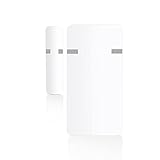
Overview: Zooz’s ZSE41 harnesses the cutting-edge 800 series Z-Wave chip for exceptional range and efficiency in an extra-small footprint. This sensor targets DIY enthusiasts who prioritize wireless performance and future-proofing. The protective rubber oil coating provides basic moisture resistance, while optional outdoor housing expands installation possibilities beyond typical door/window applications.
What Makes It Stand Out: The 800 series chip unlocks Z-Wave Long Range capability—up to 1300 feet with compatible hubs—far exceeding standard Z-Wave mesh networks. S2 security with SmartStart ensures robust encryption and simple pairing. The “XS” designation isn’t marketing; this is genuinely one of the smallest Z-Wave sensors available. The 5-year extended warranty (after registration) demonstrates manufacturer confidence rarely seen in this category.
Value for Money: At $39.75, you’re paying a slight premium over 700 series sensors but gaining next-generation technology. The value proposition strengthens if you have or plan to upgrade to an 800LR-compatible hub like Home Assistant with Z-Wave JS. For standard Z-Wave networks, you’re paying for potential you can’t fully utilize.
Strengths and Weaknesses: Strengths include class-leading range, future-proof 800 series technology, compact size, strong warranty, and S2 security. The outdoor case being sold separately feels nickel-and-diming. Compatibility limitations on Ring and SmartThings (no advanced settings) may frustrate power users. Documentation could be more thorough for beginners.
Bottom Line: Best suited for Home Assistant users and early adopters wanting maximum range and latest technology. If your hub supports 800LR, this sensor is a no-brainer; otherwise, consider your upgrade path.
5. HomeSeer DS100 G8 Door & Window Sensor - 800 Series Long Range Z-Wave, Smart Home Compatible with HomeSeer, Hubitat, Smartthings & Home Assistant

Overview: The HomeSeer DS100 G8 merges 800 series Z-Wave Long Range technology with practical design choices. Engineered for large properties and reliability-focused users, this sensor delivers professional-grade wireless performance while using ubiquitous AAA batteries. The emphasis on easy installation and common battery types shows thoughtful consideration for long-term ownership experience.
What Makes It Stand Out: The 1-mile line-of-sight range specification is market-leading, ideal for detached garages, gates, or outbuildings. Using standard AAA batteries instead of coin cells or exotic sizes saves money and eliminates specialty battery hunts. The S2 encryption implementation provides bank-level security for communication. Quick-mount options—both screws and adhesive—cater to renters and homeowners alike.
Value for Money: Priced at $39.95, it competes directly with other 800 series sensors while offering superior range specifications. The AAA battery design saves $5-15 annually compared to replacing coin cells in other sensors. For properties where range matters, this sensor’s performance justifies every penny. In smaller homes, you may be paying for capability you won’t leverage.
Strengths and Weaknesses: Strengths include exceptional LR range, convenient AAA power, robust S2 security, flexible mounting, and strong hub compatibility. The sensor is slightly larger than “XS” competitors. Hub compatibility, while broad, may have feature limitations on non-HomeSeer platforms. No tilt or auxiliary sensors limits advanced automation options.
Bottom Line: Perfect for large properties, outbuildings, and users prioritizing range and battery convenience. If you need to monitor distant entry points or hate hunting for specialty batteries, the DS100 G8 is your ideal solution.
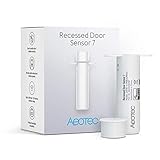
6. Zwave Door Sensor Aeotec Recessed Door Sensor 7, Z-Wave Plus Enabled Smart Door Sensor Battery Powered, SmartStart S2, Zwave Hub Required SmartThings Fibaro Home Centre 3 Hubitat
Overview:
The Aeotec Recessed Door Sensor 7 is a discreet, in-frame smart door sensor designed for seamless integration into your door’s structure. Using Z-Wave Plus V2 technology, it communicates with compatible hubs like SmartThings, Hubitat, and Fibaro Home Centre 3. The sensor consists of a main unit that installs inside the door frame and a magnetic contact that sits flush in the door itself, making it virtually invisible when installed.
What Makes It Stand Out:
Its recessed design eliminates visible hardware, perfect for aesthetic-conscious homeowners. The 700 series Z-Wave Plus V2 chip brings SmartStart technology for true plug-and-play pairing via QR code scan. Security 2 (S2) encryption provides enterprise-grade protection against digital threats. Battery efficiency is exceptional—up to 3 years on a single 1/2 AA battery, using 66% less power than previous generations for Z-Wave communication.
Value for Money:
At $36.99, this sensor sits in the premium tier but justifies its price through superior engineering. Comparable recessed sensors cost $40-50, while surface-mounted alternatives run $20-30. The three-year battery life and advanced security features offset the initial investment, reducing maintenance costs and providing peace of mind that cheaper alternatives lack.
Strengths and Weaknesses:
Pros: Invisible installation maintains door aesthetics; S2 security framework; exceptional 3+ year battery life; broad hub compatibility; SmartStart simplifies setup. Cons: Requires drilling into door frame (permanent modification); needs compatible Z-Wave hub; higher upfront cost than surface-mounted sensors; installation complexity may require professional help for some users.
Bottom Line:
Ideal for homeowners prioritizing clean aesthetics and robust security, the Aeotec Recessed Sensor 7 excels in premium smart home setups. Accept the installation complexity and hub requirement, and you’ll get one of the most reliable, secure, and discreet door sensors available.
7. THIRDREALITY Zigbee Contact Sensor 4 Pack, Door and Window Monitor, Home Automation,Works with Home Assistant,SmartThings,Aeotec,Homey,Hubitat or Echo Devices with Build-in Zigbee Hub,hub Required

Overview:
This four-pack of Zigbee contact sensors from THIRDREALITY offers comprehensive home coverage for monitoring doors and windows. Designed to work with major Zigbee hubs including Echo devices with built-in Zigbee, Home Assistant, SmartThings, and Hubitat, these sensors provide open/close detection with a straightforward installation process. The package includes four identical units ready for multi-room deployment.
What Makes It Stand Out:
The value-packed four-sensor bundle stands out for whole-home security at an accessible price point. Each sensor runs on two AAA batteries lasting up to two years, using readily available power sources rather than coin cells. Deep Alexa integration enables creative routines—trigger lights, voice announcements, or smartphone alerts when doors open. The THIRDREALITY app provides battery monitoring and event history when paired with their hub, adding proactive maintenance capabilities.
Value for Money:
At $75.99 for four sensors ($19 each), this pack offers significant savings versus individual purchases. Single Zigbee sensors typically cost $20-25, making this bundle 20-25% cheaper while ensuring consistent performance across your installation. The two-year battery life on standard AAA batteries reduces long-term operating costs compared to sensors requiring specialty batteries.
Strengths and Weaknesses:
Pros: Excellent bulk pricing; broad hub compatibility; consumer-friendly battery type; strong Alexa routine integration; low-battery email warnings; easy setup. Cons: Indoor use only; cannot mount on metal doors/windows (signal interference); requires compatible Zigbee hub; plastic construction feels less premium than some competitors.
Bottom Line:
Perfect for budget-conscious homeowners wanting comprehensive coverage, this 4-pack delivers reliable Zigbee performance without breaking the bank. Just ensure you have a compatible hub and non-metal installation surfaces. The convenience of AAA batteries and robust Alexa integration make it a top choice for Amazon-centric smart homes.
8. Wyze Home Security System Entry Sensor - Window and Door Entry Protection (3-Pack)

Overview:
The Wyze Entry Sensor 3-Pack serves as an expansion component for the Wyze Home Security System Core Kit. These fully wireless contact sensors monitor doors and ground-floor windows, sending open/close notifications through the Wyze ecosystem. With 18-month battery life and Alexa routine support, they extend the Wyze security platform’s reach throughout your home.
What Makes It Stand Out:
Designed specifically for the Wyze ecosystem, these sensors benefit from tight integration with Wyze cameras, locks, and the comprehensive Wyze app. The “left open” alert feature adds practical value beyond simple open/close detection, notifying you if a door or window remains ajar—ideal for security and energy management. The 18-month battery life exceeds many competitors, reducing maintenance frequency.
Value for Money:
At $49.98 for three sensors ($16.66 each), the price is attractive—but only within the Wyze ecosystem. The hidden cost is the mandatory Core Kit ($100+), making the true investment higher for new users. For existing Wyze security owners, this represents affordable expansion. Compared to standalone sensors at $20-30 each, the per-unit cost is competitive, but the system lock-in limits flexibility.
Strengths and Weaknesses:
Pros: Seamless Wyze ecosystem integration; excellent 18-month battery life; affordable per-sensor cost; left-open alerts; works with Alexa routines; compact design. Cons: Will not function without Wyze Core Kit (critical limitation); closed ecosystem prevents hub flexibility; limited to Wyze app functionality; no advanced encryption standards advertised.
Bottom Line:
Only purchase if you own or plan to buy the Wyze Home Security System Core Kit. For committed Wyze users, these sensors offer affordable, reliable expansion with excellent battery life. Everyone else should look at platform-agnostic alternatives. The system dependency is non-negotiable—treat this as a proprietary accessory, not a standalone product.
9. Qolsys DW Mini-S (2-Pack) Wireless Contact Sensor for Windows & Doors - S-Line Encrypted 319.5 MHz - Window Alarm Sensor for Smart Home - Create Personalized Notifications & Rules

Overview:
The Qolsys DW Mini-S two-pack delivers professional-grade wireless contact sensors operating on the 319.5 MHz frequency with proprietary S-Line encryption. These compact sensors integrate with Qolsys IQ Panels and compatible 319.5 MHz security systems, offering encrypted communication for doors, windows, cabinets, and safes. The kit includes two sensors with rare-earth magnets and adhesive mounting.
What Makes It Stand Out:
S-Line encryption provides a higher security level than standard wireless sensors, preventing signal interception and replay attacks—critical for serious security applications. The 600-foot wireless range dramatically exceeds typical Z-Wave or Zigbee sensors, enabling reliable operation in large homes or across outbuildings. Tamper detection alerts if sensors are physically removed, adding anti-tamper protection. Each sensor can be individually named with custom chimes and voice prompts.
Value for Money:
At $48.61 for two ($24.30 each), pricing is mid-range but reflects professional security features. Consumer-grade sensors cost $15-25 but lack S-Line encryption and extended range. For users with compatible Qolsys systems, this represents solid value. However, the niche frequency limits hub options, potentially requiring expensive panel upgrades for non-Qolsys users.
Strengths and Weaknesses:
Pros: Advanced S-Line encryption; exceptional 600-foot range; compact design; tamper protection; customizable alerts; long-lasting CR2032 batteries; trusted by security professionals. Cons: Limited to 319.5 MHz systems (Qolsys IQ Panel, Interlogix); incompatible with Z-Wave/Zigbee hubs; higher cost than consumer alternatives; requires professional security panel for full functionality.
Bottom Line:
Best suited for users with existing Qolsys or compatible security panels who prioritize encryption and range. The professional-grade features justify the price premium for security-conscious homeowners. If you’re building a consumer smart home around Z-Wave or Zigbee, look elsewhere. For those invested in the Qolsys ecosystem, these sensors deliver reliable, secure performance.
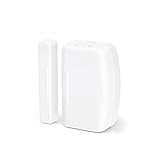
10. THIRDREALITY Zigbee Contact Sensor, Door and Window Monitor, Home Automation, Works with Home Assistant, SmartThings, Aeotec, Homey, Hubitat or Echo Devices with Build-in Zigbee Hub,hub Required
Overview:
This single THIRDREALITY Zigbee Contact Sensor provides flexible entry-point monitoring for smart home enthusiasts wanting to start small or expand incrementally. Identical to the sensors in the 4-pack, it works with Zigbee-enabled hubs including Echo devices, Home Assistant, SmartThings, and Hubitat. The sensor detects door/window status and integrates with Alexa routines for automated responses.
What Makes It Stand Out:
The individual packaging offers purchase flexibility—buy exactly what you need without committing to multi-packs. Like its 4-pack sibling, it runs on two AAA batteries for up to two years, using standard batteries you likely have on hand. The sensor maintains the same broad compatibility and Alexa integration, allowing single-sensor projects like monitoring a medicine cabinet, safe, or specific entry point without overbuying.
Value for Money:
At $19.99 for a single sensor, the per-unit cost is slightly higher than the 4-pack but remains competitive. Individual Zigbee sensors typically range from $18-25, so this sits at the fair market price. For small projects or testing compatibility before bulk buying, the single-unit option prevents waste. The two-year battery life on AAA cells keeps operating costs low compared to coin-cell alternatives.
Strengths and Weaknesses:
Pros: Flexible single-unit purchasing; broad hub compatibility; consumer-friendly AAA batteries; strong Alexa routine support; easy QR code setup; compact design. Cons: Indoor use only; metal door/window restrictions apply; requires compatible Zigbee hub; no volume discount compared to multipacks; plastic housing feels utilitarian.
Bottom Line:
An excellent entry point for Zigbee-based home monitoring or for targeted single-sensor applications. The individual packaging lets you test one before committing to whole-home coverage. If you need multiple sensors, the 4-pack offers better value, but this single unit delivers the same reliable performance and easy setup for smaller projects. Perfect for renters or those dipping their toes into smart home security.
Why Z-Wave Remains the Gold Standard for Rental Security in 2026
Z-Wave didn’t become the renter’s best friend by accident. In 2026, it continues to outperform Zigbee and Wi-Fi alternatives for temporary installations thanks to its unique architecture. The protocol operates on the 908.42 MHz frequency in North America, avoiding the congested 2.4 GHz band that your neighbors’ routers, baby monitors, and microwave ovens pollute daily. This spectral real estate means fewer false alarms and more reliable triggers when you’re away from your rental.
The Mesh Network Advantage in Multi-Unit Buildings
Unlike Wi-Fi devices that each connect directly to your router—creating a single point of failure—Z-Wave sensors form a self-healing mesh where each device acts as a signal repeater. In a rental context, this is revolutionary. Your door sensor can relay messages from a window sensor three rooms away, bouncing signals around concrete walls and metal door frames that would block traditional wireless signals. For renters in garden-style apartments or high-rises, this means you don’t need costly range extenders; each additional sensor strengthens your network.
Power Efficiency That Landlords Love
Here’s a rarely discussed benefit: Z-Wave’s power consumption is so minimal that most sensors last 2-3 years on a single coin cell battery. Why does this matter to renters? Landlords hate devices that require frequent battery changes because dead sensors can trigger maintenance calls and create liability issues. A sensor that quietly does its job for years without intervention aligns everyone’s interests—your property manager stays happy, and you avoid the “crying wolf” scenario of frequent low-battery alerts.
Understanding Door & Window Sensor Technology
Before diving into features, let’s demystify what these devices actually do. At their core, door and window sensors are binary switches that report one of two states: open or closed. But the implementation varies dramatically, and understanding the mechanics helps you spot quality differences without relying on brand names.
Reed Switches vs. Accelerometer-Based Detection
Traditional sensors use reed switches—two metal contacts in a glass tube that close when a magnet approaches. This technology is proven, cheap, and reliable, but it only detects separation. Premium 2026 sensors increasingly incorporate accelerometers that can detect vibration and shock. For renters, this dual-mode detection is invaluable. Someone jiggling your window at 2 AM triggers a different alert than the window simply opening, allowing you to set nuanced automation rules like “only alarm after midnight if vibration detected first.”
The Importance of Tamper Detection for Renters
Tamper detection isn’t just about intruders—it’s about accountability. Quality sensors include a small button on the back that triggers when the device is removed from its mount. In a rental, this serves two purposes: it alerts you if a maintenance worker removes a sensor during a repair, and it provides evidence if your landlord claims you damaged the mounting surface. Look for sensors that report tamper events separately from open/close events in your hub’s logs, creating a digital paper trail that protects your security deposit.
The Rental-Friendly Advantage: What Makes a Sensor Truly Non-Invasive
The term “rental-friendly” gets thrown around loosely, but in 2026 it has a specific technical definition. A truly renter-safe sensor leaves zero permanent marks, operates on battery power exclusively, and can be removed in under five minutes without tools. This goes beyond marketing fluff—it’s about engineering choices that prioritize reversibility.
No-Drill Installation Methods
Drilling is the third rail of rental modifications. Even a single 1/8-inch hole can cost you $50-$100 in drywall repair fees. Modern Z-Wave sensors achieve strong adhesion through advanced foam tapes that use viscoelastic polymers. These aren’t your grandfather’s foam squares—they conform to textured surfaces, absorb seasonal expansion and contraction, and remove cleanly when pulled slowly at a 45-degree angle. For heavy sensors (over 2 ounces), look for models with load-distributing mounting plates that spread stress across a larger surface area, preventing paint peel.
Temporary vs. Semi-Permanent Mounting Solutions
The rental market has bifurcated into two philosophies. Temporary mounting uses magnetic attraction—the sensor attaches to a metal plate stuck with removable adhesive, allowing instant removal for battery changes or move-out. Semi-permanent mounting uses high-bond tape designed for 5+ year adhesion but still removes cleanly. Your choice depends on lease length. For 12-month leases, temporary magnetic mounting is ideal. For multi-year stays, semi-permanent provides better resistance to accidental knocks from vacuum cleaners or curious pets.
Key Features to Evaluate Before Buying
With dozens of Z-Wave sensors sharing similar specs on paper, the devil lives in the implementation details. These are the features that separate devices that work flawlessly from those that become drawer clutter.
Battery Type and Accessibility
Coin cells (CR2032) dominate the market, but their accessibility varies. Some sensors require prying open a tight case with a screwdriver—fine for homeowners, but renters need tool-free battery doors that won’t snap plastic tabs over time. Better yet, some 2026 models use AAA batteries in slide-out trays, offering triple the lifespan and letting you use rechargeables. Check the battery compartment design: does it have a positive latch that prevents accidental opening? Are the contacts gold-plated to prevent corrosion in humid climates?
Z-Wave Plus and S2 Security Certification
Z-Wave Plus (500 series and newer) is non-negotiable in 2026, offering 50% more battery life and 250% faster pairing than original Z-Wave. But S2 security is the real game-changer for renters. S2 Authenticated requires a PIN entry during pairing, creating an encrypted tunnel that prevents man-in-the-middle attacks. In apartment buildings where neighbors might have Z-Wave hubs within range, S2 ensures your sensor data isn’t intercepted. Always verify S2 certification in the product specifications—it’s not automatic with Z-Wave Plus.
Additional Environmental Sensors
Premium sensors now bundle temperature, humidity, and even light level monitoring. For renters, this transforms a security device into a property protection tool. A temperature sensor can alert you if your landlord’s HVAC fails while you’re away, preventing frozen pipes that you’d be liable for. Humidity monitoring catches leaks before they become mold issues—critical evidence if your landlord claims you caused water damage. These extra sensors cost little but provide massive leverage in tenant-landlord disputes.
Battery Life Considerations for Long-Term Rentals
Nothing kills a security system’s effectiveness like a dead sensor you don’t notice for weeks. In rental properties where you might travel for extended periods, battery monitoring becomes mission-critical.
Lithium vs. Alkaline: Real-World Lifespan Data
Lithium batteries cost 3x more but last 4x longer in Z-Wave sensors—typically 3-4 years versus 9-12 months for alkaline. For renters, lithium’s real value is temperature stability. Alkaline batteries lose 20% capacity in cold windows during winter, triggering premature low-battery warnings. Lithium maintains consistent voltage down to -40°F, making it ideal for sensors on poorly insulated windows. The math is simple: spending $3 on a CR123A lithium battery saves you two $1 alkaline changes and the risk of a dead sensor during vacation.
Low-Battery Notification Systems
Basic sensors send a single “low battery” alert at 20% capacity. Advanced models send graduated warnings at 30%, 20%, and 10%, and some even report voltage levels to your hub. For renters, this granularity matters. A 30% warning gives you two months to replace the battery; a single alert at 20% might die during your two-week holiday. Look for sensors that support “battery health” reporting in Z-Wave hubs, showing actual voltage rather than estimated percentages. This prevents the “boy who cried wolf” scenario where sensors report low battery but continue working for months.
Range and Mesh Network Performance in Rental Properties
Z-Wave’s advertised 100-foot range is theoretical—real-world performance in rentals involves navigating signal-killing obstacles that homeowners rarely face.
Overcoming Concrete Walls and Interference
Rental properties, especially mid-century and modern builds, feature concrete masonry unit (CMU) walls and metal door frames that attenuate RF signals by 30-50 dB. The solution isn’t more powerful radios—it’s strategic mesh design. Place your first sensor on the door nearest your Z-Wave hub to establish a strong backbone. Then add sensors progressively outward, ensuring each new device has at least two potential routing paths. In a 1,200 sq ft apartment, you typically need 4-5 sensors to create robust mesh coverage, not just for security but for network health.
Strategic Sensor Placement for Maximum Coverage
The best sensor placement often violates intuition. Don’t mount the hub-side sensor on the door you use most—mount it on a less-frequented door that stays closed, providing a stable routing node. For windows, place sensors on the upper sash rather than the lower; this positions them higher, improving line-of-sight over furniture. In multi-story rentals, place one sensor on a stairwell window if available—it creates a vertical relay point that dramatically improves inter-floor communication.
Compatibility: Smart Home Hubs and Ecosystems
A sensor is only as smart as its hub, and rental life demands flexibility. You might start with SmartThings, switch to Hubitat mid-lease, or experiment with Home Assistant. Your sensors must survive these transitions.
Native Integration vs. Community Drivers
Major hubs offer “native” support for popular sensors, meaning plug-and-play functionality. But niche sensors often rely on community-developed drivers. While these can be excellent, they risk abandonment if the developer moves on. For renters who can’t afford system downtime, prioritize sensors with official certification from the Z-Wave Alliance and native support in at least two major platforms. This redundancy ensures that when your lease renews and you decide to switch hubs, your security investment remains intact.
Z-Wave 700 and 800 Series Compatibility
The 700 series (released 2020) and 800 series (2023) brought significant range and power improvements. However, they’re backward compatible with 500 series hubs. The catch? You won’t get the extended range benefits unless both sensor and hub are on the same series. For renters planning to upgrade hubs during their lease, buying 800 series sensors future-proofs your investment. But if you’re committed to an older hub, 500 series sensors remain perfectly viable and often cost 30% less.
Installation Methods That Won’t Jeopardize Your Security Deposit
The difference between a $500 deposit return and a $450 deduction often comes down to adhesive choice. Modern mounting solutions have evolved far beyond basic foam tape.
Command Strip Engineering for Heavy Sensors
3M Command Strips aren’t all created equal. For sensors over 1.5 ounces, use the “Large Picture Hanging” strips rated for 5 pounds, not the generic adhesive strips. The key is surface preparation: clean with isopropyl alcohol, not household cleaners that leave residue. Apply firm pressure for 60 seconds, then wait 24 hours before attaching the sensor. This curing time increases bond strength by 40%. When removing, stretch the strip parallel to the wall at least 12 inches—never pull away from the surface. This activates the viscoelastic release, leaving zero residue even on flat paint.
Magnetic Mounting Plates and 3D-Printed Solutions
For ultimate removability, magnetic mounting is unbeatable. Metal plates with industrial-strength adhesive attach to your door frame, while the sensor contains a rare-earth magnet. The magnetic force is calibrated to hold firm against vibrations but release with intentional pull. The renter’s secret weapon? 3D-printed custom brackets that clip onto door molding without adhesive. Many makers sell these on online marketplaces for common sensor models, providing a zero-damage solution that landlords can’t argue with.
Aesthetic Considerations for Modern Rentals
Security shouldn’t look like an afterthought. In 2026’s rental market, where Instagram-worthy interiors influence lease renewals, sensor aesthetics matter as much as functionality.
Color-Matching and Slim Profile Designs
Most sensors come in clinical white, but premium lines offer paintable surfaces. The key is finding sensors with a smooth, non-porous plastic that accepts paint without sanding. For renters, this means you can match your trim color exactly, making sensors disappear. Profile matters too—sensors under 0.75 inches deep fit within the reveal of most door frames, becoming invisible when doors are open. This isn’t vanity; it’s security through obscurity. An intruder can’t disable what they can’t see.
Concealing Sensors in Door Frames and Window Sills
Advanced installation techniques involve recessing sensors into the door frame itself. For hollow-core doors, a 1-inch hole drilled into the top edge (not visible when closed) can house a sensor, with the magnet in the frame. While this involves drilling, it’s in a location landlords never inspect and doesn’t affect door function. For windows, sensors can mount inside the track of vinyl windows, completely hidden when closed. Always document these modifications with photos to prove they don’t constitute damage.
Security Protocols and Encryption Standards
In an era of smart home hacking and landlord surveillance concerns, encryption isn’t optional—it’s fundamental to renter rights.
Understanding Z-Wave S2 Authenticated
S2 security has three levels: Unauthenticated, Authenticated, and Access Control. For door and window sensors, insist on S2 Authenticated. This requires a 5-digit PIN printed on the device’s QR code label, entered during pairing. The PIN verifies you’re connecting to the genuine device, not a rogue hub spoofing the signal. In apartment complexes where multiple Z-Wave networks overlap, S2 Authenticated prevents your neighbor’s hub from accidentally (or maliciously) controlling your sensors. The QR code also serves as proof of purchase—photograph it before installation for warranty claims.
Why AES-128 Encryption Matters for Rental Wi-Fi Networks
Many renters share Wi-Fi networks with neighbors or use landlord-provided internet. Z-Wave’s AES-128 encryption operates independently of your Wi-Fi, meaning even if your network is compromised, sensor data remains secure. This is crucial because open/close patterns reveal when you’re home. Encrypted Z-Wave traffic looks like random noise to packet sniffers, whereas unencrypted Zigbee or Wi-Fi devices broadcast your habits to anyone within range. For renters in shared housing, this privacy layer is as important as the physical security itself.
Cost Analysis: Budgeting for Multi-Sensor Deployments
The sticker price of a sensor is just the down payment. The total cost of ownership includes batteries, mounting supplies, and potential hub upgrades. Smart budgeting means thinking in systems, not individual devices.
Price Per Sensor vs. Total System Cost
A $30 sensor that lasts 3 years costs $10/year. A $20 sensor that lasts 18 months and requires $2 in battery replacements also costs roughly $10/year, but with more hassle. The real cost difference emerges in hub compatibility. A $30 sensor with native support across five hubs survives ecosystem changes, while a $20 sensor with limited compatibility might need replacement if you switch platforms. For renters who move frequently, hub-agnostic sensors are the economical choice despite higher upfront cost.
Bulk Purchasing Strategies for Renters
Buying sensors individually costs 20-30% more per unit than 4-packs. But over-buying is wasteful if you move to a smaller space. The sweet spot is buying a 4-pack for a 2-bedroom apartment, knowing you’ll use three immediately and keep one as a mesh network extender in a hallway closet. Some manufacturers offer “renter bundles” with extra mounting supplies and batteries, eliminating the need to hunt for compatible adhesives. These bundles often include extended warranties that transfer between addresses—a feature unique to the rental market.
Troubleshooting Common Issues in Rental Environments
Rentals present unique challenges: old wiring creates interference, neighbors’ systems cause conflicts, and maintenance workers accidentally knock sensors offline. Knowing how to diagnose issues without calling support saves time and maintains your security posture.
False Alarm Prevention in High-Traffic Areas
Doors in rentals often fit poorly, with 1/8-inch gaps that let wind rattle them. This triggers vibration sensors unnecessarily. The fix isn’t disabling features—it’s tuning sensitivity. Most advanced sensors allow you to adjust vibration thresholds via Z-Wave configuration parameters. Set doors with loose fits to require 3-4 vibration events within 10 seconds before triggering. For windows near train tracks or busy streets, set a 15-second delay. These settings are stored in the sensor’s firmware, surviving hub changes and power outages.
Resolving Mesh Network Weak Spots
If a sensor drops offline weekly, it’s not defective—it’s poorly routed. Z-Wave devices store up to four routing paths, but these can become stale if neighbors move and their devices disappear. Force a network heal monthly: in most hubs, this is a single button that recalculates optimal routes. In rentals, do this after any maintenance visit where workers might have moved furniture or after a neighbor moves out. The process takes 10-15 minutes and should be run at night when sensors aren’t being used.
The Future of Z-Wave: What’s Coming Beyond 2026
Z-Wave isn’t standing still. Understanding emerging standards helps you avoid obsolescence, especially important for renters who might buy sensors for a 3-year lease.
Z-Wave Long Range and Its Rental Applications
Z-Wave LR (Long Range) extends point-to-point distance to 1.5 miles line-of-sight, though walls reduce this to 300-500 feet in practice. For renters, LR means you might need only one hub instead of multiple repeaters in large homes. However, LR is point-to-star, not mesh—devices can’t relay for each other. The best 2026 sensors are “LR-ready” but operate in mesh mode by default, switching to LR only when directly paired to an LR hub. This hybrid approach preserves mesh benefits while future-proofing your investment.
Matter Protocol Interoperability
Matter, the new smart home standard, doesn’t replace Z-Wave—it complements it. Leading hubs now act as “Matter bridges,” exposing Z-Wave sensors to Matter-compatible systems like Apple HomeKit and Google Home. For renters, this means your Z-Wave sensors can trigger Matter devices like smart locks and lights, creating cross-platform automation. When evaluating sensors, check if the manufacturer has committed to Matter bridge support via firmware updates. This ensures your sensors remain relevant even if you switch to a Matter-native hub mid-lease.
Integration with Property Management Systems
The line between renter-installed and landlord-provided security is blurring. Forward-thinking property managers now offer incentives for tenants with professional-grade sensors.
Emerging API Standards for Smart Rentals
Some 2026 sensors support “Rental Mode,” an optional feature that lets you grant temporary read-only access to property managers. This isn’t surveillance—it’s emergency access. If your sensor detects a broken window during a storm, the system can alert both you and maintenance simultaneously. Look for sensors that support OAuth 2.0 authentication for third-party access, allowing you to revoke permissions instantly via your hub. This feature is controversial but increasingly common in luxury rentals, where it can net you a 5-10% insurance discount.
Privacy-First Landlord Dashboard Solutions
If your landlord requests sensor access, insist on platforms that anonymize data. Proper systems show “Unit 3B window open” not “John’s bedroom window open,” and only report anomalies, not daily activity logs. The sensor itself should support “privacy windows”—time periods where all reporting is disabled except for security breaches. This ensures your late-night snack runs don’t become part of a property management dataset.
Legal and Privacy Considerations for Renters
Installing security devices touches on lease agreements, surveillance laws, and data privacy. Navigating this landscape prevents eviction threats and legal headaches.
Lease Agreement Language and Smart Devices
Most standard leases don’t mention smart home devices, creating a gray area. The safest approach is to document installations with photos and written descriptions, then email them to your landlord for acknowledgment (not necessarily approval). Focus on non-invasive nature: “Battery-powered door sensor attached with removable adhesive, no wiring or drilling.” This creates a paper trail that the device is personal property, not a fixture. In 2026, some jurisdictions require landlords to provide “reasonable accommodation” for security devices, similar to disability modifications. Research your state’s tenant rights—California, for example, explicitly allows doorbell cameras and window sensors in rentals.
Surveillance Law Compliance Across States
Door and window sensors that merely report open/close states aren’t surveillance devices. However, if your sensor includes a microphone or camera (some 2026 models do), you may be subject to two-party consent laws. Even accelerometer data can be legally murky—vibration patterns could theoretically identify individuals by their walking gait. Stick to pure open/close sensors in shared rentals to avoid wiretapping allegations. If you have roommates, get explicit written consent from all parties before installing any sensor that could track movement patterns, regardless of what the lease says.
Frequently Asked Questions
Can my landlord legally force me to remove Z-Wave sensors?
In most U.S. states, no—if they’re battery-powered and non-damaging. However, landlords can prohibit modifications that alter the property or create safety hazards. Always document your installation method and keep sensors off common-area doors (like main building entrances) unless you have explicit permission.
Will Z-Wave sensors interfere with my neighbor’s smart home system?
Z-Wave networks are isolated by a unique Home ID assigned during hub setup. While sensors operate on the same frequency, they can’t control devices on other networks. However, extreme mesh congestion (100+ devices in close proximity) can cause latency. In dense apartment buildings, use Z-Wave Plus or 800 series devices that support channel hopping.
How do I ensure I get my full security deposit back when I move out?
Photograph the installation area before mounting, during occupancy, and after removal. Use a paint chip to document the original finish. Remove sensors at least two weeks before move-out to allow any adhesive residue to be cleaned. If paint peels, touch it up with a sample-sized paint match from your hardware store—landlords often charge $100 for a 5-minute paint job.
Can I take my Z-Wave sensors with me when I move?
Absolutely. They’re personal property, not fixtures. However, you must repair any damage from installation. Pro tip: Keep the original packaging for safe transport. Sensors are delicate, and a cracked case from a moving box could cost you a replacement.
Do Z-Wave sensors work during a power outage?
Yes—this is their unsung advantage. Battery-powered sensors continue operating for years without external power. Your hub may need a UPS battery backup to receive alerts, but the sensors themselves remain active. Compare this to Wi-Fi sensors that die with your router.
How many sensors do I need for a typical two-bedroom apartment?
Minimum: four (front door, back door/patio, two ground-floor windows). Optimal: six to eight, adding sensors to all accessible windows and a hallway for mesh routing. The incremental cost of two extra sensors is often less than a single month of renters insurance deductible.
Will these sensors affect my renters insurance premium?
Many insurers offer 5-10% discounts for monitored security systems. Z-Wave sensors connected to a professional monitoring service (like Ring Alarm or ADT Self Setup) typically qualify. Self-monitored systems may not, but they still provide valuable documentation for claims.
Can I install sensors on sliding glass doors or unconventional windows?
Yes, but requires creative mounting. For sliding doors, mount the sensor on the fixed pane and the magnet on the sliding pane, positioned at the top where the frames overlap. For crank-out windows, use a sensor with a remote probe switch that fits in the track. Some renters 3D-print custom brackets for these scenarios.
What happens if my Z-Wave hub becomes unsupported?
Z-Wave’s backward compatibility is excellent. A 2026 sensor will pair with a 2015 hub, albeit without new features. If your hub is discontinued, you can usually migrate devices to a new hub without replacing sensors. Some hubs offer cloud backup services that restore your Z-Wave network configuration to new hardware.
Are there any fire code concerns with mounting sensors on doors?
Generally no, as long as sensors don’t impede door operation or emergency egress. Avoid mounting on fire-rated doors in commercial conversions—these have strict modification rules. In single-family rentals, mount sensors on the door frame, not the door itself, to avoid any interpretation of “modifying” the fire barrier.