Picture this: you’re sipping coffee three states away from home when your smart doorbell alerts you to a package delivery. Instead of fumbling with insecure port-forwarding rules or exposing your entire network to the internet, you seamlessly tunnel into your home network through an encrypted VPN connection. Your security cameras, thermostat, and even that smart refrigerator are all accessible through a single, secure portal that keeps prying eyes at bay. This isn’t a networking fantasy—it’s the reality that modern VPN-integrated routers bring to today’s increasingly connected smart homes.
As our houses fill with IoT devices that demand constant connectivity, the traditional approach of bolting on security after the fact has become dangerously obsolete. Remote access routers with built-in VPN capabilities represent a fundamental shift in how we secure and interact with our smart home ecosystems. They transform your network from a collection of vulnerable endpoints into a cohesive, encrypted fortress that you can manage from anywhere. But not all VPN routers are created equal, and choosing the right solution requires understanding a complex interplay of hardware capabilities, security protocols, and smart home-specific features.
Top 10 Remote Access Routers with Built-In VPN for Smart Homes
Detailed Product Reviews
1. ASUS RT-AX1800S Dual Band WiFi 6 Extendable Router, Subscription-Free Network Security, Parental Control, Built-in VPN, AiMesh Compatible, Gaming & Streaming, Smart Home

Overview:
The ASUS RT-AX1800S democratizes WiFi 6 technology for budget-conscious households seeking modern connectivity without premium pricing. This dual-band router delivers essential 802.11ax features including MU-MIMO and OFDMA through four external antennas, while integrating security capabilities typically reserved for higher-end models.
What Makes It Stand Out:
This router’s standout feature is AiProtection Classic, powered by Trend Micro, offering lifetime commercial-grade security at no extra cost. Its AiMesh compatibility provides an upgrade path to whole-home mesh networking, while Instant Guard VPN delivers one-click secure remote access—capabilities rarely found in sub-$70 routers. The five Gigabit ports ensure robust wired connectivity.
Value for Money:
At $69.99, the RT-AX1800S competes with basic WiFi 5 routers while delivering WiFi 6 efficiency. The free security suite and VPN features add approximately $40 in value compared to subscription-based alternatives, making it an exceptional choice for security-minded users on tight budgets.
Strengths and Weaknesses:
Strengths:
- Free lifetime AiProtection Classic security
- AiMesh expandability for future growth
- Instant Guard VPN for secure remote access
- Five Gigabit Ethernet ports
Weaknesses:
- AX1800 speeds limit high-bandwidth applications
- No USB port for network storage or sharing
- Dual-core processor may bottleneck under heavy loads
Bottom Line:
Perfect for small to medium homes prioritizing security and scalability over raw performance, the RT-AX1800S delivers remarkable value for privacy-conscious families.
2. TP-Link Dual-Band AX3000 Wi-Fi 6 Router Archer AX55 | Wireless Gigabit Internet Router for Home | EasyMesh Compatible | VPN Clients & Server | HomeShield, OFDMA, MU-MIMO | USB 3.0 | Secure by Design

Overview:
The TP-Link Archer AX55 elevates the mid-range WiFi 6 experience with AX3000 speeds and thoughtful hardware improvements. Designed for bandwidth-intensive households, this router balances performance, features, and affordability while supporting simultaneous gaming, streaming, and remote work.
What Makes It Stand Out:
A superior cooling design with a larger heatsink prevents thermal throttling during sustained heavy use, maintaining consistent throughput. The USB 3.0 port enables network-attached storage or printer sharing, while full VPN server and client support provides versatile privacy options. Beamforming technology and four high-gain antennas deliver reliable coverage.
Value for Money:
At $79.99, the AX55 commands only a $10 premium over entry-level WiFi 6 routers while delivering nearly double the wireless throughput and adding USB connectivity. This represents compelling value for users needing extra performance without crossing the $100 threshold.
Strengths and Weaknesses:
Strengths:
- Faster AX3000 speeds (2402 Mbps on 5 GHz)
- USB 3.0 port for network storage
- Enhanced cooling prevents performance degradation
- Full VPN server and client functionality
Weaknesses:
- Advanced HomeShield features require paid subscription
- Coverage adequate but not exceptional for large homes
- Slightly higher price than barebones alternatives
Bottom Line:
The Archer AX55 hits the performance sweet spot for tech-savvy households wanting WiFi 6 speeds, USB flexibility, and reliable operation under load.
3. Aircove | Wi-Fi 6 VPN Router for Home | Protect Unlimited Devices | Free 30-Day ExpressVPN Trial | (U.S. & Canada Version)

Overview:
The Aircove router reimagines home networking by embedding ExpressVPN directly into its firmware, delivering seamless privacy protection to every connected device. This specialized solution addresses the challenge of securing smart home gadgets and streaming devices that cannot run VPN software independently.
What Makes It Stand Out:
Unique multi-location VPN grouping allows different devices to connect through separate geographic locations simultaneously. Watch international content on your smart TV while conducting local banking on your laptop. Built-in ad blocking and tracker protection remain active even without a VPN subscription, providing constant privacy benefits.
Value for Money:
At $189.90, Aircove demands premium investment. The value equation depends entirely on ExpressVPN usage—existing subscribers covering multiple devices will find the router-level convenience worthwhile, but hardware alone doesn’t justify the price compared to standard WiFi 6 routers.
Strengths and Weaknesses:
Strengths:
- Effortless whole-home VPN protection
- Multiple simultaneous VPN locations
- Secures IoT and streaming devices automatically
- Built-in ad and tracker blocking
Weaknesses:
- Requires ongoing ExpressVPN subscription
- Limited 1,200 Mbps WiFi 6 performance
- Premium pricing for mid-tier hardware specs
Bottom Line:
Purpose-built for privacy enthusiasts already committed to ExpressVPN, Aircove excels at convenient, comprehensive device protection despite its premium cost.
4. ExpressVPN Aircove | Wi-Fi 6 VPN Router for Home | Protect Unlimited Devices | Free 30-Day ExpressVPN Trial | International Version
Overview:
The International Aircove variant delivers ExpressVPN’s integrated privacy solution to UK and European markets, embedding world-class VPN protection directly into home networks. This region-specific model ensures compliance while providing seamless security for all connected devices.
What Makes It Stand Out:
Like its North American sibling, this router’s device grouping capabilities enable unprecedented VPN flexibility—assigning different geographic locations to different device groups. Parental controls and ad blocking function independently of VPN status, delivering continuous utility. The 1,600 sq. ft. coverage suits typical European homes.
Value for Money:
At $189.90, this router requires serious financial commitment. The cost-benefit ratio favors existing ExpressVPN subscribers seeking router-level convenience. Budget-conscious buyers will find superior hardware elsewhere, making this a niche product for dedicated privacy advocates.
Strengths and Weaknesses:
Strengths:
- Router-level ExpressVPN integration
- Multi-location VPN device groups
- Comprehensive IoT device protection
- Region-compliant hardware version
Weaknesses:
- Mandatory ExpressVPN subscription
- Modest wireless performance for the price
- Premium cost without premium hardware
Bottom Line:
This UK/European Aircove model serves committed ExpressVPN users wanting effortless, whole-home privacy coverage across all devices.
5. TP-Link Deco 7 BE23 Dual-Band BE3600 WiFi 7 Mesh Wi-Fi System | 4-Stream 3.6 Gbps, 160 Mhz | Covers up to 4,500 Sq.Ft | 2× 2.5G Ports Wired Backhaul | VPN,MLO,AI-Roaming, HomeShield, 2-Pack

Overview:
TP-Link’s Deco 7 BE23 introduces WiFi 7 technology to mainstream consumers through a powerful two-pack mesh system. Covering 4,500 square feet with seamless roaming, this solution targets large homes and device-dense environments requiring cutting-edge wireless performance and multi-gigabit wired connectivity.
What Makes It Stand Out:
WiFi 7’s Multi-Link Operation simultaneously utilizes multiple bands for unprecedented stability and reduced latency. Each unit features dual 2.5 Gbps ports, enabling ultra-fast wired backhaul or connecting high-performance devices. Support for 150 devices makes it ideal for smart homes with numerous IoT gadgets.
Value for Money:
At $179.99, this WiFi 7 mesh system undercuts many premium WiFi 6E alternatives while delivering next-generation technology. The combination of extensive coverage, multi-gigabit ports, and future-proof standards provides exceptional value for early adopters with compatible devices.
Strengths and Weaknesses:
Strengths:
- Latest WiFi 7 technology with MLO
- 4,500 sq ft seamless mesh coverage
- Dual 2.5 Gbps ports per unit
- Supports 150+ simultaneous devices
Weaknesses:
- WiFi 7 benefits require compatible client devices
- Overkill for smaller living spaces
- Newer standard may have early firmware issues
Bottom Line:
A forward-thinking investment for large homes needing maximum coverage and future-proof performance, the Deco 7 BE23 delivers next-generation networking at compelling pricing.
6. D-Link Gigabit VPN Router —Perfect for Remote and Hybrid Work —4 Port Gigabit Dual WAN Failover —Enterprise-Grade Encryption —Follows TAA/NDAA—Limited Lifetime Protection (DSR-250V2)

Overview: The D-Link DSR-250V2 is a business-grade VPN router engineered to securely extend corporate networks to remote offices and home workers. It delivers enterprise-level encryption and multiple VPN protocol support in a compact, affordable package designed for small businesses and hybrid teams that need robust security without enterprise complexity.
What Makes It Stand Out: The dual WAN failover automatically switches to a backup internet connection during outages, ensuring uninterrupted video conferences and file transfers. Its NDAA/TAA compliance (Made in Taiwan) makes it suitable for government contracts and regulated industries. Supporting five VPN protocols—including OpenVPN and SSL—with AES encryption provides flexibility typically found in devices costing three times more.
Value for Money: At $90.68, this router delivers exceptional value for small-to-medium businesses. Comparable enterprise VPN routers start at $200+, making this an accessible entry point for secure remote work infrastructure. The limited lifetime protection warranty further enhances its long-term cost-effectiveness.
Strengths and Weaknesses: Strengths include robust security certifications, reliable failover capability, simplified web-based management, and regulatory compliance. Weaknesses involve a steeper learning curve for non-technical users and potential overkill for simple home networks lacking dedicated IT support.
Bottom Line: For businesses needing affordable, compliant remote access solutions, the DSR-250V2 is a standout choice. It balances enterprise features with small-business pricing, though home users should consider simpler alternatives.
7. Capri CP-EL128, Server & 2 Travel Router VPN – Secure Home Network Access from Anywhere, Keep Your Home IP Wherever You are, and Enjoy Private, Full VPN Control

Overview: The Capri CP-EL128 is a premium remote access package featuring a central server and two travel routers designed for professionals who need secure, consistent access to their home network from anywhere. It uniquely maintains your home IP address while traveling, solving geo-restriction and security verification challenges that plague traditional VPN services.
What Makes It Stand Out: Unlike conventional VPNs that assign random IPs, this system preserves your actual home IP address—crucial for banking, streaming services, and work platforms with location-based authentication. The inclusion of two travel routers enables simultaneous use by colleagues or family members. The system seamlessly handles multiple devices, creating a persistent secure tunnel back to your home network.
Value for Money: Priced at $470, this represents a significant investment. The cost includes hardware and one month of the required KeepYourHomeIP subscription. While expensive compared to standard VPN services, it eliminates recurring fees for multiple users and provides hardware ownership. However, ongoing subscription costs add long-term expense that must be factored into the total cost of ownership.
Strengths and Weaknesses: Strengths include IP preservation, dual-user capability, hardware ownership, and reliable performance. Weaknesses are the high upfront cost, mandatory subscription model, and complexity that may intimidate non-technical users.
Bottom Line: Ideal for remote professionals who frequently encounter IP-based restrictions, the Capri system justifies its premium price through unique functionality. Casual users should opt for simpler, cheaper VPN alternatives.
8. D-Link WiFi Router AC1900 Whole Home Smart Mesh Wi-Fi System High Performance Dual Band Parental Controls (DIR-L1900-US)
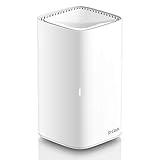
Overview: The D-Link DIR-L1900-US is an AC1900 dual-band router designed to deliver robust whole-home Wi-Fi coverage up to 3,000 square feet. Part of D-Link’s mesh ecosystem, it combines performance with scalability, making it suitable for modern households with multiple devices and remote learning or work requirements.
What Makes It Stand Out: This router’s mesh capability allows seamless expansion with compatible extenders or additional units, all operating under a single Wi-Fi name. Technologies like MU-MIMO and AirTime Fairness intelligently manage bandwidth across devices, while SmartConnect automatically optimizes band selection. The aesthetically pleasing design avoids the industrial look of many performance routers.
Value for Money: At $80.95, the DIR-L1900 offers strong value in the mid-range router market. It undercuts many competing mesh systems while delivering comparable coverage and performance. The ability to scale the system incrementally prevents overpaying for unnecessary hardware upfront, making it financially efficient for growing households.
Strengths and Weaknesses: Strengths include excellent coverage area, intelligent traffic management, attractive design, and mesh expandability. Weaknesses involve limited advanced configuration options for power users and parental controls that lack the granularity of dedicated security solutions.
Bottom Line: The D-Link DIR-L1900-US hits the sweet spot for families seeking reliable, expandable Wi-Fi without breaking the bank. It’s a smart foundation for a mesh network, though tech enthusiasts may crave more customization.
The Evolution of Smart Home Networking
From Basic Connectivity to Secure Remote Management
Remember when a router’s primary job was simply getting your laptop online? Those days are long gone. Today’s smart homes might have 50+ devices competing for bandwidth while simultaneously requiring remote accessibility. The modern VPN router has evolved from a simple access point into a sophisticated security appliance that handles encrypted tunnels, device segmentation, and intelligent traffic management without breaking a sweat. This evolution reflects a broader shift in home networking philosophy: security and remote access aren’t optional add-ons but fundamental requirements built into the network’s foundation.
Why Traditional Routers Fall Short for Modern Smart Homes
Standard consumer routers treat all traffic equally, which becomes problematic when your smart locks and security cameras need priority over your teenager’s gaming downloads. More critically, most lack native VPN server capabilities, forcing homeowners to either subscribe to third-party VPN services that route traffic through external servers (defeating the purpose of accessing local devices) or engage in complex, security-compromising workarounds like port forwarding. These outdated devices simply weren’t architected for a world where you’d want to check your pet camera from a hotel Wi-Fi network while keeping that same network isolated from your banking computers.
Understanding VPN-Integrated Router Technology
What Makes a Router “VPN-Ready”?
A truly VPN-ready router features dedicated hardware acceleration for encryption tasks, sufficient processing power to maintain tunnel speeds close to your internet bandwidth, and firmware designed around VPN functionality rather than treating it as an afterthought. Look for routers that advertise VPN server (not just client) capabilities, as this distinction is crucial for remote access scenarios. The device should support multiple simultaneous connections without performance degradation and offer intuitive configuration interfaces that don’t require a CCIE certification to navigate.
The Difference Between VPN Pass-Through and Native VPN Servers
Many routers claim “VPN support” when they merely offer pass-through capabilities, which simply means they’ll allow VPN traffic from devices behind the router to reach an external VPN server. This does nothing for remote access to your home network. Native VPN server functionality means the router itself terminates the encrypted tunnel, authenticates your remote device, and grants access to your internal network as if you were physically connected. For smart home control, native server capability isn’t just preferred—it’s essential.
Key Security Features for Smart Home VPN Routers
Hardware-Based Encryption Engines
Software-based encryption devours CPU cycles and cripples throughput. Premium VPN routers incorporate dedicated cryptographic processors—often ARM-based security modules or AES-NI instruction sets—that handle encryption in hardware. This architectural choice can mean the difference between maintaining 900+ Mbps speeds versus dropping to 30 Mbps when your VPN activates. For 4K camera streaming or large file transfers from your NAS, hardware acceleration isn’t a luxury; it’s a necessity.
Automatic Kill Switch Capabilities
A proper VPN router implements a kill switch at the firmware level, severing all internet connectivity if the VPN tunnel drops unexpectedly. This prevents your remote session from silently reverting to an unencrypted connection, which could expose your smart home dashboard credentials. The best implementations allow granular control—perhaps killing traffic to your security system while allowing less-sensitive IoT devices to reconnect through the regular internet until you manually restore the tunnel.
DNS Leak Protection and IPv6 Security
Even with a VPN active, DNS requests can leak your actual location, and IPv6 traffic might bypass the tunnel entirely. Advanced routers force all DNS queries through encrypted channels to private resolvers and either block IPv6 entirely or tunnel it properly. Some models offer DNS-over-TLS or DNS-over-HTTPS integration, ensuring that your smart home device names and query patterns remain private even from your ISP.
Split Tunneling for IoT Device Management
Not every smart device needs VPN protection, and forcing all traffic through the tunnel can overload the router’s processor. Intelligent split tunneling lets you route your security cameras and door locks through the encrypted VPN while allowing your smart TV to stream Netflix directly for better performance. The most sophisticated implementations offer per-device or per-VLAN split tunneling, giving you surgical control over your network’s security posture.
Performance Considerations for Remote Access
Processor Power and RAM Requirements
VPN encryption is computationally intensive. A router with a dual-core 1.8 GHz processor and 512MB of RAM might handle a single VPN connection adequately, but add multiple family members accessing the network simultaneously and performance collapses. For robust smart home remote access, prioritize routers with quad-core processors running at 2.0 GHz or higher and at least 1GB of RAM. This headroom ensures that VPN processing doesn’t interfere with the router’s other duties like QoS, firewall inspection, and device management.
Dual-Band vs. Tri-Band for VPN Overhead
While VPN encryption happens at the network level, the Wi-Fi band structure impacts overall performance. Tri-band routers dedicate one 5GHz band to backhaul communication in mesh setups, freeing the other two bands for client devices. When remotely accessing bandwidth-heavy devices like security camera DVRs, this separation prevents your local Netflix streaming from competing with VPN-encrypted camera feeds. The result is smoother remote viewing and more responsive smart home control.
WAN Port Speeds and Future-Proofing
That gigabit WAN port might suffice today, but fiber deployments are pushing multi-gigabit speeds into residential neighborhoods. Routers with 2.5GbE or 10GbE WAN ports ensure your VPN throughput won’t hit an artificial ceiling as ISP speeds increase. Remember: your VPN speed can never exceed your WAN port speed, so investing in faster ports now prevents premature obsolescence when you upgrade your internet plan.
Smart Home-Specific Features to Prioritize
IoT Device Segmentation and VLAN Support
Smart home devices are notorious for weak security. A compromised smart bulb shouldn’t provide a pathway to your laptop’s files. VPN routers with robust VLAN support let you create isolated networks for different device categories—perhaps one VLAN for security devices accessible via VPN, another for entertainment gadgets, and a third for guest access. The VPN server can then grant access to specific VLANs based on user credentials, so your dog sitter can view cameras but can’t access your work computers.
Quality of Service (QoS) for Remote Streaming
Remote access to 4K security footage or smart doorbell video requires consistent bandwidth. Advanced QoS engines recognize VPN traffic patterns and prioritize them appropriately, ensuring that your neighbor’s torrenting doesn’t degrade your ability to monitor your property from afar. Look for routers that offer application-aware QoS with customizable rules for specific smart home platforms like HomeKit, SmartThings, or Hubitat.
Integration with Smart Home Platforms
The best VPN routers expose their status and controls through APIs that integrate with home automation platforms. Imagine your smart home hub automatically disabling certain camera recordings when it detects you’ve connected via VPN, ensuring privacy when you’re home. Or receiving a notification through your preferred platform when a family member establishes a remote VPN connection. This ecosystem thinking separates truly smart networking gear from basic VPN appliances.
Remote Management Capabilities
Cloud-Based vs. Direct IP Access
Cloud-managed routers offer convenience—configure your VPN through a slick mobile app without touching complex settings. However, this introduces a third-party dependency and potential privacy concern. Direct IP access via Dynamic DNS provides true ownership but requires more technical savvy. The sweet spot? Routers that offer both: cloud convenience for basic management with direct access options for advanced configuration and zero-trust scenarios where you don’t want any external entity involved in your connection establishment.
Mobile App Functionality and User Experience
You’re more likely to check your network status from your phone than a desktop. Evaluate the mobile app before purchasing—does it offer full VPN configuration, real-time bandwidth monitoring, and device management? Can you grant temporary VPN access to a visitor with a few taps? Apps that provide detailed connection logs and security alerts transform your router from a set-it-and-forget-it box into an interactive security command center.
Multi-User Access and Permission Levels
Your teenager’s VPN needs differ from yours. They might only need access to the gaming server; you require full network access. Sophisticated routers support multiple VPN profiles with granular permissions—perhaps limiting certain users to specific VLANs or time-restricted access. This is particularly valuable for smart homes with rental units or home offices where contractors need limited network access.
VPN Protocols and Compatibility
OpenVPN vs. WireGuard for Home Use
OpenVPN remains the gold standard for compatibility, working on virtually every client device from smartphones to laptops. Its maturity means extensive documentation and community support. WireGuard, however, offers dramatically better performance with modern cryptography and simpler configuration. For smart home access, consider routers that support both: use WireGuard for your personal devices (faster connection to cameras and sensors) and maintain an OpenVPN profile for older devices or guest access that might not support newer protocols.
IPsec and L2TP Considerations
While older, IPsec and L2TP remain relevant for specific use cases, particularly with built-in OS support that doesn’t require third-party apps. Some smart home hubs and IoT devices can be configured to establish IPsec tunnels automatically, providing always-on security without client software. However, these protocols can struggle with NAT traversal and may require additional configuration for reliable remote access through carrier-grade NAT deployments common with cellular connections.
Emerging Protocols and Firmware Updates
The VPN landscape evolves rapidly. Routers with active firmware development and a track record of adding protocol support ensure your investment stays current. Look for devices that have added WireGuard support post-launch or experimented with hybrid protocols. Community-driven firmware projects often pioneer these features, but they require compatible hardware. A router’s chipset and flash memory size determine whether it can accommodate future protocol additions.
Installation and Setup Complexity
Out-of-the-Box VPN Configuration
Some routers promise “one-click VPN setup” but deliver pre-configured connections to their own commercial VPN service—not what you need for remote home access. True out-of-the-box server configuration should generate client certificates, configure firewall rules automatically, and provide QR codes for mobile device setup. The best implementations create a separate guest-style Wi-Fi network specifically for VPN configuration, guiding you through the process without exposing your main network during setup.
Firmware Options: Stock vs. Open-Source
Stock firmware offers official support and warranty compliance but may limit advanced features. Open-source firmware like OpenWrt or DD-WRT unlocks tremendous capabilities—custom scripts for smart home integration, advanced VPN routing, and community security patches. However, this route demands technical expertise and voids warranties. Some manufacturers offer “prosumer” models that run official firmware based on open-source projects, giving you the best of both worlds: advanced features with manufacturer support.
Technical Support and Community Resources
When your VPN connection fails while you’re traveling, 24/7 support becomes invaluable. Evaluate the manufacturer’s support reputation specifically for VPN issues—some companies treat VPN as an unsupported advanced feature. Equally important are community forums where users share smart home-specific configurations. A vibrant community often provides faster solutions and more creative implementations than official channels.
Scalability and Future-Proofing Your Investment
Mesh Network Integration with VPN
Standalone routers struggle with coverage in larger smart homes. Mesh systems solve this but complicate VPN deployment—does each node handle encryption, or just the main router? The most scalable solutions centralize VPN termination at the primary gateway while using dedicated wireless backhaul channels for node communication. This prevents VPN processing from congesting the bands your devices use. Investigate whether the mesh system supports wired backhaul; Ethernet-connected nodes provide more consistent VPN performance across your property.
Expandable Storage for VPN Certificates
Routers with USB ports or internal storage bays offer surprising benefits for VPN management. You can store certificate authorities on external encrypted drives, automatically rotate keys using scripts, or maintain backup configurations. Some advanced setups use this storage to run certificate management tools that integrate with Let’s Encrypt for automatic SSL certificate renewal, enabling secure HTTPS access to your router’s web interface without browser warnings.
Processing Headroom for Next-Gen Smart Devices
Tomorrow’s smart home devices will stream higher-resolution video, use more sophisticated encryption, and generate more network traffic. A router that runs at 80% CPU utilization handling today’s VPN load will become a bottleneck within two years. Look for devices with benchmark scores showing they handle current VPN speeds at less than 50% CPU usage. This headroom accommodates firmware bloat, new security features, and the inevitable expansion of your device ecosystem.
Cost-Benefit Analysis for Homeowners
Upfront Investment vs. Subscription Savings
A quality VPN router costs more upfront but eliminates ongoing subscription fees for cloud-based remote access services. Calculate the break-even point: if you’re paying $5/month for remote camera access, a $300 router pays for itself in five years. More importantly, you gain ownership of your data and eliminate dependency on third-party servers that might shut down or suffer breaches. Factor in the cost of DDNS services (often free with router purchase) and potential electricity costs.
Energy Consumption and 24/7 Operation
VPN routers with powerful processors consume more electricity—sometimes 20-30 watts versus 5-10 watts for basic models. Over a year, that’s an additional $20-40 in electricity costs. However, this is offset by not needing separate VPN appliance hardware. Some routers offer power scheduling, reducing performance (and power draw) during known away periods while maintaining VPN availability. Energy-conscious buyers should examine actual power draw measurements rather than manufacturer claims.
Warranty and Long-Term Support Value
Networking equipment typically carries 1-3 year warranties, but VPN functionality often falls outside standard coverage. Manufacturers with explicit VPN support policies and extended warranty options for advanced features provide better long-term value. Consider the company’s firmware update history—do they support routers for 5+ years, or abandon them after 18 months? Long support cycles protect your investment and ensure compatibility with evolving smart home standards.
Potential Drawbacks and Limitations
Speed Reduction with VPN Activation
Expect 10-30% speed reduction even on hardware-accelerated routers due to encryption overhead. This impact multiplies with multiple simultaneous connections. Be realistic about your needs: if you have gigabit internet and frequently transfer large files remotely, you might need to accept that VPN speeds will top out at 600-700 Mbps. Some users maintain a secondary, non-VPN connection for high-bandwidth activities that don’t require encryption, like streaming recorded camera footage to cloud backup services.
ISP Restrictions and Workarounds
Some ISPs block common VPN ports or use carrier-grade NAT that prevents direct inbound connections. Advanced routers combat this with port randomization, stealth VPN modes that disguise traffic as HTTPS, and support for IPv6 tunneling to bypass IPv4 NAT issues. Before purchasing, research your ISP’s policies and ensure the router supports obfuscation techniques if needed. Some users resort to hosting their VPN server on an unconventional port like 443, which most ISPs cannot block without disrupting normal web browsing.
Legal and Terms of Service Considerations
Running a VPN server doesn’t violate laws in most regions, but some ISPs prohibit “servers” on residential plans in their terms of service. While rarely enforced against personal VPN use, it’s worth reviewing your contract. More importantly, understand that VPN access to your home network increases your liability if someone uses your connection for illegal activities. Implement strong authentication and logging to protect yourself, and consider whether you need to register as a data controller under privacy laws if you’re granting VPN access to others.
Alternatives to All-in-One VPN Routers
VPN-Enabled Mesh Systems
Some mesh networking kits now include VPN server functionality across all nodes, providing seamless coverage without a central bottleneck. These systems distribute encryption workload but may limit advanced configuration options. They’re ideal for larger homes where a single router can’t provide adequate coverage, but often sacrifice the granular control that standalone VPN routers offer. Evaluate whether the mesh system’s VPN features meet your specific smart home platform requirements before committing.
Separate VPN Gateway Appliances
For tech enthusiasts, dedicated VPN gateway devices (like small ARM-based computers running pfSense or OPNsense) offer unparalleled control. These appliances handle VPN duties while your existing router manages Wi-Fi, letting you upgrade each component independently. The downside? Increased complexity, higher total cost, and more potential failure points. This approach shines when you already own high-end Wi-Fi hardware and want to add enterprise-grade VPN capabilities without replacing your entire network infrastructure.
Software VPN Solutions on NAS Devices
Many Network Attached Storage devices include VPN server packages. If you already own a NAS, this seems attractive—but it means your VPN availability depends on a device not designed for 24/7 networking operations. NAS VPN solutions often lack advanced routing features and can become security liabilities if not meticulously maintained. They’re suitable for light use but rarely match the reliability and performance of purpose-built VPN routers, especially when multiple users connect simultaneously.
Best Practices for Implementation
Network Architecture Planning
Map your smart home devices before purchasing a VPN router. Group devices by security sensitivity and remote access needs. Create a network diagram showing VLANs, VPN access levels, and which devices require direct internet access versus VPN-only connectivity. This planning reveals whether you need advanced features like multiple VPN profiles or simple single-tunnel solutions. Document your planned IP ranges and VPN port assignments to avoid conflicts during configuration.
Security Hygiene and Regular Updates
VPN routers require the same maintenance as any security appliance. Schedule monthly firmware checks, quarterly password rotations for VPN certificates, and annual security audits of your access logs. Enable automatic security updates if your router supports them, but test VPN connectivity after each update. Keep offline backups of your router configuration and VPN certificates—if the router fails while you’re traveling, you’ll need these to quickly restore service on replacement hardware.
Monitoring and Alert Configuration
Configure your router to send alerts for VPN connection events, failed authentication attempts, and firmware updates. Integrate these alerts with your smart home notification system—perhaps flashing your smart lights when an unauthorized VPN access attempt occurs. Some routers support SNMP or syslog forwarding, allowing you to monitor VPN performance and security events through centralized home automation dashboards. This visibility transforms your router from a black box into a transparent part of your smart home ecosystem.
Frequently Asked Questions
1. Will a VPN router slow down my smart home devices’ local performance?
No, local device-to-device communication typically bypasses the VPN tunnel entirely. The VPN only activates for remote access sessions initiated from outside your network. However, if you’ve configured advanced security policies that force all traffic through the router’s CPU for inspection, you might see minor latency increases. For most users, the impact is negligible—under 2-3 milliseconds for local traffic.
2. Can I use a VPN router with my existing ISP-provided modem/router combo?
Yes, but you’ll need to configure your ISP’s device in “bridge mode” or “passthrough mode” to avoid double NAT complications. This disables the ISP router’s networking functions and lets your VPN router handle all routing and VPN duties. Some ISP devices don’t support bridge mode; in these cases, place your VPN router in the ISP device’s DMZ to minimize conflicts.
3. How many simultaneous VPN connections do I realistically need for smart home access?
Count your family members who’ll access the network remotely, then add two for guests or device-specific connections. A family of four typically needs 6-8 simultaneous connections. Remember that each smartphone, tablet, and laptop counts separately if they’re all connected at once. Business users or those with rental properties might need 15-20 connections. Always buy a router rated for double your expected maximum to ensure headroom.
4. What’s the difference between a VPN router and subscribing to a commercial VPN service?
A VPN router creates a tunnel directly to your home network, letting you access local devices as if you were physically present. Commercial VPN services tunnel your traffic to their servers, hiding your IP address but not providing access to your home’s smart devices. For smart home control, you need a VPN router. For privacy while browsing on public Wi-Fi, a commercial service is better. Some users run both simultaneously for comprehensive protection.
5. Do all my smart home devices need to support VPN protocols individually?
No, that’s the beauty of a VPN router. The router handles all encryption and tunneling; your smart devices see normal local network traffic. Only the device you’re using to connect remotely (your phone, laptop, etc.) needs VPN client software. Your smart cameras, locks, and sensors remain unchanged, which is crucial since most IoT devices can’t run VPN software themselves.
6. Can I access my VPN router from a hotel or corporate network that blocks VPNs?
Many advanced routers offer stealth modes that disguise VPN traffic as regular HTTPS web browsing on port 443, making it indistinguishable from normal internet traffic. Some also support obfuscation protocols that randomize packet patterns to evade deep packet inspection. If you frequently travel to restrictive regions or use corporate networks, prioritize routers with these camouflage features.
7. How do I handle VPN access for non-technical family members?
Look for routers that generate QR codes for client configuration—family members simply scan the code with their phone’s VPN app and connect instantly. Some routers integrate with identity providers like Google or Apple accounts, letting users authenticate with familiar credentials rather than managing separate VPN passwords. Consider creating simplified connection guides with screenshots, and test the process with each family member before they need to use it in an emergency.
8. Will a VPN router protect my smart home devices from hackers?
A VPN secures remote access but doesn’t magically fix insecure devices. It prevents external attackers from directly reaching your devices by hiding them behind the VPN. However, if a device is compromised through other means (like a malicious firmware update or insider threat), the VPN won’t stop it from phoning home to command servers. Combine VPN access with strong device passwords, network segmentation, and regular firmware updates for comprehensive protection.
9. What happens if my VPN router loses power or crashes while I’m away?
Without a VPN connection, you lose remote access until power returns. Some routers support auto-reboot on power restoration and can send offline alerts through cloud services. For mission-critical applications, consider an uninterruptible power supply (UPS) that keeps the router running during brief outages. Alternatively, maintain a secondary remote access method like a cellular-enabled smart home hub that operates independently of your main network.
10. Can I upgrade my current router’s firmware to add VPN capabilities, or do I need new hardware?
This depends entirely on your router’s chipset and available flash memory. Many popular routers support open-source firmware like OpenWrt or DD-WRT that adds VPN server functionality. However, older hardware may lack the processing power for usable VPN speeds. Check your router’s specifications against VPN firmware requirements—generally, you need at least 16MB of flash storage and 128MB of RAM, though 256MB+ RAM is recommended for stable performance. If your router is more than three years old, new hardware will likely provide a better experience.