Smart home evolution has reached an inflection point where convenience demands consolidation. If you’re juggling a separate voice bridge for commands, a dedicated hub for your Zigbee sensors, and perhaps a tablet for visual controls, you’re experiencing the fragmentation tax that early adopters know all too well. The modern solution isn’t adding another box to your already crowded outlet—it’s replacing your voice bridge entirely with a smart display that integrates Zigbee hub capabilities directly into its architecture.
This integration represents more than mere feature-stacking; it’s a fundamental reimagining of how we interact with connected homes. By combining visual feedback, voice processing, and mesh network coordination in a single device, these displays eliminate latency issues, reduce power consumption, and create a unified control plane that standalone bridges simply cannot match. Whether you’re planning your first smart home deployment or looking to streamline an existing ecosystem of 50+ devices, understanding what makes these integrated hubs tick will determine whether your investment delivers genuine simplification or just another screen on your wall.
Top 10 Smart Displays with Zigbee Hubs
Detailed Product Reviews
1. Amazon Echo Hub, 8” smart home control panel with Alexa+ Early Access, Compatible with thousands of devices

Overview: The Amazon Echo Hub represents Amazon’s dedicated entry into the smart home control panel market. This 8-inch touchscreen device serves as a centralized command center for Alexa-compatible smart home devices, offering both voice and tactile control options. Designed to be wall-mounted, it provides always-visible access to your smart home ecosystem without cluttering countertops.
What Makes It Stand Out: The Echo Hub’s most compelling feature is its multi-protocol support, seamlessly integrating WiFi, Bluetooth, Zigbee, Matter, Sidewalk, and Thread devices without requiring separate bridges. The customizable dashboard allows users to create personalized controls, camera views, and routine shortcuts. Its wall-mountable design with cable management options provides a clean, permanent installation that transforms any wall into a smart home nerve center.
Value for Money: At $179.99, the Echo Hub sits in the premium tier but justifies its cost through comprehensive protocol support and the convenience of a built-in display. Comparable hubs with multiple radios often cost $150-200 without screens, while dedicated displays add another $100+. The integration eliminates the need for multiple proprietary hubs, potentially saving money for users with diverse device ecosystems.
Strengths and Weaknesses: Strengths include broad protocol compatibility, intuitive Alexa integration, customizable interface, and flexible installation options. Weaknesses include the need to purchase separate accessories (stand, PoE adapter) for optimal setup, reliance on the Alexa ecosystem, and limited advanced automation compared to some competitors.
Bottom Line: The Echo Hub excels for Alexa-centric households wanting a visual smart home interface. It’s ideal for users with mixed-protocol devices who value convenience and clean aesthetics over deep customization.
2. Aeotec Smart Home Hub, Works as a SmartThings Hub, Z-Wave, Zigbee, Matter Gateway, Compatible with Alexa, Google Assistant, WiFi

Overview: The Aeotec Smart Home Hub serves as the official replacement for Samsung’s SmartThings Hub, maintaining the robust automation platform while adding Matter support. This compact device acts as the central nervous system for thousands of compatible smart devices, processing commands and automations locally for improved reliability and speed.
What Makes It Stand Out: Local automation execution sets this hub apart—many routines continue functioning even during internet outages. Its dual connectivity options (WiFi and Ethernet) provide installation flexibility, while certification for Z-Wave Plus, Zigbee, Matter, and WiFi ensures compatibility with virtually any major smart home brand. The SmartThings app offers sophisticated automation building without requiring programming knowledge.
Value for Money: Priced at $149.99, the Aeotec hub offers exceptional value for serious smart home enthusiasts. It replaces multiple proprietary hubs and provides local processing capabilities typically found in more expensive DIY solutions like Hubitat. Compared to cloud-dependent alternatives, the reliability and speed improvements justify every dollar.
Strengths and Weaknesses: Strengths include local automation processing, extensive device compatibility, reliable performance, and both wireless and wired connectivity. Weaknesses involve dependence on the SmartThings app interface, occasional complexity for beginners, and lack of a built-in voice assistant or display.
Bottom Line: Perfect for users wanting reliable, local smart home control without building a complex DIY system. It’s the best choice for SmartThings ecosystem veterans and newcomers seeking maximum device compatibility.
3. Smart Multi-mode Gateway: ZigBee 3.0 & Bluetooth & Mesh Hub, App Remote Control, Intelligent Bridge Wireless Smart Home Gateway Voice Control via Alexa/Google Home (ONLY Surport Tuya Smart Devices)

Overview: This Smart Multi-mode Gateway offers an ultra-affordable entry point into smart home automation for Tuya ecosystem users. Combining ZigBee 3.0 and Bluetooth Mesh protocols in a single compact device, it bridges up to 128 devices to your 2.4GHz network, enabling centralized control through the Smart Life app and voice assistants.
What Makes It Stand Out: The gateway’s dual-protocol support eliminates the need for separate ZigBee and Bluetooth hubs at a price point that undercuts most single-protocol alternatives. Its integration with Alexa and Google Assistant enables voice commands for connected devices, while automation features allow cross-protocol device linkage. The ability to manage devices remotely through the app provides genuine convenience for travelers.
Value for Money: At $25.56, this gateway delivers remarkable value for budget-conscious smart home builders. Competing single-protocol hubs typically cost $40-60, making this dual-protocol device a steal. However, the value proposition hinges entirely on using Tuya-compatible devices, as other brands are incompatible.
Strengths and Weaknesses: Strengths include unbeatable price, dual-protocol support, generous device capacity, and voice assistant integration. Critical weaknesses are the Tuya-only compatibility restriction, lack of Z-Wave or Thread support, basic feature set, and dependence on cloud services with no local processing.
Bottom Line: An excellent choice for Tuya ecosystem users seeking affordable multi-protocol expansion. Avoid if you own devices from other brands or require local automation processing and advanced reliability.
4. THIRDREALITY Zigbee Temperature and Humidity Sensor with Digital LCD Display, ZigBee Hub Required, App Records, Remote Monitoring and Smart Home Automation, AAA Batteries Included

Overview: The THIRDREALITY Zigbee Temperature and Humidity Sensor provides accurate environmental monitoring with the convenience of a built-in LCD display. This compact sensor integrates with major ZigBee hubs including SmartThings, Home Assistant, and Echo devices with built-in ZigBee, making it versatile for various smart home ecosystems that need climate data.
What Makes It Stand Out: The integrated LCD display offers instant readings without checking an app, refreshing every 20 seconds with impressive accuracy (±1°C, ±2% humidity). The included AAA batteries provide up to one year of operation, while app integration enables remote monitoring and historical data tracking. Its automation capabilities trigger devices based on temperature or humidity thresholds.
Value for Money: At $24.99 with batteries included, this sensor competes well with display-less alternatives costing $15-20. The convenience of instant visual feedback and cross-platform compatibility justifies the slight premium. It’s particularly valuable for monitoring sensitive areas like wine cellars, nurseries, or reptile enclosures where environmental conditions matter.
Strengths and Weaknesses: Strengths include the LCD display, measurement accuracy, exceptional battery life, broad hub compatibility, and included batteries. Weaknesses involve the separate hub requirement (sold separately), Alexa app’s limitation to temperature only (no humidity), and indoor-only design that cannot withstand outdoor conditions.
Bottom Line: A top-tier sensor for users wanting visual feedback alongside smart home integration. Ideal for existing ZigBee hub owners monitoring climate-sensitive spaces who appreciate seeing data at a glance.
5. Smart Home Control Panel Compatible For SON-OFF NSPanel Pro, Touchscreen Display Hub Integrating Zigbee-Gateway For Lights, Switches, Sensors, Scenes, Thermostats And Camera Monitoring(White)

Overview: The SONOFF NSPanel Pro Smart Home Control Panel delivers a touchscreen command center specifically designed for the SONOFF ecosystem. This 4.8-inch display integrates a ZigBee gateway to manage unlimited devices while supporting up to four camera feeds for comprehensive home monitoring from a single wall-mounted interface.
What Makes It Stand Out: Unlike generic hubs, the NSPanel Pro offers deep SONOFF device integration with features like batch device addition and local scene control. The camera monitoring capability provides real-time viewing of multiple rooms directly on the display, while voice call functionality enables intercom-style communication. Its wireless operation simplifies installation without requiring relay wiring.
Value for Money: At $131.04, the NSPanel Pro undercuts the Echo Hub while offering specialized SONOFF optimization. For users invested in the SONOFF ecosystem, the seamless integration and camera support provide strong value. However, its niche focus limits appeal for multi-brand households, making it less versatile than broader alternatives.
Strengths and Weaknesses: Strengths include unlimited device support, built-in camera monitoring, local scene execution, easy wireless installation, and dedicated SONOFF optimization. Weaknesses are the smaller 4.8-inch display, limited compatibility outside SONOFF products, and lack of support for protocols beyond ZigBee like Z-Wave or Matter.
Bottom Line: Best suited for SONOFF brand loyalists wanting centralized control with visual feedback. Multi-brand smart home users should consider more versatile alternatives like the Echo Hub or Aeotec SmartThings Hub for broader compatibility and future-proofing.
6. THIRDREALITY Zigbee Temperature and Humidity Sensor 2 Pack, Digital LCD Display, ZigBee Hub Required, App Records, Remote Monitoring and Smart Home Automation, AAA Batteries Included

Overview: The THIRDREALITY Zigbee Temperature and Humidity Sensor 2 Pack delivers precise environmental monitoring for smart home enthusiasts. Each unit features a crisp LCD display showing real-time temperature, humidity, and battery status, refreshing every 20 seconds with impressive accuracy—within ±1℃ for temperature and ±2% for humidity.
What Makes It Stand Out: The integrated LCD display sets these sensors apart from many competitors that are “eyes-only” through apps. The ultra-low power consumption delivers a full year of operation from the included AAA batteries. Unlike some sensors, these work across an extensive range of hubs including SmartThings, Home Assistant, and Echo devices with built-in Zigbee.
Value for Money: At $24 per sensor, this 2-pack sits in the mid-range—more expensive than basic models but cheaper than premium alternatives like Aqara while offering comparable accuracy. The included batteries and year-long lifespan offset the initial cost, making it economical for multi-room monitoring.
Strengths and Weaknesses: Strengths include the crystal-clear LCD display, exceptional battery life, broad hub compatibility, and reliable automation triggers for both temperature and humidity. Weaknesses are notable: Alexa app only displays temperature (not humidity), indoor-only limitation, and the required Zigbee hub adds hidden costs. The refresh rate, while adequate, lags behind some premium sensors.
Bottom Line: Ideal for SmartThings or Home Assistant users wanting reliable environmental monitoring with local display readouts. Alexa-only households should look elsewhere due to humidity data limitations. The 2-pack offers solid value for expanding your smart home’s environmental awareness.
7. THIRDREALITY Zigbee Smart Plug with Real-time Power Monitoring,15A Smart Outlet, Zigbee Repeater, ETL Certified, ZigBee Hub Required,Work with Home Assistant,Compatible Echo Devices and SmartThing

Overview: This compact Zigbee smart plug from THIRDREALITY brings energy monitoring to your smart home ecosystem. Rated for 15A and ETL certified, it offers reliable remote control while doubling as a Zigbee mesh repeater to strengthen network coverage throughout your home.
What Makes It Stand Out: Real-time power monitoring distinguishes this plug from basic on/off models, letting you track consumption of connected devices through compatible hubs like Home Assistant or SmartThings. The space-saving design ensures adjacent outlets remain usable—a thoughtful touch often overlooked in smart plugs.
Value for Money: At $12.99, this plug undercuts many WiFi alternatives while offering Zigbee’s superior reliability and mesh networking. The energy monitoring feature, typically found in $20+ plugs, delivers exceptional value. Factor in the repeater functionality, and you’re getting three devices in one for the price of a basic smart plug.
Strengths and Weaknesses: Strengths include accurate power monitoring, compact form factor, easy Alexa voice setup, ETL safety certification, and reliable hub integration. The repeater function strengthens mesh networks. Weaknesses: requires a separate Zigbee hub, power monitoring limited to specific platforms, and the 15A rating isn’t suitable for high-draw appliances like space heaters. Some advanced safety features only work with THIRDREALITY’s own hub.
Bottom Line: A no-brainer for Zigbee-enabled households wanting affordable energy monitoring. The compact design and repeater functionality make it perfect for building out a robust mesh network. Just ensure your hub supports power monitoring before purchasing.
8. VEXA Zigbee Hub for TUYA Smart Products Only, Smart Home Zigbee Bridge with Device Counter, Supports TUYA Zibgee & Bluetooth Sub-Device, Compatible with Alexa and Google Home, 2.4GHz WiFi Required
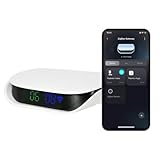
Overview: The VEXA Zigbee Hub positions itself as a dedicated bridge for Tuya ecosystem devices, supporting both Zigbee and Bluetooth protocols. Its unique visual interface displays connection status and device counts directly on the unit—a rare feature in this price category.
What Makes It Stand Out: The integrated display showing online/offline device counts provides at-a-glance network health monitoring without opening an app. Supporting 100+ sub-devices, it handles substantial smart home deployments. The cross-protocol support for Zigbee and BLE devices offers flexibility within the Tuya ecosystem.
Value for Money: At $32.99, it’s reasonably priced for a dual-protocol hub, but the “Tuya-only” restriction severely limits versatility. Competing hubs like SmartThings or Home Assistant-compatible coordinators offer broader device support for similar money. This hub only makes financial sense if you’re committed to Tuya products.
Strengths and Weaknesses: Strengths include the informative visual display, easy plug-and-play setup, stable multi-device connectivity, and dual-protocol support. The device management interface simplifies bulk operations. Critical weaknesses: ecosystem lock-in to Tuya devices only, 2.4GHz WiFi limitation, and no support for generic Zigbee 3.0 devices from other brands. It also lacks advanced automation features found in more flexible platforms.
Bottom Line: A solid choice for Tuya loyalists wanting visual feedback and simple device management. However, the ecosystem restriction makes it a poor investment for anyone wanting future flexibility. Consider a universal Zigbee coordinator unless you’re exclusively Tuya-based.
9. Smart Hub Gateway: Zigbee & Bluetooth Mesh Multi-Protocol Communication Gateway, App Remote Control, Voice Control, Intelligent Home Bridge, ONLY Support Tuya Smart Devices

Overview: This multi-protocol gateway acts as a central nervous system for Tuya-based smart homes, supporting Zigbee, Bluetooth Mesh, and WiFi devices through a single bridge. It promises to unify disparate protocols under one control umbrella at a competitive price point.
What Makes It Stand Out: The ability to simultaneously manage 128 devices across three protocols makes this a scalability champion. The 24-month warranty provides confidence uncommon in budget hubs. Smart scene creation allows complex cross-protocol automations—like triggering WiFi lights based on Zigbee sensor data.
Value for Money: At $24.98, this is one of the most affordable multi-protocol hubs available. The high device capacity and dual-protocol support typically command $40+ in competing products. For Tuya ecosystem users, the value proposition is outstanding. However, the ecosystem lock-in means zero value if you own non-Tuya devices.
Strengths and Weaknesses: Strengths include exceptional device capacity, multi-protocol flexibility within Tuya, voice control integration, and generous warranty coverage. The Smart Life app provides intuitive management. Weaknesses: strictly Tuya-only compatibility, 2.4GHz WiFi requirement, and potential stability issues when mixing many protocols. Setup can be finicky with certain device types.
Bottom Line: An outstanding budget hub for dedicated Tuya users wanting to bridge Zigbee and Bluetooth devices. The device capacity and warranty are unmatched at this price. Just confirm ALL your devices are Tuya-compatible before buying—this hub offers no flexibility for brand diversification.
10. ZigBee 3.0 Hub WiFi & Bluetooth Dual Mode Gateway,Tuya Smart Bridge Wireless Remote Controller,Intelligent Bridge Wireless Smart Gateway Voice Control via Alexa, Google Home. Only Tuya Products

Overview: This dual-mode gateway combines ZigBee 3.0 and Bluetooth 5.0 to connect Tuya-compatible devices under one control point. With WiFi integration, it enables remote access and voice control through Alexa and Google Home while maintaining stable local network operation.
What Makes It Stand Out: Bluetooth 5.0 support ensures better range and reliability for BLE devices compared to older hubs. The micro-USB power connection keeps the unit compact. The explicit compatibility list helps avoid common purchasing mistakes, though the exclusions (blinds, locks, Sengled bulbs) are noteworthy.
Value for Money: Priced at $26.99, this hub sits in the competitive mid-range for dual-protocol bridges. It offers similar functionality to the $24.98 alternative (Product 9) but with slightly less impressive specs (no device count mentioned, shorter warranty). The value is fair but not exceptional given the ecosystem constraints.
Strengths and Weaknesses: Strengths include dual-protocol support, stable connection with wide coverage, easy app-based setup, and voice assistant integration. The compact design fits anywhere. Weaknesses: Tuya-only compatibility is a major limitation, no 5GHz WiFi support, and incompatibility with several popular device categories. The lack of a specified device capacity raises concerns for large deployments.
Bottom Line: A capable but unremarkable hub for Tuya-centric smart homes. It handles basic dual-protocol needs reliably, but the unspecified device limits and compatibility restrictions make it less appealing than alternatives with clearer specifications. Verify your specific devices are supported before purchasing.
The Evolution from Voice Bridge to Smart Display Hub
Understanding Smart Display Technology
Smart displays represent the convergence of three previously distinct product categories: voice assistants, tablets, and smart home hubs. Unlike basic voice bridges that merely relay commands to cloud servers, these devices process requests locally while simultaneously managing device networks, rendering visual interfaces, and handling real-time communications. The integration of Zigbee radios transforms them from passive command receivers into active network orchestrators.
The key architectural difference lies in the chipset design. Premium models utilize system-on-chip (SoC) configurations that dedicate separate processing cores to voice recognition, display rendering, and Zigbee network management. This parallel processing prevents the bottleneck effect common in voice bridges, where a single processor handles everything sequentially. When you command “turn off the kitchen lights,” the device can simultaneously process your speech, execute the Zigbee command, and display a confirmation animation without perceptible lag.
Why Zigbee Integration Changes Everything
Zigbee’s mesh networking protocol operates fundamentally differently from Wi-Fi’s star topology. Each mains-powered Zigbee device acts as a repeater, extending network range and reliability. When your smart display houses the coordinator, it becomes the central anchor point for this mesh, maintaining device tables, managing routing tables, and handling security handshakes. This local management means your motion sensors still trigger lights even when your internet connection fails—a critical reliability advantage over cloud-dependent voice bridges.
The integration also enables over-the-air firmware updates for your entire Zigbee network from a single interface. Rather than using manufacturer-specific apps for each sensor, switch, and bulb, you can batch-update devices through the smart display’s unified management console. This consolidation reduces the attack surface for security vulnerabilities and ensures protocol consistency across your ecosystem.
Why Your Voice Bridge Needs an Upgrade
The Hidden Costs of Standalone Bridges
Voice bridges served their purpose in the smart home’s infancy, but their limitations compound as device counts grow. Each standalone bridge represents a potential point of failure, an additional power draw of 5-15 watts, and another device competing for Wi-Fi bandwidth. More critically, they create protocol silos—your Zigbee bridge doesn’t communicate with your Z-Wave hub, forcing you into complex workarounds like cloud-to-cloud integrations that introduce latency and potential service disruptions.
The real cost emerges in automation complexity. Want your Zigbee motion sensor to trigger a Wi-Fi smart plug? With separate bridges, this requires creating a routine in your voice assistant app that bridges two cloud services, introducing 2-3 seconds of delay. An integrated smart display with Zigbee hub processes this logic locally, executing the same automation in under 200 milliseconds. This speed difference transforms automations from “neat tricks” into genuinely useful, invisible home responses.
Consolidation Without Compromise
The fear of consolidation is often “jack of all trades, master of none.” However, modern smart displays with integrated Zigbee hubs actually outperform dedicated bridges in several metrics. The dedicated Zigbee radio in these devices typically operates at higher transmit power (+20dBm vs. +12dBm in many standalone hubs) and includes advanced features like source routing and neighbor table optimization that reduce network congestion.
Moreover, the visual interface provides troubleshooting capabilities impossible with voice-only bridges. When a Zigbee device drops offline, you can view signal strength graphs, routing paths, and interference data directly on the display. This diagnostic visibility turns hours of frustrating trial-and-error into a five-minute targeted fix. The display also serves as a permanent dashboard for system status, showing which devices are active, current power consumption, and automation execution logs.
Critical Features to Evaluate Before Buying
Display Specifications That Matter
Screen quality directly impacts usability, but not in the ways marketing materials suggest. Resolution matters less than viewing angle and brightness uniformity. A 1280x800 display with excellent 178-degree viewing angles proves more useful than a 1920x1080 panel with narrow optimal viewing zones, especially for kitchen or living room placement where you’ll view it from multiple positions.
Touch responsiveness under humid conditions is another overlooked spec. Kitchen installations expose devices to steam, oil residue, and temperature fluctuations. Look for displays rated for IPX2 or higher moisture resistance and capacitive touch panels that maintain accuracy with damp fingers. The screen size sweet spot typically falls between 8 and 10 inches—large enough for comfortable interface interaction but compact enough for nightstand or countertop placement.
Audio Performance for Dual Functionality
Since these devices replace your voice bridge, microphone array quality is non-negotiable. The best implementations use beamforming arrays with 6-8 microphones that can isolate voice commands from background noise exceeding 70dB. This matters when your dishwasher runs, TV plays, or family conversations happen nearby. Test for far-field recognition—premium arrays accurately capture commands from 25+ feet away.
Speaker quality affects more than just voice responses. If you plan to use the display for music, news, or video calls, look for passive radiator designs that deliver 50Hz-20kHz frequency response. Some models include automatic room equalization that uses the microphone array to analyze acoustic properties and adjust output accordingly. This transforms the device from a control panel into a legitimate audio source for ambient listening.
Zigbee Hub Implementation Quality
Not all integrated Zigbee hubs are created equal. The key differentiator is the Zigbee stack version and supported device types. Modern implementations run Zigbee 3.0 with support for over 65 device types, including specialized categories like window coverings, smart valves, and energy monitoring plugs. Older or budget implementations may only support basic on/off devices, locking you out of advanced sensors and controls.
Check the maximum device capacity—quality hubs handle 64+ directly connected devices and can route for 200+ devices in the mesh. Also evaluate the pairing process. The best displays offer QR code scanning for Zigbee 3.0 devices with installation codes, eliminating the insecure “pairing mode” window where rogue devices could join your network. Some also include touchlink commissioning for factory-resetting bulbs without cycling power.
Cross-Platform Voice Assistant Support
While most smart displays anchor to a specific ecosystem (Amazon Alexa, Google Assistant, or Apple HomeKit), the degree of cross-platform bridging varies significantly. Some models allow you to control Zigbee devices via multiple voice assistants simultaneously, while others lock you into one ecosystem. This matters if household members use different platforms or if you plan to migrate ecosystems later.
Look for devices that support the Voice Interoperability Initiative (VII) standards, which enable concurrent wake word detection. This allows the display to respond to both “Alexa” and “Hey Google” commands, routing each to the appropriate service while maintaining unified control of your Zigbee network. Also evaluate local voice processing capabilities—premium models handle common commands like “turn on lights” without cloud round-trips, improving speed and privacy.
Privacy Controls and Data Security
With a device that hears, sees, and controls your entire home, privacy architecture becomes paramount. Evaluate physical privacy features like camera shutters and microphone hardware disconnect switches—software toggles alone are insufficient for security-conscious users. The best implementations use LED indicators hardwired to camera/microphone power, making covert surveillance technically impossible.
Data handling policies deserve scrutiny. Where does voice processing occur? Do Zigbee device states get uploaded to the cloud? Premium devices keep device control local and only sync anonymized metadata for cloud features. Look for end-to-end encryption for device communications, secure boot mechanisms that prevent firmware tampering, and regular security update schedules. Some displays also include local storage options for camera footage, eliminating subscription fees and cloud exposure.
Technical Architecture Deep Dive
Processing Hardware and Real-Time Response
The system-on-chip inside these devices determines everything from automation speed to multi-user responsiveness. Current-generation models use quad-core ARM processors with dedicated neural processing units (NPUs) for voice recognition. This separation ensures that heavy visual rendering doesn’t impact Zigbee network responsiveness—critical when you’re running 15 automations simultaneously while streaming video.
RAM allocation reveals a device’s true capabilities. Budget models may include just 1GB of RAM, forcing frequent app reloads and limiting multitasking. Premium implementations offer 2-4GB, enabling persistent device state caching and smoother interface transitions. This also affects how many devices can be actively monitored—each Zigbee device consumes memory for state tracking, and insufficient RAM causes dropped connections.
Multi-Protocol Radio Stacks
While Zigbee integration is the headline feature, the best smart displays include multiple radios that work in concert. Look for concurrent Wi-Fi 6, Bluetooth 5.2, and Thread radio support. Thread, in particular, future-proofs your investment as the Matter standard gains adoption. Devices with Thread border router capability can manage both your existing Zigbee network and emerging Thread devices from the same interface.
Radio isolation matters more than you might think. Poorly designed devices suffer from adjacent channel interference when Wi-Fi and Zigbee radios operate simultaneously. Quality implementations use RF shielding, separate antenna designs, and dynamic channel selection algorithms that automatically move Zigbee networks away from congested Wi-Fi channels. Some even include spectrum analyzers that scan for interference and recommend optimal channel placement.
Power Design and Placement Freedom
Power requirements affect where you can install these displays. While most require AC power, the voltage range and power adapter design matter. Universal 100-240V support with detachable cables allows for cleaner installations. Some models support power-over-Ethernet (PoE), enabling single-cable installation in areas without convenient outlets.
Battery backup capabilities, while rare, provide tremendous value. A small internal battery—even just enough for 30 minutes of operation—prevents your hub from going offline during brief power outages. This maintains your automations and prevents the Zigbee network from fragmenting, which can cause hours of reconnection headaches when power returns. For critical installations, consider models with USB-C power input that can connect to external UPS systems.
Smart Home Ecosystem Integration
Device Onboarding and Management Workflows
The setup experience reveals much about a device’s engineering maturity. Premium smart displays offer guided onboarding with device detection that scans for new Zigbee devices every 30 seconds during setup mode. They automatically identify device types, suggest names based on location, and create logical room assignments. This contrasts sharply with the manual device ID entry and trial-and-error pairing common in standalone hubs.
Post-setup management should include bulk operations—updating firmware for all devices in a room, creating group bindings for synchronized control, and exporting device configurations for backup. Look for diagnostic tools like link quality indicators (LQI) that show signal strength between devices, and routing tables that visualize how messages hop through your mesh. These tools transform obscure network issues into clear, actionable fixes.
Automation Engine Capabilities
The true power of integrated hubs emerges in automation sophistication. Evaluate the rule engine’s complexity—does it support multi-condition triggers, time windows, and device state variables? The best displays allow automations like “if motion detected in hallway AND front door opened within last 2 minutes AND it’s after sunset, then turn on porch light at 80% brightness.” This contextual awareness requires local processing power and sophisticated logic engines.
Also assess automation storage and execution location. Cloud-dependent automations fail when internet drops, while local automations run reliably. Premium devices store automations locally but sync them to cloud for backup and cross-device access. They also include automation simulation modes that let you test rules without actually triggering devices—essential for complex setups with dozens of interdependent rules.
Third-Party Service Compatibility
Even with robust Zigbee support, you’ll likely want to integrate Wi-Fi devices, cloud services, and legacy systems. Evaluate the display’s integration ecosystem—does it support MQTT for advanced users? Can it bridge to Home Assistant or OpenHAB for ultimate flexibility? Some devices include webhook support, allowing your Zigbee sensors to trigger IFTTT actions or custom API endpoints.
Cloud service integration quality varies significantly. The best implementations use OAuth 2.0 for secure authentication and maintain persistent connections that update device states in real-time. Avoid devices that rely on polling (checking status every few minutes), which creates lag and misses rapid state changes. Also check for rate limiting policies—some platforms throttle automation execution, which can break time-sensitive routines.
Room-by-Room Implementation Strategy
Kitchen: The Central Command Post
Kitchen placement demands specific features. The display should mount at eye level when you’re standing, typically 48-54 inches from the floor. Look for models with adjustable stands or VESA mounting compatibility. IP rating becomes crucial here—steam, splashes, and cleaning chemicals require at least IPX2 protection, though IPX4 is ideal.
In this location, prioritize displays with recipe integration that can show step-by-step instructions while you cook. The Zigbee hub functionality shines for kitchen automations: connect a Zigbee temperature probe to monitor roasts, use contact sensors on cabinets to track pantry access, and install smart switches for under-cabinet lighting that activates based on motion and ambient light levels. The display becomes your cooking timer, unit converter, and kitchen device controller simultaneously.
Bedroom: Ambient Assistant
Bedroom installations have different priorities. Display brightness should drop below 1 nit in night mode to avoid sleep disruption—auto-brightness sensors that detect room darkness are essential. The Zigbee hub can manage bedside table lamps with warm color temperature settings that gradually brighten for sunrise alarms, connected to sleep tracking sensors.
Consider displays with ultrasonic presence detection that can detect sleep states without cameras, triggering “do not disturb” modes that suppress notifications and dim status LEDs on other devices. Some models include gesture controls, allowing you to snooze alarms or adjust thermostat settings without touching the screen or speaking. The Zigbee radio’s low power consumption is ideal for battery-powered devices like window sensors and motion detectors that secure the room without requiring AC power.
Living Room: Entertainment and Control
Living room implementations should emphasize audio-visual performance. Look for displays with HDMI input, allowing you to use the screen as a small TV or monitoring display for security cameras. The Zigbee hub coordinates entertainment automations: when you start a movie, it dims lights, closes smart blinds, and sets the thermostat to “cinema mode” temperature.
Multi-user recognition becomes important here—premium displays use voice biometrics or visual identification to serve personalized content and control permissions. This means your “play my playlist” command plays your music, not your teenager’s, while your “good night” routine only affects devices in your bedroom wing. The Zigbee mesh benefits from the living room’s central location, creating a strong backbone that reaches devices throughout the home.
Entryway: Whole-Home Dashboard
Entryway placement turns your smart display into a home status center. Configure it to show weather, calendar appointments, and a security dashboard with door/window sensor status. The Zigbee hub’s range from this central location often covers the entire home, especially in multi-story houses where the entryway provides vertical proximity to upstairs devices.
Consider models with near-field communication (NFC) tags for household members without voice access—tap a personal tag to disarm security, adjust lighting to your preferences, and start your “welcome home” routine. The display can also serve as a video doorbell viewer when integrated with Zigbee door/window sensors that trigger camera feeds upon entry.
Advanced Capabilities Worth the Premium
Video Communication and Security Features
Camera quality varies dramatically between models. For video calls, look for 1080p sensors with wide dynamic range to handle backlighting from windows. More important is the camera’s field of view—120 degrees or wider captures small rooms without requiring you to sit directly in front of the display. Physical privacy shutters should slide smoothly and positively lock in place.
For security use, some displays include person detection that runs locally, sending Zigbee alerts to your network when unrecognized individuals appear on camera. This integrates with your existing sensors—if the camera detects a person AND the front door sensor hasn’t triggered, it might indicate a window entry attempt. The best implementations store video locally on expandable microSD cards, with optional cloud backup for critical clips.
Acoustic Performance for Media Consumption
Beyond basic voice responses, premium smart displays function as zone audio players. Evaluate frequency response specifications—models with passive radiators can reproduce bass down to 60Hz, making them suitable for background music. Stereo separation matters for immersive sound; some devices use waveguide technology to create a wider soundstage from a compact enclosure.
Look for multi-room audio synchronization that uses Zigbee’s low-latency characteristics to coordinate playback across multiple displays. When you move from kitchen to living room, audio can follow you with imperceptible delay, unlike Wi-Fi-based systems that often suffer from 100ms+ synchronization gaps. Some displays also include line-out jacks, allowing you to use their hub capabilities while routing audio to your existing hi-fi system.
Accessibility and User Personalization
Accessibility features transform these devices from conveniences into essential tools. Evaluate screen reader quality, high-contrast mode effectiveness, and voice command customization. Premium models allow you to create custom wake words and train the system on atypical speech patterns, crucial for users with speech impairments.
User profiles should include granular permissions—you might give children voice control over lights but not door locks, or guests access to kitchen devices but not security cameras. The Zigbee hub can enforce these permissions at the network level, preventing unauthorized devices from sending commands even if they somehow join your network. Some displays also include visual timers and reminders that use Zigbee-connected indicator lights to provide silent alerts for hearing-impaired users.
Migration and Setup Mastery
Transitioning from Existing Voice Bridges
Migration strategy determines whether your transition feels seamless or creates a smart home outage. Before purchasing, audit your current voice bridge’s capabilities—document which devices it controls, which automations run on it, and which services depend on it. The best smart displays offer migration assistants that scan for devices on your old hub and bulk-transfer them, though you’ll need to factory-reset most Zigbee devices during the process.
Timing matters. Plan migration for a weekend when you can afford some downtime. Start with non-critical devices like smart bulbs and work up to essential items like door locks. Keep your old voice bridge running in parallel during the transition, using it solely for device control while you rebuild automations on the new display. Most migrations take 2-4 hours for 30-50 devices, plus another few days of fine-tuning automations.
Network Topology Optimization
Placement dramatically impacts Zigbee network performance. The coordinator (your smart display) should sit centrally, away from interference sources like microwaves, baby monitors, and 2.4GHz Wi-Fi routers. Use Wi-Fi analyzers to find the least-congested Zigbee channel (11, 15, 20, or 25 are Zigbee-only channels that don’t overlap Wi-Fi).
After setup, analyze your mesh routing. Premium displays show which devices act as repeaters and identify “orphaned” devices with weak signal paths. Strategically add mains-powered Zigbee devices (smart plugs, switches) to create backbone routes. Aim for each battery device to have at least two routing paths to the coordinator—this redundancy prevents network partitioning when a repeater fails. The display’s diagnostic tools can simulate device failures, showing you where your mesh is vulnerable before problems occur.
Common Pitfalls and Solutions
Device compatibility issues top the list of migration headaches. Not all Zigbee devices implement standards perfectly—some use manufacturer-specific clusters that only work with their native hubs. Before buying, check community-maintained compatibility databases for your specific device models. If you own incompatible devices, consider keeping your old hub running as a secondary coordinator bridged to the new display, though this reintroduces some complexity you’re trying to eliminate.
Channel interference causes mysterious dropouts. If devices intermittently go offline, use the display’s spectrum analyzer to identify interference patterns. Often, the culprit is a Wi-Fi router auto-switching channels and colliding with your Zigbee network. Lock your router to a fixed channel (1, 6, or 11 for 2.4GHz) and set Zigbee to a non-overlapping channel. Also watch for USB 3.0 devices near your display—USB 3.0 creates interference in the 2.4GHz band that can devastate Zigbee performance.
Investment Analysis and Value Propositions
Decoding Price vs. Capability Matrix
Smart displays with integrated Zigbee hubs span $80 to $350, with capability clusters at three tiers. Budget models ($80-130) include basic Zigbee support for 20-30 devices, smaller screens (7-8 inches), and limited processing power. They’re suitable for apartments or single-room control but struggle with whole-home deployments. Mid-tier devices ($150-220) offer 10-inch screens, support for 50+ devices, and better audio—this is the sweet spot for most homes.
Premium models ($250+) justify their cost through advanced features: rotating displays that follow you around the room, superior camera arrays for video calls, and support for 100+ devices with multi-protocol radios. They also include premium materials and design that blend into upscale décor. The value calculation depends on your use case—a kitchen command center benefits more from a rotating display than a bedroom nightstand unit does.
Total Cost of Ownership Considerations
Factor in subscription costs. Some displays require monthly fees for advanced features like person detection, cloud storage, or premium voice services. Avoid models that lock basic Zigbee hub functionality behind paywalls—this is a hardware capability that shouldn’t require ongoing payment. However, cloud backup for automation configurations might be worth $2-5 monthly if you’ve invested dozens of hours in setup.
Energy consumption adds up. A voice bridge typically draws 5-8 watts; a smart display with screen on draws 10-18 watts. At average electricity rates, this costs $8-15 annually—negligible for the added functionality. More significant is the elimination of multiple devices: replacing three separate hubs and a voice bridge with one display can save 15-25 watts continuously, paying for the upgrade in energy savings over 3-5 years.
Future-Proofing Your Smart Home Investment
Matter and Thread Protocol Readiness
Matter, the new smart home standard, doesn’t replace Zigbee but complements it. Forward-thinking displays include Thread border router functionality alongside Zigbee coordination. Thread uses the same 802.15.4 radio hardware as Zigbee but with IPv6 networking, creating a bridge between your Zigbee sensors and IP-based smart home platforms. This dual-protocol support ensures compatibility with next-generation devices from major manufacturers.
Evaluate the manufacturer’s Matter commitment. Have they pledged firmware updates to support Matter 1.0 and beyond? Do they participate in the Connectivity Standards Alliance? Some displays will require hardware upgrades for full Matter support, while others can enable it via software. The best devices include both Zigbee 3.0 and Thread 1.2 stacks running concurrently, allowing you to mix device types while maintaining a unified control interface.
Manufacturer Update Commitment
Smart home hardware lives or dies by software support. Research the manufacturer’s track record—do they provide security updates for 4+ years? Do they regularly add features, or merely fix bugs? Community forums reveal the truth: search for “firmware update” threads to gauge update frequency and user satisfaction. Premium manufacturers publish security bulletins and maintain CVE databases for their devices.
Over-the-air (OTA) update reliability matters too. The best displays download updates during low-usage hours, verify cryptographic signatures, and apply updates atomically—if something fails, they roll back to the previous version rather than bricking. They also update the Zigbee network coordinator firmware separately from the main OS, ensuring your device mesh stays online even if the display software reboots. Ask whether Zigbee device firmware updates are included; some manufacturers charge extra for this essential security feature.
Ecosystem Scalability
Consider how the display fits into multi-home or expansion scenarios. Some devices support hub-to-hub communication, allowing you to manage a vacation home’s Zigbee network from your primary residence. Others include guest network features that let you grant temporary access to pet sitters or house guests without exposing your entire device ecosystem.
Professional installer support indicates enterprise-grade scalability. Devices that work with platforms like Hubitat, Home Assistant, or Control4 offer escape routes if the manufacturer’s ecosystem stagnates. Look for open API documentation and local network access methods—MQTT, REST APIs, or WebSocket interfaces. These features ensure your investment remains useful even if the manufacturer abandons the product, a real concern in the fast-moving smart home market.
Potential Limitations and Mitigation Strategies
Single Point of Failure Concerns
Consolidation creates vulnerability. If your smart display fails, you lose voice control, visual interface, and Zigbee coordination simultaneously. Mitigate this by choosing devices with local automation storage—your routines continue running even if the display’s screen or voice functions fail. Some premium models include watchdog timers that automatically reboot the Zigbee coordinator if it hangs, often restoring functionality without manual intervention.
Consider a cold spare strategy. Keep a backup display in its box, pre-configured with your settings backed up to a microSD card. If your primary fails, you can swap it in under 30 minutes. For critical homes, run two displays in a primary/secondary configuration where the secondary takes over coordinator duties if the primary disappears from the network. This requires manual setup but provides redundancy comparable to professional automation systems.
Interoperability Blind Spots
Zigbee device compatibility remains fragmented. Even with Zigbee 3.0 certification, manufacturers implement optional clusters differently. Before committing, test one or two devices from each category you own. Pay special attention to:
- Window coverings: Tilt vs. lift control, position reporting
- HVAC controls: Temperature calibration, fan speed control
- Energy monitoring: Reporting frequency, accuracy, historical data storage
If you find incompatible devices, bridge solutions exist. Some displays allow connecting a secondary Zigbee coordinator (like a Sonoff ZBDongle) via USB, running it as a router rather than coordinator. This lets you keep incompatible devices on a separate mesh while still controlling them through the main display’s interface. It’s a power-user configuration but solves stubborn compatibility issues.
Performance Trade-offs
Heavy Zigbee networks can overwhelm underpowered displays. If you plan 50+ devices, verify the device uses a multi-core processor with at least 1.5GHz clock speed and 2GB RAM. Also check Zigbee transaction rates—premium hubs handle 100+ transactions per second, while budget models may choke at 30-40 TPS, causing automation delays during busy periods.
Heat dissipation impacts longevity. Displays that run hot degrade faster, especially the Zigbee radio’s crystal oscillator. Look for devices with metal chassis or internal heat spreaders, and avoid enclosing them in tight cabinets. If the display feels warm to the touch during normal operation, it’s likely thermal throttling the Zigbee radio, reducing range and reliability. Use an infrared thermometer to check operating temperature; sustained temperatures above 45°C (113°F) indicate inadequate cooling.
Decision Framework for Your Specific Needs
Auditing Your Current Device Inventory
Start with a complete inventory: list every smart device, its protocol (Zigbee, Wi-Fi, Z-Wave, etc.), and its function. Count how many are Zigbee—this determines the hub capacity you need. Identify which devices require local control (door locks, security sensors) vs. those that can tolerate cloud latency (decorative lighting). This audit reveals whether you can truly replace your voice bridge or need to maintain a hybrid setup.
Map your automations next. Document every routine, including triggers, conditions, and actions. Note which automations involve multiple protocols—these benefit most from integrated hubs. If you rely on complex cloud integrations like IFTTT or Stringify, verify the smart display can replicate these locally. This exercise often reveals redundant or broken automations you can clean up during migration.
Feature Prioritization Matrix
Create a weighted scoring system for your needs. Assign points (1-5) to each feature based on importance:
- Zigbee device capacity (critical for large homes)
- Display quality (important for kitchen/living room)
- Audio performance (important for music listeners)
- Camera quality (critical for video call users)
- Privacy features (important for security-conscious)
- Expansion ports (important for power users)
Multiply each score by a “use case multiplier” based on your primary installation location. Kitchen placement weights display and audio higher; entryway placement weights camera and privacy higher. Sum the scores to create an objective ranking that cuts through marketing hype.
Building Your Evaluation Scorecard
Develop a standardized test plan for any device you consider. Include:
- Range test: Pair a Zigbee device at the farthest point in your home
- Latency test: Measure time from voice command to device response
- Load test: Simulate 20 simultaneous automation triggers
- Interference test: Run microwave and check for device dropouts
- Recovery test: Unplug device and measure reconnection time
Run these tests during any return window. Document results with videos and notes—this creates a personal database that helps with future purchases and provides evidence if you need to return a device that fails to meet specifications. Share your findings in community forums; user-generated testing data is invaluable for the smart home community.
Frequently Asked Questions
1. Will a smart display with Zigbee hub work with my existing Zigbee devices?
Most Zigbee 3.0 devices from major brands will pair directly, but compatibility varies for older Zigbee HA 1.2 devices and manufacturer-specific products. Check community compatibility lists before purchasing. If you have incompatible devices, you may need to keep your old hub running as a secondary controller bridged to the new display, or replace the problematic devices. Always test one device from each category before committing to a full migration.
2. How many Zigbee devices can these displays actually handle?
Specification sheets typically claim 64-128 directly connected devices, but real-world performance depends on automation complexity and transaction frequency. For reliable operation, plan on 50-75 devices per display in busy networks with frequent sensor triggers. You can expand beyond this by adding Zigbee routers (mains-powered devices like smart plugs) that offload routing duties, effectively supporting 200+ devices in a well-designed mesh.
3. Do I need to keep my voice bridge after installing a smart display?
In most cases, no—the smart display fully replaces voice bridge functionality. However, you might keep it temporarily during migration or permanently if you need features the display lacks (like Z-Wave support). Some users maintain a voice bridge in areas where they want voice control but no screen, using the display as the primary Zigbee coordinator while the bridge acts as a satellite voice interface.
4. What happens to my automations when the internet goes down?
With a properly configured smart display, all local Zigbee-to-Zigbee automations continue working during internet outages. However, automations involving cloud services (weather triggers, voice commands processed remotely, Wi-Fi devices) will fail. Test your critical automations by disconnecting your internet and verifying they execute. Premium devices show “local” vs. “cloud” indicators for each automation, making it easy to identify vulnerable routines.
5. Can I control Zigbee devices when I’m away from home?
Yes, through the display’s companion app, but this requires careful security configuration. Enable two-factor authentication and use a strong, unique password. The best devices use end-to-end encryption for remote access, creating a secure tunnel without exposing your hub directly to the internet. Some also support VPN access for the technically inclined, providing direct local network access without cloud dependency.
6. How do I prevent the display from listening to private conversations?
Use the hardware microphone disconnect switch (not just software mute) when privacy is paramount. For everyday use, configure voice purchasing PINs, disable “drop-in” or spontaneous calling features, and review voice history regularly to delete accidental recordings. Premium models include local voice processing for common commands, sending less audio to the cloud. Position the device away from bedrooms and private areas, and enable visual indicators that show when the microphone is active.
7. Will Zigbee become obsolete with Matter/Thread?
Zigbee and Thread serve different purposes and will coexist for years. Zigbee excels at low-power sensor networks with established device ecosystems, while Thread provides IP connectivity for new Matter devices. Most smart displays with Thread support run both protocols simultaneously, using Zigbee for your existing sensors and Thread for new devices. Your Zigbee investment remains protected, and the protocols complement rather than replace each other.
8. How do I secure my Zigbee network from hackers?
Enable the highest security mode (install codes) when pairing devices—this prevents rogue devices from joining. Change the default Zigbee network key from the display’s advanced settings. Keep firmware updated, as security vulnerabilities are regularly patched. Place the display on a separate IoT VLAN if your router supports it, limiting network access. Disable remote management features you don’t use, and regularly audit connected devices through the display’s management interface.
9. Can I use multiple smart displays to extend Zigbee coverage?
Yes, but with limitations. You can run one display as the primary coordinator and others as Zigbee routers (if supported), but most consumer devices don’t support this mode. A better approach: use the main display as coordinator and add inexpensive Zigbee smart plugs as routers to extend coverage. For multi-home setups, some displays support hub-to-cloud linking, letting you manage separate Zigbee networks through a unified app interface, though each home needs its own coordinator.
10. What’s the typical lifespan of these integrated devices?
Expect 4-7 years of software support and functional operation. Hardware typically lasts longer, but security updates and compatibility with new devices may cease. Premium manufacturers commit to 5-year update policies. Plan for replacement around year 4, budgeting $150-250 for a mid-tier device. The Zigbee radio itself rarely fails; it’s usually the display panel or voice processing hardware that becomes obsolete first. Buying from manufacturers with strong track records of backward compatibility maximizes your investment’s longevity.