Tired of playing thermostat tug-of-war with your family? You’re not alone. The average American home has a 3-5 degree temperature variance between rooms, yet traditional thermostats only measure comfort from a single hallway location. Enter the era of smart thermostats with remote room sensors—technology that once commanded premium prices but now sits comfortably within reach for budget-conscious homeowners. For under $150, you can transform your home from a patchwork of microclimates into a consistently comfortable sanctuary while slashing energy bills by up to 23%.
But here’s the catch: not all affordable smart thermostats are created equal. Some sacrifice critical features to hit that price point, while others deliver surprising sophistication that rivals models twice their cost. This comprehensive guide cuts through the marketing noise to reveal what truly matters when shopping for a sub-$150 smart thermostat with remote sensing capabilities. We’ll explore the non-negotiable features, compatibility pitfalls, installation realities, and advanced capabilities that separate genuine bargains from expensive disappointments—ensuring your investment pays dividends in comfort and savings for years to come.
Top 10 Smart Thermostats with Remote Room Sensors
Detailed Product Reviews
1. Honeywell Home T9 WiFi Smart Thermostat with 1 Smart Room Sensor, Touchscreen Display, White
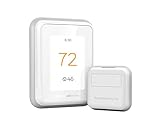
Overview: The Honeywell T9 positions itself as a practical, sensor-focused smart thermostat designed for homeowners wanting precise multi-room climate control without paying premium prices. It balances Honeywell’s reliability with modern smart home integration, offering a touchscreen interface and comprehensive app control.
What Makes It Stand Out: The T9’s standout feature is its exceptional 200-foot sensor range—significantly farther than most competitors. This allows flexible placement throughout larger homes. The multi-room focus lets you prioritize different areas at different times (bedrooms at night, living spaces during day). The Auto Home/Away scheduling learns your patterns automatically, while utility rebate eligibility and demand response programs provide ongoing savings opportunities.
Value for Money: At $186.75 including one sensor, the T9 sits in the sweet spot between budget and premium options. You’re getting Honeywell’s established ecosystem, ENERGY STAR certification, and robust sensor capabilities for less than flagship competitors. The potential utility rebates can further offset costs, making it financially attractive within the first year.
Strengths and Weaknesses: Strengths include outstanding sensor range, reliable multi-room comfort, broad smart home compatibility (Alexa, HomeKit, Google), and proven energy savings. Weaknesses: requires additional sensors ($40-50 each) for full multi-room capability, needs a C-wire in most installations, and the touchscreen feels less premium than some competitors.
Bottom Line: The Honeywell T9 is an excellent choice for medium to large homes where room-specific comfort matters. It delivers core smart thermostat benefits with class-leading sensor performance at a reasonable price.
2. ecobee Smart Thermostat Premium with Smart Sensor and Air Quality Monitor - Programmable Wifi Thermostat - Works with Siri, Alexa, Google Assistant

Overview: The ecobee Smart Thermostat Premium represents the pinnacle of climate control technology, transforming a simple thermostat into a comprehensive home monitoring hub. It combines temperature management with air quality sensing and security features in a premium metal and glass package.
What Makes It Stand Out: Beyond standard scheduling, it features a built-in air quality monitor that tracks VOCs and CO2, alerting you to poor air quality and reminding you to change filters. The included SmartSensor ($50 value) enables room-specific comfort, while radar-based occupancy sensing provides more accurate presence detection than traditional motion sensors. Unique doorbell camera integration lets you see and speak to visitors directly from the thermostat’s large, vibrant display.
Value for Money: At $249, this is a premium investment, but justifiable. The included SmartSensor and Power Extender Kit (for homes without C-wires) add $70+ in value. The 26% annual energy savings claim and ENERGY STAR certification suggest payback within 2-3 years. You’re essentially getting a thermostat, air quality monitor, and smart display in one device.
Strengths and Weaknesses: Strengths: superior air quality monitoring, elegant design, radar occupancy sensing, broad compatibility (95% of systems), and seamless smart home integration. Weaknesses: high upfront cost, many advanced features may be unnecessary for smaller homes, and the doorbell integration requires separate ecobee camera purchase.
Bottom Line: For tech-forward homeowners wanting more than temperature control, the ecobee Premium justifies its price with air quality monitoring and premium build quality. It’s the best choice for comprehensive home environment management.
3. ecobee Smart Sensor 2 Pack - Comfort, Security, Energy Savings - Smart Home - Compatible with ecobee Smart Thermostats for Home

Overview: These compact sensors extend your ecobee thermostat’s intelligence into individual rooms, enabling true whole-home comfort optimization. Designed exclusively for the ecobee ecosystem, they monitor both temperature and occupancy to eliminate hot and cold spots while reducing energy waste.
What Makes It Stand Out: The sensors’ ability to detect occupancy and temperature simultaneously sets them apart. They communicate through walls and floors up to 60 feet, allowing strategic placement in bedrooms, nurseries, or home offices. The magnetic stand and adhesive wall mounts offer versatile installation without tools. By understanding which rooms are actually in use, they prevent heating or cooling empty spaces, delivering smarter energy savings than schedule-based systems alone.
Value for Money: Priced at $99.99 for two sensors ($50 each), this pack offers no bulk discount but provides essential functionality for ecobee users. Single sensors retail for $79, making the two-pack marginally better value. For homes with multiple stories or awkward layouts, these sensors transform a single-point thermostat into a zoned system at a fraction of true HVAC zoning costs.
Strengths and Weaknesses: Strengths: effortless installation, reliable occupancy detection, sleek design, and meaningful comfort improvements. Weaknesses: limited to ecobee thermostats, 60-foot range is shorter than Honeywell’s 200 feet, requires strategic placement for best results, and battery replacements add minimal maintenance cost.
Bottom Line: If you own an ecobee thermostat and experience temperature imbalances, these sensors are a worthwhile investment. They’re essential for maximizing your system’s potential and achieving genuine room-by-room comfort.
4. Provirtec Smart Thermostat for Home with Room Sensor, 7 Days Programmable, Energy Saving WiFi Thermostats for House,APP & Touchscreen Control, C Wire Required, 3.95 Inch Large Screen

Overview: The Provirtec Smart Thermostat challenges established brands by offering robust smart features at a budget-friendly price point. This 7-day programmable unit targets cost-conscious homeowners who want app control and room sensors without the premium price tag of market leaders.
What Makes It Stand Out: Its hybrid WiFi and Bluetooth Mesh technology ensures continuous operation even during internet outages—a rare feature at this price. The included thermo-hygrometer sensor provides humidity monitoring alongside temperature. Three intelligent modes (Sleep/Home/Away) automatically adjust based on occupancy and time, while the body location-based detection aims to reduce energy waste more precisely than simple scheduling.
Value for Money: At $79.99, this is among the most affordable smart thermostats with multi-room capability. It includes a sensor (many budget models don’t) and supports 95% of HVAC systems, including complex 3H2C configurations. The large 3.95-inch display exceeds many competitors’ screen sizes in this class. For renters or first-time smart home users, it delivers core functionality at nearly half the cost of entry-level Nest or Honeywell models.
Strengths and Weaknesses: Strengths: exceptional price, BT Mesh backup connectivity, large screen, comprehensive HVAC compatibility, and included sensor. Weaknesses: C-wire requirement limits installation options, 2.4GHz WiFi only, unknown long-term brand reliability, and limited third-party smart home integration compared to major brands.
Bottom Line: The Provirtec is a compelling budget option that doesn’t sacrifice essential features. It’s perfect for those wanting smart climate control without the financial commitment, though brand longevity remains a question mark.
5. Honeywell Home X8S Smart Thermostat with Room Sensor, Video Doorbell Compatibility, IAQ Control, and Customizable Touchscreen Display, Black

Overview: The Honeywell X8S merges climate control with home security, creating a unique hybrid device that serves as both thermostat and smart display hub. Its customizable 5-inch screen and Matter certification position it as Honeywell’s answer to premium competitors while adding distinctive security integration.
What Makes It Stand Out: The ability to view and communicate with doorbell cameras (First Alert VX1 and Ring) directly from the thermostat is genuinely innovative, eliminating the need for separate displays. The customizable display lets you match your home’s aesthetic with adjustable colors and styles. Advanced occupancy detection with 200-foot sensor range provides robust whole-home coverage, while IAQ control manages humidity and ventilation for complete air quality management—going beyond simple temperature regulation.
Value for Money: At $249.99, it matches premium competitors but offers unique security integration. The included room sensor, Matter certification for future-proofing, and IAQ features add significant value. However, the doorbell cameras must be purchased separately, potentially adding $150-250 to the total system cost. For those already planning a doorbell upgrade, the integration savings justify the premium.
Strengths and Weaknesses: Strengths: security camera integration, customizable display, excellent sensor range, Matter support, and comprehensive IAQ control. Weaknesses: requires separate doorbell purchase, C-wire needed, highest price point, and some features demand additional HVAC equipment.
Bottom Line: The X8S excels for homeowners prioritizing security integration and display aesthetics. It’s a forward-thinking choice that justifies its premium price if you’ll utilize its unique doorbell features, though simpler homes may find better value elsewhere.
6. Sensi Touch 2 Smart Thermostat with Touchscreen Color Display, 100 Years of Expertise, Programmable, Wi-Fi, Data Privacy, Easy DIY, Works with Alexa, Energy Star Certified, ST76, C-Wire Required

Overview: The Sensi Touch 2 Smart Thermostat represents Emerson’s century-long HVAC heritage packaged in a modern, connected device. This Wi-Fi-enabled thermostat features a vibrant color touchscreen and promises up to 23% energy savings through intelligent scheduling and remote management. Designed for DIY installation, it leverages Bluetooth setup guidance and requires a C-wire for operation, making it compatible with most residential heating and cooling systems.
What Makes It Stand Out: Privacy protection is the Sensi Touch 2’s defining feature in an era of data commoditization—Emerson explicitly states they won’t sell your personal information. The smart maintenance capabilities set it apart, delivering proactive HVAC performance monitoring, usage reports, and timely filter replacement reminders. Its universal Bluetooth technology simplifies installation, while compatibility with optional Sensi Room Sensors enables whole-home temperature balancing that many competitors charge premium prices for.
Value for Money: At $158.99, the Sensi Touch 2 undercuts premium competitors like Nest and Ecobee while delivering comparable core functionality. The ENERGY STAR certification translates to tangible utility bill reductions, potentially recouping the investment within 12-18 months. When factoring in the privacy guarantee and included smart maintenance features—often subscription-based with other brands—this thermostat delivers exceptional long-term value.
Strengths and Weaknesses: Strengths: Robust privacy policy; intuitive DIY installation with top-rated app; proactive maintenance alerts; attractive color display; energy usage reporting; no mandatory subscription fees.
Weaknesses: Requires C-wire (may necessitate professional installation in older homes); room sensors sold separately; fewer third-party integrations than some competitors; limited advanced learning algorithms.
Bottom Line: The Sensi Touch 2 is an excellent choice for privacy-conscious homeowners seeking reliable smart climate control without ongoing fees. Its blend of traditional HVAC expertise and modern connectivity makes it ideal for those prioritizing data security and system longevity over cutting-edge AI features.
7. Honeywell Home RCHTSENSOR-1PK, Smart Room Sensor works with T9/T10 WIFI Smart Thermostats

Overview: This single-room sensor extends the capabilities of Honeywell’s T9 and T10 smart thermostats by monitoring temperature and humidity in spaces away from the main unit. Priced at $32.00, it uses motion detection to determine occupancy, allowing your HVAC system to prioritize comfort where people actually are. The sensor communicates wirelessly, eliminating the need for complex wiring during placement.
What Makes It Stand Out: The motion-sensing occupancy detection is the key differentiator, automatically shifting focus between rooms as you move through your home. Unlike basic remote sensors that simply average temperatures, this device intelligently responds to presence, potentially saving energy by not conditioning empty spaces. The ability to set schedules—for example, focusing on bedrooms at night—adds a layer of customization that enhances both comfort and efficiency.
Value for Money: At $32 for a single unit, the pricing is competitive within the smart thermostat ecosystem. While cheaper than Ecobee’s sensors, it’s slightly more expensive than Sensi’s offering. The value proposition hinges entirely on whether you’ll utilize the motion detection and scheduling features. For homes with significant temperature variations between rooms, even one strategically placed sensor can deliver noticeable comfort improvements and modest energy savings.
Strengths and Weaknesses: Strengths: Reliable motion detection; humidity monitoring included; simple wireless setup; flexible scheduling options; compact, unobtrusive design; strong brand reliability.
Weaknesses: Only compatible with T9/T10 thermostats; single sensor has limited impact in larger homes; battery replacement required periodically; motion detection can be overly sensitive in high-traffic areas.
Bottom Line: This sensor is a worthwhile addition for T9/T10 owners struggling with hot or cold spots. Start with one sensor in your most-used room to evaluate its impact before investing in a multi-pack. The occupancy feature justifies the slight premium over basic temperature sensors.
8. Honeywell Home T9 WIFI Smart Thermostat, Smart Room Sensor Ready, Touchscreen Display, Alexa and Google Assist
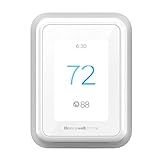
Overview: Honeywell’s T9 WIFI Smart Thermostat ($160.99) delivers intelligent climate management with geofencing, adaptive scheduling, and multi-room sensing capabilities. The device learns your home’s heating and cooling patterns while providing monthly energy reports. Compatible with most HVAC systems (excluding high-voltage baseboard heat), it requires a C-wire and serves as the central hub for Honeywell’s smart room sensors.
What Makes It Stand Out: The T9’s geofencing technology automatically adjusts temperatures when you leave or return, offering true set-and-forget automation. Its smart response algorithms learn your home’s thermal characteristics, delivering precision timing rather than simply following rigid schedules. The utility program integration is unique—connecting your account can earn seasonal rewards, effectively paying you for efficiency. Multi-room focus with sensors creates a genuinely responsive whole-home comfort system.
Value for Money: Priced competitively with the Sensi Touch 2 and slightly below Ecobee, the T9 offers excellent value. The potential utility rebates and rewards can offset the initial cost within the first year. Geofencing and learning capabilities typically require premium models, making this a mid-range price with high-end features. The lack of subscription fees for core functionality further strengthens its financial appeal.
Strengths and Weaknesses: Strengths: Intelligent geofencing; utility reward programs; robust learning algorithms; clear energy usage reports; excellent sensor integration; broad HVAC compatibility; dual voice assistant support.
Weaknesses: C-wire required; sensors sold separately; setup can be complex for novices; app occasionally suffers connectivity hiccups; display smaller than some competitors.
Bottom Line: The Honeywell T9 is a top-tier choice for tech-savvy homeowners wanting advanced automation without premium pricing. Its geofencing and utility integration make it particularly attractive for those seeking maximum energy savings with minimal ongoing effort.
9. Honeywell Home RCHTSENSOR-2PK, Smart Room Sensor works with T9/T10 WIFI Smart Thermostats
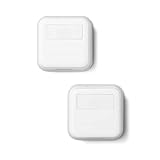
Overview: This two-pack of Honeywell’s smart room sensors ($78.08) doubles the coverage of the single sensor offering, enabling comprehensive temperature and humidity monitoring across multiple spaces. Designed exclusively for T9 and T10 thermostats, these wireless units use motion detection to track occupancy and automatically adjust climate priorities. The package provides a cost-effective way to eliminate hot and cold spots throughout your home.
What Makes It Stand Out: The two-sensor bundle creates a truly dynamic HVAC system that follows your household’s daily patterns. Place one sensor in the living area for daytime comfort and another in the bedroom for optimal sleeping temperatures—the thermostat automatically switches focus based on motion detection and your preset schedules. This creates a “just right” environment that static thermostats simply cannot match, while potentially reducing energy waste in unoccupied spaces.
Value for Money: At $78.08 for two sensors ($39.04 each), this pack offers roughly 18% savings compared to purchasing individual sensors at $32 each ($64 total). While still pricier per-unit than Sensi’s sensors, the advanced motion detection and scheduling capabilities justify the premium. For homes with clear daytime and nighttime zones, two sensors deliver the optimal balance of comfort and efficiency, potentially paying for themselves through energy savings within 18-24 months.
Strengths and Weaknesses: Strengths: Cost savings over individual purchase; comprehensive multi-room coverage; intelligent occupancy switching; flexible scheduling for different dayparts; reliable wireless connectivity; straightforward pairing process.
Weaknesses: Limited to T9/T10 thermostat owners; requires strategic placement for maximum benefit; batteries need periodic replacement; motion sensors may conflict in open floor plans; initial calibration period needed.
Bottom Line: This two-pack is the sweet spot for T9/T10 users wanting whole-home comfort optimization. It’s the most economical way to leverage Honeywell’s multi-room technology and is highly recommended for households with distinct living and sleeping areas.
10. Sensi Room Sensor-Compatible with Sensi Touch 2 Smart Thermostat

Overview: Emerson’s Sensi Room Sensor ($39.99) complements the Sensi Touch 2 thermostat by monitoring temperature and humidity in remote locations. This wireless unit allows homeowners to average readings across multiple sensors or prioritize specific rooms, effectively reducing hot and cold spots. The battery-powered design offers flexible placement options using the included stand or wall mount, making it ideal for challenging spaces.
What Makes It Stand Out: The sensor’s ability to either average temperatures across all devices or prioritize specific rooms provides exceptional flexibility lacking in many competitors. You can maintain consistent whole-home comfort or focus on a nursery, home office, or master bedroom as needed. The humidity monitoring feature, often omitted in budget sensors, helps manage comfort and prevent mold issues. The truly wireless design with both stand and mounting options simplifies installation anywhere.
Value for Money: At $39.99 per sensor, it’s slightly more expensive than Honeywell’s single sensor but offers comparable functionality. The value emerges when paired with the Sensi Touch 2’s privacy-focused ecosystem—no subscriptions, no data selling, and seamless integration. For Sensi users, the premium over third-party alternatives is justified by guaranteed compatibility and unified app control. However, the lack of motion detection means you’re trading some automation for simplicity.
Strengths and Weaknesses: Strengths: Flexible averaging or prioritization modes; humidity monitoring included; versatile placement options; seamless Sensi ecosystem integration; no wiring required; maintains brand’s privacy commitment.
Weaknesses: No motion detection for occupancy sensing; only works with Sensi Touch 2; battery life could be better; slightly higher price point; limited to temperature and humidity (no air quality).
Bottom Line: This sensor is essential for Sensi Touch 2 owners wanting to eliminate temperature inconsistencies. While it lacks advanced motion features, its flexibility and privacy advantages make it a smart investment for those already committed to the Sensi ecosystem.
Understanding Smart Thermostats with Remote Room Sensors
The Evolution from Single-Point to Multi-Room Climate Control
Traditional thermostats operate like a weather station with only one data point—they measure temperature exactly where they’re installed, typically in a hallway that nobody actually lives in. This fundamental flaw forces your HVAC system to run based on the comfort of an empty corridor while your living room bakes and your bedroom freezes. Smart thermostats with remote sensors fundamentally disrupt this outdated model by creating a mesh network of temperature monitors throughout your home.
These sensors communicate wirelessly with the main thermostat unit, feeding real-time data about actual living spaces. The system then intelligently averages these readings or prioritizes specific rooms during different times of day. This isn’t just incremental improvement; it’s a paradigm shift that treats your home as the dynamic, multi-zone environment it actually is. The technology leverages low-power wireless protocols—typically Zigbee, Z-Wave, or proprietary RF frequencies—to maintain constant communication without draining batteries or congesting your WiFi network.
How Remote Sensors Transform Your Home’s Comfort
Remote sensors do more than just report temperature. Modern units in the sub-$150 category increasingly include occupancy detection through passive infrared (PIR) sensors or basic motion detection. This means your thermostat can distinguish between an empty guest room and your occupied home office, directing heating or cooling resources where they’re actually needed. Some advanced models even measure humidity, providing a more complete picture of comfort that goes beyond mere temperature.
The real magic happens in the algorithmic processing. Rather than simply averaging all sensor readings, sophisticated systems weight data based on time-of-day schedules, occupancy patterns, and even outdoor weather conditions. Morning might prioritize the bedroom and bathroom sensors, while evening shifts focus to the living room and kitchen. This contextual awareness transforms your HVAC from a blunt instrument into a precision tool that anticipates needs rather than merely reacting to them.
Why Remote Sensors Are Game-Changers for Budget-Conscious Homeowners
Eliminating Hot and Cold Spots Without Breaking the Bank
That sun-drenched south-facing room that turns into a sauna every afternoon? The north-facing bedroom that feels like a meat locker in winter? These aren’t architectural flaws—they’re control problems. Remote sensors address these issues at their source by giving your HVAC system eyes and ears in the rooms that matter most. For under $150, you’re essentially getting a mini zone-control system without the $3,000+ price tag of professional zoning installation.
The financial logic is compelling. Instead of cranking the thermostat up or down to compensate for one uncomfortable room—wasting energy on the other 90% of your house—you can now target comfort precisely. The sensors create a feedback loop that identifies problem areas and allows the system to run more efficiently. Many users report being able to adjust their overall temperature setpoints by 2-3 degrees once sensors are deployed, as the improved distribution eliminates the need for overcompensation.
Energy Savings That Pay for Themselves
Let’s talk numbers. The EPA estimates that smart thermostats save homeowners an average of 8% on heating and 10% on cooling costs annually. Add remote sensors to the equation, and those savings can jump to 15-23% depending on your home’s layout and existing inefficiencies. For the average American household spending $2,000 annually on HVAC, that’s $300-460 back in your pocket each year.
At the sub-$150 price point, your payback period could be as short as 4-6 months. Compare that to traditional HVAC upgrades that might take 5-10 years to recoup costs. The sensors themselves typically sip power, running for 1-2 years on a single coin-cell battery, costing pennies annually to operate. This isn’t just greenwashing—it’s tangible ROI that shows up in your utility bill within the first billing cycle.
Key Features to Prioritize in Sub-$150 Models
Essential Smart Capabilities That Shouldn’t Be Compromised
Even at budget prices, certain features are non-negotiable. First, demand true smartphone control—not just basic scheduling, but full remote access from anywhere with an internet connection. Your app should allow manual temperature adjustments, mode changes, and sensor priority settings on the fly. Second, insist on 7-day programmable scheduling at minimum. Anything less severely limits your energy-saving potential.
Third, verify the system supports multiple sensors (at least 3-4) without requiring expensive hub upgrades. Some entry-level models limit you to a single sensor, which defeats the purpose of whole-home comfort. Fourth, look for automatic software updates. This ensures your device gains new features and security patches over time rather than becoming obsolete within a year. Finally, confirm the presence of basic energy reporting—even simple daily or monthly usage summaries help you track savings and identify inefficiencies.
Sensor Range and Connectivity Standards
Wireless range becomes critical in larger homes or those with dense walls. Most sub-$150 systems offer 30-50 foot sensor-to-thermostat range through standard construction, but this drops significantly with brick, concrete, or metal lathe walls. Look for systems that explicitly mention “mesh networking” or “range extending” capabilities, which allow sensors to relay signals through each other rather than requiring direct line-of-sight to the thermostat.
Connectivity standards matter too. Zigbee and Z-Wave sensors typically offer better battery life (12-24 months) and more reliable connections than Bluetooth-based systems (6-12 months). Proprietary RF protocols can be hit-or-miss—some are brilliantly optimized while others are connectivity nightmares. Check user forums for real-world range reports before committing. The best systems include signal strength indicators in their apps, letting you test sensor placement before final installation.
Compatibility Check: Will It Work With Your Home?
HVAC System Requirements and Limitations
Before falling in love with any thermostat, you must understand your HVAC system’s language. Most sub-$150 smart thermostats support conventional single-stage heating and cooling (gas/oil/electric furnace + AC), but compatibility gets murky with multi-stage systems, heat pumps, and proprietary communicating equipment. Heat pump owners especially need to verify auxiliary heat control and emergency heat functionality—these are often crippled in budget models.
Check your current thermostat’s wiring. If you see only two wires (typically heating-only systems), you’ll need a thermostat that supports power stealing or includes a power adapter kit. Four or five wires (R, W, Y, G, C) indicate standard HVAC compatibility. The “C-wire” (common wire) is the most common deal-breaker—many budget smart thermostats require it for constant power. While some include power adapter kits, these add complexity and potential failure points. When in doubt, snap a photo of your wiring and consult compatibility checkers before purchasing.
Smart Home Ecosystem Integration
Your thermostat shouldn’t exist in isolation. At minimum, look for native integration with major voice assistants: Amazon Alexa, Google Assistant, and Apple HomeKit. This allows hands-free temperature adjustments and inclusion in broader smart home routines (“Goodnight” turns off lights, locks doors, and sets back the thermostat). Be wary of thermostats that require third-party skills or workarounds for basic voice control—these often introduce lag and reliability issues.
Beyond voice, consider broader automation platforms. Does the thermostat work with Samsung SmartThings, Hubitat, or other hubs? Can it trigger IFTTT applets? The most flexible systems expose thermostat state, temperature readings, and sensor occupancy data to other smart devices, enabling creative automations like “turn on ceiling fan when living room reaches 76°F” or “boost AC when both bedroom sensors detect occupancy during sleep hours.” This interoperability transforms your thermostat from a standalone gadget into a central nervous system for home comfort.
Installation: DIY-Friendly or Professional Required?
Wiring Considerations for Older Homes
Homes built before 1980 often lack a C-wire, as mechanical thermostats didn’t need constant power. While some budget smart thermostats claim “C-wire optional,” this usually means they power themselves by intermittently stealing power from the heating circuit—a hack that can cause buzzing relays, short cycling, or premature HVAC equipment failure. The honest approach is to either add a C-wire (running new 18/5 thermostat wire) or use a plug-in transformer kit that provides separate low-voltage power.
For those comfortable with basic electrical work, installation typically takes 30-45 minutes: turn off breaker, photograph existing wiring, remove old thermostat, mount new base, connect wires to labeled terminals, attach display, and configure via app. The critical step is photographing your original wiring—HVAC wire color coding isn’t standardized, and what looks like a “typical” installation might be anything but. If your system uses high-voltage line voltage (110-240V) typical in baseboard heating, stop immediately—most smart thermostats are low-voltage only and require different equipment entirely.
Sensor Placement Strategies for Optimal Performance
Sensor location dramatically impacts performance. Avoid exterior walls, direct sunlight, drafty windows, and heat sources like lamps or electronics. Mount sensors 4-5 feet high on interior walls for accurate occupancy detection and temperature reading. Bedrooms should have sensors placed away from beds—body heat can skew readings and occupancy detection. Living areas benefit from central placement where people actually congregate.
The number of sensors matters more than sheer quantity. Start with the rooms you occupy most during different dayparts: bedroom for morning/evening, home office during work hours, living room for relaxation time. A three-bedroom house typically needs 3-4 sensors total. More sensors don’t always mean better control—they create decision complexity for the algorithm and drain batteries faster. The sweet spot is covering your primary living zones without creating data overload.
The App Experience: Your Mobile Command Center
User Interface Design and Accessibility
A thermostat is only as smart as its app interface. The best apps present a clean dashboard showing current temperature, setpoint, active sensors, and mode at a glance. They avoid cluttering the screen with rarely-used features while keeping advanced settings accessible through logical menus. Look for apps with customizable home screens that let you prioritize the information you check daily.
Accessibility features become increasingly important. Does the app support large text for visually impaired users? Are there high-contrast modes? Can you control core functions via voice commands within the app itself? Some budget thermostats surprisingly outperform premium models in accessibility, offering simplified modes that strip away complexity for elderly users or those less comfortable with technology. The app should also provide clear error messages—not cryptic codes—when something goes wrong, with direct links to troubleshooting guides.
Scheduling and Automation Features
Basic 7-day scheduling is table stakes, but the implementation varies wildly. The most intuitive apps allow drag-and-drop temperature adjustments on a timeline, with the ability to copy schedules between days or apply templates like “Weekdays” and “Weekends.” Better systems offer “smart scheduling” that suggests optimal setpoints based on your local climate and utility rate structures.
True automation goes beyond simple schedules. Look for geofencing capabilities that detect when the last person leaves home and automatically set back temperatures. Occupancy-based automation should allow different behaviors for “occupied” versus “unoccupied” states—perhaps maintaining a tighter temperature band when you’re home and allowing wider swings when you’re away. The ability to create custom scenes or routines (“Movie Night” drops living room temperature by 2°F and prioritizes that sensor) adds layers of personalization that make the system feel truly intelligent.
Advanced Features Worth the Investment
Geofencing and Location-Based Controls
Geofencing uses your smartphone’s location to create a virtual boundary around your home. When all registered phones exit this perimeter, the thermostat knows to switch to away mode. When the first phone returns, it begins pre-conditioning. The key is adjustable radius settings—too small and your system won’t have time to recover before you arrive; too large and it might trigger when you’re just running errands nearby.
Multi-user geofencing is crucial for households with variable schedules. The system should track each family member independently and only enter away mode when everyone is gone. Some budget models fumble this by using a simple OR logic (if ANY phone leaves, setback activates), which defeats the purpose if one person stays home while another leaves. Test the geofencing logic before committing—good systems explain their decision-making process in the app.
Energy Usage Reports and Insights
Data drives behavior change. Even basic energy reporting—showing daily runtime hours or estimated costs—helps you understand the impact of schedule changes. More sophisticated systems correlate usage with outdoor temperature, showing you how much harder your system works on extreme weather days. This contextual data helps you identify insulation problems or equipment inefficiencies that go beyond thermostat control.
Look for systems that provide actionable insights, not just raw data. “Your system ran 15% longer than similar homes in your area” suggests a problem. “Switching your setpoint from 72°F to 74°F between 2-6 PM could save $23 monthly” provides a specific action. Some apps gamify savings, awarding badges for efficient behavior or showing your ranking among neighbors. While seemingly trivial, these psychological nudges consistently drive better energy habits.
Design and Aesthetics: Form Meets Function
Display Types and Visibility
Budget smart thermostats typically choose between LCD and basic LED displays. LCD offers better energy efficiency and visibility in bright light but can appear washed out at extreme angles. LED displays pop with vibrant colors and sharp contrast but may reflect glare and consume more power. The best compromise is auto-dimming LCDs with backlighting that activates on approach—visible when you need it, unobtrusive when you don’t.
Screen size matters more than resolution at this price point. A 2-3 inch display is the sweet spot, large enough to read from across the room but not so massive it dominates your wall. Touch sensitivity should be responsive but not hyper-reactive—you shouldn’t accidentally change settings while dusting. Physical buttons for temperature adjustment provide welcome tactile feedback that touchscreens lack, especially for quick changes without opening the app.
Sensor Design and Discretion
Remote sensors spend their lives on your walls, so aesthetics count. The best designs are minimalist—small white pucks that blend with any décor. Avoid sensors with prominent branding or status LEDs that glow like nightlights; these quickly become visual clutter. Battery compartments should be accessible without removing the entire unit from the wall, using simple twist-off covers or magnetic attachment.
Size matters for discretion. Premium sensors can be as small as 2 inches square and 0.5 inches deep, while budget models might be bulkier. Consider the mounting options: adhesive strips are renter-friendly but may damage paint over time; screw mounts are permanent but more secure. Some innovative designs include tabletop stands, letting you move sensors seasonally without wall damage—a feature particularly valuable in rental properties.
Learning vs. Programmable: Which Approach Suits You?
Adaptive Intelligence for Set-and-Forget Convenience
Learning thermostats promise to observe your behavior and automatically create optimal schedules. In practice, this means tracking when you manually adjust temperatures, which sensors are occupied when, and correlating patterns with time and weather. After 1-2 weeks of training, the system proposes a schedule that you can accept, modify, or reject entirely.
The reality is mixed. Learning algorithms excel in households with highly regular schedules—9-5 workers with consistent routines. They struggle with shift workers, frequent travelers, or families with chaotic schedules where “normal” doesn’t exist. Even the best algorithms make questionable assumptions, like thinking you want the house at 65°F every Tuesday at 2 AM because you opened a window once. The key is finding a system where learning is an assistive feature, not a mandatory one. You should always be able to override or disable learning entirely without penalty.
Manual Control for Hands-On Users
Some users prefer absolute control, and many budget thermostats cater to this by offering robust manual programming with no learning features at all. This approach eliminates the “black box” frustration of not understanding why your thermostat made a certain decision. You create explicit rules: “At 10 PM, use bedroom sensor only and maintain 68-70°F until 6 AM.” The system executes exactly what you command.
The downside is missed optimization opportunities. A manual system won’t automatically adjust for daylight saving time changes, unusual weather patterns, or gradual seasonal shifts in your preferences. The sweet spot for most users is a hybrid approach: manual scheduling for your core routine with optional learning or suggestions for fine-tuning. This gives you control while still capturing easy efficiency gains.
Voice Control and Third-Party Integrations
Native Voice Assistant Support
Voice control should feel instantaneous, not like shouting commands into a void that executes 10 seconds later. True native integration means the thermostat appears directly in your Alexa or Google Home app as a controllable device, responding to commands like “Set the temperature to 72” without clunky syntax. Beware systems that require you to “ask ThermoBrand to set the temperature”—these intermediary skills add latency and fail when cloud services hiccup.
Multi-room voice control is the next level. “Set the bedroom to 68” should automatically prioritize the bedroom sensor and adjust accordingly. Some systems even support natural language: “I’m cold” triggers a 2-degree boost for the occupied room. Test voice integration before finalizing your purchase—read recent reviews specifically mentioning voice reliability, as updates can break functionality that previously worked flawlessly.
IFTTT and Advanced Automation Workflows
IFTTT (If This Then That) compatibility opens infinite possibilities. “If bedroom sensor detects occupancy AND time is between 10 PM-6 AM, THEN set temperature to 68°F.” “If local outdoor temperature drops below 20°F, THEN send notification to check pipes and boost heat 2°F.” These custom applets let you create logic that manufacturers never envisioned.
However, IFTTT adds another cloud dependency and potential failure point. The free tier limits applet complexity and execution speed, while the Pro subscription adds ongoing cost. Some budget thermostats offer native advanced automation that eliminates IFTTT entirely, providing similar logic builders within their own apps. These are more reliable and responsive, though less flexible. Consider whether you need exotic automations or if built-in scheduling and geofencing cover 95% of your use cases.
Energy Efficiency Ratings and Certifications
Understanding ENERGY STAR and Other Benchmarks
ENERGY STAR certification for smart thermostats isn’t just a sticker—it’s a rigorous verification that the device saves energy without sacrificing comfort. Certified models must demonstrate measurable savings in real-world testing, not just theoretical calculations. The program also requires robust data privacy practices and cybersecurity measures, increasingly important as thermostats become network-connected.
Beyond ENERGY STAR, look for utility company rebates. Many utilities maintain approved device lists that qualify for $50-100 instant rebates, effectively dropping your under-$150 thermostat into impulse-buy territory. These lists also serve as a quality filter—utilities won’t rebate devices with poor reliability records that generate customer service complaints. Check your utility’s website before purchasing; the rebate process is often as simple as uploading a receipt and device serial number.
Rebates and Incentive Programs
The Database of State Incentives for Renewables & Efficiency (DSIRE) catalogs thousands of local, state, and federal incentives for smart thermostats. Some programs offer tiered rebates—higher incentives for devices with advanced features like remote sensors. Others provide time-of-use rate optimization, where your thermostat automatically pre-cools or pre-heats when electricity is cheap, stacking savings on top of efficiency.
The paperwork is usually minimal: purchase receipt, device photo showing model number, and proof of installation. Some utilities even offer instant rebates at checkout through partnerships with retailers. The key is buying from the approved list—off-list devices won’t qualify regardless of features. Factor these rebates into your budget; a $140 thermostat with a $75 rebate costs less than a $100 thermostat with no rebate.
Troubleshooting Common Issues
Connectivity Dropouts and Solutions
Even the best wireless systems experience occasional dropouts. Sensors might go offline for minutes or hours, displaying “offline” in the app. Before panicking, understand that this is often normal behavior. Sensors enter sleep mode to preserve battery, waking only periodically to report data. True outages last 2+ hours and indicate real problems.
First-line fixes: replace sensor batteries (even if they’re new, sometimes shelf-aged batteries arrive weak), power-cycle the thermostat (remove from base for 30 seconds), and check for firmware updates that might address connectivity bugs. If problems persist, investigate WiFi interference. Baby monitors, cordless phones, and even microwave ovens can disrupt the 2.4GHz bands many sensors use. Temporarily disabling other wireless devices can help isolate the culprit. As a last resort, add a WiFi range extender near the thermostat to strengthen the backbone connection sensors rely on.
Sensor Calibration and Accuracy
No sensor is perfectly accurate out of the box. Factory calibration might be off by ±2°F, which matters when you’re targeting specific comfort levels. Quality systems allow manual calibration offsets in the app, letting you match a trusted thermometer’s reading. Place your reference thermometer next to the sensor for 30 minutes, note the difference, and apply the offset.
Accuracy also drifts over time, especially in humid environments. Re-calibrate sensors annually, or when you notice comfort levels changing without explanation. Some advanced systems auto-calibrate by comparing sensor readings over time and detecting outliers, but this requires multiple sensors in overlapping zones. If one sensor consistently reads 5°F higher than others in similar conditions, it may be defective and warrant replacement under warranty.
Future-Proofing Your Purchase
Software Update Policies and Longevity
A thermostat is a 10-year appliance, but software support rarely lasts that long. Before buying, investigate the manufacturer’s update history. Do they regularly add features to older models, or do they abandon devices after 2-3 years to force upgrades? Check community forums for patterns of complaints about “bricked” devices after updates—this indicates poor QA processes.
Look for companies with explicit long-term support commitments. Some guarantee security updates for 5+ years and major feature updates for at least 3 years. Others operate on a “buy new to get new features” model. The hardware specs matter too: sufficient memory and processor headroom ensure the device can handle future software enhancements. A thermostat that feels sluggish on day one will only get worse as features are added.
Expandability for Growing Homes
Your needs may change—finishing a basement, adding an extension, or converting a garage into living space. Can your thermostat grow with you? Check the maximum number of supported sensors. Some budget models cap at 3-4 sensors, while others support 10+ but require additional hub hardware. The best systems offer unlimited expansion within reasonable range limits.
Also consider multi-thermostat support for homes with multiple HVAC zones. While a single thermostat with sensors works for one zone, true multi-zone homes need multiple thermostats that can coordinate. Some ecosystems allow thermostats to share occupancy data and coordinate whole-home setbacks, preventing zones from fighting each other. This is overkill for most homes but crucial for larger properties or those with separate heating/cooling systems.
Making the Final Decision: A Buyer’s Checklist
Prioritizing Your Must-Have Features
Create a tiered wishlist: non-negotiables, strong preferences, and nice-to-haves. Non-negotiables might include C-wire compatibility, native Alexa support, and at least 3 sensor capacity. Strong preferences could be learning capabilities and humidity sensing. Nice-to-haves might be IFTTT support or color display customization. Use this list to ruthlessly eliminate options that miss your non-negotiables, preventing feature-creep from pushing you over budget.
Consider your technical comfort level. If you loathe troubleshooting, prioritize reliability and simple apps over cutting-edge features. If you’re a smart home enthusiast, flexibility and integrations might top the list. There’s no universally “best” thermostat—only the best one for your specific home, HVAC system, and lifestyle. A feature-rich thermostat that confuses you will save less energy than a simple one you actually use correctly.
Reading Between the Lines of Product Specifications
Manufacturers love impressive-sounding specs that mean little in practice. “AI-powered climate optimization” often just means basic scheduling. “Compatible with most HVAC systems” frequently excludes heat pumps or multi-stage equipment. “Works with Alexa” might mean a clunky skill rather than native integration. Dig into the detailed spec sheet, not just the marketing bullets.
Check the operating temperature range for sensors—some cheap units fail in unconditioned spaces like garages or sunrooms. Verify the app’s offline behavior—can you still control the thermostat locally if your internet dies? Look for the warranty terms: 1 year is standard, 2 years is generous, and 3+ years indicates manufacturer confidence. Finally, search for teardown reviews that reveal build quality and component choices. A thermostat using cheap capacitors or under-specced relays might fail prematurely, negating any upfront savings.
Frequently Asked Questions
1. Can I really get a quality smart thermostat with remote sensors for under $150?
Absolutely. While premium models with flashy features command higher prices, the core technology—reliable wireless sensors, robust scheduling, and solid app control—has matured enough to be profitably manufactured at this price point. Focus on essential features rather than gimmicks, and you’ll find several options that deliver genuine comfort improvements and energy savings without the premium tax.
2. How many remote sensors do I actually need for my home?
Start with sensors in the rooms you occupy most during different times: bedroom(s) for sleeping hours, home office for workdays, and living areas for evenings. A typical 3-bedroom home needs 3-4 sensors total. More isn’t always better—beyond 5-6 sensors, you hit diminishing returns as the algorithm struggles to prioritize effectively. You can always add sensors later if you identify problem rooms.
3. Will a smart thermostat work without a C-wire, and what are my options?
Some models support “power stealing” or include adapter kits, but these are compromises. The most reliable solution is installing a C-wire, which provides constant 24V power. For DIYers, you can run new 18/5 thermostat wire (about $20) or use a plug-in transformer kit that adds a C-wire without rewiring. If you’re uncomfortable with electrical work, professional installation typically costs $100-150—still keeping you under budget when combined with a sub-$150 thermostat.
4. How long do remote sensor batteries typically last, and what type do they use?
Most sensors use two AAA or CR2032 coin-cell batteries lasting 12-24 months depending on reporting frequency and occupancy detection activity. Budget models may use AAAs (cheaper to replace) while compact designs favor coin cells. Pro tip: buy lithium batteries instead of alkaline—they cost more but last 2-3x longer and perform better in temperature extremes, especially important for sensors in basements or attics.
5. Can remote sensors detect occupancy in the dark or when I’m sitting still?
Basic PIR sensors require motion to detect occupancy, so they may mark a room as “unoccupied” if you’re reading or watching TV motionlessly for 30+ minutes. Higher-end sensors use more sophisticated detection or combine temperature change rates with motion data to infer occupancy. For true presence detection, look for sensors that specifically mention “occupancy” rather than just “motion” detection, though these are rare under $150.
6. Will my thermostat still work if my internet goes down?
The thermostat itself will continue operating your HVAC system based on its last programmed schedule, but you lose remote app control and sensor data integration until connectivity returns. Some systems store sensor data locally and sync when reconnected; others simply ignore sensors during outages. If internet reliability is a concern, prioritize models with local API access or strong offline scheduling capabilities that don’t depend on cloud processing.
7. How difficult is installation for someone with basic DIY skills?
Most homeowners can handle installation in 30-60 minutes using just a screwdriver and voltage tester. The process involves turning off power, photographing existing wiring, removing the old thermostat, mounting the new base, connecting labeled wires, and attaching the display. The biggest challenges are identifying a C-wire and dealing with unusual wiring. If you encounter thick high-voltage wires (110-240V) or your system uses proprietary communicating protocols, stop and call a professional.
8. Do remote sensors measure humidity, and does it matter?
Some budget models include humidity sensing, but it’s less common under $150. Humidity data allows the thermostat to calculate “feels like” temperature and run the AC longer for dehumidification even when temperature setpoints are met. This improves comfort in humid climates but isn’t essential everywhere. If you live in a region with muggy summers, prioritize humidity-capable sensors. Otherwise, temperature-only sensors provide the core benefit of eliminating hot/cold spots.
9. Can I use these thermostats with multiple HVAC zones?
A single thermostat with remote sensors works for one HVAC zone only. If your home has multiple zones (separate thermostats controlling different areas), you’ll need a thermostat for each zone. Some ecosystems allow multiple thermostats to coordinate and share sensor data, but this requires compatible models and often costs more. For true multi-zone control on a budget, treat each zone as a separate project, installing a smart thermostat in the most important zone first and expanding over time.
10. What happens to my settings if I replace my phone or the manufacturer goes out of business?
Your schedules and preferences are stored in the thermostat’s local memory and the cloud, so replacing your phone just requires reinstalling the app and logging in. If the manufacturer discontinues support, the thermostat will continue operating with existing features but won’t receive updates. Choose established brands with proven track records to minimize this risk. Some open-platform thermostats allow local control via Home Assistant or other third-party hubs, providing a backup if the manufacturer abandons the product.