In today’s hyper-connected households, the average family juggles more than a dozen smart devices—tablets for homework, smartphones for socializing, gaming consoles for entertainment, and smart TVs for streaming. Each device represents a doorway to infinite knowledge and, potentially, content you’d rather your children not stumble across at 2 AM. This digital reality has transformed the humble wireless router from a simple internet hub into a critical parenting tool. Wi-Fi 6 technology arrives at precisely the right moment, offering not just blistering speeds and reduced latency, but the capacity to manage dozens of simultaneous connections without breaking a sweat. When paired with sophisticated parental controls, these next-generation routers become the unsung heroes of modern digital parenting—creating invisible guardrails that let kids explore, learn, and play safely while giving parents peace of mind and, crucially, their sanity back.
But here’s the challenge: not all parental controls are created equal, and the Wi-Fi 6 label alone doesn’t guarantee family-friendly features. Some routers offer basic website blocking that tech-savvy tweens can bypass in minutes, while others provide enterprise-grade policy management that would confuse even the most diligent parent. The sweet spot lies somewhere in between—robust, intuitive controls that adapt as your children grow, backed by the raw performance to handle 4K streaming, video calls, and online gaming happening simultaneously under one roof. Understanding what to look for before you buy can mean the difference between a network that protects your family and one that becomes another source of daily frustration.
Top 10 Wi-Fi 6 Routers with Parental Controls
Detailed Product Reviews
1. ASUS RT-AX1800S Dual Band WiFi 6 Extendable Router, Subscription-Free Network Security, Parental Control, Built-in VPN, AiMesh Compatible, Gaming & Streaming, Smart Home

Overview: The ASUS RT-AX1800S is a dual-band WiFi 6 router designed for security-conscious households. Delivering AX1800 speeds with MU-MIMO and OFDMA, it efficiently manages multiple devices. Four external antennas and a dual-core processor provide reliable coverage for small to medium homes, while its security features offer peace of mind for families and remote workers.
What Makes It Stand Out: This router’s standout feature is its subscription-free AiProtection Classic powered by Trend Micro, delivering commercial-grade security without ongoing costs. The one-click ASUS Instant Guard VPN is exceptional for remote access. AiMesh compatibility allows seamless network expansion, and five Gigabit ports offer premium connectivity rarely seen at this price tier.
Value for Money: Priced at $69.99, the RT-AX1800S delivers outstanding value by bundling enterprise-level security with WiFi 6 performance. Similar security-focused routers cost $30-40 more. The inclusion of lifetime threat protection, VPN capabilities, and AiMesh expansion eliminates recurring fees and obsolescence concerns, making it financially savvy for long-term use.
Strengths and Weaknesses: Strengths:
- Lifetime subscription-free security suite
- Instant Guard VPN for secure remote connections
- AiMesh compatibility for easy network expansion
- Five Gigabit Ethernet ports
- Robust parental controls
Weaknesses:
- AX1800 speeds are modest compared to AX3000 models
- Coverage may be insufficient for large homes
- VPN setup complexity for beginners
- No 6GHz band support
Bottom Line: The ASUS RT-AX1800S is ideal for users prioritizing security and privacy over raw speed. While not the fastest option, its comprehensive protection, expandable design, and absence of subscription fees make it a smart investment for families and home offices seeking reliable, secure connectivity.
2. TP-Link AX1800 WiFi 6 Router (Archer AX21) – Dual Band Wireless Internet, Gigabit, Easy Mesh, Works with Alexa - A Certified for Humans Device, Free Expert Support

Overview: The TP-Link Archer AX21 is an entry-level WiFi 6 router that prioritizes simplicity and smart home integration. Delivering AX1800 speeds across dual bands, it handles everyday streaming, gaming, and browsing for small households. Its “Certified for Humans” designation ensures easy setup, while Alexa compatibility makes it a seamless addition to connected ecosystems.
What Makes It Stand Out: The Archer AX21’s standout quality is its frictionless user experience. The “Certified for Humans” promise delivers smartphone-guided setup without technical jargon. Built-in VPN server support (OpenVPN and PPTP) provides secure remote access without subscription fees. Easy Mesh technology allows future expansion, and free expert support offers peace of mind for networking novices.
Value for Money: At $52.21, this is the most affordable WiFi 6 router in the lineup, offering exceptional bang for buck. It delivers core WiFi 6 benefits—OFDMA, MU-MIMO, Beamforming—at a price point barely above older AC routers. The inclusion of VPN server capability and mesh expandability typically costs $20-30 more from competitors, making it a budget champion.
Strengths and Weaknesses: Strengths:
- Incredibly affordable WiFi 6 entry point
- Certified for Humans simplifies setup
- VPN server support at budget price
- Alexa voice control integration
- Free expert technical support
Weaknesses:
- Lacks advanced security features of ASUS models
- Only four LAN ports (no USB)
- Plastic build feels less premium
- Basic parental controls compared to competitors
- No dedicated gaming features
Bottom Line: The TP-Link Archer AX21 is perfect for smart home newcomers and budget-conscious buyers wanting WiFi 6 without complexity. While it sacrifices advanced security and premium materials, its unbeatable price, ease of use, and expansion potential make it the best value entry-level WiFi 6 router available.
3. ASUS RT-AX3000S Dual Band WiFi 6 Extendable Router, Instant Guard, Parental Control Scheduling, Built-in VPN, AiMesh Compatible

Overview: The ASUS RT-AX3000S represents a significant step up in performance, delivering AX3000 speeds for bandwidth-intensive households. This dual-band WiFi 6 router provides 2402 Mbps on the 5GHz band and 574 Mbps on 2.4GHz, making it ideal for 4K streaming, competitive gaming, and large file transfers. Its balanced feature set targets tech-savvy families needing both speed and control.
What Makes It Stand Out: The RT-AX3000S distinguishes itself with superior speed and advanced scheduling features. Parental control scheduling goes beyond basic blocking, allowing time-based access management. AiMesh compatibility ensures seamless whole-home coverage, while Instant Guard VPN provides secure remote access. The router’s 1024-QAM modulation maximizes throughput for WiFi 6 devices.
Value for Money: At $88.99, the RT-AX3000S commands a modest premium over AX1800 models but delivers 67% more 5GHz bandwidth. This translates to tangible benefits for multi-user households streaming 4K content or gaming online. The scheduling features and AiMesh expansion justify the $19 premium over its AX1800 sibling, especially for families needing granular control.
Strengths and Weaknesses: Strengths:
- AX3000 speeds handle demanding workloads
- Advanced parental control scheduling
- AiMesh expansion capability
- Instant Guard VPN included
- Strong 1024-QAM performance
Weaknesses:
- Higher price may not suit budget buyers
- Still dual-band (no 6GHz)
- Setup requires more technical knowledge
- Limited to four LAN ports
- No USB port for network storage
Bottom Line: The ASUS RT-AX3000S is the sweet spot for performance-focused families. The speed boost over AX1800 routers justifies the modest price increase, while advanced parental controls and mesh expansion make it a future-proof choice for busy households needing both bandwidth and management tools.
4. TP-Link Smart WiFi 6 Router (Archer AX10) – 4 Gigabit LAN Ports, Dual Band 802.11AX Router, Beamforming, OFDMA, MU-MIMO, Parental Controls, Dual-Core 900MHz Processor, Works with Alexa

Overview: The TP-Link Archer AX10 is the most accessible WiFi 6 router, delivering essential next-gen features at an entry-level price. With AX1500 speeds (1201 Mbps on 5GHz, 300 Mbps on 2.4GHz) and a dual-core 900MHz processor, it efficiently handles everyday tasks for small households. Four Gigabit LAN ports provide reliable wired connections for gaming consoles and smart TVs.
What Makes It Stand Out: The Archer AX10 stands out by democratizing WiFi 6 technology. Its aggressive pricing makes OFDMA and MU-MIMO available to budget shoppers, while OneMesh compatibility allows affordable whole-home coverage expansion. The dual-core processor ensures stable performance under load, and Alexa integration adds smart home convenience without complexity.
Value for Money: At $49.98, the AX10 is the cheapest WiFi 6 router available, undercutting even the Archer AX21. It delivers 80% of real-world WiFi 6 benefits at 60% of typical costs. For users upgrading from aging N or AC routers, the performance-per-dollar is unmatched. OneMesh support means you can start small and expand coverage later without replacing the main router.
Strengths and Weaknesses: Strengths:
- Lowest price for WiFi 6 technology
- OneMesh expansion capability
- Dual-core processor maintains stability
- Four Gigabit LAN ports
- Simple setup and Alexa integration
Weaknesses:
- AX1500 speeds limit 5GHz performance
- Basic parental controls
- No USB connectivity
- Weaker antennas than premium models
- Limited advanced configuration options
Bottom Line: The TP-Link Archer AX10 is the definitive budget WiFi 6 router. While sacrificing top-end speed and advanced features, it delivers core WiFi 6 benefits at a price that makes upgrading a no-brainer. Perfect for small apartments and users wanting future-proof basics without financial strain.
5. TP-Link Deco X15 Dual-Band AX1500 WiFi 6 Mesh Wi-Fi System | Replaces Routers and Extenders | Covers up to 5,600 sq.ft. | 2 Gigabit Ports per Unit, Supports Ethernet Backhaul, 3-Pack

Overview: The TP-Link Deco X15 is a whole-home mesh system designed to eliminate WiFi dead zones across large spaces. This three-pack AX1500 system covers up to 5,600 square feet using dual-band WiFi 6 technology. Unlike traditional router-extender setups, Deco creates a single seamless network, automatically routing devices to the optimal node for maximum performance.
What Makes It Stand Out: The Deco X15 excels with its comprehensive coverage and flexible backhaul options. Each unit features two Gigabit ports supporting Ethernet backhaul for maximum speeds. The system handles up to 120 devices simultaneously, making it ideal for smart homes. TP-Link’s cybersecurity pledge ensures regular security updates, while the mesh intelligence simplifies network management across multiple nodes.
Value for Money: At $114.98 for three units, the Deco X15 costs less than many single high-end routers while covering areas they cannot. Traditional router-extender combos at this price suffer from performance drops and connection headaches. The Ethernet backhaul capability and 120-device capacity deliver enterprise-grade features at a consumer price, offering superior value for large homes.
Strengths and Weaknesses: Strengths:
- Massive 5,600 sq.ft. coverage
- Seamless mesh roaming
- Ethernet backhaul support
- 120-device capacity
- Three units provide flexibility
Weaknesses:
- AX1500 speeds limit per-device bandwidth
- No dedicated tri-band for backhaul
- Higher cost than single routers
- Limited advanced settings
- Requires multiple outlets
Bottom Line: The TP-Link Deco X15 is the top choice for large homes struggling with coverage. While individual node speeds are modest, the system’s seamless roaming and massive coverage area justify the price premium. For households prioritizing consistent connectivity everywhere over raw speed, it’s an unbeatable mesh solution.
6. Tenda WiFi 6 Router, AX3000 Dual Band Gigabit Wireless Router for Home, 4 Gigabit Ports, Easy Setup, VPN Support, Parental Controls, WPA3 Security, MU-MIMO & OFDMA(RX12Pro)

Overview: The Tenda RX12Pro positions itself as a powerful mid-range WiFi 6 router that punches above its weight class. Delivering AX3000 speeds (2402 Mbps on 5 GHz and 574 Mbps on 2.4 GHz), this router targets households needing robust performance for 4K streaming, video conferencing, and heavy downloads. With five external 6dBi antennas and internal signal enhancement modules, it promises extended coverage without the premium price tag.
What Makes It Stand Out: The RX12Pro distinguishes itself through several compelling features. The Wi-Fi+ function enables seamless mesh networking with additional Tenda units, creating a whole-home system without complex configuration. Its one-click intelligent diagnosis tool automatically troubleshoots network issues, a rare convenience feature. VPN enthusiasts will appreciate native OpenVPN, WireGuard, PPTP, and L2TP support—capabilities often reserved for more expensive models. The five high-gain antennas provide exceptional signal propagation compared to competitors in this price range.
Value for Money: At $69.99, the RX12Pro offers remarkable value. Comparable AX3000 routers from ASUS or TP-Link typically cost $90-$130, making this an attractive alternative. While Tenda lacks the brand recognition of networking giants, the feature set—including enterprise-grade VPN support and mesh capability—justifies every dollar. It’s ideal for tech-savvy users wanting advanced functionality without paying for a premium badge.
Strengths and Weaknesses: Strengths include excellent speed ratings, comprehensive VPN support, innovative Wi-Fi+ mesh networking, five high-gain antennas for superior coverage, and proactive diagnostic tools. Weaknesses involve Tenda’s smaller market presence potentially translating to less frequent firmware updates, a less polished user interface than premium brands, and limited third-party firmware support. The 4 Gigabit ports are standard but not exceptional.
Bottom Line: The Tenda RX12Pro is a standout choice for users prioritizing performance and features over brand prestige. It delivers genuine WiFi 6 capabilities, extensive coverage, and professional-grade VPN support at a budget-friendly price. For large homes or remote workers needing reliable connectivity, this router offers compelling value that’s hard to ignore.
7. Linksys AX1800 Wi-Fi 6 Router Home Networking, Dual Band Wireless AX Gigabit WiFi Router, Speeds up to 1.8 Gbps and coverage 1,500 sq ft, Parental Controls, maximum 20 devices (E7350)

Overview: The Linksys E7350 represents an entry-level gateway into WiFi 6 technology for smaller households. Covering up to 1,500 square feet and supporting around 20 devices, this dual-band router delivers speeds up to 1.8 Gbps—sufficient for web browsing, HD streaming, and light gaming. As part of Linksys’s established ecosystem, it emphasizes reliability and straightforward operation over cutting-edge specifications.
What Makes It Stand Out: Linksys’s primary selling point is brand trustworthiness built over decades in networking. The E7350 excels in simplicity, offering smartphone-guided setup that completes in minutes. Its Smart Security suite includes effective parental controls and isolated guest networks, essential for family environments. The router’s compact design and understated aesthetics blend seamlessly into home décor. Linksys’s firmware stability ensures consistent performance without frequent reboots.
Value for Money: Priced at $54.72, the E7350 competes aggressively in the budget segment. While cheaper than the Tenda AX1500, it offers less raw performance but superior brand reliability. For users intimidated by complex networking gear, the premium for Linksys’s polished experience is worthwhile. However, power users will find better value elsewhere, as the AX1800 speeds and limited coverage restrict future-proofing.
Strengths and Weaknesses: Strengths include trusted brand reputation, dead-simple installation, stable firmware, adequate performance for small spaces, and robust basic security features. Weaknesses are modest coverage area, limited device capacity, lack of advanced features like VPN support or mesh expansion, and lower speed tiers that may bottleneck gigabit internet connections. The 4 Gigabit ports are standard but welcome at this price.
Bottom Line: The Linksys E7350 is perfect for networking novices or small apartments needing reliable WiFi 6 without complexity. It won’t satisfy gamers or smart-home enthusiasts with dozens of devices, but delivers dependable connectivity for everyday tasks. Choose this for peace of mind, not peak performance.
8. TP-Link Deco X55 AX3000 WiFi 6 Mesh System - Covers up to 6500 Sq.Ft, Replaces Wireless Router and Extender, 3 Gigabit Ports per Unit, Supports Ethernet Backhaul, Deco X55(3-Pack)

Overview: The TP-Link Deco X55 is a comprehensive mesh solution designed to eliminate WiFi dead zones in large homes. This three-pack system blankets up to 6,500 square feet with seamless AX3000 coverage, supporting up to 150 devices simultaneously. Unlike traditional router-extender setups, the Deco units create a unified network with intelligent roaming, ensuring devices always connect to the strongest signal without manual intervention.
What Makes It Stand Out: The X55’s standout feature is its CISA Secure-by-Design pledge, demonstrating TP-Link’s cybersecurity commitment—a significant differentiator in an era of frequent IoT attacks. Each unit includes three Gigabit ports (nine total) with Ethernet backhaul support, allowing wired connections between nodes for maximum throughput. The system’s ability to handle 150 devices makes it ideal for smart homes packed with IoT gadgets. TP-Link’s Deco app provides intuitive management and robust parental controls.
Value for Money: At $152.99 for three units, the X55 offers competitive pricing in the mesh category. Comparable Netgear Orbi or Eero systems cost $200-$300 for similar coverage. While pricier than single-router solutions, the seamless experience and extensive coverage justify the cost for large properties. The Ethernet backhaul capability adds future-proofing value that many mesh competitors lack at this price.
Strengths and Weaknesses: Strengths include massive 6,500 sq ft coverage, high device capacity, cybersecurity focus, abundant Gigabit ports, Ethernet backhaul support, and seamless mesh roaming. Weaknesses involve higher cost than standalone routers, potential overkill for apartments, and reliance on TP-Link’s cloud service for some features. The three-unit setup requires more space and power outlets.
Bottom Line: For large homes or users frustrated with dead zones, the Deco X55 is a top-tier investment. Its combination of coverage, security, and wired backhaul options makes it superior to traditional extenders. The price stings initially, but delivers frustration-free connectivity that justifies the premium for households needing comprehensive WiFi.
9. Tenda WiFi 6 Router for Home, AX1500 Dual Band Gigabit Router for Wireless Internet, Long Range Coverage with 5 * 6dBi High-Gain Antennas, 4 Gigabit Ports, Support WPA3, IPv6, Parental Control(RX2Pro)

Overview: The Tenda RX2Pro democratizes WiFi 6 access with an aggressive sub-$40 price point. This AX1500 router delivers up to 1501 Mbps combined speed, making it the most affordable entry into next-generation wireless standards. Five external 6dBi antennas and internal signal boosters aim to provide whole-home coverage for medium-sized households, while the Tenda app enables remote management and parental controls from anywhere.
What Makes It Stand Out: The RX2Pro’s primary distinction is unbeatable pricing—no major brand offers WiFi 6 at this cost. The five high-gain antennas are exceptional for the price, typically found on routers twice as expensive. Smart band switching automatically optimizes connections by moving devices between 2.4 GHz and 5 GHz based on location and usage. The app-based control includes travel-ready remote management, allowing parents to monitor home networks while away.
Value for Money: At $35.99, the RX2Pro redefines budget networking. It’s $20 cheaper than the Linksys E7350 while offering similar real-world performance. While AX1500 speeds limit gigabit internet utilization, most households don’t have connections exceeding 500 Mbps. The value proposition is simple: basic WiFi 6 features and solid coverage for the price of a dinner out. Compromises in processing power and advanced features are expected and acceptable.
Strengths and Weaknesses: Strengths include incredible affordability, five high-gain antennas for good coverage, app-based remote management, smart band switching, and WPA3 security. Weaknesses involve lower AX1500 speed tier, limited advanced features (no VPN), less powerful processor for heavy multitasking, and Tenda’s smaller support ecosystem. Long-term firmware support may be less certain than with premium brands.
Bottom Line: The Tenda RX2Pro is the ultimate budget champion for WiFi 6. It delivers core next-gen features without frills, making it perfect for students, renters, or anyone wanting modern connectivity on a strict budget. Don’t expect miracles, but expect solid performance that far exceeds its price tag.
10. ASUS RT-AX55 AX1800 Dual Band WiFi 6 Gigabit Router, 802.11ax, Lifetime Internet Security, Parental Control, Mesh WiFi Support, MU-MIMO, OFDMA, 4 Gigabit LAN Ports, Beamforming
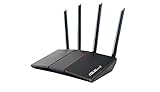
Overview: The ASUS RT-AX55 merges WiFi 6 performance with enterprise-grade security in a sleek package. Delivering AX1800 speeds with a 1.5GHz quad-core processor, this router covers up to 3,000 square feet while supporting ASUS’s AiMesh ecosystem. Unlike competitors who charge subscription fees, ASUS includes lifetime AiProtection Classic security powered by Trend Micro, making it a standout for privacy-conscious households.
What Makes It Stand Out: Security is the RT-AX55’s crown jewel. AiProtection Classic provides commercial-grade threat prevention, malicious site blocking, and infected device detection without ongoing costs. The Instant Guard feature offers one-click VPN access when traveling, securing public WiFi connections effortlessly. ASUS’s AiMesh support allows seamless expansion with other compatible routers, creating a flexible mesh system. Beamforming and MU-MIMO/OFDMA technologies ensure efficient multi-device communication.
Value for Money: At $99.95, the RT-AX55 commands a premium over similar-spec routers. However, lifetime security software (typically $50-$100/year with competitors) justifies the cost within the first year alone. Compared to the Tenda AX3000, you’re trading raw speed for trusted brand support and security. For users prioritizing data protection and long-term firmware updates, the investment pays dividends. The 3,000 sq ft coverage rating is honest and achievable.
Strengths and Weaknesses: Strengths include unparalleled lifetime security features, Instant Guard VPN, AiMesh expandability, stable firmware, quad-core processor, and honest coverage claims. Weaknesses involve higher price for AX1800 speeds, only four Gigabit ports (standard but not generous), and less antenna hardware than the Tenda AX3000. The interface may overwhelm absolute beginners.
Bottom Line: The ASUS RT-AX55 is the security-conscious choice in the mid-range market. It sacrifices some speed but delivers peace of mind through lifetime protection and trusted reliability. For families, remote workers handling sensitive data, or anyone tired of security subscription fees, this router’s premium is not just justified—it’s economical. Choose security and stability over raw speed.
Why Wi-Fi 6 Changes the Game for Family Connectivity
The leap from Wi-Fi 5 to Wi-Fi 6 represents more than just incremental speed improvements—it’s a fundamental redesign of how wireless networks handle congestion. For families, this means the difference between a network that chokes when everyone gets home and one that gracefully manages the evening digital rush hour. Wi-Fi 6 routers use orthogonal frequency-division multiple access (OFDMA) to slice channels into smaller resource units, allowing multiple devices to communicate simultaneously without waiting in line. Think of it as replacing a single-lane bridge with a multi-lane highway where every car can cross at the same time.
The Evolution from Wi-Fi 5: What Parents Need to Know
Wi-Fi 5 (802.11ac) was built for speed but struggled with capacity. It could deliver fast connections to a few devices, but add too many smartphones, tablets, and IoT gadgets, and the network would crawl. Wi-Fi 6 (802.11ax) was engineered specifically for dense environments—exactly what modern homes have become. The technology introduces Target Wake Time (TWT), which schedules when devices wake up to send or receive data, dramatically reducing battery drain on your kids’ mobile devices. This matters because a router that manages power efficiently keeps devices connected longer, reducing those frustrating moments when a dead tablet means missed homework submissions or lost game progress.
Speed, Capacity, and Why Your Kids’ Devices Demand More
Your teenager’s online gaming session isn’t just using bandwidth—it’s demanding consistent, low-latency performance. Your fourth-grader’s video call with classmates requires stable upstream capacity. Meanwhile, background updates, cloud photo backups, and smart speakers are constantly chattering away. Wi-Fi 6’s maximum theoretical speeds of 9.6 Gbps (compared to Wi-Fi 5’s 3.5 Gbps) matter less than its ability to maintain performance under load. A quality Wi-Fi 6 router with parental controls ensures that when you pause internet access to your child’s device for dinner, you’re not accidentally disrupting the entire household’s connection. The best systems can enforce rules on specific devices without creating bottlenecks for everyone else.
Understanding Parental Controls in Modern Routers
Parental controls have evolved from crude URL blockers into sophisticated policy engines that understand context, device types, and user behavior. Modern systems recognize that a seven-year-old’s iPad needs different boundaries than a sixteen-year-old’s laptop. They also understand that homework time requires access to educational resources while blocking distractions, and that bedtime means no social media but maybe still allowing music streaming for sleep.
Beyond Basic Blocking: What True Parental Control Means Today
True parental control in 2024 means dynamic, intelligent management. Look for systems offering category-based filtering that updates automatically as new websites and apps emerge. The best routers use machine learning to categorize content in real-time, recognizing that a gaming site might be acceptable during free time but not during homework hours. Advanced features include SafeSearch enforcement across all search engines, forced YouTube Restricted Mode, and the ability to block specific applications at the network level—so disabling TikTok actually works, even if your teen tries to use a VPN.
The Difference Between Router-Level and App-Level Controls
Router-level controls apply to every device connecting to your network, regardless of whether it’s your child’s phone, a friend’s tablet, or a new device you haven’t configured yet. This creates a safety net that app-based solutions can’t match. App-level controls, like those built into iOS Screen Time or Google Family Link, only work on devices you’ve manually configured and can be disabled by savvy kids. The strongest approach combines both: router-level controls for baseline protection and app-level controls for device-specific nuances. When evaluating routers, prioritize those that don’t require installing software on each device to enforce basic rules.
Essential Features to Look for in Kid-Safe Wi-Fi 6 Routers
The feature list on router boxes can be overwhelming, but certain capabilities separate genuinely useful parental controls from marketing fluff. Focus on granularity, flexibility, and ease of use. A system that takes an engineering degree to configure will go unused, while one that’s too simple won’t provide real protection.
Granular Content Filtering That Grows With Your Child
The best content filtering systems offer multiple layers: category blocks (like “social media” or “gaming”), custom blacklists and whitelists, and keyword filtering. Crucially, they let you create different profiles for each child and adjust restrictions by age. A five-year-old might only have access to a handful of approved sites, while a fourteen-year-old gets broader access with time limits. Look for routers that let you temporarily override restrictions without permanently changing settings—perfect for when your teen needs legitimate access to a blocked resource for a school project.
Time Management Tools That Actually Work
Effective time controls go beyond simple on/off schedules. Seek routers that offer daily time quotas (e.g., two hours of recreational internet per weekday), bedtime cutoffs that automatically reconnect for approved educational sites, and the ability to pause the internet instantly across all devices. The most sophisticated systems differentiate between active use and background activity, so your child’s device isn’t burning through their daily quota while they’re at school. Bonus points for routers that sync with calendar apps, automatically applying stricter rules during exam weeks.
Device Profiles and User-Based Policies
Every person in your home likely uses multiple devices. A router that treats each device as a separate entity forces you to configure the same rules repeatedly. User-based policies let you assign all of a child’s devices to one profile, applying consistent rules across phones, tablets, laptops, and gaming consoles. This also simplifies guest access—friends visiting get a restricted profile by default, while adult guests can have full access without compromising your family’s security posture.
Real-Time Monitoring and Usage Reports
You can’t manage what you can’t see. Quality parental control dashboards show which devices are active, what categories of content they’re accessing, and how much data they’re consuming. Weekly email reports summarizing your child’s online activity help identify patterns—like that sudden spike in social media use after 10 PM. The most useful systems alert you in real-time when blocked content is attempted, giving you conversation starters about what your child was looking for and why.
Security Features That Complement Parental Controls
Parental controls are only effective when built on a secure foundation. A router with weak security is like a house with a state-of-the-art alarm system but unlocked windows. The best kid-safe routers treat security and parental controls as integrated components, not separate features.
WPA3 Encryption and Why It’s Non-Negotiable
WPA3 is the latest Wi-Fi security standard, and it’s essential for families. It protects against brute-force attacks and provides stronger encryption for data transmitted between devices and the router. More importantly, WPA3’s Enhanced Open mode encrypts traffic even on networks without passwords—crucial for when your child connects to public Wi-Fi at the library or coffee shop. While WPA3 alone doesn’t filter content, it prevents malicious actors from intercepting your parental control settings or bypassing restrictions through network exploits.
Built-In Threat Protection and Malware Blocking
Many premium routers now include network-wide threat protection that blocks phishing sites, malware downloads, and command-and-control servers before they reach any device. This is invaluable because kids are prime targets for deceptive downloads and scam sites promising free in-game currency. Look for routers that integrate with threat intelligence databases updated in real-time. Some systems can even quarantine infected devices automatically, preventing a compromised tablet from spreading malware to other family devices or leaking sensitive information.
VPN Support for Secure Remote Management
Parental controls are useless if you can’t manage them when you’re away from home. Routers with built-in VPN servers let you securely connect to your home network to adjust settings, pause internet access, or check activity logs from your office or while traveling. This also allows you to route your child’s mobile traffic through the home router’s protective filters, even when they’re using cellular data—creating a consistent safety net wherever they go.
Performance Considerations for Smart-Device Heavy Homes
A router that can’t handle your device load will frustrate everyone, making you more likely to disable parental controls just to restore basic functionality. Understanding a few key technical concepts helps you choose hardware that won’t become obsolete in two years.
OFDMA and MU-MIMO Explained for Parents
OFDMA (Orthogonal Frequency-Division Multiple Access) and MU-MIMO (Multi-User, Multiple-Input, Multiple-Output) are the dynamic duo of Wi-Fi 6. OFDMA lets the router serve multiple devices with different data needs in a single transmission, like a delivery truck dropping off packages to several houses in one trip. MU-MIMO allows the router to communicate with multiple devices simultaneously instead of sequentially. For parental controls, this means rules can be enforced in real-time without adding latency. When you pause your child’s gaming console, the command executes instantly without waiting for the router to finish serving other devices.
Bandwidth Allocation and QoS for Family Harmony
Quality of Service (QoS) settings let you prioritize traffic types. You can ensure that video calls for remote learning get bandwidth before Netflix streams, or that a parent’s work VPN connection isn’t disrupted by a teenager’s torrent download. Advanced routers let you set per-device bandwidth limits, preventing one child’s 4K streaming from consuming the entire connection. This is particularly useful when enforcing time limits—if a child’s daily quota is running low, the router can automatically throttle their bandwidth to encourage them to save it for important tasks.
Mesh vs. Single Router: Coverage for Multi-Device Families
A single powerful router might cover a small apartment, but multi-story homes or houses with thick walls need mesh systems. Mesh networks use multiple nodes that communicate with each other, creating a seamless Wi-Fi blanket across your property. For parental controls, mesh systems should enforce rules uniformly across all nodes. A child moving from their bedroom to the basement shouldn’t suddenly bypass filters because they’ve connected to a different node. Look for mesh systems with a unified management interface where settings propagate instantly across the entire network.
Age-Appropriate Control Strategies
Effective digital parenting requires different approaches for different developmental stages. The router that works perfectly for your six-year-old will likely cause rebellion with your sixteen-year-old. The key is choosing a system flexible enough to evolve with your family.
Preschool to Elementary: Setting Foundation Rules
For young children, the internet should be a walled garden. Use whitelisting to allow only specific, pre-approved websites and apps. Block all internet access during school hours unless directly supervised. Enable SafeSearch and YouTube Kids mode at the network level so settings can’t be changed on the device itself. Many routers offer pre-configured “young child” profiles that block entire categories like social media, gaming, and video streaming with one click. Schedule internet pauses during family meals and bedtime, but consider allowing audiobook or music streaming services to remain active for quiet time.
Tweens and Teens: Balancing Freedom and Safety
As children develop autonomy, overly restrictive controls can backfire, teaching them to circumvent rules rather than internalize healthy habits. Transition to category-based filtering with regular conversations about why certain sites are blocked. Implement time quotas instead of rigid schedules, letting teens learn to manage their own usage. Use monitoring features to spot concerning patterns—like sudden isolation or access to harmful content—rather than spying on every click. Many routers now offer “homework mode” that blocks entertainment sites while allowing research and educational platforms, automatically activating during set hours.
Setup and Management: What to Expect
The most powerful parental controls are worthless if they’re buried in a confusing interface. Modern routers have made significant strides in usability, but approaches vary widely.
Mobile App vs. Web Interface: Which Works Better for Busy Parents
Mobile apps excel at quick actions—pausing the internet, checking who’s online, receiving alerts. They’re ideal for on-the-go management but often lack advanced configuration options. Web interfaces provide deeper control but require sitting at a computer. The best routers offer both, with the app handling 90% of daily tasks and the web interface available for fine-tuning. Look for apps with biometric login (Face ID or fingerprint) so kids can’t grab your phone and undo restrictions. Cloud-based management is also essential, allowing you to control the network without being connected to it directly.
Initial Configuration Best Practices
When setting up your new router, create user profiles before connecting any devices. This lets you assign each new device to the correct profile during setup, avoiding the nightmare of trying to identify dozens of “unknown” devices later. Take advantage of built-in templates for different age groups, then customize. Test restrictions thoroughly before relying on them—try to access blocked content yourself to ensure filters work. Document your settings in a note on your phone; after a factory reset or firmware update, you’ll want to restore configurations quickly. Most importantly, involve your children in the setup process for their profiles, explaining what each restriction does and why it exists. This transparency builds trust and reduces resistance.
Common Pitfalls When Choosing Parental Control Routers
Even well-intentioned purchases can go wrong. Avoid these common mistakes that leave families with expensive paperweights or false senses of security.
Overlooking Firmware Update Policies
A router that doesn’t receive regular security updates becomes a liability. Before buying, research the manufacturer’s track record. Do they provide updates for at least three years? Are updates automatic and seamless? Some brands charge subscription fees for parental control features after the first year, turning a $200 router into a $300+ investment. Others abandon older models, leaving security holes unpatched. Look for routers with a clear end-of-life policy and a community forum where users report how quickly vulnerabilities are addressed.
Ignoring Device Limits and Subscription Costs
That budget Wi-Fi 6 router might handle 20 devices, but your family has 35 when you count smart bulbs, thermostats, and wearable tech. Exceeding device limits causes random disconnections and can disable parental controls unpredictably. Check the supported device count, not just the maximum speed. Similarly, many “advanced” parental control features require ongoing subscriptions. Factor this into your budget. A $150 router with a $70/year subscription costs more over three years than a $250 router with lifetime free controls. Read the fine print about what’s included out-of-the-box versus what requires payment.
Future-Proofing Your Family’s Network
Technology evolves rapidly, and today’s cutting-edge router is tomorrow’s bottleneck. Smart buying decisions extend the useful life of your investment.
Wi-Fi 6E and What It Means for Your Next Purchase
Wi-Fi 6E extends Wi-Fi 6 into the newly available 6 GHz band, offering more channels and less interference. While few devices currently support 6E, adoption is accelerating—new iPhones, flagship Android devices, and upcoming gaming consoles are already compatible. A Wi-Fi 6E router with robust parental controls ensures you won’t need to upgrade again in two years. The 6 GHz band is particularly valuable for parental controls because it’s currently less crowded, meaning rules can be enforced with lower latency. However, 6E routers command a premium. If budget is tight, a high-quality Wi-Fi 6 router with excellent parental controls is still a solid choice for the next 3-5 years.
Frequently Asked Questions
1. Can my child bypass router-level parental controls using a VPN?
Yes, a determined teen can install a VPN app to tunnel traffic outside your router’s filtering. Combat this by blocking known VPN domains at the DNS level and using routers that can detect and block VPN traffic patterns. Some advanced systems can even block the installation of VPN apps on managed devices. However, the most effective approach combines technical controls with open conversations about why restrictions exist.
2. Do parental controls slow down my internet speed?
Properly implemented router-level controls have negligible impact on speed—typically less than 1-2% overhead. The processing power of modern Wi-Fi 6 routers handles filtering in microseconds. However, poorly designed controls or routers with underpowered CPUs can create bottlenecks, especially on gigabit connections. Look for routers with dedicated security processors that handle filtering without taxing the main CPU.
3. How do I handle devices that visit other networks, like at school or friends’ houses?
Choose a router with a companion app that extends protection to mobile devices outside the home. These apps create a secure tunnel back to your router, applying the same filtering rules on cellular or external Wi-Fi networks. For school devices that can’t have third-party apps installed, rely on school-provided protections and focus your router’s controls on personal devices that travel with your child.
4. What’s the difference between pausing internet and blocking specific apps?
Pausing internet cuts all connectivity—streaming, messaging, downloads, everything. Blocking specific apps targets particular services while allowing other traffic. For example, you might block TikTok and Instagram during homework hours but still allow access to Wikipedia and Google Docs. Router-level app blocking is more effective than device-level because it works across all platforms and can’t be circumvented by reinstalling an app.
5. Can I set different rules for weekdays versus weekends?
Yes, most quality parental control routers support schedule-based policies. You can create stricter time limits and content filters for school nights while allowing more freedom on weekends and holidays. Advanced systems can even sync with school calendars to automatically adjust rules for half-days, breaks, and exam periods.
6. How many devices can typical parental control routers handle?
Entry-level Wi-Fi 6 routers often support 20-30 devices, while mid-range models handle 50-75. High-end mesh systems can manage 100+ devices simultaneously. Remember that IoT devices count toward these limits. For a typical family of four with phones, tablets, laptops, smart TVs, and IoT gadgets, aim for a router rated for at least 50 devices to avoid performance degradation.
7. Are there privacy concerns with router-based monitoring?
Yes. Router logs can reveal detailed browsing history, app usage, and even location patterns. Choose routers from manufacturers with clear privacy policies that state data isn’t sold to third parties. Some premium routers store all data locally on the device rather than in the cloud. Be transparent with older children about what you monitor and why, focusing on safety rather than surveillance.
8. What happens to parental controls during a power outage or router reboot?
Quality routers maintain settings through power cycles and automatically reapply rules when restarting. However, during the reboot process (typically 1-3 minutes), devices may connect without filters active. Some advanced routers have a “safe mode” that blocks all internet access until controls are fully loaded. For true resilience, pair your router with an uninterruptible power supply (UPS) to prevent brief outages from resetting your network.
9. Can I block inappropriate content within allowed apps, like YouTube videos?
Network-level filtering can enforce YouTube Restricted Mode and block specific video categories, but it can’t analyze individual video content. For granular control within apps, you’ll need to combine router-level enforcement of app safety modes with device-level restrictions. Some routers partner with services like Circle or Bark for deeper content analysis, though these often require additional subscriptions.
10. How often should I review and update parental control settings?
Schedule a monthly review to adjust time limits, unblock resources your child has outgrown, and block new distractions. Have quarterly family meetings to discuss what’s working and what’s not. As your child demonstrates responsibility, gradually relax restrictions to reward trust. The goal is raising digitally literate, self-regulating adults, not creating a permanent surveillance state. Update firmware weekly if automatic updates aren’t enabled, and immediately when security vulnerabilities are announced.