Your smart home shouldn’t feel like a digital traffic jam. With dozens—sometimes hundreds—of connected devices competing for bandwidth, from security cameras streaming 4K footage to smart thermostats executing complex automation routines, traditional single-point routers crumble under the pressure. That’s where mesh networking transforms from luxury to necessity. Unlike conventional setups that blast signal from one central location, mesh systems create a web of seamless connectivity, intelligently routing traffic through multiple nodes to eliminate dead zones and prioritize your most critical devices. But not all mesh routers speak the language of smart homes fluently. The right system does more than just extend coverage—it becomes the invisible backbone of your automated lifestyle, understanding the difference between a firmware update for your smart lock and a Netflix binge session, and treating each with appropriate urgency.
Top 10 Wi-Fi Mesh Routers for Smart-Home Integration
Detailed Product Reviews
1. NETGEAR Orbi 370 Series Dual-Band WiFi 7 Mesh Network System for Home (RBE373) – Wireless Router + 2 Extenders, Security Features, 5 Gbps, Covers 6,000 sq.ft., 70 Devices, 2.5GB Internet Port, BE5000

Overview: The NETGEAR Orbi 370 Series RBE373 is a WiFi 7 mesh system designed for modern smart homes. This three-pack system includes a router and two extenders, promising up to 5 Gbps speeds and coverage for 6,000 square feet while supporting 70 devices simultaneously.
What Makes It Stand Out: WiFi 7 technology delivers 1.7x faster performance than WiFi 6, making it ideal for bandwidth-intensive tasks. The system features a 2.5GB internet port for multi-gig internet plans and Enhanced Backhaul for stable connections. NETGEAR’s built-in security with automatic firmware updates and Advanced Router Protection adds peace of mind without subscription fees.
Value for Money: At $299.99, this system sits in the premium segment. While pricier than some competitors, you’re paying for trusted NETGEAR reliability, WiFi 7 future-proofing, and robust security features. Comparable WiFi 7 systems often cost more or lack the 2.5GB port, making this a reasonable investment for serious users.
Strengths and Weaknesses: Strengths include cutting-edge WiFi 7 performance, strong security suite, reliable brand reputation, and excellent backhaul technology. Weaknesses are the 70-device limit (lower than some competitors), limited 2.5G ports, and premium pricing that may exceed casual users’ needs.
Bottom Line: The Orbi 370 Series is perfect for tech-forward households wanting WiFi 7 performance with strong security. It’s a solid choice for gamers, streamers, and remote workers who need reliable, future-proof connectivity and are willing to pay for quality.
2. TP-Link Deco 7 BE25 Dual-Band BE5000 WiFi 7 Mesh Wi-Fi System | 4-Stream 5 Gbps, 240 Mhz | Covers up to 6,600 Sq.Ft | 2X 2.5G Ports Wired Backhaul | VPN,MLO, AI-Roaming, HomeShield, 3-Pack

Overview: The TP-Link Deco 7 BE25 offers WiFi 7 mesh networking at an aggressive price point. This three-pack system covers 6,600 square feet and supports over 150 devices with dual-band BE5000 speeds up to 5 Gbps.
What Makes It Stand Out: Each unit features two 2.5G WAN/LAN ports (six total), enabling flexible wired backhaul and high-speed device connections. Advanced features like Multi-Link Operation, AI-Roaming, and TP-Link’s HomeShield security demonstrate serious engineering. The CISA Secure-by-Design pledge shows commitment to cybersecurity.
Value for Money: At $229.99, this undercuts the NETGEAR Orbi significantly while offering superior specs: more coverage, higher device capacity, and more multi-gig ports. You get flagship WiFi 7 features without the flagship price, making it arguably the best value in early WiFi 7 mesh systems.
Strengths and Weaknesses: Strengths include exceptional device capacity (150+), abundant 2.5G ports, AI-driven roaming, strong security commitment, and outstanding price-to-performance ratio. Weaknesses involve TP-Link’s less premium brand perception and potentially more complex setup for novices compared to simpler ecosystems.
Bottom Line: The Deco 7 BE25 is the value king of WiFi 7 mesh systems. Power users, large families, and smart home enthusiasts will appreciate the robust specs and future-proofing. It delivers premium performance at a mid-range price, making it our top recommendation for most buyers.
3. TP-Link Deco X15 Dual-Band AX1500 WiFi 6 Mesh Wi-Fi System | Replaces Routers and Extenders | Covers up to 5,600 sq.ft. | 2 Gigabit Ports per Unit, Supports Ethernet Backhaul, 3-Pack
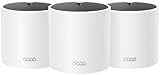
Overview: The TP-Link Deco X15 provides an affordable entry into mesh networking with WiFi 6 technology. This three-pack system delivers AX1500 speeds and covers up to 5,600 square feet, replacing traditional routers and extenders for households seeking reliable whole-home coverage.
What Makes It Stand Out: Despite using WiFi 6, the X15 offers impressive coverage and supports 120 devices simultaneously. Each unit includes two Gigabit ports with Ethernet backhaul support, providing six wired connections total. TP-Link’s CISA Secure-by-Design pledge ensures robust security standards.
Value for Money: At $114.98, this system delivers exceptional value. You’re getting solid mesh performance for less than half the cost of WiFi 7 alternatives. For users without gigabit internet or cutting-edge devices, this represents smart spending without sacrificing core functionality.
Strengths and Weaknesses: Strengths include unbeatable price, adequate coverage for most homes, strong device capacity, and wired backhaul flexibility. The main weakness is WiFi 6 versus WiFi 7, meaning you’re not future-proofed for next-generation devices and maximum speeds. Gigabit ports may bottleneck multi-gig internet plans.
Bottom Line: The Deco X15 is ideal for budget-conscious families and moderate internet users. If your internet plan is under 1 Gbps and you don’t own WiFi 7 devices, this system provides excellent coverage and reliability. It’s proof that you don’t need the latest standard to solve connectivity problems effectively.
4. Amazon eero 7 dual-band mesh Wi-Fi 7 router (newest model) - Supports internet plans up to 2.5 Gbps, Coverage up to 4,000 sq. ft., 2-pack

Overview: Amazon’s eero 7 brings WiFi 7 to the user-friendly eero ecosystem in a streamlined two-pack configuration. Designed for simplicity, it covers 4,000 square feet and supports 120+ devices with wireless speeds up to 1.8 Gbps and internet plans up to 2.5 Gbps.
What Makes It Stand Out: The eero 7 excels at effortless setup and management through the intuitive eero app. Its tight integration with Amazon services and compatibility with eero Built-in Echo devices creates a cohesive smart home experience. The system’s TrueMesh technology ensures reliable routing.
Value for Money: At $279.99 for two units, the eero 7 commands a premium. While WiFi 7 capable, you get less coverage and fewer multi-gig ports than competitors costing less. You’re paying primarily for the polished user experience and ecosystem integration rather than raw specs.
Strengths and Weaknesses: Strengths include dead-simple installation, excellent app interface, reliable performance, and seamless Amazon ecosystem integration. Weaknesses are limited coverage per dollar, only two 2.5GbE ports total, and fewer advanced configuration options for power users. The two-pack may not suit larger homes.
Bottom Line: The eero 7 suits existing Amazon ecosystem users prioritizing simplicity over specs. It’s perfect for non-technical users who want WiFi 7 future-proofing without complexity. However, value seekers and tech enthusiasts will find better performance elsewhere for the price. Consider your comfort with technology before investing.
5. TP-Link Deco S4 Whole Home Mesh WiFi System - Up to 3,800 Sq.ft. Coverage, AC1900 WiFi Router and Extender Replacement, Parental Controls, Deco S4(2-Pack)

Overview: The TP-Link Deco S4 offers mesh WiFi at an entry-level price using AC1900 WiFi 5 technology. This two-pack system covers 3,800 square feet and supports up to 75 devices, making it a basic solution for eliminating dead zones in smaller homes.
What Makes It Stand Out: At this price point, simply having functional mesh technology is the standout feature. The system includes parental controls and uses TP-Link’s Deco Mesh Technology for seamless roaming. The three-stream design helps maintain decent speeds across connected devices.
Value for Money: At $89.99, this is the most affordable mesh system reviewed. For users with internet plans under 300 Mbps and modest device counts, it solves coverage problems cheaply. However, WiFi 5 limitations mean you’re buying dated technology that won’t maximize modern internet speeds.
Strengths and Weaknesses: Strengths include rock-bottom pricing, simple setup, adequate coverage for apartments or small homes, and included parental controls. Weaknesses are the outdated WiFi 5 standard, lower device capacity, and lack of multi-gig support. Performance will lag with heavy usage or faster internet plans.
Bottom Line: The Deco S4 is for basic users only—think seniors, small apartments, or temporary setups. If you simply need to eliminate one dead spot and have slow-to-moderate internet, it works. Anyone with gigabit internet, numerous devices, or future-proofing concerns should invest at least in WiFi 6. This is a stopgap, not a long-term solution.
6. Amazon eero 6 mesh wifi router - Supports internet plans up to 900 Mbps, Coverage up to 1,500 sq. ft., Connect 75+ devices, 1-pack

Overview: The Amazon eero 6 mesh router brings Wi-Fi 6 technology to mainstream users in a compact, user-friendly package. Designed for spaces up to 1,500 square feet, this single-unit system supports internet plans up to 900 Mbps while handling 75+ connected devices simultaneously. It represents Amazon’s vision of seamless, app-controlled home networking integrated with smart home ecosystems.
What Makes It Stand Out: The integrated Zigbee smart home hub is a game-changer, eliminating the need for separate hubs for compatible devices and creating direct Alexa integration. The patented TrueMesh technology dynamically optimizes traffic routing, reducing dead spots more effectively than traditional extenders. Setup is remarkably simple through the eero app, which offers remote management and free US-based customer support seven days a week.
Value for Money: At $89.99, the eero 6 undercuts most Wi-Fi 6 mesh routers while including premium features like a smart home hub. Standalone Wi-Fi 6 routers typically start at $100+, and adding a smart hub would cost an additional $30-50. For small homes or apartments, it delivers capabilities usually found in more expensive systems.
Strengths and Weaknesses: Strengths include effortless setup, stable TrueMesh performance, robust device capacity, and seamless Alexa/smart home integration. The compact design blends into any décor. Weaknesses include the 900 Mbps ceiling (insufficient for gigabit plans), limited single-unit coverage, ongoing subscription costs for advanced features, and privacy concerns inherent to Amazon’s data ecosystem. Performance can degrade at range limits.
Bottom Line: Perfect for apartments or small homes with smart home devices. If you need gigabit speeds or have a larger space, consider the eero 6+ instead.
7. Nest WiFi Router with 1 Point - Mesh for Wireless Internet Wi-Fi Extender Smart Speaker Works and Google Home Systems Snow

Overview: The Nest WiFi Router with 1 Point delivers a compelling two-in-one solution that merges mesh networking with smart home convenience. This system blankets up to 3,800 square feet with reliable Wi-Fi while handling up to 100 connected devices. The router connects directly to your modem, while the point extends coverage and adds Google Assistant voice control throughout your home.
What Makes It Stand Out: The integration of a premium smart speaker into each Wi-Fi point is genuinely innovative—you’re essentially getting a Nest Mini built into your mesh node. This creates a unified Google Home ecosystem where you can manage your network, play music, control smart devices, and get answers using voice commands. The system is beautifully designed with a clean, minimalist aesthetic that disappears into home décor.
Value for Money: At $119.99 for a router and point, this package offers exceptional value. Comparable mesh systems without smart speakers typically cost $130-160, while adding a separate smart speaker would be another $40-50. For Google ecosystem users, it’s a cost-effective two-birds-one-stone solution.
Strengths and Weaknesses: Strengths include expansive coverage, robust device capacity, seamless Google integration, dual-functionality design, and simple setup. The system is stable and scales easily with additional points. Weaknesses are significant: it uses older Wi-Fi 5 technology (no Wi-Fi 6), limiting future-proofing and gigabit performance. Ethernet ports are only on the router, not points. There’s heavy ecosystem lock-in, and privacy-conscious users may object to Google’s data collection. Performance lags behind Wi-Fi 6 competitors.
Bottom Line: Ideal for Google-centric households prioritizing convenience and voice control over cutting-edge speeds. If you have gigabit internet or want Wi-Fi 6, consider alternatives. For everyone else, it’s a smart, integrated choice.
8. TP-Link Deco XE75 AXE5400 Tri-Band WiFi 6E Mesh System - Wi-Fi up to 7200 Sq.Ft, Engadget Rated Best Mesh for Most People, Replaces WiFi Router and Extender, AI-Driven Mesh New 6GHz Band, 3-Pack

Overview: The TP-Link Deco XE75 represents the cutting edge of consumer mesh technology, earning Engadget’s “Best Mesh for Most People” accolade. This three-pack Wi-Fi 6E system blankets up to 7,200 square feet with seamless connectivity while supporting 200 devices simultaneously. It replaces traditional routers and extenders with a unified tri-band network that delivers combined speeds up to 5,400 Mbps.
What Makes It Stand Out: The revolutionary 6GHz band is the star—an interference-free frequency exclusive to Wi-Fi 6E devices that can function as either ultra-fast backhaul between nodes or a dedicated network for compatible devices. AI-driven mesh technology continuously optimizes traffic routing and band steering without manual intervention. TP-Link’s CISA Secure-by-Design pledge demonstrates serious cybersecurity commitment rare in consumer networking.
Value for Money: At $249.99, the XE75 undercuts most Wi-Fi 6E competitors by $50-150 while delivering superior coverage. For large homes needing whole-property coverage, it’s cheaper than purchasing multiple high-end routers. The performance justifies every penny for power users.
Strengths and Weaknesses: Strengths include future-proof Wi-Fi 6E, massive 7,200 sq ft coverage, intelligent AI optimization, flexible tri-band operation, robust 200-device capacity, and strong security posture. Setup is straightforward via the Deco app. Weaknesses include requiring Wi-Fi 6E devices to fully leverage the 6GHz band (most current devices don’t support it), premium pricing that may exceed casual users’ needs, and potential overkill for apartments or small homes.
Bottom Line: The ultimate choice for tech enthusiasts, large households, and gigabit internet subscribers. If you want the best performance today and future-proofing for tomorrow, this is your system.
9. Amazon eero 6+ mesh wifi router - Supports internet plans up to a Gigabit, Coverage up to 1,500 sq. ft., Connect 75+ devices, 1-pack

Overview: The eero 6+ is Amazon’s answer to gigabit internet subscribers seeking mesh simplicity. This single-unit router covers 1,500 square feet while supporting full gigabit speeds—an upgrade from the standard eero 6’s 900 Mbps limit. It maintains the same sleek design and core TrueMesh technology while adding critical bandwidth enhancements for demanding modern households.
What Makes It Stand Out: The 160 MHz channel width is the key differentiator, doubling the available bandwidth compared to standard 80 MHz channels. This enables the router to actually deliver the gigabit speeds you’re paying your ISP for. The patented TrueMesh system continues to intelligently route traffic, while the eero app provides industry-leading ease of setup and remote management.
Value for Money: At $139.99, the $50 premium over the eero 6 is justified only if you have a gigabit internet plan. For 500 Mbps or slower plans, the base eero 6 delivers identical real-world performance. However, for gigabit subscribers, it’s the most affordable mesh router that won’t bottleneck your connection, saving you $60-100 compared to competitors.
Strengths and Weaknesses: Strengths include true gigabit support, expanded channel bandwidth, rock-solid TrueMesh performance, effortless app-based management, and seamless expandability with other eero devices. The system is stable and reliable. Weaknesses remain the modest single-unit coverage, lack of a built-in smart hub (present in the standard eero 6), dependency on Amazon’s ecosystem, and ongoing pressure to subscribe to eero Secure for advanced features.
Bottom Line: Essential purchase for gigabit internet users in apartments or small homes. If your plan is slower, stick with the eero 6. For larger spaces, buy a multi-pack or look to competing systems.
10. Linksys WHW0103-RM2 AC1300 Velop - Dual-band Intelligent Mesh Wifi 5 System 3-pack White (Renewed)

Overview: The Linksys Velop WHW0103-RM2 is a refurbished Wi-Fi 5 mesh system that prioritizes affordability above all else. This three-pack renewed unit promises basic mesh networking at a fraction of the cost of new systems. However, the product listing raises numerous red flags that potential buyers must carefully consider before purchasing.
What Makes It Stand Out: The $28.93 price point is unprecedented for a three-unit mesh system—it’s cheaper than many Ethernet cables. For experimenters or those with absolutely no budget flexibility, it provides an entry point into mesh networking concepts. The dual-band AC1300 specification delivers adequate performance for basic internet usage when functioning properly.
Value for Money: While seemingly an incredible bargain, the value proposition is deeply compromised by the “May not work” disclaimer and potential Canada compatibility issues. New budget mesh systems with warranties and modern standards start around $80. The risk of receiving non-functional units or hardware incompatible with US standards makes the apparent savings illusory. Without a clear warranty or return policy for renewed items, you’re gambling nearly $30.
Strengths and Weaknesses: Strengths include the rock-bottom price, three-unit flexibility, and Linksys’s generally decent hardware quality. Weaknesses are severe: outdated Wi-Fi 5 technology, unknown refurbishment quality, explicit functionality warnings, potential regional compatibility problems, unspecified coverage area, no mention of app support or updates, and zero confidence in longevity. The product description is alarmingly vague.
Bottom Line: Avoid unless you’re a hobbyist willing to lose $30 on a gamble. For reliable home networking, invest in a new system with modern standards, warranty protection, and verified compatibility. This is false economy for anyone needing dependable internet.
Why Your Smart Home Demands a Mesh Network
The Limitations of Traditional Routers in Connected Homes
Single-router architectures were designed for an era when families shared one laptop and a smartphone. Today’s smart homes operate more like small businesses, with 50-100+ devices maintaining persistent connections. Traditional routers struggle with device density, often imposing hidden limits on concurrent clients and creating latency spikes when multiple IoT gadgets ping the network simultaneously. Their directional signal patterns also fail to penetrate modern building materials like insulated concrete forms, low-E glass, and metal studs—materials that turn energy-efficient homes into Faraday cages.
How Mesh Technology Eliminates Dead Zones
Mesh systems deploy multiple nodes that communicate dynamically, creating a self-healing network topology. When a smart sprinkler controller in your backyard needs to report soil moisture levels, the signal hops through the nearest node rather than struggling to reach a distant router. This multi-path redundancy ensures your automated blinds, garage door opener, and outdoor lighting receive consistent connectivity regardless of placement. Advanced systems use dedicated backhaul channels, preventing device traffic from congesting the pathways nodes use to communicate with each other.
Key Smart-Home-Specific Features to Prioritize
IoT Device Management and Segmentation
Look for systems offering granular device identification that automatically recognizes IoT gadgets versus traditional computers. The ability to create separate VLANs or SSIDs specifically for smart devices isn’t just about organization—it’s a security imperative. Segmentation isolates potentially vulnerable cheap sensors from your main network, preventing a compromised smart bulb from becoming a backdoor to your laptop’s financial data. Premium systems let you apply device-specific QoS rules, ensuring your video doorbell always gets priority bandwidth over a background-running smart air purifier.
Voice Assistant Integration Capabilities
Native integration with Alexa, Google Assistant, or Siri shouldn’t be an afterthought. The best mesh routers expose network controls directly to voice commands, allowing you to pause Wi-Fi for specific devices, run speed tests, or enable guest networks hands-free. Some systems even let you query which devices are currently online or troubleshoot connectivity issues through conversational AI. This integration extends beyond convenience—voice assistants can serve as network health monitors, proactively alerting you when a critical device like a smart smoke detector drops offline.
Matter and Thread Protocol Support
The Matter standard promises universal smart home interoperability, but it requires Thread border routers built directly into your network hardware. Forward-thinking mesh systems include Thread radios that create a separate, low-power mesh for compatible devices, reducing Wi-Fi congestion while extending battery life of sensors and locks. This isn’t just future-proofing—it’s immediate performance optimization. Thread networks self-heal like Wi-Fi mesh but consume a fraction of the power, making them ideal for door/window sensors that need to operate for years on coin cell batteries.
Bandwidth Allocation for Concurrent Devices
Smart homes generate constant low-level traffic that traditional QoS systems ignore. Advanced mesh routers implement application-aware traffic shaping that recognizes smart home protocols like MQTT, CoAP, and XMPP. They can reserve minimal but guaranteed bandwidth for critical monitoring devices while dynamically scaling allocation for high-bandwidth activities. This prevents your 4K security camera from starving your smart irrigation system of the few kilobits it needs to function.
Understanding Mesh Network Topologies
Dual-Band vs. Tri-Band: Making the Right Choice
Dual-band systems share the 5GHz band between device connections and node-to-node communication, which can create bottlenecks in device-dense homes. Tri-band adds a dedicated 5GHz or 6GHz backhaul, effectively doubling the highway capacity for inter-node traffic. For smart homes, this matters most when nodes are wirelessly connected. If you can wire your nodes via Ethernet, dual-band becomes viable. However, the flexibility of wireless placement often outweighs the cost savings, especially in rental properties where running cables isn’t feasible.
Wired Backhaul vs. Wireless Backhaul
Ethernet backhaul transforms mesh nodes into access points, eliminating wireless overhead and maximizing throughput. This setup shines in homes with pre-wired Cat5e or Cat6, delivering near-wired speeds to every corner. Wireless backhaul offers placement freedom but consumes airtime. Hybrid approaches let you mix both, wiring primary nodes while placing satellite nodes wirelessly in hard-to-reach areas like detached garages or outdoor smart lighting zones. The key is choosing a system that seamlessly transitions between backhaul methods without manual reconfiguration.
Node Placement Strategies for Maximum Coverage
Optimal node placement follows the “two-room rule”: position nodes no more than two rooms apart, avoiding direct line-of-sight barriers like chimneys or elevator shafts. Elevate nodes 4-6 feet high, away from metal appliances and mirrors that reflect signals. For smart home coverage, place a node near your highest concentration of IoT devices—typically the kitchen or utility room where smart appliances cluster. Outdoor-rated nodes should be positioned under eaves rather than exposed to direct weather, maintaining signal strength for perimeter security devices.
Security Considerations for Connected Ecosystems
Network-Level Security vs. Device-Level Vulnerabilities
Your mesh router must assume IoT devices are inherently insecure. Look for systems that automatically quarantine new devices, scanning for known vulnerabilities before granting full network access. Network-level intrusion detection can identify anomalous behavior—like your smart fridge suddenly attempting SSH connections—and isolate compromised devices instantly. The router should also support certificate-based authentication for enterprise-grade security on supporting devices, moving beyond easily cracked WPA2 passwords.
Automatic Firmware Updates and Patch Management
Manual updates create security gaps that hackers exploit. Premium mesh systems offer scheduled automatic updates during low-activity hours, with rollback capabilities if an update causes compatibility issues. Crucially, the system should maintain separate firmware tracks for security patches versus feature updates, ensuring critical vulnerabilities get patched immediately without waiting for major releases. Check the manufacturer’s historical update frequency—a company that’s slow to patch zero-day vulnerabilities puts your entire smart home at risk.
Guest Network Isolation for IoT Devices
The best practice is creating a dedicated IoT network that’s isolated from your main LAN but still allows device-to-device communication for automation. This network should support client isolation modes that prevent compromised devices from attacking neighbors on the same subnet. Some systems let you create time-limited guest networks for visiting devices, automatically expiring access after a set duration—perfect for short-term rentals or houseguests with questionable device hygiene.
Performance Metrics That Actually Matter
Beyond Speed Ratings: Latency and Jitter
Smart home devices care more about consistent low latency than raw throughput. A sensor that triggers a smart light needs a response time under 50ms to feel instantaneous. Mesh routers optimized for automation maintain separate low-latency queues for IoT traffic, preventing buffering video from delaying critical commands. Jitter—the variance in latency—can cause automation failures when timing is crucial. Systems with adaptive jitter buffers smooth out these inconsistencies, ensuring your “arrive home” scene triggers reliably every time.
MU-MIMO and OFDMA for Dense Device Environments
MU-MIMO lets the router communicate with multiple devices simultaneously rather than sequentially. OFDMA takes this further by dividing channels into resource units, allowing a single transmission to serve multiple low-bandwidth IoT devices efficiently. For smart homes, OFDMA is revolutionary—it means your router can acknowledge status updates from 30 sensors in the same time it previously took to serve one device. Verify the system supports uplink OFDMA, as many IoT devices transmit small data packets upstream frequently.
Processing Power: RAM and CPU Considerations
A mesh router’s specs matter more than marketing suggests. A quad-core processor with 1GB+ RAM can maintain state tables for hundreds of devices without slowing down. This processing headroom enables real-time traffic analysis, AI-powered optimization, and rapid failover between nodes. Underpowered systems might handle 20 devices fine but start dropping connections or rebooting spontaneously at 50+. Check the specs like you would a laptop—because in a smart home, your router is the hardest-working computer you own.
Scalability and Future-Proofing Your Investment
Modular Expansion Options
Your mesh system should grow with your smart home ambitions. Look for systems allowing mixed-node expansion—adding a higher-spec node as the primary router while keeping older nodes as satellites. Some systems limit you to identical hardware, forcing complete replacement during upgrades. The best architectures let you sprinkle in Wi-Fi 7 nodes into a Wi-Fi 6 mesh, gradually improving coverage without a forklift upgrade. Check maximum node limits too; some budget systems cap at 3-4 nodes, while premium systems support 10+ for sprawling properties.
Wi-Fi Standards Evolution: Wi-Fi 6E and Wi-Fi 7 Readiness
Wi-Fi 6E adds the 6GHz band, offering pristine spectrum free from legacy device interference—ideal for high-bandwidth smart home devices like VR headsets or multiple 4K cameras. Wi-Fi 7 introduces Multi-Link Operation, allowing devices to connect on multiple bands simultaneously for redundant, ultra-reliable links. While most IoT devices remain on 2.4GHz for range, having a 6GHz backhaul future-proofs your network for next-generation devices. Consider systems with at least one 6GHz radio, even if your current devices don’t use it.
Software Update Longevity
A mesh router is a 5-7 year investment. Research the manufacturer’s commitment to software support—some brands provide updates for only 2-3 years before abandoning hardware. Enterprise-focused manufacturers often guarantee 5+ years of security updates. Community support matters too; open-source friendly hardware can be flashed with alternative firmware if the manufacturer drops support, extending useful life indefinitely.
Setup and Management: The User Experience Factor
Mobile App vs. Web Interface
Smart home enthusiasts need both. The mobile app should offer quick device pausing, guest network creation, and basic automation. The web interface must expose advanced settings like DHCP reservations, port forwarding, and VLAN configuration for power users. Beware systems that are mobile-only—they often hide critical settings behind simplified interfaces, making advanced troubleshooting impossible. The best experiences sync changes across both platforms in real-time, letting you start setup on your phone and fine-tune on a laptop.
Advanced Configuration Options for Power Users
Your mesh router should support multiple SSIDs (at least 4) for network segmentation, customizable firewall rules, and VPN server/client functionality. Dynamic DNS integration is crucial for remote access to local smart home controllers like Home Assistant. Some systems offer API access or SSH shells for script-based automation—imagine your home automation system automatically adjusting channel width based on congestion levels. These features separate hobbyist-grade equipment from professional infrastructure.
Parental Controls and Device Scheduling
In smart homes, parental controls extend beyond screen time. Use them to schedule when IoT devices can access the internet—perhaps limiting cloud-dependent cameras to business hours or preventing smart TVs from phoning home during the night. Advanced systems let you create device groups with shared schedules and apply content filtering at the DNS level, blocking malicious IoT command-and-control servers before they can establish connections.
Integration with Smart Home Platforms
Apple HomeKit Compatibility
HomeKit routers offer unique security benefits, automatically firewalling each accessory to limit lateral movement if compromised. They integrate with HomeKit Secure Video, allowing local processing of camera streams on Apple TV or HomePod. The setup process uses iOS’s seamless onboarding, eliminating manual password entry. However, HomeKit compatibility sometimes limits advanced router features, as Apple restricts certain settings for security consistency. Weigh the trade-off between ecosystem integration and configuration flexibility.
Google Home and Amazon Alexa Ecosystems
These platforms treat your router as a network control interface. Ask Alexa to “pause Wi-Fi for the kids’ tablets” or have Google Assistant run a speed test and report results. Deeper integration lets you trigger automation based on device presence—when your phone connects to the guest network, it could signal your smart home to enter “away” mode. Some mesh systems also function as smart speakers themselves, reducing hardware clutter while extending coverage.
SmartThings and Hubitat Integration
For power users running local smart home hubs, your mesh router should expose device connection events via Webhooks or MQTT. This allows rules like “when the front door lock disconnects, send a notification” or “if the garage camera goes offline, reboot its node.” Advanced integrations let the smart home hub query signal strength, enabling automation that warns you before a critical device roams to a weak signal area. This bidirectional communication transforms your network from passive infrastructure to active automation participant.
Power Consumption and Environmental Considerations
Energy Efficiency of Always-On Nodes
Mesh nodes run 24/7, making efficiency crucial. Look for systems with Energy Star certification or adaptive power modes that reduce transmit power during low-activity periods. Some nodes consume 15-20W continuously, adding $30+ annually to your electric bill per node. Efficient systems drop to 5-8W when idle, with minimal performance impact. The cumulative cost across 5 nodes over 5 years can exceed the hardware price difference between efficient and inefficient models.
Heat Dissipation and Placement Flexibility
Poor thermal design forces nodes into well-ventilated areas, limiting placement options. Overheating causes performance throttling and premature hardware failure. Premium systems use passive cooling with large heat sinks, allowing placement inside cabinets or behind furniture without reliability issues. Check operating temperature ranges—systems rated for 0-40°C struggle in unconditioned garages or attics where you might want smart device coverage. Fanless designs are preferable for silent operation in living spaces.
Troubleshooting Common Mesh Network Issues
Interference from Neighboring Networks
In dense housing, 2.4GHz becomes a warzone. Advanced mesh systems use AI-driven channel selection that scans for interference patterns beyond simple RSSI, identifying microwave ovens, baby monitors, and Bluetooth devices. They dynamically switch channels for specific bands without dropping connections. Some implement “channel bonding” intelligently, using wider channels when interference is low and narrowing them in congested environments to avoid overlap. This automation is essential for maintaining stable connections to 2.4GHz-only IoT devices.
Device Roaming Optimization
IoT devices often cling to weak signals rather than roaming to stronger nodes, causing automation delays. Mesh systems with 802.11k/v/r standards assist devices in making intelligent roaming decisions. The router can forcibly disconnect sticky clients with weak signals, prompting them to reconnect to better nodes. For stationary devices like smart TVs, you can lock them to specific nodes, preventing unnecessary roaming that disrupts streaming. These features require both router and client support—check your device specs.
Firmware Conflicts with IoT Devices
Some IoT gadgets use outdated Wi-Fi stacks that conflict with newer router features. Advanced mesh systems maintain a “compatibility mode” database, automatically detecting problematic devices and adjusting settings like TKIP vs. AES encryption or disabling WPA3 for that specific MAC address. They can also create “legacy SSIDs” with older standards (802.11b/g/n only) while keeping your main network modern. This prevents the frustrating scenario where a $15 smart plug forces you to degrade security for your entire network.
Cost-Benefit Analysis: When Premium Features Justify the Price
Entry-Level vs. High-End: Breaking Down the Value
Budget mesh systems ($150-250) cover basics but often lack dedicated backhaul, advanced QoS, or robust IoT management. They’re suitable for small apartments with 20-30 devices. Mid-range systems ($300-500) add tri-band, better processors, and basic automation features—ideal for most 3-4 bedroom homes with 50+ devices. High-end systems ($600+) deliver Wi-Fi 6E/7, 10GbE ports, and enterprise-grade management. The premium makes sense if you run local servers, have a large property, or need features like VPN Fusion for remote smart home access.
Hidden Costs: Subscriptions and Cloud Dependencies
Many mesh systems gate advanced features behind monthly subscriptions—security monitoring, parental controls, or even basic remote management. Calculate the total cost of ownership: a $200 system with a $10/month subscription costs $440 over two years, approaching premium hardware prices. Prefer systems offering core functionality without ongoing fees. Also consider cloud dependencies: if the manufacturer’s servers go down, can you still manage your network locally? Local API access ensures your smart home remains autonomous.
Real-World Testing Methodologies
Simulating Peak Smart Home Traffic
Professional testing uses scripts that mimic real smart home patterns: 30 devices sending 1KB telemetry packets every 5 seconds, 5 cameras streaming 2Mbps continuously, and periodic bursts from firmware updates. This reveals how routers handle mixed traffic types. When evaluating systems, look for reviews testing “device capacity” not just “speed.” A router that maintains low latency with 100 simulated devices performs better for smart homes than one with gigabit speeds but poor queue management.
Measuring Signal Strength Through Walls and Floors
Signal attenuation varies dramatically by material. Concrete floors might reduce 5GHz signals by 30dB, while drywall only costs 3-4dB. Effective mesh planning requires understanding your home’s RF environment. Use Wi-Fi analyzer apps to map signal heatmaps, placing nodes to minimize hops through problematic materials. Some mesh systems include built-in site survey tools that visualize coverage and suggest optimal node placement, removing guesswork from the equation.
Long-Term Stability Assessments
A mesh network that performs well for a day but requires weekly reboots is useless. Long-term tests involve running nodes for months under load, monitoring for memory leaks, thermal throttling, and spontaneous reboots. Check user forums for patterns of failure—recurring issues often emerge 3-6 months post-launch. Manufacturers with rigorous QA programs provide firmware release notes detailing stability fixes, showing they track and address long-tail issues.
Brand Ecosystem Lock-In vs. Interoperability
Proprietary Mesh Systems
Closed ecosystems promise seamless integration but limit flexibility. They often require all nodes be from the same manufacturer and may use non-standard protocols that prevent mixing hardware. The benefit is tightly optimized performance and unified support. The risk is obsolescence—if the manufacturer discontinues the line, expansion becomes impossible. Proprietary systems suit users who prioritize simplicity and plan to stay within one brand’s ecosystem.
Open Standards and Cross-Brand Compatibility
Wi-Fi EasyMesh standard promises interoperability between brands, though adoption remains limited. More practical is choosing systems supporting open management protocols like OpenWrt or DD-WRT, which can extend hardware life by decades. For smart home integration, prioritize routers with open APIs, MQTT support, and compatibility with platforms like Home Assistant. This approach requires more technical skill but ensures your network infrastructure never becomes a limiting factor.
Warranty and Support: What to Expect
Technical Support Quality
When your smart doorbell refuses to connect at 2 AM, 24/7 support matters. Evaluate support channels: live chat, phone, community forums. Premium brands often provide direct email access to engineering teams for complex issues. Check response time guarantees—some promise callback within 30 minutes for business accounts. For smart home users, support staff familiar with IoT protocols and automation platforms provide far more value than generic networking troubleshooting.
Hardware Replacement Policies
Mesh nodes fail—power surges, component degradation, or manufacturing defects. Understand warranty terms: 1 year is standard, 2-3 years is premium. Look for advance replacement programs that ship a new node before you return the faulty one, minimizing downtime. Some brands offer extended warranties with accidental damage protection, worthwhile for nodes placed in high-traffic areas where they might get knocked over. Consider the cost of out-of-warranty replacements; a single node can cost 40% of a full system.
Making Your Final Decision: A Smart Home-Centric Checklist
Prioritizing Your Specific Automation Needs
Map your device ecosystem first. Count your always-on IoT devices, identify bandwidth-hungry cameras, note protocol requirements (Thread, Zigbee, Z-Wave), and pinpoint coverage gaps. If you run local automation hubs, prioritize local API access and low latency. Cloud-dependent users might value seamless app integration and remote management. Create a hierarchy: security devices need absolute reliability, entertainment devices need raw speed, and sensors need minimal but consistent connectivity. Let this hierarchy guide feature prioritization.
Balancing Budget with Performance Requirements
The most expensive system isn’t always the best fit. A $300 tri-band system often outperforms a $600 Wi-Fi 7 system in real-world smart home scenarios if the cheaper model has better IoT-specific firmware. Allocate budget based on device density: under 30 devices, focus on coverage; 30-70 devices, prioritize tri-band and processing power; over 70 devices, demand Wi-Fi 6E/7 and advanced QoS. Remember that nodes can be added later—start with a 2-pack covering critical areas, then expand as you add outdoor devices or convert outbuildings to smart spaces.
Frequently Asked Questions
Will a mesh router work with my existing smart home devices?
Yes, virtually all smart home devices connect to mesh networks exactly as they would traditional routers. The key difference is mesh systems often provide better 2.4GHz coverage, which benefits older IoT devices. Ensure the system supports legacy Wi-Fi standards (802.11b/g/n) and WPA2 encryption for maximum compatibility. Some very old devices may require a separate “compatibility mode” network, which most premium mesh systems can create without affecting your main network’s security.
How many nodes do I need for a 3,000 square foot home?
Typically, a 3-pack covers 3,000 sq ft effectively, but smart home density matters more than square footage. Start with one node per 1,000 sq ft, then add nodes for each floor level and major IoT concentration area (garage, backyard). If you have 50+ devices, consider a 4-pack to ensure each node isn’t overloaded. Place nodes strategically rather than evenly—focus on areas where smart devices cluster, like kitchens and utility rooms, even if it means slightly uneven coverage.
Can I mix different brand mesh systems together?
Generally no—mesh networks require proprietary protocols for node-to-node communication. However, you can use different brand routers in access point mode, though you lose seamless roaming and unified management. The Wi-Fi EasyMesh standard aims to solve this, but cross-brand compatibility remains limited. For best results, stick to one ecosystem. If you must mix brands, designate one as the primary router and configure others as wired access points with the same SSID and security settings, accepting some manual management overhead.
Do mesh routers consume more electricity than traditional routers?
A single mesh node typically uses 8-15W, similar to a traditional router. However, since you’ll have 3-5 nodes, total consumption runs 40-75W continuously, versus 10-15W for one router. This translates to $50-100 more annually in electricity costs. Energy-efficient models with adaptive power modes can cut this by 40%. Consider the trade-off: the convenience of whole-home coverage versus operating cost. For most users, the benefits far outweigh the modest increase in power consumption.
Will mesh networks interfere with Zigbee or Z-Wave devices?
Wi-Fi mesh networks can interfere with Zigbee (2.4GHz) but not Z-Wave (908MHz). Zigbee channels 11-25 overlap with Wi-Fi channels 1-11. To minimize interference, set your mesh 2.4GHz network to channel 1 or 6, and Zigbee hub to channel 15 or 20. Many modern mesh systems automatically detect Zigbee networks and adjust channels accordingly. Thread protocol, which runs on 2.4GHz, is designed to coexist with Wi-Fi through careful channel selection and low-duty-cycle transmissions.
How often should I restart my mesh network?
Quality mesh systems should run months without requiring reboots. If you find yourself restarting weekly, you have either a firmware bug, hardware issue, or device overloading the system. Schedule automatic restarts during low-activity windows (e.g., 3 AM Sunday) only as a preventive measure on older hardware. Modern systems with proper memory management and thermal design should remain stable indefinitely. Frequent reboots disrupt IoT device connections, causing automation failures and requiring devices to renegotiate connections.
Can mesh routers handle 100+ smart devices simultaneously?
High-end tri-band systems with sufficient RAM (1GB+) and processing power (quad-core 1.8GHz+) can handle 100+ devices reliably. The limiting factor is often the state table size and concurrent connection handling. Look for specifications mentioning “device capacity” rather than just speed. Budget dual-band systems may struggle past 30-40 devices, experiencing dropped connections or reboots. For 100+ devices, prioritize Wi-Fi 6 or newer, which improves OFDMA efficiency for small packet traffic typical of IoT devices.
What’s the difference between a mesh router and a Wi-Fi extender?
Extenders create separate networks with different names, cutting bandwidth in half and causing devices to get “stuck” on weak signals. Mesh systems use a single network name with intelligent roaming, maintaining full bandwidth through dedicated backhaul channels. Extenders require manual management; mesh networks self-optimize. For smart homes, this means automations work reliably as devices seamlessly connect to the strongest node, and you manage one unified network instead of multiple extenders with separate configurations.
Do I need technical expertise to set up a mesh network?
Modern mesh systems are designed for plug-and-play setup via mobile apps, requiring no technical knowledge for basic installation. The app guides node placement and automatically optimizes settings. However, maximizing smart home performance—creating VLANs, configuring QoS rules, integrating with automation platforms—requires networking knowledge. Most users can achieve good results with default settings, but power users will want to dive into advanced menus. The learning curve is gentler than traditional router configuration, but depth remains for those who seek it.
How long should a quality mesh router system last?
Expect 5-7 years of reliable service from a premium mesh system, with security updates being the limiting factor. Hardware rarely fails, but manufacturers may stop firmware support after 3-5 years. Wi-Fi standards evolve every 4-5 years, so consider your appetite for new features. A system purchased today should remain viable through the full maturation of Matter/Thread and the initial wave of Wi-Fi 7 devices. Choose brands with strong update track records to maximize lifespan, and prefer systems with local management capabilities that remain functional even if cloud services are discontinued.