Tired of watching your video calls freeze in the upstairs office while your smart TV streams flawlessly in the living room? You’re not alone. By 2026, the average smart home will juggle over 50 connected devices across multiple floors, outdoor spaces, and tricky architectural layouts that traditional routers simply can’t handle. Wi-Fi 6E mesh systems have emerged as the definitive solution, but not all systems are created equal—and the marketing jargon doesn’t help you make sense of what actually eliminates dead zones versus what just looks good on a spec sheet.
This guide cuts through the noise to arm you with the technical knowledge that matters. Whether you’re blanketing a multi-story home, extending coverage to a backyard office, or supporting a household of simultaneous 4K streams and cloud gaming sessions, understanding these core principles will help you identify a system that truly delivers enterprise-grade performance without the enterprise-level complexity.
Top 10 Wi-Fi 6E Mesh Systems for Dead Zones
Detailed Product Reviews
1. TP-Link Deco XE75 AXE5400 Tri-Band WiFi 6E Mesh System - Wi-Fi up to 7200 Sq.Ft, Engadget Rated Best Mesh for Most People, Replaces WiFi Router and Extender, AI-Driven Mesh New 6GHz Band, 3-Pack

Overview: The TP-Link Deco XE75 3-pack delivers WiFi 6E tri-band mesh networking to eliminate dead zones across up to 7,200 square feet. This system replaces traditional routers and extenders with seamless roaming for 200+ devices. The dedicated 6GHz band works as backhaul by default, ensuring stable node-to-node communication while reducing interference from legacy devices. With Engadget naming it the best mesh for most people, it targets households seeking reliable, high-performance coverage without professional installation.
What Makes It Stand Out: The brand-new 6GHz band is the star feature, creating a congestion-free highway exclusively for WiFi 6E traffic. AI-driven mesh technology automatically optimizes connections as you move throughout your home. TP-Link’s cybersecurity commitment through CISA’s Secure-by-Design pledge provides enterprise-grade security out of the box. The tri-band design maintains full-speed wireless backhaul without sacrificing client bandwidth, delivering up to 5,400 Mbps across all bands.
Value for Money: At $250 for three units, you’re paying under $85 per node—significantly less than comparable WiFi 6E systems. This undercuts most competitors while delivering superior coverage. Compared to buying a separate router and extender setup, the unified management and seamless handoff justify the premium. The three-pack offers better value than the two-pack for larger homes, providing 30% more coverage for just 67% additional cost.
Strengths and Weaknesses: Strengths: Exceptional coverage area; dedicated 6GHz backhaul prevents speed loss; robust security standards; simple setup via Deco app; Engadget’s endorsement adds credibility.
Weaknesses: Limited Ethernet ports (only two per node); 6GHz range is shorter than 5GHz; the Deco app lacks advanced customization; no multi-gig WAN port for gigabit+ internet plans.
Bottom Line: The Deco XE75 3-pack is the smart choice for large homes needing reliable, high-speed WiFi without breaking the bank. It balances performance, coverage, and security admirably, though power users may want more wired connectivity.
2. TP-Link Deco XE75 AXE5400 Tri-Band WiFi 6E Mesh System - Covers up to 5500 Sq.Ft, Replaces WiFi Router and Extender, AI-Driven Mesh, 6GHz Band, 2-Pack

Overview: This two-pack Deco XE75 system brings WiFi 6E tri-band technology to medium-sized homes up to 5,500 square feet. It shares the same AXE5400 speeds and 6GHz band as its three-pack sibling but targets users with smaller spaces or tighter budgets. The system handles 200 devices simultaneously, making it suitable for smart homes with numerous IoT gadgets. Installation remains straightforward through TP-Link’s Deco mobile app, which manages the entire network from a single interface.
What Makes It Stand Out: You get identical core technology—dedicated 6GHz backhaul, AI-driven optimization, and tri-band speeds up to 5,400 Mbps—at a more accessible price point. The flexibility to add more nodes later protects your investment. TP-Link’s cybersecurity commitment and Secure-by-Design pledge apply here too, offering peace of mind without subscription fees. The 6GHz band’s interference-free environment ensures WiFi 6E devices achieve their full potential.
Value for Money: At $150, this two-pack delivers exceptional value, costing just $75 per node. It’s an affordable entry into WiFi 6E technology, undercutting most dual-band mesh systems while offering superior performance. Users can expand coverage by purchasing additional single units as needed. For apartments or small homes, this avoids overpaying for unnecessary coverage while maintaining future-proof technology.
Strengths and Weaknesses: Strengths: Budget-friendly WiFi 6E access; same high speeds as larger pack; scalable architecture; strong security standards; easy management.
Weaknesses: 5,500 sq ft coverage may be optimistic with obstacles; only two Ethernet ports per unit; 6GHz band has limited range; no multi-gig capabilities; three-pack offers better per-unit value.
Bottom Line: The Deco XE75 two-pack is the best value proposition for medium homes wanting WiFi 6E without overspending. It delivers premium performance where it matters most, though larger properties should opt for the three-pack.
3. TP-Link Deco XE70 Pro AXE4900 Tri-Band WiFi 6E Mesh WiFi System - 2.5G WAN/LAN Ports, 4.9 Gbps Wi-Fi 7,200 Sq. Ft Coverage, Connect up to 200 Devices, 6 GHz Band, 3-Pack

Overview: The Deco XE70 Pro bridges the gap between standard WiFi 6E and premium multi-gig systems, covering 7,200 square feet with AXE4900 speeds. Each unit includes a 2.5 Gbps WAN/LAN port, making it ideal for fiber internet subscribers and users with bandwidth-intensive wired devices. The system maintains tri-band architecture with a dedicated 6GHz band for backhaul, while AI-powered roaming optimizes connections across 200 devices. It’s engineered for households where wired performance matters as much as wireless coverage.
What Makes It Stand Out: The standout feature is the 2.5 Gbps Ethernet port on every node, enabling true multi-gig wired connections for gaming PCs, NAS servers, and workstations. This future-proofs your network as internet speeds exceed 1 Gbps. The AI-powered mesh continuously learns and adapts to your usage patterns. While wireless speeds are slightly lower than the XE75 (4.9 vs 5.4 Gbps), the enhanced wired connectivity more than compensates for power users.
Value for Money: At $213, it’s priced between the XE75 two-pack and three-pack, offering the best of both worlds: three-node coverage plus multi-gig ports. You’re paying only a $37 premium over the XE75 three-pack for significantly enhanced wired capabilities. For users with gigabit+ internet or local server storage, this represents outstanding value compared to competitors lacking multi-gig support.
Strengths and Weaknesses: Strengths: 2.5 Gbps ports on all nodes; excellent coverage; WiFi 6E technology; AI optimization; strong security commitment.
Weaknesses: Lower wireless AXE4900 rating than XE75; only one multi-gig port per unit; limited advanced settings; 6GHz range limitations persist.
Bottom Line: Choose the XE70 Pro if you have or plan to get multi-gig internet. The 2.5G ports justify the modest price increase, delivering future-ready connectivity that the standard XE75 cannot match.
4. TP-Link Deco 7 Pro BE63 Tri-Band WiFi 7 BE10000 Whole Home Mesh System - 6-Stream 10 Gbps, 4x2.5G Ports Wired Backhaul, 4X Smart Internal Antennas, VPN, HomeShield, Free Expert Support (3-Pack)

Overview: The Deco 7 Pro BE63 represents the cutting edge of consumer mesh networking with WiFi 7 technology, delivering BE10000 speeds across 7,600 square feet. This three-pack system incorporates Multi-Link Operation, 320 MHz channels, and 4K-QAM modulation for next-generation performance. Four 2.5 Gbps ports per node provide exceptional wired connectivity, while dual wireless and wired backhaul options maximize flexibility. It’s designed for tech enthusiasts and households with extreme bandwidth demands.
What Makes It Stand Out: WiFi 7’s Multi-Link Operation allows simultaneous connections across multiple bands, dramatically reducing latency and increasing throughput. The four 2.5G ports enable complex wired backhaul configurations or direct connections to high-performance devices. Four smart internal antennas optimize signal distribution, while AI-driven roaming adapts to your movement patterns. The system supports over 200 devices without performance degradation, making it ideal for smart homes with heavy usage.
Value for Money: At $470, this premium system costs nearly double WiFi 6E alternatives. However, it offers true future-proofing with WiFi 7 support that will become relevant as devices roll out in 2024-2025. The extensive multi-gig connectivity alone rivals enterprise equipment costing far more. For users keeping networks 5+ years, the investment makes sense; for others, it’s overkill.
Strengths and Weaknesses: Strengths: WiFi 7 future-proofing; four 2.5G ports per node; massive coverage; advanced backhaul options; enterprise-grade features.
Weaknesses: Extremely high price; WiFi 7 devices are scarce; significant overkill for current needs; complex features may overwhelm average users.
Bottom Line: The Deco 7 Pro is for early adopters and power users who demand the absolute best. Most households should wait for WiFi 7 to mature, but if you need maximum performance today and tomorrow, this is your system.
5. Amazon eero Pro 6E mesh wifi system - Supports internet plans up to 2.5 Gbps, Coverage up to 6,000 sq. ft., Connect 100+ devices, 3-pack
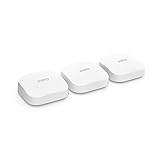
Overview: The eero Pro 6E marks Amazon’s flagship entry into WiFi 6E mesh networking, covering 6,000 square feet with a three-pack system. Designed for seamless integration with Alexa and Amazon smart home ecosystems, it supports internet plans up to 2.5 Gbps through its multi-gig WAN port. The system uses TrueMesh technology for dynamic routing and handles over 100 connected devices. It’s engineered for users prioritizing simplicity and ecosystem integration over granular control.
What Makes It Stand Out: Deep Amazon integration sets eero apart, with Alexa voice commands for network management and automatic pairing with Ring devices. The TrueMesh algorithm continuously optimizes traffic paths for minimal latency. Setup takes minutes through the intuitive eero app, which provides clear visual feedback on network health. The system includes a 2.5 Gbps port for gigabit+ internet, a feature often reserved for premium competitors. eero’s regular security updates and simple interface appeal to non-technical users.
Value for Money: At $450, the eero Pro 6E commands a premium price, competing directly with high-end WiFi 7 systems. While performance is solid, you’re paying significantly for the eero brand and ecosystem integration. The three-pack costs 80% more than TP-Link’s comparable XE75 three-pack, making it hard to justify on specs alone. Advanced features like ad-blocking and parental controls require a $10/month subscription, further increasing long-term costs.
Strengths and Weaknesses: Strengths: Exceptional user experience; robust Amazon integration; stable TrueMesh performance; regular updates; straightforward setup.
Weaknesses: Very expensive; subscription required for advanced features; fewer Ethernet ports; less coverage per dollar than competitors; limited advanced settings.
Bottom Line: Choose eero Pro 6E if you’re deeply invested in Amazon’s ecosystem and value simplicity above all. For performance-focused buyers, TP-Link alternatives offer better value without sacrificing capability.
6. TP-Link Deco X55 AX3000 WiFi 6 Mesh System - Covers up to 6500 Sq.Ft, Replaces Wireless Router and Extender, 3 Gigabit Ports per Unit, Supports Ethernet Backhaul, Deco X55(3-Pack)

Overview: The TP-Link Deco X55 AX3000 is a robust WiFi 6 mesh system designed to blanket homes up to 6,500 square feet with reliable wireless coverage. This three-pack configuration replaces traditional routers and extenders, offering seamless roaming throughout your space. With support for up to 150 connected devices and three Gigabit Ethernet ports per unit, it caters to modern smart homes with extensive connectivity needs.
What Makes It Stand Out: The Deco X55 excels with its generous port configuration—nine total Gigabit ports across the three-pack—enabling extensive wired backhaul options and device connections without additional switches. Its CISA Secure-by-Design commitment provides enterprise-grade security standards rarely seen at this price point. The system’s ability to handle 150 devices simultaneously makes it ideal for IoT-heavy households, while the dedicated backhaul channel ensures consistent performance even with multiple 4K streams.
Value for Money: At $152.99, the Deco X55 delivers exceptional value, costing significantly less than competing WiFi 6 systems while offering superior coverage and device capacity. The three-pack configuration effectively serves larger homes that would otherwise require expensive enterprise equipment. With free lifetime security updates and no subscription fees, it’s more economical than Eero or Nest alternatives that lock features behind paywalls.
Strengths and Weaknesses: Strengths: Extensive 6,500 sq ft coverage; nine Gigabit ports for wired flexibility; supports 150 devices; no subscription required; strong security commitment; easy setup via Deco app.
Weaknesses: Lacks WiFi 6E support; only dual-band limits backhaul options compared to tri-band systems; throughput capped at AX3000 may bottleneck gigabit-plus internet plans; mobile app requires account registration.
Bottom Line: The Deco X55 is an outstanding choice for large homes needing reliable, secure WiFi 6 coverage without breaking the bank. Its port abundance and device capacity outweigh the lack of 6E support for most users.
7. Google Nest WiFi Pro - 6E - Reliable Home Wi-Fi System with Fast Speed and Whole Home Coverage - Mesh Router - 3 Pack - Snow

Overview: Google’s Nest WiFi Pro represents the cutting edge of consumer mesh networking with WiFi 6E technology, delivering speeds up to twice as fast as WiFi 6 systems. This three-pack blankets up to 6,600 square feet with a reliable, self-optimizing network that intelligently prioritizes traffic for video calls and streaming. The sleek snow-white design integrates discreetly into any home decor while providing enterprise-level performance.
What Makes It Stand Out: The Nest WiFi Pro’s automatic network optimization sets it apart, using machine learning to prioritize video conferencing and high-bandwidth applications without manual configuration. Its WiFi 6E capability unlocks the uncongested 6GHz band, delivering pristine performance for compatible devices. The system’s ability to intelligently manage network activity at the edge ensures consistent speeds even in distant corners, while the Google Home ecosystem integration offers seamless smart home control.
Value for Money: Priced at $215.93, the Nest WiFi Pro commands a premium but justifies it with WiFi 6E support and intelligent automation. While more expensive than WiFi 6 alternatives, it’s $50-100 cheaper than comparable WiFi 6E systems from Netgear or Asus. The lack of subscription fees for core features enhances long-term value, though power users may miss advanced configuration options found in other platforms.
Strengths and Weaknesses: Strengths: WiFi 6E future-proofing; intelligent automatic optimization; up to 6,600 sq ft coverage; elegant minimalist design; no subscription fees; excellent edge performance; Google ecosystem integration.
Weaknesses: Not backward compatible with older Google WiFi hardware; limited Ethernet ports (only two per unit); lacks advanced manual controls; higher price point; setup requires Google account.
Bottom Line: The Nest WiFi Pro is ideal for users prioritizing simplicity and future-proofing. Its intelligent management and WiFi 6E support make it worth the premium for tech-forward households wanting hassle-free excellence.
8. TP-Link Deco XE75 Pro AXE5400 Tri-Band WiFi 6E Mesh System - 2.5G WAN/LAN Port, Covers up to 5500 Sq.Ft, Replaces WiFi Router and Extender, AI-Driven Mesh, New 6GHz Band, 2-Pack

Overview: The Deco XE75 Pro brings WiFi 6E tri-band performance to mainstream consumers, covering 5,500 square feet with cutting-edge AXE5400 speeds. This two-pack system features a dedicated 6GHz band that serves as an ultra-fast backhaul while simultaneously supporting WiFi 6E devices. With a 2.5Gbps WAN/LAN port and AI-driven mesh optimization, it’s engineered for gigabit-plus internet subscribers seeking maximum throughput.
What Makes It Stand Out: The 2.5Gbps port is a game-changer, allowing users to fully utilize multi-gigabit internet plans without bottlenecking at the router. The tri-band design with a dedicated 6GHz backhaul delivers superior performance compared to dual-band WiFi 6 systems, maintaining full speed even under heavy load. TP-Link’s AI-driven mesh technology continuously optimizes connections, while the CISA security pledge ensures robust protection. The system supports 200 devices, making it ideal for smart home enthusiasts.
Value for Money: At $219.99, the Deco XE75 Pro offers remarkable value for a WiFi 6E system with multi-gigabit support. Competing tri-band WiFi 6E systems from Asus or Netgear cost $300-400 for similar coverage. The inclusion of a 2.5Gbps port typically reserved for premium enterprise equipment makes this a cost-effective upgrade path for fiber internet users. The two-pack design reduces clutter while maintaining excellent coverage.
Strengths and Weaknesses: Strengths: Dedicated 6GHz band for backhaul; 2.5Gbps multi-gig port; supports 200 devices; AI optimization; excellent security commitment; true tri-band performance; future-proof WiFi 6E.
Weaknesses: Higher price than WiFi 6 alternatives; two-pack may leave gaps in sprawling layouts; limited to two Ethernet ports per unit; 5,500 sq ft coverage less than some dual-band options.
Bottom Line: The Deco XE75 Pro is the best value in WiFi 6E mesh systems, perfect for multi-gigabit internet users who demand cutting-edge performance without paying enterprise prices. The 2.5Gbps port alone justifies the investment.
9. Amazon eero 6 mesh wifi system - Supports internet plans up to 500 Mbps, Coverage up to 4,500 sq. ft., Connect 75+ devices, 3-pack (1 router + 2 extenders)

Overview: The Amazon eero 6 mesh system delivers straightforward WiFi 6 coverage for mid-sized homes up to 4,500 square feet. This three-pack configuration includes one primary router and two extenders, supporting internet plans up to 500 Mbps and managing 75+ connected devices. Designed for simplicity, it integrates seamlessly with Alexa and doubles as a Zigbee smart home hub, reducing the need for separate bridge devices.
What Makes It Stand Out: Eero’s hallmark is its dead-simple setup and management via the intuitive mobile app, which guides users through installation in under 10 minutes. The built-in Zigbee hub is a standout feature, allowing direct control of compatible smart lights, locks, and sensors without additional hardware. TrueMesh technology dynamically optimizes routing paths, while automatic updates ensure security without user intervention. The system’s ability to work as a unified network with eero Beacon extenders provides flexible expansion options.
Value for Money: At $199.99, the eero 6 sits in a competitive mid-range price point, though it offers less raw performance than similarly priced alternatives. The value proposition hinges on its ecosystem integration—Zigbee hub functionality saves $30-50 on separate hubs. However, the 500 Mbps speed cap and 75-device limit constrain future growth. Unlike TP-Link, eero pushes eero Plus subscriptions ($9.99/month) for advanced security and parental controls, reducing long-term value.
Strengths and Weaknesses: Strengths: Exceptionally easy setup; built-in Zigbee smart home hub; stable mesh performance; compact design; automatic updates; excellent customer support; Alexa integration.
Weaknesses: Capped at 500 Mbps; supports only 75 devices; fewer Ethernet ports; advanced features require subscription; less coverage than competitors at same price; not ideal for gigabit internet.
Bottom Line: The eero 6 is perfect for Alexa-centric households wanting simple, reliable WiFi with smart home integration. However, its performance limitations and subscription model make it less appealing for power users or those with faster internet plans.
10. TP-Link Deco X15 Dual-Band AX1500 WiFi 6 Mesh Wi-Fi System | Replaces Routers and Extenders | Covers up to 5,600 sq.ft. | 2 Gigabit Ports per Unit, Supports Ethernet Backhaul, 3-Pack

Overview: The Deco X15 offers an affordable entry into WiFi 6 mesh networking, covering 5,600 square feet with AX1500 speeds. This three-pack system provides seamless connectivity for up to 120 devices, making it an excellent choice for budget-conscious households upgrading from older WiFi 5 equipment. Despite its lower price point, it maintains TP-Link’s commitment to security and includes Ethernet backhaul support for improved performance.
What Makes It Stand Out: The Deco X15’s primary differentiator is its aggressive pricing combined with impressive coverage—5,600 square feet from a three-pack under $120 is unmatched in the WiFi 6 category. It supports dynamic backhaul optimization, automatically selecting the best band for inter-node communication. The system includes TP-Link’s CISA security pledge, providing enterprise-grade protection typically absent in budget networking gear. Each unit’s two Gigabit ports enable wired connections for gaming consoles or streaming devices without requiring a separate switch.
Value for Money: At $114.98, the Deco X15 is arguably the best value mesh system available. It costs 40% less than Amazon’s eero 6 while offering 25% more coverage and support for 60% more devices. The lack of subscription fees and inclusion of lifetime security updates makes it exceptionally economical long-term. While AX1500 speeds won’t saturate gigabit connections, it’s perfectly matched for internet plans up to 300 Mbps, serving the needs of most households.
Strengths and Weaknesses: Strengths: Unbeatable price; extensive 5,600 sq ft coverage; supports 120 devices; no subscription fees; strong security commitment; Ethernet backhaul support; simple app management.
Weaknesses: AX1500 speeds limit performance for gigabit internet; only dual-band; fewer Ethernet ports than premium models; basic feature set; not ideal for heavy 4K streaming across multiple devices.
Bottom Line: The Deco X15 is the go-to choice for budget-focused buyers wanting reliable WiFi 6 coverage without compromises on security or device capacity. It’s perfect for average households where cost matters more than bleeding-edge speed.
Understanding the Wi-Fi 6E Revolution
The leap from Wi-Fi 6 to Wi-Fi 6E isn’t just an incremental upgrade—it’s a fundamental expansion of the wireless frontier. While Wi-Fi 6 introduced efficiency improvements through technologies like OFDMA and MU-MIMO, Wi-Fi 6E unlocks the pristine 6GHz spectrum, offering seven new 160MHz channels that are virtually interference-free in most residential areas. This clean spectrum becomes your mesh network’s secret weapon against congestion, especially in dense urban environments where 2.4GHz and 5GHz bands have become digital traffic jams.
What Makes Wi-Fi 6E Different
The 6GHz band doesn’t just add more lanes to the highway; it creates an entirely new expressway with stricter entry requirements. Only Wi-Fi 6E certified devices can access this spectrum, which means your legacy devices won’t clog it up. For mesh systems, this translates to dedicated backhaul possibilities that don’t compete with your client devices. The lower latency—often sub-3ms in real-world conditions—makes a tangible difference for AR/VR applications and competitive gaming, while the increased channel width supports multi-gigabit wireless transfers that were previously only possible with wired connections.
Why Mesh Topology Dominates Dead Zone Elimination
Single-router solutions, even with beamforming and high-gain antennas, obey the laws of physics: radio waves attenuate through walls, floors, and reflective surfaces. Mesh topology sidesteps this limitation by creating a fabric of interconnected nodes that cooperate rather than compete. Each node acts as both client access point and backhaul relay, dynamically routing traffic through the most efficient path. In 2026’s implementations, intelligent path selection algorithms can switch routes in under 100 milliseconds when they detect interference or node failure, creating a self-healing network that traditional extenders and powerline adapters simply cannot replicate.
Key Performance Indicators That Actually Matter
Manufacturers love to plaster “AXE11000” and “10.8 Gbps” on packaging, but these theoretical maximums rarely reflect your Tuesday night Netflix binge. Focus instead on metrics that impact daily usage: sustained throughput under load, handoff latency between nodes, and backhaul efficiency when multiple hops are required. A system that delivers consistent 800 Mbps to every corner of your home beats one that peaks at 3 Gbps next to the main router but drops to 50 Mbps in the master bedroom.
Tri-Band Architecture: The Non-Negotiable Foundation
Any Wi-Fi 6E mesh worth considering in 2026 must be true tri-band, not dual-band with a 6GHz sticker. This means simultaneous operation on 2.4GHz, 5GHz, and 6GHz radios. The critical distinction lies in backhaul flexibility: premium systems allow you to designate any band for backhaul duty, or even split backhaul across multiple bands for redundancy. Avoid systems that share the 6GHz band between backhaul and client devices without dynamic allocation—you’ll quickly discover that your shiny new 6GHz-capable laptop can’t connect because the mesh is monopolizing that spectrum for inter-node communication.
Backhaul Strategy: Wired vs. Wireless Explained
Wireless backhaul offers unbeatable convenience, but its performance varies dramatically based on implementation. Dedicated wireless backhaul using the 6GHz band with 4x4 MIMO configuration can sustain 2-3 Gbps real-world speeds, sufficient for most homes. However, Ethernet backhaul remains the gold standard for performance and reliability. Look for systems with at least 2.5GbE ports on every node, not just the primary router. Some cutting-edge systems now support 10GbE backhaul, future-proofing for multi-gig internet plans and NAS-heavy workflows. The sweet spot for 2026: hybrid systems that automatically fall back to wireless backhaul if an Ethernet link fails, ensuring uninterrupted coverage during cable faults.
Channel Width and Spectrum Utilization
The 6GHz band’s seven 160MHz channels sound generous until you realize that DFS (Dynamic Frequency Selection) regulations may restrict three of them in your region. Sophisticated mesh systems continuously scan for radar interference and can bond channels dynamically—perhaps using 160MHz width when clear, then intelligently splitting into two 80MHz channels if radar is detected. This adaptive spectrum management happens without dropping connections, a hallmark of premium firmware. Additionally, examine how the system handles channel selection across nodes: the best systems coordinate to use non-overlapping channels on each band, minimizing self-interference.
Coverage Calculations: Sizing Your Network Properly
That “5,000 sq ft coverage” claim assumes optimal node placement in an open-concept, drywall-only environment with nodes mounted at ceiling height. Your century-old home with plaster lathe walls and a metal chimney laughs at such estimates. Real coverage depends on wall composition, node height, and interference sources.
The Square Footage Fallacy
Instead of relying on manufacturer coverage numbers, calculate based on signal propagation through your specific barriers. A single mesh node typically covers 1,500-2,000 sq ft in modern wood-frame construction, but that drops to 800-1,200 sq ft in homes with concrete, brick, or foil-backed insulation. Each additional node extends coverage by roughly 60-70% of the previous node’s range due to overlapping coverage requirements. For a 3,500 sq ft two-story home with interior masonry walls, plan for three nodes minimum, potentially four if you want consistent 6GHz coverage throughout.
Node Placement Science
The optimal node placement follows a “two-wall rule”: position nodes so the signal passes through no more than two major obstacles (walls, floors) to reach client devices. Elevate nodes to chest height or higher—signals propagate better downward than upward due to floor attenuation. Avoid placing nodes near metal objects, aquariums, or mirrors. For multi-story homes, stagger nodes vertically in a zigzag pattern rather than stacking them directly above each other. This creates diagonal signal paths that better penetrate floor/ceiling assemblies. The best mesh systems include signal strength meters in their setup apps, showing real-time link quality between nodes to guide placement.
Speed vs. Capacity: Understanding Real-World Performance
Raw speed numbers dazzle on spec sheets, but capacity determines how your network behaves when everyone is online. A system might advertise 10 Gbps aggregate throughput, but if it can only handle 30 concurrent devices efficiently, your smart home will choke.
Decoding Mbps Ratings
Look beyond the “AXE” number to understand per-band capabilities. An AXE11000 rating breaks down to roughly 1.2 Gbps on 2.4GHz, 4.8 Gbps on 5GHz, and 4.8 Gbps on 6GHz—all theoretical. Real-world TCP throughput is typically 60-70% of these rates due to protocol overhead, interference, and distance. More telling is the per-stream performance: 4x4 MIMO on 6GHz with 1024-QAM modulation delivers about 600 Mbps per stream. If a node only supports 2x2 MIMO on its client-facing radios, you’re leaving significant capacity on the table, especially for 6GHz devices that could otherwise use 4x4.
Concurrent Device Handling
OFDMA (Orthogonal Frequency Division Multiple Access) is Wi-Fi 6/6E’s secret sauce for device density. It allows a single channel to serve multiple devices simultaneously by dividing the channel into resource units. However, implementation quality varies: premium systems support OFDMA on all three bands and can allocate resource units as small as 2MHz, maximizing efficiency for IoT devices. Budget systems may only enable OFDMA on the 5GHz band or use larger minimum resource units, reducing efficiency. For homes with 50+ devices, prioritize systems that advertise “full tri-band OFDMA” and provide visibility into resource unit allocation in their management interface.
Security and Privacy in the 6GHz Era
The 6GHz band’s exclusivity to WPA3-capable devices eliminates the weakest security links from your network—no more WPA2 vulnerabilities or WEP holdouts. But not all WPA3 implementations are equal.
WPA3 and Enhanced Open Standards
WPA3-Personal uses Simultaneous Authentication of Equals (SAE), preventing offline dictionary attacks. WPA3-Enterprise offers even stronger security for power users. The real differentiator is Opportunistic Wireless Encryption (OWE), also called Enhanced Open, which encrypts traffic even on open networks without requiring a password—perfect for guest networks. Leading mesh systems go further with per-device passkeys, allowing you to give each smart home device unique credentials. This segmentation means a compromised IoT camera can’t be used to sniff traffic from your work laptop.
Network Segmentation Strategies
Advanced mesh systems support multiple SSIDs with VLAN tagging, letting you create isolated networks for IoT devices, guests, and primary users. Some automatically detect device types and suggest appropriate network placement. The most sophisticated options integrate with your existing firewall rules, allowing you to restrict IoT devices to only communicate with specific cloud services while blocking all local network access. This micro-segmentation is crucial for privacy, preventing your smart thermostat from scanning your NAS for sensitive documents.
Smart Management and Quality of Service
Gone are the days of logging into a clunky web interface from your desktop. Modern mesh management happens on your phone, but the depth of control varies enormously.
AI-Driven Optimization
Machine learning now powers dynamic QoS, traffic shaping, and channel selection. These systems analyze usage patterns—identifying when your work VPN needs priority, when gaming latency matters most, and when to throttle background cloud photo uploads. The key question is transparency: does the AI explain its decisions? The best systems show you which devices are prioritized and why, and allow you to override decisions. Beware black-box AI that makes mysterious changes without user visibility—you might find your video conferencing app deprioritized during your biggest client presentation because the algorithm decided your roommate’s game streaming was more important.
App-Controlled vs. Browser-Based Management
While apps offer convenience, they sometimes sacrifice advanced features. Ideal systems provide both: a polished mobile app for daily monitoring and a full-featured web GUI for power users. Check if the app works locally without cloud dependency—some systems become unmanageable during internet outages, which is precisely when you might need to diagnose problems. Offline management capability is a hallmark of robust engineering.
Future-Proofing Your Investment
Wi-Fi standards evolve, but your hardware shouldn’t become obsolete in 18 months. Smart design choices separate long-term assets from short-term stopgaps.
Matter and Thread Integration
By 2026, Matter has become the dominant smart home standard, and Thread forms its mesh backbone. Premium Wi-Fi 6E systems now include built-in Thread border routers, eliminating the need for separate hubs for your smart locks, lights, and sensors. This integration reduces network clutter and provides a single pane of glass for managing both Wi-Fi and Thread networks. Check for firmware commitments: manufacturers promising Matter/Thread updates for existing hardware demonstrate a future-proofing philosophy.
Firmware Update Philosophy
Security vulnerabilities and performance optimizations emerge constantly. Investigate the manufacturer’s track record: do they provide updates for 3+ years? Do they release security patches within 30 days of CVE disclosure? Some brands now offer “extended support” subscriptions for enterprise-grade SLA on updates. Open-source firmware support (like OpenWrt compatibility) can extend a device’s useful life indefinitely, though this voids warranties. For most users, a brand with a proven history of timely, non-disruptive updates is the safer bet.
Budget Considerations and Total Cost of Ownership
Sticker price is just the beginning. Factor in subscription costs for advanced security features, cloud storage for network analytics, and potential node additions. A $600 three-pack that covers your home perfectly offers better value than a $400 two-pack that requires a $200 expansion node six months later.
Calculate cost per square foot of effective coverage, not advertised coverage. Also consider power consumption: efficient systems use 8-12W per node idle, while power-hungry models can draw 20W+, adding $5-10 per node annually to your electricity bill. Over a 5-year lifespan, this difference becomes significant.
Common Pitfalls to Avoid
Don’t fall for “gaming mesh” marketing that prioritizes aesthetics over antenna design. LED-laden nodes often have compromised RF performance due to metallic coatings and suboptimal antenna placement. Another trap: buying based on maximum node count. Some systems support 6+ nodes but suffer from management overhead and synchronization issues beyond three nodes. Start with the minimum viable configuration—you can always add nodes, but removing them from an over-meshed network can be tricky.
Beware of systems requiring cloud accounts for basic functionality. While convenient, this creates privacy concerns and potential bricking if the manufacturer discontinues service. Local-only operation modes are increasingly important for privacy-conscious users.
Professional Installation vs. DIY Setup
Most Wi-Fi 6E mesh systems promise “setup in minutes,” and many deliver. However, complex homes with structured wiring, PoE requirements, or integrated smart home systems benefit from professional installation. Certified installers perform site surveys using spectrum analyzers, identify interference sources you might miss, and optimize channel plans. They can also integrate the mesh with existing enterprise-grade switches and firewalls. The cost—typically $150-300—pays dividends in performance and troubleshooting avoidance. For straightforward layouts, DIY is fine, but if you’re investing in a premium system, professional optimization ensures you extract every dollar of performance.
Frequently Asked Questions
Will my older devices slow down my Wi-Fi 6E mesh network?
No, Wi-Fi 6E mesh systems use separate radios for each band, so your 2.4GHz-only smart plug can’t impact 6GHz performance. However, all devices share the same internet connection, so a 2.4GHz device streaming cloud video could saturate your WAN link. Modern QoS prevents this by prioritizing traffic types, not just bands.
How many nodes do I really need for a three-story townhouse?
Start with one node per floor, placed centrally on the middle floor for the primary router. For townhouses with narrow floorplans (under 800 sq ft per floor), two nodes might suffice if you can position them to cover two floors each. Always budget for one extra node—wireless propagation is unpredictable until you test in your actual space.
Is the 6GHz band really worth it if I only have a few 6E devices?
Absolutely. Even with one 6E device, using the 6GHz band for dedicated wireless backhaul frees the 5GHz band entirely for client devices, dramatically improving performance for all your Wi-Fi 6 and older gear. The 6GHz band’s value isn’t just about connecting new devices—it’s about network architecture.
Can I mix different brands of Wi-Fi 6E mesh nodes?
Generally no. Mesh protocols are proprietary, and even standards-based EasyMesh implementations rarely deliver seamless roaming across brands. Stick to one ecosystem. However, you can use a Wi-Fi 6E mesh system alongside a different brand’s router in bridge mode, though you’ll lose some advanced features.
What’s the realistic lifespan of a Wi-Fi 6E mesh system?
Expect 5-7 years of optimal performance. While the hardware may function longer, security updates typically cease after 3-5 years, and new standards (Wi-Fi 7 is already emerging) will eventually outpace the hardware. Budget for replacement around year 5 to maintain security and compatibility.
Do mesh systems work with fiber internet and static IP addresses?
Yes, all premium mesh systems support static IP WAN configuration and work seamlessly with fiber ONTs. Ensure the primary node has a 2.5GbE or faster WAN port to avoid bottlenecking gigabit+ fiber plans. Some systems even support dual-WAN failover if you have backup internet.
How do I know if my dead zones are caused by coverage or interference?
Use the mesh system’s signal strength meter during setup. If you see strong signal but poor throughput, it’s interference. If you see weak signal, it’s coverage. For deeper analysis, Wi-Fi analyzer apps can identify channel congestion. Premium mesh systems include built-in spectrum analysis tools that log interference patterns over time.
Will a mesh system eliminate my need for Ethernet wiring?
Not entirely. While wireless backhaul has improved, Ethernet still delivers superior reliability and lower latency for stationary devices like desktop PCs, NAS units, and gaming consoles. Think of mesh as minimizing the need for wiring, not replacing it entirely. The best setups use Ethernet for critical devices and wireless mesh for mobility.
Are there health concerns with adding more wireless nodes throughout my home?
Wi-Fi 6E mesh nodes operate at low power (typically under 30dBm EIRP) and follow strict FCC/ICNIRP safety guidelines. The total RF exposure in a mesh-equipped home is actually lower than with a single high-power router because devices can use lower transmit power when closer to a node. No credible studies have shown health risks at these power levels.
What happens if one mesh node fails?
Properly designed mesh networks are resilient. If a node fails, traffic automatically reroutes through alternate paths within seconds. You might experience slightly reduced coverage or speed in the area that node served, but the rest of the network continues functioning. Some systems send immediate alerts to your phone when a node goes offline, allowing quick replacement.