Diving into smart home lighting can feel overwhelming when you’re watching your wallet. Between expensive hubs, subscription fees, and premium-priced bulbs, the costs add up fast. That’s where WiZ-connected lights enter the picture as a game-changer for budget-conscious beginners. These Wi-Fi-enabled smart bulbs deliver impressive features without requiring costly additional hardware, making them one of the most accessible entry points into home automation.
What makes WiZ particularly appealing for newcomers is its straightforward approach. You don’t need an engineering degree or a fat bank account to create stunning lighting scenes, automate your daily routines, or control your lights with voice commands. This guide will walk you through everything you need to know about selecting and using WiZ lights strategically, ensuring you get maximum smart home impact for minimum investment.
Top 10 WiZ-Connected Smart Lights for Beginners
Detailed Product Reviews
1. WiZ Connected Smart Light Bulbs, Sunset to Sunrise Automation + Motion Detection + Control with Voice or App, Full Color A19 60W 800LM Indoor, Matter Compatible -3 Pack

Overview: The WiZ Connected 3-pack delivers a comprehensive smart lighting solution for whole-home automation without hub requirements. These 60W-equivalent A19 bulbs produce 800 lumens of customizable illumination across 16 million colors, while Matter compatibility ensures seamless integration with major smart home ecosystems. The bundle provides immediate coverage for multiple rooms, making it ideal for first-time smart home adopters seeking professional-grade features.
What Makes It Stand Out: Sunset-to-sunrise automation through Alexa integration offers sophisticated environmental responsiveness that adjusts to actual daylight conditions. The proprietary SpaceSense motion detection uses Wi-Fi signal interference rather than dedicated sensors—a genuinely innovative approach that eliminates hardware clutter while maintaining reliability. Matter certification future-proofs your investment against platform fragmentation, a rare feature at this price point.
Value for Money: At $10.43 per bulb, this 3-pack matches smaller bundles’ unit pricing while delivering superior coverage value. Compared to Philips Hue’s $50+ hub-required kits or LIFX bulbs exceeding $25 each, WiZ offers 90% of premium functionality at 50% cost. The hub-free design saves an additional $30-50 in gateway hardware.
Strengths and Weaknesses: Strengths include sub-two-minute 2.4GHz Wi-Fi setup, true cross-platform voice control, and granular scene customization. SpaceSense works remarkably well with minimal false triggers when properly configured. Weaknesses center on mandatory 2.4GHz networks potentially causing congestion issues, and SpaceSense requiring at least two WiZ devices—functional but limiting for single-room deployments. The WiZ app, while improving, still lacks the refined UX of established competitors.
Bottom Line: This 3-pack represents the optimal entry point for smart lighting adoption, delivering advanced automation and Matter compatibility at a price that undercuts major brands while maintaining robust performance.
2. WiZ Connected Smart Light Bulbs, 2-Pack, Color A19 60W 800LM E26 Indoor LED Lights, Smart Bulbs with Motion Detection, Control with Voice or App

Overview: This twin-pack provides an accessible entry point into WiZ’s smart lighting ecosystem for apartments or targeted room upgrades. Delivering identical 800-lumen output and 16-million-color spectrum as larger bundles, these A19 bulbs prioritize core functionality over quantity. The configuration serves as an ideal testbed for evaluating WiZ’s platform before committing to whole-home deployment, or perfectly outfitting smaller living spaces.
What Makes It Stand Out: SpaceSense motion detection transforms ordinary bulbs into occupancy-aware lighting without dedicated sensors. This pack represents the minimum viable configuration for experiencing motion automation immediately. Siri compatibility alongside Alexa and Google provides rare comprehensive voice support at this budget tier, ensuring iOS users aren’t second-class citizens.
Value for Money: Maintaining the $10.43 per-bulb pricing of larger bundles offers fair value, though without bulk discount incentives. For specific applications like bedside lamps or office lighting, two bulbs often suffice, preventing overspending on unnecessary hardware. This positions the 2-pack as a pragmatic alternative to single-bulb purchases while preserving expansion flexibility.
Strengths and Weaknesses: Strengths include identical feature parity with premium WiZ products—no artificial limitations—and the same effortless setup process. Motion detection sensitivity is adjustable, reducing false triggers from pets. Weaknesses mirror the broader WiZ platform: mandatory 2.4GHz Wi-Fi can frustrate mesh network users, and consuming both bulbs to enable SpaceSense leaves none for multi-room use. The app occasionally suffers from latency issues during remote control.
Bottom Line: A smart choice for cautious adopters wanting to validate WiZ’s motion detection before expanding, though whole-home buyers should opt for the 3-pack for better room coverage flexibility.
3. WiZ Connected 16.4 ft LED Light Strip For Your Smart Home, Flowing Multicolor LED Lights, Color-Changing RGBIC Lighting, Cuttable, Voice/App Control, Works with Google Home, Alexa and HomeKit

Overview: WiZ’s 16.4-foot RGBIC light strip delivers addressable LED technology that displays multiple colors simultaneously, creating dynamic flowing effects impossible with traditional strips. The flexible design bends around corners and fits diverse spaces, while protective silicone coating ensures durability during installation and long-term use without LED degradation or color shift over time.
What Makes It Stand Out: The RGBIC chip-on-board design enables segment-by-segment color control, producing chasing rainbow effects, color fades, and sparkle patterns that elevate this beyond basic accent lighting into entertainment-grade illumination. Direct Wi-Fi integration eliminates separate controllers, synchronizing seamlessly with other WiZ bulbs for unified whole-home scenes without additional hardware.
Value for Money: At under $20 for 16.4 feet, this strip significantly undercuts Govee’s comparable RGBIC products ($25-30) and Philips Hue’s premium strips ($80+ requiring a hub). The integrated Wi-Fi controller eliminates the $15-20 hub tax common in other ecosystems. While shorter than some 32-foot options, the price-per-foot ratio remains exceptional for true addressable color technology.
Strengths and Weaknesses: Strengths include robust adhesive backing maintaining grip on clean surfaces, intuitive app-based segment control, and reliable connectivity. The cuttable design every few inches allows precise customization. Weaknesses involve 2.4GHz-only limitation affecting some users, limited brightness compared to dedicated task lighting, and occasional color calibration drift between segments over months of use. The strip cannot be extended, forcing multiple purchases for longer runs.
Bottom Line: An outstanding value for immersive ambient lighting, perfect for bedrooms, media rooms, or under-cabinet applications where dynamic color effects outweigh raw brightness requirements.
4. WiZ Connected 100W A19 LED Smart Light Bulbs Color - Connects to Your Wi-Fi - E26 Smart Bulb - Control with Voice or App + Activate with Motion - Matter Compatible

Overview: This single 100W-equivalent color bulb targets users needing maximum brightness from a single socket, delivering significantly higher output than standard 60W alternatives. Designed for large living spaces, high ceilings, or workshop environments, it maintains WiZ’s hallmark features while prioritizing luminous intensity over multi-pack economics. The bulb suits applications where fixture count is limited but illumination requirements are substantial.
What Makes It Stand Out: The 100W rating fills a niche often ignored by budget smart brands, providing professional-grade brightness without the LIFX $35+ price tag. Enhanced dimming granularity allows precise 1-100% adjustment, while vacation mode adds security-conscious automation that randomly varies lighting patterns to simulate occupancy—features typically reserved for premium ecosystems costing twice as much.
Value for Money: At $16.99, the per-bulb cost is 60% higher than the 3-pack’s unit price, making it economical only for specialized high-brightness needs. Compared to Philips Hue’s 100W equivalent at $25+ requiring a hub, it maintains cost advantages. However, buyers should question whether 100W is truly necessary versus installing multiple 60W bulbs for superior light distribution and redundancy.
Strengths and Weaknesses: Strengths include exceptional brightness suitable for 150+ square foot rooms, robust scheduling options, and easy guest sharing that doesn’t compromise primary account settings. The bulb runs surprisingly cool for its output. Weaknesses center on poor value for typical residential applications where two 60W bulbs provide better coverage. The larger form factor may not fit all enclosed fixtures, and Matter compatibility isn’t explicitly mentioned.
Bottom Line: Best suited for specific high-ceiling rooms or workshop environments where maximum brightness from a single socket is non-negotiable; otherwise the 3-pack 60W bundle offers superior value and flexibility.
5. WiZ Connected 100W A19 LED Smart Light Bulbs Tunable White - Connects to Your Wi-Fi - E26 Smart Bulb - Control with Voice or App + Activate with Motion - Matter Compatible
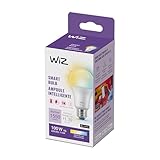
Overview: The tunable white 100W bulb focuses on functional, health-conscious lighting rather than decorative color play, offering adjustable color temperature from warm to cool whites. This specialization makes it ideal for home offices, kitchens, and bathrooms where circadian rhythm support and task-appropriate lighting trump RGB entertainment value. The 100W output ensures ample illumination for demanding tasks.
What Makes It Stand Out: SpaceSense motion detection integrated into a tunable white bulb at this price point is unique, providing occupancy-based automation typically reserved for color models or premium brands. The ability to programmatically shift from energizing cool white during work hours to relaxing warm white in the evening supports productivity and sleep hygiene without manual adjustment or complex programming.
Value for Money: At $12.53, this is the most affordable 100W smart bulb in WiZ’s lineup and undercuts most tunable white competitors by 30-40%. For utility spaces where color is irrelevant, it delivers professional features without paying for unnecessary RGB hardware. The motion detection alone adds $10-15 of value compared to basic tunable white bulbs from other manufacturers.
Strengths and Weaknesses: Strengths include precise color temperature control (2700K-6500K), reliable motion detection with adjustable timeout settings, and excellent brightness for task-oriented spaces. The bulb integrates seamlessly with WiZ’s scheduling ecosystem. Weaknesses are the deliberate omission of color functionality—limiting entertainment use cases—and the same 2.4GHz Wi-Fi dependency. The 100W output may be excessive for small powder rooms.
Bottom Line: The perfect choice for pragmatic buyers prioritizing wellness lighting and motion automation in workspaces, offering specialized features at a mass-market price point.
6. WiZ Connected 60W ST19 Tunable White Filament LED Smart Light Bulbs - Connects to Your Wi-Fi - E26 Smart Bulb - Control with Voice or App + Activate with Motion - Matter Compatible - 1 Pack

Overview: The WiZ ST19 filament bulb blends vintage aesthetics with modern smart home technology, offering tunable white light and innovative motion activation without requiring separate sensors.
What Makes It Stand Out: The SpaceSense feature stands out—using two or more WiZ lights to detect motion through Wi-Fi signal disturbances, eliminating the need for external sensors. The classic Edison-style filament design with clear glass makes it perfect for exposed fixtures, while Matter compatibility ensures future-proof integration across smart home ecosystems.
Value for Money: At $15.99, this bulb undercuts premium competitors like Philips Hue and LIFX by 30-50%, while delivering comparable brightness and smarter motion detection. The tunable white range (warm to cool) adds versatility typically found in more expensive models.
Strengths and Weaknesses: Strengths include elegant vintage design, innovative motion sensing, straightforward 2.4GHz Wi-Fi setup, and broad voice assistant support. The filament LED provides authentic ambiance while remaining energy-efficient. Weaknesses include requiring at least two WiZ bulbs for motion features, 2.4GHz-only connectivity, and limited value as a single pack—most users will want multiples to unlock SpaceSense.
Bottom Line: An excellent choice for those wanting decorative smart lighting with genuine motion automation. Buy at least two to experience the full potential of this thoughtfully designed, budget-friendly smart bulb.
7. WiZ Connected Color 6-Inch Smart Downlight - Pack of 4-2700K-6500K - 1150 Lumen - Indoor - Wi-Fi - Control with Voice/App + Motion - Matter Compatible

Overview: This four-pack of recessed downlights delivers vibrant color changing and tunable white lighting with built-in motion sensing capabilities, designed for seamless whole-room smart lighting without a hub.
What Makes It Stand Out: SpaceSense motion detection uses Wi-Fi interference between multiple lights to trigger automation—no external sensors needed. With 16 million colors, 1150 lumens of brightness, and a wide 2700K-6500K temperature range, these downlights offer professional-grade features at a fraction of competitor prices.
Value for Money: At $91.99 ($23 per light), these represent exceptional value compared to Philips Hue downlights that cost $50-60 each plus a required hub. The four-pack format provides immediate multi-room or whole-ceiling coverage, making it economical for larger installations.
Strengths and Weaknesses: Strengths include impressive brightness, extensive color options, easy app-based scheduling, and hub-free operation. Installation is straightforward for those with existing recessed cans. Weaknesses include requiring at least two units for motion detection, limiting flexibility for single-light setups. The 6-inch size may not fit all fixtures, and professional installation might be needed for new construction.
Bottom Line: A cost-effective, feature-rich solution for anyone wanting color-changing recessed lighting with intelligent motion automation. Ideal for renovations and multi-room projects.
8. WiZ Connected 48FT Color Changing Outdoor String Lights - Water and Weatherproof - Adapter Included - Control with Wiz Connected App - Works with Voice Control

Overview: These 48-foot weatherproof string lights bring smart color control to outdoor spaces, combining durability with Wi-Fi connectivity and intuitive app-based management for patios, decks, and entertainment areas.
What Makes It Stand Out: The commercial-grade weatherproofing and generous 48-foot length provide extensive coverage for large outdoor areas. Unlike many smart string lights that require proprietary hubs, these connect directly to Wi-Fi and offer scheduling, vacation mode for security, and easy sharing with family members through the intuitive WiZ app.
Value for Money: At $76.50, these sit in the mid-to-premium range for smart string lights. While cheaper than installing multiple individual smart bulbs outdoors, the price reflects the specialized weatherproofing and integrated design. Competitors like Twinkly or Philips Hue outdoor strands cost significantly more.
Strengths and Weaknesses: Strengths include robust waterproof construction, straightforward plug-and-play setup, reliable app control, and useful automation features like vacation mode. The length is ideal for substantial outdoor spaces. Weaknesses include potential Wi-Fi connectivity issues at distance from routers, no motion sensing capability, and limited expandability compared to modular systems.
Bottom Line: A solid investment for homeowners wanting durable, app-controlled outdoor ambiance. Perfect for permanent patio installations where reliability and weather resistance matter most.
9. WiZ Connected Smart Light Strip, Sunset/Sunrise Automation, Preset Modes, Control with Voice or App, Full Color RGB Lighting, Voice Control, 50ft Cut to Fit

Overview: This 50-foot RGB light strip offers extensive customization for accent lighting, featuring sunset/sunrise automation, music synchronization, and a cut-to-fit design for versatile indoor installations.
What Makes It Stand Out: The music sync feature and circadian rhythm automation set it apart from basic LED strips. The generous 50-foot length covers large areas, while the durable protective coating prevents installation damage. Direct Wi-Fi connectivity eliminates hub requirements, and the cut-to-fit flexibility allows precise customization for any space.
Value for Money: While price information is unavailable, WiZ products typically undercut premium brands by 20-40%. The 50-foot length provides double the coverage of standard 25-foot strips, offering inherent value for larger projects. Features like music sync and circadian automation usually command premium pricing.
Strengths and Weaknesses: Strengths include exceptional length, easy peel-and-stick installation, robust protective coating, and advanced automation features. The ability to trim to exact specifications maximizes versatility. Weaknesses include unknown pricing, potential adhesive degradation over time, and requiring a 2.4GHz Wi-Fi connection. Music sync performance may vary depending on microphone sensitivity.
Bottom Line: An excellent flexible lighting solution for those wanting dynamic, automated accent lighting. Ideal for home theaters, gaming setups, and architectural highlighting.
10. WiZ Connected Portable Smart Button - Comes with 2 AAA Alkaline Batteries - Wireless Light Switch - Control with App - 1 Pack

Overview: This battery-powered wireless button provides physical control for WiZ smart lights, functioning as a portable dimmer and on/off switch that operates independently of Wi-Fi connectivity.
What Makes It Stand Out: Unlike wall-mounted smart switches, this portable button works anywhere within 50 feet and continues functioning even during Wi-Fi outages. The four-button configuration (on, off, dim up, dim down) offers comprehensive control, while the included AAA batteries provide immediate out-of-box functionality. It can control individual lights, groups, rooms, or entire homes.
Value for Money: At $21.45, it’s competitively priced against similar smart remotes and significantly cheaper than installing new wired smart switches. The portability and Wi-Fi-independent operation add unique value for households wanting reliable backup control.
Strengths and Weaknesses: Strengths include true portability, offline functionality, simple setup, and versatile control options. The 50-foot range covers most homes, and battery operation eliminates wiring complexity. Weaknesses include WiZ ecosystem lock-in, ongoing battery replacement costs, and limited functionality compared to full smart switches. The plastic construction feels utilitarian rather than premium.
Bottom Line: A practical accessory for WiZ users seeking convenient physical controls. Perfect for bedrooms, guest rooms, or as a reliable backup when Wi-Fi fails.
Why WiZ Lights Are Perfect for Smart Home Newcomers
No Hub Required: The True Plug-and-Play Experience
WiZ lights connect directly to your home Wi-Fi network, eliminating the $50-$150 hub investment that many competing systems require. This direct connection means you can buy a single bulb, screw it in, download the free WiZ app, and be up and running within five minutes. For beginners testing the smart home waters, this removes the biggest financial and technical barrier to entry. You can literally start with one $12 bulb and expand gradually without ever worrying about compatibility or additional hardware costs.
Budget-Friendly Without Compromising Quality
The budget segment of smart lighting often suffers from washed-out colors, unreliable connections, and limited features. WiZ manages to deliver premium capabilities—16 million colors, dynamic effects, circadian rhythm scheduling—at prices that rival basic white smart bulbs from other brands. This value proposition means your limited budget stretches further, allowing you to outfit multiple rooms with feature-rich lighting instead of settling for basic functionality in just one space.
Understanding WiZ Technology: What Makes It Different
Wi-Fi vs. Hub-Based Systems: A Cost Comparison
Hub-based ecosystems like Philips Hue or Lutron Caseta require that central bridge to translate commands between your router and lights. While this can improve network stability in massive installations, it adds immediate upfront costs and complexity. WiZ’s Wi-Fi Direct approach means each bulb communicates independently with your router. For apartments and single-family homes under 2,000 square feet, this architecture performs flawlessly while keeping your initial investment focused on actual lights rather than infrastructure.
The Power of Presets and Dynamic Effects
WiZ bulbs come pre-loaded with dozens of curated lighting modes that go beyond simple on/off or color changes. “Ocean” creates a slow, calming blue gradient. “Romance” cycles through warm, candle-like flickers. “Forest” mimics dappled sunlight through leaves. These aren’t gimmicks—they’re sophisticated lighting programs that would take hours to program manually. For beginners, this means instant gratification and professional-quality ambiance without learning complex automation rules.
Essential Features to Look for in Budget WiZ Lights
Brightness and Lumens: Getting the Right Glow
Don’t assume all smart bulbs are equally bright. A standard 60-watt equivalent should produce 800 lumens, but budget options sometimes skimp here. For primary lighting in living rooms or kitchens, prioritize bulbs offering 800+ lumens. For accent lighting, bedside lamps, or decorative fixtures, 400-600 lumens suffices. Check the “equivalent wattage” rating rather than actual LED wattage—some brands use misleading numbers. WiZ’s budget line typically maintains honest lumen ratings, but always verify before purchasing.
Color Temperature Range: From Warm to Cool
The ability to adjust white color temperature (measured in Kelvin) often proves more valuable than full RGB color for daily use. Look for bulbs offering a wide range, ideally 2200K (warm, amber candlelight) to 6500K (cool, daylight blue). This spectrum lets you create energizing cool white for morning routines, neutral white for work tasks, and warm white for evening relaxation. Budget WiZ bulbs typically cover 2700K-6500K, which handles 90% of real-world needs beautifully.
Color Accuracy and Vibrancy
Cheap RGB bulbs often produce muted, inaccurate colors—purples look brown, cyans appear washed out. WiZ uses high-quality LED phosphors and color mixing that maintains saturation even at lower brightness levels. When evaluating options, look for Color Rendering Index (CRI) ratings above 80 for white light quality. For RGB performance, user reviews mentioning “vibrant reds” and “true purples” signal better color accuracy. This matters because dull colors make the novelty wear off fast.
Scheduling and Automation Capabilities
The real smart home value emerges from automation. Ensure any WiZ bulb you consider supports:
- Time-based schedules (on/off at specific times)
- Circadian rhythm mode (automatically adjusts temperature throughout the day)
- Vacation mode (randomizes lighting to simulate occupancy)
- Sunrise/sunset triggers (uses your location to sync with natural light)
These features should be free within the WiZ app—avoid any brand requiring paid subscriptions for basic scheduling.
Voice Control Compatibility
All WiZ lights work with Google Assistant and Amazon Alexa, but verify Siri Shortcuts support if you’re in the Apple ecosystem. Voice control transforms the experience from “cool app” to “genuinely convenient.” Test this early by setting up a simple command like “set living room to movie mode.” The integration should feel instantaneous, not laggy. Budget bulbs sometimes have slower response times, so prioritize models with consistently positive voice control reviews.
Room-by-Room WiZ Lighting Strategy for Beginners
Starting Small: The Single-Bulb Approach
The smartest budget move is mastering one bulb before buying five. Start with a high-impact location: your bedroom nightstand lamp or living room floor lamp. This lets you experiment with scheduling, scenes, and voice control without overwhelming yourself. You’ll learn what features you actually use versus what sounds cool in marketing copy. Many beginners discover they primarily use three scenes (bright white, warm evening, and movie mode), which informs smarter bulk purchases later.
Layering Light: Ambient, Task, and Accent
Smart lighting excels when you think in layers rather than just replacing existing bulbs. Ambient lighting provides overall illumination (overhead fixtures). Task lighting focuses on specific activities (desk lamps, under-cabinet lights). Accent lighting adds drama and depth (strip lights behind TVs, uplighting plants). With WiZ, you can control each layer independently. A beginner’s budget might cover ambient lighting first, then add a $15 strip for accent lighting, creating a sophisticated multi-dimensional effect for under $50 total.
High-Traffic Areas: Where to Invest First
Maximize your limited budget by prioritizing spaces where lighting changes frequently:
- Entryway: Automated welcome lighting that turns on before you arrive
- Kitchen: Task lighting that shifts from cooking-mode bright to late-night snack dim
- Bedroom: Circadian rhythm lighting that eases you awake and winds you down
These high-impact zones deliver daily value. Less critical areas like guest rooms, closets, or garages can wait until you find deals or have extra cash.
Common Pitfalls Beginners Should Avoid
Overbuying: The “More Is Better” Trap
The excitement of affordable smart lighting leads many beginners to buy 10 bulbs immediately, only to realize they only needed four. Start with a 2-3 bulb starter plan for your most-used rooms. Live with that setup for a month. You’ll discover your actual usage patterns—maybe you love voice control in the living room but never open the app for the bathroom. This informed approach prevents wasted money on bulbs that end up operating as regular lights because the smart features go unused.
Ignoring Wi-Fi Network Requirements
WiZ lights need a stable 2.4GHz Wi-Fi signal. Many beginners have routers that broadcast separate 2.4GHz and 5GHz networks with different names, or modern mesh systems that try to “intelligently” move devices to 5GHz. This causes pairing failures and dropouts. Before purchasing, verify your router broadcasts a dedicated 2.4GHz network or has band steering disabled. A $30 Wi-Fi extender beats returning a house full of “faulty” bulbs that were just struggling with poor connectivity.
Forgetting About Physical Switches
Smart bulbs need constant power to receive commands. Every time someone flips the physical wall switch off, your bulb becomes a dumb bulb until the switch returns on. Plan around this by:
- Using WiZ-compatible remote controls ($10-15) that mount on walls
- Installing switch guards that prevent accidental flipping
- Focusing on lamps with inline switches rather than wall-controlled fixtures
This small consideration saves major frustration and ensures your investment stays “smart” 24/7.
Installation and Setup Best Practices
Preparing Your Wi-Fi Network
Before unboxing any bulbs, optimize your network. Create a dedicated 2.4GHz SSID if you haven’t already. Ensure your router firmware is updated. Position your router centrally if possible—each WiZ bulb acts as its own client, so they all need decent signal. For larger homes, consider a mesh network, but place the nodes thoughtfully. Bulbs in far corners or outdoor fixtures may need signal boosters. This prep work eliminates 90% of setup headaches.
The Step-by-Step Pairing Process
WiZ’s pairing process is straightforward but requires patience. Screw in the bulb, turn it on, and wait 30 seconds for it to boot. In the WiZ app, tap “Add Device” and ensure Bluetooth is enabled on your phone. The app discovers bulbs via Bluetooth, then passes Wi-Fi credentials. If a bulb fails to pair, don’t immediately reset it. First, verify it’s in pairing mode (typically rapid flashing), then check your phone is on the 2.4GHz network. For stubborn bulbs, the “manual pairing” mode using the bulb’s MAC address rarely fails.
Creating Your First Lighting Scene
Start simple. Pick one room and create three scenes: “Morning” (cool white, 100% brightness), “Evening” (warm white, 50% brightness), and “Relax” (deep orange, 20% brightness). Use the app’s scene creator to adjust all bulbs in that room simultaneously. Test each scene for a few days, tweaking brightness and color. Once satisfied, set up a schedule: “Morning” activates at 7 AM on weekdays, “Evening” at sunset, “Relax” at 9 PM. This basic framework becomes the foundation for more complex automation.
Maximizing Value: Tips for Smart Budgeting
Starter Kits vs. Individual Bulbs
WiZ occasionally offers multi-bulb starter kits at a 15-20% discount versus individual purchases. However, these kits often include basic white bulbs you might not need. Calculate the per-bulb cost and compare it to your actual room-by-room plan. Sometimes buying three individual color bulbs for high-impact areas provides more value than a five-bulb kit with two whites you’ll rarely use. Watch for holiday bundles that mix bulb types strategically—like two color bulbs plus a lightstrip for TV bias lighting.
Watching for Sales and Bundle Deals
Smart lighting follows predictable sales cycles. Black Friday and Cyber Monday offer the deepest discounts (often 30-40% off). Amazon Prime Day in July is the second-best opportunity. WiZ also runs promotions around Mother’s Day, back-to-school season, and Earth Day. Create a wishlist and set price alerts. Consider refurbished units from reputable sellers—they’re often returns from beginners who bought too many bulbs and offer like-new performance at 25% off.
Energy Savings ROI Calculation
Each 800-lumen WiZ LED bulb consumes about 9 watts versus 60 watts for incandescent. At $0.13 per kWh and 3 hours daily use, you save roughly $7 per bulb annually. A $15 WiZ bulb pays for itself in just over two years through energy savings alone. Factor in extended lifespan (15,000+ hours vs. 1,000 for incandescent) and the ROI becomes even more compelling. Track your actual usage in the WiZ app’s energy dashboard to see real-time savings, which helps justify expanding your smart lighting setup.
Integration and Ecosystem Considerations
Works With Google, Alexa, and Siri Shortcuts
WiZ’s native voice control integration means you don’t need third-party skills or complex configuration. In Google Home or Alexa apps, link your WiZ account once, and all bulbs appear automatically. Siri Shortcuts requires manual setup but works reliably. The key is naming consistency—call your “Living Room Floor Lamp” exactly that in the WiZ app, and use the same phrase for voice commands. Create room groups in both WiZ and your voice assistant app to enable commands like “turn off all bedroom lights” without listing each bulb.
IFTTT and Advanced Automation
For power users, IFTTT (If This Then That) opens advanced possibilities: flash lights when your pizza arrives, dim them when Netflix starts, or turn them blue when it rains. While IFTTT’s free tier now limits applet creation, the pre-built WiZ integrations cover most creative use cases. More importantly, explore WiZ’s “Smart Actions” within the app—these allow bulbs to trigger other bulbs based on states. For example, when you turn on your bedroom lamp, the bathroom light automatically activates at 10% brightness for nighttime navigation.
Troubleshooting Common WiZ Light Issues
Connectivity Problems and Solutions
Bulbs that drop offline or respond slowly usually suffer from Wi-Fi issues, not bulb defects. First, check if the bulb’s firmware is current. Next, verify router channel congestion—download a Wi-Fi analyzer app and switch your 2.4GHz network to channel 1, 6, or 11. If a specific bulb struggles, it may be too far from the router. Consider a Wi-Fi extender or moving the bulb to a fixture with better signal. As a last resort, the “offline mode” lets bulbs operate on Bluetooth when Wi-Fi fails, maintaining basic control.
Firmware Updates and Maintenance
WiZ pushes firmware updates automatically, but you can manually check in the app settings. Updates typically improve stability, add features, and patch security vulnerabilities. Schedule updates during off-hours, as bulbs may reboot and flicker briefly. If an update fails, don’t panic—power cycle the bulb (turn off for 10 seconds, then on) and retry. Keep the app updated too; new versions often contain critical bug fixes. Set a monthly reminder to check for updates and review energy usage stats to catch underperforming bulbs early.
Frequently Asked Questions
1. Can I use WiZ bulbs in enclosed fixtures or outdoors?
Yes, but check the IP rating and operating temperature range. Standard WiZ bulbs work in enclosed fixtures but may have reduced lifespan due to heat buildup. For outdoor use, choose bulbs specifically rated for damp or wet locations, typically IP44 or higher. Cold temperatures below -10°C may cause connectivity issues, so check specs for your climate.
2. Will WiZ lights work if my internet goes down?
WiZ bulbs require internet connectivity for app control and voice commands. However, if you’ve set schedules, those are stored locally on each bulb and will continue running offline. Physical wall switches also still work manually. For local network control without internet, consider setting up Home Assistant integration, though this requires technical expertise.
3. How many WiZ bulbs can I connect to my Wi-Fi network?
Most home routers handle 25-30 connected devices per band comfortably. Since WiZ uses 2.4GHz, plan for a practical limit of 20-25 bulbs before considering network upgrades. If you’re approaching this number, invest in a quality mesh system or a dedicated IoT network to prevent congestion and ensure responsive control.
4. Do WiZ bulbs consume power when they’re turned off?
Yes, but minimally—about 0.5-1 watt in standby to maintain Wi-Fi connectivity. This “vampire draw” costs roughly $1-2 per bulb annually. The energy savings from efficient LED operation and automated scheduling far outweigh this tiny standby consumption. If you’re concerned, use the app’s “vacation mode” which reduces standby power slightly.
5. Can I mix WiZ bulbs with other smart bulb brands?
Absolutely. You can have WiZ, Philips Hue, and cheap generic bulbs in the same room, but they’ll require separate apps and voice commands. For unified control, link all accounts to Google Home or Alexa as a central hub. Just remember that advanced features like dynamic scenes won’t sync across brands—each system operates independently.
6. What’s the real lifespan of budget WiZ bulbs?
WiZ rates most bulbs at 15,000-25,000 hours. In practical terms, that’s 10-15 years at 3 hours daily use. Budget models may use slightly cheaper components, but real-world testing shows they still exceed 12,000 hours. Heat is the biggest killer—using bulbs in well-ventilated fixtures rather than enclosed globes can double their effective lifespan.
7. Are there monthly fees or subscriptions required?
No. WiZ provides full app functionality, scheduling, and cloud control completely free. Unlike some competitors that lock advanced features behind paywalls, everything from circadian rhythm to energy monitoring is included. Be wary of third-party services promising extra features—these are rarely worth the cost when WiZ’s native app does it all.
8. How do I prevent family members from flipping physical switches?
Education helps, but practical solutions work better. Install switch guards ($5 for a 10-pack) or replace wall switches with smart switches set to always-on mode. WiZ also sells $12 remote controls that mount magnetically to walls, giving family members a familiar button interface while keeping bulbs powered. For kids, make it a game—let them pick colors with their voice.
9. Can I use dimmer switches with WiZ bulbs?
No. Standard dimmer switches cause flickering, buzzing, and can damage smart bulbs. WiZ bulbs have built-in digital dimming controlled via app or voice. If you have dimmer switches, either replace them with standard on/off switches or set the dimmer to maximum and leave it there, controlling brightness through WiZ. Some smart dimmer switches can be configured to send signals without cutting power—research compatibility before buying.
10. What’s the best way to expand my WiZ system over time?
Follow the “impact-first” strategy: add bulbs to rooms where you spend the most waking hours. After covering bedrooms, kitchen, and living room, consider specialty forms like lightstrips for bias lighting or outdoor bulbs for security. Buy during sales, and don’t be afraid of previous-generation models—they often have 90% of the features at 60% of the price. Track your energy savings in the app to justify each new purchase with real data.