The smart home landscape in 2026 has matured far beyond the gimmicky gadgets of yesterday’s crowdfunding campaigns. Today’s hub-centric ecosystems demand reliability, privacy, and sophisticated automation that simply can’t be delivered through cloud-dependent Wi-Fi devices. At the heart of this evolution stands Z-Wave Plus—an unsung hero protocol that continues to outshine flashier alternatives for serious enthusiasts who prioritize local control and rock-solid mesh networking.
If you’re building a truly intelligent home where your front door lock doesn’t just respond to commands but actively participates in complex automation sequences, understanding the nuances of Z-Wave Plus technology isn’t optional—it’s essential. This guide cuts through marketing fluff to equip you with the technical knowledge needed to evaluate these devices like a seasoned integrator, ensuring your investment delivers both security and seamless functionality for years to come.
Top 10 Z-Wave Plus Locks for Smart Homes
Detailed Product Reviews
1. Kwikset HomeConnect 620 Z-Wave Long Range Enabled Keypad Smart Lock Convenient Keyless Entry, Customizable User Codes, Ring Alarm Compatible, Hub Required, Sold Separately Satin Nickel Traditional

Overview: The Kwikset HomeConnect 620 delivers robust smart lock functionality at an accessible price point, making it an ideal entry into whole-home automation. This Z-Wave 700 series deadbolt offers seamless integration with Ring Alarm and other compatible hubs, eliminating the need for proprietary apps. The traditional satin nickel finish blends with classic home aesthetics while providing modern keyless convenience. Designed for homeowners who prioritize both security and scalability, this lock supports extensive user management without subscription fees.
What Makes It Stand Out: The standout feature is the staggering 250 customizable user codes—far exceeding most competitors in this price range. The Z-Wave 700 chipset provides exceptional whole-home coverage and reliability compared to older Z-Wave protocols. Advanced S2 encryption offers enterprise-grade security against digital threats, while SmartStart technology enables effortless hub pairing through QR code scanning. Ring Alarm compatibility allows direct control within the Ring ecosystem, creating a unified security experience without additional bridges or complicated workarounds.
Value for Money: At $149, this lock significantly undercuts premium alternatives while offering superior code capacity. Comparable Schlage and Yale models cost $50-70 more while supporting fewer users. The Z-Wave 700 future-proofs your investment with extended range and improved battery efficiency. For Ring Alarm users specifically, the native integration eliminates the need for expensive proprietary locks, delivering professional-grade features at a consumer-friendly price point that justifies every dollar.
Strengths and Weaknesses: Strengths include massive 250-code capacity, Z-Wave 700 long-range connectivity, S2 security encryption, seamless Ring integration, and straightforward installation. The traditional design suits most home styles without appearing overly technical. Weaknesses involve requiring a separate Z-Wave hub for smart features, no built-in Wi-Fi for standalone operation, limited finish options at this price tier, and potential battery drain with heavy Z-Wave network traffic. The keypad interface, while reliable, lacks the premium feel of glass touchscreen competitors.
Bottom Line: The Kwikset HomeConnect 620 is an exceptional value for Ring Alarm households needing extensive access management. Its combination of advanced Z-Wave 700 technology, massive user code capacity, and robust security makes it the smartest budget-conscious choice for whole-home automation integration.
2. SCHLAGE BE469ZP CAM 619 Connect Smart Deadbolt with alarm with Camelot Trim in Satin Nickel, Z-Wave Plus enabled
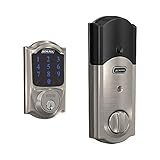
Overview: Schlage’s BE469ZP represents the premium tier of smart deadbolts, combining robust construction with intelligent security features. The Camelot trim adds architectural elegance while the integrated alarm system provides layered protection beyond standard smart locks. Engineered for discerning homeowners, this Z-Wave Plus enabled deadbolt integrates with major smart home ecosystems including Samsung SmartThings and Ring Alarm. The fingerprint-resistant touchscreen maintains a clean appearance while offering secure keyless entry for up to 30 users.
What Makes It Stand Out: The built-in alarm technology sets this lock apart, alerting you to potential break-in attempts through three distinct alert modes (activity, tamper, and forced entry). Snap ’n Stay installation technology revolutionizes DIY mounting by holding the deadbolt in place, freeing both hands for wiring and securing components. The commercial-grade chassis and reinforced strike plate exceed residential security standards. Z-Wave Plus certification ensures extended wireless range and battery life while maintaining backward compatibility with older Z-Wave networks.
Value for Money: Priced at $219.99, this lock commands a premium justified by its alarm integration and Schlage’s legendary durability. While more expensive than Kwikset alternatives, the added security layer of audible alerts provides peace of mind that transcends the $70 price difference. The build quality suggests a lifespan that outlasts cheaper competitors, making it a long-term investment. For security-conscious buyers, the integrated alarm eliminates the need for separate door sensors, effectively offsetting some cost.
Strengths and Weaknesses: Strengths include the innovative alarm system, superior build quality, Snap ’n Stay installation, fingerprint-resistant touchscreen, and broad hub compatibility. The Camelot trim adds significant curb appeal. Weaknesses center on the limited 30-user code capacity—substantially less than competitors at this price—and the premium cost barrier. Some users report complex programming without a hub, and the alarm sensitivity may require adjustment to prevent false alerts from heavy knocking or wind.
Bottom Line: The Schlage BE469ZP is the premium choice for security-focused homeowners who value built-in alarm capabilities and commercial-grade construction. While costly and limited in user capacity, its robust feature set and trusted brand reputation make it worth the investment for primary entry points requiring maximum protection.
3. Yale Assure Lock with Z-Wave, Black Suede Smart Touchscreen Deadbolt Works with Ring Alarm, Samsung SmartThings, Wink (Hub Required, Sold Separately), YRD226-ZW2-BSP

Overview: Yale’s Assure Lock YRD226-ZW2 strikes an elegant balance between sophisticated design and practical smart home integration. The black suede finish provides a modern, minimalist aesthetic that complements contemporary homes. This Z-Wave enabled deadbolt replaces existing hardware in minutes without door modification, making it ideal for renters and homeowners alike. Unlike cloud-dependent locks, it operates locally through your Z-Wave hub while including traditional keys for ultimate backup peace of mind.
What Makes It Stand Out: The auto-relock feature automatically secures your door after entry—a crucial security enhancement for busy households. Yale includes two physical backup keys, a rarity in smart locks that provides critical access during power outages or hub failures. The backlit touchscreen remains visible in darkness while resisting fingerprint smudges. Exceptional door thickness compatibility (1-3/4" to 2-1/4") accommodates non-standard doors that competitors often reject. The lock’s status updates integrate seamlessly across multiple platforms including SmartThings, Ring, and Wink.
Value for Money: At $199, Yale positions this lock in the competitive mid-tier, offering premium features without Schlage-level pricing. The inclusion of physical keys and auto-relock functionality adds value that justifies the $50 premium over basic Kwikset models. Installation simplicity saves professional service costs, while broad hub compatibility prevents ecosystem lock-in. For households wanting reliability and style without maximum user capacity, this represents a balanced investment that compromises neither security nor aesthetics.
Strengths and Weaknesses: Strengths include the auto-relock capability, included physical backup keys, wide door thickness compatibility, sleek black suede finish, and straightforward installation with included hardware. The backlit touchscreen enhances nighttime usability. Weaknesses involve supporting only 25-30 codes (typical for Yale), requiring a separate hub, and lacking the advanced S2 encryption of newer Z-Wave 700 models. Battery replacement requires removing the interior cover, which is less convenient than external compartments.
Bottom Line: The Yale Assure YRD226-ZW2 is the perfect middle-ground solution for style-conscious homeowners wanting reliable automation without complexity. Its auto-relock feature and physical key backup provide security reassurance that digital-only locks cannot match, making it ideal for families transitioning to smart home technology.
4. Kwikset HomeConnect 620 Z-Wave Long Range Enabled Keypad Smart Lock Convenient Keyless Entry, Customizable User Codes, Ring Alarm Compatible, Hub Required, Sold Separately Matte Black Contemporary

Overview: This contemporary variant of the HomeConnect 620 delivers identical powerful functionality wrapped in a striking matte black finish. The modern aesthetic suits urban lofts, renovated spaces, and homes with current design sensibilities. Sharing the same Z-Wave 700 backbone as its traditional counterpart, this lock provides exceptional wireless range and security. The touchscreen interface (versus button keypad) offers a sleeker interaction method while maintaining the lock’s impressive 250-user code capacity and Ring Alarm native integration.
What Makes It Stand Out: The matte black contemporary design transforms this from a utilitarian device into a design statement. Z-Wave 700’s extended range eliminates signal repeaters in most homes, providing direct hub connection through multiple walls and floors. SmartStart technology enables hub enrollment via smartphone camera, bypassing complex button-pressing sequences. The programming code architecture allows delegated administration—perfect for property managers who need to grant code-editing privileges without providing full access. Ring Alarm’s deep integration shows real-time lock status and battery level within the same app as your cameras and sensors.
Value for Money: Priced at $159—just $10 more than the satin nickel version—this finish upgrade is reasonably priced for design-conscious buyers. The matte coating resists fingerprints better than polished metals, reducing maintenance. Given that comparable contemporary-styled locks from other brands command $30-50 premiums, Kwikset’s minimal upcharge represents strong value. You’re getting the same exceptional 250-code capacity and Z-Wave 700 technology as the base model, making the aesthetic enhancement a worthwhile splurge.
Strengths and Weaknesses: Strengths include the modern matte black finish, massive user code capacity, Z-Wave 700 performance, S2 encryption, and seamless Ring integration. The touchscreen elevates the user experience over button keypads. Weaknesses mirror the base model: hub requirement, no standalone Wi-Fi, limited smart features without subscription services, and battery life dependency on network traffic. The contemporary design may clash with traditional architecture, limiting its universal appeal.
Bottom Line: Choose this matte black variant if you value contemporary aesthetics as much as functionality. For just $10 more than the standard model, you get a design-forward lock that doesn’t compromise on the exceptional 250-code capacity and Z-Wave 700 performance that makes the HomeConnect 620 series so compelling.
5. Kwikset HomeConnect 620 Z-Wave Long Range Enabled Keypad Smart Lock Convenient Keyless Entry, Customizable User Codes, Ring Alarm Compatible, Hub Required, Sold Separately Venetian Bronze Traditional

Overview: The Venetian Bronze Traditional finish offers the same robust HomeConnect 620 technology in a warm, classic aesthetic that complements colonial, craftsman, and traditional home styles. This variant targets homeowners who want cutting-edge smart home integration without sacrificing period-appropriate design elements. Functionally identical to its siblings, it provides Z-Wave 700 connectivity, 250 user codes, and native Ring Alarm compatibility. The rich bronze patina adds character while maintaining the lock’s contemporary security capabilities.
What Makes It Stand Out: Venetian bronze finish provides an authentic aged-metal appearance that painted finishes cannot replicate, developing a natural patina over time. The Z-Wave 700 chipset’s whole-home coverage ensures reliable operation even in large properties or those with thick plaster walls that challenge older Z-Wave protocols. The 250-code capacity remains class-leading, accommodating large families, frequent guests, and service personnel without code reuse. SmartStart integration streamlines professional installation scenarios, allowing contractors to pre-configure locks before arrival. The traditional styling disguises advanced technology, preventing your home from appearing overtly “smart” to casual observers.
Value for Money: At $149—matching the satin nickel price—this finish option delivers premium aesthetics without premium cost. Venetian bronze hardware typically commands 15-20% price premiums in traditional lines, making this an exceptional value. You’re receiving identical technical specifications: Z-Wave 700, S2 encryption, 250 codes, and Ring integration. For traditional homes, this avoids the jarring appearance of modern tech on period architecture, effectively saving the cost of separate aesthetic upgrades or custom hardware matching.
Strengths and Weaknesses: Strengths include the authentic bronze finish, massive code capacity, Z-Wave 700 performance, S2 security, and seamless Ring Alarm integration. The traditional design integrates with classic architecture. Weaknesses include requiring a separate hub, potential confusion from the product description referencing “HomeConnect 918” (likely a typo), no built-in alarm like Schlage, and battery dependence. The bronze finish may require occasional polishing to maintain its luster in coastal or humid climates.
Bottom Line: This Venetian Bronze variant is the ideal choice for traditional homes wanting invisible smart home integration. At $149, you get premium finish quality and class-leading code capacity without paying extra for aesthetics, making it the smartest value for style-conscious traditionalists.
6. Aeotec Smart Home Hub, Works as a SmartThings Hub, Z-Wave, Zigbee, Matter Gateway, Compatible with Alexa, Google Assistant, WiFi

Overview: The Aeotec Smart Home Hub serves as a universal command center for modern smart homes, replacing the classic SmartThings Hub with enhanced protocol support. This versatile gateway bridges thousands of devices across major ecosystems, enabling centralized control of lighting, climate, security, and voice assistants through a single interface.
What Makes It Stand Out: Matter certification future-proofs your investment, ensuring compatibility with next-generation devices. The hub’s ability to run automations locally rather than relying solely on cloud processing delivers faster response times and continued operation during internet outages. Dual connectivity via Wi-Fi or Ethernet provides installation flexibility, while support for Z-Wave Plus V3, Zigbee, and legacy Wi-Fi devices eliminates ecosystem lock-in.
Value for Money: At $149.99, the Aeotec hub sits at the sweet spot for multi-protocol controllers. Competing hubs often require separate purchases for Z-Wave and Zigbee support, making this an economical single-box solution. The Matter certification alone justifies the price premium over basic hubs, potentially saving hundreds in replacement costs as the standard becomes mandatory.
Strengths and Weaknesses: Strengths: Broad protocol compatibility; local automation processing; straightforward SmartThings app interface; flexible Wi-Fi/Ethernet setup; future-proof Matter support. Weaknesses: Requires SmartThings app (some users prefer open-source alternatives); certain advanced features limited to V3 model; North America-only design restricts international use; dependency on Samsung’s platform roadmap.
Bottom Line: The Aeotec Smart Home Hub is an excellent foundation for serious smart home enthusiasts. Its protocol diversity and local processing capabilities make it ideal for users wanting reliable, expansive device control without vendor lock-in.
7. August Home Silver Smart Lock Pro, 3rd Generation-Dark Gray, Apple Home Kit Compatible and Z-Wave Plus Enabled

Overview: The August Smart Lock Pro offers a retrofit solution that transforms existing single-cylinder deadbolts into smart locks without replacing the exterior hardware. This third-generation model emphasizes flexibility, supporting Apple HomeKit, Z-Wave Plus, and multiple voice platforms while maintaining your original keys.
What Makes It Stand Out: DoorSense technology uniquely confirms both door closure and lock status, addressing a common smart lock vulnerability. The granular access control system allows temporary permissions ranging from minutes to weeks, perfect for guests, service providers, or Airbnb hosts. Its retrofit design preserves existing keys and exterior aesthetics while adding modern connectivity.
Value for Money: Priced at $299.99, this premium lock justifies its cost through multi-platform support and easy installation that avoids locksmith fees. However, full functionality requires the separate August Connect Wi-Fi Bridge, adding $50-80 to the total investment. For Apple HomeKit users, native integration eliminates the need for additional hubs.
Strengths and Weaknesses: Strengths: Retrofit preserves existing keys; DoorSense provides security confirmation; extensive platform compatibility; detailed activity logging; battery notifications via Alexa. Weaknesses: Requires bridge for remote access; premium pricing; battery-dependent operation; limited to single-cylinder deadbolts; dark gray finish may not suit all doors.
Bottom Line: Ideal for renters and HomeKit households, the August Smart Lock Pro excels at convenient access management. The retrofit design and DoorSense feature make it worthwhile despite the higher price, though budget-conscious buyers should factor in the required bridge.
8. SCHLAGE BE469ZP CEN 625 Connect Smart Deadbolt with alarm with Century Trim in Bright Chrome, Z-Wave Plus enabled, 3 x 8 x 2 inches

Overview: The Schlage Connect BE469ZP is a full-replacement smart deadbolt combining robust physical security with Z-Wave Plus connectivity. The Century trim in bright chrome delivers a contemporary aesthetic while integrating seamlessly with major smart home security systems like Samsung SmartThings and Ring Alarm.
What Makes It Stand Out: Built-in alarm technology detects potential door attacks, distinguishing between different threat levels and alerting homeowners accordingly. The Snap ’n Stay installation feature holds the deadbolt in place, enabling true one-person screwdriver installation. A fingerprint-resistant touchscreen supports 30 customizable access codes, eliminating physical key management.
Value for Money: At $241.85, this deadbolt offers professional-grade security features at a mid-range price point. The integrated alarm system typically costs extra in competing products, while the durable construction meets ANSI Grade 1 standards—the highest residential rating. No additional bridge is required for Z-Wave systems, avoiding hidden costs.
Strengths and Weaknesses: Strengths: ANSI Grade 1 security rating; built-in tamper alarm; easy Snap ’n Stay installation; 30 user codes; no bridge required for Z-Wave; fingerprint-resistant coating. Weaknesses: Requires Z-Wave hub for smart features; bulky interior component; limited voice control without hub; bright chrome shows fingerprints despite coating; non-rechargeable batteries.
Bottom Line: The Schlage Connect is perfect for security-conscious homeowners wanting a complete deadbolt replacement. Its integrated alarm and sturdy build justify the price, though Z-Wave hub dependency makes it less suitable for hub-free setups.
9. Ezlo Ezlo Plus Smart Home Hub with Zigbee & Z-Wave. Works with Wi-Fi Devices Associated with Amazon Alexa Devices & Google Assistant to Control Smart Locks, Smart Lights, Smart Switch and CCTV Cameras
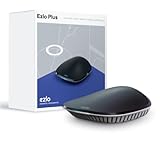
Overview: The Ezlo Plus Hub positions itself as an open smart home platform running on MiOS, designed to unify Z-Wave, Zigbee, RF, and Wi-Fi devices across brands. This hub targets users seeking ecosystem freedom without being tied to proprietary platforms like SmartThings.
What Makes It Stand Out: MiOS represents a property-focused operating system emphasizing interoperability and local control. Unlike many competitors, the hub explicitly supports RF devices alongside standard protocols, expanding compatibility to older automation systems. The platform-agnostic design integrates Wi-Fi devices through Alexa and Google Assistant rather than direct pairing.
Value for Money: Priced at $146.96, the Ezlo Plus undercuts major competitors while offering broader protocol support. For users with mixed device ecosystems or legacy RF components, this hub eliminates the need for multiple controllers. The cost savings can be significant when consolidating several standalone bridges.
Strengths and Weaknesses: Strengths: Multi-protocol support including RF; competitive pricing; platform-agnostic approach; local control emphasis; Ethernet connection option. Weaknesses: MiOS ecosystem less mature than SmartThings; requires Ethernet for initial setup; limited third-party integration; smaller user community for troubleshooting; app interface less polished.
Bottom Line: The Ezlo Plus is a compelling budget alternative for tech-savvy users comfortable with a newer platform. Its RF support and openness make it ideal for complex, multi-generational smart homes, though those prioritizing stability may prefer established ecosystems.
10. SCHLAGE BE469ZP CAM 622 Connect Smart Deadbolt with alarm with Camelot Trim in Matte Black, Z-Wave Plus enabled

Overview: Functionally identical to the Century model, the Schlage Connect BE469ZP CAM 622 features the ornate Camelot trim in a modern matte black finish. This variant offers the same robust security features and Z-Wave Plus integration while providing a bolder aesthetic statement for contemporary home exteriors.
What Makes It Stand Out: The matte black finish resists visible smudges better than metallic options while making a strong design statement. Like its sibling, it includes the attack-sensing alarm system that differentiates between forced entry attempts and subtle tampering. The included backup key and low-battery indicator provide redundancy often missing in pure smart locks.
Value for Money: At $227.29, this model is slightly more affordable than the bright chrome version, offering better value for style-conscious buyers. The matte finish’s practicality in hiding wear adds long-term value. All core security features remain intact, including ANSI Grade 1 certification and 30 programmable codes, making this a cost-effective choice for those preferring the Camelot aesthetic.
Strengths and Weaknesses: Strengths: Stylish matte black finish; same robust alarm system; backup key included; lower price than chrome variant; ANSI Grade 1 security; Snap ’n Stay installation. Weaknesses: Ornate Camelot trim may not suit minimalist décor; requires Z-Wave hub; bulky interior mechanism; limited smart features without hub; battery replacement every 6-12 months.
Bottom Line: Choose this Camelot variant if the matte black finish matches your home’s style. It delivers identical security and functionality to the Century model at a slightly better price, making it the smarter buy for those who appreciate its decorative design.
Why Z-Wave Plus Remains the Gold Standard in 2026
While Matter and Thread have captured headlines, Z-Wave Plus continues to dominate the dedicated security device category for compelling reasons. The protocol’s sub-1GHz frequency band avoids the congested 2.4GHz space that plagues Wi-Fi and Bluetooth, delivering superior wall penetration and reliable connectivity in dense urban environments. In 2026, the latest 800-series chips have reduced power consumption by an additional 30% while extending range, making battery life concerns largely obsolete for well-designed locks.
More importantly, Z-Wave Plus devices operate as true mesh network participants, not just endpoint clients. Each mains-powered device extends your network’s reach, while battery-powered locks optimize their communication patterns to preserve power. This creates a self-healing infrastructure that remains operational even when individual nodes fail—a critical advantage over star-topology Wi-Fi systems that collapse when your router hiccups.
Hub-Centric vs. Cloud-Centric: The Architecture Decision That Defines Your Smart Home
The fundamental split in smart home philosophy comes down to where processing happens. Cloud-centric locks communicate directly with manufacturer servers, offering smartphone control from anywhere but introducing latency, subscription fees, and vulnerability during internet outages. Your unlock command might travel 2,000 miles to a data center before returning to your front door—a journey measured in seconds, not milliseconds.
Hub-centric systems flip this model entirely. Your Z-Wave controller processes everything locally, typically responding to commands in under 100 milliseconds. When you arrive home, the geofence trigger, lock disarm sequence, lighting scene activation, and thermostat adjustment all execute simultaneously, creating that magical “it just knows” experience. More significantly, your access codes, audit logs, and security settings remain stored on hardware you control—an increasingly vital consideration in 2026’s privacy-conscious climate.
Key Differentiators: Premium vs. Budget Z-Wave Plus Locks
The price spread between entry-level and flagship Z-Wave Plus locks often exceeds $200, but the differences run deeper than branding. Premium models typically feature 700-series or 800-series Z-Wave chips, while budget options might still ship with older 500-series silicon that lacks S2 security and consumes more power. Motor torque represents another hidden spec—cheaper locks strain with heavy-duty deadbolts or misaligned doors, leading to premature failure.
Build quality tells its own story. High-end locks use reinforced zinc alloy or stainless steel chassis with anti-tamper sensors that trigger immediate hub alerts if someone attempts forced entry. Budget alternatives often substitute plastic internal components that crack under stress. The keypad finish matters too: premium models employ PVD-coated buttons that resist wear patterns that could reveal your most-used digits, while economy locks show wear within months.
Security Standards That Actually Matter (Ignore the Marketing Hype)
Manufacturers love plastering meaningless “bank-grade encryption” claims on packaging. Focus instead on tangible certifications. ANSI/BHMA Grade 1 rating indicates the lock has survived 1,000,000 cycle tests and 10 door strikes with a 75-pound weight—commercial-grade durability. Grade 2 locks handle 400,000 cycles and 5 strikes, sufficient for most residential applications but worth knowing the difference.
The S2 Security Framework (more on this later) is non-negotiable in 2026. Any lock lacking S2 has effectively outdated security architecture. Look for UL 437 rating on the physical cylinder, proving resistance to picking and drilling. IP65 or higher weather resistance ensures the electronics survive temperature extremes and moisture. These certifications cost manufacturers real money to obtain, so their absence speaks volumes.
Battery Life Optimization: The 18-Month Benchmark
Modern Z-Wave Plus locks should deliver 12-18 months of battery life under normal use, but “normal” varies dramatically. Each lock/unlock event consumes roughly 0.3% of battery capacity, so a family of four averaging 20 operations daily will drain batteries 40% faster than a single occupant. The real power hog isn’t the motor—it’s the Z-Wave radio. Locks that fail to properly implement Z-Wave Plus power management can see 50% reductions in longevity.
Battery Chemistry Matters More Than You Think
Lithium AA batteries aren’t just longer-lasting; they maintain consistent voltage output as they discharge, preventing the “low battery” false alarms common with alkaline cells in cold weather. For extreme climates, premium locks offer lithium polymer packs that operate from -40°F to 150°F. Rechargeable NiMH batteries remain problematic—their lower voltage (1.2V vs 1.5V) can trigger low-power warnings prematurely, and self-discharge rates mean monthly recharging regardless of use.
Installation Complexity: Measure Twice, Buy Once
Before purchasing any Z-Wave Plus lock, grab your tape measure. Backset distance (the measurement from door edge to lock center) must match exactly—either 2-3/8" or 2-3/4". Door thickness matters too; most locks accommodate 1-3/8" to 1-3/4", but older or custom doors may fall outside this range. The critical spec is deadbolt throw clearance: ensure your door frame has a deep enough strike plate recess for the bolt to fully extend.
Hub Positioning: The 30-Foot Rule
During installation, position your Z-Wave hub within 30 feet of the lock with minimal walls between. This initial pairing occurs at normal Z-Wave power levels, not the reduced transmission power used for battery preservation post-inclusion. After successful pairing, you can relocate the hub if needed—the mesh network will find alternative routes. Pro tip: perform network healing after installation to optimize routing tables.
The S2 Security Framework: Non-Negotiable in 2026
S2 represents Z-Wave’s answer to modern cryptographic standards, replacing the vulnerable S0 framework that relied on a compromised key exchange. S2 employs Elliptic Curve Diffie-Hellman key exchange with a device-specific PIN, eliminating man-in-the-middle attacks during pairing. The framework includes three security classes: S2 Access Control (for locks), S2 Authenticated, and S2 Unauthenticated.
Verifying S2 Implementation
During inclusion, your hub should display a QR code scan or request a 5-digit PIN found inside the lock’s battery compartment. If pairing completes without this step, you’re running S0—or worse, no encryption. Post-installation, check your hub’s device details; it should explicitly state “S2 Access Control” as the security level. Some locks downgrade to S0 for compatibility with older hubs—avoid this configuration for primary entry doors.
Z-Wave Long Range: When Your Property Demands More
Introduced in 2021 and now mainstream in 2026, Z-Wave Long Range (ZWLR) extends single-hop distance from 100 meters to several miles in ideal conditions. For hub-centric homes on large lots, this eliminates the need for multiple repeaters between a detached garage lock and your main hub. The technology operates on the same frequency but uses boosted transmission power and improved receiver sensitivity.
The Backward Compatibility Reality Check
ZWLR locks remain fully compatible with standard Z-Wave Plus mesh networks—they simply won’t utilize the long-range capability unless paired with a ZWLR-enabled hub. Conversely, ZWLR hubs can communicate with older Z-Wave devices. This makes ZWLR locks a smart future-proofing choice even if your current hub lacks support; your next hub upgrade will unlock the extended range without requiring lock replacement.
Hub Compatibility Matrix: The Feature Support Chasm
Not all Z-Wave hubs treat locks equally. Open-source platforms like Home Assistant offer the deepest integration, exposing every configurable parameter and supporting custom device handlers. Commercial hubs (SmartThings, Hubitat, Fibaro) provide polished interfaces but may limit advanced features. The critical differentiator is firmware update support—some hubs can push manufacturer updates directly, while others leave you manually updating via proprietary bridges.
Controller Shift Scenarios
Planning a hub migration? Understand that Z-Wave devices are married to their primary controller. The old hub must explicitly exclude each lock before the new hub can include it—a process requiring physical access and functioning batteries. Some ecosystems offer controller shift utilities, but these rarely work cleanly with security devices. Always maintain your old hub operational until the migration completes successfully.
Advanced Access Management: Beyond Basic User Codes
Sophisticated Z-Wave Plus locks support 30-100 user codes, but the real power lies in conditional access. Look for locks offering scheduled codes that only work during specific hours—perfect for dog walkers or cleaning services. Temporary codes with automatic expiration dates eliminate the “did I remember to delete that code?” anxiety. Some premium models support one-time codes delivered via your hub’s API, ideal for package deliveries.
Audit Trails and Integration Potential
Every access event—successful or failed—should generate a timestamped log stored locally on your hub. Advanced implementations include door position sensor data, distinguishing between “unlocked” and “opened.” This granularity enables powerful automation: a failed code attempt could trigger porch lights and camera recording, while successful unlocks disarm the security system and adjust HVAC settings.
Physical Build Quality: What the Spec Sheet Doesn’t Reveal
Weather resistance ratings tell only part of the story. IP65 protects against water jets from any direction, but temperature cycling—from freezing nights to sunny afternoons—causes condensation inside the lock chassis. Premium models include internal dessicant packs and conformal-coated circuit boards that resist corrosion. The keypad finish matters: silicone-sealed buttons prevent moisture ingress better than mechanical switches.
Tamper Detection and Anti-Lockpick Features
Quality locks include accelerometers that detect vibration patterns consistent with lockpicking attempts, triggering immediate hub alerts. Anti-drill plates protect the cylinder, while reinforced strike plates with 3-inch screws anchor into the door frame’s studs, not just the jamb. These features rarely appear on spec sheets but define real-world security.
Integration Scenarios: Unlocking Automation Potential
A Z-Wave Plus lock shouldn’t exist in isolation—it’s a trigger device for sophisticated home automation. The “Goodbye” routine locks all doors, arms the security system, sets away temperature, and ensures garage doors close. “Welcome Home” does the reverse, but only after verifying your smartphone’s presence to prevent accidental triggers from neighbors or delivery personnel.
Multi-Factor Presence Detection
Combine lock events with motion sensors, Bluetooth beacons, or Wi-Fi presence detection to create conditional automation. Unlocking the door at 2 AM might trigger a soft pathway lighting sequence, while the same action at 6 PM could start your “evening” scene. The key is local execution—cloud delays would make these sequences feel disjointed rather than magical.
Troubleshooting Mesh Network Issues: The Ghost Node Problem
Z-Wave’s greatest strength—mesh networking—can become its biggest headache. Ghost nodes occur when a device fails to pair completely but leaves routing table entries, causing commands to vanish into the void. Symptoms include intermittent lock responsiveness or commands that work only after multiple attempts. The solution requires accessing your hub’s advanced Z-Wave tools to remove failed nodes and perform network healing.
Range and Interference Realities
While Z-Wave Plus operates at 908.42MHz in North America (avoiding Wi-Fi congestion), it still struggles with certain obstacles. Metal doors, aluminum siding, and chicken-wire plaster lathe create Faraday cage effects that require careful repeater placement. Use a Z-Wave USB stick with mapping software to visualize your network mesh and identify weak signal paths before they become reliability issues.
The Hidden Costs: Beyond the Purchase Price
That $180 lock might seem like a bargain until you discover the $5/month subscription required for remote access. Many manufacturers now gate advanced features—user code management, audit logs, firmware updates—behind paywalls accessible only through their proprietary apps, even though the lock itself uses standard Z-Wave commands your hub could handle for free.
Accessory Requirements and Firmware Policies
Some locks ship without crucial components: the Z-Wave module might be a separate purchase, or the strike plate included may be inadequate for security-conscious installations. Check whether the manufacturer provides firmware updates via Z-Wave OTA or requires a separate purchase of their proprietary bridge. A lock abandoned by its manufacturer becomes a security liability within 2-3 years.
Warranty and Support: Reading Between the Lines
Most Z-Wave Plus locks carry 1-3 year warranties, but the devil lives in the exclusions. Finish warranties often cover only cosmetic defects, not normal wear. Electronics warranties may exclude “damage from power fluctuations”—a convenient loophole given Z-Wave’s sensitivity to voltage droops. Premium brands offer advance replacement programs, shipping a new unit before you return the defective one, crucial when your front door security is compromised.
Community vs. Corporate Support
Open-source-friendly manufacturers benefit from community-developed drivers and troubleshooting guides that often surpass official documentation. Proprietary ecosystems may offer phone support, but only during business hours and with tier-1 technicians reading from scripts. Check Reddit and SmartThings Community forums for real-world support experiences before committing to a brand.
Frequently Asked Questions
Will Z-Wave Plus locks work with Matter/Thread hubs in 2026?
Direct integration remains limited. Matter primarily targets IP-based devices, while Z-Wave uses a different protocol stack. However, major hub platforms like Home Assistant, SmartThings, and Hubitat now act as Matter bridges, exposing Z-Wave locks to Matter controllers. Your lock stays Z-Wave native, but voice assistants and apps that support Matter can control it through the hub’s translation layer. This hybrid approach maintains Z-Wave’s reliability while providing broader ecosystem compatibility.
How many user codes can I realistically expect to manage?
Most 2026 Z-Wave Plus locks support 30-100 codes, but practical management varies by hub. Open-source platforms handle unlimited codes with complex scheduling, while commercial hubs may limit you to 30 total. The bottleneck is often the lock’s non-volatile memory, not Z-Wave itself. For rental properties or large families, prioritize locks advertising 50+ codes and verify your hub’s management interface supports bulk operations—manually deleting codes one-by-one becomes tedious quickly.
What’s the typical range I can expect from Z-Wave Plus?
Standard Z-Wave Plus delivers 100-150 feet line-of-sight between devices, but indoor performance drops to 30-50 feet per hop through typical residential walls. The mesh network compensates by routing through intermediate devices, so range becomes less critical than device density. For detached structures, Z-Wave Long Range extends single-hop distance to 1+ mile in ideal conditions. Always plan for at least two routing paths between lock and hub to ensure reliability.
Can I install a Z-Wave Plus lock on a non-standard door?
Most locks accommodate 1-3/8" to 1-3/4" thickness and standard backsets, but out-of-spec doors require adapters. Metal doors need special metal-cutting drill bits and may require reinforcement plates. Gates and pool doors often lack the depth for standard deadbolts—look for slim-profile models specifically designed for narrow stile applications. Always verify the deadbolt throw will fully extend; a partial throw provides only illusionary security.
Do Z-Wave Plus locks work during power outages?
Yes, but with caveats. The lock’s motor runs on batteries, so manual operation and keypad entry remain functional. However, remote Z-Wave control fails if your hub lacks battery backup. Most hubs die within 2-4 hours on UPS power. For true outage resilience, pair your lock with a cellular-enabled hub that maintains connectivity during internet failures. The lock itself doesn’t care about grid power, but your ability to control it remotely depends entirely on hub and network infrastructure.
How do I migrate my lock to a new Z-Wave hub?
Migration requires excluding from the old hub before including in the new one. Start by bringing the new hub within 3 feet of the lock. Use the old hub’s interface to “Remove Device” while triggering the lock’s inclusion button. You’ll see a confirmation flash. Then immediately put your new hub in inclusion mode and repeat the trigger process. If the old hub is dead, use your new hub’s “Force Remove” or “Replace Failed Node” function, but this may leave ghost nodes requiring cleanup.
Are Z-Wave Plus locks susceptible to hacking?
S2-encrypted Z-Wave Plus locks have no known practical exploits as of 2026. The protocol uses AES-128 encryption with device-specific keys exchanged via ECDH, making interception virtually impossible. The attack surface is the hub, not the lock—compromised hub credentials or weak API passwords pose greater risks. Disable remote admin access to your hub, use strong unique passwords, and enable two-factor authentication. Physical attacks remain more feasible than electronic ones.
What’s the difference between Z-Wave Plus v1 and v2?
Z-Wave Plus v2 (introduced in 2020) mandates S2 security, SmartStart QR code inclusion, and improved power control. It also requires support for longer range and higher bandwidth, though not all devices utilize these features. In practice, v1 devices work on v2 hubs but lack modern security. For locks, always choose v2-certified models—the v1 standard allowed weaker encryption that’s now considered vulnerable to theoretical attacks.
Can I use rechargeable batteries in my smart lock?
Technically yes, practically no. Nickel-metal hydride (NiMH) rechargeables output 1.2V versus alkaline’s 1.5V, causing premature low-battery warnings. Their self-discharge rate means monthly recharging regardless of use. Lithium-ion rechargeables maintain voltage but lack standard sizes and risk overheating in direct sunlight. Some premium locks now support manufacturer-specific lithium packs with built-in management circuits, but standard AA rechargeables create more problems than they solve.
How often should I update my lock’s firmware?
Check quarterly, but apply updates judiciously. Firmware updates can fix security vulnerabilities and improve battery life, but a failed update may brick your lock or require factory reset. Never update firmware when you’re traveling or can’t physically access the lock. Wait 2-3 weeks after release to monitor community forums for reports of issues. For mission-critical entry doors, consider the “if it ain’t broke” approach unless the update patches a known security flaw. Always perform updates during business hours when manufacturer support is available.