Picture this: It’s 2 AM during a winter storm when your primary internet connection suddenly drops. Within seconds, your smart thermostat stops responding, security cameras go dark, and your voice assistant greets you with silence. For the modern smart home—often running 30+ connected devices—this isn’t just an inconvenience; it’s a complete system failure. While traditional backup solutions have existed for years, 5G failover routers represent a quantum leap in keeping your digital ecosystem alive during outages, offering fiber-like speeds without the physical infrastructure vulnerabilities.
The convergence of ultra-low latency 5G networks and intelligent routing hardware has created something remarkable: seamless, automatic internet redundancy that your smart home can’t distinguish from your primary connection. But not all failover solutions are created equal, and understanding the nuances between cellular generations, antenna configurations, and network architectures can mean the difference between true resilience and a false sense of security. This guide dives deep into the technical and practical considerations that separate enterprise-grade reliability from consumer-grade disappointment.
Top 10 5G Failover Routers for Smart Homes
Detailed Product Reviews
1. GL.iNet GL-XE3000 (Puli AX) 5G Router with Dual SIM Card Slot, Wi-Fi 6 Cellular Routers, Built-in Battery, Multi-WAN, VPN, OpenWrt, Secure 5G Router for Office, Retail, Events, Business
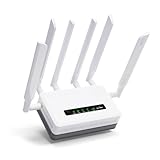
Overview: The GL.iNet GL-XE3000 Puli AX is a professional-grade mobile router engineered for business continuity in demanding environments. This powerhouse combines 5G connectivity with Wi-Fi 6 technology, delivering combined wireless speeds up to 2.9Gbps. Its built-in 6400mAh battery provides 8 hours of autonomous operation, making it ideal for construction sites, mobile events, and temporary offices where power reliability is uncertain. The device runs on OpenWrt, offering advanced customization for network administrators.
What Makes It Stand Out: The integrated battery failover system sets this apart from consumer-grade routers, ensuring uninterrupted connectivity during outages. Dual SIM slots with automatic carrier switching provide true redundancy for critical business operations. The Multi-WAN capability intelligently balances loads across Ethernet, cellular, and tethered connections. Pre-installed OpenVPN and WireGuard support (150Mbps/300Mbps respectively) with 30+ VPN service integrations makes this a security-first solution for remote workforces.
Value for Money: At $409.99, this premium pricing reflects enterprise features rather than home networking value. For businesses requiring 24/7 uptime, the cost is justified by preventing revenue loss from connectivity failures. However, home users and small offices without failover needs will find better value elsewhere. Comparable industrial cellular routers often exceed $500, making this competitively positioned for its target market.
Strengths and Weaknesses: Strengths include exceptional failover redundancy, OpenWrt flexibility, robust VPN throughput, and carrier certification (AT&T/T-Mobile). The built-in battery eliminates external UPS needs. Weaknesses involve complex configuration for novices, speed disclaimers that suggest real-world performance may vary significantly, and limited LAN ports. The 5G NSA/SA compatibility ensures future-proofing as networks evolve.
Bottom Line: The Puli AX is an outstanding investment for businesses where connectivity equals revenue. Event organizers, remote site managers, and mobile professionals will appreciate its reliability. Not recommended for casual home users, but indispensable for mission-critical mobile deployments requiring seamless, secure internet access.
2. InHand 5G Router FWA02, Ultra-Fast Wi-Fi 6 Mesh Router, Dual 2.5G Ports, Support Cellular Failover & Load Balancing, High-Gain Antennas 5G Gateway for Business Office and Home, Unlocked

Overview: The InHand FWA02 positions itself as a speed demon in the 5G router space, promising download speeds up to 4.76Gbps alongside Wi-Fi 6 AX3600 coverage. Designed for high-density environments, it supports 128 simultaneous devices while maintaining low latency. The dual 2.5Gbps Ethernet ports provide exceptional wired throughput for bandwidth-intensive applications like 4K streaming and large-scale video conferencing, making it suitable for both modern offices and tech-forward homes.
What Makes It Stand Out: The headline-grabbing 4.76Gbps 5G capability significantly outpaces many competitors, though real-world speeds depend heavily on carrier infrastructure. Dual 2.5G ports offer future-proofed wired connectivity that most routers reserve for flagship models. The high-gain antenna array enhances signal reception in challenging environments. Enterprise-grade IPsec/L2TP VPN and firewall security provide business-level data protection without subscription fees.
Value for Money: Priced at $369.00, it undercuts the GL.iNet Puli while offering superior theoretical 5G speeds and faster Ethernet ports. For users prioritizing raw performance over battery backup, this represents strong value. The unlocked status provides carrier flexibility, though certification status is less clear than GL.iNet’s offerings. Home users with gigabit internet plans will appreciate the 2.5G ports more than mobile professionals.
Strengths and Weaknesses: Strengths include blistering 5G potential, excellent device capacity, dual high-speed Ethernet, and robust security features. The mesh capability suggests expandability for larger spaces. Weaknesses include lack of battery backup, potentially complex setup for non-technical users, and InHand’s lesser brand recognition compared to established competitors. No mention of advanced firmware like OpenWrt limits customization.
Bottom Line: An excellent choice for stationary high-bandwidth applications where speed trumps mobility. Perfect for home offices with gigabit plans, small businesses needing reliable failover, and tech enthusiasts wanting cutting-edge throughput. Skip if you need portable battery power, but choose if wired speed and 5G performance are paramount.
3. GL.iNet GL-BE9300 (Flint 3) Tri-Band WiFi 7 Router, High-Speed 6GHz Gaming WiFi Router for Wireless Internet, Long Range, 5 x 2.5G VPN Routers for Fiber Optic Modem, Computer Routers, Home & Business

Overview: The Flint 3 BE9300 represents GL.iNet’s leap into WiFi 7 territory, offering tri-band connectivity including a dedicated 6GHz channel for next-generation devices. This router delivers VPN speeds up to 680Mbps through both WireGuard and OpenVPN—dramatically faster than most competitors. With five 2.5Gbps ports and support for over 100 devices, it’s built for bandwidth-hungry households and growing businesses. The AdGuard Home integration provides network-wide ad blocking without client-side software.
What Makes It Stand Out: WiFi 7 Multi-Link Operation (MLO) technology is the star, enabling devices to simultaneously transmit across multiple bands for reduced latency and improved reliability. The 680Mbps VPN throughput is class-leading, making this ideal for remote workers and privacy-conscious users. AdGuard Home integration offers granular content filtering through an intuitive interface. The tri-band design segregates traffic effectively, while enhanced OFDMA and 4K QAM maximize spectral efficiency.
Value for Money: At $199.99, this is remarkably affordable for WiFi 7 technology—most competitors start at $300+. The five 2.5G ports alone justify the price for users with NAS devices or wired backhaul needs. However, it lacks integrated 5G cellular, requiring a separate modem for mobile connectivity. For pure wireless performance and VPN speed, it’s exceptional value. Fiber optic users will maximize its potential more than cellular-dependent customers.
Strengths and Weaknesses: Strengths include future-proof WiFi 7, blazing VPN speeds, excellent port selection, AdGuard integration, and robust device handling. The setup process is streamlined with video tutorials. Weaknesses center on the absence of cellular connectivity, making it unsuitable as a primary 4G/5G router. Some features may be overkill for current device ecosystems. Advanced features still require technical comfort with OpenWrt.
Bottom Line: A no-brainer for users wanting cutting-edge wireless technology without premium pricing. Gamers, streamers, and remote workers will love the VPN performance and low latency. Don’t purchase if you need integrated cellular access, but for fiber/cable users seeking future-proof WiFi, this offers unmatched value and features.
4. UOTEK 5G CPE Router with SIM Card Slot, NSA SA WiFi 6 5G Router Dual Band Cellular Modem for Home Office Indoor Wireless Internet Modem

Overview: UOTEK’s entry-level 5G CPE router delivers essential next-generation connectivity at an accessible price point. Supporting both NSA and SA 5G standards, it provides gigabit internet access via SIM card without requiring wired broadband infrastructure. WiFi 6 technology with OFDMA and DL MU-MIMO enables efficient multi-user scheduling, while dual-frequency four spatial streams offer combined bandwidth up to 1800Mbps. The minimalist square design with internal antennas suits modern home aesthetics.
What Makes It Stand Out: The clean, antenna-free design distinguishes it from traditional router aesthetics, making it living-room-friendly. Mesh networking support with mixed backhaul (wired/wireless) provides deployment flexibility for various indoor layouts. Seamless roaming capabilities ensure stable connections as mobile devices move throughout the home. The true plug-and-play 5G access eliminates installation appointments and wiring complexity, ideal for renters or temporary office spaces.
Value for Money: At $289.00, this positions itself as the budget-conscious 5G option, undercutting most competitors by $80-120. While 1800Mbps is modest compared to premium models, it’s sufficient for 4K streaming and gaming. The trade-offs involve lower device capacity and fewer advanced features. For users prioritizing simple 5G access over bleeding-edge performance, this delivers core functionality without unnecessary expense. Lacks multi-WAN and VPN features found in pricier alternatives.
Strengths and Weaknesses: Strengths include attractive minimalist design, straightforward 5G connectivity, mesh capability, and competitive pricing. Dual-band WiFi 6 provides adequate performance for typical households. Weaknesses involve unspecified SIM slot count (likely single), lower speed ceiling than competitors, no VPN support mentioned, and limited LAN ports. Brand recognition and long-term support remain uncertain compared to established players.
Bottom Line: An excellent starter 5G router for home office users and renters wanting to avoid cable contracts. Delivers reliable performance for everyday tasks without overwhelming complexity. Power users should look elsewhere, but budget-conscious consumers seeking 5G flexibility will find this a practical, unobtrusive solution that balances cost and capability effectively.
5. UOTEK 5G SIM Card Router CPE, WiFi 6 5G Modem Dual Band NSA SA with SIM Card Slot for Smarthome Office Indoor High Speeed Wireless Router

Overview: This upgraded UOTEK model enhances the basic 5G CPE formula with dual SIM slots and an eight-antenna array for improved signal reception. Like its sibling, it supports NSA/SA 5G standards and WiFi 6 with OFDMA/MU-MIMO technologies. The dual SIM capability enables automatic carrier switching when signal quality degrades, providing basic failover for uninterrupted connectivity. Four 4G and four 5G antennas maximize reception across both network generations.
What Makes It Stand Out: The eight external antennas represent a significant upgrade from the minimalist design of UOTEK’s other offering, prioritizing performance over aesthetics. The dual SIM auto-switching feature is rare at this price point, typically found in $400+ enterprise routers. This creates a middle ground between consumer convenience and business reliability. The black, traditional router appearance signals its performance focus, while the latest firmware promises enhanced stability and WiFi rates.
Value for Money: Priced at $349.00, this commands a $60 premium over the single-SIM UOTEK model. For users in areas with spotty coverage, dual SIM functionality justifies the cost by ensuring consistent connectivity. However, it competes directly with the InHand FWA02, which offers faster theoretical speeds and 2.5G ports for just $20 more. The value proposition depends entirely on whether dual SIM matters more than wired throughput. For pure cellular redundancy, it’s compelling.
Strengths and Weaknesses: Strengths include dual SIM failover, extensive antenna array for better reception, solid WiFi 6 performance, and 1800Mbps bandwidth for typical usage scenarios. Weaknesses mirror the basic UOTEK model: no VPN features mentioned, limited wired connectivity, and brand support uncertainty. The external antenna design may clash with modern décor. Performance claims lack the detail of premium competitors.
Bottom Line: A smart choice for home office users in marginal coverage areas who need reliable 5G above all else. The dual SIM capability provides peace of mind without enterprise pricing. Consider the InHand alternative if wired speed is priority. For cellular-first households seeking backup connectivity, this hits the sweet spot of features and affordability, though power users will crave more advanced management options.
6. TP-Link AC1900 Smart WiFi Router (Archer A8) -High Speed MU-MIMO Wireless Router, Dual Band Router for Wireless Internet, Gigabit, Supports Guest WiFi

Overview: The TP-Link Archer A8 delivers AC1900 Wave 2 wireless performance for budget-conscious households seeking reliable dual-band connectivity. This router provides 600 Mbps on the 2.4GHz band and 1300 Mbps on the 5GHz band, making it suitable for streaming, gaming, and everyday browsing across multiple devices. Its compact design and full Gigabit ports offer a solid foundation for small to medium-sized homes.
What Makes It Stand Out: The Archer A8 brings premium features to the entry-level segment with MU-MIMO technology for efficient multi-device communication and Beamforming for extended coverage. Its OneMesh compatibility allows seamless expansion with TP-Link extenders, creating a unified network without dead zones. The inclusion of four Gigabit LAN ports and a Gigabit WAN port ensures fast wired connections for gaming consoles and smart TVs.
Value for Money: At $49.99, this router delivers exceptional value by packing Wave 2 technology and advanced features typically found in more expensive models. It competes directly with routers twice its price while maintaining TP-Link’s reputation for reliability. For users who don’t need WiFi 6, this represents one of the best price-to-performance ratios available.
Strengths and Weaknesses: Pros: Affordable entry point to AC1900 speeds; MU-MIMO and Beamforming enhance performance; OneMesh support enables easy network expansion; Reliable Gigabit ports for wired devices; Simple setup and management. Cons: No USB port limits sharing and storage options; WiFi 5 technology lags behind newer WiFi 6 standards; 600 Mbps 2.4GHz band may bottleneck older devices; Limited advanced configuration for power users.
Bottom Line: The Archer A8 is an excellent choice for budget-minded users wanting reliable dual-band performance without breaking the bank. While it lacks WiFi 6 and USB connectivity, its strong feature set and rock-bottom price make it ideal for apartments, small homes, or as a secondary router.
7. KuWFi 5G Cellular Router with Dual SIM Slot, WiFi 6 Dual-Band 3000Mbps,2.5G Ethernet,Fan Cooling,WireGuard VPN,M2M/IoT Global Frequency Bands for Apartment & RV Rural Area
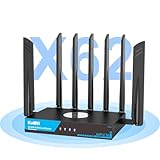
Overview: The KuWFi RM503Qpro is a specialized 5G cellular router engineered for users requiring constant connectivity in mobile or underserved environments. This powerhouse combines a global 5G modem with WiFi 6 AX3000 speeds, dual SIM redundancy, and enterprise-grade VPN capabilities. Designed for RV travelers, rural residents, and digital nomads, it transforms cellular signals into robust home-grade internet.
What Makes It Stand Out: Dual SIM slots with automatic failover ensure uninterrupted connectivity when one carrier drops, while global frequency band support provides true worldwide compatibility. The active fan cooling system prevents thermal throttling during continuous 24/7 operation, and the 2.5G Ethernet port delivers multi-gigabit wired speeds. Pre-installed WireGuard, OpenVPN, and IPsec VPN server functionality offers business-level security out of the box.
Value for Money: At $369, this router commands a premium but justifies it through specialized capabilities unmatched by consumer routers. For RV owners, rural users, or businesses needing cellular backup, it eliminates expensive installation costs and provides freedom from traditional ISPs. The dual SIM redundancy alone can save money by optimizing carrier plans.
Strengths and Weaknesses: Pros: True global 5G compatibility across continents; Dual SIM auto-switching prevents downtime; Active cooling ensures stable performance; 2.5G Ethernet port future-proofs wired connections; Comprehensive VPN support for secure remote access. Cons: High price point unsuitable for average households; Overkill for users with reliable cable/fiber; Complex configuration may intimidate non-technical users; Requires compatible 5G data plans which can be costly.
Bottom Line: The KuWFi RM503Qpro is a mission-critical connectivity solution for mobile professionals and rural users. While excessive for typical homes, its dual SIM redundancy, global bands, and cooling system make it invaluable for those living beyond traditional broadband reach.
8. UOTEK 5G SIM Card Router CPE, WiFi 6 5G Cellular Modem Dual Band NSA SA with SIM Card Slot for Smarthome Office Indoor High Speeed Wireless Router

Overview: The UOTEK 5G SIM Card Router CPE merges next-generation cellular connectivity with WiFi 6 technology for smart homes and modern offices. This indoor router delivers dual-band AX1800 speeds through an impressive eight-antenna array, supporting both NSA and SA 5G standards for true gigabit internet without cables. Its understated black design houses serious performance for users wanting to cut the cord completely.
What Makes It Stand Out: Eight external antennas (four for 4G, four for 5G) maximize signal reception and transmission, ensuring stable connectivity even in challenging indoor environments. OFDMA and DL MU-MIMO technologies reduce latency while serving multiple devices simultaneously, perfect for IoT-heavy smart homes. The seamless roaming mesh capability allows flexible deployment through wired or wireless backhaul, adapting to various floor plans.
Value for Money: Priced at $299, this router sits in the mid-tier 5G market, offering compelling value for users seeking cellular primary internet. It eliminates monthly cable bills while providing WiFi 6 performance comparable to premium mesh systems. For smart home enthusiasts wanting 5G backup or primary connectivity, it balances cost with cutting-edge features.
Strengths and Weaknesses: Pros: Eight-antenna design optimizes cellular and WiFi performance; NSA/SA 5G support ensures future compatibility; Dual-band 4 spatial streams handle UHD streaming and gaming; Mesh networking enables whole-home coverage; Simple SIM-based setup without ISP installation. Cons: Brand recognition lags behind established players; No dual SIM for carrier redundancy; Limited information on wired port speeds; May require careful antenna positioning for optimal 5G reception; Indoor-only design lacks weatherproofing for external antennas.
Bottom Line: The UOTEK router excels as a primary 5G internet source for tech-savvy households and offices. Its eight-antenna system and mesh capabilities make it ideal for smart homes, though users in marginal coverage areas should verify cellular strength before purchase.
9. Wiflyer 5G SA NSA AX3000 WiFi 6 CPE Router for Global Countries, Dual Band Dual SIM Card 5G Cellular Router, Whole Home WiFi 6 Mesh System,Z8105AX-C-RM520NGL

Overview: The Wiflyer Z8105AX delivers global 5G connectivity with dual SIM flexibility and WiFi 6 AX3000 performance for users demanding uninterrupted internet across borders. Supporting both SA and NSA 5G architectures with speeds up to 3400 Mbps downlink, this router targets international travelers, remote workers, and multi-carrier households. Its mesh system design ensures whole-home coverage while band locking provides granular control over connection quality.
What Makes It Stand Out: Band locking capability allows users to manually select optimal frequency bands, crucial in congested urban areas or marginal coverage zones. Dual SIM slots with automatic failover ensure continuous connectivity, while explicit T-mobile data card support in the USA simplifies carrier compatibility. OFDMA and DL MU-MIMO technologies maintain low latency across 256+ devices, making it suitable for both homes and small offices.
Value for Money: At $279.99, this router undercuts many global 5G competitors while offering advanced features like band locking and mesh networking. For international travelers or users juggling multiple carriers, the dual SIM flexibility can reduce roaming costs and eliminate downtime. The AX3000 WiFi 6 matches premium home routers at a similar price point.
Strengths and Weaknesses: Pros: Band locking optimizes connection stability; Dual SIM with auto failover enhances reliability; Global SA/NSA 5G compatibility; Mesh system support for expandable coverage; Explicit T-mobile USA support simplifies setup. Cons: Single standby limits simultaneous dual-carrier aggregation; APN configuration required for some carriers may challenge novices; Brand support network less extensive than major manufacturers; No mention of cooling system for sustained loads.
Bottom Line: The Wiflyer router is a smart choice for globetrotters and multi-carrier households wanting control over their cellular connection. Band locking and dual SIM features justify its price, though users should prepare for some technical configuration to maximize its potential.
10. TP-Link Dual-Band AX3000 Wi-Fi 6 Router Archer AX55 | Wireless Gigabit Internet Router for Home | EasyMesh Compatible | VPN Clients & Server | HomeShield, OFDMA, MU-MIMO | USB 3.0 | Secure by Design

Overview: The TP-Link Archer AX55 brings premium WiFi 6 features to the mainstream market with AX3000 speeds and comprehensive security. Delivering 2402 Mbps on the 5GHz band and 574 Mbps on 2.4GHz, this router handles modern smart homes with multiple 4K streams, gaming, and IoT devices. Its refined cooling design and robust feature set position it as the value champion in TP-Link’s lineup.
What Makes It Stand Out: Unlike budget WiFi 6 routers, the AX55 includes both VPN client and server functionality, USB 3.0 port for network storage, and TP-Link HomeShield security suite. OFDMA and MU-MIMO technologies ensure efficient multi-device communication, while Target Wake Time extends battery life for connected devices. EasyMesh compatibility allows seamless expansion with other TP-Link devices.
Value for Money: At $79.99, the AX55 delivers flagship features at a mid-tier price. Competitors offering VPN servers and USB 3.0 typically cost $120+, making this an exceptional deal. For households wanting WiFi 6 performance without paying premium prices, it sets the benchmark for value while maintaining TP-Link’s reliability and support network.
Strengths and Weaknesses: Pros: Outstanding price for AX3000 WiFi 6 performance; USB 3.0 port enables media sharing; VPN client and server support rare at this price; Improved cooling prevents throttling; HomeShield provides robust security; EasyMesh expansion capability. Cons: No 5G cellular connectivity for backup internet; Four antennas adequate but not class-leading; Advanced features may overwhelm basic users; HomeShield advanced features require subscription; Gigabit ports limit future multi-gig expansion.
Bottom Line: The Archer AX55 is the best value WiFi 6 router for most households, delivering features typically reserved for premium models at an unbeatable price. It’s an easy recommendation for anyone upgrading from WiFi 5 or building a modern smart home on a budget.
Understanding 5G Failover Technology
The Fundamentals of Cellular Failover
At its core, failover is a network redundancy mechanism that automatically switches traffic to a backup connection when the primary link fails. Unlike manual hotspot tethering, true failover routers monitor connection health in real-time using heartbeats, ping tests, and packet loss detection. When degradation exceeds configurable thresholds—typically 10-30 seconds of sustained packet loss—the device reroutes all traffic through the cellular modem without dropping active sessions. This seamless handoff is crucial for smart home devices that rely on persistent cloud connections.
5G vs 4G LTE: Why the Generation Gap Matters
The leap from 4G LTE to 5G isn’t merely about faster speeds; it’s about network architecture fundamentally designed for machine-to-machine communication. 5G’s network slicing capabilities allow carriers to partition their infrastructure, ensuring your failover traffic gets priority over congested consumer data. Sub-6 GHz 5G bands penetrate walls better than mmWave while still delivering 100-300 Mbps—ample for 4K streaming and multiple camera feeds. More importantly, 5G’s lower latency (sub-20ms) prevents smart home hubs from timing out during switchover, a common failure point with 4G solutions that can exhibit 50-100ms latency spikes.
Standalone vs Integrated Solutions
Standalone 5G modems connect to your existing router via Ethernet, offering flexibility but introducing a single point of failure at the Ethernet link. Integrated 5G failover routers combine dual-WAN routing logic with the cellular modem in one chassis, enabling direct PCIe communication between components and eliminating cable failure risks. For smart homes, integrated solutions provide superior reliability because they can maintain DHCP leases and NAT tables across failover events, preventing IP address conflicts that could require rebooting dozens of devices.
Why Smart Homes Need Redundant Connectivity
The Hidden Cost of Digital Downtime
A two-hour internet outage doesn’t just mean no Netflix—it means your smart irrigation system fails to water plants during a heatwave, your freezer’s temperature monitoring stops sending alerts, and your elderly parent’s fall detection pendant can’t reach emergency services. The aggregate cost of replacing spoiled food, dead plants, and potential security breaches far exceeds the monthly cost of a backup data plan. Calculate your “downtime cost” by tallying devices that lose functionality: each offline security camera represents a coverage gap, each smart lock without connectivity is just a dumb lock with a battery.
Critical vs. Non-Critical Device Segmentation
Not every smart bulb needs cellular backup. Effective failover strategies segregate devices into priority tiers using VLANs. Tier 1—security systems, water leak sensors, climate control—gets immediate failover protection. Tier 2—entertainment, smart speakers, ambient lighting—can wait for primary restoration. This segmentation prevents your backup data plan from being consumed by non-essential traffic during an extended outage. Advanced routers let you configure per-device failover policies, ensuring your video doorbell streams at 1080p while your smart TV is throttled to 480p.
The Cloud Dependency Problem
Modern smart homes operate on a hub-and-cloud model where even local devices like Zigbee sensors require cloud authentication. When internet drops, these devices enter a “failed state” where they can’t execute local automations due to token expiration. 5G failover maintains these cloud handshakes, but also consider routers that support local MQTT brokers and Home Assistant integration. This hybrid approach keeps automations running even if cellular latency spikes, as local commands don’t need to round-trip to AWS or Google Cloud.
How 5G Failover Routers Work
Connection Health Monitoring Mechanisms
Sophisticated routers don’t just ping Google—they perform multi-layer health checks. They test DNS resolution against multiple providers, verify gateway ARP entries, measure jitter to your ISP’s nearest hop, and even monitor the electrical signal on the WAN port for physical layer issues. You can configure weighted metrics: packet loss might trigger failover after 5% sustained loss, while latency spikes might require 200ms for 60 seconds. This prevents “flapping” where the router switches back and forth during intermittent issues.
The Switchover Process: Layer 2 vs Layer 3
Layer 2 failover maintains the same IP subnet and MAC address, making the transition invisible to devices. However, this requires the cellular carrier to support bridge mode, which many don’t. Layer 3 failover assigns a new NAT’d IP range, requiring devices to renew DHCP leases. The best routers use a hybrid approach: they maintain the LAN’s IP scheme while performing NAT on the cellular side, then use gratuitous ARP broadcasts to update the MAC address table instantly. This achieves sub-10-second switchover times that most IoT devices can tolerate.
Load Balancing vs. Pure Failover
While pure failover keeps cellular dormant until needed, load balancing distributes traffic across both connections. For smart homes, asymmetric load balancing works best: route all normal traffic through fiber/cable, but offload low-priority background tasks (cloud backups, firmware updates) to 5G. This keeps the cellular connection “warm”—active with periodic traffic so switchover happens faster. Carriers often disconnect idle modems after 24 hours, causing a 30-60 second re-registration delay during failover. A warm connection cuts this to under 5 seconds.
Key Features to Evaluate
Cellular Modem Specifications Deep Dive
Look for modems supporting 5G NR Release 16 or newer, which introduces power-saving features crucial for always-on operation. 4x4 MIMO (Multiple Input Multiple Output) antennas are non-negotiable for indoor penetration, effectively quadrupling signal paths through walls. Support for carrier aggregation across at least 5 bands ensures your router can combine fragmented spectrum for maximum throughput. The modem’s Category rating (Cat 20+) indicates maximum theoretical speeds, but real-world performance depends more on band support and MIMO configuration.
Antenna Systems: Internal vs External
Internal antennas offer clean aesthetics but sacrifice 6-12 dB of signal gain compared to external options. For suburban homes within 2 miles of a tower, internal antennas may suffice. But if you’re in a rural area or have metal siding, external MIMO antennas with 5-10 dBi gain can transform a weak -110 dBm signal into a usable -85 dBm. Look for routers with detachable antennas and standard SMA or TS-9 connectors, allowing upgrades without replacing the entire unit. Directional panel antennas outperform omnidirectional whips when you can identify the nearest tower using signal mapping apps.
SIM Card Flexibility and Carrier Locking
Carrier-locked routers save money upfront but trap you in one network. Unlocked devices with dual SIM slots let you maintain active plans from two carriers—perhaps Verizon for urban coverage and AT&T for rural properties. Some routers support eSIM provisioning, enabling remote carrier switching without physically accessing the device. This is invaluable for vacation rentals or remote installations. Check if the router supports SIM failover: when one carrier has an outage, it automatically switches to the backup SIM within seconds.
Power Resilience Features
A failover router is useless if it loses power. Look for 12V DC input with wide voltage tolerance (9-36V), allowing direct connection to UPS systems without inefficient AC conversion. Some units include built-in battery backup for 2-4 hours, bridging short outages. Power-over-Ethernet (PoE+) support lets you power the router from a centralized switch with UPS backup, simplifying cable management. The router’s power consumption matters too—5G modems can draw 15-25W continuously, so a 50W solar panel with battery can sustain off-grid operation.
Network Architecture Considerations
Dual-WAN vs Multi-WAN Configurations
Basic dual-WAN routers support one primary and one backup connection. Multi-WAN devices handle three or more uplinks—perhaps fiber, 5G, and Starlink—creating a mesh of redundancy. For smart homes, consider routers with at least three WAN inputs: primary broadband, 5G failover, and a tertiary USB modem for ultimate resilience. The third link can be a cheap prepaid 4G plan that only activates when both primary and secondary fail, providing triple-redundancy for critical devices.
VLAN Segmentation Strategies
Create separate VLANs for each device category: IoT devices on VLAN 10, personal devices on VLAN 20, guest network on VLAN 30. Configure failover policies per VLAN: IoT VLAN fails over immediately, personal VLAN waits 5 minutes, guest VLAN gets no failover. This prevents your security system from competing with your teenager’s TikTok traffic for cellular bandwidth. Use 802.1Q trunking to propagate VLANs to managed switches and Wi-Fi access points, ensuring end-to-end segmentation.
Quality of Service in Failover Mode
During failover, your 5G connection becomes the bottleneck. Advanced QoS engines can identify smart home traffic by DSCP tags or deep packet inspection. Mark your security camera streams with EF (Expedited Forwarding) DSCP values, throttle cloud backup traffic to 10% of bandwidth, and deprioritize firmware downloads. Some routers let you configure QoS rules that only activate during failover, preserving normal performance when primary is active but protecting critical traffic when on cellular.
DHCP and DNS Handling
When failing over, your router’s DHCP server must continue issuing leases from the same pool to avoid reconfiguring static IP devices. Enable DHCP persistent lease storage so reboots don’t wipe assignments. For DNS, use a local resolver like dnsmasq that caches responses, reducing cellular data usage. Configure conditional forwarding so queries for your smart home hub’s cloud domain go to your ISP’s DNS when primary is active, but switch to public DNS (1.1.1.1) during failover to avoid ISP DNS hijacking issues.
Data Plans and Cost Management
Metered vs Unlimited Plan Realities
“Unlimited” plans often throttle after 50-100GB during congestion. For failover, this is usually fine since outages are brief. But during extended outages (hurricanes, infrastructure damage), throttled speeds (usually 600kbps) cripple smart home functionality. Consider metered plans with high data caps (500GB+) that don’t throttle, or business-grade plans with true unlimited and SLA guarantees. Some carriers offer IoT-specific plans with pooled data across multiple SIMs, perfect for multi-site smart home deployments.
Data Usage Monitoring and Alerts
Your router should track per-device data consumption and send alerts at 50%, 75%, and 90% of your monthly cap. Look for real-time dashboards showing which device is hogging data—often it’s a cloud camera uploading 4K footage. Configure data caps per VLAN: limit your IoT VLAN to 10GB/month, but allow security VLAN unlimited access. Some routers can automatically block non-critical devices when data usage exceeds thresholds, preventing bill shock while keeping security online.
Carrier Selection Strategies for Redundancy
Choose carriers using different network technologies. If your primary ISP runs on fiber, select a 5G carrier with standalone 5G core infrastructure, not one sharing the same physical backhaul. In rural areas, verify coverage using crowdsourced maps like CellMapper, not just carrier coverage maps. Consider regional carriers with roaming agreements—they often have less congested towers. For ultimate resilience, maintain active SIMs from two carriers and configure the router to test both monthly, ensuring both remain active and provisioned.
Security Implications
Cellular Network Attack Vectors
5G networks use mutual authentication between device and tower, preventing IMSI-catcher attacks that plagued 4G. However, your router’s public IP on cellular is often CGNAT’d, making direct attacks harder but not impossible. The real risk is man-in-the-middle attacks during the failover transition when DNS might briefly be unencrypted. Always use DNS-over-HTTPS (DoH) or DNS-over-TLS (DoT) to encrypt queries, preventing rogue cellular DNS servers from redirecting your smart home hub to malicious endpoints.
VPN Considerations During Failover
If you run a site-to-site VPN to a vacation property or remote office, failover can break the tunnel due to IP address changes. Use VPN protocols that support dynamic IPs like WireGuard with DDNS. Configure the router to maintain the VPN connection across failover by updating the endpoint IP automatically. For privacy, consider running a permanent VPN over the cellular connection—this adds 10-15% overhead but prevents the carrier from inspecting smart home traffic and potentially blocking IoT protocols they deem “unusual.”
Firewall Rules and NAT Policies
Your firewall rules must apply consistently across both WAN interfaces. Create interface groups that include both primary and cellular WANs, then apply rules to the group. This prevents accidentally exposing your smart home devices when failover activates because a rule was only applied to the primary interface. For NAT, use symmetric NAT on both connections to maintain consistent port mapping, crucial for peer-to-peer smart home devices like some security cameras that don’t use cloud relays.
Isolation Strategies for Compromised Networks
If your primary ISP suffers a DNS hijacking attack or BGP route leak, failing over to cellular might not help if your router’s configuration is compromised. Maintain a separate management VLAN accessible only via cellular that you can use to remotely reconfigure the router if the primary network is breached. Some enterprise routers support “management over cellular” that keeps a persistent SSH session open on the cellular interface, bypassing the primary network entirely.
Installation and Setup Best Practices
Physical Placement and Signal Mapping
Mount the router centrally, ideally high on a wall, away from metal appliances. Use a smartphone in field test mode to map signal strength throughout your home—don’t rely on bars. The -dBm reading is what matters: -80 dBm is excellent, -95 dBm is usable, -110 dBm is dead. For external antennas, use a signal meter to aim them precisely. Run coaxial cable runs under 15 feet to avoid signal loss; if longer runs are needed, use LMR-400 low-loss cable. Keep the router away from Wi-Fi access points—cellular and Wi-Fi antennas can desensitize each other if placed too close.
SIM Activation and APN Configuration
Never activate a SIM in a phone then transfer it to the router—carriers often provision different APNs for phone vs data-only devices. Activate directly in the router or use a dedicated IoT SIM portal. The APN (Access Point Name) determines your routing: some APNs give public IPs, others CGNAT. For smart homes, request a static IP APN if available—it costs more but prevents IP changes from breaking cloud integrations. Test APN failover: configure a secondary APN that throttles speeds but maintains connection, useful when primary APN has routing issues.
Configuration Backup and Version Control
Export your router configuration after each change and store it in version control (Git). This lets you rollback when firmware updates break settings. Document every customization: VLAN IDs, QoS rules, static DHCP assignments. For advanced users, use configuration management tools like Ansible to push consistent settings across multiple sites. Before firmware updates, snapshot the current config and test failover manually after upgrading—new firmware often resets WAN health check settings to defaults.
Testing Procedures and Validation
Test failover monthly: unplug your primary WAN cable and time how long devices take to reconnect. Use pingplotter to monitor latency spikes during switchover. Test at 2 AM when carriers perform maintenance—some routers fail to detect issues during low-traffic periods. Validate that all VLANs fail over correctly; it’s common for guest VLANs to lose internet because failover rules weren’t applied. Document which devices require manual reboot after failover—some cheap smart plugs don’t handle NAT table changes gracefully.
Performance Optimization
Signal Strength vs Signal Quality
A strong signal (-70 dBm) with poor quality (high RSRQ, -15 dB) performs worse than a weaker signal (-85 dBm) with excellent quality (-5 dB). Quality metrics matter more for smart homes because retransmissions from poor signal quality increase latency unpredictably. Use your router’s signal diagnostics: RSRP measures strength, RSRQ measures quality, SINR measures interference. Optimize for SINR above 10 dB by rotating external antennas or using filters to block out-of-band interference from nearby towers.
Band Locking and Carrier Aggregation Tuning
Routers often connect to the strongest band, not the fastest. Band lock to mid-band spectrum (n77, n78) for better speed instead of low-band (n71) for coverage. Force carrier aggregation of 3-4 bands manually if auto-aggregation performs poorly. Some carriers prioritize certain bands for IoT traffic—test each band individually using band locking, then aggregate the top performers. Be aware that band locking disables automatic fallback; if your locked band goes offline, the router won’t switch until you manually clear the lock.
MTU and MSS Clamping
Cellular networks typically use 1420-1436 byte MTU due to protocol overhead, while Ethernet uses 1500. If your router doesn’t adjust MSS (Maximum Segment Size) during failover, packets get fragmented, causing 20-30% speed loss and connection drops. Enable MSS clamping in the router’s firewall settings to 1420 bytes. Test with ping -f -l 1472 to find the actual MTU path. For smart home devices that send fixed 1500-byte packets (some security cameras do this), enable packet fragmentation on the router—it’s slower but prevents total failure.
Bufferbloat Mitigation on Cellular
Cellular connections suffer from severe bufferbloat—large queues that spike latency when bandwidth is saturated. Use Cake or FQ-CoDel queue management algorithms, configured to work on the cellular interface. Set your download/upload speeds to 85% of measured cellular capacity to prevent queue buildup. This is critical for smart home hubs that send frequent small packets; bufferbloat can cause these to be delayed for seconds, making devices appear offline even when the connection is technically up.
Troubleshooting Common Issues
Switchover Failures and Flapping
If your router switches to cellular then immediately back, it’s likely using too aggressive health checks. Increase the failure detection time from 10 to 30 seconds. Check for asymmetric routing—some ISPs block ICMP but allow TCP, causing false failures. Use TCP SYN health checks to Google DNS (8.8.8.8:53) instead of ICMP pings. If flapping persists, enable “sticky failover” that prevents switching back to primary for at least 10 minutes after failover, giving the ISP time to stabilize.
Slow Speeds Despite Strong Signal
First, verify you’re actually on 5G—not LTE masquerading as “5G E.” Check the band: if you’re on n71 (600MHz), speeds will be slow regardless of signal. Force connection to mid-band if available. Check for carrier throttling: some plans throttle after 50GB even if marketed as “unlimited.” Test with a speedtest that uses single connections (not multi-threaded), as carriers often prioritize speedtest traffic. If speeds are asymmetric (fast down, slow up), it’s likely carrier policy—business plans have better upload ratios.
SIM Recognition and Authentication Failures
If the router shows “SIM not detected,” check the SIM orientation—many routers use upside-down slots compared to phones. Clean the SIM contacts with isopropyl alcohol; oxidation causes intermittent failures. Verify the SIM isn’t PIN-locked—disable PINs for IoT deployments. For authentication failures (“Invalid SIM”), ensure the router’s IMEI isn’t blacklisted by the carrier. Some carriers block non-certified devices; you may need to clone a phone’s IMEI to the router (check local laws). For dual-SIM routers, test each slot individually—one slot might have a damaged reader.
Carrier-Grade NAT and Port Forwarding
Most cellular connections use CGNAT, making inbound connections impossible. This breaks remote access to smart home hubs. Solutions: use a cloud relay service (most hubs have this), deploy a VPS with WireGuard as a bounce server, or pay for a static IP. Some routers support UPnP port mapping requests over CGNAT using NAT-PMP, but this is unreliable. For security cameras, use cloud-based NVRs that establish outbound connections rather than requiring inbound ports. Test remote access during failover, not just during normal operation.
Comparing Failover Technologies
5G Cellular vs Satellite Internet
Satellite offers ubiquitous coverage but suffers from 600ms+ latency, making it unsuitable for real-time smart home control. A doorbell press taking 1.2 seconds to trigger a notification is unacceptable. Satellite also fails during heavy rain (rain fade), precisely when you might need security cameras most. However, satellite shines as a tertiary backup for extended outages where cellular towers lose power. The optimal architecture uses 5G as primary failover, satellite as secondary failover for outages exceeding 24 hours.
5G vs Fixed Wireless Access (FWA)
Fixed Wireless Access uses dedicated spectrum and outdoor antennas for primary broadband, not failover. However, some FWA providers offer backup connections on different frequencies. The key difference: FWA is designed for capacity, 5G failover for resilience. FWA typically has data caps and higher costs, making it poor for failover. But if your primary ISP is FWA, using a different carrier’s 5G as backup creates true infrastructure diversity—one uses microwave backhaul, the other fiber backhaul to towers.
Hybrid Approaches: Combining Multiple Technologies
The gold standard is “triple-WAN”: fiber primary, 5G secondary, and a third connection (Starlink, DSL, or cable) as final resort. Use policy-based routing: critical IoT traffic fails over to 5G, non-critical traffic waits for primary restoration. Some advanced setups use SD-WAN controllers that aggregate all three links simultaneously, sending duplicate packets for critical sensor data. This ensures a single packet lost on one link doesn’t cause a missed water leak alert. While overkill for most homes, it’s justified for properties with high insurance deductibles or critical medical devices.
Future-Proofing Your Investment
5G Advanced and Beyond
5G Advanced (Release 17-18) introduces reduced capability (RedCap) devices—low-power 5G for IoT sensors that can run for years on batteries. Ensure your router’s modem firmware is upgradable to support RedCap, even if current devices don’t use it. Look for routers with software-defined radio (SDR) capabilities that can be reprogrammed for future spectrum allocations. The FCC is opening 6 GHz for 5G; routers with wideband antennas (600 MHz - 6 GHz) will support this without hardware changes.
Wi-Fi Standards Integration
Your failover router likely includes Wi-Fi, but mesh integration matters. Ensure it supports EasyMesh standard for interoperability with third-party access points. Wi-Fi 6E is table stakes; Wi-Fi 7’s multi-link operation can bond cellular and primary connections for increased throughput, not just failover. For IoT devices, verify support for 802.11ah (HaLow) that penetrates walls better—useful for outdoor smart lighting that needs to stay connected during failover.
IoT Protocol Gateway Support
Future smart homes will use Matter/Thread protocols that form mesh networks independent of Wi-Fi. Your router should include a Thread Border Router that remains active during failover, keeping local device-to-device communication alive. Zigbee and Z-Wave gateways should be powered by PoE from the router’s UPS-backed switch, ensuring they stay online. The router’s firmware should expose MQTT bridging so local sensors can publish to cloud brokers over cellular without requiring each device to maintain its own connection.
Firmware Update Policies and Longevity
Consumer routers get 2-3 years of updates; enterprise-grade devices get 5-7 years. Check the manufacturer’s end-of-life policy before buying. Open-source firmware like OpenWrt extends lifespan but may void cellular certification. Some manufacturers offer “LTE/5G module upgrades”—you replace just the modem card, not the entire router. This is cost-effective when 6G launches. Avoid routers with locked bootloaders; you want the option to install security patches even if the manufacturer abandons the product.
Real-World Deployment Scenarios
Urban Apartments and Condos
In dense urban environments, cell towers are oversubscribed. Your failover may be slow during peak hours. Solution: use a router with external directional antennas aimed at a less-congested microcell or small cell. Check if your building has DAS (Distributed Antenna System) infrastructure—some routers can connect directly to building-wide cellular systems via coax. Be aware of HOA restrictions; pole-mounted external antennas may be prohibited. In such cases, place the router near a window facing the nearest tower, using a window-mount antenna.
Suburban Single-Family Homes
Suburban deployments benefit from tower proximity and lower congestion. The challenge is landscaping—trees with leaves in summer can attenuate 3.5 GHz signals by 10-15 dB. Install external antennas above tree line or use seasonal band locking: force low-band n71 during summer foliage, switch to mid-band n77 in winter. Suburban homes often have detached garages with smart devices; use a cellular-to-Wi-Fi bridge in the garage powered by the main router’s cellular connection, creating a distributed failover network.
Rural Properties and Farms
Rural areas may have only one carrier with usable signal. Here, high-gain directional antennas (12-15 dBi) on 30-foot masts are essential. Use a two-antenna setup: one omnidirectional for primary detection, one directional locked to the best tower. Solar power becomes necessary; calculate panel size based on router consumption (20W × 24h = 480Wh/day). Add a 100Ah battery for 2-day autonomy. Consider satellite as backup to cellular—rural cell towers often lose power before urban ones. Deploy a generator with auto-start triggered by router ping failures to the cell tower’s management IP.
Multi-Dwelling Units and Landlords
For rental properties, offer tenants optional failover as a premium service. Use a central 5G router with VLAN-per-unit, each tenant gets their own data plan SIM. This creates revenue: charge $20/month for backup internet. The router’s captive portal can display data usage per unit. Legally, you must disclose that you can see which devices connect (MAC addresses) but not traffic content if using encryption. For Airbnb properties, failover prevents bad reviews from internet outages—set up automated messages to guests when failover activates, managing expectations about potential speed reductions.
Environmental and Placement Factors
Temperature and Humidity Tolerances
Cellular modems generate significant heat—20W continuous in a sealed enclosure can reach 60°C, triggering thermal throttling. Specify routers with industrial temperature ratings (-20°C to 60°C) even for residential use. In hot climates, active cooling may be necessary: a 40mm USB fan can reduce temperatures by 15°C. For outdoor installations in NEMA enclosures, use silica gel desiccant packs and vent the enclosure with filtered fans to prevent condensation. Cold weather affects battery backup capacity; lithium iron phosphate (LiFePO4) batteries perform better than lithium-ion below freezing.
Electromagnetic Interference Mitigation
5G modems are sensitive to interference from nearby Wi-Fi 6E access points operating in the 6 GHz band, which can desensitize the receiver. Separate antennas by at least 3 feet, or use shielded coax for external antennas. USB 3.0 ports generate noise at 2.4 GHz; if your router has USB 3.0, ensure it’s disabled or use Ferrite chokes on cables. Microwave ovens blast 2.4 GHz; place the router at least 10 feet away. For homes near radio towers, use bandpass filters to block out-of-band signals that overload the modem’s front-end.
Lightning and Surge Protection
Cellular antennas are lightning magnets. Use gas discharge tube surge protectors on both antenna lines, grounded to a dedicated 8-foot copper ground rod. The router’s Ethernet ports need protection too—use surge-protected PoE injectors. For coastal areas, salt fog corrosion is a bigger threat than lightning; use marine-grade antennas with conformal coating. After a nearby lightning strike, even without a direct hit, the modem’s LNA (Low Noise Amplifier) can be damaged, reducing sensitivity by 10 dB. Test signal levels monthly to catch gradual degradation.
Frequently Asked Questions
How much data does a smart home actually consume during an outage?
A typical smart home with 20 devices uses 2-5GB per day during normal operation, but this can spike to 15-20GB if security cameras detect motion and upload HD footage. Cloud cameras are the biggest consumers; a single 4K camera can use 400MB/hour when streaming continuously. To minimize usage, configure cameras to record locally to an NVR and only upload motion alerts during failover. Most smart thermostats, lights, and sensors use negligible data—under 50MB/day combined—because they send small JSON payloads.
Will my smart devices automatically reconnect after failover?
Most modern IoT devices using MQTT or CoAP will reconnect within 30-60 seconds. However, devices with poor error handling (some older Wi-Fi cameras) may require manual reboot. Devices using mDNS for discovery might fail because the router’s mDNS repeater needs to restart during failover. The solution: increase DHCP lease times to 24 hours so devices retain IPs, and use static DHCP assignments for critical devices. Test each device type by simulating failover and timing reconnection.
Can I use my existing phone’s unlimited plan for failover?
Carriers prohibit using phone SIMs in routers via TOS, enforced by IMEI checking. If detected, they’ll throttle speeds or terminate service. Phone plans also lack static IP options and have lower network priority than data-only plans. However, some prepaid MVNOs don’t enforce IMEI restrictions strictly. For testing, you can use a phone SIM temporarily, but for production, get a dedicated IoT data plan. Violating TOS could leave you without backup when you need it most.
How do I prevent failover from activating during brief ISP hiccups?
Configure health checks with a 60-second failure threshold and require 3 consecutive failures before switching. Use “dead peer detection” that measures TCP connection quality to actual services (your smart home hub’s cloud endpoint) rather than just pinging public IPs. Enable “failover delay” that waits 5 minutes after detecting failure before switching, as many ISP issues resolve within that window. Some routers support “learning mode” that observes normal outage patterns and adjusts thresholds automatically.
Is 5G failover reliable during widespread power outages?
Cell towers have 4-8 hours of battery backup and often generator support for 72 hours. However, during hurricanes, fuel delivery can be delayed. Your router’s battery should outlast the tower’s backup. Test this: during a planned outage, monitor how long your router stays connected before the tower dies. In practice, 5G failover works reliably for outages under 24 hours. For longer events, satellite or ham radio data links become necessary. Consider a small generator to keep both router and tower equipment powered if you’re in a disaster-prone area.
What’s the difference between failover and bonding, and which is better for smart homes?
Bonding combines multiple connections for increased speed and redundancy, sending packets across all links simultaneously. While ideal for uptime, it doubles data usage and costs. For smart homes, pure failover is better because it preserves data caps and provides clear separation of traffic. Bonding is only justified if you have unlimited plans and need to stream multiple 4K cameras during primary outages. Some routers offer “adaptive bonding” that only activates bonding for specific high-bandwidth devices, which is a good compromise.
How does weather affect 5G failover performance?
Rain attenuates 5G signals, especially at 3.5 GHz and above. Heavy rain (25mm/hour) can reduce signal strength by 3-5 dB, potentially dropping you from 5G to LTE. Snow and ice on antennas cause more severe degradation—10 dB or more. Wind doesn’t affect signal but can misalign directional antennas. The solution: use omnidirectional antennas in storm-prone areas, or install antenna heaters to prevent ice buildup. Indoor antennas are immune to weather but suffer from building penetration loss.
Can I use 5G failover for my home security system’s professional monitoring?
Most alarm companies require a POTS (landline) or dedicated cellular communicator that doesn’t share bandwidth with other devices. However, many modern systems like Surety, Alarm.com, and self-monitored systems work fine over 5G. The key is ensuring the alarm panel is on a prioritized VLAN with QoS. Test with your monitoring company: trigger alarms during failover to verify signals reach the central station within the required 30-60 second window. Some insurers offer discounts for dual-path monitoring (internet + cellular), but require the cellular path be dedicated—not shared with smart home devices.
How do I manage firmware updates during cellular failover?
Configure your router to block firmware updates during failover using firewall rules that match update server domains. Schedule updates for 3 AM when primary is likely active. For critical security updates, allow updates but throttle them to 10% of cellular bandwidth to prevent data cap exhaustion. Some routers support caching firmware files locally—download once, then distribute to multiple devices without re-downloading. This is ideal for smart homes with many identical devices (multiple cameras, bulbs).
What are the insurance implications of having 5G failover?
Some home insurance policies offer “technology failure” riders that cover losses from internet outages. Having documented 5G failover may reduce premiums or deductibles. After an outage-related loss (theft during camera downtime, pipe freeze due to thermostat disconnect), insurers will investigate whether your backup system was properly maintained. Keep logs of monthly failover tests as proof of due diligence. For vacation homes, failover can be a policy requirement for coverage—check with your agent. Document your setup with photos and configuration backups to streamline claims.