Your smart home started simple enough—a few Zigbee bulbs, a motion sensor, perhaps a smart thermostat. But then Matter arrived, promising seamless interoperability and future-proof connectivity. Now you’re juggling two powerful protocols that don’t natively speak the same language, and the dream of a unified smart home feels frustratingly out of reach. Cross-protocol bridges have emerged as the critical infrastructure solution to this modern dilemma, acting as sophisticated translators that preserve your existing investments while opening doors to next-generation devices.
Understanding these bridges isn’t just about compatibility—it’s about architecting a resilient, scalable smart home ecosystem that will serve you for years. This guide dives deep into the technical foundations, practical considerations, and strategic decisions you’ll need to master before integrating Matter and Zigbee through a cross-protocol bridge. Whether you’re a seasoned home automation enthusiast or a homeowner planning a comprehensive upgrade, you’ll discover how to evaluate solutions, avoid common pitfalls, and build a truly cohesive smart home.
Top 10 Matter Bridges for Zigbee Integration
Detailed Product Reviews
1. THIRDREALITY Smart Bridge MZ1 -Zigbee to Matter Connectivity, Compatible with Google Home, Apple Home, SmartThings, Home Assistant etc.

Overview: The THIRDREALITY Smart Bridge MZ1 is a specialized Zigbee-to-Matter bridge designed exclusively for THIRDREALITY’s ecosystem. This compact device enables your existing Zigbee sensors and switches to communicate with mainstream Matter platforms including Apple HomeKit, Google Home, SmartThings, and Home Assistant. Powered via USB-C and operating solely on 2.4 GHz Wi-Fi, it prioritizes simplicity and affordability over universal compatibility, making it an ideal entry-level solution.
What Makes It Stand Out: Its singular focus on THIRDREALITY devices allows for a streamlined, frustration-free experience that multi-protocol hubs often lack. The dedicated 3R-Installer app provides intuitive setup and OTA update management, eliminating the complexity typically associated with firmware maintenance. The bridge’s minimalist design occupies virtually no space, making it ideal for discreet placement anywhere in your home without adding clutter.
Value for Money: At $29.99, this bridge delivers outstanding ROI for brand-loyal users. Competing universal hubs start around $80-150, making the MZ1 a strategic choice if your setup is exclusively THIRDREALITY. The cost savings diminish quickly if you need to purchase additional bridges for other brands, so calculate your ecosystem investment carefully before committing to this single-brand solution.
Strengths and Weaknesses: Pros: Budget-friendly; dead-simple configuration; reliable OTA updates; Matter bridging for major platforms; tiny footprint. Cons: THIRDREALITY Zigbee devices only; no Ethernet fallback; 2.4 GHz Wi-Fi limitation; unspecified device capacity; no local automation engine.
Bottom Line: Perfect for THIRDREALITY devotees wanting Matter access without breaking the bank. Mixed-device households should consider more flexible alternatives despite the higher upfront cost.
2. Aqara Smart Home Hub M3 for Advanced Automation, Matter Controller, Thread Border Router, Features Zigbee, Bluetooth, Wi-Fi, PoE, IR, Supports Alexa, Apple HomeKit, SmartThings, Home Assistant, IFTTT

Overview: The Aqara Hub M3 represents the pinnacle of multi-protocol smart home connectivity, serving as a Matter controller, Thread border router, and Zigbee hub in one sophisticated package. Supporting 127 Aqara Zigbee devices and 127 Thread devices simultaneously, it integrates Bluetooth, Wi-Fi (dual-band), PoE, and an intelligent IR blaster. Designed for advanced users, it enables local automations while maintaining broad platform compatibility with Alexa, HomeKit, SmartThings, and Home Assistant.
What Makes It Stand Out: The M3’s Edge computing capabilities prioritize local automations for lightning-fast response times and offline reliability. Its IR blaster uniquely provides two-way feedback, detecting manual remote usage and accurately reflecting device states—transforming legacy AC units into Matter-compatible thermostats when paired with Aqara sensors. The 8GB encrypted local storage ensures privacy, while PoE and USB-C UPS support guarantee uninterrupted operation.
Value for Money: At $149.99, the M3 commands a premium but justifies it through unmatched versatility. Comparable multi-protocol hubs with PoE and IR capabilities cost $180-200. For Aqara ecosystem users, it consolidates multiple devices into one, saving money long-term. The migration support from older Aqara hubs protects existing investments.
Strengths and Weaknesses: Pros: Comprehensive protocol support; local automation engine; PoE + Wi-Fi + UPS options; intelligent IR with feedback; encrypted local storage; seamless device migration. Cons: Premium pricing; limited to Aqara Zigbee devices (not third-party); complex setup for beginners; AC thermostat limitation in Matter; requires proximity to router (6-19 feet).
Bottom Line: A powerhouse hub for serious Aqara users demanding local control, privacy, and future-proof Matter/Thread support. Worth every penny if you’re invested in the ecosystem.
3. Smilewolf ZBbridge-U Matter Zigbee Bridge Ultra Smatr Home Security Ethernet Connection OTA Upgrade Works SNZB-03P/SNZB-06P Devices

Overview: The Smilewolf ZBbridge-U is a high-performance Matter bridge engineered specifically for the eWeLink Zigbee ecosystem. Unlike generic bridges, it packs serious hardware: a 1.5GHz dual-core CPU, 1GB DDR4 RAM, and 8GB eMMC storage, enabling smooth automation processing for up to 256 connected devices. Its Ethernet backbone ensures reliable connectivity, while an impressive 200-meter open-range Turbo Mode extends coverage dramatically.
What Makes It Stand Out: The enterprise-grade hardware specifications dramatically outperform competitors in this price range, eliminating lag even in large device networks. The bridge doubles as a security alarm, emitting beeps and push notifications when triggered by sensors like the SNZB-03P or SNZB-06P. NFC-triggered arming scenes add physical convenience, while the Matter bridge functionality breaks down ecosystem silos when kept on the same LAN as your Matter hub.
Value for Money: At $69.90, the ZBbridge-U delivers remarkable hardware value. Similar-spec competitors cost $100+, and the integrated alarm functionality eliminates separate security hub purchases. However, its eWeLink-only Zigbee support limits appeal. If your devices align, it’s a steal; otherwise, its value proposition collapses.
Strengths and Weaknesses: Pros: Powerful processor and memory; massive 256-device capacity; reliable Ethernet connection; extended 200m range; integrated alarm features; Matter bridging. Cons: Restricted to eWeLink Zigbee devices; no Wi-Fi option (Ethernet only); limited third-party platform integration details; overkill for small setups.
Bottom Line: An exceptional choice for eWeLink power users needing robust performance and built-in security features. Verify device compatibility before purchasing.
4. Matter Smart Wired Hub Gateway for Home Automation, Thread & Tuya Zigbee 3.0 Protocol, 2.4GHz WiFi Only, Matter Controller Supports Google, Alexa, Apple HomeKit

Overview: This Matter-enabled hub targets Tuya Zigbee 3.0 users seeking cross-platform integration. Operating exclusively via Ethernet with 2.4 GHz Wi-Fi for configuration, it serves as a Thread border router and Matter controller for compatible devices. The manufacturer emphasizes wider signal coverage through improved Zigbee penetration and Thread relay capabilities, though numerous caveats in the product description raise questions about its real-world versatility and overall ease of use for average consumers.
What Makes It Stand Out: The Cross-Platform Protocol 1.0 allows Tuya Zigbee devices to appear in Apple HomeKit and other ecosystems via QR code sharing, simplifying multi-platform control. Its signal penetration claims suggest better wall penetration than standard hubs, potentially reducing the number of repeaters needed in multi-room setups.
Value for Money: At $52.99, it sits in a competitive mid-range bracket. While cheaper than premium hubs, the extensive compatibility warnings—“Not all zigbee devices can work,” “must support Matter’s boundary routing,” and iOS 16.5 requirement—significantly diminish its value. You’re paying for potential rather than proven versatility, making it a risky investment compared to more established alternatives.
Strengths and Weaknesses: Pros: Affordable Matter controller; Tuya ecosystem focus; claims improved signal coverage; cross-platform QR sharing; Thread support. Cons: Extensive compatibility restrictions; Ethernet-only operation; 2.4 GHz Wi-Fi limitation; no Z-Wave support; vague device capacity; confusing setup requirements.
Bottom Line: A tentative recommendation only for dedicated Tuya users willing to navigate compatibility uncertainties. Most buyers should opt for more transparent, flexible hubs.
5. Aeotec Smart Home Hub, Works as a SmartThings Hub, Z-Wave, Zigbee, Matter Gateway, Compatible with Alexa, Google Assistant, WiFi

Overview: The Aeotec Smart Home Hub, built on SmartThings technology, is a certified Matter controller supporting Z-Wave, Zigbee, Wi-Fi, and Thread protocols. Designed for broad compatibility, it connects thousands of devices from major brands and enables powerful local automations through the SmartThings app. With both Ethernet and Wi-Fi connectivity, it serves as a central nervous system for comprehensive smart home deployments in North America.
What Makes It Stand Out: Its Z-Wave Plus V3 certification remains a critical differentiator, as many newer Matter hubs have abandoned Z-Wave support. This preserves compatibility with existing Z-Wave sensors, locks, and switches while future-proofing via Matter. The SmartThings platform offers mature automation logic, extensive device handlers, and a large community. Many automations now run locally, improving speed and reliability during internet outages.
Value for Money: At $149.99, it competes directly with the Aqara M3 but offers broader protocol support, particularly Z-Wave. For users with mixed Z-Wave/Zigbee/Matter device collections, it eliminates the need for multiple hubs, delivering excellent ROI. New users benefit from SmartThings’ polished app experience, while advanced users appreciate Home Assistant integration options.
Strengths and Weaknesses: Pros: Full Z-Wave, Zigbee, Matter, Thread support; mature SmartThings platform; local automation capability; dual Ethernet/Wi-Fi connectivity; massive device compatibility; polished mobile apps. Cons: Premium pricing; no IR blaster; requires SmartThings account; some advanced features need cloud; North America only.
Bottom Line: The most versatile hub for mixed-protocol homes, especially those with Z-Wave devices. Its premium price is justified by eliminating hub proliferation and leveraging the robust SmartThings ecosystem.
6. Aqara Smart Valve Controller T1,Matter Over Bridge,Requires Aqara Zigbee 3.0 Hub, Combined with Water Leak Detectors for Home, Supports App Remote Control Shutoff, Supports HomeKit, Alexa, Google

Overview:
The Aqara Smart Valve Controller T1 offers intelligent water management through automated shutoff capabilities when paired with water leak detectors. This retrofit device installs directly onto existing ball valves (DN15-25) without plumbing modifications, making it ideal for homeowners seeking to add smart protection to their water systems. Powered by four AA batteries with a two-year lifespan, it eliminates wiring complexities while providing remote monitoring and control through the Aqara Home app and major smart platforms.
What Makes It Stand Out:
The T1’s retrofit design is its killer feature—most smart water valves require pipe cutting, but this clamps onto existing lever handles in minutes. Its Matter-over-bridge support future-proofs your investment, ensuring compatibility across Apple Home, Google Home, Alexa, and SmartThings. The two-year battery life is exceptional for a motorized device, and the automatic shutoff integration with Aqara leak sensors creates a truly autonomous safety system that protects your home even during internet outages.
Value for Money:
At $69.99, the T1 sits in the mid-range for smart valve controllers. While requiring a separate Aqara hub adds $30-60 to the total investment, it’s still significantly cheaper than inline smart valves ($200+). The battery operation saves electrician costs, and the broad platform support prevents ecosystem lock-in. For leak-prone areas like vacation homes or laundry rooms, the peace of mind justifies the price.
Strengths and Weaknesses:
Strengths: Tool-free retrofit installation; exceptional two-year battery life; Matter-over-bridge multi-platform support; automatic leak response; real-time status monitoring; no wiring required.
Weaknesses: Requires separate Aqara hub (except G2H Pro); different pipe sizes need specific adapters (sold separately); not weatherproof for outdoor use; Matter requires bridge rather than native support; manual operation can be slow.
Bottom Line:
The Aqara Valve Controller T1 is an excellent choice for renters and homeowners wanting smart water protection without plumbing renovations. Its retrofit design, long battery life, and robust automation make it a standout, provided you already own or plan to invest in the Aqara ecosystem.
7. Coolwinds Zigbee 3.0 Hub Gateway Matter Smart Home Hub Voice Control Via Compatible with Alexa & Google Home Intelligent Bridge Remote Controller(1 PC
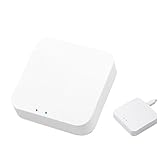
Overview:
The Coolwinds Hub Gateway positions itself as an affordable multi-protocol smart home bridge supporting Zigbee, Bluetooth Mesh, and WiFi simultaneously. Designed for the Smart Life app ecosystem, it enables voice control through Alexa and Google Assistant while managing up to 128 sub-devices. This wireless hub targets budget-conscious users building their first integrated smart home system without committing to a single-brand ecosystem.
What Makes It Stand Out:
Triple-protocol support at this price point is rare—most hubs support only Zigbee or require separate bridges for Bluetooth. The 128-device capacity exceeds many premium hubs, and the 24-month warranty demonstrates manufacturer confidence. Its ability to create cross-protocol smart scenes (e.g., Zigbee sensor triggering WiFi lights) provides genuine whole-home automation that typically requires more expensive solutions like SmartThings or Hubitat.
Value for Money:
At $49.99, this is one of the most cost-effective multi-protocol hubs available. Competitors like Samsung SmartThings ($70) or Aeotec hubs ($100+) offer similar device limits but lack Bluetooth Mesh integration. The inclusion of a two-year warranty adds significant value. However, the lesser-known brand may pose long-term support risks compared to established players. For experimentation and basic automation, it’s an unbeatable entry point.
Strengths and Weaknesses:
Strengths: Affordable triple-protocol support; 128-device capacity; easy wireless setup; Alexa/Google voice integration; robust scene automation; 24-month warranty.
Weaknesses: No native Matter support mentioned; limited to Smart Life app (no HomeKit); brand reliability unproven; no Ethernet option for stability; advanced user community is small.
Bottom Line:
The Coolwinds Hub is a compelling budget option for Android-centric households wanting to unify Zigbee, Bluetooth, and WiFi devices. While it lacks Matter support and HomeKit compatibility, its price and feature set make it perfect for beginners or as a secondary hub for specific protocols.
8. SMLIGHT SLZB-06 - Zigbee 3.0 to Ethernet,USB,and WiFi Gateway Coordinator with PoE,Universal Gateway for Home Assistant/ Zigbee2MQTT/ZHA,Wireless Zigbee 3.0 USB Adapter

Overview:
The SMLIGHT SLZB-06 is a professional-grade Zigbee coordinator designed for advanced users running Home Assistant, Zigbee2MQTT, or ZHA. This versatile gateway offers three connection methods (Ethernet, USB, WiFi) and two power options (PoE or Type-C), featuring a CC2652P chip with a +20dB amplifier for exceptional range. Its ESP32 core enables over-the-air firmware updates and experimental Matter-over-Thread support, catering to enthusiasts who demand flexibility and performance.
What Makes It Stand Out:
PoE support distinguishes the SLZB-06 from consumer hubs, allowing single-cable installation in optimal locations far from power outlets. The triple-connection flexibility lets users switch between USB direct-connect, WiFi bridging, or hardwired Ethernet without buying new hardware. Its +20dB amplifier and external antenna provide coverage that can penetrate multiple walls and floors, outperforming standard USB sticks. The web-based OTA update system eliminates the firmware flashing headaches common with DIY coordinators.
Value for Money:
Priced at $72.99, the SLZB-06 commands a premium over basic USB coordinators ($25-40) but delivers professional features. PoE capability alone justifies the cost for serious deployments, eliminating $20-30 in separate injectors or adapters. For Home Assistant users frustrated by range limitations or connectivity issues with cheaper sticks, this is a worthwhile upgrade that consolidates multiple functions into one reliable device.
Strengths and Weaknesses:
Strengths: PoE and Type-C power options; Ethernet/USB/WiFi connectivity; powerful +20dB amplification; CC2652P + ESP32 chipset; OTA firmware updates; experimental Matter-over-Thread; router/repeater modes.
Weaknesses: Overkill for casual users; requires technical expertise; no plastic case (exposed PCB); experimental Matter features; higher price than basic coordinators.
Bottom Line:
The SLZB-06 is the ultimate Zigbee coordinator for Home Assistant power users needing reliable, long-range mesh networks. Its PoE capability and flexible connectivity make it worth every penny for serious smart home installations, though beginners should opt for simpler solutions.
9. Aqara Thread/Zigbee Smart Climate Sensor W100,Temperature and Humidity Monitoring,Wireless Remote HVAC Control, 3 Customizable Smart Buttons,Works with HomeKit, Alexa, Google & More

Overview:
The Aqara W100 is a versatile climate sensor that uniquely supports both Zigbee and Thread protocols while integrating three programmable smart buttons and an LCD display. It monitors temperature (±0.2℃ accuracy) and humidity (±2%RH) while offering nine customizable actions through single, double, and long presses. The 3.4-inch screen shows real-time data, and it can pair with external Aqara sensors or display local weather. Zigbee mode enables IR HVAC control when used with the Aqara Hub M3.
What Makes It Stand Out:
Dual-protocol support is the headline feature—future-proofing your setup regardless of whether your ecosystem gravitates toward Matter/Thread or Zigbee. The three physical buttons transform it from a passive sensor into an active control panel for scenes and devices, a feature rarely seen in environmental sensors. The secondary display area’s ability to show external sensor data or weather forecasts adds unexpected utility. HVAC integration via IR blaster through the Hub M3 makes it a legitimate thermostat alternative for renters.
Value for Money:
At $39.99, the W100 competes with premium single-function sensors while offering significantly more functionality. Aqara’s own temperature sensor costs $20 without display or buttons; Thread-enabled sensors like Eve Room cost $80+. The button controls alone justify the premium, essentially bundling a $30 smart remote into the package. For Zigbee users, the HVAC control feature adds another $50+ value proposition.
Strengths and Weaknesses:
Strengths: Dual Zigbee/Thread protocol support; three programmable buttons with nine actions; accurate sensors; informative LCD display; external sensor integration; HVAC IR control capability; compact design.
Weaknesses: HVAC control requires Hub M3 (additional cost); secondary screen features limited to Aqara app in Zigbee mode; Thread mode needs Matter controller + Thread border router; button programming can be complex.
Bottom Line:
The Aqara W100 is the most feature-rich climate sensor under $40, perfect for users wanting monitoring plus tactile control. Its dual-protocol support and programmable buttons make it a versatile hub for small spaces, though full functionality requires investment in the Aqara ecosystem.
10. SMLIGHT SLZB-07 Zigbee 3.0 Coordinator Thread/Matter Mini USB Adapter Works with Zigbee2MQTT, Home Assistant, ZHA

Overview:
The SMLIGHT SLZB-07 is a compact USB Zigbee coordinator built on the reliable EFR32MG21 chip, pre-flashed for immediate use with Home Assistant’s ZHA and Zigbee2MQTT. This mini adapter delivers professional-grade performance in a thumb-drive form factor, featuring a +20dB amplifier and 3dB antenna for enhanced range. Experimental Thread/Matter support via multiPan firmware makes it forward-compatible with emerging standards, while the CP2102N USB converter ensures stable communication.
What Makes It Stand Out:
The EFR32MG21 chipset is the gold standard for Zigbee coordinators, proven by thousands of Home Assistant users for stability and device compatibility. The +20dB amplifier provides significantly better range than unamplified sticks like the ConBee II, while maintaining a compact, travel-friendly size. The EFR32 Autoflash mode simplifies firmware updates—just plug in and flash without jumper hassles. At this price point, getting a pre-flashed, amplified coordinator with Thread readiness is exceptional.
Value for Money:
Priced at $34.99, the SLZB-07 delivers flagship performance near budget prices. Comparable amplified coordinators like the Sonoff ZBDongle-E ($30) lack the CP2102N’s reliability, while the Tube’s CC2652P stick costs $45+. For Home Assistant users tired of dropping devices or fighting firmware updates, this offers premium hardware without the premium price. The two-year warranty and active developer support further sweeten the deal.
Strengths and Weaknesses:
Strengths: Proven EFR32MG21 chipset; +20dB amplification; pre-flashed for ZHA/Zigbee2MQTT; reliable CP2102N USB converter; compact mini USB design; experimental Thread/Matter support; easy OTA updates; excellent price.
Weaknesses: USB only (no Ethernet/WiFi); requires technical knowledge; exposed PCB vulnerable to damage; experimental Thread features; no PoE option like its bigger sibling.
Bottom Line:
The SLZB-07 is the best-value Zigbee coordinator for Home Assistant users who don’t need PoE. Its amplified signal and reliable chipset solve common mesh network issues, making it a no-brainer upgrade from basic sticks for anyone serious about smart home stability.
Understanding Matter and Zigbee Protocols
Before evaluating bridge solutions, you need a solid grasp of what makes these protocols tick. They weren’t built to replace each other—rather, they serve complementary roles in the smart home landscape.
The Evolution of Smart Home Standards
Zigbee emerged in the early 2000s as a low-power mesh networking solution designed specifically for home automation. Its IEEE 802.15.4 foundation prioritizes efficiency over throughput, making it ideal for battery-powered sensors and simple actuators. The protocol has matured through multiple iterations, with Zigbee 3.0 consolidating various application profiles into a unified standard.
Matter, launched by the Connectivity Standards Alliance, represents a fundamentally different approach. Built on IP-based technologies like Thread and Wi-Fi, Matter devices communicate using standard internet protocols. This design choice eliminates the need for protocol-specific hubs while enabling direct communication with smartphones and cloud services. Matter isn’t just a radio protocol—it’s a complete application layer that ensures devices from different manufacturers work identically.
Core Technical Differences
The architectural divergence creates the integration challenge. Zigbee uses a coordinator-router-end device topology with its own addressing scheme and security model. Devices join a centralized network where the coordinator manages permissions and routing tables. Communication happens through tightly controlled clusters and endpoints defined in the Zigbee Cluster Library.
Matter leverages Thread’s mesh networking for low-power devices while using Wi-Fi for higher-bandwidth applications. Its security model relies on blockchain-inspired operational certificates and a distributed fabric concept. Matter devices communicate through semantic data models that map directly to user-facing features. This IP-based approach means Matter devices expect standard network services like IPv6, DNS, and mDNS that Zigbee networks simply don’t provide.
Why Cross-Protocol Bridges Are Essential
The smart home industry rarely moves in lockstep. While Matter represents the future, Zigbee isn’t disappearing overnight. Bridges serve as the diplomatic corps of your smart home, negotiating peace between legacy and modern ecosystems.
The Fragmentation Problem in Smart Homes
Most households don’t start from scratch. You’ve invested in Zigbee sensors, switches, and perhaps a proprietary ecosystem that works reliably. Replacing everything with Matter equivalents would be prohibitively expensive and environmentally irresponsible. Yet new devices increasingly launch as Matter-only, creating a compatibility gap that widens each month.
Without a bridge, you’re forced into awkward workarounds: maintaining separate apps, creating brittle cloud-to-cloud automations, or accepting limited functionality. Worse, you lose the ability to create sophisticated local automations that combine devices from both protocols. A motion sensor should be able to trigger any light, regardless of its underlying protocol.
Benefits of Unified Ecosystems
A well-implemented cross-protocol bridge does more than enable basic on/off control. It translates device capabilities bidirectionally, exposing Zigbee devices to Matter controllers with appropriate feature parity. Your Zigbee temperature sensor appears as a proper Matter thermostat sensor, complete with temperature, humidity, and battery level attributes.
This unification enables advanced scenarios: local automation engines can now access all devices simultaneously, voice assistants see a single unified device list, and mobile apps provide consistent control interfaces. The bridge becomes invisible, letting you focus on creating experiences rather than troubleshooting protocols.
How Cross-Protocol Bridges Work
The magic happens through sophisticated protocol translation that preserves security, maintains state synchronization, and handles the fundamental impedance mismatch between Zigbee’s cluster model and Matter’s data model architecture.
Translation Layer Architecture
At its core, a cross-protocol bridge runs two complete protocol stacks: a Zigbee coordinator and a Matter commissioner/controller. The bridge maintains a real-time mapping between Zigbee clusters/endpoints and Matter endpoints/clusters. When your Matter controller sends a command to “turn on living room light,” the bridge intercepts this message, translates it into the corresponding Zigbee On/Off cluster command, and transmits it to the target device.
State synchronization works in reverse. The bridge subscribes to Zigbee attribute reports and translates these into Matter attribute reports. This bidirectional translation happens with minimal latency—typically under 100 milliseconds for local processing. The bridge must also handle more complex translations, like converting Zigbee color space commands (XY, HSV, color temperature) into Matter’s color control cluster format.
Edge vs. Cloud Processing
The processing location critically impacts performance and reliability. Edge-based bridges perform all translation locally on your network. They maintain persistent connections to both Zigbee and Matter networks, enabling sub-second response times and continued operation during internet outages. These solutions typically run on dedicated hardware with sufficient processing power for real-time protocol translation.
Cloud-dependent bridges offload translation to remote servers. Your Zigbee devices connect to a cloud service, which then exposes them to your Matter network through a virtual bridge. While this reduces local hardware requirements, it introduces latency, dependency on internet connectivity, and potential privacy concerns. For time-sensitive automations like security sensors or lighting, edge processing is non-negotiable.
Key Features to Evaluate
Not all bridges offer the same capabilities. Your specific smart home requirements should drive feature prioritization, but certain characteristics separate robust solutions from basic translators.
Protocol Support Beyond Matter and Zigbee
The most capable bridges don’t stop at Matter and Zigbee. They often include Z-Wave, Thread border router functionality, and even proprietary protocol support. This future-proofs your investment and simplifies your network architecture. A single bridge handling multiple protocols reduces points of failure and power consumption compared to multiple dedicated hubs.
Look for bridges that support the full Zigbee 3.0 specification, including Green Power devices and touchlink commissioning. On the Matter side, verify support for both Thread and Wi-Fi device commissioning, multi-admin capabilities, and the complete set of device types defined in the Matter specification.
Local vs. Cloud Dependency
Examine the bridge’s operational model carefully. Does it require constant cloud connectivity for basic function? Can it operate entirely locally after initial setup? Check whether device control, automation, and state reporting work without internet access. Some bridges advertise “local control” but still require cloud authentication for administrative functions.
The ideal solution provides a local API alongside Matter compatibility, enabling advanced users to create custom integrations. This dual-mode operation ensures your bridge remains useful even as standards evolve or manufacturers discontinue cloud services.
Processing Power and Device Capacity
Bridge hardware specifications directly impact performance. The Zigbee coordinator requires sufficient RAM to maintain routing tables for large mesh networks—typically 64KB to 128KB for networks exceeding 50 devices. Matter controllers need processing power to handle cryptographic operations for secure session establishment and message encryption.
Evaluate device limits realistically. A bridge claiming “200+ device support” might handle that many simple on/off switches but struggle with 50 power-reporting smart plugs sending frequent updates. Check specifications for concurrent connection limits, attribute reporting rates, and automation complexity thresholds.
Compatibility Considerations
Device compatibility extends beyond basic protocol support. The nuanced differences between manufacturer implementations can create frustrating edge cases that only appear after purchase.
Device-Specific Quirks and Workarounds
Zigbee devices vary significantly in their cluster implementation. Some manufacturers take shortcuts, implementing only the mandatory attributes while ignoring optional but useful features. A bridge must contain a comprehensive database of device fingerprints and custom handling logic to translate these idiosyncrasies into standard Matter behavior.
For example, certain Zigbee sensors report temperature in tenths of degrees while others use hundredths. The bridge must normalize these values to Matter’s fixed-point representation. Similarly, battery reporting varies wildly—some devices report percentage, others report voltage, and some use custom attributes. The bridge’s device handler determines whether your Matter controller sees accurate battery levels or just a generic “low battery” warning.
Firmware Update Mechanisms
Over-the-air (OTA) firmware updates present another compatibility layer. Zigbee devices expect updates delivered through the Zigbee OTA cluster, while Matter uses its own BDX (Block Data Exchange) protocol over IP. A sophisticated bridge intercepts Matter firmware update commands and repackages them for Zigbee delivery.
Verify that your bridge manufacturer commits to maintaining OTA translation for popular devices. Without this, your Zigbee devices become stuck on outdated firmware, potentially missing security patches or compatibility improvements. The best bridges maintain a curated firmware repository and handle the complex translation automatically.
Security Implications
Bridging two different security models creates potential vulnerabilities. Understanding how the bridge handles authentication, encryption, and network isolation is critical for maintaining a secure smart home.
Encryption Standards Across Protocols
Zigbee networks use AES-128 encryption with network-wide keys. Matter employs more granular security with per-session encryption using AES-128-CCM and operational certificates signed by a trusted root. The bridge must maintain both security contexts without weakening either.
The bridge itself becomes a high-value target since it holds decryption keys for both networks. Look for devices with secure boot, encrypted storage for keys, and regular security updates. Some bridges provide hardware security modules (HSMs) for key storage, preventing extraction even if the device is physically compromised.
Network Segmentation Best Practices
Never place your bridge directly on the internet. It should reside on your internal network with firewall rules restricting unnecessary outbound connections. For advanced users, consider placing the bridge on a dedicated IoT VLAN with carefully controlled access to your main network.
The bridge’s Zigbee coordinator function creates a separate wireless network that should be isolated from your Wi-Fi. While Zigbee uses different frequencies, compromised devices could potentially be used as stepping stones. Ensure the bridge doesn’t create unintended network bridges between your Zigbee mesh and IP network beyond the controlled translation layer.
Setup and Configuration Best Practices
Proper planning during installation prevents headaches later. The initial configuration determines your network’s reliability, scalability, and maintainability.
Initial Network Planning
Map your device topology before installation. Place the bridge centrally to ensure strong Zigbee mesh formation. Matter Thread devices also benefit from central placement for optimal mesh routing. Avoid physical obstructions and interference sources like USB 3.0 ports, which generate noise in the 2.4GHz band used by both protocols.
Plan your Zigbee network ID and channel selection carefully. While bridges can auto-select channels, manually choosing a channel away from Wi-Fi interference (channels 11, 15, 20, or 25 typically work well) improves reliability. Document your network configuration—channel, PAN ID, and security settings—for future troubleshooting.
Migration Strategies for Existing Setups
Migrating an established Zigbee network requires patience. Don’t unpair all devices at once. Instead, migrate in phases: start with non-critical devices, verify stable operation through the bridge, then proceed to essential devices. This incremental approach isolates compatibility issues and prevents total network failure.
For devices that are difficult to reach physically, consider using Zigbee network steering and touchlink commissioning through the bridge rather than manual reset procedures. Some bridges can intercept devices from existing networks and migrate them without physical access, though this requires the original network key.
Performance Optimization
A poorly optimized bridge can introduce noticeable lag and reduce network stability. Fine-tuning performance ensures your automations feel instantaneous and your devices remain responsive.
Latency Reduction Techniques
Enable attribute reporting thresholds to prevent flooding. Zigbee devices can be configured to report temperature changes only when they exceed 0.5°C rather than every minor fluctuation. The bridge should batch multiple attribute reports into single Matter messages, reducing protocol overhead.
For lighting controls, prioritize command forwarding over attribute synchronization. When you flip a virtual switch in your Matter app, the bridge should immediately forward the command while asynchronously updating the device state. This perceived responsiveness matters more than perfect state synchronization, which can catch up within milliseconds.
Mesh Network Health Monitoring
The bridge should provide visibility into Zigbee mesh topology. Check link quality indicators (LQI) for each connection and identify devices with poor routing paths. Sometimes moving a single powered device can dramatically improve network-wide reliability.
Matter Thread networks require similar monitoring. Verify that Thread devices have multiple routing paths and adequate leader/router capacity. The bridge’s Thread border router function should display network topology and allow you to influence parent selection for battery-powered devices.
Advanced Integration Scenarios
Beyond basic device bridging, sophisticated setups unlock powerful automation possibilities that transcend protocol boundaries.
Multi-Hub Environments
Some advanced users run multiple bridges for redundancy or capacity reasons. In these scenarios, bridges must coordinate to avoid Zigbee network conflicts and ensure consistent device representation across Matter fabrics. Look for solutions that support bridge federation, where one primary bridge coordinates secondary units.
This architecture enables geographic distribution—placing a bridge on each floor to improve mesh performance while presenting a unified device list to Matter controllers. The bridges synchronize device states and routing information, creating a cohesive network despite physical separation.
Voice Assistant Interoperability
Matter’s multi-admin feature allows multiple ecosystems to control the same device simultaneously. Your bridge should expose Zigbee devices to all Matter commissioners equally, whether they’re Amazon Alexa, Google Home, Apple HomeKit, or Samsung SmartThings. Verify that custom attributes and manufacturer-specific features translate properly across all ecosystems.
Some bridges offer additional voice assistant integrations beyond Matter, directly exposing Zigbee devices to cloud services. While convenient, this creates duplicate device entries and potential control conflicts. Standardize on Matter for all voice control to maintain a single source of truth.
Future-Proofing Your Investment
Smart home technology evolves rapidly. A bridge that’s perfect today might become a bottleneck tomorrow. Strategic selection extends your system’s useful lifespan.
Matter Version Evolution
Matter is designed for backward compatibility, but new features emerge in each specification revision. Your bridge should support firmware updates to newer Matter versions without requiring hardware replacement. Check the manufacturer’s track record with previous standards—companies that abandoned Zigbee 3.0 updates are likely to do the same with Matter.
The bridge’s hardware should be overpowered for current requirements. Matter’s cryptography demands will increase as security standards evolve. A bridge with a modern ARM Cortex-A series processor and ample RAM will handle future protocol enhancements better than a minimal embedded solution.
Zigbee 3.0 and Beyond
While Matter is the future, Zigbee isn’t static. The Zigbee Direct feature allows Zigbee devices to be commissioned via Bluetooth, and Green Power continues evolving for energy-harvesting devices. Ensure your bridge supports these emerging capabilities, even if you don’t need them immediately.
Consider bridges that are Thread border routers as well as Zigbee coordinators. Thread is Matter’s preferred low-power networking technology, and having a unified radio platform positions you to gradually transition devices as manufacturers release Thread versions of existing Zigbee products.
Troubleshooting Common Issues
Even well-planned installations encounter problems. Knowing how to diagnose and resolve issues quickly separates successful integrations from abandoned projects.
Device Pairing Failures
When a Zigbee device refuses to pair through the bridge, check three things: device reset procedure, network capacity, and interference. Many devices require precise timing—holding buttons for exactly 8-10 seconds, not more. The bridge’s logs should indicate whether it sees join requests; if not, the device isn’t resetting properly.
Network capacity issues manifest as devices that pair but immediately drop off. Zigbee networks support limited direct child connections (typically 10-20 per router). If your bridge is the only router, you might hit this limit quickly. Adding powered Zigbee devices extends the mesh and provides additional routing capacity.
Intermittent Connectivity Problems
Devices that work sporadically usually suffer from mesh routing issues or interference. Use the bridge’s network map to identify devices with low LQI values. Sometimes a device chooses a poor parent that seems strong but suffers from intermittent interference. Most bridges allow you to manually configure parent selection or influence routing through network restructuring commands.
Check for Wi-Fi channel overlap. If your 2.4GHz Wi-Fi uses channel 11 (centered at 2462 MHz), set your Zigbee channel to 25 (centered at 2475 MHz) to minimize overlap. The bridge should provide spectrum analysis tools to visualize interference across channels.
Cost-Benefit Analysis
Cross-protocol bridges represent a significant investment. Understanding the true cost helps justify the expense and set realistic expectations.
Hidden Costs to Consider
Beyond the purchase price, factor in time investment for setup and ongoing maintenance. Complex bridges might require 10-20 hours for initial configuration and device migration. Power consumption matters too—a bridge running 24/7 can add $5-15 annually to your electricity bill, depending on efficiency.
Consider the cost of not bridging: maintaining multiple apps, cloud service subscriptions, and the frustration of limited automation. While harder to quantify, this “fragmentation tax” reduces your smart home’s utility and increases support burden.
ROI Timeline Expectations
Calculate ROI based on avoided replacement costs. If bridging a $30 Zigbee sensor prevents purchasing a $50 Matter equivalent, you’ve recouped part of the bridge cost. With 10-15 devices, the bridge typically pays for itself immediately. The real value emerges from enabled automations that would be impossible otherwise—lighting scenes that mix protocols, occupancy-based HVAC control, and integrated security responses.
Vendor Lock-in vs. Open Ecosystems
The bridge market splits between proprietary solutions and open platforms. Each approach carries distinct implications for flexibility, support, and longevity.
Proprietary Extensions
Commercial bridges often add proprietary features beyond standard translation—enhanced device handlers, cloud services, and mobile apps. While convenient, these extensions can create lock-in. If the manufacturer discontinues support, you might lose functionality that wasn’t part of the open standard.
Evaluate whether proprietary features justify the risk. A bridge that offers superior device compatibility through custom handlers provides immediate value, but weigh this against the community-driven approach of open platforms where users contribute and maintain device support.
Community Support and Development
Open-source bridges benefit from collective expertise. When a new Zigbee device hits the market, community members often reverse-engineer its protocol quirks and share configuration files within days. This rapid adaptation outpaces commercial vendor update cycles.
However, community support requires technical comfort. You’ll need to edit configuration files, interpret debug logs, and potentially contribute fixes. The trade-off is maximum flexibility and no vendor dependency. Your devices remain functional as long as the community maintains the software, regardless of corporate strategy shifts.
Environmental and Power Considerations
Smart home infrastructure runs continuously, making efficiency and environmental impact relevant selection criteria.
Power Consumption Profiles
Bridge hardware varies dramatically in power draw, from 2-3 watts for efficient ARM-based systems to 15+ watts for full Linux computers running bridge software. Over five years, this difference amounts to roughly 50-250 kWh—enough to power an LED bulb continuously for 6 months to 3 years.
Consider the embodied energy of the device too. A bridge that lasts 7-10 years has lower environmental impact than replacing a cheaper unit every 2-3 years. Look for solid-state construction without moving parts, quality capacitors, and adequate cooling that suggests longevity.
Making Your Final Decision
With dozens of variables to weigh, systematic evaluation prevents analysis paralysis and ensures you select a bridge aligned with your specific needs.
Creating Your Requirements Checklist
Start by inventorying your current Zigbee devices and planned Matter additions. Count devices by type, noting which use advanced features like power measurement or color control. Identify must-have automations that cross protocol boundaries.
Next, assess your technical comfort level. Are you comfortable with command-line configuration, or do you need a polished mobile app? Do you value cutting-edge features or rock-solid stability? Rank these priorities: local control, device compatibility, multi-ecosystem support, advanced automation, and cost.
Finally, test before committing if possible. Some vendors offer trial periods or return policies. Set up a small test network with a few representative devices and verify that your critical automations work reliably. Measure latency, check device handler accuracy, and stress-test the system with rapid command sequences. This hands-on validation reveals issues that specification sheets never mention.
Frequently Asked Questions
Will a cross-protocol bridge slow down my device response times?
Properly implemented bridges add less than 100 milliseconds of latency for local commands—imperceptible for most use cases. Edge-based bridges perform translation locally, maintaining sub-second responsiveness. Cloud-dependent bridges can add 500ms to several seconds, making them unsuitable for time-sensitive applications like lighting or security sensors.
Can I bridge devices that use manufacturer-specific Zigbee clusters?
Yes, but with caveats. Quality bridges maintain a database of device handlers that translate manufacturer extensions into standard Matter attributes. However, obscure devices might only support basic on/off functionality until the community or vendor creates a custom handler. Check community forums for your specific device models before purchasing.
Do I need to keep my original Zigbee hub after installing a bridge?
Typically no. The bridge includes a full Zigbee coordinator that replaces your existing hub. However, some proprietary ecosystems require keeping their hub for firmware updates or cloud services. In these cases, you can often run both in parallel—use the original hub for management and the bridge for Matter exposure, though this complicates the setup.
How does device firmware updating work through a bridge?
The bridge acts as a protocol translator for OTA updates. It receives Matter firmware files, repackages them into Zigbee OTA format, and delivers them to devices using the Zigbee OTA cluster. This process is transparent to you but requires the bridge manufacturer to maintain firmware repositories and translation logic. Verify that your bridge supports OTA for your specific device brands.
Will my Zigbee devices lose functionality when exposed to Matter?
They shouldn’t, but it depends on the bridge’s device handlers. A well-implemented handler exposes all relevant features—color control, power monitoring, occupancy sensitivity settings—through Matter’s data model. Basic bridges might only support on/off and brightness, losing advanced configuration options. Review device compatibility lists carefully, paying attention to supported features rather than just device names.
Can I run multiple bridges for redundancy or capacity?
Advanced setups can use multiple bridges, but coordination is crucial. Some solutions support bridge federation with a primary coordinator. For Zigbee, you cannot have two coordinators on the same network—each bridge must manage separate Zigbee meshes. Matter’s multi-admin feature allows multiple bridges to expose the same logical device, but this requires careful configuration to avoid control conflicts.
What happens if the bridge manufacturer goes out of business?
With proprietary bridges, you risk losing cloud services and future updates, though local control typically continues functioning. Open-source bridges avoid this risk entirely—the community can maintain the software indefinitely. When evaluating commercial options, assess the company’s financial health and commitment timeline. Some offer local API documentation as insurance against discontinuation.
How do I troubleshoot devices that pair but don’t respond to commands?
First, check the bridge’s logs for routing issues. The device may have paired through a weak mesh path. Try power-cycling the device to force it to find a better parent. If problems persist, remove and re-pair the device closer to the bridge, then move it to its final location. Some bridges allow manual routing table editing to force optimal paths.
Is Thread support necessary in a Matter-Zigbee bridge?
While not strictly required for Zigbee-Matter translation, Thread border router functionality is highly recommended. Matter uses Thread for low-power devices, and having this capability in your bridge ensures you’re ready for next-generation sensors and switches. A bridge without Thread support will require a separate border router later, increasing complexity and cost.
Can bridges handle complex Zigbee group messaging and scenes?
Advanced bridges translate Zigbee groups into Matter groups, preserving the efficiency of group messaging. However, scene translation is more complex. Zigbee scenes store device-specific configuration snapshots, while Matter scenes use a different model. The best bridges create virtual Matter scenes that map to Zigbee scenes, though this may require manual configuration. Verify scene support if you rely heavily on preset lighting configurations or complex automation sequences.