Imagine fumbling through your pockets in the rain, desperately searching for keys while your grocery bags threaten to spill. Now picture simply tapping your Android phone against your door and walking right in—that’s the seamless reality NFC-enabled smart deadbolts deliver. As Android devices have become central command centers for our digital lives, the integration of Near Field Communication technology with home security represents a natural evolution that’s both surprisingly accessible and robustly secure.
This comprehensive guide dives deep into everything Android users need to know about NFC smart deadbolts, from the underlying technology that makes tap-to-unlock possible to the nuanced features that separate exceptional locks from mediocre ones. Whether you’re a tech enthusiast ready to upgrade your home’s first line of defense or a security-conscious homeowner weighing your options, we’ll walk you through the critical considerations, installation insights, and best practices that will transform how you think about keyless entry.
Top 10 NFC-Enabled Smart Deadbolts for Android
Detailed Product Reviews
1. ULTRALOQ Bolt NFC, World’s First Smart Lock with Apple Home Key and Android NFC Tap to Unlock, Built in Wi-Fi Deadbolt, Remote Control, Works with HomeKit, Alexa, Google, 1 Year Battery, BHMA Cert.

Overview: The ULTRALOQ Bolt NFC positions itself as a pioneering smart lock offering seamless tap-to-unlock functionality for both Apple and Android ecosystems. This deadbolt replacement eliminates traditional keys entirely, providing eight access methods including NFC tap, voice control, anti-peep keypad, and mechanical backup keys. With built-in WiFi and BHMA certification, it targets tech-savvy homeowners seeking comprehensive smart home integration without additional hubs.
What Makes It Stand Out: Its dual-platform NFC capability is genuinely unique—supporting Apple Home Key and Android NFC tap simultaneously, even when phones are dead. The 8-in-1 entry system provides exceptional flexibility, while smart auto-lock/unlock with door sensing adds true automation. Integration with major ecosystems (HomeKit, Alexa, Google, SmartThings, IFTTT) makes it a versatile centerpiece for connected homes.
Value for Money: At $129.99, this lock delivers remarkable value. Competing locks with Apple Home Key alone typically cost $180+, while adding Android NFC compatibility usually requires premium models. The built-in WiFi eliminates $50-100 hub costs, and BHMA certification ensures durability that budget alternatives lack. For multi-platform households, it’s effectively two locks in one.
Strengths and Weaknesses: Strengths include true cross-platform NFC support, extensive smart home compatibility, robust app controls with 50 access codes, and reliable auto-lock functionality. Weaknesses involve 2.4GHz WiFi limitation, potential battery drain from multiple radios, and a learning curve for less tech-comfortable users. The “world’s first” claim may face competition quickly.
Bottom Line: The ULTRALOQ Bolt NFC is an exceptional choice for households mixing Apple and Android devices. Its comprehensive feature set, certified security, and hub-free design make it a top contender. If you need seamless tap-to-unlock across platforms, this is currently unbeatable at this price point.
2. ULTRALOQ 2025 Upgrade Bolt NFC Smart Door Lock, Built-in WiFi Deadbolt 6-in-1 Keypad Keyless Entry Door Lock & Door Sensor,Auto Unlock,IP65 Waterproof,Easy Installation,BHMA Grade AAA

Overview: The 2025 Upgrade Bolt NFC refines ULTRALOQ’s formula with enhanced durability and extended battery life. This iteration focuses on Android users while maintaining universal appeal through its 6-in-1 entry system. The IP65 waterproof rating and BHMA Grade AAA certification signal serious build quality improvements, while the door sensor enables intelligent auto-locking. It’s designed for homeowners prioritizing reliability and weather resistance.
What Makes It Stand Out: The standout feature is battery longevity—10 months from 8 AA batteries, doubling competitors’ lifespan. IP65 waterproofing ensures performance in extreme conditions, while the exclusive Android NFC emphasis offers cost savings over dual-platform models. The door sensor integration provides precise auto-lock/unlock triggers, and BHMA Grade AAA rating guarantees exceptional durability for high-traffic entrances.
Value for Money: Priced at $139.99, it’s $10 more than the standard Bolt NFC but adds significant hardware upgrades. The extended battery life alone justifies the premium, reducing replacement costs and inconvenience. IP65 protection prevents weather-related failures that could cost hundreds in repairs. For Android-centric households, it’s more economical than dual-platform locks while delivering superior construction.
Strengths and Weaknesses: Strengths include exceptional battery life, robust weatherproofing, reliable auto-lock with door sensing, and strong Android NFC implementation. Weaknesses are the reduced entry methods (6 vs 8), minimal Apple ecosystem support, and slightly higher price. The focus on Android may alienate Apple users, and battery compartment size could be bulkier.
Bottom Line: This upgrade is ideal for Android households in harsh climates. The extended battery life and weatherproofing make it a set-and-forget solution. If you don’t need Apple Home Key, the hardware improvements easily justify the modest price increase over the base model.
3. ULTRALOQ U-Bolt Pro WiFi Smart Lock with Handle, Fingerprint Keyless Entry Door Lock Set with Lever, Smart Deadbolt Locks for Front Door, Auto-Lock, Auto Unlock, App Remote Control, ANSI Grade 1
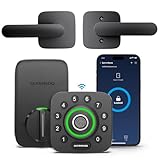
Overview: The U-Bolt Pro WiFi with Handle combines biometric security with traditional lever functionality in one integrated package. This ANSI Grade 1 certified lockset replaces both deadbolt and door handle, offering eight access methods including AI-powered fingerprint recognition. Built-in WiFi enables remote management without hubs, while the included lever provides a complete door solution. It’s engineered for front doors requiring maximum security and convenience.
What Makes It Stand Out: The AI-enhanced fingerprint scanner delivers industry-leading biometric accuracy and speed. ANSI Grade 1 certification represents the highest residential security standard—35 times stronger than standard locks with 7 times longer lifespan. The integrated handle eliminates separate purchases, while auto-unlock using smartphone proximity adds seamless convenience. Real-time alerts and door status monitoring provide comprehensive security awareness.
Value for Money: At $139.99 including the lever handle, this represents outstanding value. Comparable Grade 1 smart locks cost $200+ without handles. The fingerprint reader adds premium functionality typically found in $180+ models. For new installations or complete replacements, buying lock and handle separately would cost $50-100 more. The durability rating ensures longevity that justifies the investment.
Strengths and Weaknesses: Strengths include top-tier security certification, fast fingerprint recognition, complete lockset solution, robust auto-features, and excellent smart home integration. Weaknesses involve 2.4GHz WiFi only, potential fingerprint sensor issues in extreme cold, and the lever style may not match all décor. Installation is more complex than deadbolt-only models.
Bottom Line: The U-Bolt Pro WiFi with Handle is the best choice for security-conscious buyers wanting a complete solution. Its Grade 1 rating and biometric capability are unmatched at this price. If you’re replacing both lock and handle, this integrated package offers premium features without premium cost.
4. ULTRALOQ Latch 5 World’s First Built-in WiFi Smart Lock with NFC, 5-in-1 Keyless Entry with App Control, Smart Door Handle Lock with Touch Digital Keypad, Satin Nickel

Overview: The Latch 5 reimagines smart security as a lever-style lock with integrated handle and touchpad. Marketed as the world’s first built-in WiFi lever lock with NFC, it targets rental properties and homeowners wanting handle-lock convenience. The 5-in-1 system offers app, NFC/keyfob, code, and mechanical key access. Its zinc alloy construction and satin nickel finish provide durability with aesthetic appeal, while tool-free installation appeals to DIYers.
What Makes It Stand Out: The lever-integrated design eliminates separate components, making it ideal for doors without existing deadbolts. Built-in WiFi with remote password sharing excels for Airbnb hosts and property managers. The touch digital keypad provides responsive input, while NFC/keyfob support offers quick entry options. Its all-in-one form factor simplifies smart lock adoption for standard interior/exterior doors.
Value for Money: At $153.45, it’s pricier than deadbolt alternatives but includes the handle mechanism. For rental properties, remote access management eliminates key exchange costs and hassles. The durable zinc alloy construction prevents frequent replacements. While fewer entry methods than U-Bolt models, the streamlined design reduces installation complexity. It’s competitively priced against lever smart locks from Yale or Schlage, which often require separate hubs.
Strengths and Weaknesses: Strengths include integrated lever design, easy installation, robust build quality, excellent rental management features, and reliable touch keypad. Weaknesses are limited 5-in-1 entry options, no fingerprint or Apple Home Key support, and higher cost per feature. The lever mechanism may be less secure than deadbolt designs for primary entrances.
Bottom Line: The Latch 5 is perfect for rental properties, side entries, or interior secure areas where a lever is preferred. Its remote management capabilities and sturdy build justify the premium. For primary front doors requiring maximum security, consider a deadbolt model instead.
5. Level Bolt Smart Deadbolt - Previous Model

Overview: The Level Bolt takes a minimalist approach by converting your existing deadbolt into a smart lock rather than replacing it. This discontinued model hides inside the door, preserving exterior aesthetics while adding app-controlled keyless entry. Designed for design-conscious homeowners who don’t want visible smart hardware, it works with most standard deadbolts. The manufacturer has moved to newer models, making this a budget option for basic smart lock functionality.
What Makes It Stand Out: Its invisible installation maintains your door’s original appearance—ideal for historic homes or design-sensitive spaces. The conversion approach costs less than full replacement and reuses existing hardware you trust. The Level Home App provides fundamental remote access and guest management without complexity. It’s one of the few solutions that keeps your exterior hardware completely unchanged.
Value for Money: At $89.99, it’s the most affordable option here, but the discontinued status is a major caveat. For basic app-controlled access on a budget, it delivers acceptable value. However, lack of ongoing support, no NFC, no keypad, and limited smart home integration reduce long-term worth. You’re trading advanced features for cost savings and aesthetic preservation.
Strengths and Weaknesses: Strengths include invisible installation, budget price, simple app control, and preservation of existing keys. Weaknesses are discontinued support, limited features (no NFC, keypad, voice control), basic security, dependency on existing lock quality, and uncertain future app compatibility. Battery life and reliability concerns are common in conversion kits.
Bottom Line: Only consider this if budget is paramount and you need invisible installation. For most buyers, spending $40 more on a current ULTRALOQ model provides vastly superior features, support, and security. The discontinued status makes it a risky investment for long-term use.
6. ULTRALOQ Latch 5 Built-in WiFi Smart Lock with NFC, 5-in-1 Keyless Entry Door Lock with Touch Digital Keypad, Smart Handle Lock, App Control, Black

Overview: The ULTRALOQ Latch 5 represents a premium entry in the smart lock market, offering five distinct unlocking methods including built-in WiFi connectivity without requiring a separate gateway. Designed for rental property owners and tech-savvy homeowners, this smart handle lock combines robust construction with comprehensive remote management capabilities.
What Makes It Stand Out: As the world’s first built-in WiFi smart lock with NFC capability, the Latch 5 eliminates the need for additional hubs. Its 5-in-1 entry system includes smartphone app control via both Bluetooth and WiFi, NFC keyfobs, digital keypad codes, and traditional mechanical keys. The sturdy zinc alloy construction and weatherproof exterior ensure durability across all seasons, while the ability to share temporary passwords remotely makes it ideal for Airbnb hosts and property managers.
Value for Money: At $169.99, the Latch 5 sits in the mid-to-high range but justifies its price through integrated WiFi that competitors often charge extra for via separate gateways. Compared to systems requiring $50-100 additional hub purchases, this all-in-one solution offers genuine savings. The build quality and feature set rival locks costing $200+, making it a sound investment for those prioritizing reliability and convenience.
Strengths and Weaknesses: Strengths include true built-in WiFi eliminating hub costs, versatile 5-in-1 access, robust zinc alloy build, weatherproof design, and excellent remote management for rentals. Weaknesses are limited to 2.4GHz WiFi only (no 5GHz support), potential battery drain from constant WiFi connectivity, and a higher upfront cost that may deter budget-conscious buyers. Some users report occasional app connectivity hiccups.
Bottom Line: The ULTRALOQ Latch 5 is an excellent choice for rental property owners and homeowners seeking a reliable, hub-free smart lock solution. Its premium build quality, comprehensive feature set, and true remote management capabilities justify the investment. While not the cheapest option, it eliminates hidden costs and delivers professional-grade performance worth the price.
7. Keyless Entry Door Lock with 2 Knobs, Biquole Fingerprint Keypad Deadbolt, Smart Deadbolt for Front Door Lock Set, Auto Lock, One-time Codes, Easy to Install, App Control

Overview: The Biquole Keyless Entry Door Lock offers an affordable yet feature-rich smart deadbolt solution with two included knobs for complete door hardware replacement. This budget-friendly option doesn’t skimp on functionality, providing rapid fingerprint recognition and five unlocking methods at a fraction of premium brand prices.
What Makes It Stand Out: Remarkable speed defines this lock, with fingerprint identification in 0.3 seconds and unlocking in 0.5 seconds. The 5-in-1 system includes fingerprint, keypad code, mechanical key, Bluetooth app control, and optional remote access via Tuya Gateway. It stores 100 fingerprints and 100 user codes, supports one-time and timed passcodes, and provides detailed access logs. The sixfold security protection includes auto-lock, wrong entry limits, and anti-peeping technology.
Value for Money: At $61.99, this lock delivers exceptional value, packing premium features like extensive user storage, multiple access methods, and intelligent management into an entry-level price point. While requiring a separate gateway for full remote access, its core functionality matches locks costing 2-3 times more. The inclusion of two knobs and mechanical keys eliminates additional hardware purchases.
Strengths and Weaknesses: Strengths include blazing-fast fingerprint recognition, comprehensive 5-in-1 access, generous user storage (100 fingerprints/codes), robust security features, and unbeatable price-to-feature ratio. Weaknesses involve requiring separate Tuya Gateway for WiFi remote access, plastic components that may affect long-term durability, and limited brand recognition compared to established competitors. Battery life is decent but not exceptional at 6-12 months.
Bottom Line: The Biquole smart lock is a standout budget option that punches far above its weight class. It’s ideal for homeowners, small offices, and Airbnb hosts seeking comprehensive smart lock features without breaking the bank. While build quality may not match premium brands, the feature set and performance make it an excellent value proposition for cost-conscious buyers.
8. Fingerprint Keyless Entry Door Lock – Smart Deadbolt with App Control, 10-Month Battery Life, Easy Installation, Deadbolt Alternative, IP66 Waterproof, Includes 2 Backup Keys
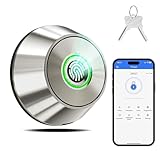
Overview: This ultra-affordable fingerprint smart deadbolt delivers core smart lock functionality at an entry-level price point. Focusing on essential features rather than overwhelming complexity, it provides three reliable unlocking methods, straightforward app control, and impressive 10-month battery life, making it an accessible introduction to smart home security.
What Makes It Stand Out: Simplicity and efficiency are this lock’s hallmarks. The 3-in-1 system covers fingerprint recognition (0.3 seconds), Bluetooth app unlock within 15 meters, and backup keys. It stores 100 fingerprints, offers adjustable auto-lock timing (10-90 seconds), and features one-touch lock/unlock. The IP66 waterproof rating and aluminum alloy construction provide durability beyond its price class. Installation takes just 15 minutes with a screwdriver.
Value for Money: At $47.49, this is among the most cost-effective smart locks available. It sacrifices WiFi connectivity and NFC to hit this price point, but retains core functionality that satisfies most residential needs. The 10-month battery life reduces maintenance costs, while the included backup keys and straightforward operation eliminate complexity. Perfect for renters or first-time smart lock users not ready to invest heavily.
Strengths and Weaknesses: Strengths include exceptional affordability, simple 3-in-1 operation, impressive battery life, IP66 weatherproof rating, easy installation, and reliable fingerprint speed. Weaknesses are Bluetooth-only app control (no remote access), limited to 100 users without advanced code types, plastic interior components, and lack of integration with major smart home ecosystems. No gateway option for WiFi expansion.
Bottom Line: This budget smart lock excels at delivering essential features without unnecessary frills. It’s perfect for apartments, rental properties, or homeowners wanting basic keyless entry on a tight budget. While it won’t satisfy those needing remote access or advanced automation, it provides reliable security and convenience at an unbeatable price. An excellent starter smart lock.
9. Keyless Entry WiFi Smart Lock, Hornbill Fingerprint Smart Deadbolt with App Control, Compatible with Alexa, Touchscreen Keypad Door Lock with Auto-Lock for Rentals Home
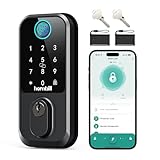
Overview: The Hornbill Smart Lock positions itself as a versatile mid-range solution with an impressive 9-in-1 unlocking system and included WiFi gateway. Designed for tech-forward households and rental properties, it combines voice control compatibility with comprehensive access options, delivering premium features at a moderate price point.
What Makes It Stand Out: This lock’s 9-in-1 entry methods include fingerprint, passcode, IC fob, mechanical key, WiFi, Bluetooth, and voice control via Alexa/Google Assistant. The included G3 gateway enables seamless 2.4GHz WiFi connectivity without additional purchases. Fingerprint recognition unlocks in 0.3 seconds, and the system stores 100 fingerprints and passcodes. Temporary access codes can be created and revoked instantly, making it ideal for managing guests and service providers.
Value for Money: At $109.99 with an included gateway, this lock offers strong value. Competing locks often charge $30-60 extra for WiFi connectivity. The extensive integration options and voice control capabilities typically appear in $150+ models. For users wanting comprehensive smart home integration without premium pricing, it strikes an attractive balance between features and cost.
Strengths and Weaknesses: Strengths include included WiFi gateway, 9-in-1 versatile access, voice assistant integration, rapid fingerprint recognition, robust temporary code management, and excellent smart home compatibility. Weaknesses involve 2.4GHz WiFi limitation, gateway requiring proximity to lock (16ft optimal), potentially complex setup for non-tech users, and battery life concerns with multiple connectivity options active. Brand recognition is moderate.
Bottom Line: The Hornbill Smart Lock is a feature-packed mid-range option perfect for smart home enthusiasts and rental managers. The included gateway and voice control support provide exceptional versatility at this price. While setup may challenge some users, the comprehensive feature set and reliable performance make it a smart investment for those wanting advanced capabilities without premium brand pricing.
10. Philips WiFi Smart Deadbolt Lock with Fingerprint Keypad, APP Remote Control, Smart Retrofit Lock for Existing Deadbolt, Keyless Entry, Voice Control, Interior Auto-Locking
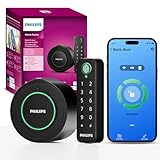
Overview: The Philips WiFi Smart Deadbolt takes a unique retrofit approach, transforming existing deadbolts into smart locks without replacing the entire mechanism. This innovative design preserves your door’s aesthetic and existing hardware while adding comprehensive smart features, making it ideal for renters and those with high-end door hardware they wish to keep.
What Makes It Stand Out: Unlike traditional smart locks, this model installs over your existing single-cylinder deadbolt, maintaining your current keys and exterior appearance. Built-in WiFi enables remote locking/unlocking without hubs or gateways. It supports fingerprints, keypad codes, app control, and voice commands. The auto-lock feature engages automatically, while real-time notifications keep you informed of all activity. Installation takes minutes with no complex door modifications.
Value for Money: At $149.99, the premium is justified for renters and homeowners wanting smart features without permanent changes. Avoiding professional installation costs and preserving expensive existing hardware adds hidden value. While more expensive than some full-replacement options, the flexibility and reversibility make it cost-effective for specific use cases where traditional locks aren’t feasible.
Strengths and Weaknesses: Strengths include non-destructive retrofit installation, built-in WiFi without extra hubs, preserves existing keys and hardware, quick setup, voice control integration, and auto-lock functionality. Weaknesses are limited compatibility (single-cylinder deadbolts only), reliance on existing deadbolt quality, higher price than some full-replacement options, and potential aesthetic mismatch with some door styles. No NFC support.
Bottom Line: The Philips retrofit smart lock is perfect for renters, apartment dwellers, and homeowners wanting smart convenience without permanent modifications. Its innovative design solves a real problem for those unable to replace entire locksets. While not for everyone, it excels in its niche, delivering reliable smart features with maximum flexibility. Worth the premium if you need a non-destructive solution.
Understanding NFC Technology in Smart Locks
NFC isn’t just another wireless buzzword—it’s a precisely engineered short-range communication protocol that operates at 13.56 MHz, creating a secure bubble of connectivity that extends only a few centimeters. In smart deadbolts, this intentional limitation becomes a security feature rather than a constraint. When your Android device makes contact with the lock’s reader, a complex handshake occurs in milliseconds: encrypted credentials are exchanged, authenticated, and validated before the bolt retracts with a satisfying click.
How NFC Differs from Bluetooth and Wi-Fi
While Bluetooth smart locks constantly broadcast their presence and Wi-Fi models maintain persistent internet connections, NFC deadbolts remain completely passive until physical contact is made. This fundamental difference eliminates attack vectors like relay attacks that have plagued some Bluetooth implementations. There’s no signal to intercept from across the street, no constant network presence to probe for vulnerabilities. The lock essentially sleeps until your phone’s NFC chip literally wakes it up with a touch, creating a power-efficient, security-by-design architecture that Android’s open ecosystem embraces beautifully.
The Android Advantage: Why NFC Integration Matters
Android’s NFC implementation isn’t an afterthought—it’s a core system-level service with open APIs that smart lock manufacturers can leverage for deeper integration. Unlike more restrictive mobile ecosystems, Android allows third-party apps to register NFC intents, create foreground dispatch systems, and even emulate NFC tags directly from the device. This flexibility means your smart deadbolt can integrate with Tasker routines, trigger SmartThings automations, or work alongside Google Home commands in ways that create truly personalized access experiences. Your phone becomes a programmable security credential, not just a digital key.
Key Benefits of NFC-Enabled Smart Deadbolts
The appeal extends far beyond the cool factor of tapping your phone to unlock a door. NFC smart deadbolts represent a thoughtful convergence of convenience, security, and reliability that addresses real pain points for Android users who live and breathe the Google ecosystem.
Instant Access Without Fumbling for Keys
We’ve all experienced the awkward dance of juggling bags, children, or pets while trying to insert a key. NFC eliminates this friction entirely. With your Android device in hand—whether it’s active or in standby mode—a simple tap against the lock’s designated zone triggers immediate authentication. Most implementations don’t even require you to wake your phone first, thanks to Android’s Host Card Emulation capabilities that allow the NFC chip to respond while the device sleeps. This “tap-and-go” workflow becomes muscle memory within days.
Enhanced Security Through Encrypted Communication
Every NFC tap generates a unique, one-time cryptographic transaction. Modern NFC deadbolts employ AES-128 or AES-256 encryption, coupled with rolling code algorithms that prevent replay attacks. Your digital credentials aren’t stored as static data that could be copied; they’re dynamically generated using keys that never leave the secure element of your Android device. Many locks also implement mutual authentication, meaning your phone verifies the lock’s identity just as the lock verifies yours—thwarting man-in-the-middle attacks before they can begin.
Battery Life Advantages Over Traditional Smart Locks
Power consumption tells a compelling story. Bluetooth locks must maintain constant low-energy broadcasts, typically draining batteries every 6-12 months. Wi-Fi models are even more power-hungry, often requiring hardwired power or frequent battery changes. NFC deadbolts, by contrast, sip power in microampere-range standby modes, with some models achieving 18-24 months on a single set of batteries. The lock’s electronics only activate during the brief moment of contact, making this an eco-friendly choice that also reduces maintenance headaches.
Essential Features to Evaluate Before Buying
Not all NFC smart deadbolts are created equal, and the Android-centric features that matter most aren’t always prominently advertised. You’ll need to dig into specifications and app reviews to separate marketing fluff from genuinely useful capabilities.
Android App Compatibility and User Experience
The companion app is your primary interface with the lock, and Android’s fragmentation means compatibility varies wildly. Look for apps that explicitly support Android 8.0 (API level 26) or higher, as this ensures proper NFC foreground dispatch handling. The best implementations offer widgets for quick locking, notification channels for granular alert control, and support for Android’s biometric authentication before allowing remote operations. Check recent Google Play Store reviews specifically mentioning your Android version and device model—flagship phone compatibility doesn’t guarantee smooth operation on mid-range devices.
Encryption Standards and Security Protocols
Beyond marketing claims of “military-grade encryption,” investigate the actual security architecture. Does the lock use a dedicated secure element for key storage, or does it rely on software-based encryption? Look for certifications like ANSI/BHMA Grade 1 or Grade 2 ratings, which indicate physical and electronic security testing. Some manufacturers publish whitepapers detailing their cryptographic implementation—true security transparency that separates premium locks from commodity options. The presence of a built-in tamper alarm that triggers after multiple failed NFC attempts adds another layer of physical security.
Guest Access Management Capabilities
The real power of NFC locks emerges when sharing access. Evaluate how easily you can generate temporary or recurring digital keys for family, friends, or service providers. The best Android apps let you create time-restricted credentials that expire automatically, send digital keys via any messaging app using encrypted links, and revoke access instantly without physical proximity. Some systems even allow you to set geofences—access only works when the user’s Android device is within a certain radius, preventing key sharing with unauthorized individuals.
Weather Resistance and Durability Ratings
Your deadbolt faces the elements daily, so IP ratings matter significantly. IP65 indicates protection against dust and water jets, while IP67 offers temporary submersion protection—crucial for regions with driving rain or extreme humidity. Operating temperature ranges are equally important; quality locks function from -22°F to 140°F, ensuring reliability whether you’re in Minnesota winters or Arizona summers. The NFC reader’s placement behind weather-sealed glass or polycarbonate prevents corrosion while maintaining signal strength.
Battery Type and Power Management
Most NFC locks use four AA batteries, but lithium versus alkaline impacts performance in temperature extremes. Some premium models feature dual battery compartments, allowing you to swap one set while the other maintains power—eliminating the risk of being locked out during battery changes. Look for locks that send low-battery alerts to your Android device at 20% remaining power, not 5%, giving you ample time to replace them. The best implementations even show real-time voltage in the app, helping you distinguish between a dying battery and a connectivity issue.
Installation Considerations for Android Users
The installation process reveals whether a smart lock manufacturer truly understands the Android ecosystem or simply ported an iOS-centric design. Preparation and compatibility checking save hours of frustration.
DIY vs. Professional Installation: Making the Right Choice
Most NFC deadbolts are designed for DIY installation with standard tools, typically taking 30-45 minutes. However, Android users face unique challenges: ensuring NFC antenna alignment, configuring app permissions correctly, and troubleshooting connectivity without iOS-exclusive setup wizards. If your door requires drilling new holes (non-standard backset measurements or thick doors over 2 inches), professional installation ensures optimal NFC antenna positioning. The $100-150 installation fee often includes firmware updates and app optimization that pays dividends in reliability.
Door Compatibility: Measuring Your Existing Setup
Before purchasing, measure three critical dimensions: backset (distance from door edge to center of existing hole, typically 2-3/8" or 2-3/4"), door thickness (standard is 1-3/8" to 1-3/4"), and the cross bore hole diameter (usually 2-1/8"). NFC antennas have specific range limitations; doors thicker than 2 inches may require spacers or external NFC readers. Metal doors present additional challenges, as they can shield NFC signals—look for locks with external antenna modules or consider models specifically rated for metal door installations. Take photos of your existing deadbolt and door edge; many manufacturers offer Android apps with AR measurement tools to verify compatibility.
Security Best Practices for NFC Smart Locks
Owning an NFC smart deadbolt doesn’t automatically make your home secure—how you configure and manage it determines your actual protection level. Android’s flexibility demands disciplined security hygiene.
Setting Up Two-Factor Authentication
Your lock’s app should absolutely require biometric or PIN authentication before allowing any changes to access credentials. But true two-factor authentication goes further: enable the setting that requires both an NFC tap AND a fingerprint on your Android device for unlocking. This prevents scenarios where someone borrows your phone and taps the lock while you’re distracted. Some enterprise-grade locks support this natively; for consumer models, use Tasker to create a workflow that triggers a biometric prompt when the NFC tag is detected, adding a software-enforced second factor.
Managing NFC Tags and Digital Keys Securely
Most NFC locks support physical NFC tags as backup keys—credit-card-sized stickers you can place in your wallet. Treat these like physical keys: never label them with your address, and store them securely. In the Android app, rename digital keys descriptively (“Dog Walker - Tuesdays”) rather than using people’s names, maintaining privacy if someone glimpses your screen. Periodically audit your key list, revoking any you don’t recognize. The best practice is to regenerate your master encryption key annually, a process that forces all users to re-enroll and eliminates any potentially compromised credentials.
Regular Firmware Updates: Your First Line of Defense
Smart lock security vulnerabilities are discovered regularly, and firmware updates patch them. Enable automatic updates in the Android app, but also manually check monthly—some updates require explicit approval. Subscribe to your manufacturer’s security mailing list (often hidden in the app’s about section) to receive CVE notifications. After updates, test all your NFC tags and digital keys immediately; occasionally updates reset NFC calibration, requiring you to re-tap tags to re-enroll them. Document your lock’s current firmware version in a note on your Android device, making it easy to verify when speaking with support.
Troubleshooting Common Android Integration Issues
Even well-designed NFC deadbolts can hiccup within Android’s diverse hardware ecosystem. Understanding the root causes of common problems helps you resolve them without factory resets or support calls.
NFC Not Reading? Quick Fixes That Actually Work
If your lock stops responding to taps, first check Android’s NFC settings—some system updates disable NFC by default. In Settings > Connected devices > Connection preferences, ensure NFC is enabled and “NFC unlocking” isn’t restricted by device admin policies. The lock’s NFC antenna can become desensitized if dirty; clean the reader area with isopropyl alcohol and a microfiber cloth. Android’s power-saving modes can throttle NFC performance; add your lock’s app to the “Unrestricted” battery optimization list. If problems persist, remove your phone case—some rugged cases with metal components create Faraday cages that block NFC signals entirely.
App Crashes and Connectivity Problems
Frequent app crashes often stem from Android’s aggressive background app management. Pin your lock’s app in the recent apps menu and disable battery optimization for it. If the app can’t connect to the lock for remote management (via a Wi-Fi bridge), ensure both devices are on the same 2.4GHz network—many locks don’t support 5GHz. Clear the app’s cache (Settings > Apps > [Lock App] > Storage > Clear cache) before clearing data, as this resolves sync issues without requiring re-setup. For persistent problems, use Android’s built-in bug report feature (hold power + volume up) immediately after a crash, then email the report to the developer—most lock companies prioritize fixes for users who provide detailed logs.
The Future of NFC Smart Home Security
The NFC deadbolt you buy today is likely just the beginning of a broader tap-to-authenticate lifestyle. Matter, the new smart home standard, includes provisions for NFC-based device commissioning that will make installation nearly instantaneous. Google’s upcoming Android releases are rumored to include a dedicated “Home Keys” API in Google Wallet, allowing you to store door credentials alongside payment cards and transit passes. This would enable unlocking directly from your phone’s lock screen without opening a third-party app—a game-changer for usability.
We’re also seeing early adoption of UWB (Ultra-Wideband) technology complementing NFC, creating “tap-plus-proximity” systems that verify you’re physically touching the door while also confirming you walked up to it, not just reached through an open window. The convergence of these technologies promises deadbolts that are not just smart, but contextually aware, integrating with your Android device’s sensors to understand the difference between you arriving home and a stranger tampering with the lock.
Frequently Asked Questions
Can I use my NFC smart deadbolt if my Android phone’s battery is completely dead?
Unfortunately, no. NFC requires power from your device to generate the encrypted signal. However, some lock systems include backup physical keys or battery-powered NFC key fobs that don’t rely on your phone. Consider keeping a portable charger in your car for emergencies, or enable Android’s battery saver mode early to preserve enough power for at least one tap when you return home.
Will my NFC lock still work if I upgrade to a new Android phone?
Yes, but you’ll need to transfer your digital keys. Most lock apps allow you to back up credentials to your Google account or export them via encrypted file. When you get your new phone, install the lock app, sign in, and restore your keys. You’ll then need to re-enroll your phone’s NFC chip by tapping the lock once while logged in—this pairs the new device’s unique secure element with your lock.
Are NFC deadbolts vulnerable to RFID skimming or cloning?
Standard RFID skimming doesn’t work because NFC smart locks use encrypted, dynamic authentication, not static RFID tags. Each tap generates a unique cryptographic handshake that can’t be replayed. However, sophisticated attackers with specialized equipment could potentially perform relay attacks if they get extremely close. Mitigate this by enabling “PIN required” settings in your app and avoiding taps when strangers are within a few feet of you.
How many NFC tags or digital keys can I typically store?
Most consumer-grade NFC deadbolts support 20-50 unique credentials, including phones, tags, and key fobs. Enterprise models can handle hundreds. For household use, allocate keys as follows: 2-3 for family members’ phones, 2-3 backup NFC tags (wallet, car, office), and the remainder for temporary guest access. Regularly audit and delete old guest keys to free up slots.
Do NFC locks work with smart home platforms like Google Home or Samsung SmartThings?
Many newer models offer integration through Wi-Fi bridges or Thread connectivity. The NFC unlocking itself remains direct phone-to-lock, but the bridge allows you to check lock status, receive notifications, and include the lock in routines (“Goodnight” routine locks door and turns off lights). Check for “Works with Google Home” or SmartThings certification before buying, and verify the bridge is included or affordable.
What’s the realistic battery life I should expect?
With 4-6 daily taps, quality NFC locks last 18-24 months on premium alkaline batteries. Lithium AAs extend this to 30+ months in moderate climates. The app typically shows battery percentage; replace when it hits 20% to avoid lockouts. Extreme cold (below -10°F) can reduce battery capacity by 50%, so in harsh winters, lithium is essential.
Can I disable NFC unlocking and use the app remotely instead?
Yes, most apps let you temporarily disable NFC authentication—useful if you lose your phone. However, remote unlocking usually requires a Wi-Fi bridge. Without it, the app only works via Bluetooth within ~30 feet. NFC remains the most reliable method since it doesn’t depend on network connectivity or Bluetooth pairing stability.
Will metal doors or security screens interfere with NFC signals?
Metal can significantly attenuate NFC signals. For metal doors, choose locks specifically rated for metal installation—they feature external antenna modules or signal boosters. Security screens generally don’t interfere if you tap the lock directly, not through the screen. Test by holding your phone against the intended lock location before purchasing; if you have to remove your phone case for reliable reads, consider a lock with a stronger NFC reader.
How do I handle moving out or selling my home with an NFC lock installed?
Perform a factory reset through the app to wipe all credentials and restore default settings. This prevents previous keys from working. If you’re taking the lock with you, document the default master code before resetting. If leaving it installed, provide the new owners with the reset instructions and warranty information. Some manufacturers offer ownership transfer services that re-register the lock to a new account.
Are there any Android versions or phone models that don’t support NFC locks?
Any Android device with NFC hardware running Android 5.0 (Lollipop) or higher should work. However, devices with NFC chips in unusual locations (some foldables, phones with metal unibodies) may have reduced range. Budget phones with “NFC” that lack a secure element might not support the highest encryption levels but will still function. Always test with a demo unit at a retailer if possible, or buy from vendors with 30-day return policies.