If you’ve ever engaged in the daily thermostat tug-of-war—cranking the AC downstairs while your upstairs bedroom feels like a sauna—you’re experiencing one of housing’s oldest physics problems. Multi-level homes, with their natural heat stratification and complex airflow patterns, have long been the Achilles’ heel of traditional single-point climate control. The solution isn’t just a smarter thermostat; it’s a network of intelligent eyes and ears distributed throughout your home. Smart thermostat sensors represent the evolutionary leap from centralized guessing to distributed intelligence, transforming your HVAC system from a blunt instrument into a precision climate management tool.
Understanding how these sensors work, where to place them, and what features actually matter for multi-level applications can mean the difference between modest improvements and revolutionary comfort. This guide dives deep into the technology, strategy, and best practices that separate effective multi-level climate control from expensive gadgetry that fails to deliver.
Top 10 Smart Thermostat Sensors for Multi-Level Homes
Detailed Product Reviews
1. Honeywell Home RCHTSENSOR-1PK, Smart Room Sensor works with T9/T10 WIFI Smart Thermostats

Overview: The Honeywell Home RCHTSENSOR-1PK is a single smart room sensor designed to work exclusively with Honeywell T9/T10 WiFi Smart Thermostats. This device extends your thermostat’s reach by monitoring temperature and humidity in spaces beyond the main unit’s location. Using motion detection technology, it helps prioritize comfort in occupied rooms rather than empty ones, creating a more intelligent heating and cooling strategy for your home.
What Makes It Stand Out: This sensor’s motion detection capability sets it apart from basic temperature sensors. It doesn’t just measure temperature—it knows when someone is present, allowing your T9 thermostat to automatically focus on occupied rooms. The scheduling feature lets you prioritize different rooms at different times, such as bedrooms at night for better sleep quality. Humidity monitoring adds another layer of climate control precision.
Value for Money: At $32, this single sensor offers an affordable entry point into multi-room climate control. While the two-pack provides better per-unit value, purchasing individually lets you start small and expand gradually. Compared to competitor sensors priced around $40-50, Honeywell’s offering is competitively priced, though locked to their ecosystem.
Strengths and Weaknesses: Pros include easy wireless installation, reliable motion detection, humidity sensing, and seamless T9/T10 integration. The scheduling flexibility is genuinely useful. Cons are the proprietary limitation to Honeywell systems, requiring the somewhat pricey T9 thermostat as a prerequisite, and the fact that buying singles costs more per unit than multipacks.
Bottom Line: Perfect for T9/T10 owners wanting to test multi-room sensing or needing coverage for one problematic area. Start with one, but plan to expand with a two-pack for better value.
2. Honeywell Home RCHTSENSOR-2PK, Smart Room Sensor works with T9/T10 WIFI Smart Thermostats
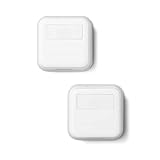
Overview: The Honeywell Home RCHTSENSOR-2PK delivers two identical smart room sensors for your T9/T10 thermostat system, doubling your home’s climate monitoring capabilities. Each sensor tracks temperature, humidity, and occupancy, sending data wirelessly to your main thermostat. This package addresses the most common use case: monitoring both main living areas and sleeping quarters simultaneously, creating balanced comfort throughout your home.
What Makes It Stand Out: Buying in pairs unlocks the T9’s true multi-room potential. The sensors communicate with each other and your thermostat to create dynamic climate zones that shift based on occupancy and time-of-day schedules. Motion detection works across both units, allowing the system to intelligently track movement patterns from living room to bedroom, automatically adjusting focus without manual intervention.
Value for Money: At $78.08 for two, each sensor costs approximately $39—slightly more than the single unit but delivering immediate multi-room benefits. The real value lies in avoiding the hassle of separate purchases and ensuring sensor compatibility. While not a huge discount, the convenience factor justifies the price for serious whole-home comfort seekers.
Strengths and Weaknesses: Pros include optimized per-unit pricing, simultaneous multi-room monitoring, consistent motion detection across zones, and unified scheduling. The two-sensor setup eliminates most hot/cold spot issues. Cons include the higher upfront investment and continued ecosystem lock-in to Honeywell products. Some users report occasional connectivity hiccups when sensors are at maximum range.
Bottom Line: The smart choice for T9/T10 owners committed to whole-home comfort. Buy the two-pack upfront rather than staggering purchases—you’ll save money and achieve better climate balance immediately.
3. ecobee Smart Sensor 2 Pack - Comfort, Security, Energy Savings - Smart Home - Compatible with ecobee Smart Thermostats for Home

Overview: The ecobee Smart Sensor 2 Pack expands your ecobee thermostat’s intelligence into multiple rooms, monitoring both temperature and occupancy up to 60 feet through walls and floors. These sensors enable room-specific comfort control while contributing to energy savings by detecting when your home is empty. Designed exclusively for the ecobee ecosystem, they integrate seamlessly with the ecobee app for remote monitoring and adjustments.
What Makes It Stand Out: ecobee’s sensors excel at understanding household patterns, automatically adjusting temperatures based on occupancy to avoid heating or cooling empty spaces. The magnetic stand and wall-mount options provide exceptional placement flexibility. The 60-foot range is substantial for most homes, and the app provides clear visual feedback on temperature differences across rooms, enabling precise comfort management.
Value for Money: At $99.99 for two, these sensors command a premium—roughly $50 per unit. This positions them as a luxury upgrade for ecobee users. The price reflects robust build quality and tight ecosystem integration but feels steep compared to Honeywell’s offerings. However, for committed ecobee households, the seamless experience justifies the investment through energy savings and enhanced comfort.
Strengths and Weaknesses: Pros include excellent occupancy detection, flexible mounting options, intuitive app integration, and proven energy savings. The magnetic stand is genuinely innovative. Cons are the high price point, limitation to ecobee thermostats only, and shorter range compared to some competitors. The 60-foot range may struggle in larger homes or those with dense construction.
Bottom Line: Essential for ecobee thermostat owners seeking intelligent, occupancy-based climate control. The premium price delivers a premium experience, but only within the ecobee ecosystem.
4. Sensi Room Sensor-Compatible with Sensi Touch 2 Smart Thermostat

Overview: The Sensi Room Sensor pairs exclusively with the Sensi Touch 2 Smart Thermostat to deliver targeted temperature and humidity monitoring where you need it most. This sensor helps eliminate hot and cold spots by averaging temperatures across multiple rooms or prioritizing specific areas. With wireless installation and flexible placement options, it extends your thermostat’s awareness without complicated wiring or setup.
What Makes It Stand Out: The temperature averaging feature distinguishes Sensi from competitors, allowing you to balance comfort across your entire home rather than just focusing on occupied rooms. This approach works exceptionally well for households with consistent occupancy patterns. The humidity monitoring capability provides valuable data for preventing mold and maintaining optimal air quality, while the flexible stand-or-wall-mount design simplifies installation.
Value for Money: At $39.99, this sensor sits in the mid-range—more expensive than a single Honeywell but cheaper than ecobee’s per-unit cost. The value proposition depends entirely on whether you own a Sensi Touch 2 thermostat. For Sensi users, it’s reasonably priced for the functionality. For others, it’s irrelevant. The feature set justifies the cost, though it lacks advanced motion detection found in competing products.
Strengths and Weaknesses: Pros include effective temperature averaging, humidity monitoring, straightforward wireless setup, and clean aesthetic design. The flexibility to stand or wall-mount is practical. Cons include exclusive compatibility with only one thermostat model, absence of motion detection, and limited smart scheduling features compared to Honeywell and ecobee. The app experience is functional but less polished.
Bottom Line: A solid, purpose-built accessory for Sensi Touch 2 owners. If you value temperature averaging over occupancy detection, this delivers good value. Otherwise, consider a more versatile ecosystem.
5. Honeywell Home T9 WiFi Smart Thermostat with 1 Smart Room Sensor, Touchscreen Display, White
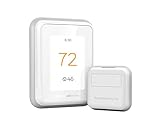
Overview: This bundle combines the Honeywell Home T9 WiFi Smart Thermostat with one Smart Room Sensor, delivering a complete multi-zone climate control system in one package. The touchscreen thermostat provides central control while the included sensor extends monitoring to another room. With compatibility across major smart home platforms and an impressive 200-foot sensor range, this system adapts to your lifestyle through motion detection, scheduling, and remote app control.
What Makes It Stand Out: The extraordinary 200-foot sensor range dramatically exceeds competitors, making this ideal for larger homes or challenging building layouts. Auto Home/Away scheduling learns your patterns to optimize energy usage, while the ability to focus on multiple rooms simultaneously eliminates traditional thermostat limitations. ENERGY STAR certification and utility rebate eligibility can significantly offset the initial investment through ongoing savings.
Value for Money: At $186.75, this bundle represents solid value—purchasing the T9 thermostat and sensor separately would cost approximately $200+. The included sensor lets you immediately experience multi-room benefits, while potential energy rebates and demand response program participation can deliver rapid ROI. Compared to buying a thermostat and sensors separately, the bundle saves money and eliminates compatibility guesswork.
Strengths and Weaknesses: Pros include exceptional sensor range, comprehensive smart home integration, intuitive touchscreen interface, motion-based room focusing, and energy-saving features. The rebate eligibility is a major plus. Cons include the higher upfront cost compared to basic smart thermostats, reliance on cloud connectivity for full functionality, and limited customization compared to some high-end competitors.
Bottom Line: An excellent all-in-one solution for homeowners wanting advanced multi-room comfort without piecemeal purchasing. The bundle pricing, extensive range, and energy savings make this a top-tier choice for medium to large homes.
6. Google Nest Temperature Sensor 3 Count Pack - Nest Thermostat Sensor - Nest Sensor That Works with Nest Learning Thermostat and Nest Thermostat E - Smart Home

Overview: This three-pack of temperature sensors is purpose-built for the Nest ecosystem, communicating temperature data to compatible Nest Learning Thermostat or Nest Thermostat E devices via Bluetooth Low Energy within a 50-foot range. These are accessories, not standalone thermostats, designed to extend your Nest system’s reach into specific rooms.
What Makes It Stand Out: The native Nest integration allows unprecedented room-by-room climate control. You can deploy up to six sensors per thermostat and 18 per home, prioritizing different rooms throughout the day via the Nest app. The installation flexibility—either wall-mounted or placed on a shelf—eliminates complex wiring and makes repositioning effortless.
Value for Money: At $80.91 for three ($27 per sensor), pricing is competitive within the Nest ecosystem. However, value is zero without a compatible Nest thermostat. Compared to multi-zone HVAC systems costing thousands, this offers budget-friendly zone control. You’re paying for seamless compatibility, not universal functionality, which limits its audience.
Strengths and Weaknesses: Strengths: Perfect Nest integration; effortless setup; versatile placement; reliable 50-foot range; intuitive scheduling; compact, discreet design. Weaknesses: Nest thermostat requirement only; proprietary ecosystem lock-in; no humidity detection; Bluetooth-only connectivity; battery replacements needed periodically.
Bottom Line: An essential upgrade for Nest thermostat owners wanting room-specific temperature management. The three-pack covers primary living spaces effectively. Worth the investment if you’re committed to Google’s ecosystem, but utterly useless otherwise. Consider only after verifying thermostat compatibility and assessing your home’s layout.
7. Sensi Smart Thermostat, 100 Years Of Expertise, Wi-Fi, Data Privacy, Programmable, Easy DIY Install, Works With Alexa, Energy Star Certified, Mobile App, ST55
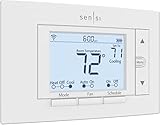
Overview: The Sensi ST55 prioritizes privacy and simplicity, offering smart thermostat functionality from a manufacturer with a century of HVAC experience. It combines Wi-Fi connectivity and Alexa compatibility with a familiar, traditional thermostat design that doesn’t require wall patching or complex setup.
What Makes It Stand Out: Sensi’s explicit privacy commitment—never selling personal data—sets it apart in a data-hungry market. The built-in level and detailed app guidance facilitate genuine DIY installation without a C-wire in most systems. Its traditional form factor fits existing thermostat spaces perfectly, avoiding cosmetic wall repairs and maintaining a classic aesthetic.
Value for Money: Priced at $81, it competes directly with entry-level smart thermostats. The ENERGY STAR certification delivers 23% energy savings potential. The no-C-wire requirement saves $100-200 in electrician fees. While lacking premium features like remote sensors or learning algorithms, it provides essential smart control at a fair price with low total ownership costs.
Strengths and Weaknesses: Strengths: Robust privacy protection; true DIY installation; no C-wire needed; familiar interface; maintenance reminders; energy usage reports; proven brand heritage. Weaknesses: No included remote sensors; basic LCD screen; limited third-party integrations; no adaptive learning; conservative design aesthetic.
Bottom Line: Perfect for homeowners who value data privacy and straightforward installation above flashy features. The Sensi ST55 reliably covers smart thermostat fundamentals without complexity. It’s an excellent choice for replacing old manual thermostats while maintaining a traditional feel and protecting personal information from third-party monetization.
8. ecobee Smart Thermostat Essential - Energy Star Certified programmable Wi-Fi Thermostat - Works with Siri, Alexa, and Google Assistant

Overview: The ecobee Smart Thermostat Essential positions itself as a versatile, mid-range option with universal voice assistant support. It combines a color touchscreen interface with intelligent scheduling to deliver energy savings while accommodating diverse smart home ecosystems and user preferences.
What Makes It Stand Out: The rare triple voice assistant compatibility—Siri, Alexa, and Google—makes it uniquely flexible for households with mixed device preferences. The intuitive color touchscreen allows easy manual adjustments, while the companion app provides comprehensive remote control and energy consumption tracking. Automatic schedule adaptation learns your patterns to optimize efficiency continuously.
Value for Money: At $134.99, it commands a premium over basic smart thermostats. The 23% annual energy savings provide long-term return on investment. Compatibility with 85% of HVAC systems maximizes installation potential. However, the Power Extender Kit for homes lacking a C-wire costs extra, and no remote sensor is included, unlike some competitors at this price point.
Strengths and Weaknesses: Strengths: Universal voice control; vibrant touchscreen; intelligent scheduling; broad HVAC compatibility; free software updates; Energy Star certification; established brand reliability. Weaknesses: Higher price point; no bundled sensor; PEK sold separately; steeper learning curve; limited to 2.4GHz WiFi networks.
Bottom Line: Best suited for users deeply integrated across multiple voice platforms who value touchscreen interaction. The ecobee Essential justifies its price through versatility and robust features. It’s a smart investment for tech-friendly homes wanting comprehensive automation without flagship-model expense. Consider additional sensor costs when budgeting for complete home coverage.
9. Provirtec Smart Thermostat for Home with Room Sensor, 7 Days Programmable, Energy Saving WiFi Thermostats for House,APP & Touchscreen Control, C Wire Required, 3.95 Inch Large Screen

Overview: The Provirtec Smart Thermostat is a budget-friendly option that includes a room sensor and boasts 95% HVAC compatibility. It features a large 3.95-inch touchscreen and supports both WiFi and Bluetooth Mesh connectivity for reliable operation even during network disruptions.
What Makes It Stand Out: The included room sensor at this price point is exceptional value, enabling temperature monitoring in multiple locations without additional purchases. The 95% compatibility rate exceeds many competitors. Bluetooth Mesh technology provides failover connectivity when WiFi drops, ensuring consistent climate control. The large, clear touchscreen and intuitive sliding touch control make it accessible for all ages.
Value for Money: At $79.99 with a sensor included, this represents outstanding value. Most competitors charge $30-50 extra for sensors. The 95% compatibility reduces installation headaches and return rates. However, the C-wire requirement may necessitate professional installation in some homes, offsetting initial savings. The lesser-known brand carries some reliability risk compared to established players.
Strengths and Weaknesses: Strengths: Included room sensor; exceptional HVAC compatibility; large touchscreen; Bluetooth Mesh backup; intuitive controls; three specialized modes (Sleep/Home/Away). Weaknesses: C-wire mandatory; 2.4GHz WiFi only; unknown brand reliability; limited third-party integrations; app may be less polished than major brands.
Bottom Line: An unbeatable value proposition for those wanting multi-room monitoring without premium pricing. The Provirtec delivers core smart thermostat features plus a sensor at an entry-level price. Ideal for budget-conscious buyers comfortable with lesser-known brands. Verify C-wire availability before purchasing to avoid installation surprises and additional expenses.
10. LEVOIT Smart Thermostat for Home, WiFi Programmable Digital Thermostat, Works with Alexa and Smart Sensor, Energy Saving, Large Touch Screen, C-Wire Adapter Included, DIY Install, Aura 400S, White

Overview: The LEVOIT Aura 400S is an affordable smart thermostat that includes a C-wire adapter, eliminating a common installation barrier. It supports up to 16 remote sensors and offers customizable energy-saving routines through the VeSync app, making it highly expandable for whole-home comfort.
What Makes It Stand Out: The included C-wire adapter is a major differentiator, saving buyers $15-25 and installation complexity. Support for 16 sensors enables comprehensive whole-home monitoring unmatched at this price. The unique Eco Level setting lets users balance energy savings against temperature precision. Alexa and Google integration provides convenient voice control.
Value for Money: At $68.71, it’s among the most affordable smart thermostats available. The included C-wire adapter adds immediate value and DIY feasibility. While sensors are sold separately, the base unit’s low price leaves room for expansion. The 23% energy savings potential provides quick payback. However, the brand is better known for air purifiers than thermostats, which may concern some buyers.
Strengths and Weaknesses: Strengths: C-wire adapter included; supports 16 sensors; Eco Level customization; 24/7 scheduling; large touchscreen; competitive pricing; voice assistant compatible. Weaknesses: Sensors not included; brand’s limited thermostat track record; basic feature set; 2.4GHz WiFi only; no Apple HomeKit support.
Bottom Line: The LEVOIT Aura 400S is perfect for homes lacking a C-wire who want an affordable smart thermostat. The low entry price and included adapter make it a risk-free introduction to smart climate control. It’s best for users prioritizing value and expandability over brand recognition. Consider purchasing sensors separately for full multi-room benefits and maximum comfort optimization.
The Multi-Level Home Temperature Challenge
The Physics of Heat Stratification
Heat naturally rises, creating temperature differentials of 5-15 degrees between floors in a typical two-story home. This phenomenon, known as thermal stratification, becomes more pronounced with ceiling height, inadequate insulation, and poorly designed ductwork. Your main thermostat—usually installed on the main floor in a central hallway—becomes a poor proxy for conditions elsewhere. It dutifully maintains 72°F where it lives while your upstairs home office hovers at 78°F and your basement guest room demands sweaters in July.
Why Single Thermostats Fail Multi-Level Spaces
Single-point measurement creates a cascade of inefficiencies. Your system runs longer than necessary trying to compensate for areas it can’t measure, leading to hot and cold spots, uneven humidity control, and energy waste that can inflate utility bills by 20-30% in multi-level homes. The problem compounds with open floor plans, large windows, and varying sun exposure across different facades of your home.
What Are Smart Thermostat Sensors?
Core Functionality Beyond Temperature
Smart thermostat sensors are remote data collection nodes that wirelessly communicate environmental conditions back to your main thermostat. While temperature remains their primary function, modern sensors act as multi-dimensional climate reporters. They track humidity levels, detect occupancy through motion or proximity sensing, and some advanced models even monitor ambient light and air quality metrics. This data stream allows your thermostat to make decisions based on actual conditions where you live, not just where the thermostat happens to be mounted.
How Sensors Communicate with Your Thermostat
These devices typically use low-power wireless protocols to maintain battery life while ensuring reliable data transmission. Communication happens on intervals ranging from 30 seconds to 5 minutes, depending on activity levels. When occupancy is detected, sensors often switch to high-frequency reporting mode, ensuring rapid response to changing conditions. The thermostat aggregates this data, applies your configured logic (averaging, prioritization, or follow-me modes), and adjusts HVAC operations accordingly.
How Sensors Transform Multi-Level Climate Control
Average vs. Priority Room Sensing
Sensor networks enable two primary control strategies. Average mode balances comfort across all monitored spaces by targeting the mean temperature of active sensors—ideal for maintaining consistent background climate throughout the home. Priority or “follow-me” mode shifts the focus dynamically, adjusting conditions based on where you currently are. For multi-level homes, hybrid approaches often work best: averaging bedrooms at night while prioritizing living spaces during the day.
Occupancy-Based Climate Management
The real magic happens when sensors understand not just temperature, but presence. By detecting which rooms are actually in use, your system can implement true setback strategies that go beyond time-based scheduling. Unused guest rooms, empty home offices, and unoccupied basements no longer drive heating and cooling decisions. This occupancy awareness typically yields 15-25% additional energy savings beyond what programmable schedules alone can achieve.
Key Sensor Technologies Explained
Temperature Sensing Mechanisms
Most consumer sensors use thermistors or digital temperature ICs accurate to ±0.5°F—sufficient for comfort control but not laboratory precision. The key differentiator isn’t raw accuracy but consistency and drift resistance. Quality sensors maintain calibration longer and resist thermal shock from sudden environmental changes. For multi-level applications, look for sensors with rapid response times (under 2 minutes) to catch temperature swings quickly.
Humidity Detection Capabilities
Relative humidity sensors, typically capacitive or resistive types, measure moisture content alongside temperature. This matters enormously in multi-level homes where humidity stratification often exceeds temperature stratification. Basements run 10-20% higher humidity than upstairs bedrooms, affecting comfort and mold risk. Sensors with humidity reporting allow your system to run dehumidification cycles intelligently, not just based on a single-point measurement.
Occupancy and Motion Detection
Passive infrared (PIR) sensors detect body heat movement within a 90-120 degree field of view, usually covering 15-25 feet. Advanced models use millimeter-wave radar or ultrasonic detection for finer granularity and pet immunity. The detection timeout—how long before reporting “unoccupied” after last movement—typically ranges from 15 minutes to 2 hours and significantly impacts both comfort and savings.
Essential Features to Look For
Remote Temperature Sensing Range
The practical distance between sensor and thermostat matters more than manufacturer specifications suggest. While most sensors claim 50-100 foot ranges, real-world performance depends on wall composition, interference, and router placement. For multi-level homes, consider the vertical distance challenge—signals must penetrate floors and ceilings. Systems using mesh networking or dedicated hubs perform significantly better in these scenarios than direct Wi-Fi connections.
Multi-Sensor Averaging and Prioritization
Not all sensor networks are created equal. Sophisticated systems allow weighted averaging, where certain sensors contribute more to the overall climate decision. You might weight your primary bedroom 2x during sleep hours while giving your drafty hallway sensor 0.5x weighting. The best systems offer temporal scheduling—automatically switching sensor priorities based on time of day, occupancy patterns, or even outdoor weather conditions.
Learning Algorithms and Adaptation
Top-tier sensor ecosystems analyze historical data to predict temperature drift patterns. They learn that your west-facing upstairs office heats rapidly on summer afternoons or that your basement takes 45 minutes to respond to heating calls. This predictive capability allows preemptive adjustments that maintain tighter setpoint control without constant HVAC cycling.
Sensor Communication Protocols
Wi-Fi vs. Proprietary Wireless Standards
Wi-Fi sensors offer simplicity—no additional hubs required—but consume more power, requiring battery changes every 3-6 months. Proprietary protocols (Zigbee, Z-Wave, or manufacturer-specific RF) operate on lower frequencies with better wall penetration and battery life spanning 1-2 years. For multi-level homes, the extended range and mesh capabilities of proprietary systems often outweigh the convenience of Wi-Fi.
Mesh Networking Advantages
In a mesh topology, each sensor acts as a repeater for others, extending range and reliability. A sensor on your main floor can relay data from a basement sensor to the upstairs thermostat, creating a robust network that heals itself if one node fails. This becomes crucial in larger multi-level homes where direct line-of-sight communication isn’t possible.
Range and Interference Considerations
Microwave ovens, baby monitors, and neighboring Wi-Fi networks can disrupt sensor communications. Quality systems use frequency hopping or channel agility to avoid interference. For multi-level installations, test signal strength at proposed locations before permanent mounting. Many thermostat apps offer signal strength diagnostics—use them to identify dead zones before installation.
Optimal Sensor Placement Strategies
The Three-Foot Rule and Airflow Dynamics
Mount sensors on interior walls, approximately 4-5 feet high, away from direct airflow from vents, windows, and doors. The “three-foot rule” suggests keeping sensors at least three feet from any major heat source or draft. In multi-level homes, this means avoiding placement at the top of stairwells where rising warm air creates artificially high readings, or near basement concrete walls that act as thermal sinks.
Avoiding Environmental Distortions
Kitchens generate heat spikes that can fool averaging algorithms. Bathrooms show humidity surges that may trigger unnecessary cooling. Garages, even if conditioned, experience extreme temperature swings. For accurate whole-home climate measurement, focus on representative living spaces—bedrooms, living rooms, home offices—and use your thermostat’s scheduling features to temporarily ignore problematic sensors during known distortion periods.
Strategic Multi-Level Positioning
Place sensors on each level, prioritizing areas where you spend the most time. In a typical two-story home, start with one sensor in the master bedroom and another in the main living area. For three-story homes, add a sensor to the middle level to capture the transition zone. In split-level designs, treat each half-floor as a separate zone. Remember that heat rises—upstairs sensors will naturally report higher temperatures, so set expectations accordingly rather than fighting physics.
The Role of Zoning in Multi-Level Homes
Understanding True HVAC Zoning
True zoning uses motorized dampers in ductwork to create independently controlled climate zones, each with its own thermostat. This represents the gold standard for multi-level comfort but requires significant retrofit investment. Smart sensors offer a “soft zoning” alternative—optimizing a single-zone system’s runtime to best satisfy multiple measurement points.
How Sensors Enable “Soft Zoning”
By providing granular data, sensors allow your thermostat to implement sophisticated runtime logic. Instead of running until the main thermostat hits setpoint, the system can run until the average across floors reaches target, or until the last occupied priority room satisfies its setting. This approach won’t eliminate temperature differences between floors but minimizes them while maximizing efficiency.
Dampers, Ductwork, and Sensor Integration
For homes with existing zoning or considering retrofit, sensors become even more powerful. Each zone can use multiple sensors for averaging, and the system can make damper decisions based on the most accurate data possible. Some advanced systems can even learn damper positions that optimize for both comfort and static pressure, preventing HVAC equipment strain.
Integration with HVAC Systems
Compatibility with Forced Air Systems
Forced air systems respond most dramatically to sensor networks due to their rapid temperature change capability. Multi-stage equipment works particularly well, allowing low-stage runtime for gentle adjustments based on sensor feedback. Single-stage systems benefit too, but may experience more temperature overshoot as they can’t modulate output based on sensor data.
Heat Pumps and Multi-Stage Equipment
Heat pumps, especially variable-speed models, achieve maximum efficiency when responding to precise sensor networks. The combination allows the system to maintain setpoints within 0.5°F rather than the typical 2°F swing, avoiding auxiliary heat activation and maximizing COP (Coefficient of Performance). Sensors become even more critical with heat pumps in multi-level homes because these systems heat and cool gradually—accurate data prevents the slow drift that plagues single-point control.
Radiant and Boiler System Considerations
Hydronic and radiant systems present unique challenges due to their thermal mass and slow response times. Sensors in these applications work best for monitoring and notification rather than active control. However, homes with both radiant and forced air (common in additions) can use sensors to coordinate hybrid systems, running radiant for baseline comfort and forced air for rapid adjustments in occupied spaces.
Power Options and Battery Life Considerations
Battery Types and Longevity Expectations
Most sensors use CR123A lithium batteries or AA lithium cells, providing 12-24 months of life under normal use. Battery life varies dramatically based on reporting frequency, occupancy detection activity, and signal strength. Sensors struggling with weak signals consume 2-3x more power as they repeatedly attempt transmission. In multi-level homes, sensors farthest from the thermostat often need replacement first—budget for staggered battery changes.
Hardwired Alternatives and Retrofit Options
Some systems offer hardwired sensors that run on 24VAC HVAC power, eliminating batteries entirely. While installation requires low-voltage wiring (often easier than line-voltage), the permanence and reliability appeal to many homeowners. For retrofits, battery power remains dominant, but consider hybrid approaches: hardwire sensors in accessible locations during renovations, use battery power in finished spaces.
Low-Power Indicators and Maintenance
Quality systems provide weeks of low-battery warnings, not days. Set calendar reminders to check battery levels quarterly in multi-level homes, as sensors on rarely-visited floors (guest rooms, basements) may die unnoticed. Some advanced systems can estimate remaining battery life based on usage patterns, alerting you before the heating season begins rather than during a polar vortex.
Calibration and Accuracy Factors
Factory Calibration Standards
Consumer sensors arrive pre-calibrated to NIST-traceable standards, typically within ±0.5°F. However, multi-level installations reveal subtle variations between sensors—perfectly normal but psychologically jarring when you see one sensor reading 72°F and another 73.5°F. Understand that this represents true microclimate variation, not defective equipment. The goal isn’t identical readings everywhere, but accurate reporting of actual conditions.
User Calibration Procedures
Most systems allow per-sensor offset adjustments. If you know your bedroom sensor reads 2°F high (verified with a calibrated thermometer), you can apply a -2°F offset. Be conservative with adjustments—over-correction creates more problems than it solves. For multi-level homes, consider seasonal recalibration as heat stratification patterns shift between heating and cooling seasons.
Drift Compensation Over Time
Temperature sensors drift naturally over years, typically 0.1-0.3°F annually. Quality systems include self-diagnostics that compare sensor readings against thermostat data and HVAC runtime patterns, automatically compensating for drift. In sensor networks older than three years, consider replacing batteries and verifying calibration simultaneously—both degradation factors converge around this timeframe.
Smart Home Ecosystem Compatibility
Voice Assistant Integration
Most sensor data remains invisible to voice assistants; they control the main thermostat, not individual sensors. However, some ecosystems expose sensor readings, allowing queries like “What’s the temperature in the bedroom?” This becomes powerful in multi-level homes when combined with smart vents or duct dampers, enabling voice commands that target specific floors.
IFTTT and Advanced Automation
Advanced users can create sophisticated logic using sensor data triggers. Example: If basement humidity exceeds 60% for two hours AND no occupancy detected, run the fan-only mode for 30 minutes. Or: If upstairs temperature exceeds downstairs by 8°F during peak sun hours, close smart blinds automatically. The IFTTT integration quality varies dramatically between manufacturers—investigate community forums before committing.
Cross-Platform Limitations
Sensor data rarely transfers between ecosystems. A sensor from one manufacturer won’t feed data to another’s thermostat, even if both support the same voice assistant. For multi-level homes, this lock-in effect means your sensor investment is tied to your thermostat choice. Consider this when evaluating platforms, especially if you’re building a comprehensive smart home rather than just solving temperature issues.
Installation and Setup Best Practices
DIY vs. Professional Installation
Sensor installation is almost always DIY-friendly—peel-and-stick mounting and app-based pairing. However, professional installation becomes valuable when integrating sensors with zoning systems, verifying signal strength throughout multi-level homes, or troubleshooting HVAC compatibility issues. Consider professional help if your home exceeds 3,000 square feet or has plaster walls, which severely attenuate wireless signals.
Pairing and Network Configuration
Always pair sensors in their final installed location, not at the thermostat. This ensures the system learns actual signal paths and doesn’t falsely report strong connectivity that degrades once mounted. For multi-level homes, pair sensors starting with the farthest location and work inward. Many systems have limited pairing range initially, then strengthen connections once the full network is established.
Initial Calibration Period
Expect a 1-2 week learning period where the system maps temperature patterns across your multi-level home. Avoid manual overrides during this time; let the algorithm learn natural drift rates, solar gain patterns, and occupancy habits. Many homeowners mistakenly judge sensor performance after 48 hours, missing the optimization that occurs as the system builds a thermal model of your specific home.
Troubleshooting Common Sensor Issues
Connectivity Dropouts and Signal Weakness
In multi-level homes, sensors often lose connection when HVAC systems create electrical interference during startup. If a sensor drops offline only when heating or cooling runs, you’ve identified an interference problem. Solutions include relocating the sensor, adding a mesh repeater, or installing a ferrite choke on HVAC control wires. Persistent dropouts often indicate marginal signal strength—try moving the sensor 3-4 feet in any direction, which can dramatically change signal propagation.
Temperature Reading Discrepancies
When sensors disagree, first verify they’re mounted at the same height and distance from heat sources. Then check for hidden factors: a sensor near a poorly insulated exterior wall reads lower in winter; one near a heat-producing appliance runs warm. Use the thermostat’s historical graphs to identify patterns—consistent offsets suggest placement issues, while random variations indicate intermittent interference or low batteries.
Battery Drain Problems
Rapid battery drain almost always signals poor signal strength. The sensor transmits multiple times per reading attempt, draining power exponentially faster. Check signal strength in the app; anything below 2-3 bars (or -80 dBm) will consume batteries quickly. In multi-level homes, the solution may be adding a powered repeater on the middle floor rather than accepting frequent battery changes on the top and bottom levels.
Cost-Benefit Analysis for Multi-Level Homes
Energy Savings Potential
In a typical 2,500 square foot two-story home, a three-sensor network can reduce heating and cooling costs by 15-30%, translating to $300-600 annually depending on climate and utility rates. Savings come from reduced runtime (system runs less but more intelligently), elimination of over-conditioning, and optimized setback strategies. Homes with significant temperature stratification see the fastest payback.
Equipment Costs vs. Utility Rebates
Expect to invest $150-400 for a quality sensor network (3-5 sensors) compatible with your existing smart thermostat. Many utilities offer rebates of $50-150 for smart thermostats with remote sensors, recognizing the grid benefits of precise load management. Check DSIREusa.org for current incentives in your area. Some utilities even offer time-of-use rate optimization when sensors prove occupancy-based demand response capability.
ROI Timeline for Multi-Level Properties
Most homeowners achieve full payback in 12-24 months through energy savings alone. When you factor in extended HVAC equipment life (reduced cycling and runtime), improved comfort value, and potential home resale benefits, the ROI becomes compelling. For larger multi-level homes (4,000+ square feet), consider the sensor network as infrastructure—like insulation—that pays dividends over the home’s lifetime.
Future-Proofing Your Sensor Investment
Emerging Standards and Protocols
Matter/Thread protocols promise cross-platform sensor compatibility by 2025, potentially breaking current ecosystem lock-in. However, early implementations may lack advanced features like occupancy detection or humidity reporting. If you’re investing today, prioritize systems with over-the-air firmware update capability and manufacturers with strong track records of adding features post-purchase.
Firmware Update Policies
Investigate how frequently manufacturers update firmware and whether updates are automatic or manual. The best systems continuously refine their averaging algorithms, add integration partners, and improve battery management. Avoid manufacturers who haven’t updated their sensor firmware in over a year—they’re likely abandoning the product line. Community forums and Reddit discussions often reveal update frequency patterns.
Scalability for Home Additions
Plan your sensor network with future expansion in mind. If you’re finishing the basement or adding a third story in two years, ensure your chosen system supports at least 50% more sensors than you need today. Verify that adding sensors later doesn’t require reconfiguring the entire network—some systems force factory resets when expanding beyond initial setup, a frustrating limitation in evolving homes.
Frequently Asked Questions
Can smart thermostat sensors completely eliminate temperature differences between floors?
No, sensors optimize your existing HVAC system’s performance but can’t overcome fundamental physics or ductwork limitations. They typically reduce temperature stratification by 40-60% while improving efficiency. True temperature uniformity requires either HVAC zoning with dampers or supplemental heating/cooling solutions.
How many sensors do I actually need for my multi-level home?
Start with one sensor per level in your most-used room. A two-story home needs at least two sensors plus the main thermostat; a three-story home needs three. Add sensors for problem areas (west-facing rooms, above-garage spaces) or rooms with different occupancy patterns than the main level. Most homes benefit from 3-5 sensors total.
Will sensors work with my old HVAC system?
Sensors work with any system controlled by a compatible smart thermostat, regardless of age. However, the benefits scale with system capability. Single-stage systems see comfort improvements but limited efficiency gains. Multi-stage and variable-speed equipment can leverage sensor data for dramatic efficiency improvements. Even boiler systems benefit from better temperature monitoring and scheduling.
Do sensors need to be professionally calibrated?
Consumer sensors arrive pre-calibrated and rarely need professional adjustment. You can apply small offset corrections through the thermostat app if you verify readings against a calibrated thermometer. Professional calibration becomes relevant only for homes with specialized needs like wine cellars, server rooms, or rare HVAC configurations.
Can I mix sensors from different manufacturers?
Generally no—sensors are proprietary to their thermostat ecosystem. A few platforms support third-party sensors (typically Z-Wave or Zigbee), but functionality is often limited. Plan to stay within one manufacturer’s ecosystem for seamless integration and full feature support.
How long do sensor batteries really last?
In optimal conditions (strong signal, moderate temperatures), 12-24 months is realistic. However, sensors in far corners of multi-level homes with weak signals may need batteries every 6-9 months. Lithium batteries perform better than alkaline in temperature extremes. Set calendar reminders to check levels seasonally rather than waiting for low-battery warnings.
Will sensors interfere with my Wi-Fi or other smart home devices?
Properly designed sensors use low-power protocols that avoid Wi-Fi channels. They may actually reduce Wi-Fi congestion by keeping sensor traffic off your main network. Some proprietary systems operate on 900MHz frequencies, far from 2.4GHz and 5GHz Wi-Fi. Initial pairing may temporarily use Bluetooth, but normal operation is interference-free.
Can sensors detect pets and falsely report occupancy?
Basic PIR sensors will trigger on large pets (dogs over 40 pounds). Advanced sensors with adjustable sensitivity or pet-immune radar detection can distinguish humans from animals. If you have pets, position sensors to avoid covering areas where pets roam—mount higher on walls or angle downward to capture human-height movement only.
Should I place sensors in my basement or attic?
Basement sensors are valuable for humidity monitoring and preventing frozen pipes, but exclude them from comfort averaging unless the basement is finished living space. Attic sensors rarely make sense for comfort control but can monitor extreme temperatures for equipment protection. Some systems support “monitor only” sensors that report conditions without influencing HVAC calls.
Do sensors work when the internet is down?
Yes, sensor-to-thermostat communication is local and doesn’t require internet connectivity. You’ll lose remote monitoring and app-based adjustments, but the core function—using sensor data to control your HVAC—continues uninterrupted. Some advanced features like weather-based adjustments or cloud-based learning pause until connectivity restores, but basic climate control remains fully operational.