As smart homes evolve from novelty to necessity in 2026, the backbone of your IoT ecosystem matters more than ever. While individual sensors and switches grab headlines, it’s the unsung coordinator—the Zigbee 3.0 hub—that determines whether your 100+ device network runs like clockwork or crumbles under its own complexity. The leap to 128-device mesh support isn’t just a numbers game; it’s a fundamental shift in how we architect resilient, whole-home automation that can handle everything from security sensors to energy management systems without breaking a sweat.
But here’s the challenge: not all coordinators advertising “128-device support” are created equal. Some choke on concurrent commands, others falter with firmware updates, and many promise future-proofing while running on yesterday’s silicon. Whether you’re building a new installation from scratch or hitting the dreaded 32-device limit on older hardware, understanding what separates robust coordinators from paper tigers will save you countless hours of troubleshooting and potentially hundreds of dollars in replacement costs.
Top 10 Zigbee 3.0 Coordinators for 128-Device Mesh Networks
Detailed Product Reviews
1. MOES ZigBee 3.0 & Bluetooth & Mesh Hub Only Support Tuya Device Work with Smart Life App, Intelligent Bridge Wired Smart Home Gateway Voice Control via Alexa, Google Home, 2.4GHz WiFi
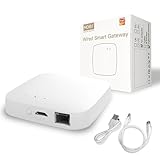
Overview: The MOES ZigBee 3.0 & Bluetooth & Mesh Hub serves as a central command center for Tuya-based smart homes, consolidating ZigBee 3.0 and Bluetooth Mesh devices onto a single 2.4GHz network. Designed specifically for the Smart Life ecosystem, this gateway supports up to 128 devices ranging from door locks and leak detectors to thermostats and window sensors. Its integrated sound and light alarm system adds a security layer, allowing it to function as part of Tuya’s Security SaaS Platform for local automation and scenario-based controls.
What Makes It Stand Out: Unlike basic hubs, this device combines multi-protocol communication with native security integration. The sound and light alarm capability transforms it from a simple bridge into an active security component. It supports local automation scenarios that continue functioning even during internet outages, a critical feature for reliability. The two-year warranty and 30-day refund policy demonstrate manufacturer confidence rarely seen in this category. Voice control through Alexa and Google Home is seamless, while the Smart Life app provides comprehensive remote management from anywhere.
Value for Money: At $59.99, the MOES hub sits in the mid-range price bracket, but justifies its cost through robust feature sets and exceptional warranty coverage. While cheaper alternatives exist, the added security functions, local automation capabilities, and two-year protection plan offset the premium. For users invested in the Tuya ecosystem, it eliminates the need for separate ZigBee and Bluetooth bridges, potentially saving money and reducing network clutter.
Strengths and Weaknesses: Pros: Dual-protocol support (ZigBee 3.0 + Bluetooth Mesh); integrated sound/light alarm; local automation continues offline; supports 128 devices; excellent 2-year warranty; dedicated security platform integration. Cons: Restricted to Tuya devices only; no 5GHz WiFi support; higher price than basic gateways; requires Smart Life app (no third-party platform support).
Bottom Line: The MOES hub is ideal for Tuya ecosystem enthusiasts seeking reliability and security features. Its alarm integration and local automation make it worth the premium over budget options, though the device lock-in may deter those wanting platform flexibility.
2. Tuya Smart Multi-Mode Gateway, Zigbee 3.0, Bluetooth Mesh, Smart Wireless Hub for Home Automation, 2.4GHz WiFi Only, APP Control, Compatible with Alexa, Google Assistant
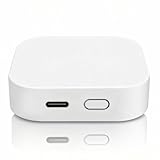
Overview: The Tuya Smart Multi-Mode Gateway is an affordable yet powerful hub designed to unify ZigBee 3.0, Bluetooth Mesh, and BLE devices within the Smart Life app ecosystem. Supporting an impressive 128 ZigBee devices plus 200 Bluetooth Mesh devices simultaneously, this $26.99 gateway offers exceptional scalability for growing smart homes. Operating exclusively on 2.4GHz WiFi, it enables remote control and automation without distance limitations, making it an accessible entry point for home automation newcomers.
What Makes It Stand Out: This gateway’s standout feature is its remarkable device capacity at a budget price point. The one-click networking function allows multiple sub-devices to join simultaneously, eliminating tedious individual pairing processes—a major time-saver during setup. Real-time log reporting for error codes and gateway status provides valuable diagnostic information for maintenance. The multi-protocol interoperability means users can control ZigBee and Bluetooth devices through a single interface rather than juggling separate apps or hubs.
Value for Money: At $26.99, this gateway delivers outstanding value, undercutting most competitors by half while offering superior device capacity. The ability to manage over 300 devices total makes it future-proof for most residential applications. While it lacks premium features like integrated alarms, the core functionality and scalability at this price point are unmatched. It’s an economical way to build a comprehensive Tuya-based smart home without sacrificing performance.
Strengths and Weaknesses: Pros: Exceptionally affordable; supports 128+200 devices; one-click multi-device pairing; real-time diagnostic logging; compact design; reliable remote and local control. Cons: Tuya ecosystem lock-in; no 5GHz WiFi; limited to Smart Life app; no integrated security features; warranty details less prominent than premium alternatives.
Bottom Line: For budget-conscious buyers entering the Tuya ecosystem, this gateway is a no-brainer. Its high device capacity and streamlined setup make it perfect for large-scale deployments, though users wanting advanced security should consider premium alternatives.
Understanding Zigbee 3.0 and 128-Device Mesh Networks
The Zigbee 3.0 specification represents more than a simple version bump—it’s a complete reimagining of mesh networking for the modern smart home. Unlike its predecessors, this standard unifies previous application profiles into a single, cohesive framework while dramatically expanding network capacity. The 128-device threshold specifically refers to direct child devices a coordinator can manage, but the real magic lies in how these coordinators orchestrate multi-hop routing across hundreds of indirectly connected endpoints.
What Makes Zigbee 3.0 Different?
Zigbee 3.0 consolidates the fragmented landscape of Home Automation, Light Link, and other legacy profiles into one interoperable standard. This unification means your coordinator must now handle diverse device types—from simple on/off switches to complex HVAC controllers—each with different reporting intervals, security requirements, and routing behaviors. The specification also introduces enhanced security with install codes, improved over-the-air update mechanisms, and more efficient broadcast management. In 2026, these aren’t optional luxuries; they’re baseline requirements for any coordinator claiming enterprise-grade reliability.
The 128-Device Threshold: Why It Matters in 2026
The jump from 32 to 128 direct children isn’t arbitrary—it’s a response to how modern homes actually deploy IoT devices. A typical 2026 smart home might include 40-50 light bulbs, 20 sensors, 15 switches, 10 smart plugs, and various specialty devices like water valves and air quality monitors. That 128-device limit provides headroom for network expansion, temporary guest devices, and the increasingly common practice of running multiple logical networks on a single physical coordinator. More importantly, it shifts the bottleneck from the coordinator to the mesh itself, forcing manufacturers to optimize routing algorithms rather than relying on sheer hub capacity.
Key Technical Specifications to Evaluate
When shopping for a coordinator that won’t buckle under a dense mesh, the spec sheet tells a story—if you know how to read between the lines. Manufacturers love to highlight flashy features while burying critical performance metrics in technical documentation. Your job is to decode these numbers into real-world reliability.
Processor Architecture and RAM Requirements
In 2026, anything less than a 32-bit ARM Cortex-M4 running at 100MHz is effectively obsolete for 128-device networks. The coordinator’s processor handles route discovery, security handshakes, and concurrent message queuing—all computationally expensive tasks that spike during network healing or mass firmware updates. RAM is even more critical: 256KB should be your absolute floor, with 512KB providing necessary cushion for complex routing tables and packet buffering. Don’t fall for coordinators repurposing old 32-bit microcontrollers with minimal RAM; they’ll handle 40 devices fine but collapse when you cross the 80-device threshold.
Flash Memory: Why 512KB Is the New Minimum
Flash storage determines your coordinator’s ability to store device configurations, routing tables, and firmware backups. A 128-device network generates approximately 300-400KB of persistent data alone. Add OTA firmware caching, logging capabilities, and rollback partitions, and that 512KB minimum quickly makes sense. Some advanced coordinators in 2026 feature 1-2MB of flash, enabling features like network snapshotting—allowing you to restore your entire mesh configuration after a catastrophic failure in minutes rather than hours.
Radio Power and Antenna Design Considerations
The coordinator’s radio sets the tone for your entire network. While +20dBm transmit power sounds impressive, it’s meaningless without receiver sensitivity and antenna efficiency. Look for coordinators specifying receiver sensitivity better than -100dBm and featuring PCB trace antennas or external U.FL connectors rather than chip antennas. In 2026, many premium coordinators include automatic transmit power control (ATPC), which dynamically adjusts output based on link quality—crucial for reducing interference in crowded 2.4GHz environments while maintaining reliable backhaul to distant routers.
Compatibility and Ecosystem Integration
A coordinator isolated from your preferred platform is just an expensive paperweight. The ecosystem landscape in 2026 has matured into three distinct camps, each with unique implications for 128-device networks.
Home Assistant, openHAB, and Open-Source Platforms
Open-source platforms demand coordinators with robust serial communication and well-documented APIs. ZHA (Zigbee Home Automation) and Zigbee2MQTT have become the de facto standards, but they stress coordinators differently than proprietary systems. Look for coordinators explicitly tested with these platforms, supporting firmware that exposes advanced features like source routing tables and neighbor discovery via serial commands. The best options in 2026 offer dedicated “open-source mode” firmware that disables proprietary lock-ins and exposes full diagnostic capabilities for community debugging.
Proprietary Ecosystems: SmartThings, Hubitat, and Others
Closed ecosystems optimize for plug-and-play simplicity but often sacrifice transparency. These coordinators typically run encrypted firmware that limits your ability to diagnose routing issues or extract network maps. When evaluating proprietary options, investigate their migration policy—some vendors in 2026 now offer “export modes” that generate device pairing codes and network keys for transition to open platforms. Also verify their OTA firmware repository; closed ecosystems with stagnant vendor partnerships leave devices running outdated, buggy firmware indefinitely.
Cross-Platform Migration Strategies
The smart home landscape evolves rapidly, and today’s perfect coordinator might be tomorrow’s compatibility nightmare. Forward-thinking buyers prioritize coordinators supporting multi-protocol firmware—devices that can switch between Z-Stack, EmberZNet, and proprietary stacks via a simple reflash. In 2026, some manufacturers offer “coordinator emulators” that allow you to test network migration in a sandboxed environment before committing to a platform switch, preserving your 128-device configuration and reducing downtime from days to hours.
Advanced Mesh Networking Features
Managing 128 direct children requires sophisticated algorithms that go far beyond basic store-and-forward routing. The difference between a stable network and a flaky one often hides in obscure configuration parameters.
Source Routing vs. Mesh Routing Optimization
Source routing, where the coordinator pre-calculates entire paths, dramatically reduces latency for scheduled commands but consumes massive routing table memory. Mesh routing, conversely, lets each hop make forwarding decisions, saving memory at the cost of unpredictability. Modern coordinators in 2026 implement hybrid approaches: source routing for critical devices (security sensors, locks) and mesh routing for bulk devices (light bulbs). Verify your coordinator exposes these policies for customization—default configurations rarely optimize for real-world deployment patterns.
Child Device Management and Aging Policies
Not all 128 devices remain active continuously. Effective coordinators implement intelligent aging policies that remove stale routes and reclaim child slots from devices that haven’t checked in. Look for configurable aging timeouts (typically 1-24 hours) and policies for handling “phantom” devices that repeatedly join and drop. The best coordinators in 2026 feature predictive aging, which uses historical connectivity patterns to preemptively optimize routes before devices actually fail, reducing network healing events by up to 60%.
Inter-PAN Communication and Multi-Network Support
Advanced users increasingly run multiple logical Zigbee networks—perhaps one for lighting, another for security—to isolate traffic and improve reliability. Inter-PAN communication allows a single coordinator to bridge these networks without consuming device slots. In 2026, some coordinators support up to 4 parallel PAN IDs, effectively giving you 512 total device capacity across isolated meshes. This feature is invaluable for rental properties or multi-family installations where network segmentation is non-negotiable.
Power and Connectivity Options
Your coordinator’s physical connection to the world determines its reliability during power fluctuations and network outages. In 2026, we’ve moved far beyond simple USB dongles.
PoE vs. USB-C Power Delivery in 2026
Power-over-Ethernet (PoE) has become the gold standard for permanent installations, offering centralized UPS backup and eliminating wall wart clutter. Modern PoE+ coordinators can deliver up to 30W, powering not just the coordinator but also amplified antennas or connected sensors. USB-C Power Delivery, while convenient, still relies on consumer-grade adapters prone to failure. If you must use USB-C, opt for coordinators with redundant power inputs that can fall back to a battery pack automatically during outages.
Ethernet Backhaul: When Wi-Fi Isn’t Enough
Wi-Fi-connected coordinators introduce a single point of failure and add latency to every Zigbee command. For 128-device networks, Ethernet backhaul is non-negotiable. Look for gigabit Ethernet with VLAN tagging support, allowing you to isolate coordinator traffic on a dedicated IoT network segment. Some 2026 coordinators include dual Ethernet ports for link aggregation or failover—overkill for most homes but essential for commercial installations where coordinator downtime means lost revenue.
Backup Power Solutions for Network Resilience
A coordinator that dies during a power outage can corrupt routing tables and lose device pairings. Quality coordinators in 2026 include onboard supercapacitors or battery connectors that provide 5-10 minutes of graceful shutdown time. More importantly, they persist routing tables to flash memory every 15 minutes, ensuring minimal data loss even during abrupt outages. For critical applications, consider coordinators with integrated RTC (real-time clock) that maintain accurate time during power loss, preventing scheduling drift that can wreak havoc on automated routines.
Security and Firmware Considerations
With 128 devices, your coordinator becomes a high-value target. A compromised hub means a compromised entire home, making security features as important as performance specs.
Trust Center Implementation and Key Management
The Trust Center is the cryptographic heart of your Zigbee network, managing link keys and device authentication. In 2026, coordinators should support ECC (Elliptic Curve Cryptography) for key exchange and include hardware-backed secure key storage. Avoid coordinators that store network keys in plain text flash memory—one physical theft and your entire network is compromised. Premium options feature tamper-evident enclosures and automatic key rotation policies that refresh device keys monthly without user intervention.
Over-the-Air Update Mechanisms
OTA updates are essential for security but can destabilize a 128-device network if mishandled. Evaluate coordinators that support staged rollouts—updating 10 devices at a time with automatic rollback on failure. The firmware should also implement “update windows” that restrict OTA activity to low-traffic periods (e.g., 2-4 AM). In 2026, leading coordinators cache firmware files locally and verify cryptographic signatures before broadcasting, preventing corrupted updates from bricking devices.
Open-Source Firmware Options
Open-source firmware like Zigbee2MQTT’s coordinator builds or custom Z-Stack configurations offer unparalleled transparency and community-driven security audits. However, they require coordinators with unlocked bootloaders and published pinouts. In 2026, some manufacturers ship “developer edition” coordinators with open-source firmware pre-installed and official support for community builds. These often outperform proprietary firmware by exposing low-level radio parameters for fine-tuning in difficult RF environments.
Performance Benchmarking and Real-World Testing
Manufacturers quote theoretical maximums that rarely survive contact with reality. Understanding how to interpret benchmarks separates marketing fluff from engineering excellence.
Latency Metrics That Actually Matter
Don’t be swayed by single-command latency figures. For 128-device networks, concurrent latency—the time to deliver 50 commands simultaneously—is the real metric. Quality coordinators maintain sub-200ms delivery for 90% of commands even under 80% network load. Request waterfall charts from manufacturers showing latency distribution across device hops. Be wary of coordinators with “long tail” latency spikes above 1 second; these indicate buffer overflow or poor queue management that will cause devices to appear unresponsive during heavy automation sequences.
Concurrent Command Handling Under Load
Your morning “all lights on” routine might trigger 30 commands simultaneously. Can your coordinator handle this without dropping packets? Test by issuing batch commands via API and monitoring acknowledgment rates. In 2026, advanced coordinators support command batching, where multiple device commands are packaged into a single Zigbee broadcast, reducing airtime congestion by up to 70%. This feature is invisible in spec sheets but critical for maintaining responsiveness in dense networks.
Network Healing and Recovery Times
When a router device fails, your network must reconverge. Healing time—the duration for route rediscovery across all devices—should be under 5 minutes for 128-device networks. Some coordinators in 2026 implement incremental healing, updating only affected routes rather than rebuilding the entire mesh. This reduces recovery time to under 60 seconds and minimizes battery drain on sleeping end devices that would otherwise wake for unnecessary route updates.
Future-Proofing Your Zigbee Investment
Technology obsolescence is expensive. A coordinator that can’t evolve with emerging standards will force a complete network rebuild within two years.
Matter Bridge Capabilities and Thread Interoperability
Matter isn’t replacing Zigbee—it’s bridging to it. Coordinators in 2026 must function as Matter bridges, translating Zigbee devices into Matter endpoints for cross-platform compatibility. This requires dual-radio designs with concurrent 802.15.4 and Thread operation. Verify the coordinator supports Matter’s Distributed Compliance Ledger (DCL) for automatic device credential provisioning. Some early Matter bridges treat Zigbee as a second-class citizen, limiting feature exposure. Demand proof that your coordinator passes all device capabilities through the bridge, not just on/off states.
Firmware Roadmap and Manufacturer Support Lifecycles
A coordinator is only as good as its next firmware update. Investigate manufacturer track records: do they provide security updates for 5+ years? In 2026, industry leaders publish public firmware roadmaps detailing upcoming Zigbee spec compliance and feature additions. Avoid vendors with a history of abandoning hardware after 2-3 years. Check their end-of-life policy—some manufacturers offer “extended support” contracts that guarantee critical patches for up to 10 years, a worthwhile investment for commercial installations.
Scalability Beyond 128 Devices
While 128 direct children is the headline spec, what happens when you need device #129? Advanced coordinators support “coordinator clustering,” where two physical coordinators share a single PAN ID and coordinate child device assignments automatically. This effectively creates a 256-device network with seamless failover. Another approach is “network extension” mode, where the coordinator acts as a high-capacity router for another coordinator, useful for outbuildings or detached garages. These features are overkill today but invaluable as IoT density continues doubling every 18 months.
Installation and Placement Best Practices
Even the best coordinator will underperform if installed poorly. RF engineering principles apply whether you’re deploying two devices or 128.
Optimal Coordinator Positioning
The coordinator should occupy the geometric center of your device deployment, not tucked in a basement corner. For multi-story homes, this often means the main floor near a stairwell. Height matters: mount 4-6 feet off the ground to avoid ground plane effects and furniture absorption. In 2026, some coordinators include laser distance sensors and RF mapping tools that automatically suggest optimal placement by measuring signal reflections during initial setup—treat these as starting points, not gospel.
Avoiding 2.4GHz Interference
Zigbee shares frequencies with Wi-Fi, Bluetooth, and microwave ovens. Use Wi-Fi analyzer apps to identify clear channels (Zigbee channels 11, 15, 20, and 25 often avoid Wi-Fi overlap). Enable “interference avoidance” features that dynamically channel-hop during sustained interference. For 128-device networks, consider coordinators with spectrum analysis capabilities that log interference patterns over time, allowing you to schedule high-reliability automation during quiet RF periods.
Heat Dissipation and Enclosure Considerations
A coordinator managing 128 devices runs hot—expect 5-10W continuous dissipation. Passive cooling suffices for most installations, but avoid stuffing coordinators into enclosed media cabinets. If you must, add a small 40mm fan running at 5V. Some 2026 coordinators include thermal throttling that reduces radio power when overheated, silently degrading range. Check operating temperature specs: industrial-rated coordinators (-40°C to 85°C) use higher-quality components that maintain performance in challenging environments.
Troubleshooting Common 128-Device Network Issues
Dense networks expose failure modes that simply don’t appear in smaller deployments. Knowing these patterns saves you from unnecessary device replacements.
Device Drop-Off and Routing Table Exhaustion
If devices mysteriously disappear from your network despite being powered, you’re likely hitting routing table limits. Each Zigbee router maintains a neighbor table (typically 16-32 entries). In 128-device networks, popular routers like smart bulbs become bottlenecks. Use your coordinator’s network map to identify routers with full tables and strategically add dedicated routing devices (mains-powered Zigbee plugs) to offload them. Advanced coordinators can automatically rebalance routes by prompting devices to switch parents when tables approach capacity.
Firmware Incompatibility Symptoms
Not all Zigbee 3.0 devices play nicely. Symptoms include: devices joining but not reporting attributes, commands acknowledged but not executed, or devices that work for hours then stop until re-paired. These often stem from non-compliant ZCL (Zigbee Cluster Library) implementations. Quality coordinators include “compatibility mode” firmware that detects problematic devices and automatically applies workarounds, such as forcing slower polling rates or translating non-standard commands. Check community forums for your coordinator—active firmware development means faster resolution of these edge cases.
When to Reset vs. Repair Your Network
Resetting a 128-device network is a day-long ordeal. Before nuking your mesh, try a “soft heal”: power cycle the coordinator, then issue a network-wide “rejoin” command that prompts devices to find new routes without losing pairings. If that fails, use your coordinator’s diagnostic mode to capture network state before resetting—some tools can restore device names, rooms, and automation links from this snapshot after rebuilding. Reserve full network resets for catastrophic failures like trust center corruption; 95% of issues can be resolved with targeted healing and device-specific re-pairing.
Cost Analysis and Value Proposition
Price doesn’t always correlate with performance, but certain cost tiers reliably indicate capability levels in the 2026 market.
Price vs. Performance Sweet Spots
Entry-level coordinators ($30-50) claiming 128-device support typically achieve it through aggressive power management and minimal RAM—fine for 60-80 devices but unstable beyond that. Mid-range options ($70-120) offer the best value, with proper RAM, flash, and thermal design for reliable 128-device operation. Premium coordinators ($150-250) justify their cost through advanced features like multi-PAN support, Matter bridging, and enterprise management tools. For most homes, the $80-100 range hits the sweet spot of reliability without overpaying for commercial features you’ll never use.
Hidden Costs: Licenses and Subscriptions
Some coordinators require cloud subscriptions for advanced features like remote access or OTA firmware hosting. In 2026, this practice is increasingly common even for hardware you purchased outright. Factor in $3-8/month when calculating total cost of ownership. Open-source alternatives have zero subscription fees but may require a $50-100 investment in a dedicated host (Raspberry Pi 5 or similar). Also watch for “device pack” licenses that charge extra for exceeding 64 devices—a predatory practice that artificially segments the market.
Warranty and Support Quality
A 2-year warranty is standard, but response time matters more than duration. Premium manufacturers offer 24-hour email support with network diagnostics and remote troubleshooting sessions. Check support forums: are manufacturer reps actively solving problems, or is the community left to fend for itself? Some coordinators include “advanced replacement” programs that ship a replacement unit before you return the faulty one, minimizing downtime for critical networks.
Community and Documentation Ecosystem
You’re not just buying hardware—you’re joining a community that will determine your success.
Forum Support and User Communities
Active communities on Reddit, Discord, or dedicated forums mean faster solutions to obscure problems. Search for your prospective coordinator: are there detailed teardowns? Custom firmware builds? Active developers pushing patches? In 2026, the best coordinators have cultivated communities that contribute features back to official firmware, creating a virtuous cycle of improvement. Avoid coordinators with dead forums or manufacturers that threaten legal action against firmware modders.
Developer Documentation Quality
Comprehensive API documentation separates hobbyist toys from serious platforms. Look for RESTful API docs with interactive explorers, WebSocket event streams for real-time monitoring, and published ZCL attribute mappings for custom device handlers. The gold standard includes packet capture guides that show how to interpret sniffer logs when debugging at the RF level. Poor documentation forces you to reverse-engineer basic functionality—a frustrating time sink that negates any hardware savings.
Third-Party Integration Maturity
Your coordinator must play nice with Node-RED, Hubitat, and other automation platforms. Check for maintained integration libraries with recent commit activity. In 2026, leading coordinators offer official Docker containers for their management software, making deployment consistent across platforms. Also investigate plugin ecosystems: can community developers extend functionality? Coordinators with sandboxed plugin architectures allow custom device handlers and automation scripts without compromising core stability.
Regulatory and Certification Compliance
That bargain coordinator from an unknown brand might save $50 upfront but could cause interference issues or fail safety inspections.
FCC, CE, and Regional Certifications
Genuine certifications cost manufacturers thousands, ensuring RF emissions stay within legal limits and don’t interfere with emergency services. Counterfeit or uncertified coordinators often exceed power limits, causing neighbor complaints and potential fines. In 2026, check certification databases directly—some vendors fake labels. Coordinators with modular certifications (where the radio module is pre-certified) are more reliable than those with self-declared compliance.
Zigbee Alliance Certification Levels
Beyond basic “Zigbee 3.0 Certified,” look for “Zigbee PRO” and “Green Power” certifications. These indicate rigorous interoperability testing and support for battery-less devices. The Zigbee Alliance’s new “Mesh Capacity” certification specifically tests 128-device scenarios, pushing coordinators through stress tests that reveal instability. Only a handful of coordinators currently hold this advanced certification—it’s worth seeking out.
RoHS and Environmental Standards
RoHS compliance ensures hazardous material restrictions, but REACH and WEEE certifications indicate broader environmental responsibility. While seemingly unrelated to performance, manufacturers investing in these standards typically engineer for longevity rather than disposable consumption. Coordinators with recycled aluminum enclosures and modular designs (replaceable radio modules) signal a commitment to multi-year lifecycles that align with your investment timeline.
Making Your Final Decision
After evaluating specs, features, and ecosystems, synthesize your findings into a decision framework that matches your specific deployment scenario.
Creating Your Personal Requirements Scorecard
Weight categories by importance: reliability (30%), ecosystem compatibility (25%), performance (20%), security (15%), and cost (10%). Rate each coordinator candidate 1-5 in each category based on your research. Don’t chase perfect scores—aim for 4+ in your top three priorities while accepting 3s in less critical areas. A coordinator scoring 5/5 in performance but 2/5 in community support will frustrate you when issues arise.
Where to Purchase: Direct vs. Marketplace
Buying direct from manufacturers ensures authentic hardware and full warranty support, but marketplaces like Amazon offer faster shipping and easier returns. In 2026, many manufacturers operate official stores on these platforms, giving you the best of both worlds. Avoid third-party sellers with prices more than 15% below MSRP—they’re likely selling refurbished units or international variants with different radio regulations. For bulk purchases (5+ coordinators), contact manufacturers directly; most offer unadvertised volume discounts and priority support agreements.
Return Policies and Trial Periods
A 30-day return policy is table stakes, but does it cover “I can’t get my devices to work”? Some manufacturers offer 60-day satisfaction guarantees specifically for complex networks, acknowledging that 128-device compatibility testing can’t be done in a weekend. Before purchasing, confirm the return process: do you pay return shipping? Is there a restocking fee? The best coordinators come with a “no questions asked” return policy—manufacturers confident in their product don’t need to penalize experimentation.
Frequently Asked Questions
1. Will a 128-device coordinator actually support 128 devices in a real-world home environment?
In practice, you’ll reliably support 100-115 devices depending on your mix of routers vs. end devices and interference levels. The 128-device spec is a theoretical maximum assuming optimal conditions. Plan for 15% headroom to accommodate temporary devices, firmware updates, and network healing overhead.
2. Can I mix brands of Zigbee devices with any 3.0 coordinator, or are there compatibility issues?
Zigbee 3.0 certification ensures basic interoperability, but device-specific quirks remain common. Coordinators with active community support and regular firmware updates handle these edge cases better. Always check community forums for your specific device mix before committing to a coordinator.
3. How does a 128-device coordinator impact battery life for sensors compared to older 32-device hubs?
Paradoxically, a well-designed 128-device coordinator can improve battery life. Efficient routing reduces retransmissions, and modern aging policies let sleeping end devices check in less frequently. Expect 10-20% battery life improvements when upgrading from an overloaded 32-device coordinator to a properly provisioned 128-device model.
4. Is it better to have one powerful coordinator or multiple smaller coordinators for a large home?
For most homes under 4,000 sq ft, a single high-quality coordinator with proper placement outperforms multiple hubs. Multi-coordinator setups introduce inter-PAN latency and complicate automation logic. Only consider multiple coordinators for detached structures or if you need logical network isolation for security reasons.
5. What happens if my coordinator fails after I’ve deployed 100+ devices? Do I have to re-pair everything?
With proper backup practices, no. Modern coordinators support network backup and restore functions that preserve device pairings, names, and automation links. Perform backups monthly and especially before firmware updates. Some coordinators also support “coordinator migration” that transfers network state to new hardware without repairing.
6. How much internet bandwidth does a 128-device Zigbee coordinator consume?
The coordinator itself uses minimal bandwidth—typically under 50KB/hour for time sync and optional cloud telemetry. However, if you’re using cloud-dependent platforms, each device’s status update can add up. Local-only coordinators keep 99% of traffic internal, making them ideal for metered connections.
7. Can 128-device coordinators handle the traffic from power-monitoring plugs that report every second?
Yes, but requires proper configuration. High-frequency reporting devices should be configured as routers (mains-powered) and grouped under dedicated parent routers to prevent overwhelming the coordinator. Use your coordinator’s reporting configuration tools to throttle updates to 5-10 second intervals for non-critical power monitoring—second-by-second data is rarely actionable and creates unnecessary mesh congestion.
8. What’s the typical lifespan of a Zigbee coordinator in 2026 before it becomes obsolete?
Hardware-wise, a quality coordinator should last 7-10 years. Obsolescence typically comes from software—losing firmware update support or failing to support new Zigbee features. Buying from manufacturers with 5+ year support commitments and open-source firmware options effectively future-proofs your investment.
9. Are there any building code or insurance implications when installing a 128-device Zigbee network?
Generally no for residential use, but commercial installations may require low-voltage permits for PoE runs. Some insurance companies now offer smart home discounts but may require certified equipment (UL/ETL listed). Using uncertified coordinators could theoretically affect claims if a device failure causes damage, though this is untested in courts.
10. How do I know if I’m approaching the practical limits of my coordinator before experiencing failures?
Monitor your coordinator’s RAM usage and routing table occupancy via its diagnostic interface. Warnings signs include: devices taking >2 seconds to respond, frequent “device unavailable” messages that self-resolve, and increased latency during peak usage. Proactively add dedicated router devices when you hit 80% of capacity to maintain headroom.